What's Changed?
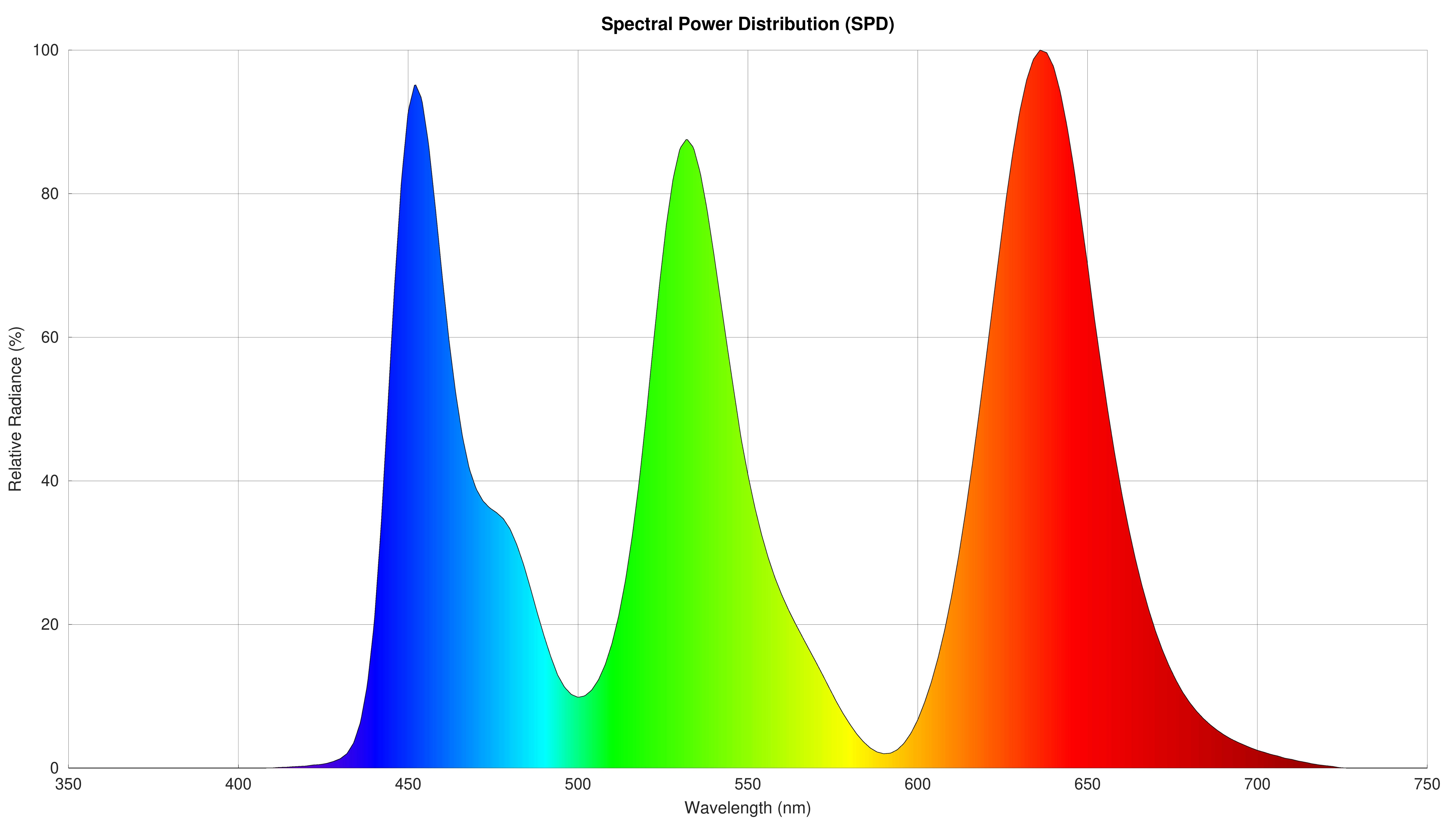
Test Bench 2.1.2 is a small update that adds a new Panel Technology box with the new Spectral Power Distribution (SPD) graph. There are some other minor changes, as you can see below:
| Test Group | Changes |
|---|---|
| Panel Technology |
|
| Refresh Rate |
|
| VRR Flicker |
|
Panel Technology
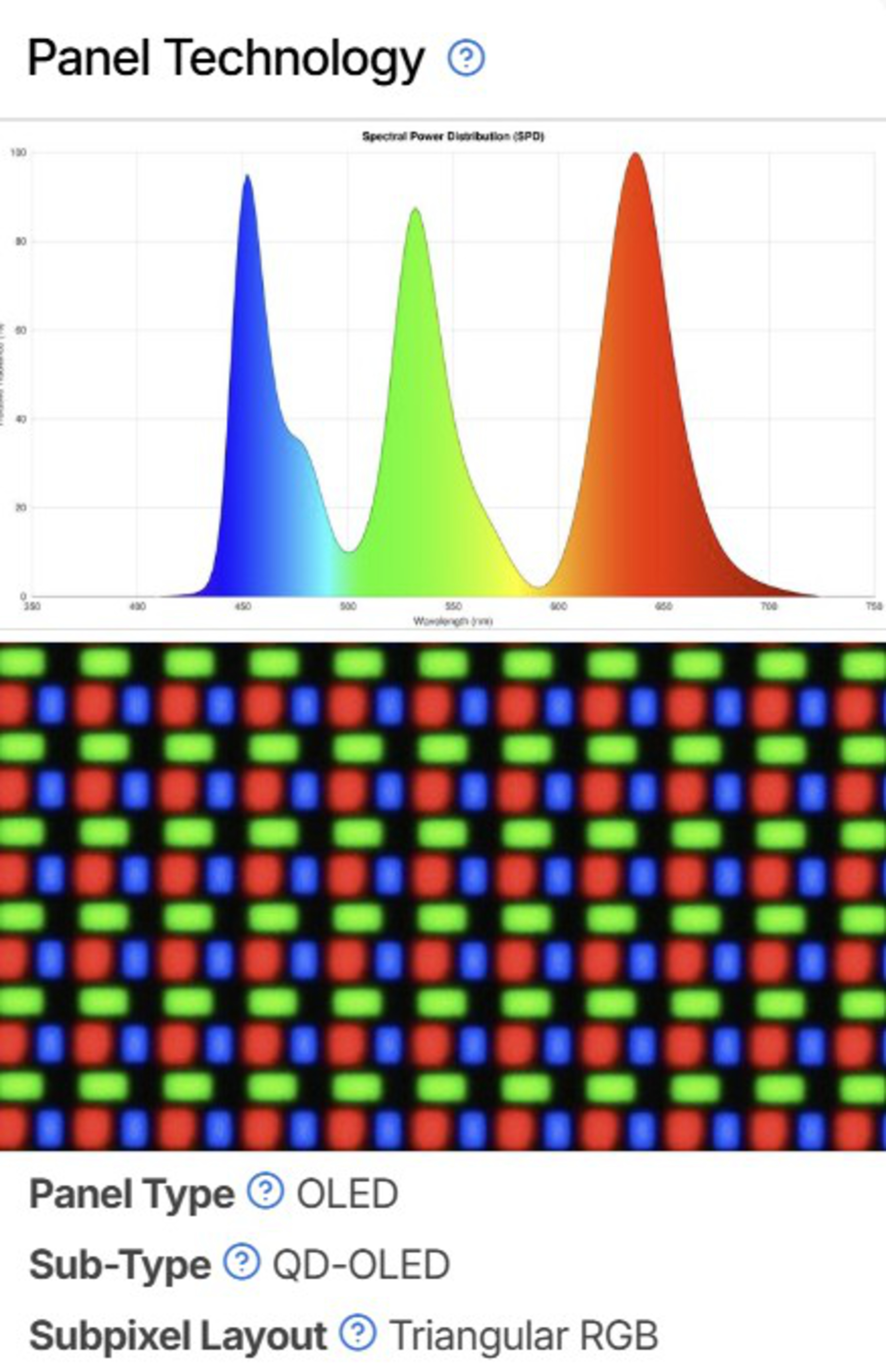
The biggest addition of this test bench update is the SPD graph in the new Panel Technology box. It allows you to compare different panel types more easily and shows whether they use technologies like quantum dots or KSF phosphors.
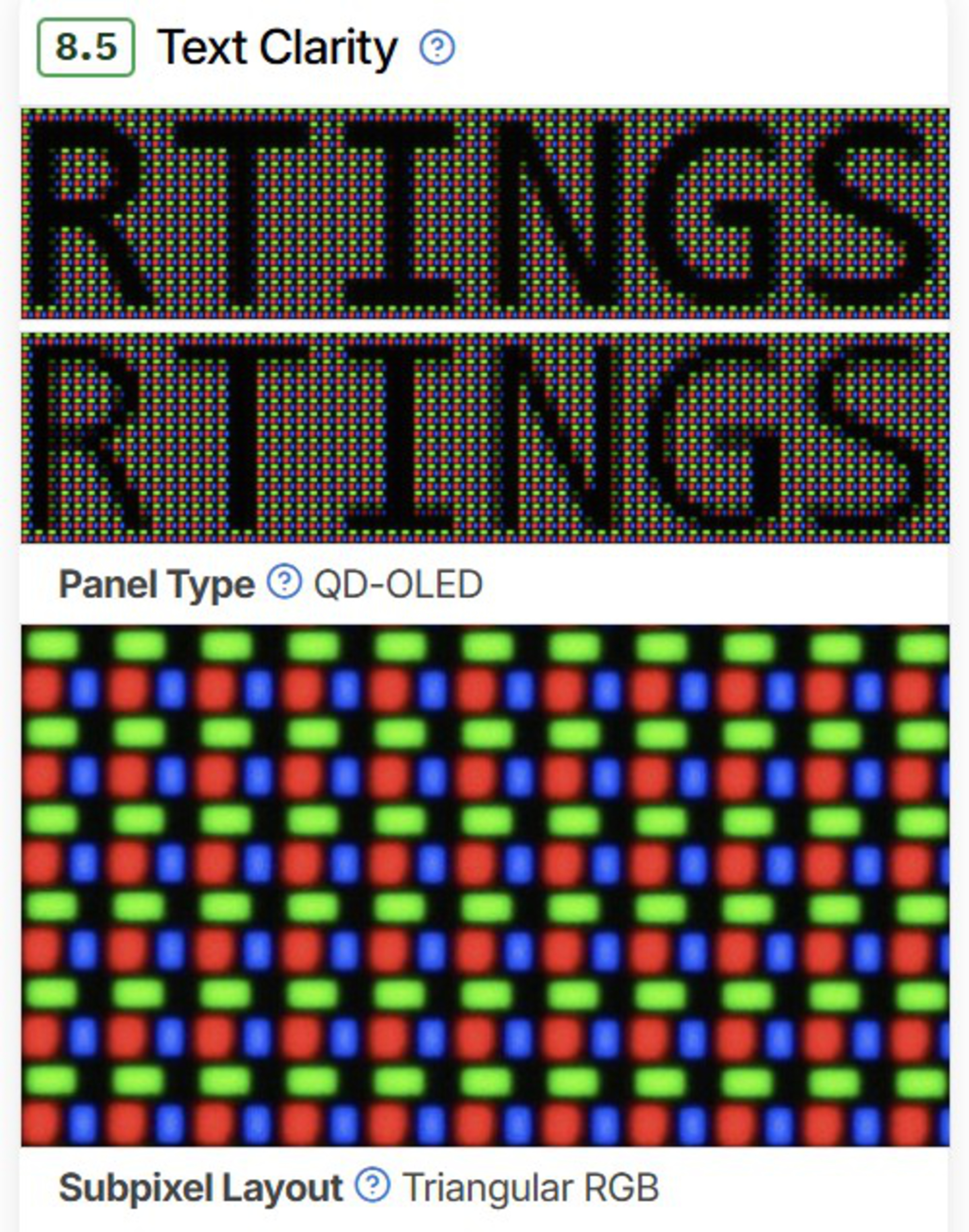
We also moved the pixels photo and the 'Panel Type And Subpixel Layout' test results from Text Clarity to this new box. The Panel Type test result now indicates whether it's an OLED or LCD, and the new Sub-Type result shows its exact panel technology (VA, IPS, QD-OLED, WOLED, etc.).
We also added the new Sub-Type result to the ribbon at the top of the review.


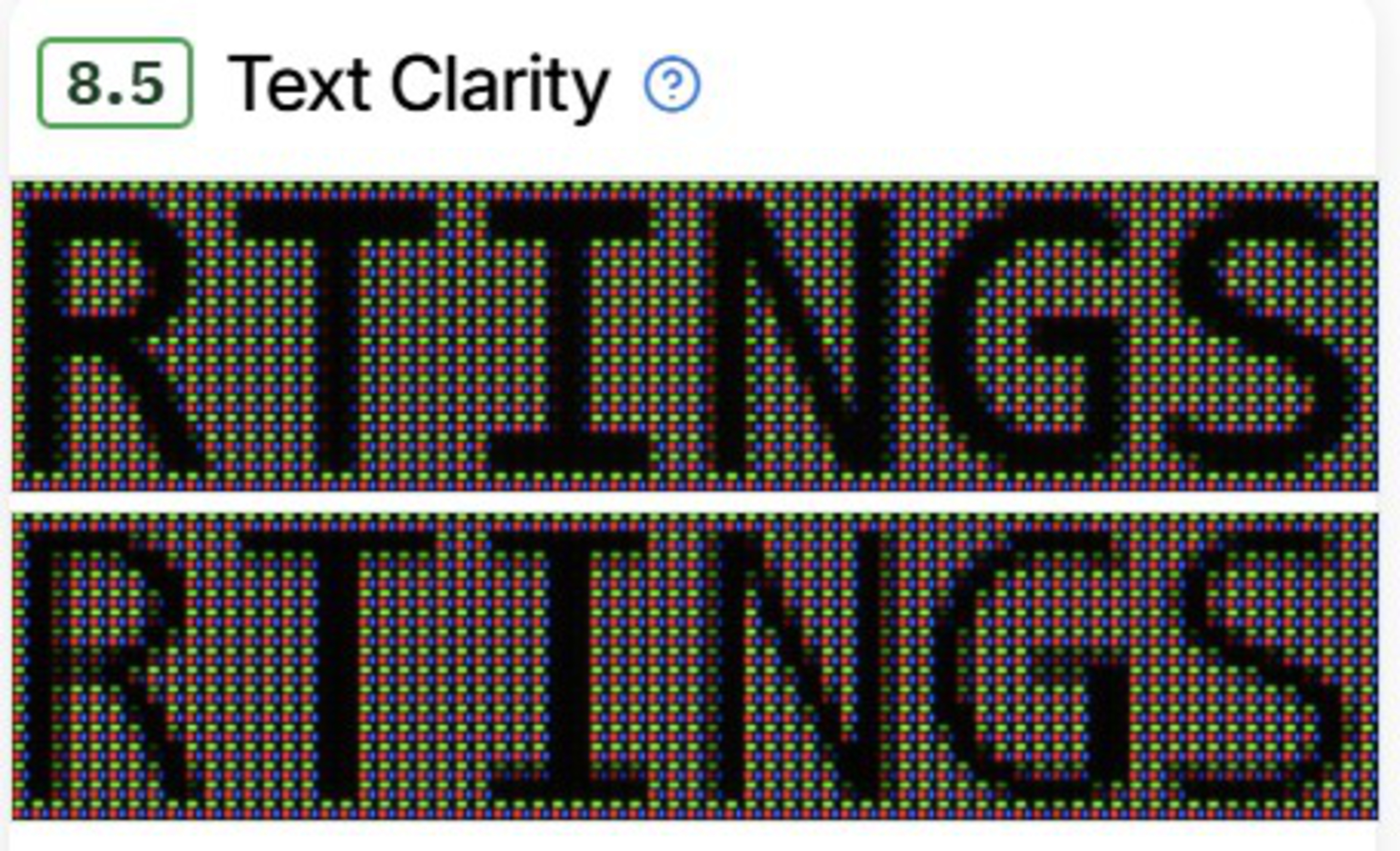
With these changes, the Text Clarity box now only includes the ClearType photos, but the scoring system remains unchanged.
| Test Benches 2.1.1 and older | Test Bench 2.1.2 |
|---|---|
 |
 |
Refresh Rate
We added the new Dual Mode Setting test result to indicate whether the monitor has a setting to boost its refresh rate with a lower resolution. The ASUS ROG Strix OLED XG32UCWMG is an example that can go from 4k @ 240Hz to 1080p @ 480Hz.
Learn more about our Refresh Rate test.
VRR Flicker
We now include whether the monitor has a setting to reduce VRR flicker. Although the results in the review are still with the setting disabled, to maintain consistency between monitors, we also include additional results with it enabled (if applicable) in the text.
Learn more about our VRR Flicker test.
Let Us Know What You Think!
Your feedback is instrumental in improving our testing. If you have comments, questions, or suggestions about this or future test bench updates, reach out to us in the forums.
93 Monitors Updated
We have retested popular models. The test results for the following models have been converted to the new testing methodology. However, the text might be inconsistent with the new results.
- Acer Nitro XV275K P3biipruzx
- Acer Nitro XV275K P5biipruzx
- Acer Nitro XV275U P3biipx
- Acer Nitro XZ322QU V3bmiiphx
- AOC AGON PRO AG276QZD2
- AOC Q27G3XMN
- AOC Q27G40XMN
- Apple Studio Display 2022
- ASUS ProArt Display 6K PA32QCV
- ASUS ProArt Display PA279CRV
- ASUS ProArt Display PA27JCV
- ASUS ROG Strix OLED XG27ACDNG
- ASUS ROG Strix OLED XG27AQDMG
- ASUS ROG Strix OLED XG27AQWMG
- ASUS ROG Strix OLED XG32UCWMG
- ASUS ROG Strix XG27ACS
- ASUS ROG Swift OLED PG27AQDM
- ASUS ROG Swift OLED PG27AQDP
- ASUS ROG Swift OLED PG27AQWP-W
- ASUS ROG Swift OLED PG27UCDM
- ASUS ROG Swift OLED PG32UCDM
- ASUS ROG Swift OLED PG32UCDP
- ASUS ROG Swift Pro PG248QP
- ASUS TUF Gaming VG27AQL1A
- ASUS TUF VG27AQ
- BenQ MOBIUZ EX321UX
- BenQ PD3225U
- Corsair XENEON FLEX 45WQHD240
- Dell Alienware AW2724DM
- Dell Alienware AW2725DF
- Dell Alienware AW2725DM
- Dell Alienware AW2725Q
- Dell Alienware AW2725QF
- Dell Alienware AW3225DM
- Dell Alienware AW3225QF
- Dell Alienware AW3425DW
- Dell Alienware AW3425DWM
- Dell G2524H
- Dell G2725D
- Dell G3223Q
- Dell S2722QC
- Dell S2725DC
- Dell S2725QC
- Dell S2725QS
- Dell S3225QC
- Dell S3225QS
- Dell S3422DWG
- Dell U2725QE
- Dell U3225QE
- Dell U4025QW
- Dell U5226KW
- Gigabyte AORUS FO27Q3
- Gigabyte AORUS FO32U2P
- Gigabyte MO27Q28G
- LG 24GS65F-B
- LG 27G610A-B
- LG 27G850A-B
- LG 27GL850-B/27GL83A-B
- LG 27GP850-B/27GP83B-B
- LG 27GR75Q-B
- LG 27GR83Q-B
- LG 27GR93U-B
- LG 27GR95UM-B
- LG 27GS95QE-B
- LG 27GX700A-B
- LG 27GX790A-B
- LG 27GX790B-B
- LG 32GR93U-B
- LG 32GS95UE-B
- LG 34GP83A-B
- LG 34GS95QE-B
- LG 45GX950A-B
- LG C4 42 OLED
- LG C5 42 OLED
- MSI MPG 271QRX QD-OLED
- MSI MPG 272URX QD-OLED
- MSI MPG 274URDFW E16M
- MSI MPG 321URX QD-OLED
- MSI MPG 322URX QD-OLED
- MSI MPG 341CQPX QD-OLED
- Samsung Odyssey 3D G90XF S27FG900X
- Samsung Odyssey G50D S27DG50
- Samsung Odyssey G51C S27CG51
- Samsung Odyssey Neo G7 S32BG75
- Samsung Odyssey Neo G8 S32BG85
- Samsung Odyssey Neo G9/G95NC S57CG95
- Samsung Odyssey OLED G60SD S27DG602S
- Samsung Odyssey OLED G80SD S32DG80
- Samsung Odyssey OLED G81SF S27FG810S
- Samsung Odyssey OLED G9/G95SC S49CG95
- Samsung Smart Monitor M80D S32DM80
- Sony INZONE M9 II
- Xiaomi G Pro 27i