The ASUS ROG Swift OLED PG27AQDP is a premium OLED gaming monitor. Featuring a 480Hz refresh rate with a 27-inch screen and 1440p resolution, it competes against monitors with the same specs, like the Acer Predator X27U F3, the Sony INZONE M10S, and the AOC AG276QKD. Like some high-end TVs, it uses Micro Lens Array+ (MLA+) technology that lets it get brighter than other OLED monitors. It has features you'd expect to find in a premium gaming monitor, like HDMI 2.1 bandwidth, and it has other perks to improve your gaming experience, like OLED Anti-Flicker and Extreme Low Motion Blur. It even has some OLED Care settings to reduce the risk of burn-in associated with OLEDs, and it has a custom heatsink.

We buy and test more than 30 monitors each year, with units that we buy completely on our own, without any cherry-picked units or samples. We put a lot into each unbiased, straight-to-the-point review, and there's a whole process from purchasing to publishing, involving multiple teams and people. We do more than just use the monitor for a week; we use specialized and custom tools to measure various aspects with objective data-based results. We also consider multiple factors before making any recommendations, including the monitor's cost, its performance against the competition, and whether or not it's easy to find.
Our Verdict
The ASUS PG27AQDP is remarkable for PC gaming. With a high 480Hz refresh rate, it's a fantastic choice for most PC gamers, and it supports any VRR format to reduce screen tearing. Motion looks incredibly sharp thanks to its fast response time, and it has low input lag with most refresh rates, except for 60Hz signals, where it increases. On top of that, it delivers incredible picture quality with deep blacks and bright highlights. However, there are some downsides, as it has noticeable VRR flicker with changing frame rates. The monitor's software also has a lot of bugs, causing settings to change randomly or not work altogether.
Incredibly high 480Hz refresh rate.
Supports all common VRR formats.
Fast response time for sharp motion.
Low input lag with most signals.
Displays deep and inky blacks.
Small highlights pop in HDR.
Software has noticeable bugs.
Very high input lag with 60Hz signals.
Noticeable VRR flicker.
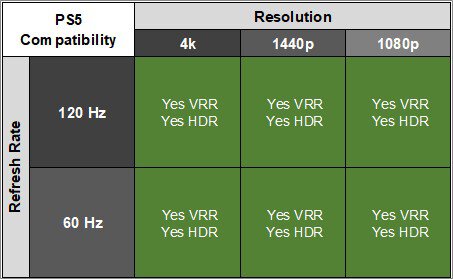
The ASUS PG27AQDP is fantastic for console gaming. It has HDMI 2.1 bandwidth to take full advantage of the PS5 and Xbox Series X|S, including supporting downscaled 4k signals. Its near-instant response time results in incredibly sharp motion, and it has low input lag with 120Hz signals. However, the input lag is a lot higher with 60Hz signals, which is disappointing for playing reaction-based games. On the plus side, games look realistic thanks to its incredible picture quality with deep blacks and bright highlights. It even gets bright enough to fight glare in most well-lit rooms.
Fast response time for sharp motion.
Low input lag with most signals.
Displays deep and inky blacks.
Small highlights pop in HDR.
Supports any signal from PS5 and Xbox Series X|S.
Software has noticeable bugs.
Very high input lag with 60Hz signals.
The ASUS PG27AQDP is good for office use. It gets bright enough to fight glare in most well-lit rooms and has great reflection handling. Its wide viewing angles and versatile ergonomics are also useful for sharing your screen with someone next to you. However, there are other downsides, as it risks burn-in with constant exposure to the same static elements over time. It also has some text clarity issues with some fringing around letters.
Bright enough to fight glare in most well-lit rooms.
Great reflection handling.
Versatile ergonomics.
Software has noticeable bugs.
Text clarity issues.
Risk of burn-in.
The ASUS PG27AQDP is excellent for editing. The main benefit of using it for content creation is its incredible picture quality, as it displays deep blacks without any blooming, and highlights pop in HDR, too. It also gets bright enough to fight glare in most well-lit rooms. It displays a wide range of colors and has an accurate sRGB mode, but you need to calibrate it for the best accuracy. Unfortunately, it has the risk of permanent burn-in with constant exposure to static elements over time, like from your editing programs. The software also has bugs that change settings at times, which can be problematic if you need specific settings for your editing.
Displays deep and inky blacks.
Small highlights pop in HDR.
Bright enough to fight glare in most well-lit rooms.
Dedicated sRGB mode.
Software has noticeable bugs.
Risk of burn-in.
Larger highlights are somewhat muted.
Needs full calibration for best accuracy.
The ASUS PG27AQDP has decent brightness. It gets bright enough to fight glare in most well-lit rooms. Small highlights also pop in HDR, but it doesn't maintain that brightness with larger highlights.
Small highlights pop in HDR.
Bright enough to fight glare in most well-lit rooms.
Larger highlights are somewhat muted.
The ASUS PG27AQDP has a near-instantaneous response time, resulting in exceptionally sharp motion.
Fast response time for sharp motion.
The ASUS PG27AQDP has incredible HDR picture quality. It displays deep and inky blacks without any blooming, and it also displays a wide range of colors. However, the biggest downside is that bright colors aren't very vivid.
Displays deep and inky blacks.
No blooming around bright objects.
Bright colors aren't very vivid.
The ASUS PG27AQDP has remarkable SDR picture quality. It displays deep blacks and a wide range of colors.
Displays deep and inky blacks.
Wide range of colors.
The ASUS PG27AQDP has excellent color accuracy. It has a dedicated sRGB mode with great accuracy, but you still need to calibrate it for the best accuracy, as it has white balance and gamma issues.
Dedicated sRGB mode.
Needs full calibration for best accuracy.
Performance Usages
Changelog
- Updated Nov 10, 2025: We've converted this review to Test Bench 2.1.1. We removed the Vertical Viewing Angle test.
-
Updated Aug 11, 2025:
We changed the Screen Finish from 'Semi-Gloss' to 'Matte' to better reflect how its coating interacts with light.
-
Updated Jul 24, 2025:
We updated text throughout to match the new and updated tests with Test Bench 2.1, including in the Verdict section.
- Updated Jul 21, 2025: We've converted this review to Test Bench 2.1. This includes new tests for Direct Reflections, Ambient Black Level Raise, and Total Reflected Light. You can see all the changes in the changelog.
Check Price
Differences Between Sizes And Variants
We bought and tested the 27-inch ASUS PG27AQDP, which is the only size available. Although there are other 1440p OLEDs in the ROG gaming lineup, they're different monitors, and the results are only valid for this model.
| Model | Size | Resolution | Refresh Rate |
|---|---|---|---|
| ROG Swift OLED PG27AQDP | 27" | 1440p | 480Hz |
Our unit's label indicates that it was manufactured in August 2024. We tested it with firmware MCM103.
Popular Monitor Comparisons
The ASUS ROG Swift OLED PG27AQDP is a 1440p OLED gaming monitor with a high 480Hz refresh rate. It's a great upgrade over other ROG Swift monitors, like the ASUS ROG Swift OLED PG27AQDM, if you want something with a high refresh rate. It also offers all the benefits of an OLED, like perfect contrast, and its MLA+ layer allows it to get bright. While it has fantastic hardware, its software has some drawbacks. It has bugs that can negatively impact your gaming experience, as settings randomly change or don't work at all, so it may be worth waiting until these get fixed with a firmware update before buying the monitor. That said, in terms of pure gaming performance, it's one of the best gaming monitors you can get.
Also, see our recommendations for the best 27-inch gaming monitors, the best high refresh rate monitors, and the best 1440p gaming monitors.
The ASUS ROG Swift OLED PG27AQDP and the Sony INZONE M10S are both 1440p 480Hz WOLED competitive gaming monitors. The Sony has fewer bugs and is the better option if you want a hassle-free experience. However, the ASUS gets brighter and is a better choice if you're gaming in a brighter environment. It also has a black frame insertion feature to reduce persistence blur.
The ASUS ROG Swift OLED PG27AQDM and the ASUS ROG Swift OLED PG27AQDP are both 1440p OLED gaming monitors in the same lineup. They have many of the same features, but the main difference is that the PG27AQDP has a higher 480Hz refresh rate than the 240Hz refresh rate of the PG27AQDM, and the PG27AQDP has HDMI 2.1 bandwidth to take full advantage of modern graphics cards. On top of that, the PG27AQDP gets much brighter in SDR, so it's the better choice for well-lit rooms. However, the PG27AQDM is the better choice if you often play games at 60Hz, as it has lower input lag at 60Hz.
The ASUS ROG Swift OLED PG27AQDP and the ASUS ROG Strix OLED XG27AQDMG are both 27-inch, 1440p OLED gaming monitors. The main difference is that the PG27AQDP has a higher 480Hz refresh rate compared to 240Hz on the XG27AQDMG, which is useful for competitive gaming. The PG27AQDP also has HDMI 2.1 bandwidth to take full advantage of modern graphics cards and gaming consoles. While the text clarity is similar between them, the PG27AQDP has less fringing, but the XG27AQDMG has a clearer image because of its glossy coating.

The ASUS ROG Swift OLED PG27AQDP and the LG 27GX790A-B are both 1440p 480Hz WOLED competitive gaming monitors. The ASUS is a better choice if you're gaming in a brighter room, as it gets brighter in SDR. It also has a black frame insertion feature to reduce persistence blur. However, the LG has fewer bugs and is a better choice if you're looking for a monitor with fewer issues.
Test Results

The ASUS ROG Swift OLED PG27AQDP has a gamer-oriented design with a thin panel and thick housing for the inputs. There's branding throughout, including with the RGB lighting below the stand and on the back. It has thin physical bezels, but there's still space before the image starts.
The build quality is excellent. The housing holding the panel is metal, and the transparent plastic on the back covering the inputs doesn't flex easily. The stand is well-made and features a plastic pillar and metal feel that hold the screen well. Overall, there aren't any major issues, and there isn't any noticeable coil whine or fan noise, either.
The ergonomics are fantastic. You can easily adjust it in a number of ways, and the screen stays in place once you do. The stand also has a cutout for cable management.
The tripod stand takes up a lot of space, but there's space between the feet to place your keyboard and mouse. As the stand is tilted, the thickness from the display to the back of the stand depends on the height at which you set the screen. The thickness measurement is with the screen at the lowest height, and thickness at the max height is 8.3" (21.0 cm).
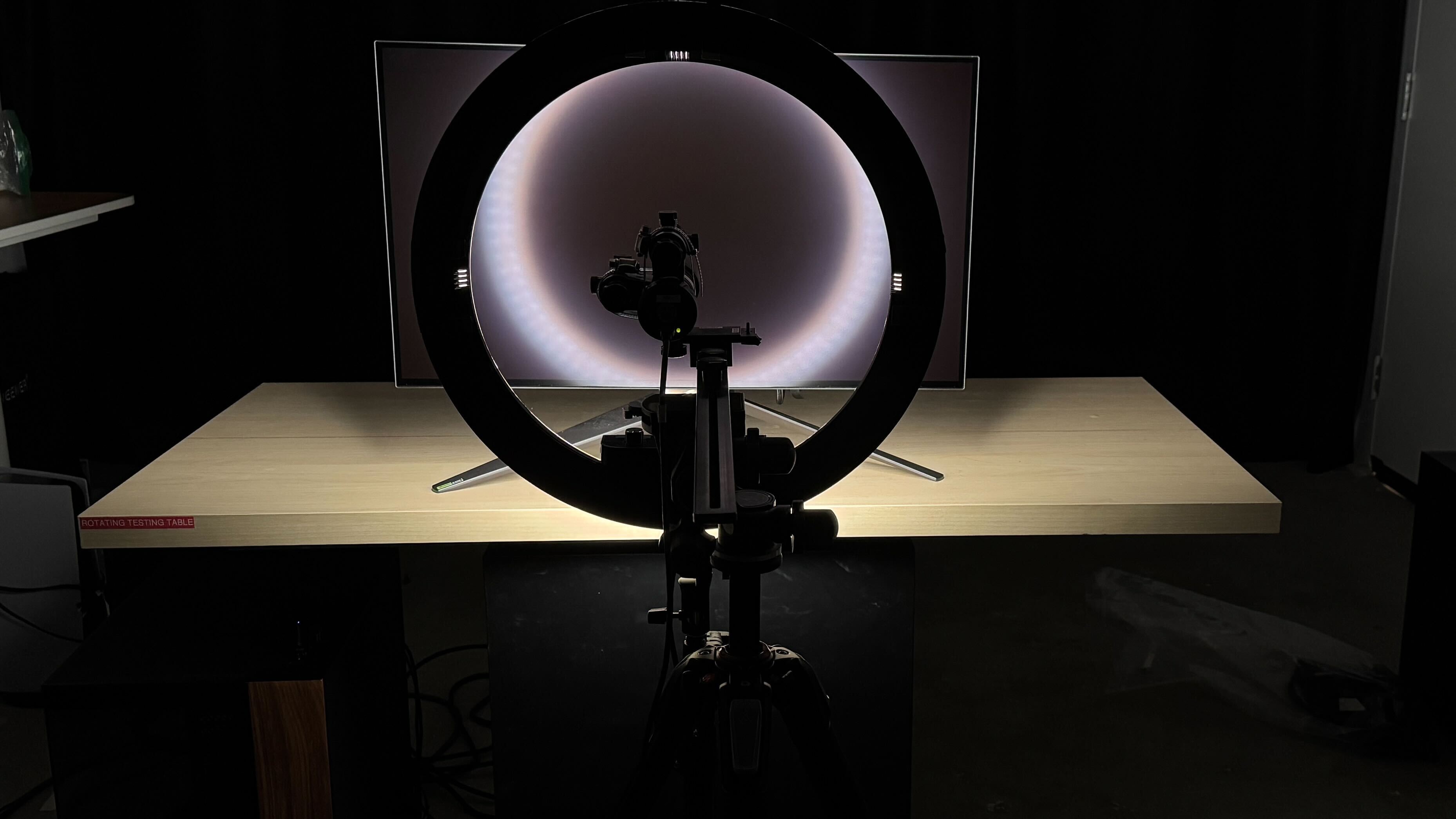
The ASUS ROG Swift OLED PG27AQDP doesn't have a backlight, so it doesn't require a local dimming feature. However, with a near-infinite contrast ratio, there isn't any blooming around bright objects, and it's the equivalent of a perfect local dimming feature. We still film these videos on the monitor so you can see how the screen performs and compare it with a monitor that has local dimming.
Settings
- Game Visual: User Mode (after calibration)
- Uniform Brightness: Off
- Brightness: 100
- Power Setting: Performance
- OLED Care: All settings off
The SDR brightness is very good. It gets bright enough to fight glare in most well-lit rooms, but you may struggle to properly see the screen if you have it opposite a sunny window. Although turning Uniform Brightness off results in some changes in brightness between different content, it isn't distracting. Turning it on makes the brightness more consistent between different content, but it makes the screen dimmer, as you can see below:
| Window Size | Brightness |
|---|---|
| Real Scene | 248 cd/m2 |
| Peak 2% Window | 270 cd/m2 |
| Peak 10% Window | 269 cd/m2 |
| Peak 25% Window | 269 cd/m2 |
| Peak 50% Window | 270 cd/m2 |
| Peak 100% Window | 271 cd/m2 |
| Sustained 2% Window | 269 cd/m2 |
| Sustained 10% Window | 267 cd/m2 |
| Sustained 25% Window | 268 cd/m2 |
| Sustained 50% Window | 269 cd/m2 |
| Sustained 100% Window | 270 cd/m2 |
| Automatic Brightness Limiting (ABL) | 0.000 |
| Minimum Brightness | 23 cd/m2 |
Settings
- HDR Setting: Console HDR
- Adjustable HDR: On
- Brightness: 100
- Uniform Brightness: Off
- OLED Care: All settings off
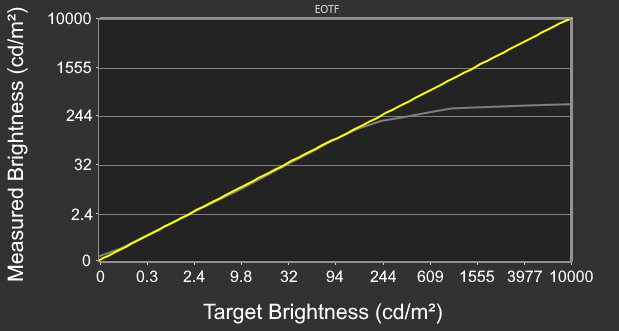
The HDR brightness is okay. It gets bright enough to fight glare in most well-lit rooms, and it also makes small highlights pop against the rest of the image. However, it doesn't sustain the brightness with larger highlights. The 'Console HDR' mode is the brightest and most accurate as it follows the PQ EOTF well for the most part, but bright highlights are overbrightened. It has a sharp cut-off at the peak brightness, so highlights get the brightest they could.
The EOTF is the same in the 'True Black 400' picture mode, for which you can see the brightness results below, along with the Uniform Brightness setting on, which you can only enable if you also turn on Adjustable HDR.
| HDR Setting | Console Mode | True Black 400 | |||
|---|---|---|---|---|---|
| Adjustable HDR | On | Off | On | On | Off |
| Uniform Brightness | On | Off | Off | On | Off |
| Real Scene | 246 cd/m2 | 431 cd/m2 | 249 cd/m2 | 249 cd/m2 | 409 cd/m2 |
| Peak 2% Window | 267 cd/m2 | 792 cd/m2 | 462 cd/m2 | 227 cd/m2 | 787 cd/m2 |
| Peak 10% Window | 265 cd/m2 | 784 cd/m2 | 458 cd/m2 | 225 cd/m2 | 777 cd/m2 |
| Peak 25% Window | 264 cd/m2 | 446 cd/m2 | 446 cd/m2 | 226 cd/m2 | 444 cd/m2 |
| Peak 50% Window | 263 cd/m2 | 328 cd/m2 | 331 cd/m2 | 225 cd/m2 | 325 cd/m2 |
| Peak 100% Window | 264 cd/m2 | 268 cd/m2 | 270 cd/m2 | 226 cd/m2 | 266 cd/m2 |
| Sustained 2% Window | 239 cd/m2 | 717 cd/m2 | 418 cd/m2 | 226 cd/m2 | 712 cd/m2 |
| Sustained 10% Window | 240 cd/m2 | 724 cd/m2 | 419 cd/m2 | 224 cd/m2 | 718 cd/m2 |
| Sustained 25% Window | 239 cd/m2 | 408 cd/m2 | 411 cd/m2 | 225 cd/m2 | 406 cd/m2 |
| Sustained 50% Window | 238 cd/m2 | 297 cd/m2 | 300 cd/m2 | 224 cd/m2 | 295 cd/m2 |
| Sustained 100% Window | 239 cd/m2 | 241 cd/m2 | 243 cd/m2 | 225 cd/m2 | 240 cd/m2 |
The accuracy is great before calibration in the 'sRGB Cal Mode' Game Visual. It locks colors well to the sRGB color space, but it isn't perfect, as there are inaccuracies with the white balance and most colors. Even gamma is very off, as bright scenes are overbrightened. The 'User' mode has better gamma tracking, but colors are oversaturated.
The 'sRGB Cal Mode' locks out the following settings:
- Blue Light Filter
- Color Temp.
- Contrast
- Saturation
- Shadow Boost
- Sharpness
- Uniform Brightness
The accuracy after calibration is fantastic. Although it isn't perfect, like with gamma tracking, it improves the overall image accuracy.
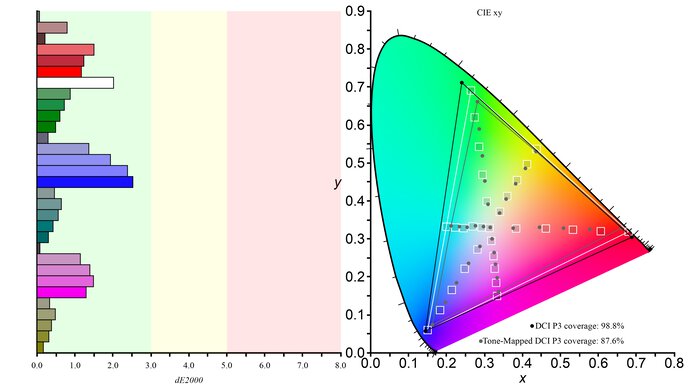
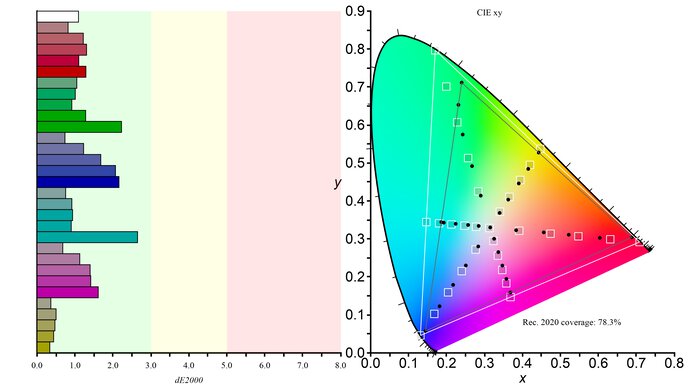
The HDR color gamut is fantastic. It covers nearly all of the DCI-P3 color space used in most content, with minimal inaccuracies. However, it has a more limited coverage of the wider Rec. 2020 color space.
The ASUS PG27AQDP has an incredible horizontal viewing angle. Although it technically isn't perfect, you visually won't see any inconsistencies when viewing from the sides or if you sit close to the screen.
The ASUS PG27AQDP has okay text clarity. When using ClearType, it has less fringing than other 27-inch, 1440p OLEDs with an RWBG subpixel layout, like the ASUS ROG Strix OLED XG27AQDMG, which you can see in the close-up photos. However, it doesn't make text significantly better when reading from a normal viewing distance, and there's still some fringing. The coating also introduces some haziness. You can see examples of this in the table below.
| PG27AQDP | XG27AQDMG |
|---|---|
| Close up | Close up |
| Macro view | Macro view |
Without using ClearType, there's no fringing, but letters are harder to read. These photos are in Windows 10, and you can also see them in Windows 11 with ClearType on and with ClearType off.
Although ASUS advertises a Pixel Edge feature, it isn't available in the settings.
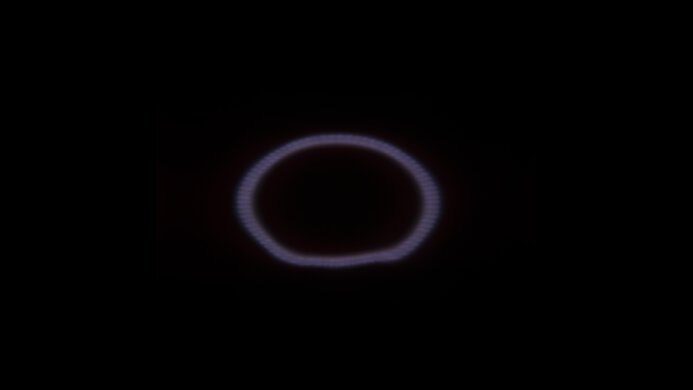
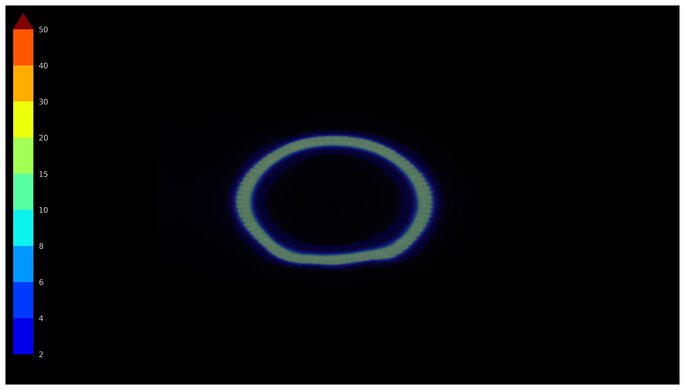
The direct reflection handling is good. The coating spreads light out a bit, while also having some mirror-like reflections.
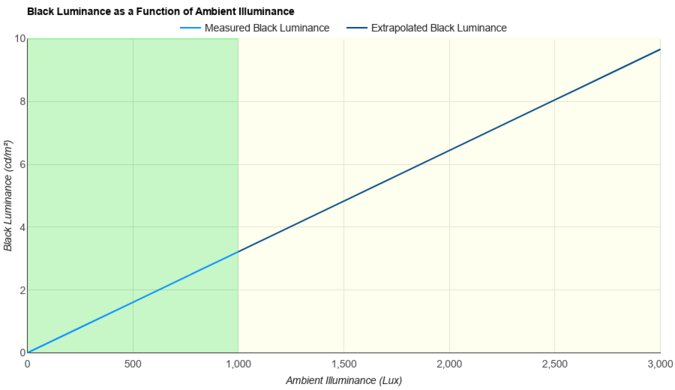
The black levels remain low in a bright room, but they still rise a bit, and you need to use the monitor in a dark room to get the best black levels.
You can reach the max refresh rate as long as your graphics card uses Display Stream Compression (DSC). The monitor has a DSC Support setting to disable DSC if you prefer not using compression with a lower refresh rate.
NVIDIA
VRR Min
VRR Max
DisplayPort
<20Hz
480Hz
HDMI
<20Hz
480Hz
AMD
VRR Min
VRR Max
DisplayPort
<20Hz
480Hz
HDMI
<20Hz
480Hz
On top of FreeSync VRR and G-SYNC compatibility, this monitor also supports HDMI Forum VRR.
The ASUS PG27AQDP has remarkable motion handling across its VRR range. There's minimal blur or smearing with fast-moving objects, and it remains consistent as the refresh rate drops. Any blur at low refresh rates is persistence blur.
The refresh rate compliance is outstanding. With a near-instantaneous response time, it makes full-color transitions before drawing the next frame.
The ASUS PG27AQDP has a black frame insertion feature to reduce persistence blur. It only works with fixed 240Hz or 120Hz signals and reduces blur well. You can also adjust the brightness too, with the minimum brightness being 16 cd/m2. You can only enable ELMB with VRR disabled, and using this settings locks you out of the Aspect Control and Uniform Brightness settings.
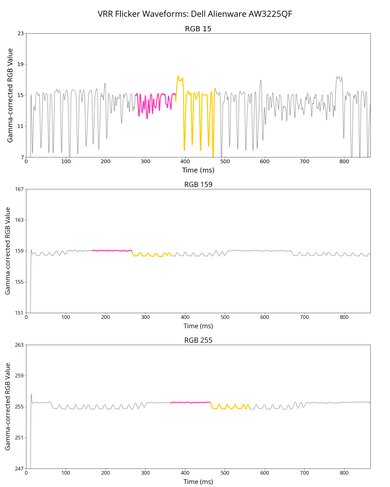
This monitor has terrible VRR flicker with changing frame rates, which is most distracting in dark scenes. That said, it has an OLED Anti-Flicker setting that reduces the VRR flicker by limiting the refresh rate range, but it also introduces stutter and doesn't eliminate all flicker. You can see the results for the different settings below:
The ASUS ROG Swift PG27AQDP has low input lag with most refresh rates for a responsive feel. However, input lag increases a lot more with fixed 60Hz signals, including during a re-test we did with firmware MCM104. That said, this isn't an issue if you start gaming at a higher refresh rate and use VRR as the refresh rate drops.
We couldn't measure the input lag with Aspect Control because we couldn't enable it.
Connection
HDMI 2.0
HDMI 2.1
USB-C to DP
Max Refresh Rate
120Hz
480Hz
480Hz
VRR Range
N/A
40-480Hz
40-480Hz
HDR
Yes
Yes
Yes
The ASUS PG27AQDP works well with macOS. VRR works properly, but there's still VRR flicker with changing frame rates. The max refresh rate depends on the chip you're using, as it goes up to 240Hz with an M1 chip. If you're using a MacBook and close the lid, windows migrate to the screen, and opening the lid causes the windows to return to their original position.
The ASUS PG27AQDP has a ton of extra features to improve your gaming experience, including:
- AI Assistant: This includes AI Crosshair, AI Shadow Boost, and AI Sniper features that make it easier to see opponents that your game's anti-cheat tool won't detect.

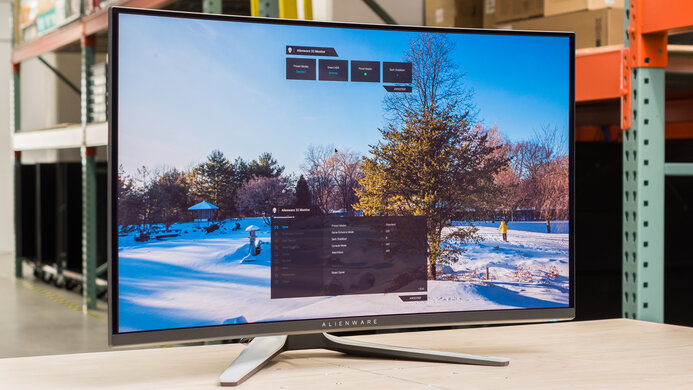
- Aspect Control: You can change the display area to simulate a 24.5-inch image or a squared aspect ratio. You can also enable Pixel by pixel to stretch the image for a 3288x1850 resolution.
- Blue Light Filter: Reduces blue light to help reduce eye strain.
- GamePlus: Includes gaming modes like FPS Counter, Crosshair, Sniper, and Display Alignment.
- Lighting Effect: Offers settings to control the monitor's RGB lighting.
It also includes a few settings to reduce the risk of burn-in associated with OLEDs. They're all under the OLED Care section:
- Screen Saver: Dims the screen when there's no movement on the screen after a certain period.
- Screen Move: Moves the image by a few pixels at a time so that pixels aren't always displaying the same thing.
- Pixel Cleaning: This feature fixes any burn-in issues, and it runs when you turn the screen off. It takes about six minutes to complete, and there's a reminder that pops up when to start it.
- Auto Logo Brightness: Dims static logos on the screen. There's also a Taskbar Detection setting to move the taskbar to the outer parts of the display area.
We tested this monitor with firmware MCM103 and experienced many bugs with it. The settings often change or become grayed out for no reason, even without us changing any settings. Some settings, like Aspect Control, didn't work at all. We also experienced issues with the monitor having to reset the image a few times when changing the refresh rate or turning VRR on/off from our PC.
We'll check for these issues if there's a new firmware update.