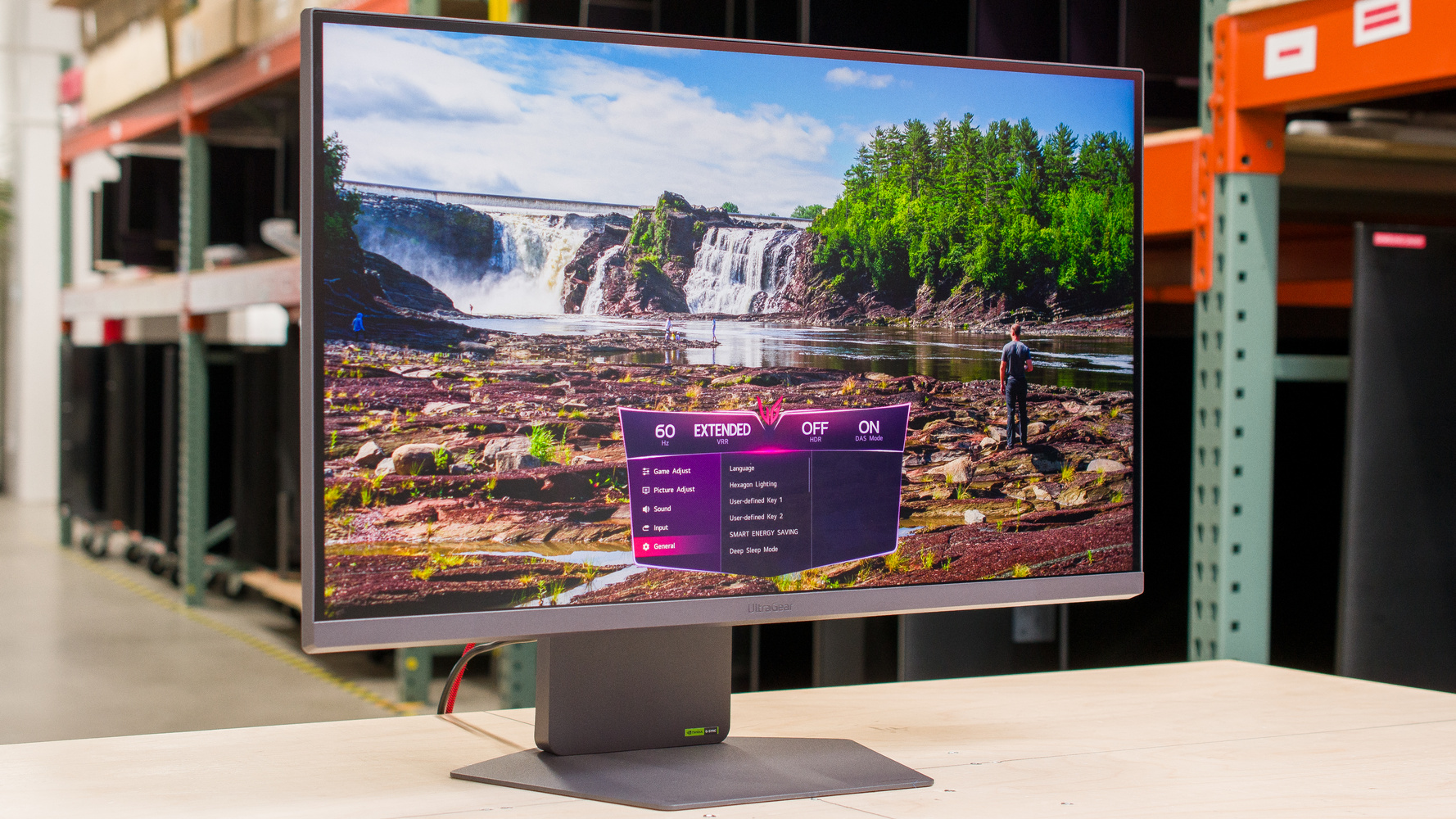
The LG 27G850A-B is a high-end 27-inch gaming monitor. It's a new model in the 2025 UltraGear gaming lineup, with its standout feature being its Dual-Mode that switches it from a 4k, 240Hz display to a 1080p resolution and 480Hz refresh rate. It competes against other Dual-Mode monitors, like the Dell Alienware AW2725QF, and its IPS Black panel makes it an alternative to Dual-Mode monitors with OLED panels, like the LG 32GS95UE-B. It has gaming-focused perks, like high-bandwidth HDMI and DisplayPort inputs to take advantage of gaming consoles and modern graphics cards, and it supports AMD FreeSync Premium Pro and G-SYNC Compatibility. It also has Hexagon Lighting to complement your gaming setup, and it supports DTS Headphone:X for spatial audio.
Our Verdict
The LG 27G850A-B is good for PC gaming. It's a native 4k, 240Hz monitor with a 1080p, 480Hz Dual-Mode, giving you versatility for playing games at higher refresh rates. It also has high-bandwidth HDMI and DisplayPort inputs to take advantage of modern graphics cards. Gaming feels responsive thanks to its low input lag, and it has good motion handling at most refresh rates, but there's still blur with fast-moving objects. The main downside of using this for gaming is that it has limited picture quality. Blacks look gray next to bright highlights, and the local dimming feature fails to improve this or make highlights pop.
Has a 1080p, 480Hz Dual-Mode.
Low input lag at any refresh rate.
Consistent response time across VRR range.
4k resolution for detailed images.
High-bandwidth HDMI and DisplayPort.
Local dimming dims bright highlights.
Low native contrast ratio.
Still has blur with fast objects.
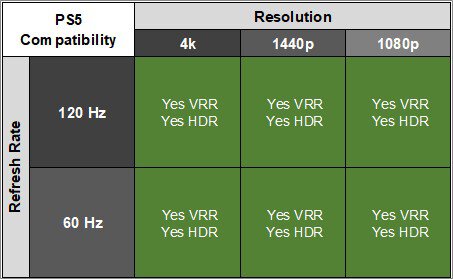
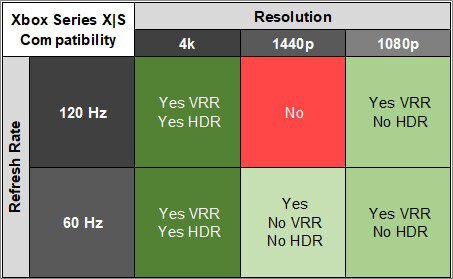
The LG UltraGear 27G850A-B is great for console gaming. It has HDMI 2.1 bandwidth and a 4k resolution to support any signal with a PS5, PS5 Pro, or Xbox Series X|S. Motion looks sharp for the most part, but there's still some blur with fast-moving objects. On the plus side, it has low input lag for a responsive feel while gaming. However, it has limited picture quality that fails to deliver an impactful HDR experience. Blacks look gray, and it doesn't make highlights pop against the rest of the image, even with its local dimming feature enabled.
Low input lag at any refresh rate.
Consistent response time across VRR range.
4k resolution for detailed images.
High-bandwidth HDMI and DisplayPort.
Local dimming dims bright highlights.
Low native contrast ratio.
Still has blur with fast objects.
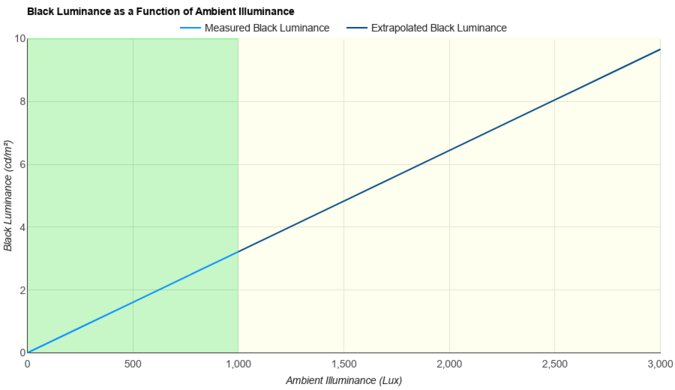
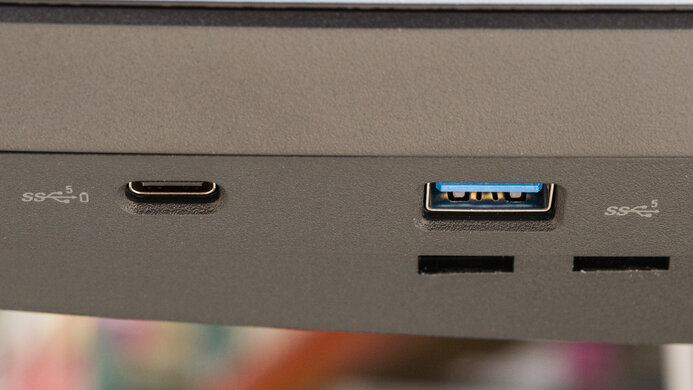
The LG 27G850A is impressive for productivity. Its 4k resolution and high pixel density help result in sharp text clarity, but text looks worse if you use the 1080p Dual-Mode. On the plus side, it gets bright enough to fight glare in most well-lit rooms, but visibility can be an issue in a sunny environment. It also has wide viewing angles and great ergonomics that help if you need to share your screen with someone else. It even has two USB-A ports to which you can connect your devices, but it's limited in productivity features otherwise.
4k resolution for detailed images.
Ergonomic stand.
Gets very bright in SDR and HDR.
Struggles with glare in sunny rooms.
Limited productivity features.
The LG 27G850A is good for editing. It comes with a dedicated sRGB mode, but you still need to calibrate it for the best accuracy because there are white balance and gamma issues before calibration. It also has limited picture quality, especially in HDR, because it has a low contrast ratio. Even though it has a local dimming feature, it fails to improve the picture quality and make small highlights pop. Fortunately, it has a high 4k resolution that helps deliver sharp and detailed images, and it's good to use in most well-lit rooms because it gets very bright.
4k resolution for detailed images.
Gets very bright in SDR and HDR.
Dedicated sRGB mode.
Low native contrast ratio.
Limited productivity features.
Needs calibration to fix accuracy issues.
The LG UltraGear 27G850A-B has impressive brightness. It gets bright enough to fight glare in most rooms, but it fails to make highlights pop against the rest of the image.
Gets very bright in SDR and HDR.
Local dimming dims bright highlights.
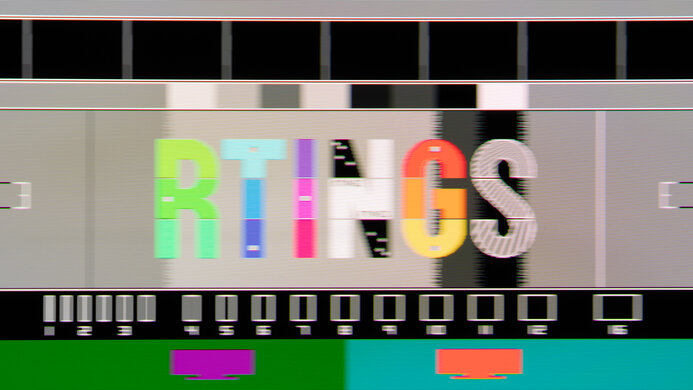
The LG UltraGear 27G850A-B has a decent response time. It performs best at high refresh rates, and it's consistent as the refresh rate drops, but there's still blur with fast-moving objects.
Consistent response time across VRR range.
Still has blur with fast objects.
The LG 27G850A-B is mediocre for HDR. It has a low native contrast ratio that makes blacks look gray against bright highlights. It also has a bad local dimming feature that doesn't improve the picture quality in HDR, and even mutes small highlights.
Displays wide range of colors.
Local dimming dims bright highlights.
Low native contrast ratio.
The LG 27G850A has decent SDR picture quality. It displays a wide range of colors, but it has a low contrast ratio, so blacks look gray, and it has some backlight bleed in dark scenes.
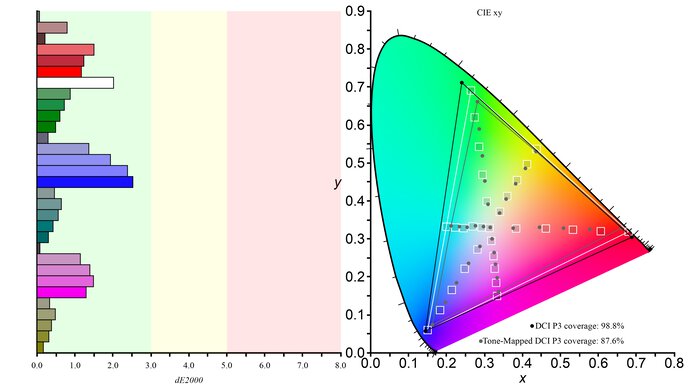
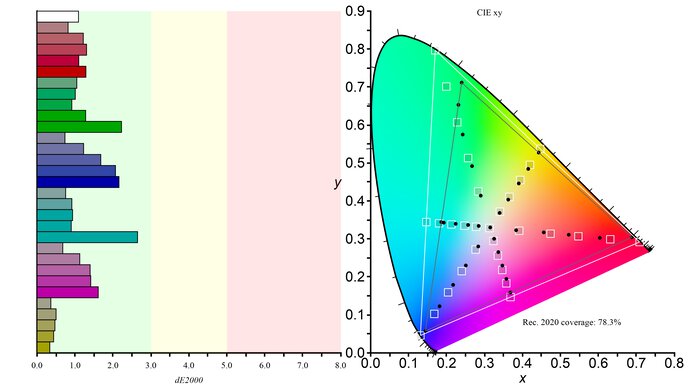
Displays wide range of colors.
Low native contrast ratio.
The LG UltraGear 27G850A-B has great accuracy. It comes with an accurate sRGB mode, but it still has white balance and gamma issues. This means you need to calibrate it for the best accuracy.
Dedicated sRGB mode.
Needs calibration to fix accuracy issues.
Performance Usages
Changelog
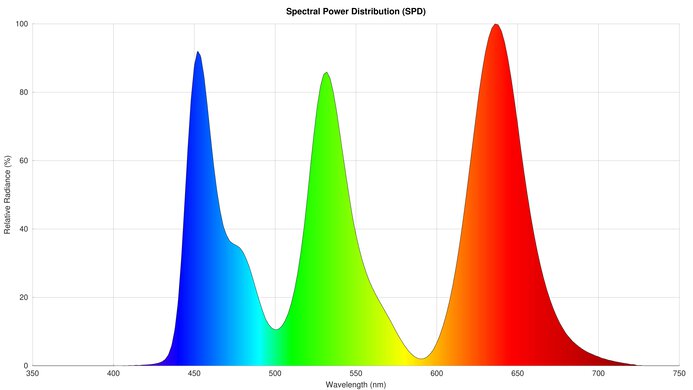
- Updated Mar 17, 2026: We've converted this review to Test Bench 2.1.2. We added a new Panel Technology box, including the Spectral Power Distribution (SPD) graph.
-
Updated Feb 25, 2026:
We added that the LG 27GX790B-B is another dual-mode monitor with a higher contrast ratio.
-
Updated Dec 15, 2025:
We added that the MSI MPG 274URDFW E16M is a dual-mode alternative that has a better SDR color gamut.
- Updated Nov 10, 2025: We've converted this review to Test Bench 2.1.1. We removed the Vertical Viewing Angle test.
Check Price
Differences Between Sizes And Variants
We bought and tested the 27-inch LG UltraGear 27G850A-B, which is the only size available. Part of the 2025 UltraGear lineup, there aren't any similar monitors, and the results are only valid for this model.
| Model | Size | Panel Type | Refresh Rate | Resolution |
|---|---|---|---|---|
| 27G850A-B | 27" | IPS Black | 240Hz (480Hz Dual-Mode) |
4k (1080p Dual-Mode) |
Our unit's label indicates it was manufactured in January 2025 in China. We tested it with firmware 3.02, 2.04.
Popular Monitor Comparisons
The LG 27G850A-B is a high-end 4k, 240Hz gaming monitor with a Dual-Mode feature that lowers its resolution to 1080p with a higher 480Hz refresh rate. This makes it versatile for playing different types of games, like if you prefer detailed graphics with one, and higher frame rates with another. It has a rather unique position in the monitor market, because it's the first 4k, 240Hz Dual-Mode monitor with an IPS panel. Other 4k Dual-Mode IPS monitors, like the AOC U27G4R, have a lower native refresh rate. This means it's an alternative to 4k, 240Hz Dual-Mode OLEDs, like the LG 32GS95UE-B, if you want versatility without the risk of burn-in or if you want a brighter screen. That said, it's still a clear step down from an OLED in terms of motion handling and picture quality, so you may be better off spending a bit more on an OLED if you want a more well-rounded gaming experience. It also costs more than other dual-mode monitors, like the Dell Alienware AW2725QF. Regardless, the 27G850A-B is a good gaming monitor, but it lacks what you'd expect from a premium model in 2025.
Also see our recommendations for the best high refresh rate monitors, the best LG monitors, and the best 240Hz monitors.
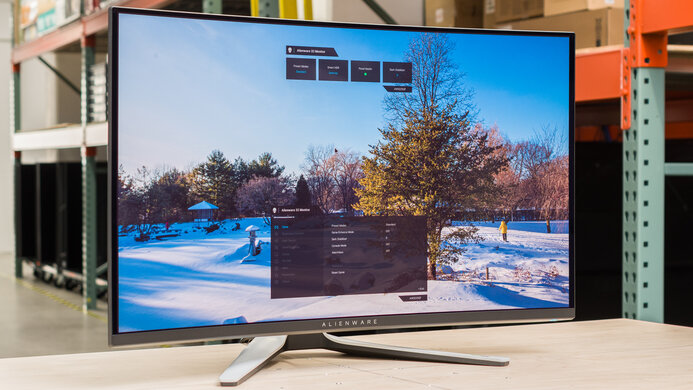
The Dell AW2725QF and the LG 27G850A-B are competing dual-mode gaming monitors. While they both have 4k resolutions with dual-mode features that switch them to a lower 1080p resolution, their refresh rates differ. The LG has a higher 240Hz refresh rate in 4k and a 480Hz refresh rate in 1080p, so it offers a smoother feel. However, the Dell still has better overall motion handling and more accurate colors. Although the LG comes with an IPS Black panel and has a better contrast ratio, they both have terrible local dimming features and fail to deliver an impactful HDR experience.
The LG 32GS95UE-B and the LG 27G850A-B are both 4k, 240Hz gaming monitors with Dual-Mode features that switches them to a 1080p resolution and 480Hz refresh rate. The main difference between them is their panel types, as the 32GS95UE-B has much better picture quality with deeper blacks and brighter highlights. The 32GS95UE-B also delivers better motion handling thanks to its near-infinite response time. However, the 27G850A-B is the more versatile choice if you want something for work, as it has sharper text clarity, gets brighter, and doesn't risk burn-in with constant exposure to static elements like the OLED panel of the 32GS95UE-B.
The LG 27G850A-B and the Samsung Odyssey Neo G8 S32BG85 are both 4k, 240Hz gaming monitors. The LG is a bit more versatile for PC gaming because it has a Dual-Mode feature that boosts its refresh rate to 480Hz with a 1080p resolution. The LG also has DisplayPort 2.1 bandwidth—which the Samsung doesn't have—to make full use of modern graphics cards. However, the Samsung is the better choice for HDR gaming because it has a higher native contrast ratio, and its Mini LED local dimming feature does a much better job at improving the picture quality in dark scenes.
The LG 27GR95UM-B and the LG 27G850A-B are both 4k gaming monitors, with a few differences. The 27G850A-B has the advantage if you want something for PC gaming at high frame rates, as it has a higher native refresh rate than the 27GR95UM-B, and it has a Dual-Mode feature that switches it to a 1080p resolution and 480Hz refresh rate. The 27G850A-B also has DisplayPort 2.1 bandwidth to take advantage of modern graphics cards. On the other hand, the 27GR95UM-B is the better choice if you care about good picture quality, as it's a Mini LED monitor with deeper blacks and brighter highlights. However, it's not a perfect solution as its local dimming feature causes haloing around bright objects.

We buy and test more than 30 monitors each year, all of which we purchase ourselves, without cherry-picked units or samples. We put a lot into each unbiased, straight-to-the-point review, and there's a whole process from purchasing to publishing, involving multiple teams and people. We do more than just use the monitor for a week; we use specialized, custom tools to measure various aspects and deliver objective, data-driven results. We also consider multiple factors before making any recommendations, including the monitor's cost, its performance compared to the competition, and whether it's easy to find.
Test Results






for pictures & test results





for pictures & test results


for pictures & test results

for pictures & test results

for pictures & test results

for pictures & test results

for pictures & test results

for pictures & test results





for videos & test results

for pictures & test results

for pictures & test results

for pictures & test results