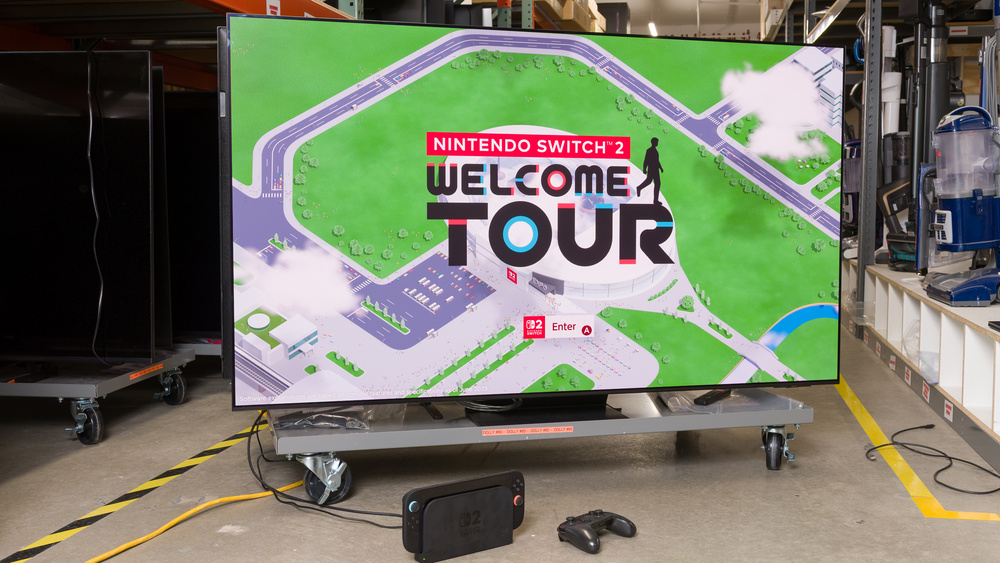
The Nintendo Switch 2 was released on June 5th, 2025, and is the fastest-selling console of all time. This is a console you can take with you on the go, since its built-in display offers an immersive gaming experience wherever you are. The Switch 2's docked mode offers a more traditional gaming experience, but if your TV is outdated, you may not be able to take advantage of the new features the console added. When looking for a TV for this newest Nintendo console, there are certain criteria you should look out for if you want the very best experience, such as 4k @ 60Hz and 1440p @ 120Hz.
Through our in-depth testing process, we can see exactly which models fit these criteria. Below are our recommendations for the best TV for Nintendo Switch 2, depending on your budget and needs. Our picks reflect the market as it stands today, so you might still see some 2025 models in this article if they're still available. For more options, check out our recommendations for the best PS5 TVs, the best Xbox Series X|S TVs, and the best TVs for a bright room. If you want a monitor, you can look into the best monitors for the Nintendo Switch 2. You can also vote on which ones you want us to buy and test. To learn more about the latest TVs on the market, check out our 2026 TV lineup page.

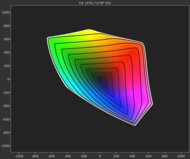
We buy and test dozens of TVs yearly, taking an objective, data-driven approach to deliver results you can trust. Our testing process is complex, with hundreds of individual tests that take over a week to complete. Most of our tests use specially designed test patterns that mimic real content, but we also use the same sources you have at home to ensure our results match the real-world experience. We use two main tools for our testing: a Colorimetry Research CR-100 colorimeter and a CR-250 spectroradiometer.
-
Best TV For Switch 2
 GamingBright RoomMixed UsageHome TheaterSportsGame Mode ResponsivenessBrightnessBlack LevelColorProcessing (In Development)Resolution:4kNative Refresh Rate:165HzScreen Finish:MattePanel Type:OLEDSub-Type:QD-OLEDDolby Vision:NoSee all our test resultsSizes:55" 65" 77" 83"
If you're looking for the absolute best TV for Switch 2, look no further than the Samsung S95H OLED. This model offers a complete package of top-tier image quality and performance. Like any OLED, it displays inky blacks, which gives the image very nice depth. Since this model utilizes a QD-OLED panel, colors are incredibly bright and vivid, so the newest Mario or Donkey Kong game really pops off the screen. This is one of the brightest TVs on the market, and it has a matte screen coating, so reflections are a non-issue. It has an incredibly wide viewing angle, so no one has to deal with a degraded image when your room is packed full of friends playing Mario Party.
It has HDMI 2.1 bandwidth on all four ports, making it versatile if you own multiple consoles. It supports up to 4k @ 165Hz, so it easily takes care of the 4k @ 60Hz that the Switch 2 offers. It even supports 1440p @ 120Hz for those who prefer motion clarity over resolution in the few games that currently support it. It also delivers very low input lag, so gaming feels snappy, and motion is crystal-clear.
-
Best Upper Mid-Range TV For Switch 2
GamingBright RoomMixed UsageHome TheaterSportsGame Mode ResponsivenessBrightnessBlack LevelColorProcessing (In Development)Resolution:4kNative Refresh Rate:165HzScreen Finish:GlossyPanel Type:OLEDSub-Type:WOLEDDolby Vision:YesSee all our test resultsSizes:42" 48" 55" 65"If you like what the Samsung S95H OLED offers but don't want a matte coating or it's a bit too pricey, consider the LG C6 OLED 2026. Colors are less vivid on this model than they are on the Samsung, but they still look very vibrant, leading to a punchy image. It's not as bright either, but the image certainly doesn't look dim, and it's still bright enough to handle glare in a moderately lit room. Better yet, you get the same inky blacks as the Samsung, so the image still has incredible depth. You even get the same wide viewing angle as the more expensive pick, making it great for couch co-op games with your friends.
Like the Samsung, it supports up to 4k @ 165Hz. Since the Switch 2 caps out at 4k @ 60Hz or 1440p @ 120Hz, you can still take full advantage of it. It has the same crystal clear motion, so there's no distracting motion blur in games like Mario Kart. Gaming also feels very responsive, thanks to its low input lag.
-
Best Mid-Range TV For Switch 2
GamingBright RoomMixed UsageHome TheaterSportsGame Mode ResponsivenessBrightnessBlack LevelColorProcessing (In Development)Resolution:4kNative Refresh Rate:120HzScreen Finish:GlossyPanel Type:OLEDSub-Type:WOLEDDolby Vision:YesSee all our test resultsSizes:48" 55" 65" 77" 83"The LG B5 OLED is the best TV for Nintendo Switch 2 if you don't want to dish out the cash for the higher-end LG C6 OLED 2026, but still want the benefits of an OLED. One of the biggest trade-offs you make by going with this model is that it's not as bright as the C6, but you can still use it in a room with a few overhead lights on and not be distracted by reflections. Although colors aren't as vibrant as they are on the C6, it's still colorful enough that the image doesn't look muted at all. The TV displays the same inky blacks, so games have amazing depth. You also still get the wide viewing angle that OLEDs are known for, making it a versatile option.
Like the other models, 4k @ 60Hz and 1440p @ 120Hz are both supported without issue, and you can even game in up to 4k @ 120Hz if you also have a PS5 or Series X|S. You also still get the same crystal clear motion and low input lag for a snappy feel, so playing games on this TV is excellent.
-
Best Lower Mid-Range TV For Switch 2
GamingBright RoomMixed UsageHome TheaterSportsGame Mode ResponsivenessBrightnessBlack LevelColorProcessing (In Development)Resolution:4kNative Refresh Rate:144HzScreen Finish:GlossyPanel Type:LCDSub-Type:VADolby Vision:YesSee all our test resultsSizes:55" 65" 75" 85" 98"Although our top three picks are all OLEDs, you don't necessarily need one if you want a solid gaming TV with great image quality. The TCL QM7K is a Mini LED TV with great local dimming, so even though you don't quite get the inky blacks of the LG B5 OLED, you still get very deep blacks that are sure to impress. Colors are rich and vibrant, so the characters' outfits and the environment in games like Zelda are nicely saturated. This model also features the brightness and reflection handling necessary to minimize distracting reflections on your screen when you're gaming in a bright room. Unlike the OLEDs above, this TV has a relatively narrow viewing angle, so its image quality degrades when viewed from the sides of the screen. Still, it's a decent choice if you have a friend or two sitting at a slight angle to the screen.
This TV supports more gaming features than the Switch 2 even offers, so you can easily take advantage of 4k @ 60Hz and 1440p @ 120Hz on the console. Thanks to the TV's low input lag, your inputs feel instant, so you're not missing timely, complex jumps in 2D side scrollers. Mini LED models like this don't have the same crystal clear motion as OLEDs. However, this model is surprisingly fast for an LED, so you aren't distracted by overly blurry motion when drifting around corners in the newest Mario Kart.
-
Best Budget TV For Switch 2
GamingBright RoomMixed UsageHome TheaterSportsGame Mode ResponsivenessBrightnessBlack LevelColorProcessing (In Development)Resolution:4kNative Refresh Rate:144HzScreen Finish:GlossyPanel Type:LCDSub-Type:VADolby Vision:YesSee all our test resultsSizes:55" 65" 75" 85" 98"If the price of the TCL QM7K is out of reach, you can safely step down to the TCL QM6K without sacrificing a ton. There are three primary tradeoffs you must make: blacks, colors, and brightness. Blacks aren't as deep as they are on the QM7K, but the contrast is still more than good enough for bold blacks that don't look gray. Colors are still vibrant enough to enjoy, but they aren't as punchy or bright as on the QM7K. The TV is noticeably dimmer than the QM7K, so it's best used in moderately lit rooms. Its viewing angle is almost as wide as the QM7K, making it a fine choice if you have a couple of friends sitting at a slight angle from the screen.
Luckily, gaming performance is very similar to that of the higher-end TCL. You still get a snappy gaming experience thanks to low input lag, motion blur is kept to a minimum, and the TV supports both 1440p @ 120Hz and 4k @ 60Hz. You can even game up to 4k @ 144Hz if you also have a gaming PC.
-
Best Cheap TV For Switch 2
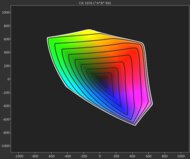
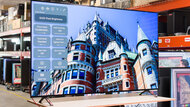
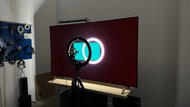
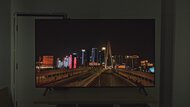
GamingBright RoomMixed UsageHome TheaterSportsGame Mode ResponsivenessBrightnessBlack LevelColorProcessing (In Development)Resolution:4kNative Refresh Rate:60HzScreen Finish:GlossyPanel Type:LCDSub-Type:VADolby Vision:YesSee all our test resultsSizes:43" 50" 55" 65" 75" 85" 100"If you just want something inexpensive for when you have your Switch 2 docked, the Hisense QD6QF is a solid choice. In terms of picture quality, the TV is unremarkable, but it's better than most other cheap models on the market. The TV can't display very bright or dark colors, so the image looks a bit muted compared to a TV like the TCL QM6K, but it's still colorful enough that games don't look drab. This is the only LED TV on our list that doesn't have local dimming, so blacks look slightly grayish, which leads to an image that looks a bit flat. Fortunately, it's just bright enough to use in a room with a few overhead lights on without being distracted by reflections, but visibility is an issue in bright rooms.
The TV offers 1440p @ 120Hz for the odd game that supports it, but input lag is unusually high when you do that, so most people are best off sticking to 4k @ 60Hz. There's more noticeable motion blur in fast-paced games like Kirby Air Riders than there is on the TCL, but it's not too bad for a cheap model. Like most LED models on the market, this one has a narrow viewing angle, so it's best to cram you and your friends as close to the center of the screen as possible when playing games like Mario Party.







Notable Mentions
-
LG G6 OLED:
The LG G6 OLED is a solid alternative to the Samsung S95H OLED. It has very impressive colors, but it still doesn't match the level of vividness you get from a QD-OLED TV like the Samsung. Furthermore, the Samsung has exceptional reflection handling, so you don't have to deal with mirror-like reflections even in the brightest rooms.
See our review -
Samsung S90F OLED:
The Samsung S90F OLED is a 2025 model that competes with the LG C6 OLED 2026. The Samsung displays more vivid colors if you get a 55, 65, or 77-inch model, since those sizes use a QD-OLED panel. However, the LG performs better in bright rooms and provides a brighter gaming experience, so it's the better TV all-around.
See our review -
Hisense U7SG:
The Hisense U7SG is a great alternative to the LG B5 OLED if you mostly play games in a bright room. The Hisense is significantly brighter than the LG and has a very effective matte coating, so it easily overcomes glare in a well-lit room. However, the LG has deeper blacks, much clearer motion, and slightly less input lag, making it the better gaming TV overall.
See our review -
Hisense U75QG:
The Hisense U75QG is a good option if you wish the TCL QM7K were brighter. However, the Hisense has very blurry motion, especially in fast-paced titles. Since the TCL has much clearer motion and superior contrast, it's the more complete package.
See our review -
Hisense U65QF:
The Hisense U65QF is comparable to the TCL QM6K but is noticeably brighter. However, the Hisense doesn't support 1440p @ 120Hz, which limits its usefulness for Switch 2 gamers wanting to play at 120 fps. Since the TCL also has better black levels and superior overall accuracy, it's the better choice for Nintendo gamers.
See our review
Recent Updates
Jun 26, 2026:
We replaced the Samsung S95F OLED with the Samsung S95H OLED and the Samsung S90F OLED with the LG C6 OLED 2026. These changes were made because the newer models are better options and are more widely available. We also updated the Notable Mentions to offer better alternatives to our current picks.
Jun 02, 2026:
We revised text throughout the article for clarity and confirmed that our picks are still available.
Feb 02, 2026:
We revised some text throughout the article and confirmed the availability of our recommendations.
Jan 08, 2026:
We updated some text for accuracy and confirmed the availability of our picks.
Nov 26, 2025:
We confirmed the accuracy and availability of our current picks.
How To Get The Most Out Of Your Switch 2
So, you have your new shiny Nintendo Switch 2 plugged into your new TV. What now? Luckily, the Switch 2 is very easy to set up to get the best possible image quality and performance from your new TV.
After connecting the console to your TV, you first want to ensure your TV is in its dedicated gaming mode. For most TVs, this picture setting is called 'Game Mode,' but some brands call it something slightly different. For example, LG calls this 'Game Optimizer.' Most TVs change to their gaming mode automatically when they detect that you've booted up a console through a setting called Automatic Low Latency Mode (ALLM). When this is enabled on the TV and Switch 2, you should never have to worry about manually changing the picture settings.
Calibrating HDR games using the console's built-in calibration tool is very simple. Before you launch the calibration tool, ensure you have HGiG enabled on your TV. This setting is typically found in the 'HDR Tone Mapping' options alongside settings like 'Static' and 'Dynamic.' Enabling HGiG lets your console handle the bulk of the tone mapping, and any changes you make within the Switch 2's HDR calibration tool are only applied if you have this setting enabled. After HGiG is enabled, open the 'Adjust HDR' tab found in the console settings and follow the on-screen instructions. This method will ensure that bright highlights aren't blown out in HDR games, giving you the most detailed image possible.
The console supports 1080p/1440p @ 120Hz if you prefer frames over resolution, but this is only supported by a very small batch of games. If you want to game at the highest frame rate possible without worrying about changing settings depending on the game, your best option is to set 'TV Resolution' to '4k' or 'Automatic' and enable the '120Hz Output' setting. Doing this will run the bulk of games in 4k @ 60Hz, but the console will switch to either 1080p or 1440p @ 120Hz when you launch a game that supports it. You can turn off this setting if you prefer the highest resolution possible in all games.
Those are the key settings to remember when setting up your Switch 2 with your TV. If you have any other questions, ask us in the comments.
All Reviews
Our recommendations above are what we think are currently the best TVs for Nintendo Switch 2, depending on your budget and needs. We factor in the price (a cheaper TV wins over a pricier one if the difference isn't worth it), feedback from our visitors, and availability (no TVs that are difficult to find or almost out of stock everywhere).
If you'd like to do the work of choosing yourself, here's a list of all our recent TV reviews sorted by their overall gaming performance. Be careful not to get too caught up in the details. While no TV is perfect, most TVs are great enough to please almost everyone, and the differences are often not noticeable unless you really look for them.