Durgod Taurus K320  Keyboard Review

Review updated Apr 01, 2021 at 01:03pm
Tested using Methodology v1.0 
Durgod Taurus K320
7.4
Gaming 
3.2
Mobile/Tablet 
7.6
Office 
6.8
Programming 
3.4
Entertainment / HTPC 
 0

The Durgod Taurus K320 is a decent gaming keyboard available in a TenKeyLess (TKL) size. It's really well-made with a solid plastic frame and doubleshot PBT keycaps. Every key is macro-programmable through the Durgod Zeus Engine; our unit doesn't have RGB lighting, but there's a variant with it. It's available in a variety of Cherry MX switches, so you can easily get the ones you prefer, and the Cherry MX Brown switches on our unit help provide a great typing experience. Sadly, it doesn't come with a wrist rest, but you still shouldn't feel too much fatigue even when using it for long periods.

Our Verdict

7.4
Gaming 

The Durgod Taurus K320 is a decent gaming keyboard. The Cherry MX Brown switches on our unit have a short pre-travel distance and don't require a lot of force to actuate. Every key is macro-programmable, and while our unit doesn't have RGB backlighting, there are variants with it. Sadly, its latency is a bit higher than most gaming keyboards; it should be fine for casual gaming, but not so much for competitive gamers.

Pros
  • Macro-programmable keys.
  • Wide variety of switch variants.
  • Great build quality.
Cons
  • No backlighting on our unit.
  • No wrist rest.
  • Latency a bit higher than other gaming keyboards.
3.2
Mobile/Tablet 

The Durgod Taurus K320 is a wired-only keyboard and isn't designed to be used with mobile devices.

7.6
Office 

The Durgod Taurus K320 is a good office keyboard. Its ergonomics are only okay as it lacks a wrist rest, but the two incline settings should allow for a comfortable typing experience. The Cherry MX Brown switches offer great typing quality, and are quiet enough to not disturb those around you. The keys offer nice tactile feedback, don't need much force to actuate, and the PBT keycaps feel nice to touch.

Pros
  • Wide variety of switch variants.
  • Comfortable typing experience.
  • Great build quality.
Cons
  • No wrist rest.
6.8
Programming 

The Durgod Taurus K320 is an okay keyboard for programming. Each key is macro-programmable through dedicated software. It has great typing quality, and the Cherry MX Brown switches are quiet and shouldn't bother those around you. It doesn't come with a wrist rest but still has okay ergonomics thanks to its two incline settings. While our unit doesn't have backlighting, you can get variants that include it.

Pros
  • Macro-programmable keys.
  • Wide variety of switch variants.
  • Great build quality.
Cons
  • No wireless capabilities.
  • No backlighting on our unit.
  • No wrist rest.
3.4
Entertainment / HTPC 

The Durgod Taurus K320 TKL is bad for HTPC use. It's wired-only, so you have to connect it directly to your TV, and without a trackpad, you'll also need a mouse. Our unit lacks backlighting, but there are variants with it. Luckily, it has media hotkeys.

Pros
  • Media hotkeys.
Cons
  • No wireless capabilities.
  • No backlighting on our unit.
  • Lack of trackpad.
  • 7.4
    Gaming
  • 3.2
    Mobile/Tablet
  • 7.6
    Office
  • 6.8
    Programming
  • 3.4
    Entertainment / HTPC
  • Changelog

    1.  Updated Apr 01, 2021: Updated text for accuracy and clarity.
    2.  Updated Mar 22, 2021: Converted to Test Bench 1.0.
    3.  Updated Nov 09, 2020: We erroneously indicated that there's no onboard memory. The mistake has been corrected.
    4.  Updated Oct 01, 2020: Review published.

    Differences Between Sizes And Variants

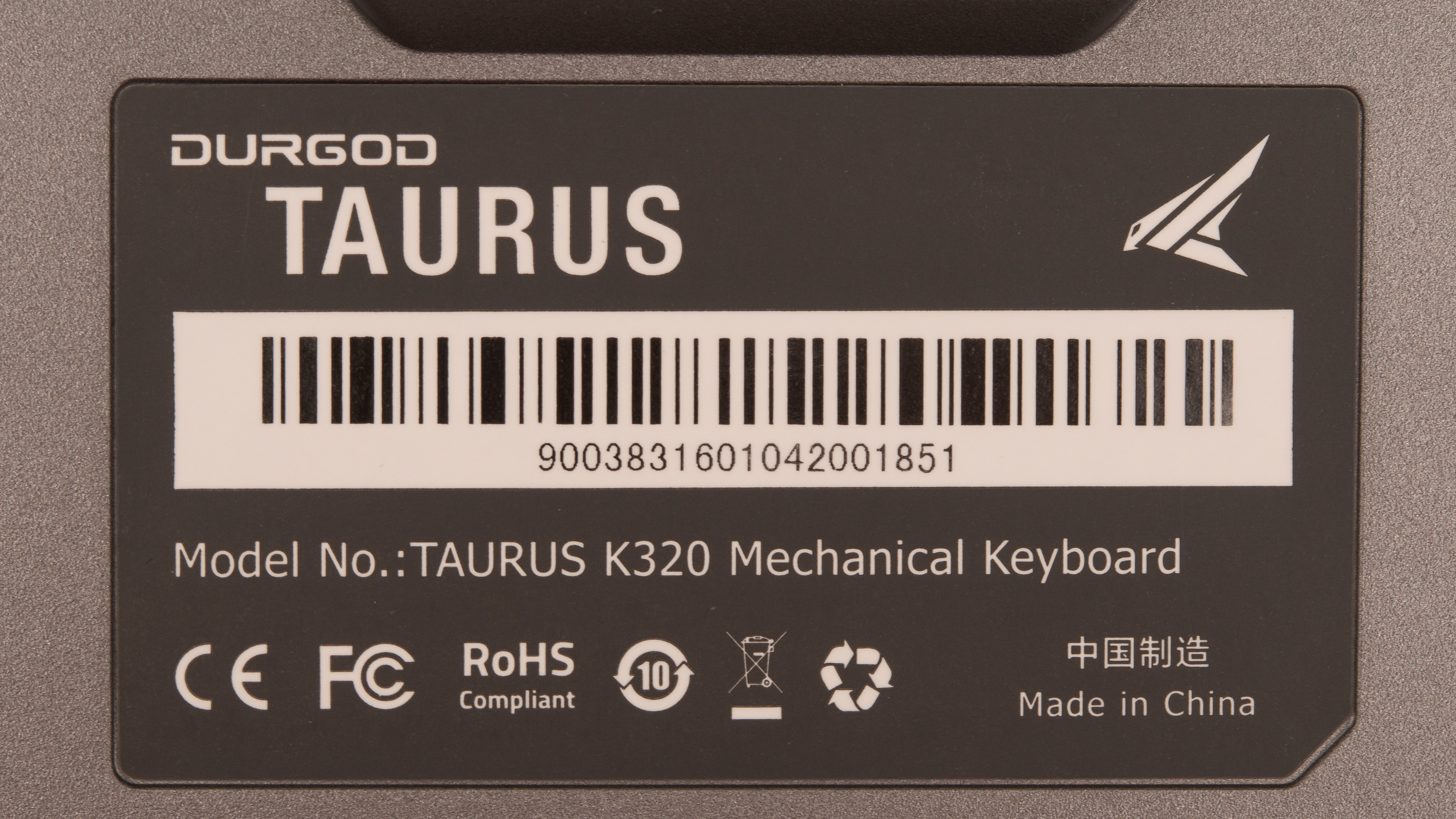
    The Durgod K320 is available in a wide variety of Cherry MX switches and colors. You can see the label of our unit here.

    Color Switches Backlighting Notes
    White Cherry MX Black, Blue, Brown, Clear, Red, Silent Red, Silent Black, Speed Silver, White -  
    Cream White Cherry MX Brown, Red, Silent Black, Speed Silver, White - This is an 88 Key variant and is only available in some markets.
    Space Gray Cherry MX Black, Blue Brown, Clear, Red, Silent Red, Silent Black, Speed Silver, White - This can also be found in an 88 Key variant in some markets.
    Corona Cherry MX Black, Blue Brown, Red, Silent Red, Silent Black, Speed Silver White LED  
    Nebula Cherry MX Blue, Red, Silent Red, Speed Silver RGB  
    Nebula S Cherry MX Blue, Red, Speed Silver RGB  
    Black Cherry MX Blue, Brown, Red, Speed Silver -  

    Popular Keyboard Comparisons

    The Durgod Taurus K320 is a wired, mechanical TenKeyLess (80%) keyboard with an excellent build quality that's made of solid plastic and PBT keycaps. All keys are macro-programmable through dedicated software. Like many keyboards, it's available in a wide variety of colors and switches, with some models including backlighting. For other options, check out our recommendations for the best RGB keyboards, the best gaming keyboards, and the best mechanical keyboards.

    Cooler Master MK730

    The Cooler Master MK730 is a better wired keyboard than the Durgod Taurus K320. The Cooler Master has a detachable wrist rest, onboard memory, and better companion software. That said, the Durgod has a wider variety of switches available and two incline settings.

    GLORIOUS GMMK

    The GLORIOUS GMMK and the Durgod Taurus K320 are fairly similar overall. The main difference is that the GLORIOUS is a hot-swappable board that lets you change the switches without soldering. That said, the Durgod has multiple Cherry MX switch options. The Durgod has better latency for gaming, though not by much. Although we tested a full-sized variant of the GLORIOUS, you can get it in a 60% or TKL size.

    Varmilo VA87M

    The Varmilo VA87M and the Durgod Taurus K320 are both wired TKL mechanical keyboards. The Varmilo has lower latency for gaming, but it doesn't have macro-programmable keys or customization software, which the Durgod does. Our Durgod unit doesn't have backlighting, but you can get a variant that does. They're each available in a variety of Cherry MX switches.

    Razer Huntsman Tournament Edition

    The Razer Huntsman Tournament Edition is a better-wired keyboard than the Durgod Taurus K320. The Razer has full RGB backlighting and much lower latency for gaming. It's only available with Razer Linear Optical switches, which are light to press but don't offer tactile feedback. That said, the Durgod is available in a wider variety of switches and colors, and some of these include RGB backlighting.

    Show more 

    Test Results

    perceptual testing image
    Sort:
    RATINGS
    Category:
    All
    Design
    Dimensions
    Size
    TenKeyLess (80%)
    Height
    1.5" (3.9 cm)
    Width14.1" (35.7 cm)
    Depth
    5.2" (13.2 cm)
    Depth With Wrist Rest
    N/A
    Weight
    2.19 lbs (0.994 kg)

    The Durgod K320 is a TKL keyboard that shouldn't take up too much space on your desk.

    8.5
    Build Quality
    Keycap MaterialPBT

    The Durgod Taurus K320 TKL's build quality is excellent. It's made of solid plastic that doesn't feel cheap, and it doesn't exhibit any noticeable flex or rattle. The keycaps are made of doubleshot PBT plastic that feels nice to the touch. Each key is stable, and even though the top row of keys slightly wobbles, it's not obvious when typing. There are five rubber feet underneath the keyboard to prevent it from sliding around during regular use. One thing to note is that underneath the spacebar, a bit of lube from the stabilizers is visible, which could ruin the aesthetic value, but this could be an issue with our unit alone.

    6.5
    Ergonomics
    Board Design
    Straight
    Minimum Incline
    4.5°
    Medium Incline
    Maximum Incline
    10°
    Wrist RestNo

    The ergonomics are okay. It has two incline settings and doesn't cause any pain or fatigue while typing. That said, there's no wrist rest included.

    0.0
    Backlighting
    BacklightingNo
    Color
    No Backlighting
    Individually Backlit Keys
    No
    Color Mixing
    No Backlighting
    Effects
    No
    Programmable
    No

    The Durgod K320 we tested has no backlighting, but there are variants available with RGB or white LED backlighting.

    Cable & Connector
    ConnectivityWired
    Detachable
    Yes (Wired Only Keyboard)
    Length5.8 ft (1.8 m)
    Connector (Keyboard side)
    USB type-C

    The Durgod Taurus K320 TKL comes with both a USB-C to USB-C and a USB-C to USB-A cable. This means that you can connect it to a USB-C device, like a tablet or phone, but we don't test if it works with these devices.

    0.0
    Wireless Versatility
    Bluetooth
    No
    Bluetooth Multi-Device Pairing
    No
    Proprietary Receiver
    No
    Battery Type
    No Batteries

    This keyboard is wired-only and can't be used wirelessly.

    Extra Features
    Media Keys
    Hot Keys
    Macro Programmable Keys
    All
    Trackpad / TrackballNo
    WheelNo
    USB Passthrough
    No
    NumpadNo
    Windows Key Lock
    Yes
    Lock IndicatorCaps & Scroll Lock

    This keyboard has a few extra features. It has media control hotkeys and a Windows key lock to prevent accidentally minimizing your game. Every key is macro-programmable, and you can program them through the companion software.

    In The Box

    • Durgod K320 TKL mechanical gaming keyboard
    • Sample mini mouse pad
    • USB-C to USB-A cable
    • USB-C to USB-C cable
    • Logo sticker
    • Keycap puller
    • User guide
    Typing Experience
    Keystrokes
    See details on graph tool
    Mechanical
    Yes
    Key Switches
    Cherry MX Brown
    Feel
    Tactile
    Operating Force
    54 gf
    Actuation Force
    43 gf
    Pre-Travel
    2.0 mm
    Total Travel
    4.1 mm

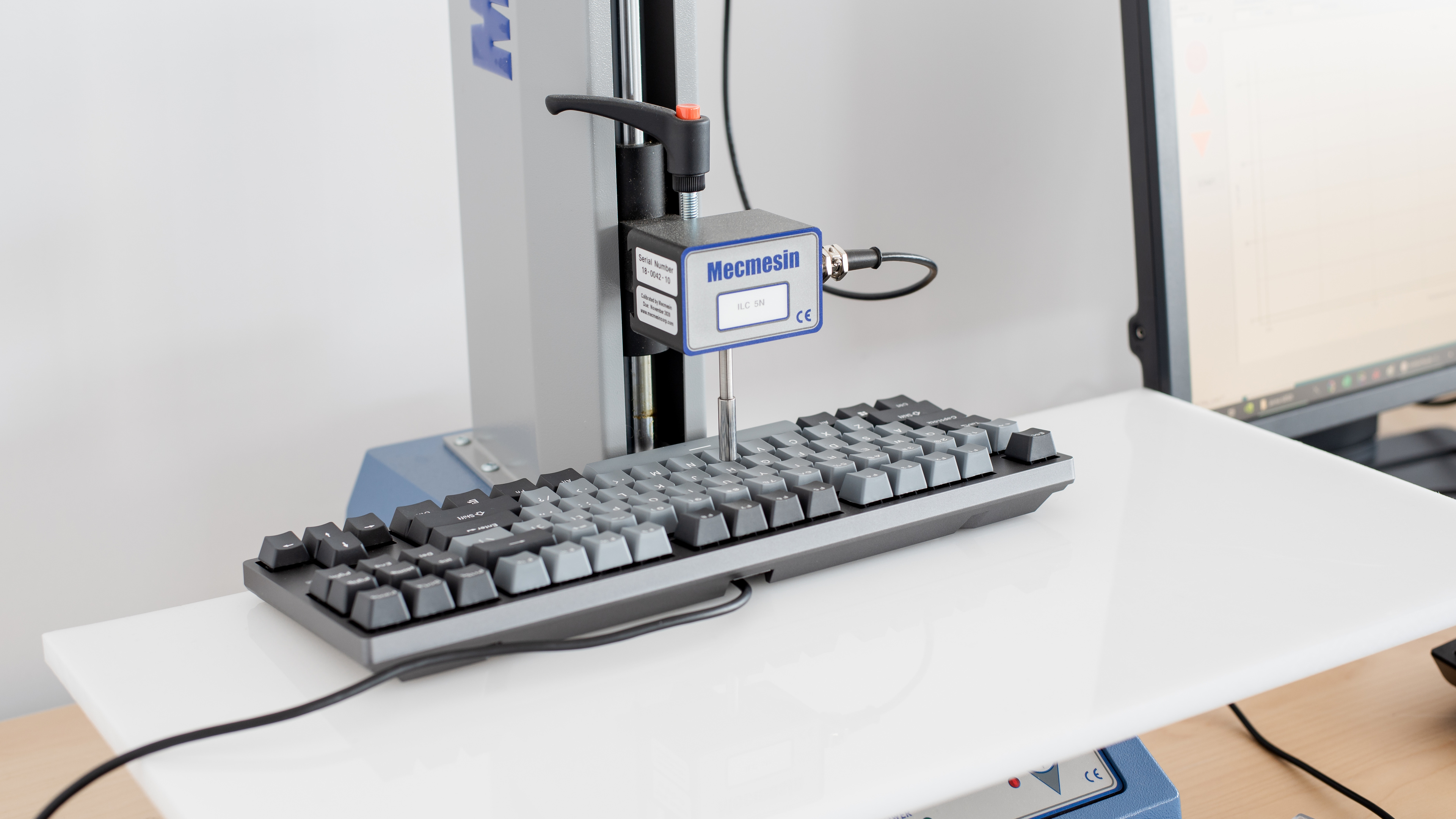
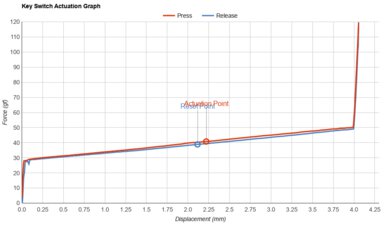
    The Durgod Taurus K320 TKL we tested has Cherry MX Brown switches, which offer tactile feedback and don't require a lot of force to actuate. If you don't like the feeling of Brown switches, it's also available with Cherry MX Black, Blue, Clear, Red, Silent Black, Silent Red, Speed Silver, or White switches.

    8.0
    Typing Quality

    The Durgod Taurus K320 TKL has great typing quality. The Cherry MX Brown switches offer good tactile feedback, and the PBT plastic keycaps feel great to touch, despite a bit of wobble. The keys are more compactly spaced than most standard keyboards, but it's not too noticeable and shouldn't result in an uptick in typos. Typing feels very light and shouldn't cause any pain or fatigue, but your typing experience may change depending on which switch you get. If you want a full-sized option that offers even better typing quality, then check out the Leopold FC900R.

    Typing Noise
    Noise
    Quiet

    The Cherry MX Brown switches on our are quiet. However, this keyboard is available in a wide variety of switch variants, such as clicky Cherry MX Blue, which should be louder and may disrupt people around you.

    6.9
    Latency
    Latency Wired
    16.8 ms
    Latency Receiver
    N/A
    Latency Bluetooth
    N/A

    The Durgod Taurus K320 TKL has okay latency. It's fine for casual gaming and office use but may not be ideal for competitive reaction-based games.

    Software and Operating System
    9.1
    Software & Programming
    Software NameDurgod Zeus Engine
    Account Required
    No
    Profiles
    6+
    Onboard Memory
    Yes
    Cloud Sync
    No
    Macro Programming
    Software
    Ease Of Use
    Easy
    Software Windows Compatible
    Yes
    Software macOS Compatible
    No

    Update 11/09/2020: We erroneously indicated that there's no onboard memory. It does have it, and it can save one custom profile.

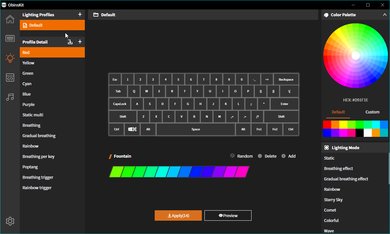
    The Durgod Taurus K320 TKL mechanical gaming keyboard is compatible with the Durgod Zeus Engine companion software. From here, you can reprogram all the keys and set macros. Also, custom macros only seem to work as long as the software remains open on your computer. You can have an unlimited number of unique profiles saved within the software.

    7.2
    Keyboard Compatibility
    WindowsFull
    macOSPartial
    LinuxPartial
    AndroidNo
    iOSNo
    iPadOSNo

    The Durgod K320 has decent compatibility. It's fully compatible with Windows, and everything works as intended on macOS except for 'Scroll Lock' and 'Pause Break'. Also, Durgod Zeus Engine isn't available on macOS or Linux.

    This keyboard comes with a USB-C to USB-C cable, so you should be able to connect it to mobile devices, but we don't test for this.