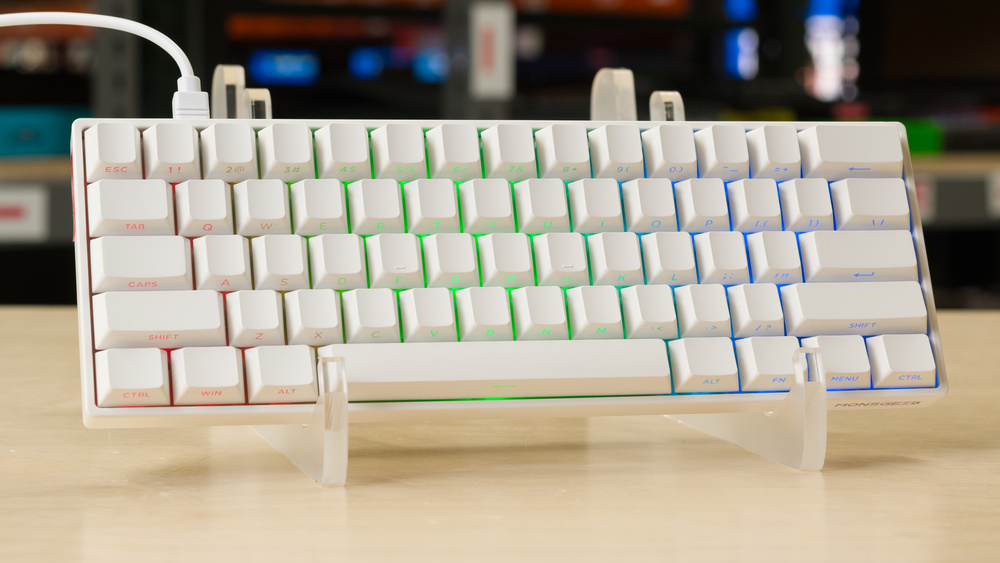
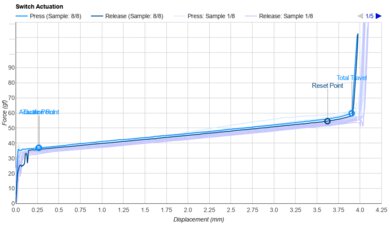
The MonsGeek FUN60 Pro is a compact gaming keyboard with magnetic switches that allow you to adjust how far you need to press each key before it registers an input. These switches also enable advanced gaming features like Rapid Trigger, which allows you to register faster follow-up inputs. You can customize these features and other settings using web-based or downloadable software. This keyboard is part of a wider FUN60 keyboard family that includes wireless models and models compatible with both magnetic and mechanical switches. For more details, see the Differences Between Variants section below.
Our Verdict
The MonsGeek FUN60 Pro is an excellent gaming keyboard with exceptionally low and consistent latency that's well-suited for competitive play. Its magnetic switches let you adjust actuation distances and enable advanced features like Rapid Trigger, which can help you make faster follow-up inputs. These settings are available through web-based or downloadable software, which is robust but somewhat unintuitive. Build quality is also decent, with a fairly rigid plastic chassis and an aluminum plate. That said, there's some switch wobble and stabilizer rattle, and the board sounds and feels a bit hollow overall.
Exceptionally low latency.
Fairly quiet typing noise.
Web-based or downloadable software supports advanced features like Rapid Trigger.
8000Hz polling rate.
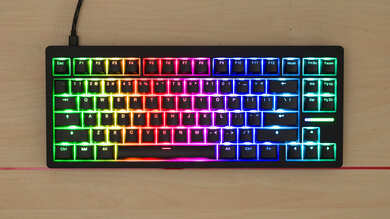
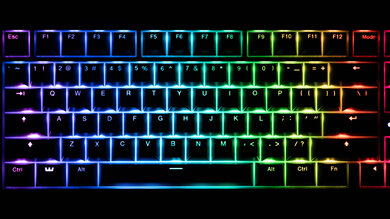
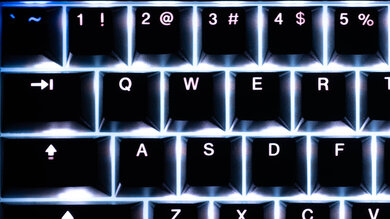
RGB backlighting with clear front-facing shine-through legends.
Minor build quality and typing issues: some key wobble, stabilizer rattle, and a hollow and somewhat uneven typing sound.
The MonsGeek FUN60 Pro isn't designed for office work, but it's still satisfactory in this role. It has great overall typing quality and decent build quality with a sturdy-feeling plastic chassis. That said, the board sounds and feels a bit hollow, and there's some key wobble and stabilizer rattle. These mainly affect the typing experience: overall typing noise is on the quieter side and is unlikely to bother others outside particularly noise-sensitive environments. Its compact 60% layout may also be limiting if your work relies heavily on arrow keys, a numpad, or navigation keys, as you'll need to use shortcut combinations instead. We tested a wired-only version, but MonsGeek also sells wireless versions with a 2.4GHz USB receiver and Bluetooth connectivity for pairing with multiple devices.
Impressive typing quality overall.
Fairly quiet typing noise.
Tested model is wired-only; wireless versions are available with Bluetooth multi-device pairing.
Minor build quality and typing issues: some key wobble, stabilizer rattle, and a hollow and somewhat uneven typing sound.
Stiff typing feel may be fatiguing if you bottom out heavily.
Compact layout lacks arrow keys, numpad; may not be suitable for all workflows.
The MonsGeek FUN60 Pro we tested is a wired-only model that isn't compatible with tablets or mobile devices. However, wireless versions are available with Bluetooth connectivity and support for pairing with up to three devices.
The MonsGeek FUN60 Pro is decent for programming. It has satisfactory build quality with a sturdy-feeling plastic chassis and smooth, factory-lubed switches and stabilizers. It's also fairly quiet, though there's some key wobble and stabilizer rattle. Full RGB backlighting and clear shine-through legends make the keys easy to read in darker rooms. However, its compact layout lacks a dedicated function row and navigation cluster, so you'll need to use key combinations to access these functions. If you're comfortable using layers, the web-based or downloadable software lets you remap keys and customize other settings, though it may take some time to learn. We tested the wired-only model, but wireless versions are available with multi-device pairing.
Impressive typing quality overall.
Fairly quiet typing noise.
RGB backlighting with clear front-facing shine-through legends.
Tested model is wired-only; wireless versions are available with Bluetooth multi-device pairing.
Minor build quality and typing issues: some key wobble, stabilizer rattle, and a hollow and somewhat uneven typing sound.
Stiff typing feel may be fatiguing if you bottom out heavily.
Compact layout lacks arrow keys, numpad; may not be suitable for all workflows.
The wired-only MonsGeek FUN60 Pro we tested isn't well-suited for an entertainment or home theater PC setup. It's somewhat awkward to use from a couch, and its wired connection limits how far you can sit from your device. It also lacks dedicated media keys, though it has pre-programmed media shortcuts. Wireless versions are available and are better suited for this use.
Fairly quiet typing noise.
RGB backlighting with clear front-facing shine-through legends.
Tested model is wired-only; wireless versions are available with Bluetooth multi-device pairing.
The MonsGeek FUN60 Pro has exceptionally good raw performance. It delivers remarkably low and consistent single-key and multi-key latency, making it extremely well-suited for competitive play in any genre.
Exceptionally low latency.
Fairly quiet typing noise.
8000Hz polling rate.
Check Price
Differences Between Sizes And Variants
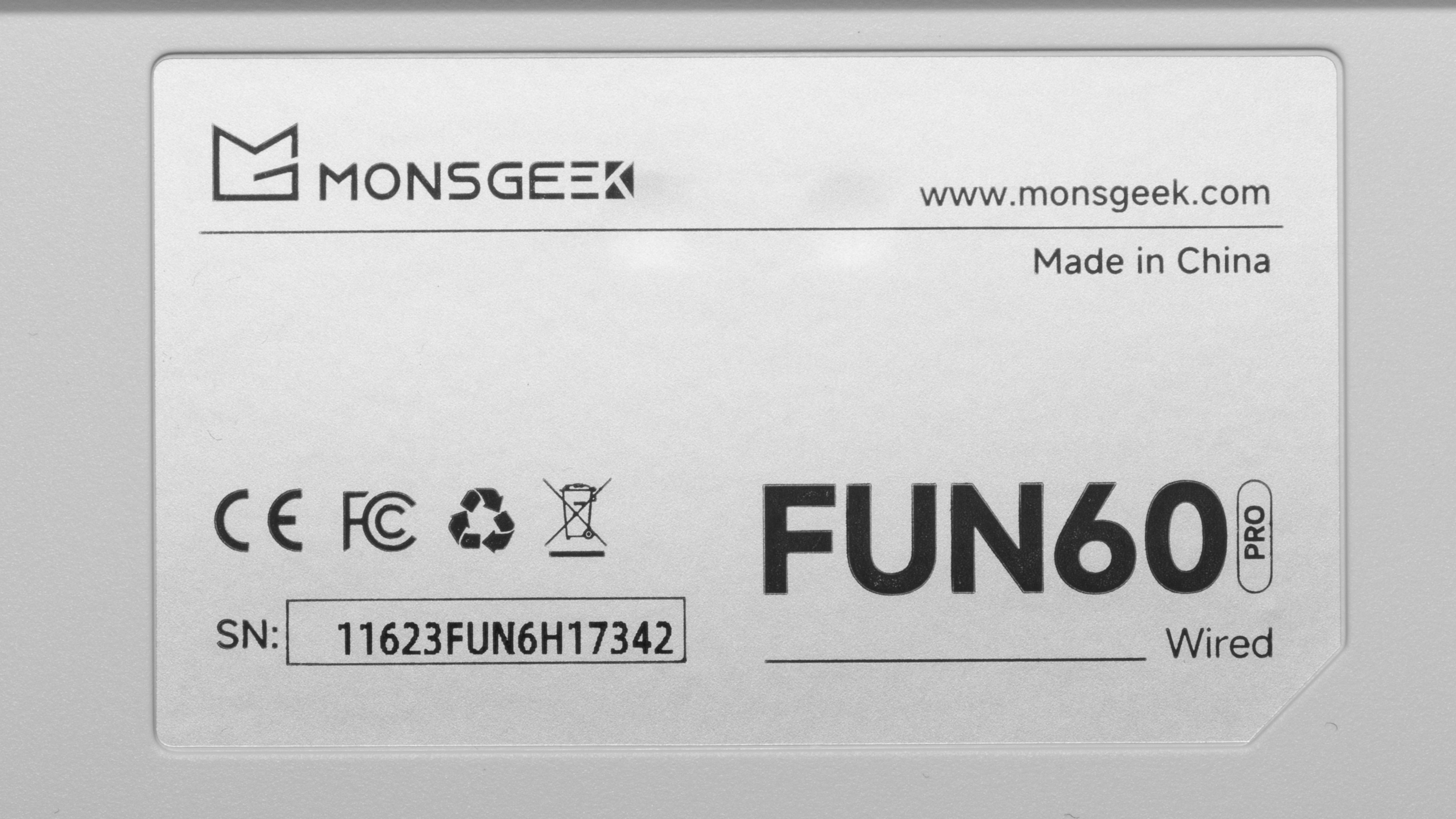
The MonsGeek FUN60 Pro comes in wired-only and wireless configurations, with black and white colorways. We tested the wired-only version in white. You can see a photo of our unit's label here.
MonsGeek also sells related FUN60 Max and FUN60 Ultra models, the latter of which we've reviewed separately. The main differences are outlined below:
| Model | Key differences |
|---|---|
| FUN60 Pro | Plastic case. Available in wired-only and wireless configurations, with 8,000Hz polling supported over a wired connection only. |
| FUN60 Max | Adds support for 8,000Hz polling over a 2.4GHz wireless connection. We expect the Max models to perform similarly to the Pro model we tested when using a wired connection. |
| MonsGeek FUN60 Ultra | More premium aluminum case. Available with Hall effect or TMR sensors. We tested the TMR version, which supports both magnetic and mechanical switches. |
Popular Keyboard Comparisons
The MonsGeek FUN60 Pro is an inexpensive magnetic gaming keyboard that provides exceptionally good raw performance for its price. Our latency measurements put it on the same level as much more expensive flagship gaming keyboards from major brands, such as the Razer Huntsman V3 Pro 8KHz or the Wooting 80HE. Its downsides include a cheaper-feeling plastic chassis, less intuitive and somewhat clunky software, and a shorter one-year warranty compared to Razer's two years and Wooting's industry-leading four. That said, if you want a magnetic keyboard with adjustable actuation, Rapid Trigger, and an exceptional price-to-performance ratio for competitive gaming, the FUN60 Pro is a very compelling choice.
Also worth considering is the related MonsGeek FUN60 Ultra, which we've reviewed separately. It offers a more premium aluminum case if you're willing to spend slightly more for better build quality. It's also available in a TMR version that supports both magnetic and mechanical switches.
For more recommendations, see our picks for the best gaming keyboards, the best budget gaming keyboards, and the best 60% keyboards.
The Wooting 80HE and the MonsGeek FUN60 Pro are gaming keyboards with exceptionally low and consistent latency and magnetic switches that support adjustable actuation and Rapid Trigger. The Wooting has significantly better build quality overall and is available with either an ABS plastic or zinc alloy case. It also has much more user-friendly software with somewhat more extensive customization options and a significantly longer four-year warranty. The MonsGeek, on the other hand, is available in both wired and wireless variants, but it has a shorter one-year warranty.
Both the Wooting 60HE v2 and the MonsGeek FUN60 Pro are compact 60% gaming keyboards with magnetic switches. Both have exceptionally low and consistent latency, making them well-suited for competitive play in any genre. The Wooting has slightly better build quality, more robust and user-friendly software, and a significantly longer four-year warranty compared to the MonsGeek's one-year warranty. However, the MonsGeek is available in wired or wireless models, while the Wooting is wired-only.
The MonsGeek FUN60 Pro and MonsGeek FUN60 Ultra are similar magnetic keyboards in the same product family. Both provide exceptionally good performance for competitive gaming and are available in wired or wireless models. The FUN60 Ultra has a more premium-feeling solid aluminum case and comes in either Hall effect or TMR sensor variants. The TMR variant is notable for supporting both magnetic and mechanical switches. By comparison, the FUN60 Pro has an ABS plastic case and only comes with Hall effect sensors.
Both the Wooting 60HE v2 and the MonsGeek FUN60 Pro are compact 60% gaming keyboards with magnetic switches that allow you to adjust actuation distance and enable advanced features like Rapid Trigger. Both have exceptionally low and consistent latency, making them well-suited for competitive play in any genre. The Wooting has significantly better build quality, more robust and user-friendly software, and a significantly longer four-year warranty compared to the MonsGeek's one-year warranty. However, the MonsGeek is available in wired or wireless models, while the Wooting is wired-only.
Test Results
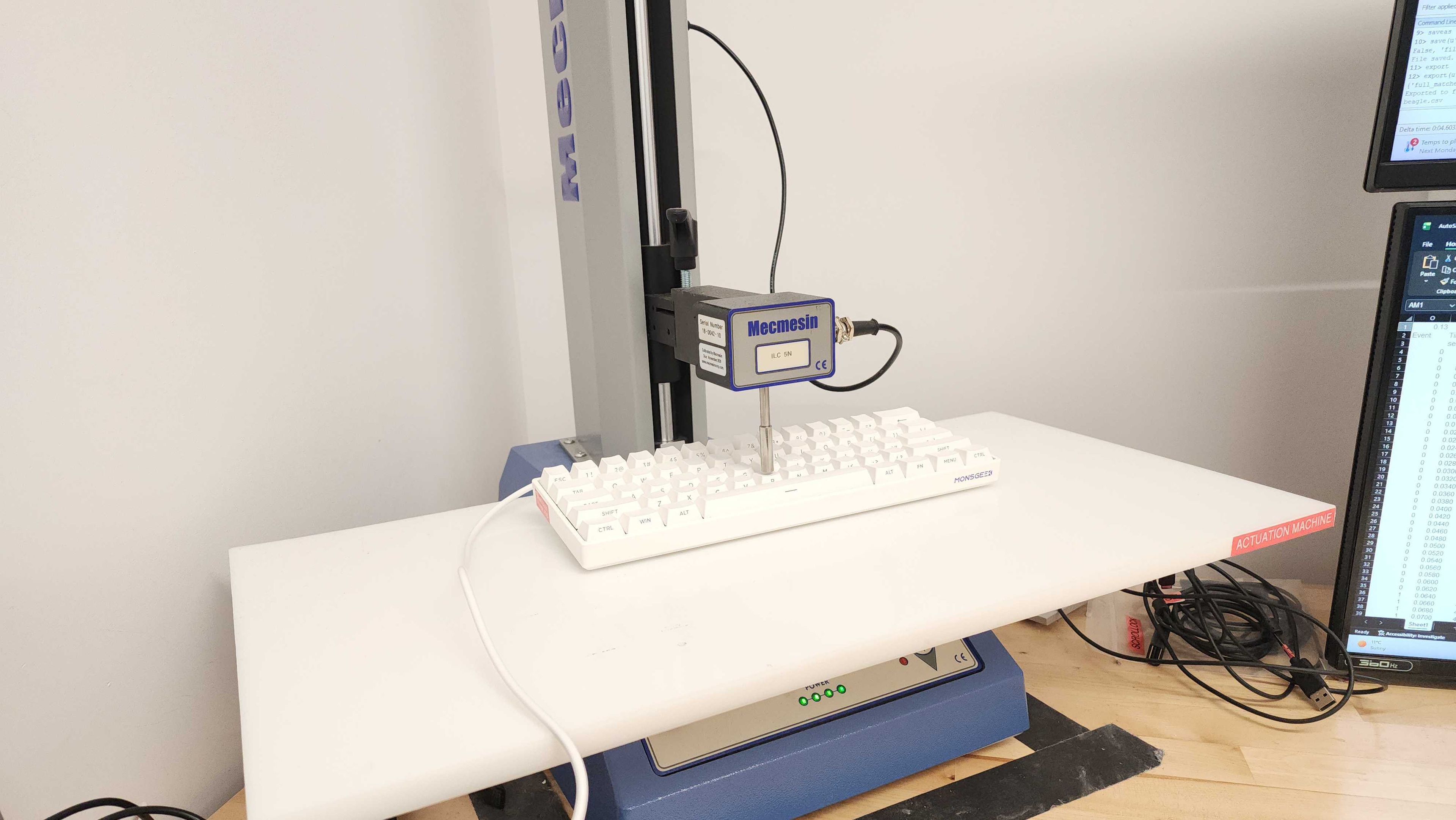

for pictures & test results
for pictures & test results

for pictures & test results

for pictures & test results
for pictures & test results
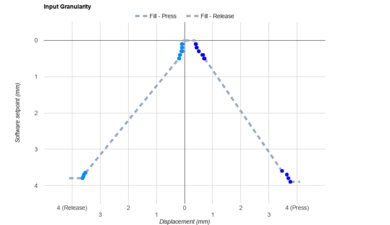

for pictures & test results
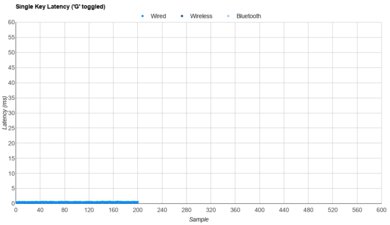
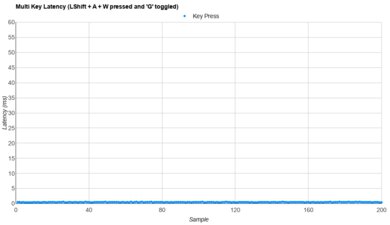
for pictures & test results
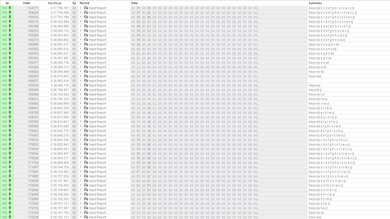
for videos & test results
