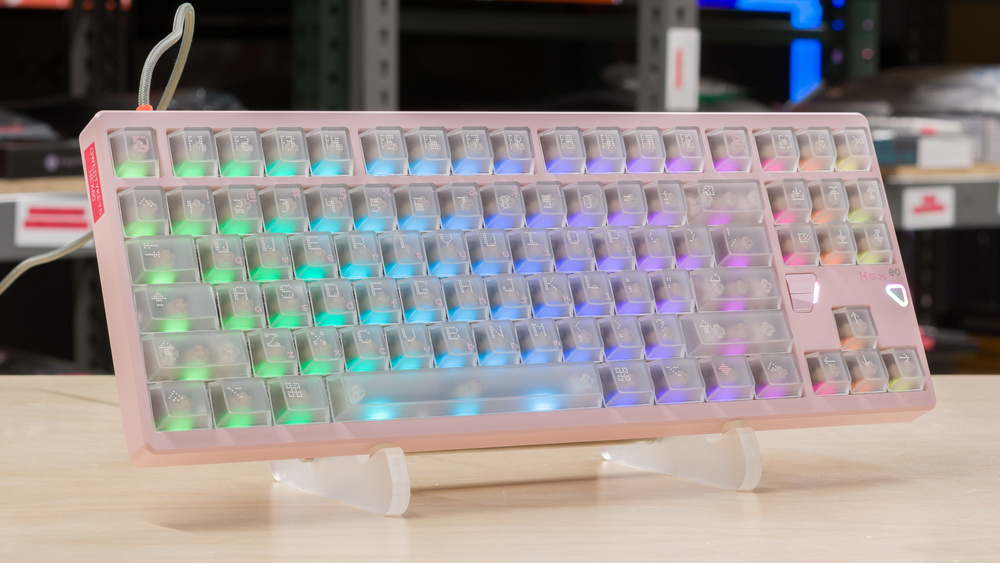
The Qwertykeys Hex80 is a TenKeyLess Hall effect gaming keyboard co-developed by ATK Gear and Qwertykeys. This keyboard's case is made of CNC-machined aluminum and features a gasket-mount design that adds noticeable flex without feeling overly springy. The Hex80 supports an 8,000Hz polling rate and a 32,000Hz scan rate, as well as all the advanced features you can expect from a high-end magnetic keyboard, including adjustable actuation, Rapid Trigger, and SOCD. The configuration software is available both through an online portal and a downloadable client.
Our Verdict
The Qwertykeys Hex80 is an outstanding gaming keyboard. It delivers superb latency performance and has an 8,000Hz polling rate. Its software is well-designed and includes all the functions you would expect from a high-end gaming keyboard. The Hex80's build quality is also excellent. The case is made of CNC-machined aluminum with tight assembly tolerances. The pre-lubed OWLAB Ti Magnetic switches are smooth, and the multiple layers of dampening create a refined sound signature. The gasket mount adds noticeable cushioning and some flex under forceful keystrokes without feeling overly springy on the rebound.
Amazing build quality.
Superb latency performance.
Excellent backlighting with translucent keycaps.
Up to 8,000Hz polling rate.
Feature-rich web-based software.
Non-adjustable incline.
Even though it's not designed for this use, the Qwertykeys Hex80 is a decent choice if you're looking for an office keyboard. This is mainly thanks to its excellent typing quality. The switches are smooth, and the gasket provides soft cushioning while still maintaining some stiffness. Its build quality is also top-notch, with a well-constructed, full-aluminium case. On the noise side, this is a relatively loud board, especially for an office, but its sound signature is satisfying. Finally, consider that this is a relatively tall keyboard with a non-adjustable incline, so you may want to pair it with a wrist rest for added comfort. You should also note that this is a wired-only keyboard, which can be less practical if you want to use it on multiple devices.
Amazing build quality.
Excellent typing quality.
Non-adjustable incline.
The Qwertykeys Hex80 isn't suitable for this use case. It's a wired-only keyboard.
The Qwertykeys Hex80 is a good choice if you want to use it for programming. It's very well-built and very satisfying to type on, thanks to smooth switches, good cushioning, and a gasket-mount that feels soft without feeling overly springy on the rebound. It also features excellent, highly customizable backlighting with easy-to-read legends for late-night programming sessions, and you can easily program macros using the included software.
Amazing build quality.
Excellent backlighting with translucent keycaps.
Excellent typing quality.
Non-adjustable incline.
The Qwertykeys Hex80 is a bad choice for use with a home theater PC. It's wired only, and it's very bulky. Its backlighting is excellent, and you can easily customize the keyboard with multimedia shortcuts, but that's not quite enough to make up for this keyboard's shortcomings for this use case.
Amazing build quality.
Excellent backlighting with translucent keycaps.
Wired-only.
No dedicated media keys.
The Qwertykeys Hex80 delivers superb raw performance and works well for gaming across all genres. It offers very low single-key and multi-key latency, which results in fast and responsive input. With an effective polling rate of 8,000 Hz and switches featuring minimal dead zones, the keyboard delivers a virtually flawless performance.
Superb latency performance.
Up to 8,000Hz polling rate.
Changelog
-
Updated Mar 30, 2026:
Added a reference to the NuPhy WH80 in the Wireless Versatility test box as an alternative with wireless connectivity.
-
Updated Feb 27, 2026:
Added a reference to the Corsair VANGUARD PRO 96 in the Dimensions section as an alternative keyboard that includes a numpad in a compact form factor.
- Updated Feb 05, 2026: Our Test Bench 1.4.3 update adds clearer terminology and new measurements to our Keystrokes test group. For more details, see the full changelog.
- Updated Jan 21, 2026: Review published.
Check Price
Differences Between Sizes And Variants
The Qwertykeys Hex80 is available in five colorways: Grey, Sand Gold, Purple, Baby Pink, and Spark (white with some accents). We bought our unit in the Baby Pink version. The only switch available is Owlab's Ti Hall effect switch.
Depending on the colorway you choose, the keyboard's case is either anodized or spray-coated. The Grey, Sand Gold, and Purple are anodized while the Baby Pink and Spark are spray-coated.
Popular Keyboard Comparisons
The Qwertykeys Hex80 enters the increasingly competitive segment of high-end magnetic gaming keyboards. Qwertykeys and ATK Gear have delivered a very complete package that competes well with models like the NuPhy Field75 HE, the Wooting 80HE, and the IQUNIX EZ80. Performance-wise, it offers a very similar feature set to its competitors, including an 8,000Hz polling rate and outstanding latency results. It's also very well-built and includes a comprehensive software experience, with all the advanced features you can expect in this segment, including Rapid Trigger, SOCD, and Mod Tap. While ATK Gear's software suite doesn't quite match Wooting's industry-leading offering or even NuPhy's software, it's slightly better than what IQUNIX offers. The Hex80's build quality matches that of these keyboards. The metal construction is impeccable, the switches feel great, the dampening is excellent, and the gasket-mount implementation delivers a well-balanced feel.
This is a high-end keyboard with a high-end price tag. It's slightly cheaper than the IQUNIX EZ80 and slots in right in between the Wooting 80HE's plastic and metal variants. While the Qwertykey Hex80's price is justifiable, it's still more expensive than the NuPhy Field75 HE, which delivers similar performance.
For more recommendations, see our picks for the best keyboards, the best gaming keyboards, and the best mechanical keyboards.
The Qwertykeys Hex80 and the Wooting 80HE are two Hall effect keyboards with exceptional raw performance. Both deliver irreproachable latency performance that should satisfy even the most demanding gamers. The Wooting distinguishes itself with its four-year warranty and industry-leading software. Its layout omits certain navigation keys and is slightly more compact than a standard TKL. Wooting also offers the 80HE in a slightly cheaper plastic case and an aluminium case variant. Qwertykeys only offers the Hex80 in an aluminium case variant with translucent keycaps. That said, it delivers slightly better typing quality out of the box than the Wooting.
The Lemokey P1 HE and the Qwertykeys Hex80 are both Hall effect gaming keyboards with very well-built all-aluminum cases that deliver amazing typing experiences. The Lemokey is a slightly more compact 75% layout, while the Qwertykeys uses a TKL layout. The latter also delivers better raw performance across the board, thanks in part to its 8,000Hz maximum polling rate, which compares favourably with the Lemokey's 1,000Hz. The Lemokey, on the other hand, offers wireless connectivity via both a 2.4GHz adapter and Bluetooth.
The MonsGeek FUN60 Ultra and the Qwertykeys Hex80 are magnetic keyboards with outstanding performance. The Monsgeek offers much greater connectivity flexibility. It uses TMR rather than the more common HE sensors. This also allows the board's hot-swappable PCB to accept both HE and mechanical switches. It's wireless and supports both Bluetooth and 2.4GHz connections. That said, the Qwertykeys distinguishes itself with an overall superior build quality and an improved typing quality. They also differ in form factor. If you want to optimize your desk space and don't mind sacrificing your F-row, arrow keys, and some navigation keys, the MonsGeek might be a better fit.
The Qwertykeys Hex80 and the IQUNIX EZ80 are very comparable Hall effect gaming keyboards with outstanding performance. Both have impressively built aluminum cases and deliver excellent typing experiences among the best we tested. The Qwertykeys' software is slightly more responsive, and its layout is more intuitive, but this is a minor difference. IQUNIX offers a smaller EZ75 variant if you want to save some desk space.
Test Results
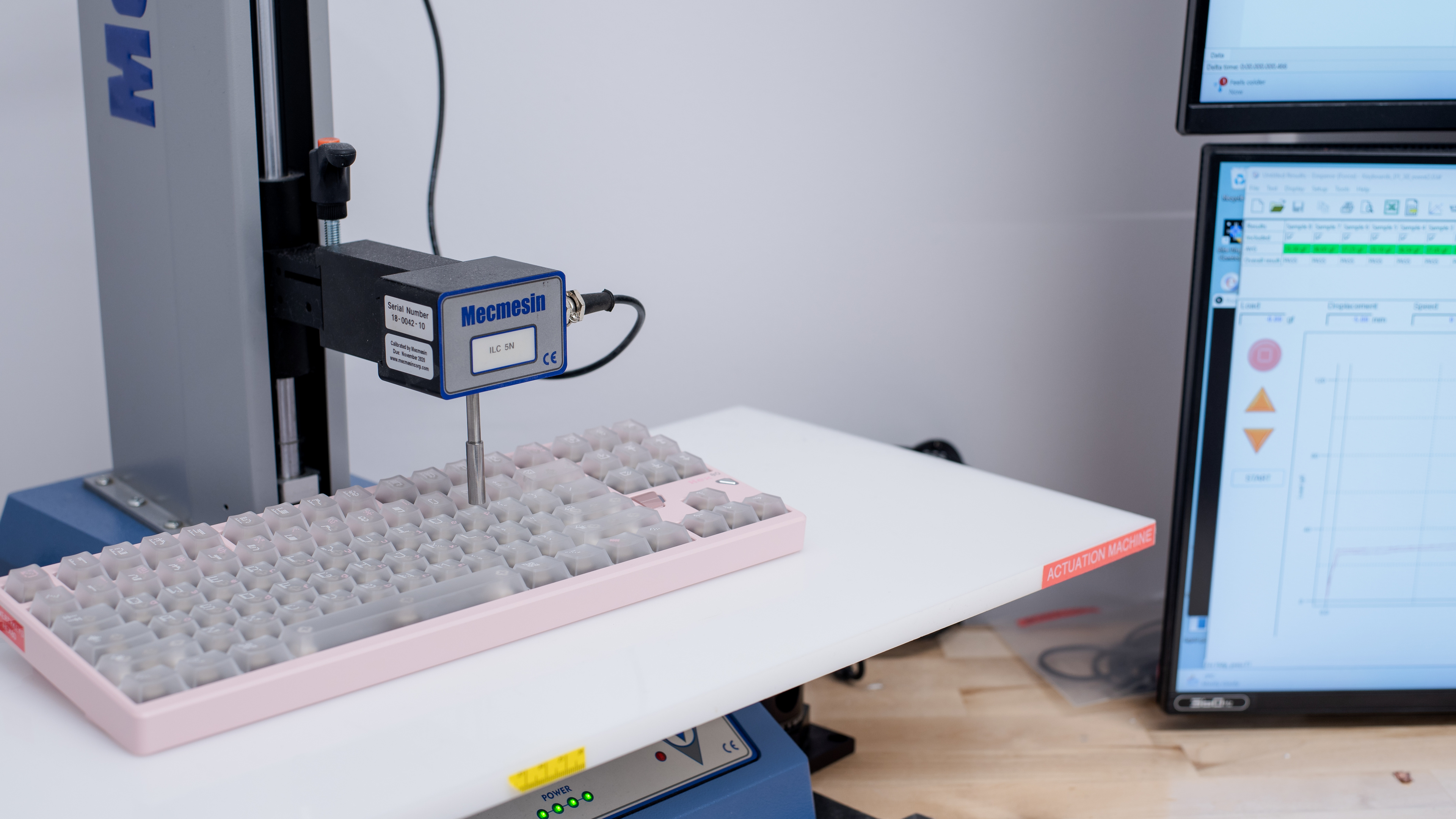



for pictures & test results

for pictures & test results





for pictures & test results



for pictures & test results

for pictures & test results


for pictures & test results


for pictures & test results


for videos & test results
