ZAGG Pro Keys 2  Keyboard Review

Reviewed Mar 14, 2025 at 01:35pm
Writing modified Sep 04, 2025 at 11:25am
Tested using Methodology v1.3.1 
ZAGG Pro Keys 2
6.7
Gaming 
7.0
Office 
7.5
Mobile/Tablet 
7.0
Programming 
6.1
Entertainment / HTPC 
6.8
Raw Performance 
 0

The ZAGG Pro Keys 2 is a folio keyboard designed primarily for use with iPad Pro and iPad Air devices. It combines a keyboard with a detachable folio cover that holds your iPad and doubles as an adjustable stand. It also features backlit keys for visibility in low-light conditions, uses a built-in rechargeable battery, and supports multi-device pairing via Bluetooth.

This keyboard is available in several sizes to accommodate different iPad devices. We bought the ZAGG Pro Keys 2 for iPad Pro 11" (M4). For more details, see the Differences Between Variants section.

Our Verdict

6.7
Gaming 

While the ZAGG Pro Keys 2 isn't designed for gaming, it's suitable for playing casual titles. However, its latency performance is too high and inconsistent for fast-paced or competitive games.

Pros
  • Good overall build quality.

Cons
  • Latency is too high and inconsistent for fast-paced or competitive gaming.

7.0
Office 

The ZAGG Pro Keys 2 is a decent option for office use if you mainly use an iPad for your workflow. It has good build quality, and the keyboard can be completely detached from the folio cover for added flexibility. It’s also fully compatible with devices beyond iPads, including Windows and macOS computers, as well as other tablets and phones. It connects wirelessly via Bluetooth and supports multi-device pairing with up to two devices. That said, typing quality is a weak point. The keys feel mushy and have very short total travel, which can make typing feel abrupt. Key spacing is also quite cramped, though that’s fairly typical for this style of keyboard.

Pros
  • Good overall build quality.

  • Slim, lightweight design.

Cons
  • Mediocre typing quality with tightly spaced keys and fairly mushy-feeling switches.

7.5
Mobile/Tablet 

The ZAGG Pro Keys 2 is designed specifically to be used with iPad Pro and iPad Air devices, but it's a good keyboard for use with any tablet or mobile device. It connects wirelessly via Bluetooth and supports multi-device pairing with two devices simultaneously. Just note that the iPad case portion likely won't fit other non-Apple devices. However, this isn't a major issue as you can detach the keyboard from the folio segment completely. Otherwise, the typing quality is passable with slightly mushy feeling keys and fairly abrupt total travel, but this is expected and fairly typical of portable folio-style keyboards designed for tablets. It also has its own rechargeable battery so it doesn't rely on your devices for power, and it has backlighting—a feature that's still uncommon in this category.

Pros
  • Good overall build quality.

  • Supports multi-device pairing with two devices simultaneously.

  • Designed for iPads but fully compatible with other devices.

  • Slim, lightweight design.

Cons
  • Mediocre typing quality with tightly spaced keys and fairly mushy-feeling switches.

7.0
Programming 

The ZAGG Pro Keys 2 is a decent option for programming, though it’s not specifically designed for that use. It has solid overall build quality and a slim, portable design that’s comfortable to type on without a wrist rest. It also features backlighting and supports multi-device pairing with two devices simultaneously. However, typing quality is only adequate. The keys feel a bit mushy, the spacing is fairly cramped, and the short travel distance may be uncomfortable—especially if you're a more forceful typist.

Pros
  • Good overall build quality.

  • Supports multi-device pairing with two devices simultaneously.

  • Has backlighting for reading legends in low-light conditions.

Cons
  • Mediocre typing quality with tightly spaced keys and fairly mushy-feeling switches.

6.1
Entertainment / HTPC 

The ZAGG Pro Keys 2 is acceptable for entertainment or home theater PC use. It has solid overall build quality and a slim, lightweight profile that makes it easy to move around and use from a couch. It connects wirelessly via Bluetooth, supports multi-device pairing, and includes backlighting for easier viewing in low-light environments. Unfortunately, the backlighting is quite dim, even at maximum brightness. Additionally, there's no trackpad, so you may still need to use a mouse to navigate menus.

Pros
  • Supports multi-device pairing with two devices simultaneously.

  • Has backlighting for reading legends in low-light conditions.

  • Slim, lightweight design.

  • Has a set of dedicated media keys.

Cons
  • Mediocre typing quality with tightly spaced keys and fairly mushy-feeling switches.

  • Latency is too high and inconsistent for fast-paced or competitive gaming.

  • Backlighting is somewhat dim and shine-through legends have some obstructions.

6.8
Raw Performance 

The ZAGG Pro Keys 2 has adequate raw performance suitable for casual gaming. However, it lacks N-key rollover, and its latency performance is too high and inconsistent for any kind of fast-paced or competitive gaming.

Pros
None
Cons
  • Update rate is limited to 90Hz.

  • Lacks N-key rollover.

  • 6.7
    Gaming
  • 7.0
    Office
  • 7.5
    Mobile/Tablet
  • 7.0
    Programming
  • 6.1
    Entertainment / HTPC
  • 6.8
    Raw Performance
  • Changelog

    1.  Updated Sep 04, 2025: 

      Added a reference to the Logitech Flip Folio in the Dimensions test box as an alternative with a smaller footprint.

    2.  Updated Mar 14, 2025: Review published.
    3.  Updated Mar 07, 2025: Early access published.
    4.  Updated Feb 28, 2025: Our testers have started testing this product.

    Check Price

    iPad Air 11 (M2)/iPad Air 10.9 (4th & 5th Gen)
    SEE PRICE
    Amazon.com
    iPad Air 13 (M2)
    SEE PRICE
    Amazon.com
    iPad Pro 11 (M4)
    SEE PRICE
    Amazon.com
    iPad Pro 13 (M4)
    SEE PRICE
    Amazon.com

    Differences Between Sizes And Variants

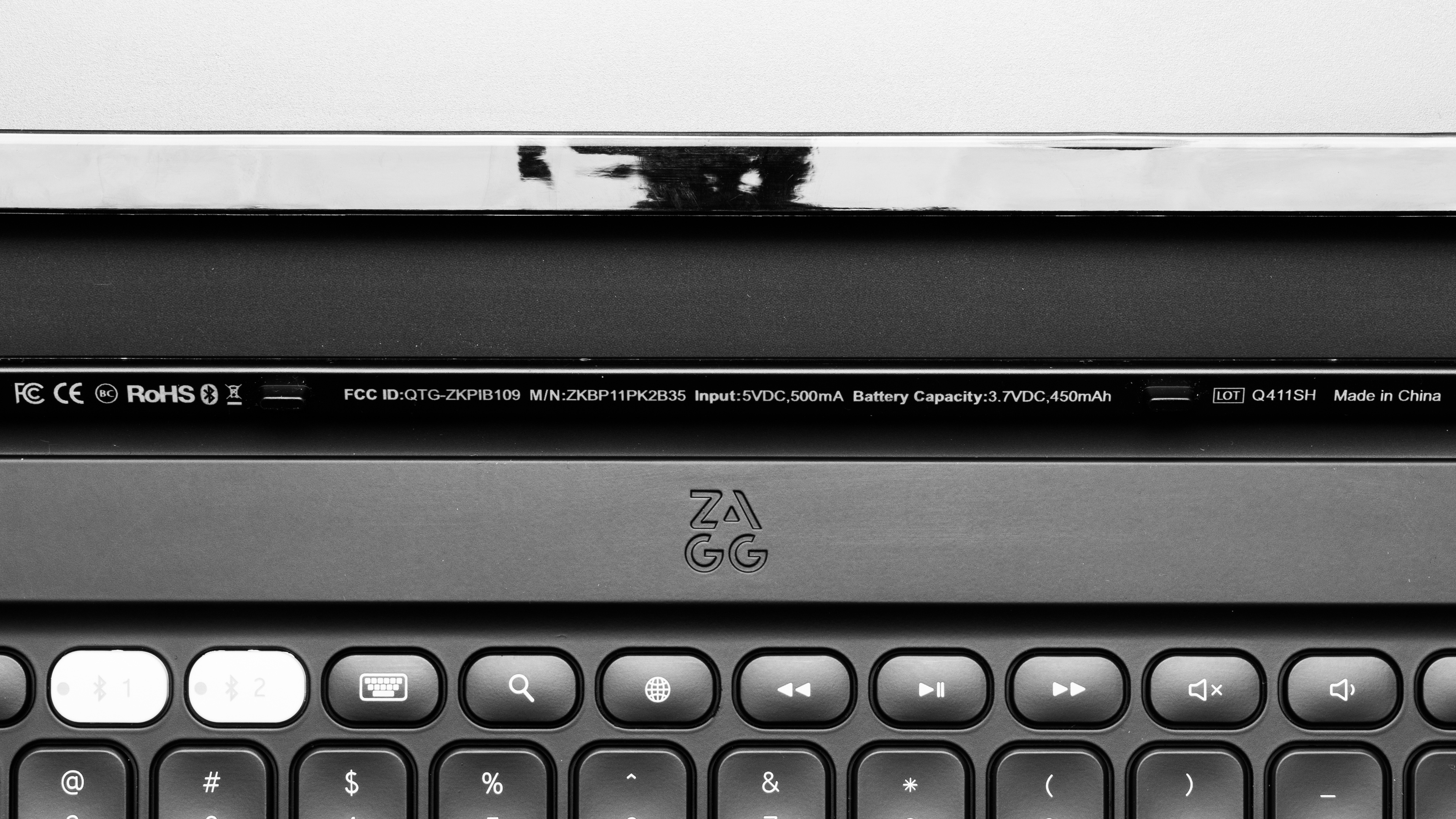
    The ZAGG Pro Keys 2 is only available in a black colorway, but it comes in several different sizes to fit different sizes and generations of iPads. We bought and tested the iPad Pro 11" (M4) variant, but we expect all our tests to apply broadly to all variants. See an image of our unit's label.

    Product Name Size 
    ZAGG Pro Keys 2 For iPad Pro 11" (M4)
    For iPad Pro 13" (M4)
    For iPad Air 11" (M2, M3), iPad Air 10.9" (Gen 5, 4)
    For iPad Air 13" (M2, M3)

    Popular Keyboard Comparisons

    The ZAGG Pro Keys 2 is a standalone folio keyboard designed for use with various iPad Pro and iPad Air models. It's extremely similar to the original ZAGG Pro Keys in terms of features but introduces a few minor design and material updates. Notably, it includes a redesigned plastic clip for holding a stylus at the top of the keyboard, as well as a new surface area that functions as a palm rest while typing. The keys are also slightly more squared-off, more closely resembling the chiclet-style keys found on most laptops. That said, the key spacing is marginally tighter, which can feel a bit cramped—especially if you're used to a standard desktop keyboard.

    Compared to other options on the market, it's a more affordable alternative to mid-range models like the Logitech Combo Touch or high-end options like the Apple Magic Keyboard for iPad Pro (M4). While it doesn't feel as premium as either of those, it offers greater versatility. Unlike those models, which draw power directly from your iPad and are only compatible with iPads, the ZAGG Pro Keys 2 has its own rechargeable battery. And since it connects via Bluetooth, you can also pair it with a wider range of devices—including Windows and macOS computers, as well as Android tablets and phones.

    For more recommendations, see our picks for the best keyboards for iPad, the best wireless keyboards, and the best keyboards.

    Logitech Combo Touch

    The Logitech Combo Touch and the ZAGG Pro Keys 2 are folio keyboards designed for use with iPad Pro or iPad Air devices. They both have backlighting and comparable build quality and typing quality. They also both come in various sizes to accommodate different iPad models. The major difference between them is that the Logitech is only compatible with iPads and connects with a Smart Connector, drawing power directly from the iPad. The ZAGG, on the other hand, has its own rechargeable battery and connects wirelessly with Bluetooth. This means it's also compatible with other devices, including other computers, tablets, or phones.

    Logitech Keys-To-Go

    The Logitech Keys-To-Go and ZAGG Pro Keys 2 are both small, portable keyboards designed for use with mobile devices. They have comparable build quality and typing quality, but the Logitech is a standalone keyboard with a tray for propping up devices. The ZAGG, on the other hand, is primarily designed for use with various iPads (depending on the size you buy). It includes a detachable iPad case and folio cover that doubles as a kickstand. It's also compatible with other devices thanks to its Bluetooth connectivity and onboard rechargeable battery.

    Logitech K780

    The Logitech K780 and ZAGG Pro Keys 2 are both keyboards designed for use with mobile devices. The Logitech is a standalone keyboard with a tray for propping up devices. The ZAGG, on the other hand, is a folio keyboard that's primarily designed for use with various iPads (depending on the size you buy) but is also compatible with other devices thanks to its Bluetooth connectivity and onboard rechargeable battery.

    Apple Magic Keyboard for iPad 2021

    The Apple Magic Keyboard for iPad 2021 and the ZAGG Pro Keys 2 are folio keyboards designed for use with iPad devices. Both have different sizes available to accommodate different sizes of iPads. The major difference between them is that the Apple has a noticeably more premium build quality but is only compatible with iPads and connects with a Smart Connector, drawing power directly from your iPad. On the other hand, the ZAGG has an internal rechargeable battery and connects via Bluetooth. This means it's also compatible with other non-Apple devices, including other computers, phones, and tablets. Additionally, it has backlighting, which the Apple lacks.

    Apple Magic Keyboard for iPad Pro (M4)

    The Apple Magic Keyboard for iPad Pro (M4) and the ZAGG Pro Keys 2 are both folio keyboards designed for use with iPads. The Apple has more premium build quality, but it connects with a Smart Connector and draws power from your iPad. The Zagg, on the other hand, is much more versatile as it has its own rechargeable battery and connects via Bluetooth. This means it's also compatible with other non-Apple devices. It also has backlighting, which the Apple lacks.

    Logitech Flip Folio

    The Zagg Pro Keys 2 and the Logitech Flip Folio are low-profile keyboards aimed at iPad users. They have similar build qualities and benefit from Bluetooth connectivity and multi-device pairing. While the Zagg keyboard is bulkier and delivers a slightly mushier typing experience, it includes  backlighting, which can be beneficial to some users.  

    Test Results

    perceptual testing image
    Sort:
    RATINGS
    Category:
    All
    Design
    Dimensions
    Size
    Compact (75%)
    Height
    0.3" (0.8 cm)
    Width10.0" (25.3 cm)
    Depth
    7.9" (20.1 cm)
    Depth With Wrist Rest
    N/A
    Weight
    2.20 lbs (0.997 kg)

    The ZAGG Pro Keys 2 comes in several sizes to accommodate different iPad models. We tested the ZAGG Pro Keys 2 for iPad Pro 11" (M4). The weight of the keyboard alone is 1.10 lbs (0.497 kg). See an additional image of the keyboard with the entire folio portion. While the keyboard and folio case itself are very slim, the entire package of the keyboard folded closed in the folio case with an iPad is actually quite thick. See a photo with the closed folio next to an Apple MacBook Pro (2023).

    Note that the dimensions of this keyboard vary slightly, depending on which variant you buy. See the Differences Between Variants section for more details.

    You can completely remove the folio cover from the keyboard.

    If you're looking for a similar keyboard with a less bulky design, consider the Logitech Flip Folio.

    7.5
    Build Quality
    Keycap MaterialABS

    The keyboard has good overall build quality. The chassis feels reasonably sturdy, with minimal deck flex, though it does produce some light squeaking noises if you intentionally twist it. It’s made entirely of plastic—while it doesn’t feel especially premium, it also doesn’t come across as overly cheap. The folio cover features a faux leather finish and is constructed from a mix of rigid plastic panels and rubberized edges, which help protect your iPad and keyboard from minor bumps and drops.

    One downside is that the keyboard's surface picks up fingerprints fairly easily. It also lacks rubber feet on the underside, so it tends to slide around a bit on smooth surfaces—even with the folio cover underneath.

    There are no rattling noises while typing, but the keys do have some minor wobble, especially on larger keys, due to the lack of stabilizers. That said, the wobble isn’t noticeable during regular use.

    The keyboard attaches magnetically to the folio case. The hinge and magnets feel secure and do a good job of keeping the keyboard in place or propped up at a viewing angle, even when you’re moving it around—so long as you’re not too rough. Unfortunately, the folio cover lacks a magnet to keep it closed, so it tends to flap around during transit.

    7.0
    Ergonomics
    Curved/Angled
    No
    Split Keyboard
    No
    Key Alignment
    Staggered
    Minimum Incline
    Medium Incline
    N/A
    Maximum Incline
    N/A
    Home Row Height
    8.5 mm (0.3")

    This keyboard lacks incline settings, but it's designed to sit flat on your desk. Its very thin profile makes it comfortable to type on, especially since there's now an integrated palm rest surface integrated into the keyboard, a feature missing from the original ZAGG Pro Keys.

    Note that you can use the folio cover to prop up your iPad. ZAGG advertises two viewing angles, though it doesn't specify what those angles are. In our testing, we found the folio can reliably support the iPad at 115°, 120°, and 130° angles. The magnets are strong enough that you don't need to worry about the keyboard slipping out of position, but there's also a bit of wiggle room to fine-tune your viewing angle within that range.

    The folio cover is also fully detachable from the keyboard, so you can place your propped-up iPad on a separate surface.

    0.0
    Hardware Customizability
    Replaceable Cherry Stabilizers
    No
    Stabilizer Fixation
    Non-Customizable Design
    Spacebar Stabilizer Size
    Non-Customizable Design
    Size Of Right Mod Keys
    Non-Standard
    Hot-Swappable Switches
    No
    Switch Stem Shape
    Non-Customizable Design
    Switch PCB Socket
    Non-Customizable Design
    North-Facing Cherry MX Interference
    Non-Customizable Design
    4.0
    Backlight Features
    BacklightingYes
    RGB
    No
    Per-Key Backlighting
    No
    Effects
    No
    Software Controllable
    No

    You can set the backlighting to various colors, including White, Teal, Blue, Red, Pink, Green, and Yellow.

    6.0
    Backlight Clarity

    The clarity of the backlighting is acceptable. It's helpful in low-light conditions, and the legends are reasonably clear without major obstructions. However, it's fairly dim, even at the highest brightness settings. The lighting isn't visible in regular lighting conditions whatsoever.

    Cable & Connector
    ConnectivityWireless
    Detachable
    Yes (Charge Only)
    Length1.6 ft (0.5 m)
    Connector (Keyboard side)
    USB type-C

    The included charging cable is a standard USB-A to USB-C made of rubber. It retains some kinks from its packaging.

    9.5
    Wireless Versatility
    Bluetooth
    Yes
    Bluetooth Multi-Device Pairing
    2
    Proprietary Receiver
    No
    Battery Type
    Rechargeable

    ZAGG advertises a battery life of up to one year but doesn't provide more specifics. We expect this is only achievable with backlighting off and with light daily usage.

    For context, the previous generation ZAGG Pro Keys was also rated for one year of use between battery charges, but the product page for that keyboard specifies the estimate is based on "regular use of one hour per day." However, this particular qualifier is missing from the product page of the ZAGG Pro Keys 2.

    In any case, heavy usage and using the backlighting will drain the battery significantly faster. If you have this keyboard and want to share your experience with the battery life, we'd love to hear from you in the Comments.

    0.0
    Macro Keys And Programming
    Dedicated Macro Keys Count0
    Onboard Macro Programming
    No
    Macro Programming With Software
    No
    Extra Features
    Media Keys
    Dedicated
    Trackpad / TrackballNo
    Scroll Wheel
    No
    Control Knob
    No
    USB Passthrough
    No
    NumpadNo
    Windows Key Lock
    No
    Lock IndicatorCaps Lock

    The top row of the keyboard includes shortcut keys for various functions, including Bluetooth pairing, a dedicated Lock key, and a Power key. The Lock key either locks a connected iPad or brings up the lock screen if the device is already locked.

    Other extra features include a non-magnetic stylus clip at the top of the keyboard, which holds an Apple Pencil securely—though it doesn't charge it. You can also check the keyboard's battery level using the Fn + Ctrl hotkey.

    For instructions on how to pair devices, adjust the folio case kickstand for different viewing angles, and see other information, see a digital version of the user manual on Zagg's website.

    In The Box

    • USB-A to USB-C cable
    • User documentation
    Typing Experience
    6.5
    Typing Quality
    Key Spacing
    15.5 mm (0.610")

    This keyboard provides an adequate typing experience. That said, the keys are marginally closer together compared to the previous generation model, and they're much closer together compared to most standard desktop keyboards. Typing can feel a bit cramped as a result, and you may need to type slower at first to avoid errors until you get used to it. The keys also feel a bit mushy when bottomed out, and their short total travel can make typing feel somewhat abrupt—especially if you're a heavier typist.

    The larger keys lack stabilizers, so they can feel uneven if pressed closer to the edges. Lastly, there's some variety in keycap shape—some have concave tops, others are convex, and the spacebar is flat. This may eventually help you to differentiate keys without looking at your keyboard based on how they feel, but it also may affect comfort and take some getting used to.

    9.1
    Typing Noise
    Average Loudness
    44.3 dBA
    High Pitch Clicks
    No
    Switches
    Switch Name
    No Marketed Name
    Switch Type
    Scissor
    Feel
    Tactile
    Analog
    No
    Keystrokes
    See details on graph tool
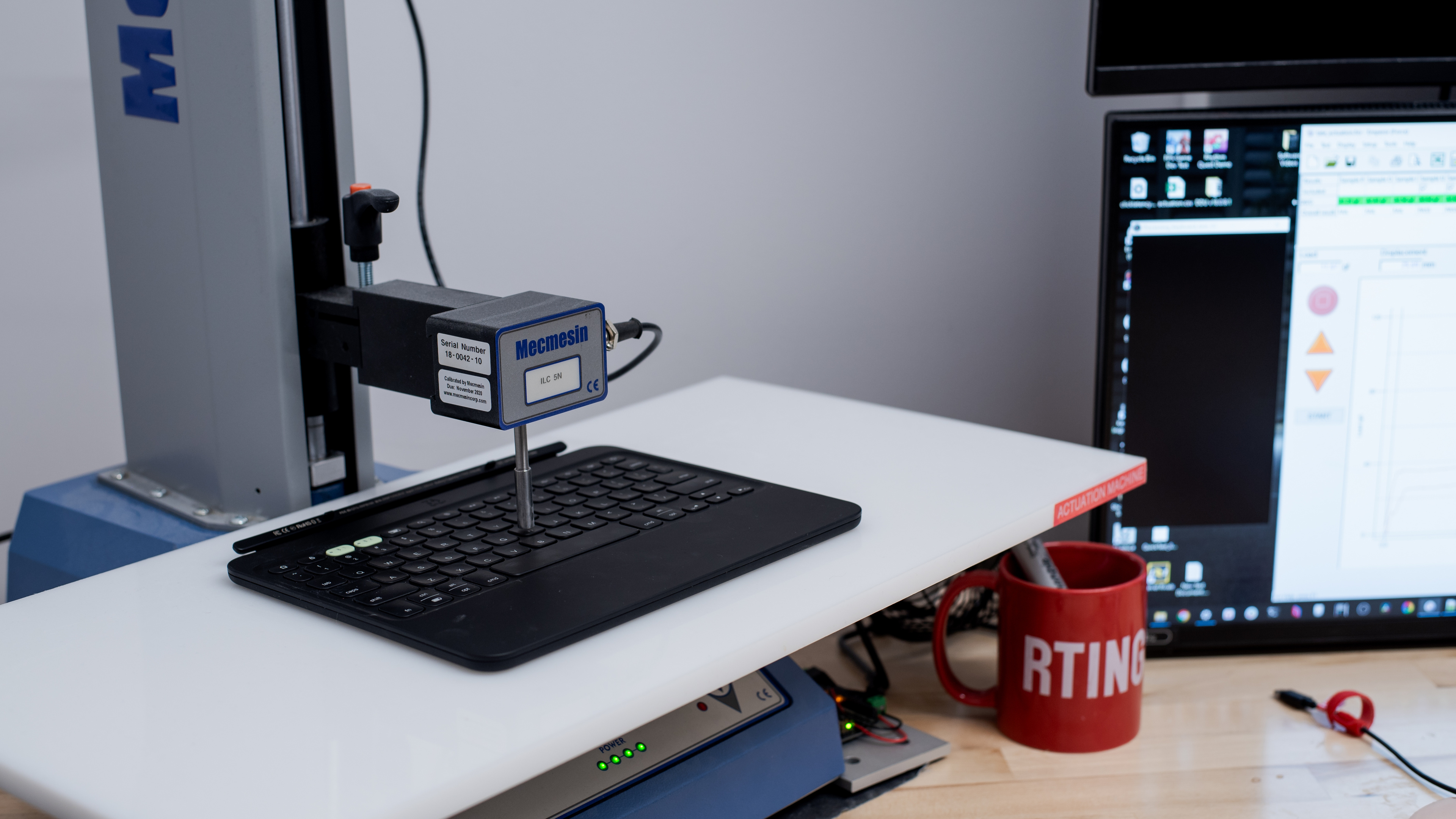
    Operating Force
    65 gf
    Actuation Force
    44 gf
    Pre-Travel
    1.1 mm
    Total Travel
    1.1 mm
    Performance
    6.7
    Single-Key Latency
    See details on graph tool
    Best Connection
    20.2 ms
    Best Connection Std Dev±5.2 ms
    Wired
    N/A
    Receiver
    N/A
    Bluetooth
    20.2 ms
    PCB (Estimated)
    19.6 ms

    This keyboard has poor single-key latency. While it's perfectly suitable for everyday browsing, office work, or light gaming, it's too high and inconsistent for playing fast-paced or competitive games.

    7.4
    Multi-Key Latency
    See details on graph tool
    Connection EvaluatedBluetooth
    Key Press
    15.3 ms
    Key Release
    18.2 ms

    This keyboard has satisfactory multi-key latency, which poses no issues for productivity, everyday browsing, or light gaming. However, it's too high—and far too inconsistent—for fast-paced or competitive games that require inputs while multiple keys are pressed and held.

    3.3
    Data Transmission
    Connection EvaluatedBluetooth
    USB Polling Rate
    N/A
    Effective Update Rate
    90 Hz
    N-Key Rollover (NKRO)
    No
    Multiple Keys Per USB Report
    No
    8.6
    Chord Split
    See details on graph tool
    4 Chord Split Delay
    3.9 ms
    8 Chord Split Delay
    N/A

    This keyboard has excellent 4-chord split performance, meaning it can very reliably register up to four simultaneous inputs. However, it doesn't support N-key rollover, so it's unable to process simultaneous inputs.

    Good chord split performance often makes a keyboard well-suited for rhythm games. However, we don't recommend this keyboard for rhythm gaming due to its latency performance.

    Software and Operating System
    Configuration Software
    Software NameNo Software
    Software Windows Compatible
    No
    Software macOS Compatible
    No
    Onboard Memory
    No
    Profiles
    No Profile
    10
    Computer Compatibility
    Windows
    Fully Compatible
    macOS
    Fully Compatible
    Linux (Ubuntu 22)
    Fully Compatible
    Media Key Compatibility
    Windows, MacOS & Linux

    This is a folio keyboard, primarily designed for use with iPads. However, you can use it with desktop computers. Some keys on the function row do nothing depending on the operating system.

    On Windows devices, the dedicated Lock, On-Screen Keyboard, and 'Globe' keys do nothing.

    For MacOS, the Lock and search keys work as expected, but the 'Globe' key does nothing.

    On Linux devices, the dedicated Lock, On-Screen Keyboard, and 'Globe' keys do nothing while the Home key opens Firefox to your homepage.

    10
    Wireless Mobile Compatibility
    Android
    Fully Compatible
    iOS
    Fully Compatible
    iPadOS
    Fully Compatible
    Media Key Compatibility
    Android, iPhone & iPad

    On Android devices, the 'Globe' button acts as a Shift input. The On-Screen Keyboard and Multiple Window buttons do nothing.

    On iOS and iPadOS devices, all inputs work as expected.