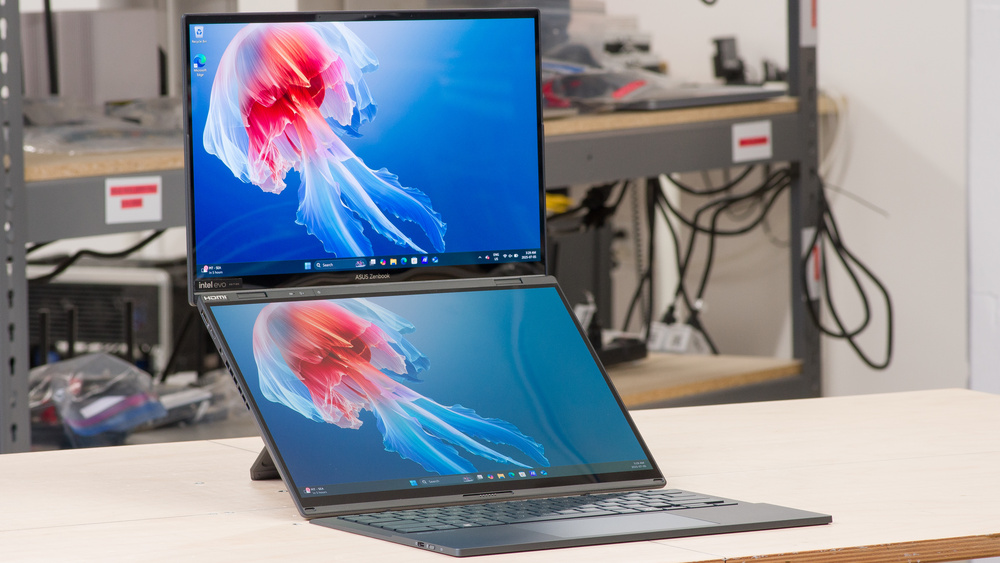
The ASUS Zenbook DUO UX8406 14 (2025) is a premium dual-screen Windows laptop. It's configurable with Intel Meteor Lake or Arrow Lake H-series processors, up to a Core Ultra 9 285H, paired with up to 32GB of RAM and up to 1TB of storage. Display options include two OLED panels: a 60Hz FHD+ (1920 x 1200) and a 120Hz 2.8k (2800 x 1880) OLED, both supporting touch and pen input. For ports, you get a 5Gbps USB-A, two USB-C/Thunderbolt 4s, an HDMI 2.0, and a headphone jack. This laptop comes with a detachable, rechargeable, Bluetooth keyboard and a laptop sleeve you can use as an incline stand. Depending on the region and retailer, you may also get an ASUS Pen, an MPP (Microsoft Pen Protocol) 2.0 stylus.
See our unit's specifications and the available configuration options in the Differences Between Variants section.
Note: We performed the productivity benchmarks, gaming benchmarks, thermals and noise, and performance over time tests using the Best Performance mode instead of the default Balanced mode. This change makes the results more representative of the laptop's maximum potential and brings them closer to user expectations. However, this also means that the results are only comparable with reviews containing this disclaimer, as we previously tested laptops in their default mode, which usually throttles performance to prolong battery life.
Our Verdict
The ASUS Zenbook DUO is good for school use. Though a little thick, it's still compact enough that you can carry it easily. Its dual-screen form factor gives you tons of space for multitasking; plus, there's pen input support for those who prefer taking handwritten notes. Performance-wise, its Intel Meteor Lake and Arrow Lake CPUs can handle fairly demanding workloads, but their integrated graphics perform poorly, which isn't ideal for students in technical fields like 3D modeling. This laptop's battery life is pretty mediocre, lasting only around six hours of light use when using both screens.
Easy to carry.
Dual displays give tons of room for multitasking.
Touch and pen input.
Comfortable keyboard, responsive touchpad.
CPU can handle fairly demanding workloads.
Only around six hours of batter life when using both displays.
Integrated GPU can't handle demanding workloads.
Loud fans.
The ASUS Zenbook DUO isn't designed for gaming. While its Intel CPU is fairly capable, its integrated graphics aren't powerful enough to deliver smooth gameplay in graphically intensive games. Additionally, not many games support such dual-screen functionality, and using the second screen can sometimes impact performance. As for the display, you can choose between a 60Hz or a 120Hz OLED panel; unfortunately, even the latter has a rather slow response time, causing visible ghosting. There's also no VRR support to reduce screen tearing.
CPU can handle fairly demanding workloads.
120Hz display option.
Integrated GPU can't handle demanding games.
OLED display's slow response time causes ghosting.
No VRR support.
Loud fans.
CPU throttles under load.
The ASUS Zenbook DUO is great for media consumption. It's pretty easy to carry around even though it's somewhat thick, and its battery lasts around six hours of video playback, enough time to get through a few full-length movies. The OLED panels look sharp and colorful, and they can produce deep blacks for a better dark room or HDR viewing experience. Plus, you can use the second screen to get some work done. The speakers are passable; they don't get very loud and get muddy at high volume levels.
Easy to carry.
Sharp, colorful OLED displays.
Deep blacks for better dark room and HDR viewing.
Six-hour of video playback battery life.
Quiet speakers.
Speakers get muddy at high volume.
The ASUS Zenbook DUO's Intel chips can handle fairly demanding tasks, but its integrated graphics are pretty weak, so anything GPU-intensive is out of the question. Keep in mind that you can only get up to 32GB of soldered RAM, which might not be enough for workloads with large datasets. You can perform color-critical work, though, as its OLED displays have full DCI P3 coverage. Unfortunately, the CPU throttles under heavy, sustained loads, and the fans are quite loud.
CPU can handle fairly demanding workloads.
Wide port selection includes two Thunderbolt 4s and an HDMI.
Displays are suitable for color-critical work.
Can only get up to 32GB of soldered RAM.
Integrated GPU can't handle demanding workloads.
Loud fans.
CPU throttles under load.
The ASUS Zenbook DUO is good for business use. It feels very well built, and it's easy to carry even though it's on the thick side. You get two sharp OLED displays, allowing you to work comfortably with multiple windows open at once. Plus, there's pen input support if you need to mark up drafts or draw. Its detachable, rechargeable keyboard feels a tad mushy but is still comfortable to type on for long periods, and the touchpad is large and responsive. Performance isn't a problem; the available Intel processors can easily handle productivity tasks like text processing, spreadsheets, and presentations.
Easy to carry.
Dual displays give tons of room for multitasking.
Touch and pen input.
Comfortable keyboard, responsive touchpad.
CPU can handle fairly demanding workloads.
Only around six hours of batter life when using both displays.
Check Price
Differences Between Sizes And Variants
We tested the ASUS Zenbook DUO (model UX8406C) with a 120Hz 2.8k display, an Intel Core Ultra 9 285H CPU, 32GB of RAM, and 1TB of storage. The display, CPU, and memory are configurable; see below for the available options. This review applies to the UX8406M and UX8406C models.
SCREEN
- 14" OLED 1920 x 1200 60Hz (touchscreen with stylus support, 500 cd/m² HDR, 100% DCI P3, Core Ultra Series 1 only)
- 14" OLED 2880 x 1800 120Hz (touchscreen with stylus support, 500 cd/m² HDR, 100% DCI P3)
CPU
- Intel Core Ultra 7 155H (16 cores/22 threads, up to 4.8GHz, 24MB cache)
- Intel Core Ultra 7 255H (16 cores/16 threads, up to 5.1GHz, 24MB cache)
- Intel Core Ultra 9 185H (16 cores/22 threads, up to 5.1GHz, 24MB cache)
- Intel Core Ultra 9 285H (16 cores/16 threads, up to 5.4GHz, 24MB cache)
GPU
- Intel Arc Graphics (integrated)
MEMORY
- 16GB 7467MHz LP-DDR5x
- 32GB 7467MHz LP-DDR5x
STORAGE
- 1TB M.2 2280 PCIe Gen 4 NVMe SSD
COLOR
- Inkwell Gray
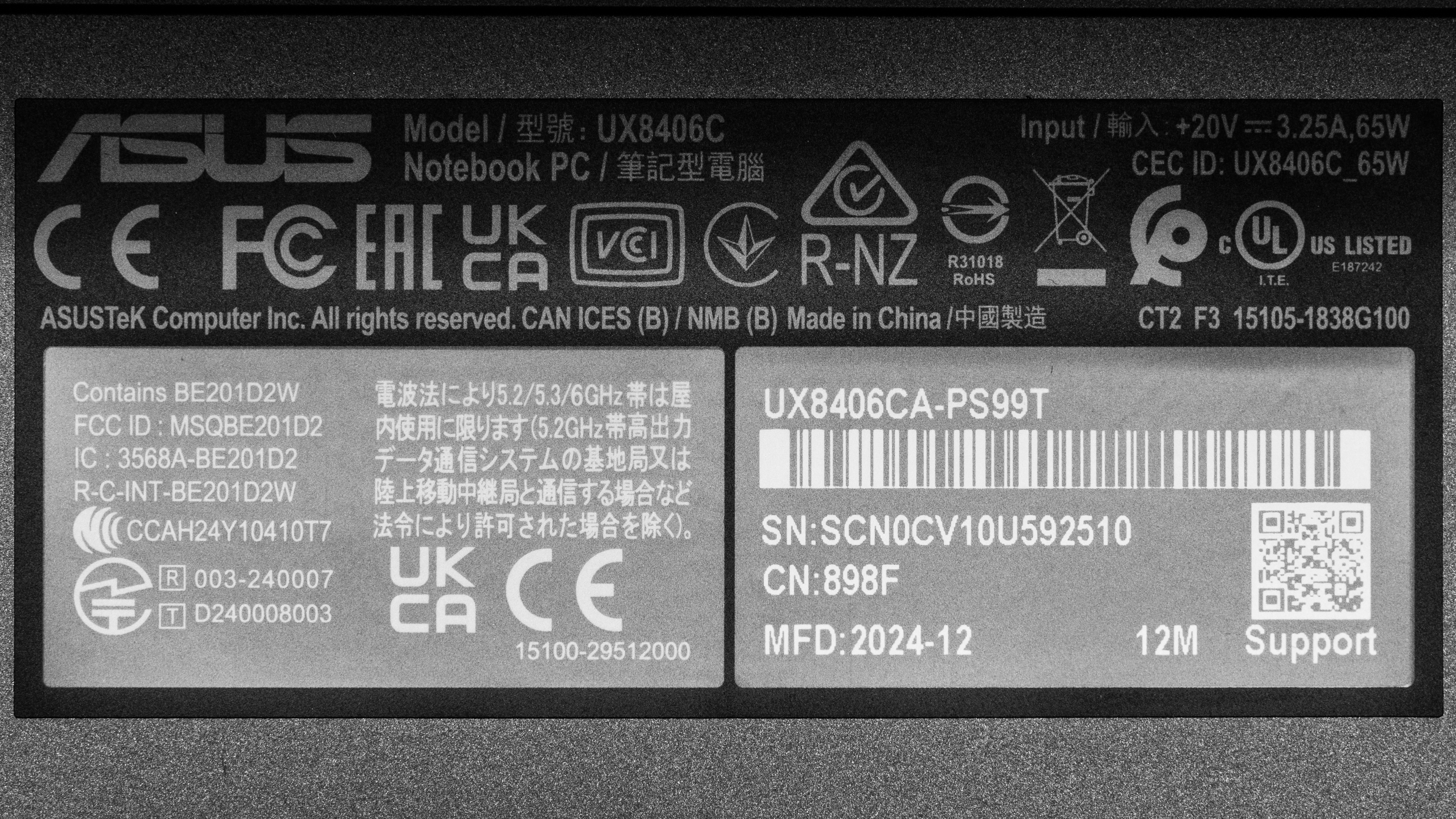
See our unit's label.
Popular Laptop Comparisons
The ASUS Zenbook DUO is a good laptop overall. Its unique dual-screen feature is relatively new to the market, so there aren't many competitors in this market. Its form factor can be a solution for those who frequently need a lot of screen space to do their work; the main downside is a rather short battery life, as powering two screens is costly. The overall user experience is pretty good otherwise, though the loud fans can be a little off-putting. The build quality is outstanding, comparable to premium models like the Lenovo Yoga 9i 2-in-1 Aura Edition 14 (2025) and other Zenbooks in ASUS' lineup, like the ASUS Zenbook 14 OLED (2024).
For more options, check out our recommendations for the best business laptops, the best laptops for photo editing, and the best laptops for working from home.
The Lenovo Yoga 9i 2-in-1 Aura Edition 14 (2025) and the ASUS Zenbook DUO UX8406 14 (2025) are both premium convertible laptops; however, the Yoga only has one screen, while the Zenbook has two. The Zenbook DUO is obviously the better choice if you need the second screen, but remember that running both displays will significantly impact battery life. You get better CPU performance on the Zenbook DUO; however, the Yoga delivers a better overall user experience, as it has a higher quality webcam, better-sounding speakers, and lower fan noise.
While these two laptops have very different form factors, both the ASUS Zenbook 14 OLED (2024) and the ASUS Zenbook DUO UX8406 14 (2025) deliver a great user experience overall, so the choice depends on whether you need the DUO's second screen. The Zenbook DUO is also the better choice if performance is important to you, but keep in mind that it has louder fans and a shorter battery life.
The Lenovo ThinkPad X9 15 Aura Edition (2025) and the ASUS Zenbook DUO UX8406 14 (2025) are both Windows ultraportables. However, they have very different form factors; the former is a traditional clamshell model, while the latter is a dual-screen model with a kickstand and detachable keyboard. The ThinkPad feels more premium, delivering a better user experience overall, but the Zenbook DUO is more versatile because it has two screens and pen input support. You can get better CPU performance on the ASUS; just keep in mind that it has a much shorter battery life and loud fans.
The Apple MacBook Air 15 (M4, 2025) and the ASUS Zenbook DUO UX8406 14 (2025) are very different. The former is a traditional clamshell model, while the latter is a dual-screen laptop with a kickstand, a detachable keyboard, and touch/pen input support. Both laptops deliver a great user experience overall, though the MacBook Air comes out slightly ahead, sporting an easier-to-use haptic touchpad, better-sounding speakers, and a much longer battery life. That said, the choice ultimately depends on whether you need a second.
Test Results
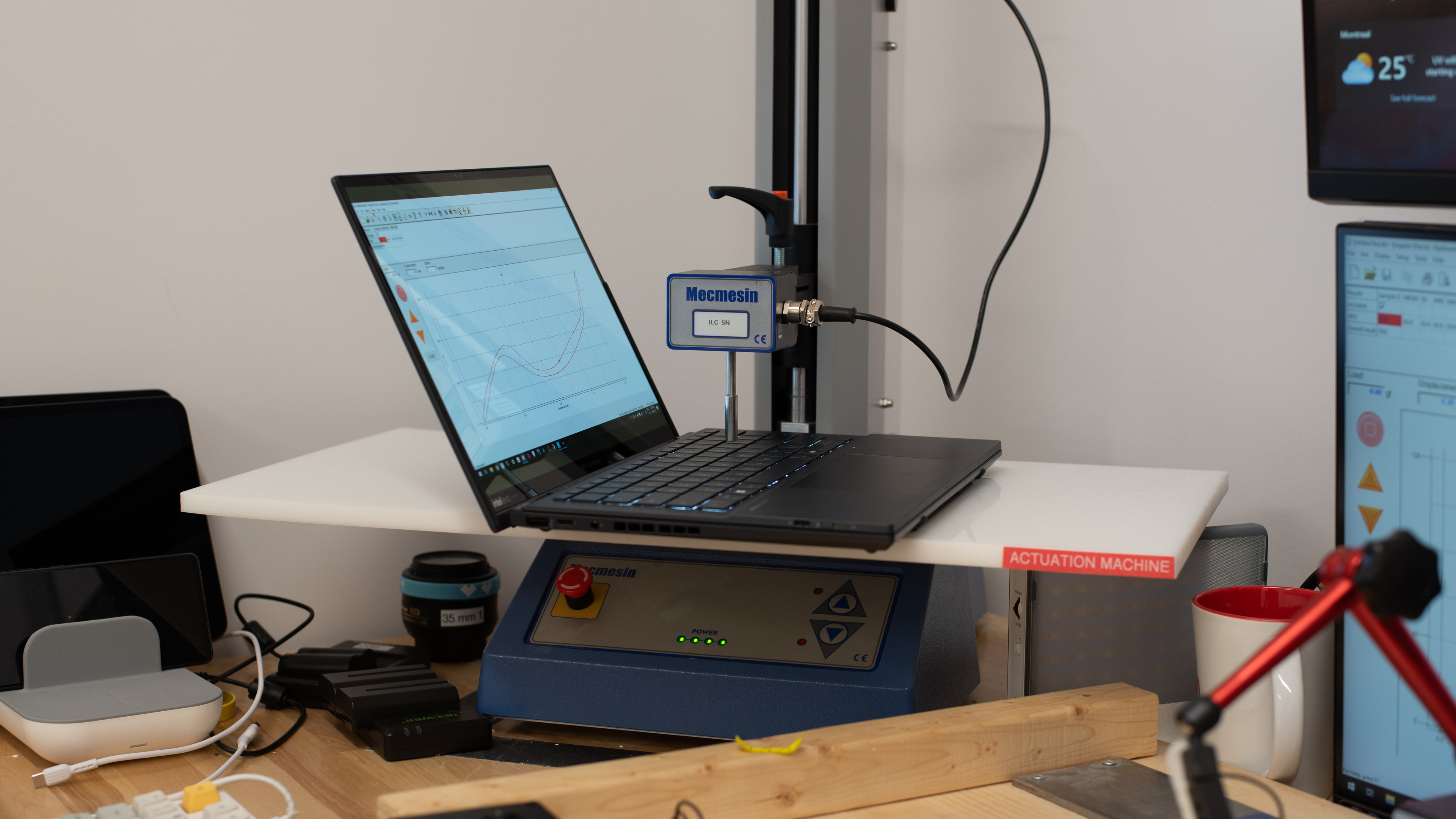



for pictures & test results

for pictures & test results


for pictures & test results















for pictures & test results

for videos & test results

for pictures & test results

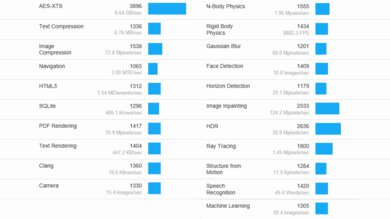
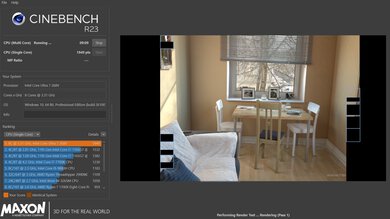

for pictures & test results
for pictures & test results
for pictures & test results
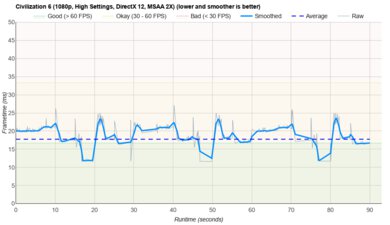
for pictures & test results
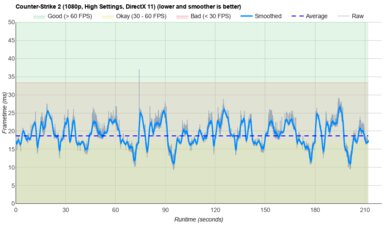
for pictures & test results
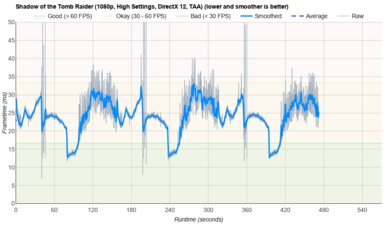
for pictures & test results

for pictures & test results
