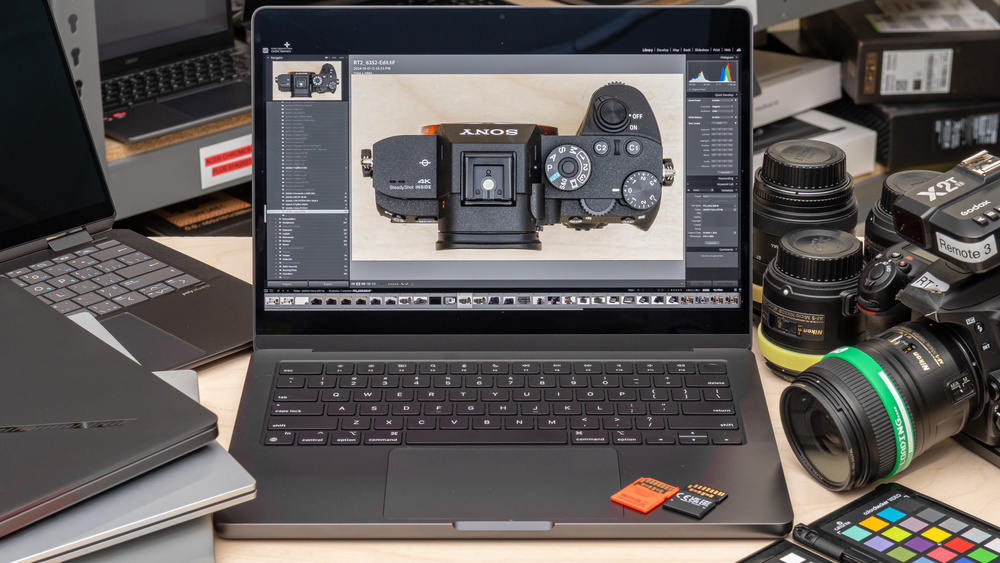
Whether you're an amateur photographer who likes to snap candid photos or a professional hired for big events, there are some key considerations when shopping for a photo editing laptop. First and foremost is the display. Full sRGB coverage is sufficient for most web photography, while photographers preparing images for print may benefit from wider Adobe RGB coverage. If your laptop's screen can't reproduce the colors your workflow requires, consider using a suitable external monitor.
You don't necessarily need a discrete graphics card, but some programs leverage the GPU to provide a smoother experience when manipulating images or running AI-powered denoising functions. Still, the CPU does the bulk of the processing. You'll also want to consider whether you need Thunderbolt 4/USB4 or Thunderbolt 5 support for fast file transfers and if you'll need to prioritize portability and battery life for working on the go. For those on a limited budget, know that $600 to $700 USD is about as low as you'd want to go; cheaper models tend to sacrifice display quality, often sporting panels that don't even have full sRGB coverage.
We've bought and tested over 180 laptops, and below, you'll find our recommendations for the best laptops for photo editing you can buy. For more recommendations, see our articles for the best laptops, the best business laptops, and the best laptops for graphic design. For photographers wanting to bring their photos to life, look at our recommendations for the best photo printers.
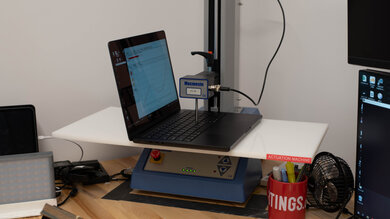
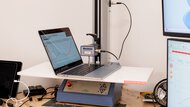
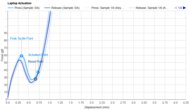
Since 2021, we've tested dozens of laptops every year. We buy our laptops to avoid bias and, following a rigorous methodology, test nearly every part of the laptop so we can deliver results you can rely on. We use a wide range of equipment to perform our tests, including a colorimeter, a Mecmesin MultiTest-i System Test Stand, and various performance benchmarking suites.
Want to know more? Check out our How We Test Laptops article, where we give you a broader overview of our review process, from the moment we purchase the product to the final review.
-
Best Laptop For Photo Editing
 Heavy WorkloadSchool & WorkGraphics PerformanceForm Factor:Traditional (Clamshell)Screen Size:16"Operating System:macOSTouch Screen:NoRefresh Rate:120 HzSee all our test resultsTested RAM Capacity:36 GB
The best laptop for photo editing we've tested is the Apple MacBook Pro 16 (M5, 2026). This workstation has a large, sharp Mini LED display that provides plenty of room for your photo and editing tools. Its excellent factory calibration and full DCI-P3 coverage make it well-suited for color-critical work, while its deep blacks and high brightness are useful for editing HDR photos. You also get three USB-C/Thunderbolt 5 ports, an HDMI port, and a full-size SD card reader.
The 16-inch model is available with an M5 Pro or M5 Max chip. We recommend the M5 Pro for most photographers; it provides ample power for demanding RAW workflows, complex Photoshop documents, and batch processing. The M5 Max is worth considering if you frequently use intensive GPU-accelerated tools or also edit videos. Neither the memory nor storage is user-replaceable, so choose your configuration carefully. The Apple MacBook Pro 14 (M5, 2025) is a smaller alternative, though its compact chassis has less cooling headroom during prolonged workloads, particularly with an M5 Max.
For Windows users, consider the ASUS ProArt P16 H7606 (2024). Its sharp 4k+ OLED touchscreen supports pen input, while its AMD Ryzen AI 9 HX 370 processor and NVIDIA discrete graphics can handle demanding photo editing. It also has a programmable dial for accessing tools and settings, plus two SSD slots for expanding storage. However, its battery life is much shorter than the MacBook's.
-
Best Mid-Range Laptop For Photo Editing
Heavy WorkloadSchool & WorkGraphics PerformanceForm Factor:Traditional (Clamshell)Screen Size:13.6"Operating System:macOSTouch Screen:NoRefresh Rate:60 HzSee all our test resultsTested RAM Capacity:16 GBIf you don't need the Apple MacBook Pro 16 (M5, 2026)'s extra processing power, consider the Apple MacBook Air 13 (M5, 2026). We tested the 13-inch model, but recommend its 15-inch variant for photo editing, as the larger screen gives you more room to work comfortably. Its sharp IPS display covers the DCI-P3 color space, though it can't reproduce the Pro's deep blacks or match its HDR brightness.
The M5 chip is powerful enough for most everyday photo editing, including RAW adjustments, retouching, and moderately complex projects. However, the fanless design limits sustained performance during lengthy batch exports or repeated intensive processing. If you regularly work with very large documents or demanding AI tools, the actively cooled MacBook Pro offers more performance headroom. We recommend considering 24GB or 32GB of memory for heavier editing and multitasking, as you can't upgrade it later.
The Air's thin design makes it easy to carry, even in its larger 15-inch form. You also get a comfortable keyboard and an excellent haptic touchpad. Connectivity is more limited than on the Pro, with two USB-C/Thunderbolt 4 ports, MagSafe charging, and a headphone jack, so you'll need an adapter for memory cards. It supports two external displays alongside its built-in screen.
-
Best Budget Laptop For Photo Editing
WorkstationForm Factor:Size:14"Operating System:Windows 11Touch Screen:Refresh Rate:HzSee all our test resultsCapacity:GBThe best budget laptop for photo editing we've tested is the Acer Swift Go 14 (2024). Its Intel Core Ultra processors provide enough power for everyday RAW editing and retouching at a lower price than the Apple MacBook Air 13 (M5, 2026). However, its integrated graphics are less suitable for frequent GPU-intensive processing, such as AI denoising. The overall user experience also falls short of the MacBook's, particularly its mushier keyboard and less refined touchpad.
You can choose between an FHD+ IPS display and a sharper 2.8k OLED panel. The IPS configuration we tested covers sRGB, making it suitable for work intended for the web. The OLED option provides deeper blacks and full DCI-P3 coverage, making it more appealing for wide-gamut work, though it costs more.
Memory is configurable up to 32GB but isn't user-replaceable, so we recommend at least 16GB, or 32GB for larger projects and heavier multitasking. Storage is upgradeable, with two M.2 slots providing room to expand your photo library. You also get a useful port selection, including two Thunderbolt 4 ports, HDMI, and a MicroSD card reader, although cameras using full-size SD cards will require a separate reader.


Notable Mentions
-
Lenovo ThinkPad X9 15 Aura Edition (2025):
The Lenovo ThinkPad X9 15 Aura Edition (2025) is a Windows alternative to the Apple MacBook Air 13 (M5, 2026). Its sharp OLED display provides deeper blacks and better Adobe RGB coverage, and it has a wider port selection and a user-replaceable SSD. However, its low-power Intel processors are less suitable for demanding batch processing.
See our review -
ASUS Zenbook DUO UX8406 14 (2025):
The ASUS Zenbook DUO UX8406 14 (2025) is a Windows alternative to the Apple MacBook Air 13 (M5, 2026) with two OLED displays, allowing you to keep editing tools or reference images on one screen while viewing your photo on the other. The MacBook is easier to use though, with a better keyboard, trackpad, and far longer battery life.
See our review -
Apple MacBook Neo (A18 Pro, 2026):
The Apple MacBook Neo (A18 Pro, 2026) is worth considering as a cheaper alternative to the Acer Swift Go 14 (2024) for basic photo editing. Its sharp display has excellent factory accuracy and full sRGB coverage, making it suitable for photos intended for the web. However, its fixed 8GB of RAM limits larger projects and multitasking.
See our review
Recent Updates
Oct 19, 2026:
We replaced the Apple MacBook Pro 14 (M5, 2025) with the Apple MacBook Pro 16 (M5, 2026) and the Apple MacBook Air 15 (M4, 2025) with the Apple MacBook Air 13 (M5, 2026). We also refreshed the Notable Mentions, adding the Apple MacBook Neo (A18 Pro, 2026).
Nov 26, 2025:
Replaced the Apple MacBook Pro 14 (M4, 2024) with the Apple MacBook Pro 14 (M5, 2025) because the M5 has enough processing power for most users and cheaper than the M4 Pro/Max models. Added the Apple MacBook Pro 14 (M4, 2024) and ASUS Zenbook DUO UX8406 14 (2025) as Notable Mentions.
May 13, 2025:
We've replaced the HP OmniBook Ultra Flip 14 (2024) with the Apple MacBook Air 15 (M4, 2025) because the MacBook Air is cheaper and a better value overall. We've also removed the Microsoft Surface Laptop 7th Edition 15 (2024) in the Notable Mentions and replaced it with the Lenovo ThinkPad X9 15 Aura Edition (2025) because the Lenovo has a better display and more ports.
Mar 25, 2025:
We've removed the Apple MacBook Air 13 (2022) from the Notable Mentions as the M3 MacBook Airs have dropped in price. We also made small edits throughout for clarity.
Feb 03, 2025:
Replaced the HP Spectre x360 14 (2024) with the HP OmniBook Ultra Flip 14 (2024) because the OmniBook is a newer model that's easier to find.
All Reviews
Our recommendations above are what we think are currently the best laptops for photography to buy. We factor in the price (a cheaper laptop wins over a pricier one if the difference isn't worth it), feedback from our visitors, and availability (no laptops that are difficult to find or almost out of stock everywhere).
If you prefer to make your own decision, here's the list of all of our laptop reviews, sorted by price from low to high. Most laptops are available in various configurations, and the table only shows the results of the model we tested, so it's best to see the full review for information about other variants.