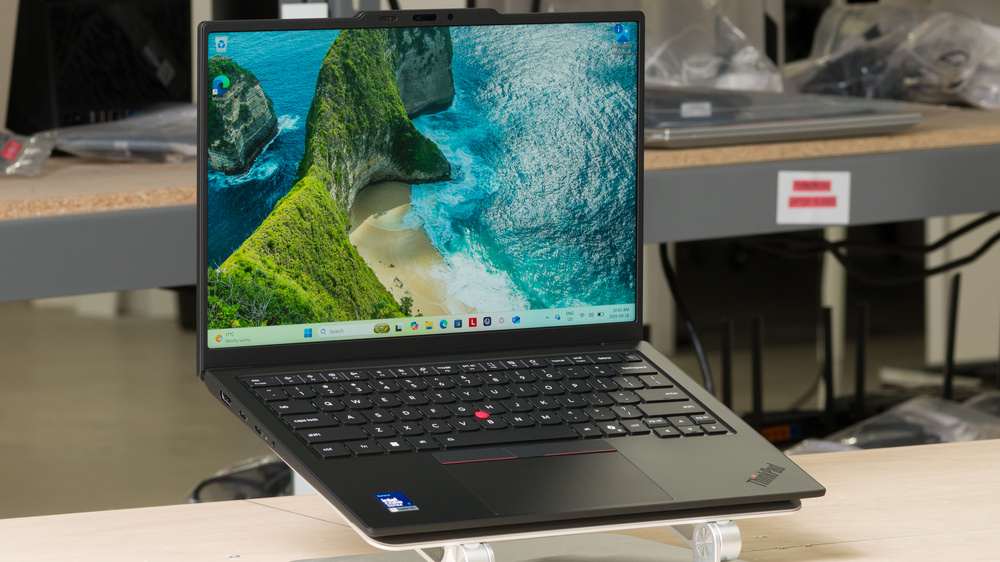
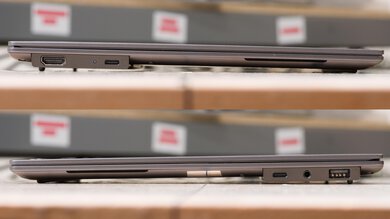
The Lenovo ThinkPad X1 Carbon Gen 14 Aura Edition (2026) is a premium 14-inch Windows business laptop. Our configuration uses a Core Ultra 7 355 processor with integrated Intel Graphics, 32GB of RAM, and a 256GB SSD. It has a 1920x1200 IPS touchscreen, though an OLED display is also available. It features a backlit keyboard and a pointing stick for controlling the cursor without moving your hands away from the keyboard, which you'll see referred to in Lenovo's marketing as TrackPoint. It also has a fingerprint sensor, and a 1440p webcam with facial recognition support. Its ports include one USB-A, three Thunderbolt 4 ports, an HDMI output, and a headphone/microphone combo jack. The SSD and battery are replaceable, but the RAM and wireless adapter aren't.
Our Verdict
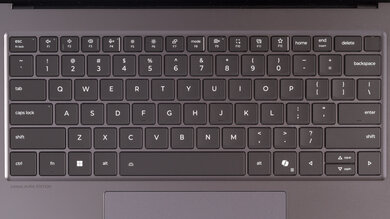
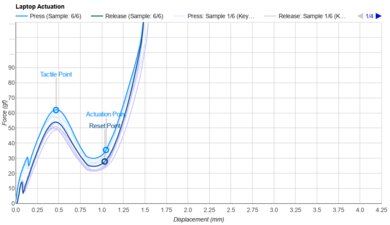
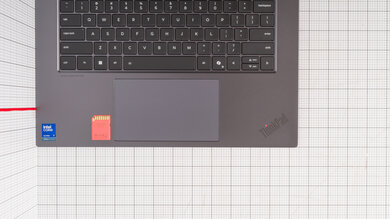
The Lenovo ThinkPad X1 Carbon is excellent for general productivity. It's compact and lightweight yet feels very well built, and its battery lasts nearly 18 hours of web browsing, easily getting you through a workday without charging. It handles everyday tasks like text processing and web browsing well. The keyboard is comfortable to type on, the touchpad tracks reliably, and the webcam and microphone are outstanding for video calls. Its IPS touchscreen looks reasonably sharp and gets bright enough for most indoor settings, and you can get it with an OLED if you want a sharper image and deeper blacks. You also get a wide selection of ports for peripherals and external displays.
Compact and lightweight.
Comfortable keyboard.
Nearly 18 hours of battery life for web browsing.
Outstanding webcam and microphone.
Wide port selection.
The soldered RAM can't be upgraded.
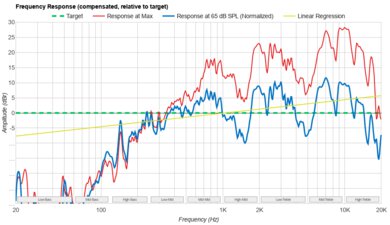
The Lenovo ThinkPad X1 Carbon is great for media consumption. It's easy to carry around, and its battery lasts around seven hours of video playback. The speakers sound fantastic for a laptop this size and get very loud with minimal distortion. Our configuration's IPS display looks reasonably sharp, produces mostly accurate colors, and handles reflections well. However, blacks look gray in a dark room, and the 16:10 aspect ratio results in black bars above and below most widescreen videos. The optional OLED display provides a sharper image, deeper blacks, and a wider color gamut.
Compact and lightweight.
Loud, full-sounding speakers with minimal distortion.
IPS display handles reflections well.
Sharper and faster OLED display available.
IPS display's blacks look gray in dark rooms.
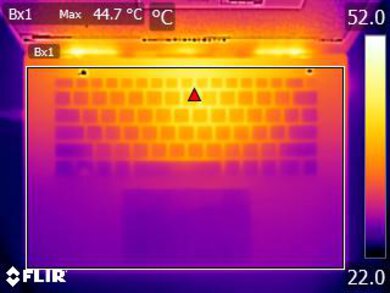
The Lenovo ThinkPad X1 Carbon is poor for gaming. The Core Ultra 7 355 processor and integrated Intel Graphics can handle lighter games, but demanding titles will require significant compromises in resolution and graphical settings. The IPS display is limited to 60Hz and lacks variable refresh rate support to reduce screen tearing. The optional 120Hz OLED display will provide sharper images and smoother motion. The keyboard feels great, and the laptop doesn't get overly hot or loud under load. Configurations with a Core Ultra X7 processor and Arc B390 graphics will perform substantially better.
Comfortable keyboard.
Sharper and faster OLED display available.
Manageable heat and fan noise under load.
The soldered RAM can't be upgraded.
Limited performance in demanding games with base Intel Graphics.
IPS display limited to 60Hz with no VRR support.
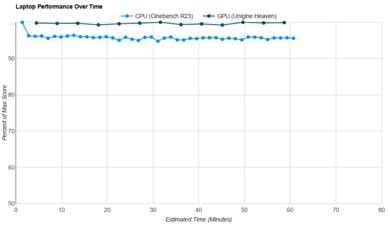
The Lenovo ThinkPad X1 Carbon is mediocre for use as a workstation. The Core Ultra 7 355 processor can handle moderately demanding tasks, but its integrated graphics provide limited performance for GPU-intensive work like complex 3D rendering. CPU performance also drops during sustained workloads. That said, it has a fast SSD, an excellent port selection, and manageable heat and fan noise under load. The SSD is replaceable, but the RAM is soldered. The 16-core H-series configurations provide better multi-threaded CPU performance, while the Core Ultra X7 models also offer substantially stronger Arc B390 graphics for supported GPU-accelerated workloads.
Wide port selection.
Manageable heat and fan noise under load.
Fast, replaceable SSD.
More powerful CPUs available for demanding workloads.
The soldered RAM can't be upgraded.
CPU performance drops during sustained workloads.
Limited performance in demanding GPU workloads with base Intel Graphics.
Check Price
Differences Between Sizes And Variants
We tested the Lenovo ThinkPad X1 Carbon Gen 14 with an Intel Core Ultra 7 355 processor, integrated Intel Graphics, 32GB of RAM, a 256GB SSD, and a 1920x1200 IPS touchscreen. It's available in various configurations, depending on the region. The eight-core Core Ultra 5 and 7 options should perform similarly to our unit, while the 16-core H-series models will provide better multi-threaded CPU performance. The Core Ultra X7 configurations also have substantially more powerful Arc B390 integrated graphics.
Other options include up to 64GB of RAM, up to 2TB of storage, and a sharper 120Hz OLED display with or without touch input. Select configurations offer a haptic touchpad, cellular connectivity, or a display privacy filter. Intel vPro support adds business security and management features rather than inherently improving performance. Our display, battery life, and performance results apply to the tested configuration; other configurations may perform differently.
You can see our label.
Popular Laptop Comparisons
The Lenovo ThinkPad X1 Carbon Gen 14 Aura Edition (2026) is an excellent business ultraportable, combining a lightweight design with sturdy construction, a comfortable keyboard, an outstanding webcam and microphone, and a wide port selection. Its main drawback is its price. You're paying a premium for a compact, well-built business machine, so it makes the most sense for frequent travelers who will benefit from its portability and features.
If you're comfortable using macOS, the Apple MacBook Air 13 (M5, 2026) is a better value for most people. It delivers strong CPU performance, an excellent haptic touchpad, and a sharp, bright, accurately calibrated display, typically at a lower price depending on the configuration. Among Windows alternatives, the Lenovo ThinkPad X9 15 Aura Edition (2025) is worth considering if you prefer a larger screen, and its 120Hz OLED display and haptic touchpad come standard. The Dell XPS 14 (2026) is a closer match in size and offers similar processor options, with a 120Hz display even on its base IPS configuration. Still, the X1 Carbon competes well, especially if minimizing weight and connecting peripherals without adapters are priorities.
For more options, check out our recommendations for the best lightweight laptops and the best laptops for business. If you'd like a bigger screen, also check out the best 15- and 16-inch laptops.
The Lenovo ThinkPad X1 Carbon Gen 14 Aura Edition (2026) is better for working on the go, while the Lenovo Yoga 9i 2-in-1 Aura Edition 14 (2025) is better for handwritten notes, drawing, and entertainment. The ThinkPad is lighter and has a built-in HDMI port, three Thunderbolt 4 ports, and optional cellular connectivity. It also offers more powerful CPU configurations and up to 64GB of RAM for demanding workloads. Choose the Yoga if you want a 360° hinge, pen support, and an OLED touchscreen on every configuration.
The Lenovo ThinkPad X1 Carbon Gen 14 Aura Edition (2026) is the more versatile business machine, while the Dell XPS 13 (2026) is better for everyday use at a lower price. The ThinkPad offers more powerful processor options, higher memory capacities, cellular connectivity on select configurations, and a much broader port selection, including USB-A, HDMI, and a headphone jack. Choose the Dell if you want a smaller laptop that's easier to carry, with a standard 2560x1600 120Hz IPS display that's sharper and smoother than the ThinkPad's base IPS option. Its limited configurations make it less suited for demanding workloads and heavy multitasking.
The Lenovo ThinkPad X1 Carbon Gen 14 Aura Edition (2026) is the better choice for everyday work and frequent travel, while the Lenovo ThinkPad P1 Gen 7 (2024) is better suited for demanding GPU workloads when configured with an NVIDIA discrete GPU. The X1 Carbon is smaller and lighter, offers optional cellular connectivity, and has higher-end configurations capable of more demanding CPU and graphics tasks. The P1 provides a larger 16-inch workspace, user-replaceable RAM, and an SD card reader. Its NVIDIA GPU options also make it preferable for applications that require CUDA or professional NVIDIA drivers. Both offer IPS and OLED displays, so the decision primarily comes down to whether you prioritize mobility or the P1's workstation features.
The Lenovo ThinkPad X9 15 Aura Edition (2025) is the better choice for everyday office work if you prefer a larger screen, while the Lenovo ThinkPad X1 Carbon Gen 14 Aura Edition (2026) is better for frequent travel or more demanding workloads when suitably configured. The X9 has a 15.3-inch 120Hz OLED display and a large haptic touchpad on every configuration. The smaller, lighter X1 Carbon offers optional cellular connectivity, an additional Thunderbolt 4 port, and a little red nub in the middle of the keyboard that acts as a sort of mouse. It also provides more configuration flexibility, including IPS displays, up to 64GB of RAM, and 16-core processors. Graphics performance depends on the model: the X9's Arc graphics outperform the X1 Carbon's basic Intel Graphics, but the X1 Carbon's X7 configurations offer substantially stronger Arc B390 graphics.
Test Results
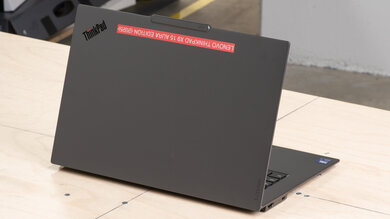
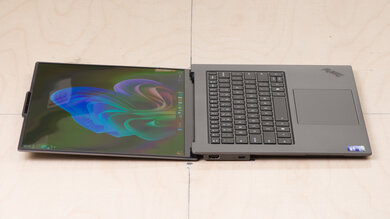
for pictures & test results
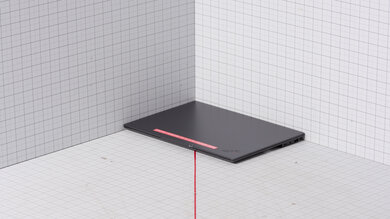
for pictures & test results
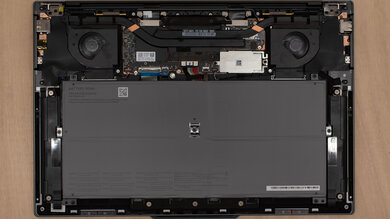
for pictures & test results





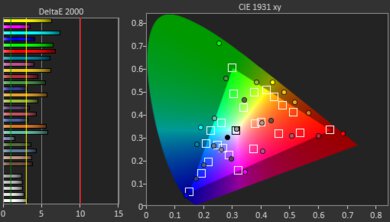
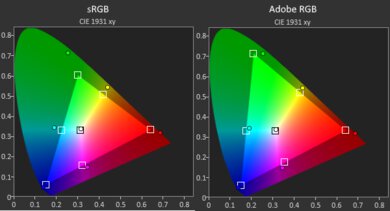
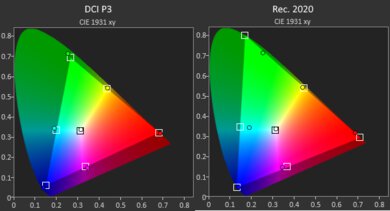
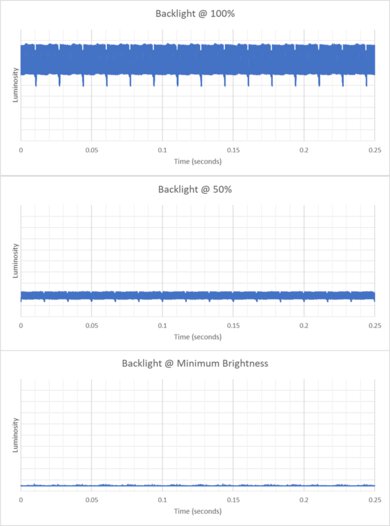
for pictures & test results
for videos & test results

for pictures & test results
for pictures & test results
for pictures & test results