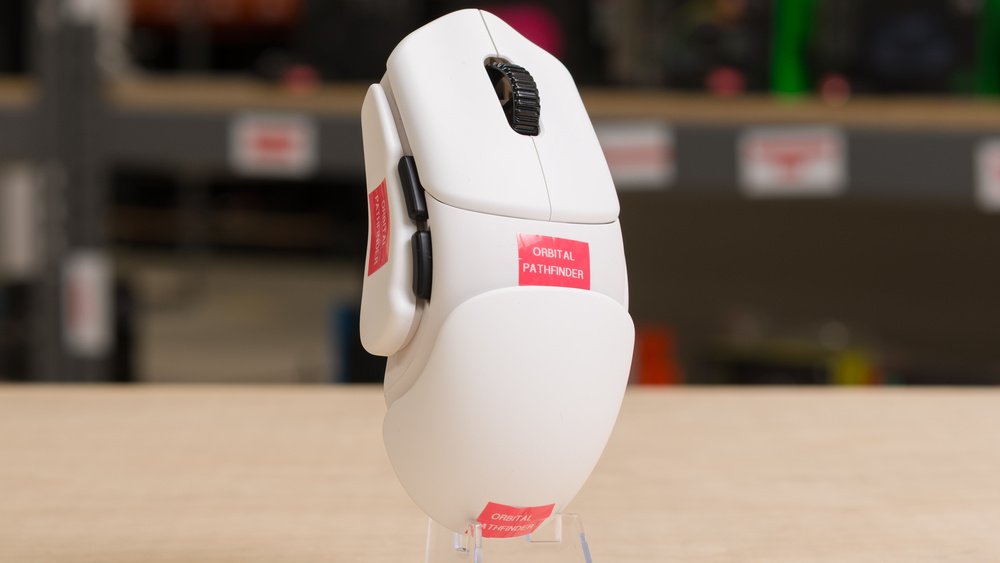
The Orbital Pathfinder is a lightweight wireless gaming mouse that includes a large number of modular parts you can add or remove to dramatically change its shape and feel. It uses a PixArt PAW3950 sensor, Omron optical switches, and a Nordic 52820 MCU, with support for 8000Hz polling out of the box. You can adjust various performance settings through the configuration software, available as either a downloadable client or a web-based version.
Our Verdict
The Orbital Pathfinder is primarily designed for competitive gaming, but it's more than adequate for work use. It has a highly customizable modular shape and excellent build quality. It only lacks features like Bluetooth, scroll wheel tilt inputs, and free scrolling, which are more common on dedicated work mice.
Excellent build quality, with modular pieces that fit together cleanly and securely.
Wide range of comfortable shape configurations possible with the included modular pieces.
No Bluetooth connectivity.
Scroll wheel lacks productivity features like tilt inputs or a free-scrolling mode.
The Orbital Pathfinder is a superb FPS gaming mouse suitable for competitive-level play. It has excellent build quality, it's extremely lightweight, and its extensive modular design allows you to dial in your preferred shape with an extensive number of potential configurations. It also has outstanding click latency and excellent sensor latency, although it suffers from some firmware implementation issues that can result in lower-than-expected performance depending on the polling rate settings you use. We examine these issues more in-depth in the Click Latency and Sensor Latency sections.
Excellent build quality, with modular pieces that fit together cleanly and securely.
Excellent sensor latency.
Exceptionally low wireless click latency.
Very lightweight.
Wide range of comfortable shape configurations possible with the included modular pieces.
Higher-than-expected click and sensor latency at some polling rates due to firmware issues.
The only notable weakness the Orbital Pathfinder has for MMO play is that it doesn't offer as many dedicated side buttons as a typical MMO mouse. However, if you rely more on keyboard binds, it remains a very good option thanks to its outstanding overall performance, excellent build quality, and highly flexible modular system that allows you to experiment and dial in a comfortable shape that suits your preferences.
Excellent build quality, with modular pieces that fit together cleanly and securely.
Wide range of comfortable shape configurations possible with the included modular pieces.
Higher-than-expected click and sensor latency at some polling rates due to firmware issues.
The Orbital Pathfinder has superb raw performance with excellent sensor latency and exceptionally low wireless click latency. However, it shows higher than expected latency with some setting combinations, particularly wireless click latency at 1000Hz and sensor latency at 4000Hz and 8000Hz polling. While most people likely won't notice these differences in-game, the results point to potential firmware issues that may prevent the mouse from delivering the best possible performance given its high-end specs. For more details, see the Click Latency and Sensor Latency sections.
Excellent build quality, with modular pieces that fit together cleanly and securely.
Excellent sensor latency.
Exceptionally low wireless click latency.
Higher-than-expected click and sensor latency at some polling rates due to firmware issues.
Check Price
Differences Between Sizes And Variants
The Orbital Pathfinder is available in White or Black colorway options. There are also extra Mars Red, Nova Teal, and Terra Blue core body options that you can swap out for the primary two colorways. However, these extra colors are only available for additional purchase. Note that swapping out the core body color options requires disassembly.
An additional Helion Orange core body colorway is available, which also includes a 'gun metal scroll wheel' made of magnesium alloy that you can replace the stock plastic scroll wheel with.
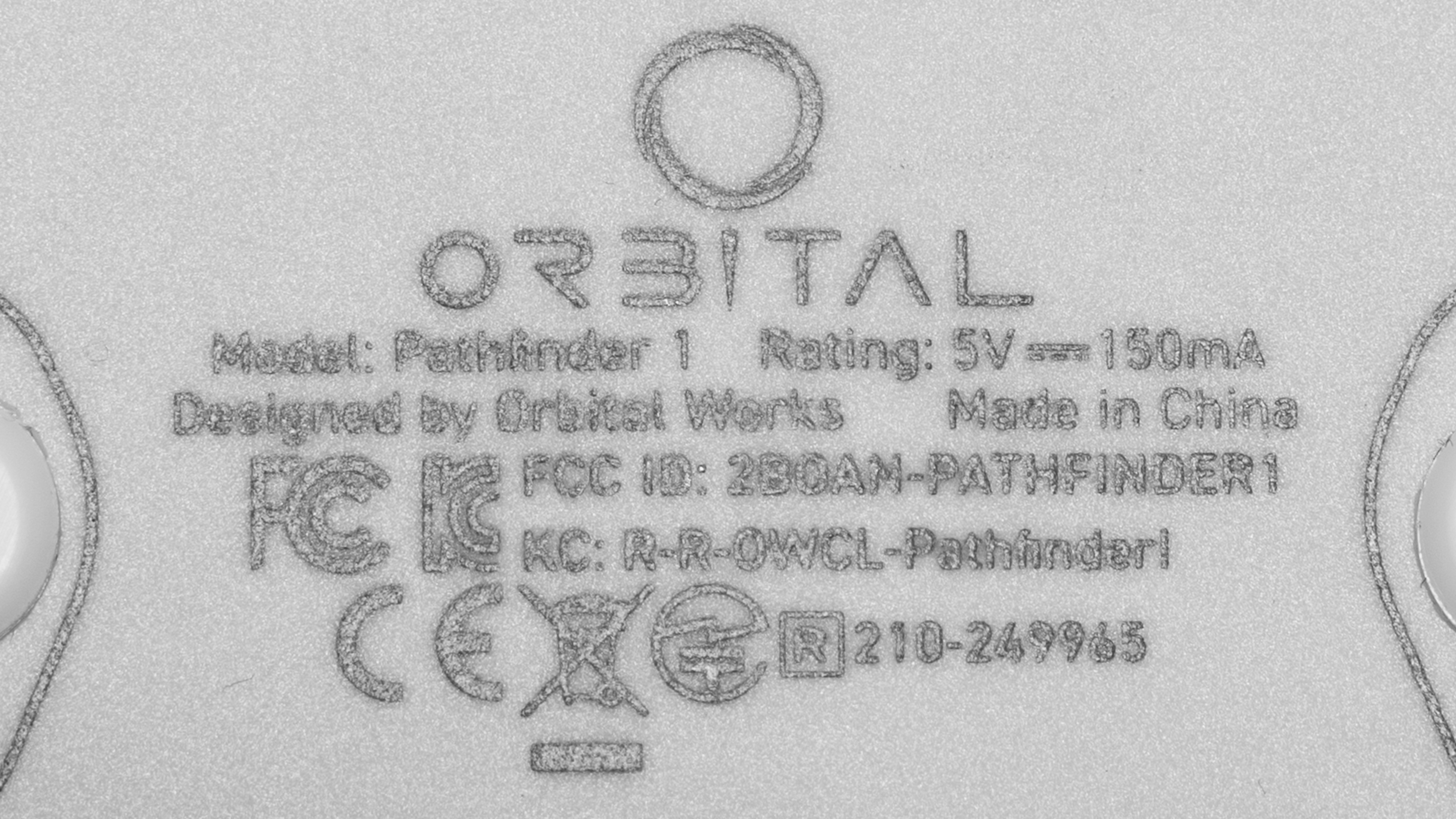
We bought and tested the White color model. See our unit's label here.
Popular Mouse Comparisons
The Orbital Pathfinder takes the concept of a modular mouse as seen in models like the Razer Naga V2 Pro or the HyperX Pulsefire Saga Pro but offers far more extensive customization. Instead of a few interchangeable pieces, it includes 25 modular components, ranging from different hump sizes to spacers and side panels with various finger-hold positions.
It also features high-end internals and is surprisingly lightweight given its modular design. While we discovered firmware issues that lead to higher-than-expected latency with some polling rate settings, it remains a viable option for competitive players looking for an alternative to high-end models with more conventional 'safe' shapes, such as the Logitech G PRO X SUPERLIGHT 2 or the Razer Viper V3 Pro.
The Pathfinder may be especially compelling if you're the kind of person who likes to change their devices fairly often, according to mood or different productivity or gaming roles. However, if you prefer to settle on a shape and not adjust it further, the investment in its customization ecosystem may feel underutilized, even though some of its shape combinations are quite unique. Orbital also provides a two-year warranty, matching major brands like Logitech and Razer, which helps justify its expensive price point.
For more recommendations, see our picks for the best ergonomic mouse, the best gaming mouse, and the best wireless gaming mouse.
The Orbital Pathfinder and the Logitech G PRO X SUPERLIGHT 2 are both lightweight wireless gaming mice that weigh about the same. The Orbital stands out for its extensive modular system that lets you dramatically change its shape. It also includes higher quality feet plus extra feet options in the box. The Logitech has a well-established safe shape that suits most hand sizes and grip types, though it isn't as versatile as the Orbital's design. It also delivers slightly better raw performance, making the better choice for most people for very high-level competitive play.
The Orbital Pathfinder and the Razer Viper V3 Pro are lightweight wireless gaming mice that weigh the same. The Orbital stands out for its highly modular design, which lets you dramatically adjust the shape to suit your preferences. By comparison, the Razer has a low-profile shape with a moderate hump that works best for medium or large hands. It also performs somewhat better overall, making it the stronger pick for most people focused on high-level, fast-paced competitive play.
The Razer Naga V2 Pro and the Orbital Pathfinder are wireless gaming mice with modular designs. The Razer’s customization is more limited. It has three side panels with different button layouts, including a full 12-button grid aimed at MMO or MOBA play. It’s also significantly heavier than the Orbital and its scroll wheel features side button tilt and a free-scroll mode. The Orbital uses a far more extensive 25-piece modular system that lets you adjust the width, length, and finger grip positions. This makes it versatile for nearly all grip types and hand sizes. Its also much lighter, making it a more viable option for fast-paced titles like FPS games.
The HyperX Pulsefire Saga Pro and the Orbital Pathfinder are wireless gaming mice with modular designs. The HyperX offers more limited customization with only one set of alternate side buttons and a rear hump panel. The Orbital, by comparison, includes 25 modular pieces for far more extensive shape adjustment. It’s also significantly lighter and performs a bit better, making it the stronger option for fast-paced competitive play.
Test Results
The Orbital Pathfinder comes in either a Black or White colorway. The white model we tested has black accent side buttons and a black scroll wheel, but all other modular pieces are white. Conversely, the Black colorway option uses all black colored parts without any accent color.
Orbital also offers several colored core body options for additional purchase. These color options are made of translucent plastic, but you'll need to disassemble the mouse completely to swap them out for the default body. See the Differences Between Variants section for details.
There's no customizable RGB lighting on the mouse itself, but there's a status light on the underside next to the CPI button that changes color to indicate your current CPI setting. The 2.4GHz wireless receiver also has an LED indicator that you can customize in the software.
This is a modular mouse, and Orbital advertises you can configure more than 3,000 individual shapes using the 25 included pieces.
The configuration we've used in this review is using the average side pieces and the medium hump piece. However, the exact measurements of the mouse depend on the pieces you use.
Note that we've indicated that this mouse has a pinky finger rest because, while not all piece configurations offer a pinky rest, several pieces do. This also depends on whether you use a 1-3-1 or 1-2-2 grip, where the numbers refer to the number of fingers you position on the left side, top, and right side of the mouse.
We've catalogued photos of all the included side and hump pieces installed on the mouse in the table below. For additional images and explanations of what each piece is intended for, see Orbital's website.
The Orbital Pathfinder has excellent build quality, especially considering how extensive its modular system is. The body and all modular pieces use matte plastic with a soft textured finish. They’re lightweight but feel sturdy, with enough thickness to prevent noticeable flex except in areas designed to flex while adding or removing them, such as the sides of the hump pieces.
When attached to the mouse, all modular parts fit together snugly without feeling loose. There's a faint noise from the hump slot if you shake the mouse forcefully, but this doesn't occur during normal use. Some reports from the community mentioned that the side buttons tend to wobble, particularly on early copies. The side buttons on our unit are stable and don't wobble.
The modular parts are also easy to remove and swap without tools, typically requiring only a pull or pinch to detach. They're sturdy enough that we don't have concerns about long-term durability, even with repeated shape changes.
Orbital's product page is transparent about the internal components, such as the MCU, side switches, and scroll encoder. While these parts aren't hot-swappable, listing them makes it easier to source compatible replacements to solder yourself, like scroll wheel encoders, which require a specific height.
Orbital also have several helpful videos on their YouTube channel showing a full disassembly and assembly guide and instructions for designing your own 3D printable shapes.
We achieved our Default Weight measurements using the average side pieces and the medium hump piece, but the exact weight of your configuration depends on the pieces you use.
The Lowest Weight is achieved with the mouse in its barebones configuration, with only the core body and no modular pieces (except for the side buttons) attached.
The heaviest configuration with all spacer pieces and the largest side and hump pieces weighs 56.98 g.
As a modular mouse with a wide range of customizability, the Orbital Pathfinder is extremely well-suited for all grip types and virtually all hand sizes.
However, even with all spacers and the widest grip pieces, it may still feel a bit narrow if you have extra-large hands. Alternatively, if you have extra-small hands, the overall length can feel a bit unwieldy even in the shortest and smallest configuration.
The Orbital Pathfinder has a 300 mAh battery. Orbital advertises several battery life estimates: 1.5 days using 8000Hz polling, three to four days using 4000Hz, five days using 2000Hz, and a week or more using 1000Hz.
The Orbital Pathfinder has a flexible paracord-like cable. It's fairly resistant to tangling and doesn't retain any significant kinks out of the packaging.
The Orbital Pathfinder has virgin-grade PTFE dot skates installed out of the box. These feet glide very smoothly on both mousepads and desks.
Several additional skate options are included in the box, including another set of pure PTFE dots. There are also large X-Raypad Obsidian skates made of PTFE, which X-Raypad advertises as offering better control and stopping, as well as Obsidian Pro Air dot skates made of UHMWPE and designed for speed.
See the X-Raypad product pages for the Obsidian and Obsidian Pro Air skates for more details.
Core Box Contents
- USB-A to USB-C cable
- 2.4GHz Wireless receiver
- 1x X-Raypad Obisdian (Red) skates
- 1x X-Raypad Obisdian Pro Air (Grey) skates
- 1x Pure PTFE skates
- Adhesive removal wipes
- Alcohol pad
- Pathfinder Assembly Guide
- User documentation
Exploration Box Contents
Left Side Pieces
- Latch (L)
- Claw (C)
- Pinch (P)
- Average (A)
Side Spacers
- 4x side spacers
Right Side Pieces
- Average (A)
- Pinch (P)
- Claw (C)
- Right hand (R)
- Xtra claw (X)
- Slash (S)
- Wave (W)
Hump pieces
- Low hump (L)
- Medium hump (M)
- High hump (H)
- Right-hand hump (R)
Side Buttons and Hump Spacers
- 2x pairs of side buttons (M and L)
- 2x hump spacers
The Orbital Pathfinder has exceptionally low and consistent wireless click latency, more than suitable for competitive gaming.
We conducted this test using the following settings.
- Polling rate: 8000Hz
- Debounce: 0 ms
- Overclocked Gaming Mode: On
Note that the maximum polling rate over a wired connection is 1000Hz. However, the wired measurements are somewhat higher than expected, which we expect may be due to an unknown issue with Orbital's firmware implementation.
We conducted additional wireless testing using a 4000Hz polling rate, resulting in only marginally higher latency of 3.9 ms with Esports Mode on. It's also worth noting that the Esports Mode off setting didn't change the result.
We also verified wireless results at 1000Hz, and these measurements were again somewhat higher than expected, slightly above 10 ms, regardless of the Esports Mode setting.
The Orbital Pathfinder's sensor consistently tracks your movements exceptionally well with no significant speed variation or tracking issues.
The Orbital Pathfinder provides excellent sensor latency performance that's suitable for casual or competitive play in all genres. Latency is somewhat higher than expected, but most people won't notice any delay, and it's unlikely to affect your performance unless you exclusively play fast-paced titles at a very high competitive level.
We conducted this test using the following settings.
- Polling rate: 8000Hz
- Motion Sync: Off
- Overclocked Gaming Mode: On
We experimented with Overclocked Gaming settings, toggled both on and off and measured no difference at 8000Hz polling.
We performed supplementary testing at lower polling rates and with Motion Sync on. These measurements show that the Orbital Pathfinder experiences an unknown issue at higher polling rates, resulting in higher-than-expected sensor latency and unusually high deviation from the USB-reported position during motion runs compared to nearly all other mice we've tested using the same components.
The polling rate options are 125Hz, 500Hz, 1000Hz, 2000Hz, 4000Hz, and 8000Hz.
You can adjust various sensor settings, including advanced features such as angle adjustment and Motion Sync, using the software. See the Configuration Software section for more details.
The scroll wheel is made entirely of plastic with pronounced ridges that provide a very good grip. Its steps feel well defined, and the noise level is moderate, not noticeably loud but not quiet either.
Orbital indicates it's using a TTC Dust-Proof Gold encoder with an 11 mm height.
Orbital also offers an alternate 'Gun Metal Scroll Wheel' made of magnesium alloy as part of its Helion Orange Core body colorway package, available for separate purchase. See the Differences Between Variants section for details. We don't expect it to operate any differently from the standard wheel, only to differ in material and feel. Note that you'll need to disassemble the mouse to install it.
The right click button on our unit makes a higher pitched sound than the left. This didn’t affect performance during testing, and we haven’t seen other reviewers or owners report the same behavior, suggesting it may only be an issue with our unit. It may still be worth noting as a potential issue if you’re sensitive to small noise differences.
This mouse has straightforward, easy-to-navigate software. It's available as a downloadable offline client, which we tested, or a web-based version of the client, called Web-CTRL. Settings are clearly organized and include all standard options along with more advanced tools like macro recording and RGB controls for the wireless receiver.
It also has a debounce time slider, a sleep timer, and an angle adjustment tool, which helps if you tend to hold your mouse at an angle and want your horizontal swipes to stay level.
There are additional performance settings, including Esports mode options that prioritize sensor responsiveness at the cost of faster battery drain.
You can also toggle Motion Sync, a feature that synchronizes the sensor's SPI read timing with the mouse's polling events to produce more consistent in-game motion, although it typically adds a very small amount of motion latency.