HyperX Pulsefire Saga Pro  Mouse Review

Reviewed Nov 28, 2025 at 10:33am
Writing modified Dec 12, 2025 at 11:48am
Tested using Methodology v1.5.1 
HyperX Pulsefire Saga Pro
7.3
Work 
8.7
Video Games (FPS) 
7.5
Video Games (MMO) 
9.3
Raw Performance 
 1

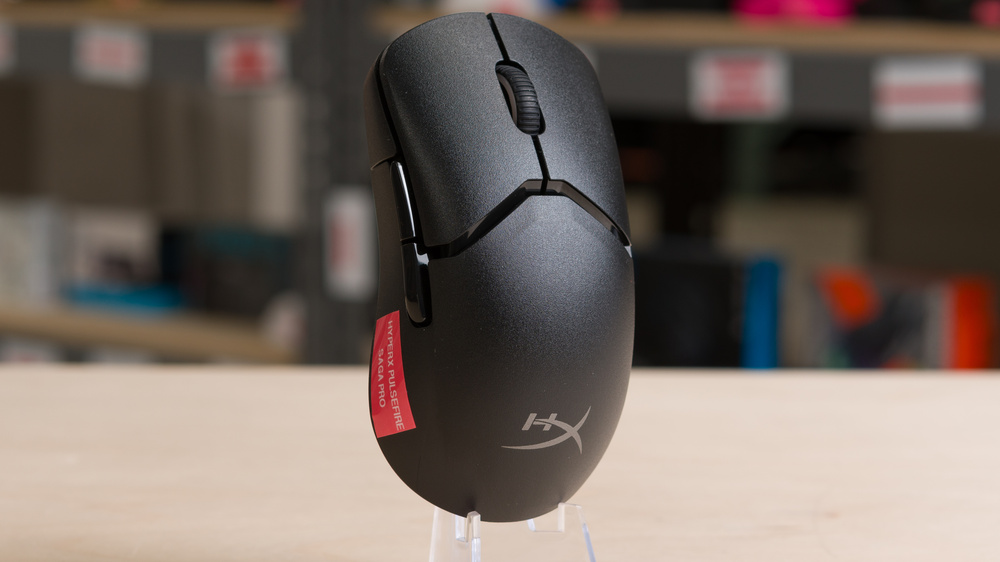
The HyperX Pulsefire Saga Pro is a wireless gaming mouse with a modular design that allows you to swap out the click button, palm rest, and side buttons. There is a pair of each modular piece included in the box, each of which slightly changes the shape and overall experience of the mouse, though it remains a right-handed ergo mouse in all included configurations. HyperX also advertises that you can print your own pieces if you have access to a 3D printer, and they host a small a repository of 3D-printable designs.

Our Verdict

7.3
Work 

The HyperX Pulsefire Saga Pro isn't designed specifically for work use. While it's perfectly adequate for typical desktop or laptop tasks and offers a comfortable modular shape and Bluetooth connectivity, it lacks productivity features like scroll wheel tilt inputs or a free-scrolling mode.

Pros
  • Excellent build quality.

  • Modular design with the option to 3D-print your own panels.

Cons
  • Scroll wheel lacks left-right tilt inputs and free scrolling.

8.7
Video Games (FPS) 

Performance-wise, the HyperX Pulsefire Saga Pro is an outstanding FPS gaming mouse. It also has a comfortable right-handed shape best suited for small or medium-sized hands, and its standout feature is its modular customization potential. Its major weakness is that it's much heavier than most dedicated FPS mice on the market, which can affect the speed and accuracy of your cursor movement in-game.

Pros
  • Excellent build quality.

  • Modular design with the option to 3D-print your own panels.

  • Remarkably low sensor and click latency.

  • 4000Hz maximum polling rate.

Cons
  • Heavy compared to dedicated FPS mice.

7.5
Video Games (MMO) 

The HyperX Pulsefire Saga Pro has far fewer side buttons than a typical dedicated MMO mouse. That said, its comfortable modular shape and remarkably good raw performance make it perfectly suitable for playing MMOs if this doesn't bother you.

Pros
  • Excellent build quality.

  • Modular design with the option to 3D-print your own panels.

  • Remarkably low sensor and click latency.

Cons
None
9.3
Raw Performance 

The HyperX Pulsefire Saga Pro delivers remarkably good raw performance. Both click latency and sensor latency are more than suitable for competitive or casual play, and the mouse supports a maximum polling rate of 4000Hz.

Pros
  • Remarkably low sensor and click latency.

  • 4000Hz maximum polling rate.

Cons
None
  • 7.3
    Work
  • 8.7
    Video Games (FPS)
  • 7.5
    Video Games (MMO)
  • 9.3
    Raw Performance
  • Changelog

    1.  Updated Dec 12, 2025: 

      We've added a link to the Orbital Pathfinder in the Shape section.

    2.  Updated Nov 28, 2025: Review published.
    3.  Updated Aug 21, 2025: Early access published.
    4.  Updated Jun 05, 2025: Our testers have started testing this product.

    Check Price

    BlackPulsefire Saga Pro
    SEE PRICE
    BestBuy.com
    BlackPulsefire Saga Pro
    SEE PRICE
    Amazon.com
    BlackPulsefire Saga Pro
    B&H
    BlackPulsefire Saga Pro
    HyperX
    BlackPulsefire Saga Pro
    Walmart.com

    Differences Between Sizes And Variants

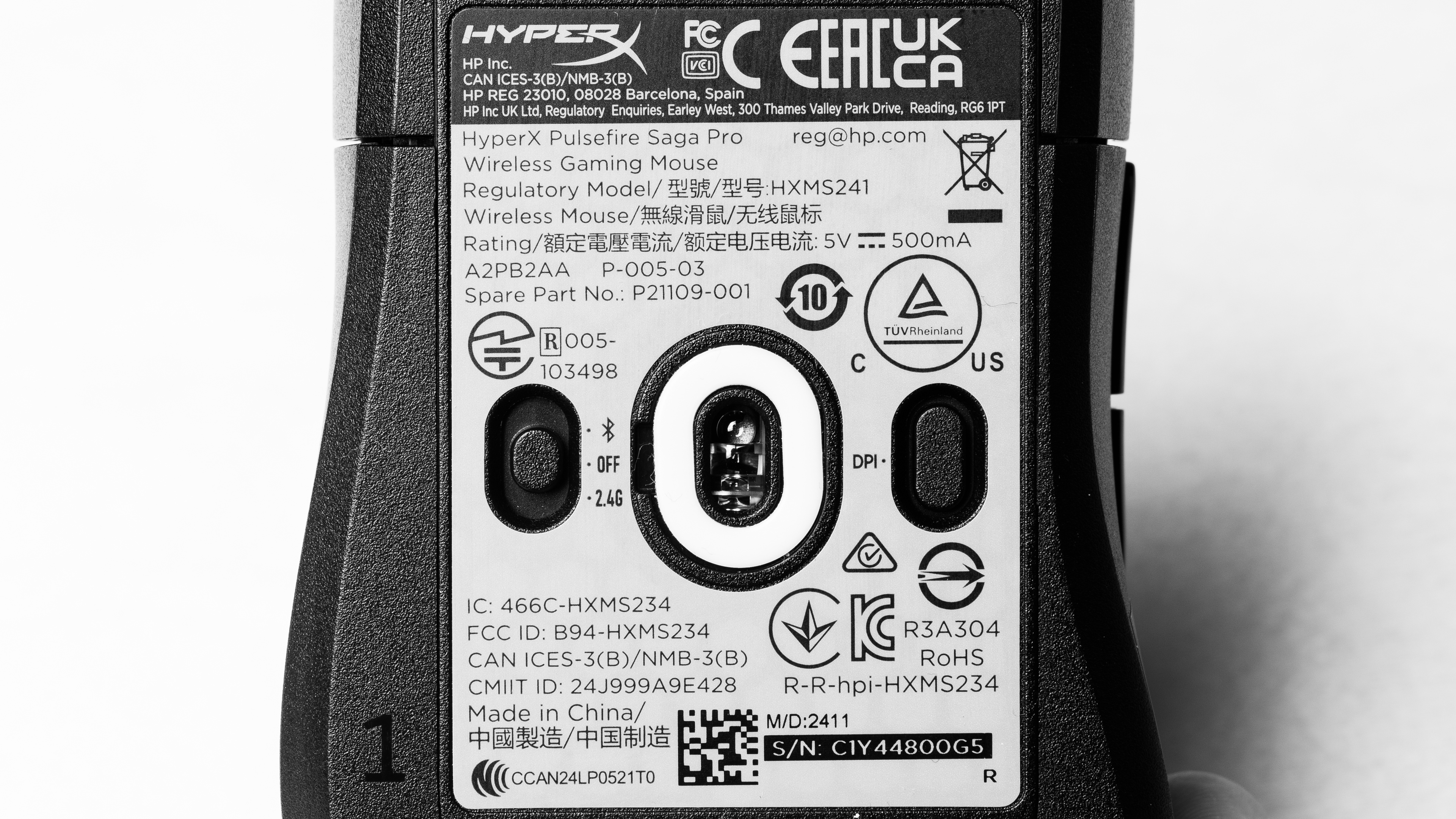
    The HyperX Pulsefire Saga Pro is only available in Black. You can see our unit's label here.

    There's a separate wired version of this mouse called the HyperX Saga Pro. We consider it a different product rather than a variant, and the results in this review aren't representative of it.

    Popular Mouse Comparisons

    The HyperX Pulsefire Saga Pro is a wireless gaming mouse with a modular design that lets you swap the palm rest, main buttons, and side button pieces to adapt the shape to your liking. It uses optical switches rather than the mechanical switches found on previous HyperX models, and these typically last longer since mechanical switches can develop double-click issues over time. Its overall performance is remarkably good and approaches most current-generation flagships, so it's more than suitable for competitive play.

    The main drawback is the weight. It will feel excessive for most competitive FPS players unless you naturally prefer heavier mice. Within the market, it sits in the middle ground. It's much heavier than leading FPS options like the Razer Viper V3 Pro or the Logitech G PRO X SUPERLIGHT 2, although it's still noticeably lighter than bulkier multi-role designs like the Razer Basilisk V3 Pro or the Logitech G502 X PLUS.

    Altogether, the Pulsefire Saga Pro is a compelling choice if you want modular flexibility, particularly if you plan on 3D printing your own parts. However, the included customization options are modest compared to more extensive modular systems, like the Orbital Pathfinder, so the appeal depends heavily on whether you plan to extend the system yourself.

    For more recommendations, see our picks for the best mouse, the best wireless mouse, and the best wireless gaming mouse.

    HyperX Pulsefire Haste 2 Wireless

    The HyperX Pulsefire Haste 2 Wireless is a lightweight wireless gaming mouse with a symmetrical shape, while the HyperX Pulsefire Saga Pro is a heavier, right-handed, ergonomic model with a modular main button, palm rest, and side buttons that you can exchange to tweak how the mouse feels in your hand. The Saga Pro also has significantly better click latency and sensor latency performance, making it comparatively more suitable for playing fast-paced, competitive games. Lastly, the Saga Pro uses optical switches, which are typically longer-lived than the mechanical switches found in the Haste 2 Wireless.

    HyperX Pulsefire Haste 2

    The HyperX Pulsefire Haste 2 is a wired gaming mouse with a symmetrical shape, while the HyperX Pulsefire Saga Pro is a wireless model with a right-handed ergonomic shape and modular main button, palm rest, and side button panels you can swap to change how it feels in-hand. The Saga Pro is heavier, but it performs better overall and uses optical switches, which typically have much better lifespans compared to mechanical switches like those used by the Haste 2.  

    Logitech G PRO X SUPERLIGHT 2

    The Logitech G PRO X SUPERLIGHT 2 and the HyperX Pulsefire Saga Pro are both wireless gaming mice, but the Logitech has a symmetrical shape that's very accommodating to a wide range of hand sizes and grip types. It's also significantly lighter and performs better, generally making it a more preferred option for competitive FPS play. On the other hand, the HyperX is much heavier and doesn't perform quite as well, but is noteworthy for its modular design, which allows you to swap out the front button, palm rest, and side button pieces to adjust how the mouse feels in your hand.

    Logitech G502 X PLUS

    The Logitech G502 X PLUS and the HyperX Pulsefire Saga Pro are wireless gaming mice. The Logitech is much heavier but has a more generous ergonomic design with a thumb rest. It also has more programmable buttons and a scroll wheel with tilt inputs and free-scrolling, making it a much more versatile all-around pick. Comparatively, the HyperX is a much smaller mouse that's noticeably lighter. It has a right-handed ergo shape, and its noteworthy feature is that it has modular pieces, including a front button, a palm rest, and side buttons, which you can swap out to change how the mouse feels. 

    Test Results

    perceptual testing image
    Sort:
    RATINGS
    Category:
    All
    Design
    Style
    Type
    Standard
    Coating
    Matte
    Lighting ColorRGB

    There's one customizable RGB lighting zone in the scroll wheel.

    Shape
    Length4.7" (120 mm)
    Width2.6" (66 mm)
    Height1.6" (40 mm)
    Grip Width
    62 mm
    Ambidextrous
    No
    Left-Handed Friendly
    No
    Finger Rest
    No

    This is a modular mouse, so its shape depends on which panels you have installed. For our measurements and 3D scan, we've used the flatter click button panel and the taller palm rest panel configuration. There's also a more concave button panel and a shorter palm panel included in the box.

    HyperX also advertises support for printing your own pieces. For more details, see their 3D printing product page or their official Printables.com repository.

    Unfortunately, site limitations prevent us from adding additional scans for other configurations, but you can find more details about the alternate setups in the Hand Size Recommendations section.

    If you're interested in a mouse that has a much more extensive modular system and includes 25 pieces to adjust how its shape fits your hand, check out the Orbital Pathfinder.

    8.5
    Build Quality

    This mouse has excellent build quality. The plastic body and modular pieces have a pleasant, slightly delicate, and finely textured finish that feels fairly durable. The modular panels attach magnetically, feel sturdy, and fit securely with no looseness when installed. There's also no noticeable flexing except for a small amount on the underside panel, which is typical for gaming mice and unrelated to the modular system, so it doesn't affect normal use. Unfortunately, there's a faint rattling sound if you shake the mouse forcefully.

    With the modular palm rest piece removed, you can access a compartment for storing the receiver when it's not in use.

    8.1
    Weight
    Lowest Weight
    72.7 g
    Default Weight
    72.7 g
    Weight Distribution
    Centered
    Extra Weights
    No

    The configuration we've evaluated uses the flatter click button panel and the taller palm rest panel installed on the mouse.

    Hand Size Recommendation
    Palm Grip Hand Recommendation
    Claw Grip Hand Recommendation
    Fingertip Grip Hand Recommendation

    The configuration we've evaluated uses the flatter click button panel and the taller palm rest panel installed on the mouse.

    We've also taken supplementary photos for a palm, claw, and fingertip grip with the more concave click button panel and the shorter palm rest panels installed. These pieces create subtle changes in how the mouse feels rather than transforming its size and shape, and they don't meaningfully affect our hand size recommendations.

    HyperX advertises that you can 3D print your own modular pieces to dramatically change the shape and feel of this mouse. You can see examples on HyperX's official Printables.com repository.

    9.8
    Wireless Versatility
    Maximum Of Paired Devices
    2
    Bluetooth
    Yes
    Receiver
    Yes
    Battery Type
    Rechargeable
    Use When Charging
    Yes
    On/Off Activation
    Auto Off And On/Off Switch
    Receiver Extender
    Yes
    Receiver Storing
    Yes
    Battery IndicatorYes

    HyperX advertises a wireless battery life of up to 90 hours using a 1000Hz polling rate and up to 30 hours using a 4000Hz polling rate with all lighting disabled, using a 2.4GHz connection.

    Cable
    ConnectivityWireless
    Cable Length
    5.9 ft (1.8 m)
    Cable Type
    Paracord-like
    Permanent Kink
    Yes
    Port Type: Mouse End
    USB-C
    Port Type: PC End
    USB-A

    This mouse includes a braided paracord-like cable. It's reasonably flexible, glides fairly well on desks and mousepads, and doesn't retain significant kinks from its packaging.

    8.5
    Mouse Feet
    Gliding Experience
    Good
    Material
    Virgin Grade PTFE
    Extra Included
    Yes

    This mouse comes with a mix of more traditional large PTFE feet and several PTFE dots. It's a bit unusual to see these two styles combined, but the feet glide very smoothly on mousepads and on desks with minimal scratchiness. However, the larger skates have slightly sharper edges, which can create a bit more friction on softer pads.

    In The Box

    • USB-C to USB-A cable
    • USB-A Wireless receiver
    • Receiver adapter
    • Adhesive grip tape
    • Extra set of mouse feet
    • 1x alternate button cover panel (one is preinstalled on the mouse for a total of two in the box)
    • 1x alternate rear panel (one is on the mouse for a total of two in the box)
    • One pair of side buttons (one pair is already on the mouse for a total of two pairs in the box)
    Control
    Main Button
    See details on graph tool
    See details on graph tool
    Switch Type
    Optical
    Switch Model
    HyperX Optical Switches
    6.4
    Additional Buttons
    Total Number Of Buttons
    6
    Number Of Side Buttons
    2
    Number Of Programmable Inputs
    5
    Profile Switching Button
    No
    Gesture Support
    No

    Note that in addition to the modular main button and palm rest panels, the side buttons are also modular, held in with magnets. The pair shown above is one of two included shapes, and the box also includes an alternate pair with a slightly different contour.

    You can program all inputs except for scroll up/down, and the left and right click buttons can only be swapped.

    8.2
    Click Latency
    See details on graph tool
    Expected Connection
    6.9 ms
    Wired
    3.1 ms
    Receiver
    2.1 ms
    Bluetooth
    13.5 ms

    The HyperX Pulsefire Saga Pro provides remarkably low and consistent click latency, which makes it well-suited for competitive play.

    We conducted this test at the maximum polling rate of 4000Hz.

    Note: When we first tested this mouse in June 2025, the click latency was significantly higher. The improved results above were produced using the most recent firmware version released in November 2025 (v1.1.2.9).

    9.4
    CPI
    See details on graph tool
    SRAV @ 1600 CPI
    0.15%
    SRAV @ 800 CPI
    -0.11%
    SRAV @ 400 CPI
    -0.29%
    SRAV @ Fixed CPI
    N/A
    Precision Error Between Speeds
    0.33%
    Precision Error Between CPI
    0.34%
    Worst Tracking Error
    -8.91%
    Minimum CPI
    200 CPI
    Maximum CPI
    26,000 CPI
    CPI Adjustment Steps
    50 CPI

    The HyperX Pulsefire Saga Pro doesn't exhibit any problematic sensor tracking or speed variation issues.

    9.4
    Sensor Latency
    See details on graph tool
    Delay To Start Of Movement
    11.5 ms
    Delay At Half Movement
    2.1 ms
    Delay To End Of Movement
    1.8 ms

    This mouse has remarkably good sensor latency, making it well-suited for casual or competitive play in all genres.

    We conducted this test at the maximum polling rate of 4000Hz.

    Sensor Specifications
    Sensor Technology
    Optical (LED)
    Sensor Model
    HyperX 26K
    Works On Glass
    No
    Minimum Lift Off Distance
    1.2 mm
    Maximum Polling Rate
    4000 Hz
    Mouse Wheel
    Scroll Wheel Type
    Notched Wheel
    Scroll Wheel Tilt
    No
    Thumb Wheel Type
    No

    The scroll wheel has a notched rubber surface, and scrolling is quiet and feels precise. The force it takes to move between steps is on the lighter side.

    Noise
    Click Noise
    Quiet
    Operating System And Software
    Configuration Software
    Software NameNGenuity
    Software Windows Compatibility
    Yes
    Software macOS Compatibility
    No
    On-Board Memory
    Yes
    CPI (DPI) Adjustment
    Yes
    Polling Rate Adjustment
    Yes
    Profile Configuration
    Yes
    Profile Auto-Switching
    Yes
    RGB On/Off
    Yes

    The software is fairly simple by the standards of software from major brands. You can only download the software from the Microsoft Store, which is unusual. That said, you can customize various expected options, although you can't change sleep settings. We encountered some initial issues with saving custom settings to the onboard memory, but resetting the mouse resolved this issue.

    Note that while the software does support auto-switching profiles for specific software, you can't program a manual profile switch button.

    10
    Mouse Compatibility
    Windows CompatibilityFully
    macOS CompatibilityFully