Logitech G PRO X SUPERLIGHT 2 SE  Mouse Review

Reviewed Dec 08, 2025 at 08:56am
Tested using Methodology v1.5.1 
Logitech G PRO X SUPERLIGHT 2 SE
7.2
Work 
9.3
Video Games (FPS) 
8.1
Video Games (MMO) 
9.5
Raw Performance 
 0

The Logitech G PRO X SUPERLIGHT 2 SE is a lightweight wireless gaming mouse that continues Logitech's SUPERLIGHT lineup. This model is positioned as a slightly lower-performance option in the series, as it ships with a wireless receiver that supports a maximum polling rate of 1000Hz, rather than 8000Hz. Otherwise, it's identical to the Logitech G PRO X SUPERLIGHT 2 and shares the same shape, weight, and internal components.

Our Verdict

7.2
Work 

The Logitech G PRO X SUPERLIGHT 2 SE is a gaming mouse, but it's perfectly adequate for work. It has excellent build quality and a very accommodating shape that suits most people's hand sizes and grip type preferences. It only lacks specialized productivity features like Bluetooth connectivity and extra scroll wheel functions like free-scrolling.

Pros
  • Excellent build quality.

Cons
  • No power-saving Bluetooth connectivity.

  • No scroll wheel productivity features like tilt inputs or free-scrolling.

9.3
Video Games (FPS) 

The Logitech G PRO X SUPERLIGHT 2 SE is an outstanding FPS gaming mouse. It's extremely lightweight, and its symmetrical shape is one of the most accommodating options on the market for a wide range of hand sizes and grip styles. It also delivers exceptionally low click latency and superb sensor performance, which makes it well-suited for competitive play. The polling rate is limited to 1000Hz with the included receiver, but it's compatible with a separately purchased receiver to reach a maximum wireless polling rate of 8000Hz. The difference in performance isn't perceptible whatsoever in-game, but this may still matter if you're focused on getting the absolute best performance possible if you're playing at the highest competitive level. See the Sensor Latency section for details.

Pros
  • Excellent build quality.

  • Extremely lightweight

  • Exceptionally low click latency.

  • Superb click latency.

Cons
  • Limited to a 1000Hz polling rate with the included receiver.

8.1
Video Games (MMO) 

The Logitech G PRO X SUPERLIGHT 2 SE doesn't fit the mold of a dedicated MMO mouse, which typically offer many more programmable side buttons. But if this doesn't bother you because you rely more on keyboard binds, this is a great option for MMO or MOBA gaming. It has excellent build quality, a very comfortable and accommodating shape, and outstanding sensor performance that's more than up to the task for PvE or competitive PvP content.

Pros
  • Excellent build quality.

  • Superb click latency.

Cons
  • Fewer side buttons than dedicated MMO models.

9.5
Raw Performance 

The Logitech G PRO X SUPERLIGHT 2 SE delivers superb raw performance, featuring very low and consistent click latency and sensor latency. This mouse comes with a wireless receiver with a maximum polling rate of 1000Hz, but you can buy a separate receiver from Logitech to increase the maximum wireless polling rate to 8000Hz, which provides marginally lower and more consistent click and sensor latency performance, virtually matching the performance of the mainline Logitech G PRO X SUPERLIGHT 2.

Pros
  • Exceptionally low click latency.

  • Superb click latency.

Cons
  • Limited to a 1000Hz polling rate with the included receiver.

  • 7.2
    Work
  • 9.3
    Video Games (FPS)
  • 8.1
    Video Games (MMO)
  • 9.5
    Raw Performance
  • Changelog

    1.  Updated Dec 08, 2025: Review published.
    2.  Updated Dec 03, 2025: Early access published.
    3.  Updated Nov 20, 2025: Our testers have started testing this product.
    4.  Updated Oct 31, 2025: The product has arrived in our lab, and our testers will start evaluating it soon.

    Differences Between Sizes And Variants

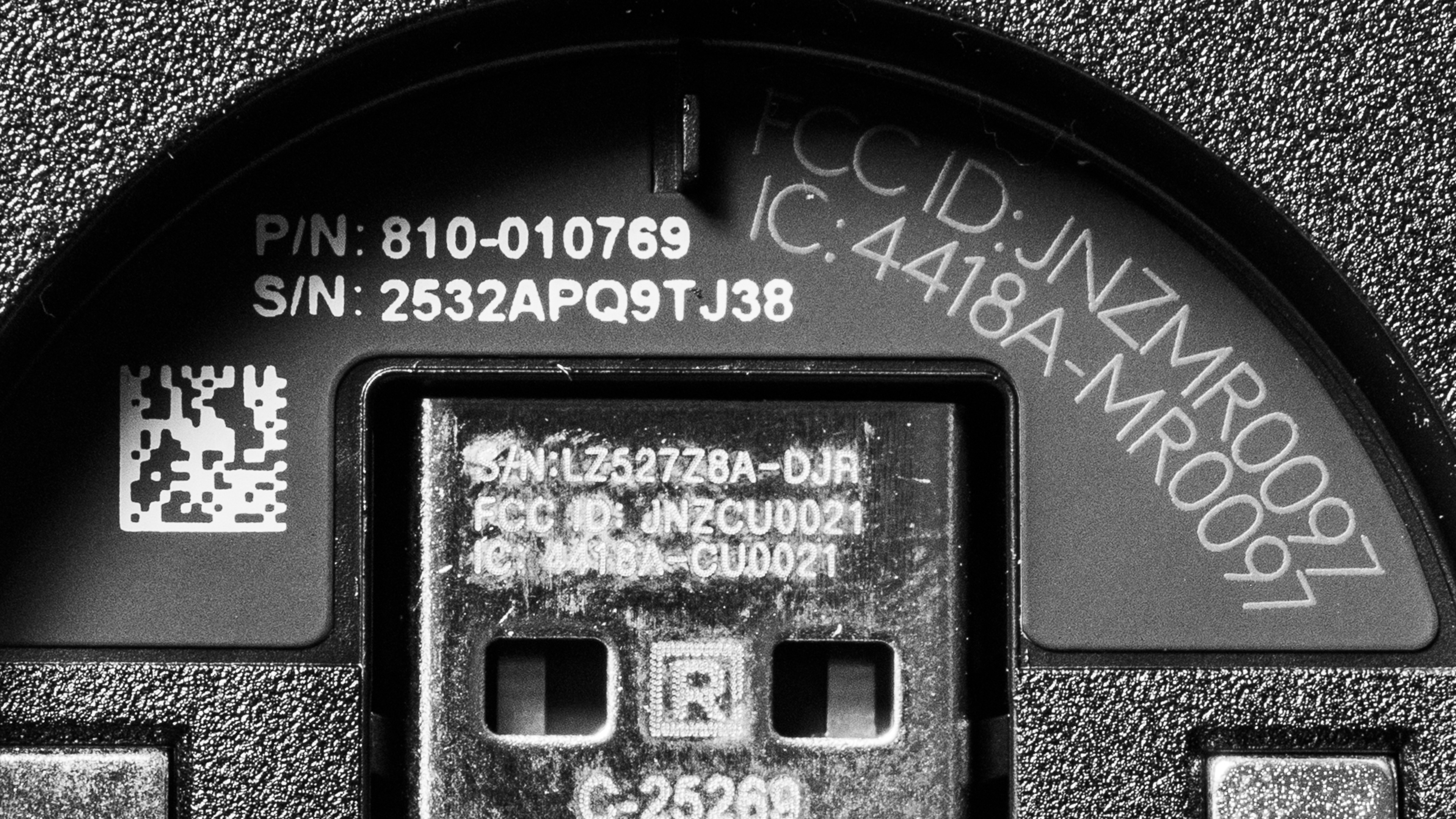
    The Logitech G PRO X SUPERLIGHT 2 SE is available in Black, White, and Red colorways. We bought and tested the White color option, and you can see our unit label here.

    Popular Mouse Comparisons

    The Logitech G PRO X SUPERLIGHT 2 SE is best understood as a reduced-spec model and represents an unusual addition to Logitech's long-running SUPERLIGHT lineup because it breaks from its focus on all-out flagship performance. It ships with a receiver limited to a maximum 1000Hz polling rate and has a slightly lower advertised battery life, but is otherwise identical to the more expensive Logitech G PRO X SUPERLIGHT 2. The SE model is also fully compatible with Logitech's G PRO LIGHTSPEED receiver, which you can buy separately to increase the maximum polling rate to 8000Hz and bring its performance closer to the mainline SUPERLIGHT 2.

    Whether the reduced polling performance is worth the lower price depends entirely on your priorities. If you're not interested in using higher polling rates and want a cheaper entry point into the SUPERLIGHT lineup, this is a great choice. However, it faces the same dilemma as other high-end mice from Logitech and competing brands, such as the Razer Viper V3 Pro or the Razer DeathAdder V4 Pro, because many emerging budget brands now offer mice that are just as lightweight and perform as well or slightly better at much lower prices. Even so, the SUPERLIGHT 2 SE remains worth considering if you value Logitech's longer track record and more reliable customer service reputation. Logitech offers a two-year warranty, while standout budget alternatives such as the Scyrox V8 or the MCHOSE L7 Ultra include only one-year coverage and have a more uneven customer service reputation within the community to date.

    For more recommendations, see our picks for the best mouse, the best gaming mouse, and the best wireless gaming mouse.

    Logitech G PRO X SUPERLIGHT 2

    The Logitech G PRO X SUPERLIGHT 2 and the Logitech G PRO X SUPERLIGHT 2 SE look identical, and they share the same shape, weight, and internal components. The only difference is that the SUPERLIGHT 2 includes a receiver that supports an 8000Hz maximum polling rate out of the box and has a slightly higher advertised battery life. The SUPERLIGHT 2 SE ships with a receiver that only supports a 1000Hz maximum polling rate, although it still works with Logitech's PRO LIGHTSPEED receiver, which is sold separately and can raise the maximum wireless polling rate to 8000Hz.

    Logitech G PRO X SUPERLIGHT 2c

    The Logitech G PRO X SUPERLIGHT 2c and the Logitech G PRO X SUPERLIGHT 2 SE are lightweight wireless models that share the same shape, but the 2c is a smaller version that fits small hands more comfortably. It's also lighter and has somewhat better raw performance with support for an 8000Hz maximum polling rate out of the box. The 2 SE is larger and works for a wider range of hand sizes. However, it ships with a receiver limited to a 1000Hz maximum polling rate and doesn't quite match the performance of the 2c. That said, it remains compatible with Logitech's PRO LIGHTSPEED receiver, which is sold separately and can raise the maximum wireless polling rate to 8000Hz to bring its performance closer in line with the 2c.

    Logitech G PRO X SUPERLIGHT 2 DEX

    The Logitech G PRO X SUPERLIGHT 2 DEX and the Logitech G PRO X SUPERLIGHT 2 SE are two models in the same lineup with noticeably different shapes. The DEX is larger and features an exclusively right-handed ergonomic design that best suits medium to large-sized hands, particularly those using a palm grip. The SE has a smaller symmetrical shape that's well-suited for all grip types and a wider range of hand sizes. The SE is also a lower-spec option that ships with a receiver limited to a 1000Hz maximum polling rate, so its performance doesn't quite match that of the DEX.

    Scyrox V8

    The Scyrox V8 and the Logitech G PRO X SUPERLIGHT 2 SE are both lightweight wireless gaming mice with symmetrical shapes. The Scyrox has a more accentuated hump more towards the rear of the mouse, making it especially well-suited for claw grips for medium and smaller-sized hands. It's also lighter and performs better, has higher-quality mouse feet, and supports a maximum polling rate of 8000Hz out of the box. Comparatively, the Logitech is a bit larger and has a more neutral, accommodating shape that's well-suited for all grip types and most hand sizes.

    Test Results
    perceptual testing image
    Sort:
    RATINGS
    Category:
    All
    Design
    Style
    Type
    Standard
    Coating
    Matte
    Lighting ColorNo Lighting

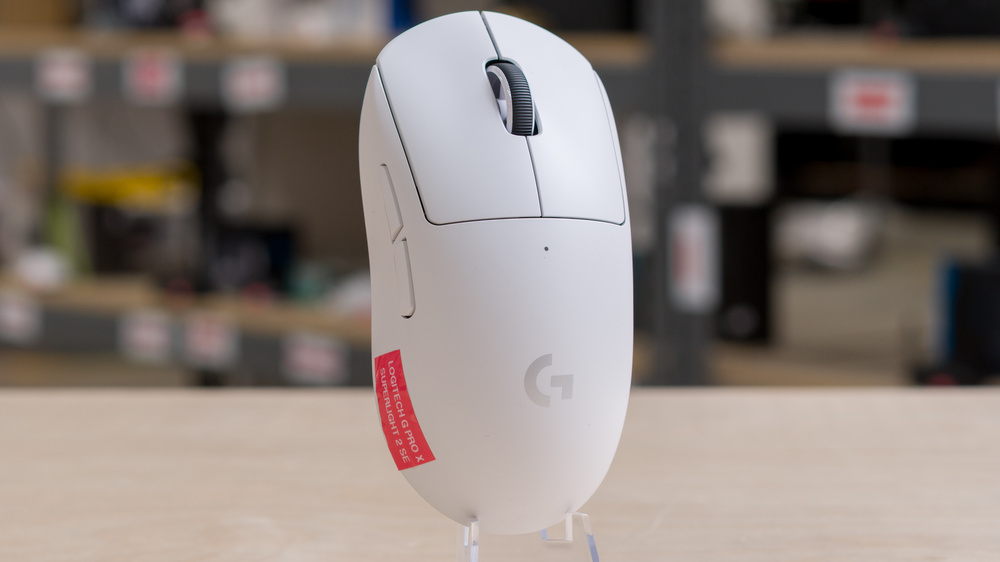
    The Logitech G PRO X SUPERLIGHT 2 looks identical to the Logitech G PRO X SUPERLIGHT 2.

    Shape
    Length5.0" (126 mm)
    Width2.5" (63 mm)
    Height1.6" (40 mm)
    Grip Width
    61 mm
    Ambidextrous
    Shape Only
    Left-Handed Friendly
    Yes
    Finger Rest
    No

    The Logitech G PRO X SUPERLIGHT 2 SE has the exact same shape as the Logitech G PRO X SUPERLIGHT 2. It's a medium-sized mouse with a neutral, symmetrical profile. It has a centered, mid-sized hump, a very gradual slope toward the rear, and relatively straight sides with a slight inward taper at the midsection that widens toward the back.

    If you're interested in comparing options from other brands with a very similar shape, check out the LAMZU MAYA or the Fnatic x LAMZU MAYA 8K.

    If you like this shape but prefer a true ambidextrous layout with side buttons on both sides, see our review of the Logitech G PRO 2 LIGHTSPEED.

    If you're looking for a smaller alternative with a similar all-purpose feel, check out the Logitech G PRO X SUPERLIGHT 2c, which is a miniaturized take on this design. 

    8.5
    Build Quality

    The Logitech G PRO X SUPERLIGHT 2 SE has excellent build quality. Its shell is made of smooth matte plastic that uses the same finish as other recent models in the series. The texture feels pleasant in hand, though it does show fingerprints fairly easily.

    The mouse feels very solid in hand. It doesn't creak or rattle when you squeeze the body, and all the parts fit together cleanly without any gaps. The bottom shell flexes slightly with moderate pressure, but this is fairly common among lightweight gaming mice and doesn't cause any issues during normal use.

    There's a compartment for storing the receiver under the removable plastic puck on the underside, which is a relatively uncommon feature on higher-end models.

    9.1
    Weight
    Lowest Weight
    57.9 g
    Default Weight
    59.4 g
    Weight Distribution
    Centered
    Extra Weights
    No

    The Logitech G PRO X SUPERLIGHT 2 SE weighs the same as the Logitech G PRO X SUPERLIGHT 2.

    The lowest weight measurement is achieved by removing the plastic puck covering the receiver storage compartment.

    Hand Size Recommendation
    Palm Grip Hand Recommendation
    Claw Grip Hand Recommendation
    Fingertip Grip Hand Recommendation

    The shape of the Logitech G PRO X SUPERLIGHT 2 SE is identical to the Logitech G PRO X SUPERLIGHT 2.

    It features a comfortable, medium-sized, symmetrical shape that suits most hand sizes and grip types. Many users describe it as very neutral or potato-like because it doesn't demand a specific grip style or hand size to feel natural.

    7.0
    Wireless Versatility
    Maximum Of Paired Devices
    1
    Bluetooth
    No
    Receiver
    Yes
    Battery Type
    Rechargeable
    Use When Charging
    Yes
    On/Off Activation
    Auto Off And On/Off Switch
    Receiver Extender
    No
    Receiver Storing
    Yes
    Battery IndicatorYes

    Logitech advertises a maximum battery life of up to 88 hours of constant motion. Interestingly, this is slightly less than the 95-hour advertised battery life of the Logitech G PRO X SUPERLIGHT 2.

    Cable
    ConnectivityWireless
    Cable Length
    6.2 ft (1.9 m)
    Cable Type
    Rubber
    Permanent Kink
    No
    Port Type: Mouse End
    USB-C
    Port Type: PC End
    USB-A

    This mouse includes a standard rubber USB-A to USB-C cable. It's fairly flexible and doesn't have any noticeable kinks out of the box. That said, like most rubber cables, it can catch on table surfaces and create more drag than higher-quality paracord-like cables.

    8.5
    Mouse Feet
    Gliding Experience
    Ok
    Material
    Virgin Grade PTFE
    Extra Included
    No

    The feet glide smoothly on both hard and soft mousepads as well as directly on desks. That said, while they perform very well, they don't glide quite as effortlessly as the feet on some comparable wireless models from other brands.

    In The Box

    • USB-A to USB-C charging cable
    • LIGHTSPEED wireless 2.4Ghz receiver
    • User documentation
    Control
    Main Button
    See details on graph tool
    See details on graph tool
    Switch Type
    Optical
    Switch Model
    Omron D2FP-FH1

    In the configuration software, there's an option to toggle these switches between an 'optical only' mode and a 'hybrid' mode. The switches feel the same in both modes, but the hybrid mode consumes less battery at the cost of a small degree of added click latency.

    7.1
    Additional Buttons
    Total Number Of Buttons
    5
    Number Of Side Buttons
    2
    Number Of Programmable Inputs
    9
    Profile Switching Button
    Yes
    Gesture Support
    No

    You can reprogram all of the buttons on this mouse, including the left- and right-click buttons. You can also assign what Logitech calls a 'G-Shift' button that allows you to toggle to a secondary layer of programmable controls.

    9.7
    Click Latency
    See details on graph tool
    Expected Connection
    1.8 ms
    Wired
    1.5 ms
    Receiver
    1.8 ms
    Bluetooth
    N/A

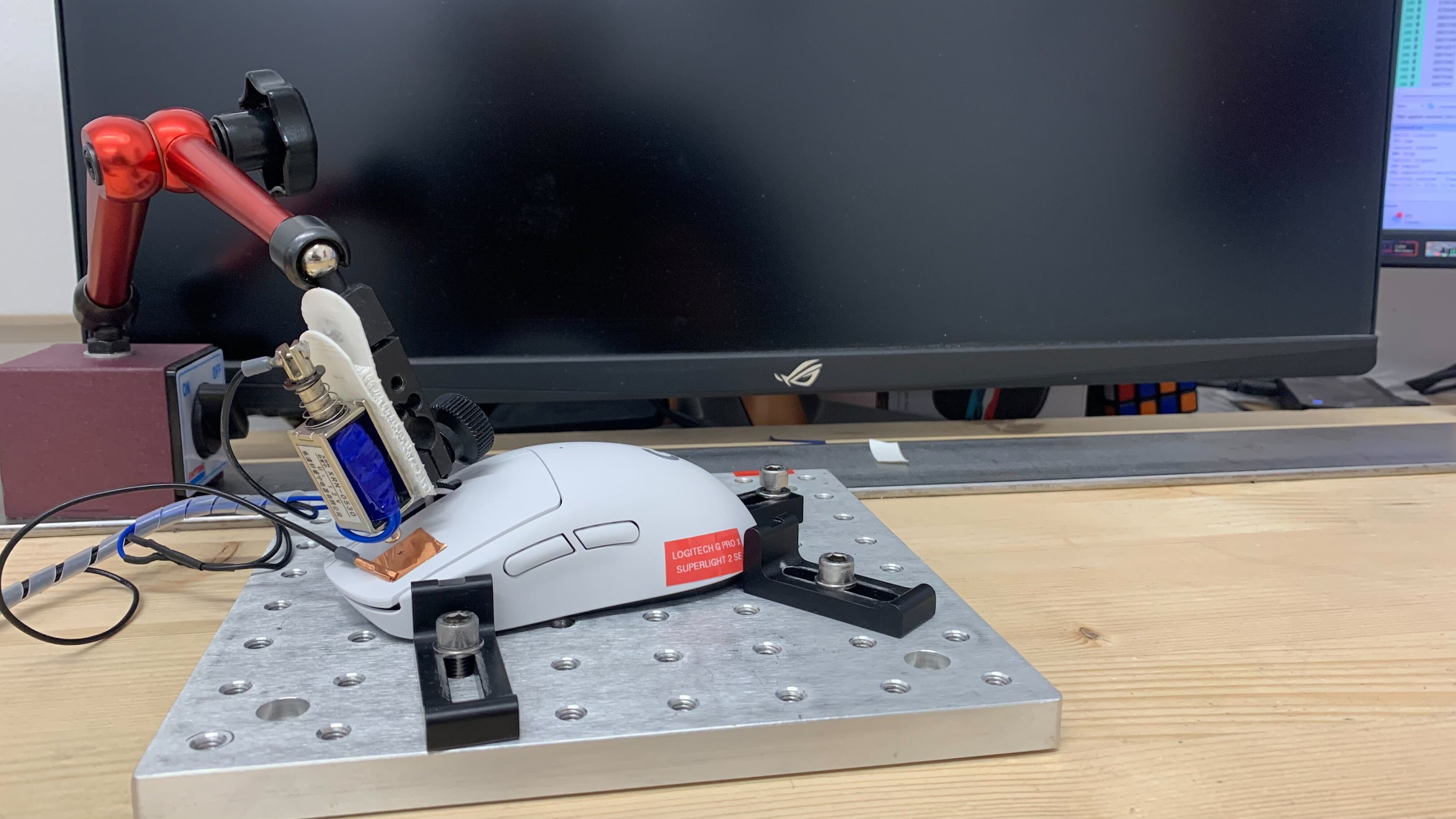
    The Logitech G PRO X SUPERLIGHT 2 SE has exceptionally low and consistent click latency performance. It delivers a remarkably responsive gaming experience in any genre and is well-suited for both casual and competitive play. 

    We conducted this test using the maximum out-of-the-box polling rate of 1000Hz using the included LIGHTSPEED receiver. 

    This mouse is also compatible with Logitech's PRO LIGHTSPEED receiver, which can be purchased separately to increase the maximum wireless polling rate to 8000Hz. We conducted supplementary testing with the PRO LIGHTSPEED receiver. As expected, it provides marginally more consistent click latency results, which are roughly in line with those of the mainline Logitech G PRO X SUPERLIGHT 2, although it doesn't produce significantly lower latency. 

    9.5
    CPI
    See details on graph tool
    SRAV @ 1600 CPI
    -0.46%
    SRAV @ 800 CPI
    -0.21%
    SRAV @ 400 CPI
    0.08%
    SRAV @ Fixed CPI
    N/A
    Precision Error Between Speeds
    0.24%
    Precision Error Between CPI
    0.31%
    Worst Tracking Error
    -6.50%
    Minimum CPI
    100 CPI
    Maximum CPI
    44,000 CPI
    CPI Adjustment Steps
    1 CPI

    The Logitech G PRO X SUPERLIGHT 2 SE doesn't exhibit any problematic sensor tracking or speed variation issues.

    9.1
    Sensor Latency
    See details on graph tool
    Delay To Start Of Movement
    12.4 ms
    Delay At Half Movement
    3.4 ms
    Delay To End Of Movement
    4.1 ms

    The Logitech G PRO X SUPERLIGHT 2 SE provides superb sensor latency performance. The sensor reacts very quickly when you move your mouse, and these movements match the timing of the cursor movements you see on the screen very closely.

    We conducted this test using the maximum out-of-the-box polling rate of 1000Hz using the included LIGHTSPEED receiver. 

    This mouse is also compatible with Logitech's PRO LIGHTSPEED receiver, which can be purchased separately to increase the maximum wireless polling rate to 8000Hz.

    We ran supplementary tests with the PRO LIGHTSPEED receiver. As expected, it provides slightly better performance that's more closely in line with that of the mainline Logitech G PRO X SUPERLIGHT 2.

    Note: We confirmed during testing that the PRO LIGHTSPEED receivers included with other models in this series work with this mouse. If you already own a model that ships with a PRO LIGHTSPEED receiver, you don't need to purchase a separate one from Logitech to unlock 8000Hz polling.

    Sensor Specifications
    Sensor Technology
    Optical (LED)
    Sensor Model
    HERO 2
    Works On Glass
    No
    Minimum Lift Off Distance
    1.2 mm
    Maximum Polling Rate
    8000 Hz

    The polling rate options out of the box are 125Hz, 250Hz, 500Hz, and 1000Hz.

     You can increase the wireless polling rate to a maximum of 8000Hz with the separate purchase of Logitech's PRO LIGHTSPEED receiver. You can view Logitech's PRO LIGHTSPEED product page here.

    Mouse Wheel
    Scroll Wheel Type
    Notched Wheel
    Scroll Wheel Tilt
    No
    Thumb Wheel Type
    No

    The Logitech G PRO X SUPERLIGHT 2 SE has a plastic scroll wheel with a rubberized, ridged surface for better grip. Scrolling feels smooth and precise with clearly defined steps, and the middle click offers a satisfying feel with a medium actuation weight.

    The definition between steps feels a bit softer than on the original Logitech G PRO X SUPERLIGHT, and scrolling is noticeably quieter.

    Noise
    Click Noise
    Loud
    Operating System And Software
    Configuration Software
    Software NameLogitech G HUB
    Software Windows Compatibility
    Yes
    Software macOS Compatibility
    Yes
    On-Board Memory
    Yes
    CPI (DPI) Adjustment
    Yes
    Polling Rate Adjustment
    Yes
    Profile Configuration
    Yes
    Profile Auto-Switching
    Yes
    RGB On/Off
    No RGB

    Logitech's downloadable software client is easy to navigate and covers the standard customization options as well as more advanced features, including macro recording, surface calibration, and the ability to assign a 'G-Shift' button for access to a secondary layer of commands. Profile auto-switching can also help conserve battery by letting you use higher polling rates for gaming and lower rates for desktop use.

    Other options include a BHOP mode that ignores the first scroll input until a second follows. This can help if you often accidentally trigger the scroll wheel. There's also a HERO Sensor Calibration tool, which is useful for matching the CPI settings you're used to from previous mice and accounting for any CPI deviation between them. Lastly, you can also modify how the click buttons behave with the option to choose between a default 'optical only' mode for the best gaming performance or a power-saving 'hybrid' mode.

    That said, Logitech's G HUB software has a mixed reputation in the wider community, much like similar tools from other major brands. We didn't encounter any problems while testing this mouse; however, many users online have reported that the software requires frequent updates and consumes more system resources than expected. It might feel frustrating if you prefer more lightweight, less intrusive software drivers.

    10
    Mouse Compatibility
    Windows CompatibilityFully
    macOS CompatibilityFully