
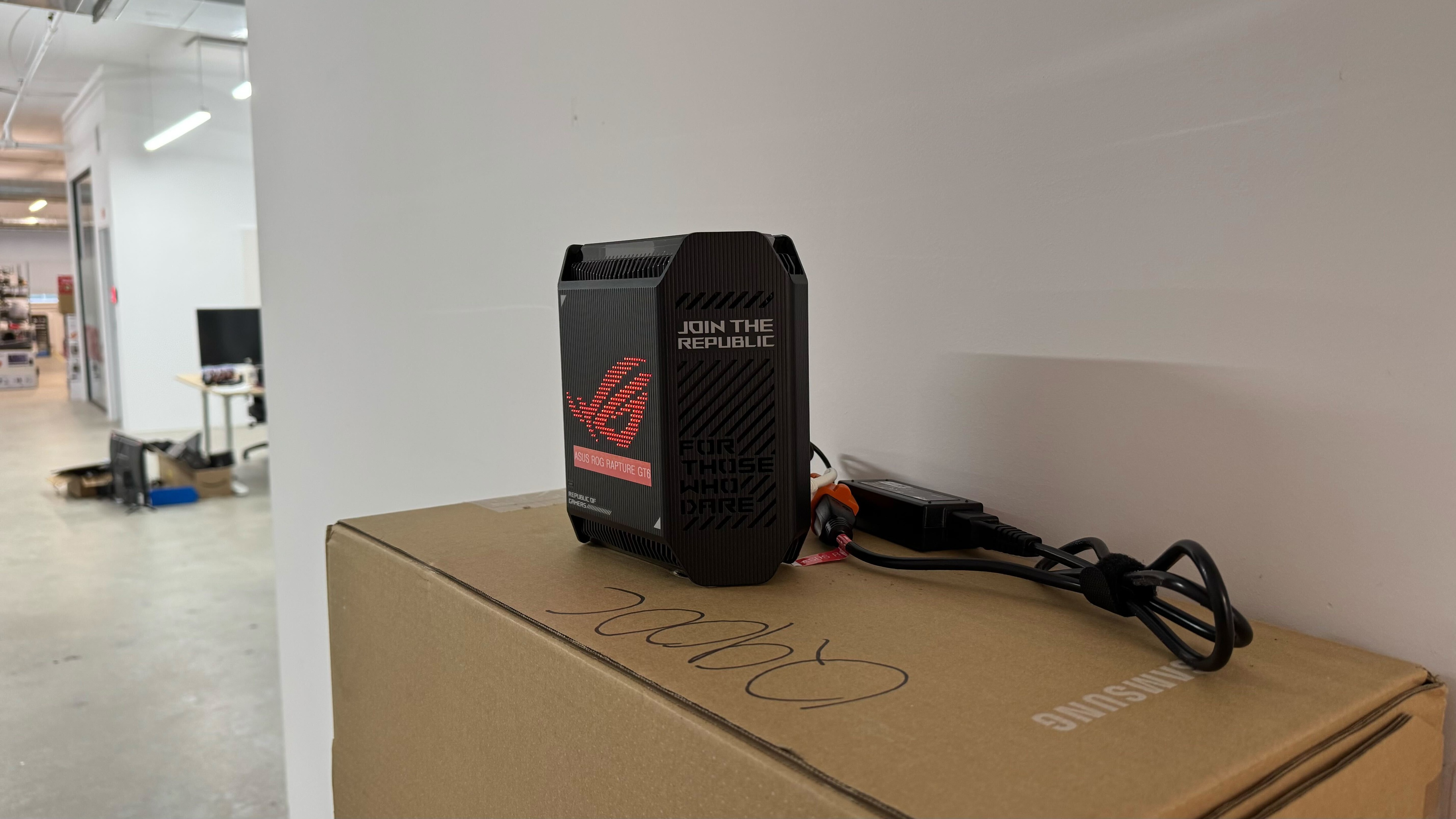
The ASUS ROG Rapture GT6 is a tri-band Wi-Fi 6 gaming mesh router with a 2.4GHz band and two 5GHz bands. It has a gamer-y aesthetic, with the front panel donning a large ROG logo with RGB lighting that you can control with ASUS' Aura RGB engine. It supports the UNII-4 spectrum, or the 5.9GHz band, which ASUS advertises to improve the wireless backhaul performance between the access points. It also supports multi-gigabit wired networking with a 2.5Gbps WAN port and LAN ports that support link aggregation to combine for faster speeds.
It's available in Black or Moonlight White. We bought a two-pack and tested it in mesh mode.
Note: We've removed the Wi-Fi coverage tests and are exploring better ways to convey the results that will be more helpful to users.
Our Verdict
The ASUS ROG Rapture GT6 is a very good router for use in an apartment, condo, or smaller home. It has great average speeds and coverage across a single floor and is suitable for downloading large files quickly and handling multiple devices streaming 4k HDR content at the same time. That said, since it's a Wi-Fi 6 router, it doesn't have a faster 6GHz band that your newer Wi-Fi 6E and 7 devices can take advantage of.
Very good speeds.
Aggressive design is not for everyone.
Newer Wi-Fi 6E and 7 devices can't reach their full speeds on this Wi-Fi 6 router.
The ASUS ROG Rapture GT6 is very good if you live in a multi-level home. It delivers consistently good speeds and range that's suitable for most high-bandwidth activities like downloading large files quickly and streaming high-bitrate content throughout your home. Since it's a mesh network, you have flexibility in placing the satellite node to improve your network's coverage where you need it the most. That said, since it's a Wi-Fi 6 router, it doesn't have a faster 6GHz band that your newer Wi-Fi 6E and 7 devices can take advantage of.
Very good speeds.
Very good range.
Can add additional mesh access points to improve range.
Aggressive design is not for everyone.
Newer Wi-Fi 6E and 7 devices can't reach their full speeds on this Wi-Fi 6 router.
The ASUS ROG Rapture GT6 is a decent router for online gaming over Wi-Fi. It delivers very good range and top speeds so you can download large files, like game updates, quickly throughout your home. That said, its latency performance is just okay. If you game competitively, you should plug your devices directly into the router via Ethernet.
Adequate wireless latency for web browsing and non-competitive gaming.
Unsuitable for competitive gaming over Wi-Fi.
The ASUS GT6 delivers good speeds that are suitable for an internet connection of up to 700 Mbps.
Very good speeds.
Newer Wi-Fi 6E and 7 devices can't reach their full speeds on this Wi-Fi 6 router.
The ASUS ROG Rapture GT6 has a very good range. It's a mesh router that uses satellite units to maintain consistent speeds over long distances.
Very good range.
Can add additional mesh access points to improve range.
The ASUS ROG Rapture GT6 AX10000 has reasonable wireless latency performance that's similar to most other routers. It's suitable for web browsing, video calls, and non-competitive gaming.
Adequate wireless latency for web browsing and non-competitive gaming.
Unsuitable for competitive gaming over Wi-Fi.
Changelog
- Updated Jun 22, 2026: We've updated this review to Test Bench 0.9.1! This is a minor change that makes the router type easier to see at the top of each review. Read the changelog for more info.
-
Updated Jun 03, 2026:
We've added a link to the newly reviewed ARRIS SURFboard G18 in the Wi-Fi Specifications section of the review.
-
Updated Apr 08, 2026:
We've updated the text throughout the review to reflect the changes from Test Bench 0.9.
- Updated Apr 08, 2026: We've updated this review to Test Bench 0.9! This update adds wireless latency testing to evaluate router gaming performance. Read the changelog for more info.
Check Price
Differences Between Sizes And Variants
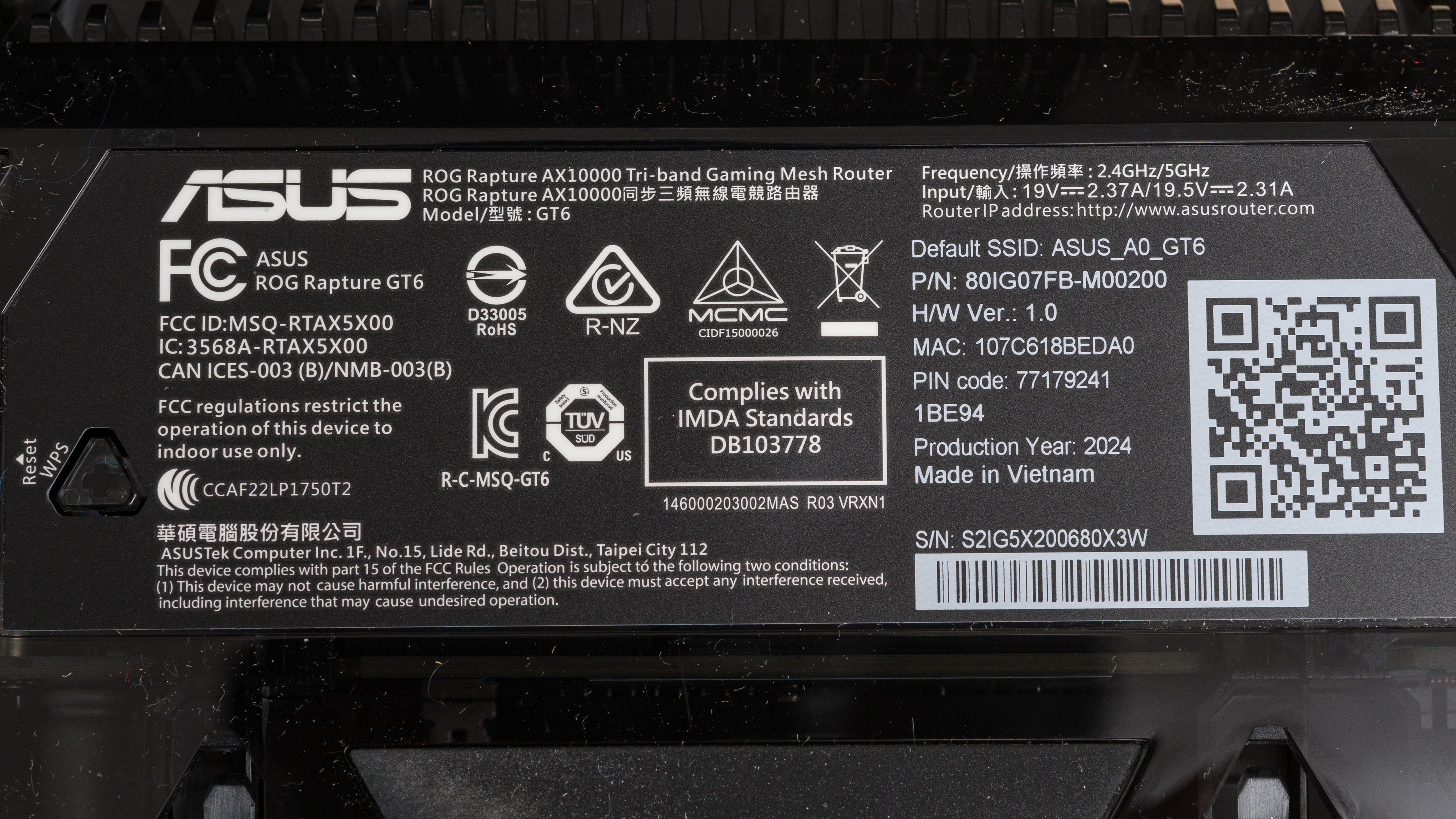
This router is available in Black or Moonlight White in a one or two-pack. We bought and tested a Black two-pack, and you can see our unit's label here.
Popular Router Comparisons
The ASUS ROG Rapture GT6 is a Wi-Fi 6 gaming mesh router. While it delivers very good speed and range performance overall, it lags behind many cheaper and similarly priced options like the TP-Link Deco X5000, The ASUS ZenWiFi XT9, and the AmpliFi Alien. That said, it has many extra features than those options, like the ability to operate its backhaul in the UNII-4 spectrum for better signal and more granular control like game device optimization and game packet prioritization, so if you're a tinkerer, this mesh system is a great choice.
If you're looking for more options, check out our recommendations for the best Wi-Fi routers, the best mesh Wi-Fi systems, and the best Wi-Fi 6 routers.
The ASUS ZenWiFi XT9 performs better than the ASUS ROG Rapture GT6. It's faster when you're up close and has better range, despite both being Wi-Fi 6 mesh systems with a 2.4GHz band and two 5GHz bands. The XT9 has a sleek exterior design, while the GT6 has aggressive gamer styling that may not be for everyone.
The ASUS ROG RAPTURE GT6 and the eero Pro 6 are tri-band Wi-Fi 6 mesh systems with a 2.4GHz band and two 5GHz bands. They have a very similar range, but the eero is slightly faster up close. The ASUS has more network ports, a USB port, and many more configuration options, but it has a very aggressive, gamer-y design that may not fit into your living space. The eero router, on the other hand, is more 'set it and forget it' as it has far fewer settings you can play with. It's the better pick for more casual users, while the ASUS is better for enthusiasts.
The TP-Link Archer BE550 is faster than the ASUS ROG Rapture GT6. It's a Wi-Fi 7 standalone router, while the ASUS is a Wi-Fi 6 mesh router. However, since the TP-Link is compatible with EasyMesh, you can also add compatible access points for better range. The ASUS has an aggressive gamer design with RGB lighting, while the TP-Link has a more conventional design.
The ASUS ZenWiFi ET9 performs better than the ASUS ROG Rapture GT6. It's faster when you're up close and has better range. It's also Wi-Fi 6E with a 2.4GHz, a 5GHz, and a 6 GHz band, while the GT6 is Wi-Fi 6 with a 2.4GHz band and two 5GHz bands. The ET9 has a sleek exterior design, while the ASUS has aggressive gamer styling that may not be for everyone.
Test Results

for pictures & test results

This router's USB port supports USB 3.2 Gen 1 data transfer speed of up to 5Gbps.
for pictures & test results

- Ethernet cable
- Power adapter x2
- Power cable x2
- User documentation

for pictures & test results

We tested this router in dual mesh mode.
for pictures & test results

We tested this router in dual mesh mode.
for pictures & test results

This router has reasonable wireless latency and jitter. It's suitable for video calls, web browsing, and non-competitive gaming.
for pictures & test results
As expected, this router's wireless latency and jitter are slightly worse when connected to a satellite access point. It's acceptable for web browsing and streaming media, but connecting to the main unit provides a more stable experience for more latency-sensitive tasks like video calls or casual gaming.
The router didn't use DFS channels during our testing, but this might be because we purchased it from a Canadian retailer and tested it in Canada. The FCC filings indicate that it's authorized to operate on DFS-only channels in the U.S. If you're in the U.S. and have this router, let us know in the comments if it uses DFS channels.
If you're looking for a two-in-one cable modem and Wi-Fi 6 router, check out the ARRIS SURFboard G18.