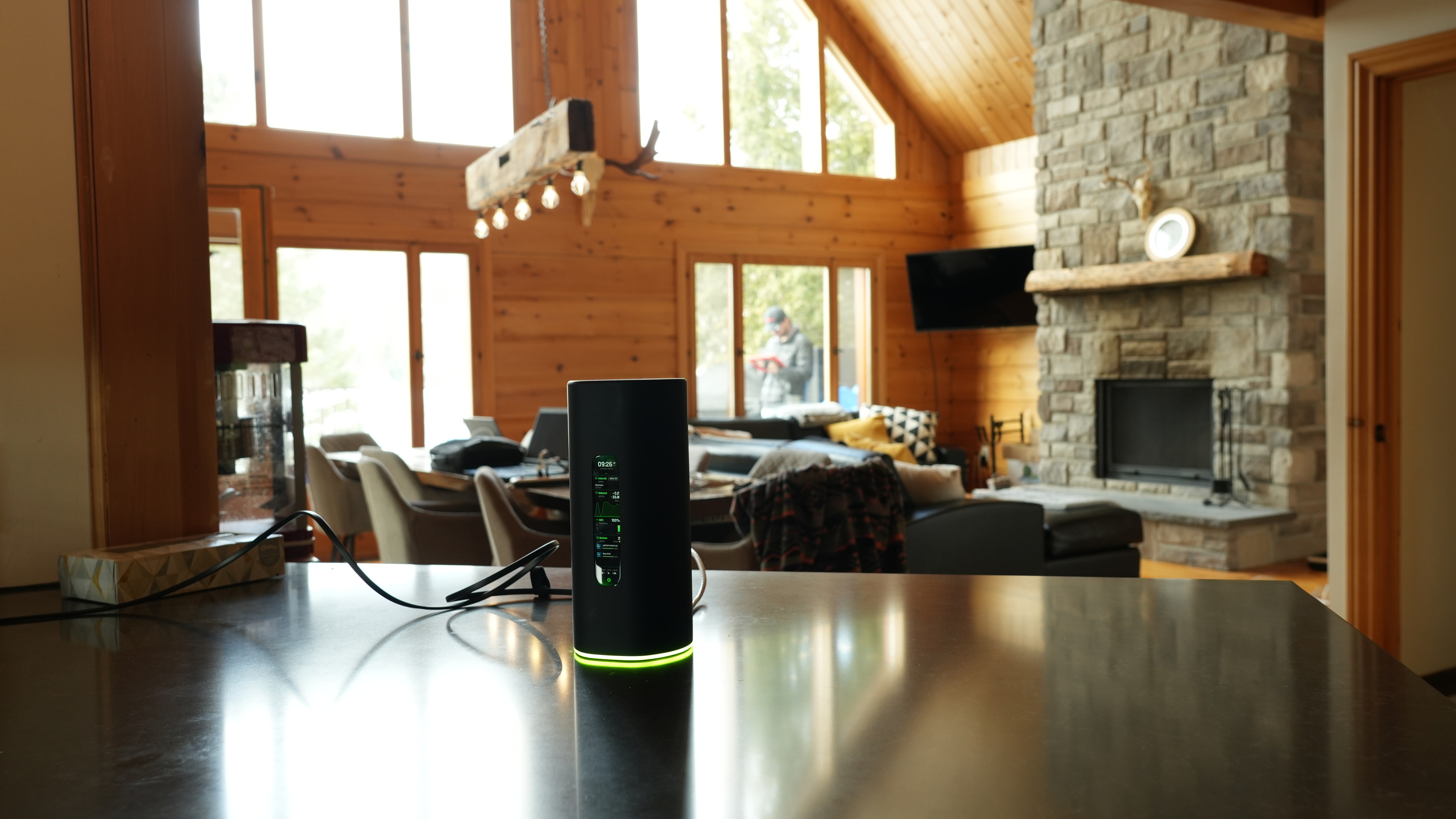
The AmpliFi Alien is a tri-band Wi-Fi 6 router in Ubiquiti's AmpliFi consumer router lineup. It has a 2.4GHz band and two 5GHz bands. It features a 4.7-inch touchscreen that displays the network status and allows you to change various settings. The router also has a light ring on the bottom that shines green and flashes when you change settings. You can manage the router via its web interface or the companion AmpliFi WiFi app, though some settings are only available in one interface and not the other. It's available as a standalone router or in a multi-pack with the Alien MeshPoint, an access point that allows you to configure a mesh network. We bought and tested it as a standalone router.
Our Verdict
The AmpliFi Alien router is very good if you live in an apartment, condo, or single-story home. It provides fast speeds suitable for downloading large files quickly or handling multiple users streaming 4k content simultaneously. It doesn't support multi-gigabit networking, so you can't achieve local speeds faster than 1Gbps. It has a front touchscreen that lets you monitor the router and adjust settings. While it's on the larger side, it has a simple cylindrical design without any external antennas, making it easy to place in your living space.
- Great top speeds.
- Functional touchscreen and interesting design.
- Wi-Fi 6 won't take full advantage of new Wi-Fi 6E or 7 devices.
LAN ports are limited to 1Gbps.
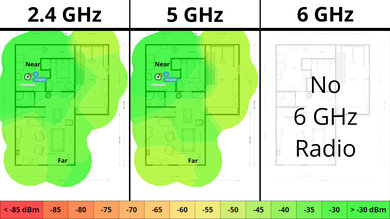
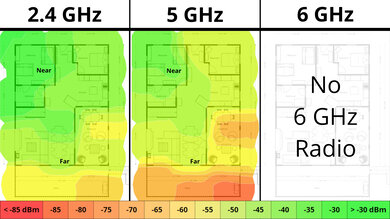
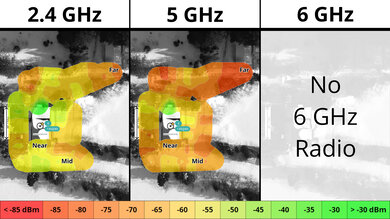
The AmpliFi Alien is a great router if you live in a multi-story home. It provides impressive speeds over long distances, making it suitable for high-bandwidth uses like quickly downloading large game updates and streaming multiple 4k video streams simultaneously. While we tested it as a standalone router, it's also available in a mesh kit for even better coverage. Design-wise, it has a front touchscreen that lets you monitor the router and adjust various settings. Despite being on the larger side, its simple cylindrical design, without any external antennas, makes it easy to place in your home.
- Great top speeds.
- Functional touchscreen and interesting design.
- Impressive range.
- Available as a mesh kit to further improve range.
- Wi-Fi 6 won't take full advantage of new Wi-Fi 6E or 7 devices.
LAN ports are limited to 1Gbps.
The AmpliFi Alien is decent for gaming over Wi-Fi. Its wireless latency and jitter are adequate for casual gaming, and its impressive speeds and range help large downloads finish quickly throughout the home. However, Wi-Fi performance is never as consistent as a wired connection, so competitive players should connect directly to one of the router's 1Gbps ports.
Adequate latency and jitter for general use.
- Wi-Fi 6 won't take full advantage of new Wi-Fi 6E or 7 devices.
Not suitable for competitive gaming over Wi-Fi.
LAN ports are limited to 1Gbps.
As a standalone home router, the Amplifi Alien isn't designed to tag along on a trip. Although it doesn't have external antennas that protrude or catch, the router is particularly tall and takes up enough space to be inconvenient for on-the-go use. It lacks WISP/repeater mode and cellular support, so you'll still need a wired internet connection when you're away, and it can't be used with a portable power bank. It doesn't support third-party VPN configuration, but its Teleport feature lets you securely connect to your home network from anywhere.
No protruding antennas.
No third-party VPN support.
Large and bulky for travel.
Doesn't take power over USB-C.
The AmpliFi Alien delivers great speeds and is suitable for an internet connection of up to ~750Mbps. It also supports DFS (Dynamic Frequency Selection), so it can use less-congested DFS-only channels to deliver better speeds in noisy wireless environments. That said, it's only Wi-Fi 6, so it doesn't have a faster 6GHz band for your Wi-Fi 6E or 7 devices to take advantage of.
- Great top speeds.
- Wi-Fi 6 won't take full advantage of new Wi-Fi 6E or 7 devices.
We tested the AmpliFi Alien as a standalone router, but it's also available in a kit with additional access points. That said, even in standalone mode, it has an impressive range and maintains fast speeds over long distances.
- Impressive range.
- Available as a mesh kit to further improve range.
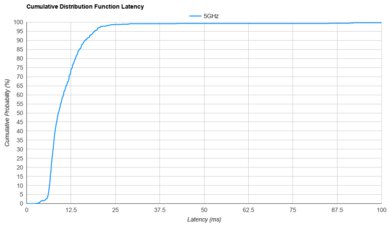
The AmpliFi Alien's wireless latency is reasonable for everyday use. Web browsing, video calls, and casual online games feel responsive. As with all Wi-Fi routers, it's still advisable to connect your device via Ethernet for the most consistent response times.
Adequate latency and jitter for general use.
Not suitable for competitive gaming over Wi-Fi.
The Amplifi Alien covers most of the settings you'd reasonably need for everyday network management. Its app lets you create individual networks for each band, add separate guest or IoT networks, monitor traffic, manage connected devices, and prioritize selected clients. You can complete the initial setup in a browser, but you'll need the mobile app to make many later adjustments. Notably, the Alien doesn't support WPA3 security.
Passable configurability for general use.
No WPA3 support.
Some controls are exclusive to the mobile app, while others are strictly web-based.
Limited advanced configurability.
Performance Usages
Changelog
- Updated Sep 11, 2026: We've updated this review to Test Bench 0.10! This update adds Portability and Configurability testing to evaluate how suitable routers are for travel and to show how configurable their settings are. Read the changelog for more info.
- Updated Jun 22, 2026: We've updated this review to Test Bench 0.9.1! This is a minor change that makes the router type easier to see at the top of each review. Read the changelog for more info.
- Updated May 08, 2026: We've updated this review to Test Bench 0.9! This update adds wireless latency testing to evaluate router gaming performance. Read the changelog for more info.
-
Updated Mar 23, 2026:
We've added a link to the newly-reviewed GL.iNet Slate AX (GL-AXT1800) in the USB Ports section of the review.
Check Price
Differences Between Sizes And Variants
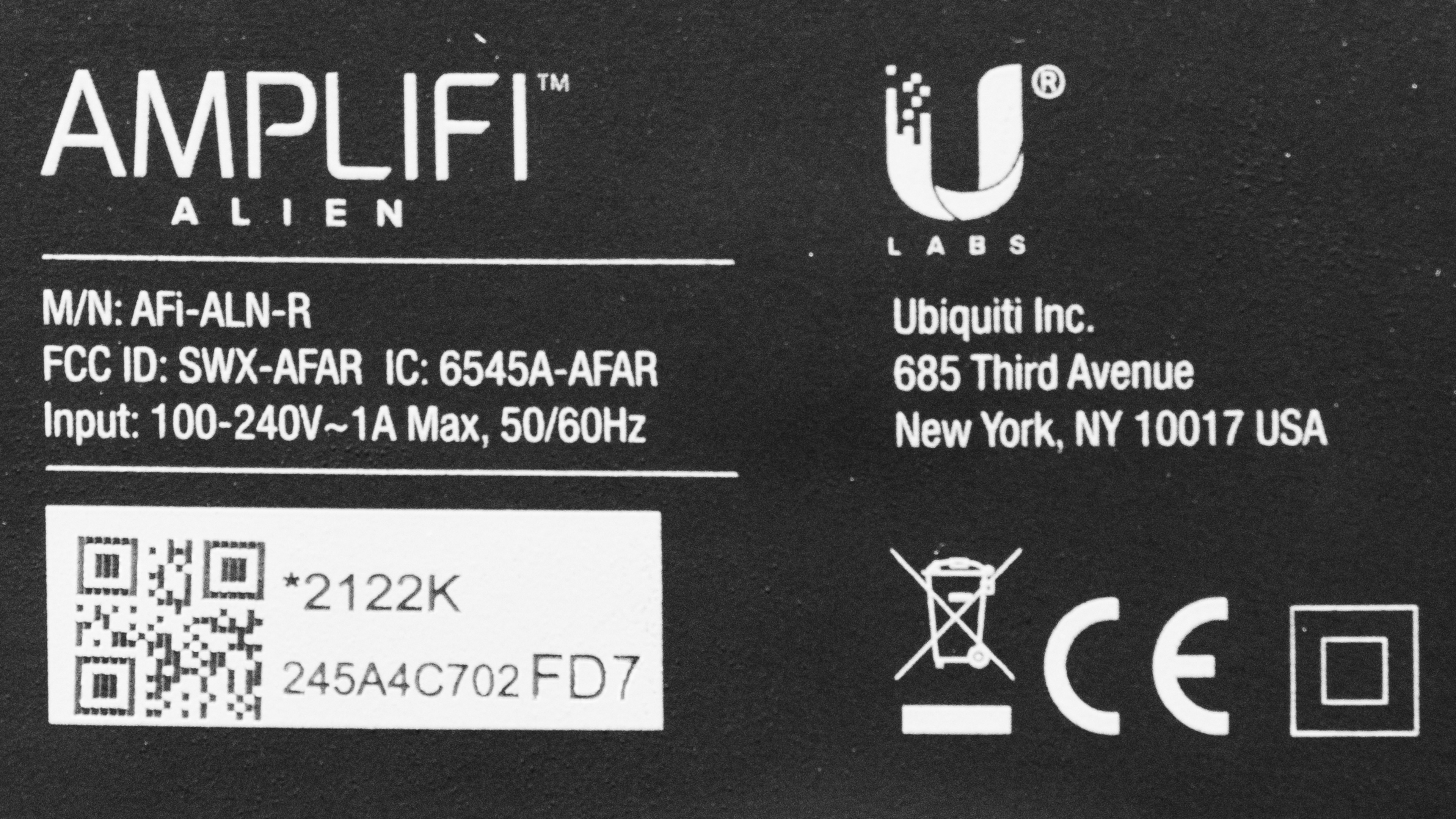
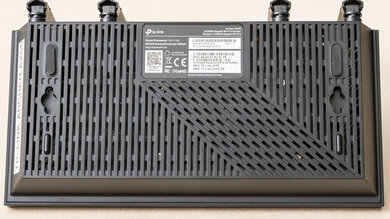
The AmpliFi Alien is available as a standalone router or in a multi-pack with either another router or the Alien Meshpoint, a mesh access point with only one Ethernet port and no external screen. We bought and tested the standalone router. You can see the label of our unit here.
Popular Router Comparisons
The AmpliFi Alien router is a tri-band Wi-Fi 6 router with a 2.4GHz band and two 5GHz bands. It has a unique design with a 4.7-inch touchscreen that allows you to monitor the network and change various settings. It supports mesh networking with other Alien routers or Alien MeshPoints and is available in a multi-pack.
This router delivers great top speeds and very impressive range in standalone mode, which is even better than some mesh systems in its class, like the TP-Link Deco X5000 and eero Pro 6. That said, it's only Wi-Fi 6, and other routers in the same price category, like the TP-Link Deco XE5300 and the TP-Link Archer BE550, support Wi-Fi 6E and Wi-Fi 7, respectively.
If you're looking for more options, check out our recommendations for the best Wi-Fi routers, the best Wi-Fi 6 routers, and the best long-range Wi-Fi routers.
The AmpliFi Alien and the UniFi Dream Router are Wi-Fi 6 routers from two of Ubiquiti's product lines. The AmpliFi is a tri-band router that delivers better speed and range than the UniFi. The UniFi, on the other hand, has a much more robust and configurable feature set that's better suited for advanced users. If you value performance and convenience, the AmpliFi is the better pick, but if you prefer in-depth configuration and options for expanding your network, the UniFi is the better choice.
The AmpliFi Alien and the UniFi Dream Router 7 are tri-band routers from two of Ubiquiti's product lines. The AmpliFi has a 2.4GHz and two 5GHz bands, while the UniFi has a 2.4GHz, a 5GHz, and a 6GHz band. Performance-wise, the UniFi has better top speeds, while the AmpliFi has better range. Otherwise, the UniFi has a much more robust feature set with highly configurable software and faster wired networking ports, while the AmpliFi is a consumer product with fewer configuration options.
Test Results
for pictures & test results
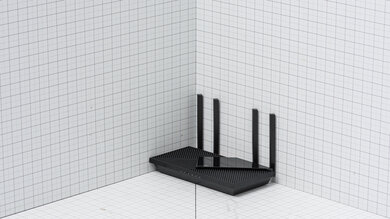
The depth with cables measurement is taken with the power cable and the WAN cable plugged in, and the WAN and power ports are recessed at the bottom. If you have a LAN cable plugged in, the depth is 5.79 inches (14.7 cm).
If you're looking for a smaller router, check out the TP-Link Deco 7 BE25 or the GL.iNet Slate AX (GL-AXT1800).
for pictures & test results
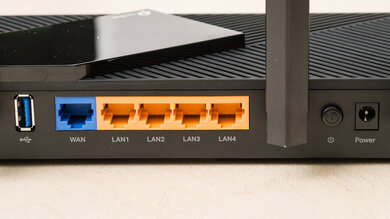
If you're looking for a router with PoE (Power over Ethernet) ports, check out the UniFi Dream Router.
for pictures & test results
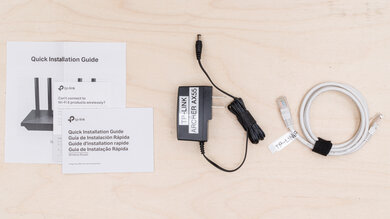
- Ethernet cable
- Power adapter
- User documentation
Note that the web interface is very limited in what settings you can adjust, and most settings require you to use the AmpliFi Wi-Fi app.
As with most of the basic configuration settings, most of the advanced configurations are only available on the AmpliFi app.
We tested the AmpliFi Alien as a standalone router, but it's also available as part of a mesh kit with additional satellite nodes.
for pictures & test results
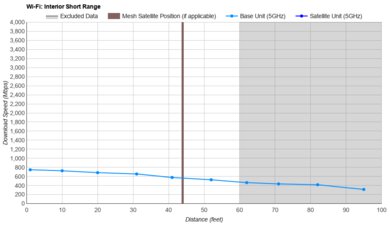
We bought a single unit of this router and tested it in standalone mode, so the mesh satellite position line on this graph isn't applicable.
for pictures & test results
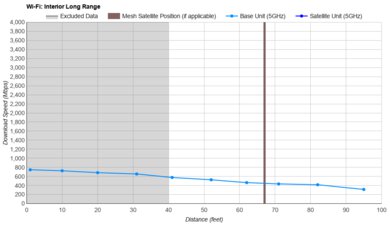
We bought a single unit of this router and tested it in standalone mode, so the mesh satellite position line on this graph isn't applicable.
for pictures & test results
If you're looking for a tri-band Wi-Fi 7 router with a 6GHz band, check out the TP-Link Archer BE700.