Logitech Flip Folio  Keyboard Review

Reviewed Sep 04, 2025 at 11:17am
Tested using Methodology v1.4.2 
Logitech Flip Folio
5.2
Gaming 
6.7
Office 
9.4
Mobile/Tablet 
6.6
Programming 
6.3
Entertainment / HTPC 
5.4
Raw Performance 
 0
  1. Recommended in:
  2. iPad

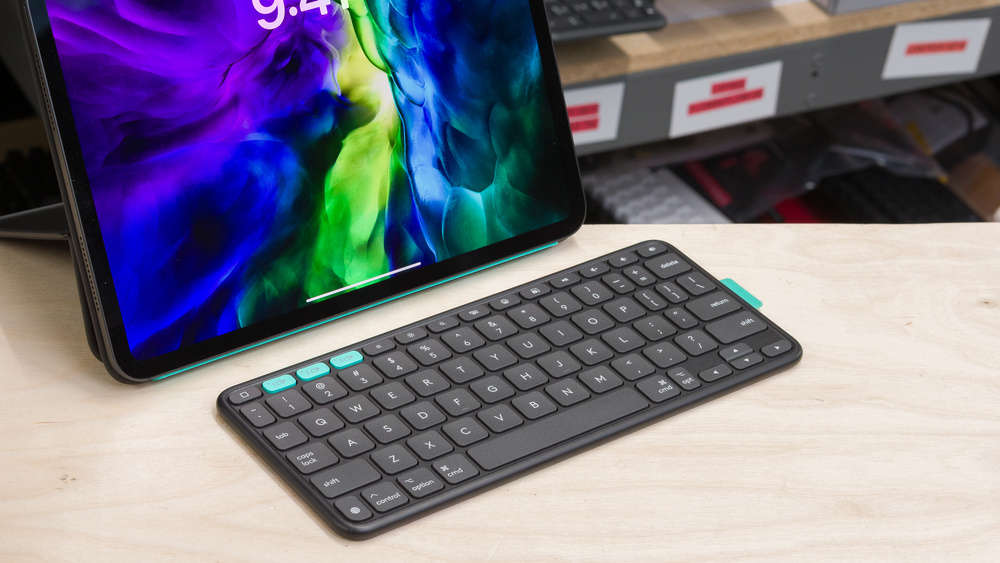
The Logitech Flip Folio is a low-profile keyboard designed for various iPad Pro and iPad Air models. Unlike many folio models designed for these devices, this keyboard works through Bluetooth and can pair with up to three devices simultaneously. Although the folio mechanism is fairly standard, the way the keyboard fits into the case is uncommon among folio keyboards. The keyboard is designed to magnetically snap on the back of the iPad case while carrying your device, which can be useful to use the tablet on its own. It's also powered by four replaceable CR 2016 coin cell batteries instead of using the iPad's Smart Connector or rechargeable batteries like most other comparable keyboards.

While we purchased the version designed for the 11-inch iPad Pro and Air models, it's also available for the 12.9-inch iPad Pro and the fourth-generation iPad Air. See the Differences Between Variants section for more details.

Our Verdict

5.2
Gaming 

The Logitech Flip Folio keyboard isn't designed for gaming. Its latency performance is poor, making it unsuitable for competitive, fast-paced games like FPS, fighting games, or MOBAs. Its build quality is mediocre, and its layout may feel cramped for comfortable gaming.

Pros
None
Cons
  • Latency is too high and inconsistent for fast-paced or competitive gaming.

  • Update rate is limited to 90Hz.

  • No backlighting.

6.7
Office 

The Logitech Flip Folio is alright as an office keyboard, especially if one of the devices you use is an iPad. It's also very flexible thanks to its Bluetooth connectivity and support for multi-device pairing. Unfortunately, its build quality is sub-par with cheap-feeling materials. While it can also feel cramped at first, the keyboard is very quiet and has a very low profile that's comfortable to type on without the need for a wrist rest.

Pros
  • Supports Bluetooth and multi-device pairing with three devices simultaneously.

  • Designed for iPads but fully compatible with other devices.

Cons
  • Mediocre typing quality with tightly spaced keys.

9.4
Mobile/Tablet 

The Logitech Flip Folio is a fantastic keyboard for mobile and tablet use. Although this keyboard is designed for use with various iPad Pro and iPad Air models, it can connect wirelessly over Bluetooth to up to three devices at the same time, and it is compatible with all major operating systems. Typing on this keyboard can feel a bit cramped, especially on the 11-inch variant, but you can get used to it after a few hours of use. The Folio case is also well designed overall, even if the materials used feel kind of cheap. The keyboard fits well into the case, and the whole package is very easy to carry around.

Pros
  • Supports Bluetooth and multi-device pairing with three devices simultaneously.

  • Designed for iPads but fully compatible with other devices.

  • Slim and lightweight design.

  • Versatile Folio case design.

Cons
  • Mediocre typing quality with tightly spaced keys.

  • No backlighting.

6.6
Programming 

The Logitech Flip Folio is okay for programming. While it's designed to be used with an iPad, the keyboard connects wirelessly over Bluetooth and can pair with up to three devices at the same time. It's also very portable and fully compatible with all major operating systems, making it versatile for different setups. That said, its typing experience will require some adaptation since its small size makes it feel cramped, especially for people with bigger hands. Build quality is also mediocre with cheap-feeling materials across the board. The keyboard also lacks backlighting, and macro-key customization is very limited.

Pros
  • Supports Bluetooth and multi-device pairing with three devices simultaneously.

Cons
  • No backlighting.

6.3
Entertainment / HTPC 

The Logitech Flip Folio is only passable for an entertainment or home theater PC setup. It's very compact and can be paired with up to three devices at the same time, which are two important features for this type of use. On the other hand, it lacks backlighting and a trackpad, which can be cumbersome when trying to navigate the user interface.

Pros
  • Supports Bluetooth and multi-device pairing with three devices simultaneously.

Cons
  • No backlighting.

5.4
Raw Performance 

Since it's mainly designed for battery efficiency, the Logitech Flip Folio offers poor raw performance. This keyboard has a very low polling rate and only supports up to 6-key rollover, with no option for NKRO. Its single-key and multi-key latency are mediocre and highly inconsistent, making it suitable only for casual gaming.

Pros
None
Cons
  • Latency is too high and inconsistent for fast-paced or competitive gaming.

  • Update rate is limited to 90Hz.

  • 5.2
    Gaming
  • 6.7
    Office
  • 9.4
    Mobile/Tablet
  • 6.6
    Programming
  • 6.3
    Entertainment / HTPC
  • 5.4
    Raw Performance
  • Changelog

    1.  Updated Oct 02, 2025: Our 1.4.2 Test Bench Update makes changes to the Hardware Customizability test group. We've created a new Magnetic Switch Compatibility test and renamed our previous PCB Socket test to Mechanical Switch Compatibility. See our full changelog.
    2.  Updated Sep 04, 2025: Review published.
    3.  Updated Aug 28, 2025: Early access published.
    4.  Updated Jul 21, 2025: Our testers have started testing this product.

    Check Price

    Graphite - iPad Pro 11-inch (M4), iPad Air 11-inch (M2 & M3), iPad Air (5th gen)
    SEE PRICE
    BestBuy.com
    Graphite - iPad Pro 13-inch (M4), iPad Air 13-inch (M2 & M3)
    SEE PRICE
    Amazon.com
    Midnight Black - iPad Pro 11-inch (M4), iPad Air 11-inch (M2 & M3), iPad Air (5th gen)
    SEE PRICE
    Amazon.com
    Midnight Black - iPad Pro 13-inch (M4), iPad Air 13-inch (M2 & M3)
    SEE PRICE
    Amazon.com

    Differences Between Sizes And Variants

    The Logitech Flip Folio keyboard is available in four different colors and two different sizes, compatible with various 11-inch and 13-inch iPads in Apple's lineup. The version we tested is the Midnight Black edition for the iPad Pro 11-inch. This same version is also compatible with the iPad Air 11-inch. Here is the label of the version we reviewed.

    Here's a table with the different variants of this keyboard:

    Version Color Options Compatible iPad Models
    11-inch Flip Folio Graphite, Midnight Black, Lilac, Pale Grey  • iPad Pro 11-inch (M4) • iPad Air 11-inch (M2 & M3) • iPad Air (5th gen)
    13-inch Flip Folio Graphite, Midnight Black, Lilac, Pale Grey  • iPad Pro 13-inch (M4) • iPad Air 13-inch (M2 & M3) 

    Popular Keyboard Comparisons

    The Logitech Flip Folio has an uncommon design in the field of folio keyboards. While it's designed to be used with various 11-inch and 13-inch iPads in Apple's lineup, it can also be connected with other devices and isn't attached to the device. The keyboard itself is very small and completely detachable from the folio case, which gives some extra flexibility for people who don't always need a keyboard. Compared to other models like the Logitech Combo Touch or high-end options like the Apple Magic Keyboard for iPad Pro (M4), it also provides some extra versatility as it's Bluetooth-enabled and compatible with other operating systems, and it can be paired with up to three devices at once. This is similar to the Zagg Pro Keys 2, which delivers similar features. While this latter model benefits from the inclusion of a trackpad and backlighting, it does so in a bulkier design overall.

    For more recommendations, see our picks for the best keyboards for iPad, the best wireless keyboards, and the best keyboards.

    Logitech Combo Touch

    The Logitech Combo Touch and the Logitech Flip Folio fill a similar space, but offer some distinctive characteristics. The Combo Touch benefits from a better overall build quality and the inclusion of a trackpad and backlighting. However, since it connects through Apple's Smart Connector, it only works with the compatible iPad models. The Flip Folio, on the other hand, delivers a much more versatile experience, thanks to Bluetooth connectivity and multi-device pairing. The keyboard portion is also detachable from the case, which gives you some flexibility.

    Apple Magic Keyboard for iPad Pro (M4)

    While both the Apple Magic Keyboard for iPad Pro (M4) and the Logitech Flip Folio are portable, low-profile keyboards designed for iPads, they have some distinctive characteristics. Apple's keyboard is better built and offers a trackpad. However, it connects with Smart Connector pins, only works with the tablet, and isn't very versatile. Logitech's keyboard is Bluetooth compatible and can be used with many different devices, but its typing quality isn't as good, and it's a slightly bulkier device overall.

    Logitech Keys-To-Go 2

    The Logitech Flip Folio and Logitech Keys-To-Go 2 are both low-profile Bluetooth keyboards that come with folio covers. The key difference is that the Keys-To-Go 2 is a standalone portable keyboard, while the Flip Folio is designed specifically for compatible iPad Pro and iPad Air models. They offer a similar typing feel, build quality, and both run on coin-cell batteries. Your choice mainly depends on which devices you plan to use the keyboard with, and if you want a device that will also double as a case for your iPad. 

    ZAGG Pro Keys 2

    The Zagg Pro Keys 2 and the Logitech Flip Folio are low-profile keyboards aimed at iPad users. They have similar build qualities and benefit from Bluetooth connectivity and multi-device pairing. While the Zagg keyboard is bulkier and delivers a slightly mushier typing experience, it includes  backlighting, which can be beneficial to some users.  

    Test Results
    perceptual testing image
    Sort:
    RATINGS
    Category:
    All
    Design
    Dimensions
    Size
    Compact (75%)
    Height
    0.3" (0.7 cm)
    Width10.0" (25.5 cm)
    Depth
    4.1" (10.5 cm)
    Depth With Wrist Rest
    N/A
    Weight
    0.39 lbs (0.179 kg)

    We tested the 11-inch version of the Logitech Flip Folio; you can check out Logitech's product page for the dimensions of the 12.9-inch version. Here are the dimensions taken from that page.

    This keyboard is very compact and lightweight, and the Folio case is also pretty thin and relatively light. While it remains manageable, the total package weighs 632 g, which is more than both the Logitech's own Combo Touch and the Apple Magic Keyboard for iPad Pro (M4), which is much better built.

    With an 11-inch iPad Pro attached and the case closed, the setup is slightly thicker than the Apple MacBook Pro 14 (2024). The case adds about 0.56 inches (14.3 mm) of thickness at the keyboard section and around 0.35 inches (9 mm) across the rest of the cover.

    5.5
    Build Quality
    Keycap MaterialABS

    This keyboard's build quality is sub-par. The keyboard is fully made of plastic, and the Folio case is made of Polyurethane fabric. While this material feels relatively sturdy, and its folding mechanism does keep the iPad secure at varied angles, it's a bit finicky to adjust, and the fabric does visibly crease at the junction point. The crease can be put back in place, but this could become a problem long-term. Here is a video that shows the folding mechanism in action. The iPad fits securely in the case using magnets. The magnets are just strong enough to keep the iPad secure, while still being easy enough to remove from the case.

    While the keyboard is very light and very thin on its own, the total package is on the heavier side, most likely due to the presence of multiple magnets on the folio case. The plastic scuffs easily, which isn’t ideal for a device meant for travel. Our unit's underside already accumulated some scuffs despite only being used on a desk for a short period. This is not helped by the fact that this keyboard is completely flat and doesn't have any kind of stabilizing feet. It doesn't grip and moves around quite easily when in use. Adding some aftermarket rubber feet may help make it a bit more stable and prevent some of the scuffing.

    On the positive side, the keycaps don't retain fingerprints, there are no rattling noises when typing, and the keys are stable and smooth. Although it does flex when you intentionally twist it, it doesn't feel like it could break that way. The many magnets in the case also keep the folio cover tightly closed and the keyboard secure when you carry it around with the iPad.

    7.0
    Ergonomics
    Curved/Angled
    No
    Split Keyboard
    No
    Key Alignment
    Staggered
    Minimum Incline
    Medium Incline
    N/A
    Maximum Incline
    N/A
    Home Row Height
    N/A

    The Logitech Flip Folio keyboard has a low-profile design with an extremely thin profile. It's comfortable to type on with your wrists on a desk without needing a wrist rest. The Folio case also allows you to angle the iPad at various angles from 15° to 75° approximately.

    Also, because the keyboard detaches completely from the case and is easy to remove, you get much more flexibility in how and where you position your device.

    0.4
    Hardware Customizability
    Replaceable Cherry Stabilizers
    No
    Stabilizer Fixation
    Non-Customizable Design
    Spacebar Stabilizer Size
    Non-Customizable Design
    Size Of Right Mod Keys
    Non-Standard
    Hot-Swappable Switches
    No
    Switch Stem Shape
    Non-Customizable Design
    Mechanical Switch Compatibility
    Soldered
    Magnetic Switch Compatibility
    No Magnetic Switch Support
    North-Facing Cherry MX Interference
    Non-Customizable Design
    0.0
    Backlight Features
    BacklightingNo
    RGB
    No
    Per-Key Backlighting
    No
    Effects
    No
    Software Controllable
    No

    This keyboard doesn't have backlighting. 

    N/A
    Backlight Clarity

    This Logitech Flip Folio keyboard doesn't have backlighting. 

    Cable & Connector
    ConnectivityWireless
    Detachable
    N/A
    LengthN/A
    Connector (Keyboard side)
    No Cable

    The Logitech Flip Folio keyboard doesn't include any type of cable in the box. It's a Bluetooth-only keyboard with replaceable batteries.

    9.5
    Wireless Versatility
    Bluetooth
    Yes
    Bluetooth Multi-Device Pairing
    3
    Proprietary Receiver
    No
    Battery Type
    4x CR2016

    The Logitech Flip Folio keyboard uses four CR2016 batteries included in the box for its power. Logitech advertises a battery life of up to two years with a usage of around two hours a day. The batteries are easily accessible through a toolless drawer-type mechanism in the rear of the keyboard. The keyboard can be paired with up to three devices at once. You can easily switch between devices using the shortcut keys on the top left of the keyboard.

    0.0
    Macro Keys And Programming
    Dedicated Macro Keys Count0
    Onboard Macro Programming
    No
    Macro Programming With Software
    No

    You can't program complex macros on this keyboard. However, Logitech Logi+ software allows you to reassign the F4–F12 function keys to various functions and use a set of pre-programmed macros called "Smart Actions."

    Extra Features
    Media Keys
    Dedicated
    Trackpad / TrackballNo
    Scroll Wheel
    No
    Control Knob
    No
    USB Passthrough
    No
    NumpadNo
    Windows Key Lock
    No
    Lock IndicatorNo Indicator

    The Logitech Flip Folio includes a function row with the following shortcuts: Home Screen, Easy-Switch controls, Screen brightness controls, Search / Spotlight, Task View / Mission Control, Emoji, Screen Capture, and Media & Volume controls. There are also three shortcuts to easily pair and switch between paired devices.

    Other than that, the keyboard is pretty barebones, as it lacks a trackpad. This will take some getting used to, as moving your hands from the keyboard to the iPad to move around the interface isn't the smoothest experience if you need to manage multiple windows without using a standalone mouse.

    In The Box

    • Folio case
    • User documentation
    Typing Experience
    6.0
    Typing Quality
    Key Spacing
    18.0 mm (0.709")

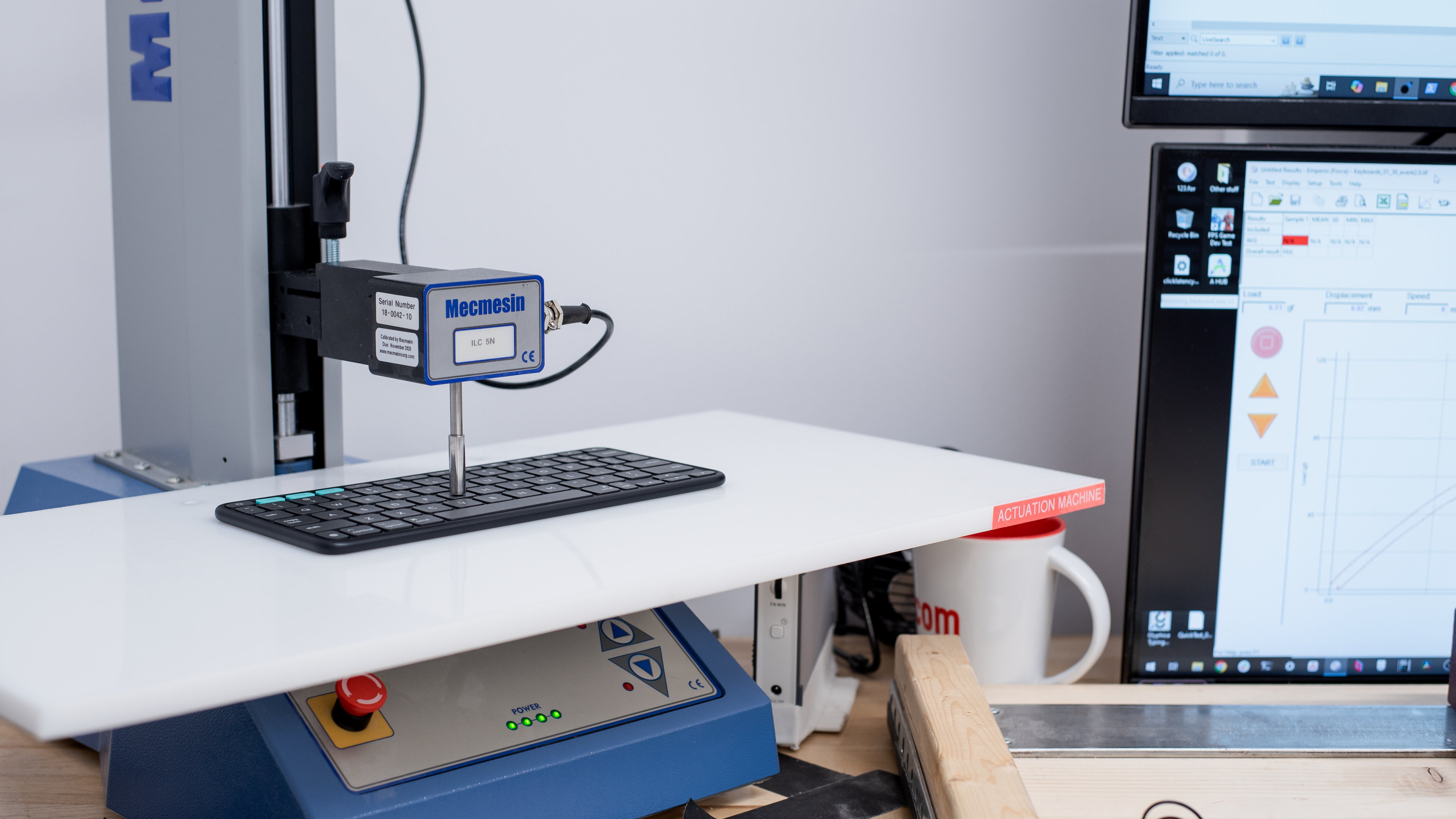
    The typing quality on the Logitech Flip Folio is unremarkable. The scissor key switches are smooth, but have a very short travel due to the keyboard's thinness. They don't provide much tactile feedback, but this is to be expected for this type of product. The larger keys are stable and feel even no matter where you press the key.

    This 11-inch version can also feel very cramped, especially for people with bigger hands or people who are used to larger keyboards. While it's certainly possible to get used to this layout, it may take some time before you stop making typos. You will notice that the function row, as well as most of the side keys like Tab, the right Opt key, and the Shift key, are smaller than usual to make more space for the rest of the keys. Considering the keyboard's size, Logitech has done a great job of making it as easy as possible to adapt to. The 18 mm key spacing is the same as on the Apple Magic Keyboard for iPad Pro (M4) and very close to the full-size Apple Magic Keyboard, which sits at 19 mm.

    The larger 13-inch variant will most likely feel more natural to most typists as it is less cramped. While we don't expect to significantly affect the typing experience, it should still be easier to adapt to that layout.

    9.6
    Typing Noise
    Average Loudness
    39.3 dBA
    High Pitch Clicks
    No

    This keyboard is very quiet and unlikely to bother those around you.

    Keystrokes
    See details on graph tool
    Operating Force
    63 gf
    Actuation Force
    27 gf
    Pre-Travel
    0.7 mm
    Total Travel
    1.0 mm

    The Logitech Flip Folio keyboard uses scissor switches that require a medium amount of force to actuate and overcome the tactile bump. Considering the keyboard's thinness, the keys' travel distance is respectable, but heavier typists may take a bit of time to get used to it.

    0.0
    Adjustable Input Granularity
    See details on graph tool
    Top Deadzone
    N/A
    Bottom Deadzone
    N/A
    Detection Ratio
    N/A
    Minimum Step Depth
    N/A

    This keyboard uses non-adjustable scissor switches.

    Switches
    Switch Name
    No Marketed Name
    Switch Type
    Scissor
    Feel
    Tactile
    Output Type
    Non-Adjustable
    Performance
    5.9
    Single-Key Latency
    See details on graph tool
    Best Connection
    20.9 ms
    Best Connection Std Dev±7.8 ms
    Wired
    N/A
    Receiver
    N/A
    Bluetooth
    20.9 ms
    PCB (Estimated)
    20.7 ms

    The Logitech Flip Folio's single-key latency is disappointing. As expected for a keyboard in this category, it's slow and very inconsistent. It isn't suitable for gaming, except for casual games that don't require responsive input.

    6.3
    Multi-Key Latency
    See details on graph tool
    Connection EvaluatedBluetooth
    Key Press
    25.7 ms

    Multi-key latency is mediocre, with high key press latency when multiple keys are held. 

    2.0
    Data Transmission
    Connection EvaluatedBluetooth
    USB Polling Rate
    90 Hz
    Effective Update Rate
    48 Hz
    N-Key Rollover (NKRO)
    No
    Multiple Keys Per USB Report
    No

    The Logitech Flip Folio has terrible data transmission performance, as expected for a device that runs on small replaceable batteries and prioritizes battery efficiency.

    This keyboard supports only up to six-key rollover, but its performance is inconsistent. Some three-key combinations work while others don't, likely because of its very basic, though efficient, matrix scan design. It also operates at a very low update rate.

    While this data performance shouldn't be noticeable for most regular use, very fast typists and anyone who uses large strings of shortcuts could definitely run into some ghosting issues. It also makes this keyboard unsuitable for any type of fast-paced gaming.

    5.5
    Chord Split
    See details on graph tool
    4 Chord Split Delay
    12.5 ms
    8 Chord Split Delay
    N/A

    This keyboard has poor chord split performance and isn't suitable for playing games that require many simultaneous inputs.

    Software and Operating System
    Configuration Software
    Software NameLogi Options+
    Software Windows Compatible
    Yes
    Software macOS Compatible
    Yes
    Onboard Memory
    No
    Profiles
    No Profile

    The configuration software has a straightforward layout. It allows you to manage device pairing, adjust FN-lock settings, and reassign the F4–F12 function keys, but no other keys can be customized.

    It also includes Logitech's Smart Actions, which are simplified macros. Several premade templates are available, supporting multiple keystrokes, text input, and actions in popular apps.

    Although the software doesn't fully support custom profiles, you can set up application-specific profile settings.

    10
    Computer Compatibility
    Windows
    Fully Compatible
    macOS
    Fully Compatible
    Linux
    Fully Compatible
    Media Key Compatibility
    Windows, MacOS & Linux

    This keyboard is fully compatible with all operating systems. That said, since it is designed for use with iPads, the legends on the keyboard are targeted for macOS, which uses similar f-row keys.

    10
    Wireless Mobile Compatibility
    Android
    Fully Compatible
    iOS
    Fully Compatible
    iPadOS
    Fully Compatible
    Media Key Compatibility
    Android, iPhone & iPad

    Although it's primarily designed for use with the iPad Air and the iPad Pro, the Logitech Flip Folio is fully compatible with Android, iOS, and iPadOS devices.