Logitech G PRO Keyboard  Keyboard Review

Reviewed Jan 28, 2020 at 08:38am
Writing modified Jan 29, 2025 at 08:57am
Tested using Methodology v1.3.1 
Logitech G PRO Keyboard
8.3
Gaming 
6.5
Office 
1.6
Mobile/Tablet 
7.3
Programming 
2.7
Entertainment / HTPC 
8.3
Raw Performance 
 0

The Logitech G PRO Mechanical Gaming keyboard is an excellent RGB-lit gaming keyboard. It has proprietary Logitech GX Blue Clicky switches, which offer great tactile and audio feedback. There's a small bump before the actuation point that requires a bit more force to get over than most tactile switches that we've tested. This keyboard is very well-built and has a great overall typing experience, but if you can't stand the clickiness of blue switches, there's a newer Logitech G PRO X Keyboard model available with your choice of hot-swappable tactile, linear, or clicky switches, so you can get the ones you prefer.

Our Verdict

8.3
Gaming 

The Logitech G PRO keyboard is excellent for gaming. It has proprietary GX blue switches, which are very clicky and feel a bit heavier than most mechanical switches due to the bump before the actuation point. That said, typing still feels light enough to not cause any fatigue over time, and it feels extremely responsive due to its low latency and the switches' short pre-travel distance. Plus, it has full RGB backlighting and is very well-built.

Pros
  • Very well-built design.
  • Great typing experience.
  • Amazing backlighting; customizable.
  • Extremely low latency.
Cons
  • No wrist rest like some other Logitech keyboards.
6.5
Office 

The Logitech G PRO keyboard is good for office use. While it has two ergonomic incline settings, it doesn't have a wrist rest for long and comfortable typing sessions. It provides a great typing experience, but the GX Blue clicky variant is quite loud and not the most ideal for quiet offices.

Pros
  • Very well-built design.
  • Great typing experience.
  • Amazing backlighting; customizable.
Cons
  • Blue switches aren't ideal to use in an open office.
  • No wrist rest like some other Logitech keyboards.
1.6
Mobile/Tablet 

The Logitech G PRO keyboard isn't designed to work with mobile devices.

7.3
Programming 

The Logitech G PRO is good for programming. It feels nice to type on, but you must like the clicky sound of blue switches, as it's fairly loud. The board is very well-built and offers full RGB backlighting. It's not the most ergonomic design, but it has two incline settings to make your typing more comfortable.

Pros
  • Very well-built design.
  • Great typing experience.
  • Amazing backlighting; customizable.
Cons
  • Blue switches aren't ideal to use in an open office.
  • No wrist rest like some other Logitech keyboards.
2.7
Entertainment / HTPC 

The Logitech G PRO keyboard is bad for use with a home theater PC. You can only use it over a wired connection, which isn't ideal if you're sitting a distance away from the TV. Also, it lacks a trackpad, making it more difficult to navigate the user interface.

Pros
  • Very well-built design.
  • Great typing experience.
  • Amazing backlighting; customizable.
Cons
  • No wrist rest like some other Logitech keyboards.
  • Wired-only.
  • No trackpad.
8.3
Raw Performance 

Pros
  • Very well-built design.
  • Great typing experience.
  • Amazing backlighting; customizable.
Cons
  • No wrist rest like some other Logitech keyboards.
  • 8.3
    Gaming
  • 6.5
    Office
  • 1.6
    Mobile/Tablet
  • 7.3
    Programming
  • 2.7
    Entertainment / HTPC
  • 8.3
    Raw Performance
  • Changelog

    1.  Updated Jan 29, 2025: 

      We've added a link to the newly reviewed Logitech G PRO X TKL RAPID to the Switches section.

    2.  Updated Nov 30, 2023: We've added a link to the newly-reviewed 8BitDo Retro Mechanical Keyboard in the Dimensions section of this review.
    3.  Updated Nov 29, 2023: We've converted this review to Test Bench 1.3.1, which adds a new estimated PCB latency test to the Single-Key Latency section and a new Analog test to the Switches section of this review. You can see the full changelog here.
    4.  Updated Oct 27, 2023: We've converted this review to Test Bench 1.3, which overhauls how key input is evaluated. We've added new tests for Single Key Latency, Multi Key Latency, Data Transmission, and Chord Split. We've also introduced a new Raw Performance usage and adjusted how the Gaming and Office usage scores are calculated. You can see the full changelog here.

    Check Price

    Blue - League of Legends
    SEE PRICE
    Amazon.com

    Differences Between Sizes And Variants

    We tested the Logitech PRO Gaming keyboard in black with GX Blue Clicky switches. There's also a League of Legends collaboration variant with K/DA coloring available with GX Brown Tactile switches, but it may be hard to find in 2021. There's a newer version, the Logitech G PRO X Keyboard, which has hot-swappable switches and you can choose from tactile GX Brown, linear GX Red, or clicky GX Blue switches.

    Popular Keyboard Comparisons

    The Logitech G PRO keyboard is an excellent TKL gaming keyboard, but if blue switches aren't for you, then you might have to look elsewhere. It provides very loud audio feedback, and there's a noticeable bump before the actuation point. However, the ABS keycaps don't feel too cheap. The cable is also detachable, so you can easily get a new one to customize it to match your setup.

    For other options, check out our recommendations for the best gaming keyboards, the best mechanical keyboards, and the best RGB keyboards.

    Razer Huntsman Mini

    The Razer Huntsman Mini is a better gaming keyboard than the Logitech G Pro Mechanical Gaming Keyboard. The Razer is a 60% compact keyboard, and you can reprogram every key on it. However, the Logitech is a TKL keyboard with arrow keys, but you can only reprogram the function keys. The Razer is available with liner and clicky optical switches, while the Logitech is available with GX Blue Clicky and Romer-G Tactile switches.

    Logitech G PRO X Keyboard

    The Logitech G PRO X Keyboard is the successor to the Logitech G PRO Keyboard. The two are nearly identical, but the G PRO X has significantly lower latency and comes with a hot-swappable PCB, meaning you can change the stock switches. Otherwise, both keyboards are solid choices for a straightforward gaming board.

    SteelSeries Apex 7 TKL

    The Logitech G Pro Mechanical Gaming Keyboard and the SteelSeries Apex 7 TKL are TenKeyLess mechanical keyboards with a few differences. The Logitech has better latency and slightly shorter pre-travel, but only some of its keys are macro programmable. The SteelSeries has a sturdier-feeling build, an included wrist rest, and all of its keys are macro programmable. The SteelSeries Brown switches on our unit have good tactile feedback with a light operating force to actuate the keys, and it’s also available with SteelSeries linear Reds and clicky Blues. The Logitech unit we tested has GX Blue Clicky switches, and more force is required to actuate keys. It’s also available with Romer-G Tactile switches.

    Corsair K70 RGB TKL

    The Corsair K70 RGB TKL is a much better gaming keyboard than the Logitech G Pro Mechanical Gaming Keyboard. The Corsair is available in three types of linear switches, while the Logitech only has proprietary clicky ones. This means that the Corsair's switches are much lighter to press for gaming but may lead to more typos. You can also set macros to any key on the Corsair, and on the Logitech it's limited to the function keys. The Corsair feels better-built because it has an aluminum plate and PBT keycaps.

    8BitDo Retro Mechanical Keyboard

    The Logitech G PRO X Keyboard and the 8BitDo Retro Mechanical Keyboard are both wireless gaming keyboards with tenkeyless layouts and hot-swappable PCBs. The Logitech has better overall gaming performance. It comes in linear, clicky, or tactile mechanical switch options. It also has backlighting, which the 8BitDo lacks. The 8BitDo has a more retro look and comes with clicky switches. It also includes a separate two-button gamepad module and supports Bluetooth connectivity, while the Logitech doesn't.

    SteelSeries Apex Pro

    The SteelSeries Apex Pro is a much better keyboard than the Logitech G Pro Mechanical Gaming Keyboard. The SteelSeries has a customizable pre-travel distance and operating force to ensure that you have the quickest actuation while gaming. Also, it has lower latency than the Logitech. The SteelSeries uses linear switches, but if you prefer switches with tactile feedback, the Logitech is available with clicky (GX Blue) and tactile (Romer-G) switches; plus, it's a smaller keyboard if you need the space.

    Razer Huntsman Tournament Edition

    The Razer Huntsman Tournament Edition is a better keyboard for gaming, but the Logitech G Pro Mechanical Gaming Keyboard is more versatile overall. The Razer has very low latency and its linear optical switches have a very short pre-travel, resulting in an extremely responsive gaming experience. However, it might be a bit too sensitive for some people, so the Logitech might be a better option for them. The Razer also feels a bit more solid, but the Logitech has slightly better ergonomics.

    Corsair K95 PLATINUM

    The Corsair K95 PLATINUM is a much more versatile gaming keyboard than the Logitech G Pro Mechanical Gaming Keyboard. It comes in different switches, including Speed ones, which are very quick to actuate. It also has dedicated macro keys, and an included comfortable wrist rest. On the other hand, if you don't like RGB bleeding across the board, the Logitech might be a better option.

    Corsair K60 RGB PRO Low Profile

    The Logitech G Pro Mechanical Gaming Keyboard is a bit better than the Corsair K60 RGB PRO Low Profile. Our unit of the Logitech has GX Blue Clicky switches that provide a significantly better typing experience. They have tactile feedback, and their higher pre-travel distance results in fewer typos. The Corsair is more comfortable to type on due to its low profile, has onboard memory, and doesn't cause as much typing noise.

    Corsair K65 LUX RGB

    The Corsair K65 LUX RGB and the Logitech G Pro Mechanical Gaming Keyboard are both TKL keyboards, but the Logitech is slightly better for gaming. The Corsair comes with a wrist rest, all of its keys are macro-programmable, and it has onboard memory. However, the Logitech has two incline settings, and its Cherry MX Blue switches have a lower pre-travel distance than the Corsair's Cherry MX Red switches.

    Test Results

    perceptual testing image
    Sort:
    RATINGS
    Category:
    All
    Design
    Dimensions
    Size
    TenKeyLess (80%)
    Height
    1.4" (3.5 cm)
    Width14.2" (36.0 cm)
    Depth
    6.0" (15.3 cm)
    Depth With Wrist Rest
    N/A
    Weight
    1.98 lbs (0.900 kg)

    The Logitech PRO gaming keyboard has a TKL design; it isn't as large as a full-size keyboard as it doesn't have a NumPad.

    If you're looking for a similar TenKeyLess gaming model but with a distinct retro look, check out the 8BitDo Retro Mechanical Keyboard.

    7.5
    Build Quality
    Keycap MaterialABS

    The Logitech PRO keyboard's build quality is good. The board feels very sturdy thanks to its solid plastic frame. While the keycaps are ABS, they feel decent and not as cheap as other keyboards we've tested. Unfortunately, the legends on the keycaps are only legible when the backlighting is on.

    6.0
    Ergonomics
    Curved/Angled
    No
    Split Keyboard
    No
    Key Alignment
    Staggered
    Minimum Incline
    Medium Incline
    Maximum Incline
    Home Row Height
    30.5 mm (1.2")

    The Logitech PRO keyboard's ergonomics are acceptable. It has two different incline settings, but it doesn't have a wrist rest like the Logitech G613.

    5.3
    Hardware Customizability
    Replaceable Cherry Stabilizers
    Yes
    Stabilizer Fixation
    Plate-Mounted
    Spacebar Stabilizer Size
    Non-Customizable Design
    Size Of Right Mod Keys
    1.25u
    Hot-Swappable Switches
    No
    Switch Stem Shape
    Cherry MX Style
    Switch PCB Socket
    Soldered
    North-Facing Cherry MX Interference
    Yes
    10
    Backlight Features
    BacklightingYes
    RGB
    Yes
    Per-Key Backlighting
    Yes
    Effects
    Yes
    Software Controllable
    Yes

    The Logitech PRO keyboard's backlighting is superb. All keys are individually RGB back-lit and the lighting is very visible, even in bright daylight. There isn't much light bleed on the side of the keycaps, and pretty much only the legends are lit up. However, you can see the outline of some of the switches' stems through the legends, which makes the lighting a bit inconsistent on some keys. The most noticeable example is on the 'W' key, although you can't see it in the picture. Take a look at the bottom of the 'E' key and imagine that line in the middle of the 'W' key.

    8.0
    Backlight Clarity
    Cable & Connector
    ConnectivityWired
    Detachable
    Yes (Wired Only Keyboard)
    Length6.2 ft (1.9 m)
    Connector (Keyboard side)
    Micro USB

    The Logitech G PRO keyboard's cable is detachable. It also has a proprietary design, but you should be able to replace it with any type of micro-USB cable.

    0.0
    Wireless Versatility
    Bluetooth
    No
    Bluetooth Multi-Device Pairing
    No
    Proprietary Receiver
    No
    Battery Type
    No Batteries

    The Logitech PRO Mechanical Gaming keyboard is wired-only and can't be used wirelessly.

    4.0
    Macro Keys And Programming
    Dedicated Macro Keys Count0
    Onboard Macro Programming
    No
    Macro Programming With Software
    Yes
    Extra Features
    Media Keys
    Non-Dedicated
    Trackpad / TrackballNo
    Scroll Wheel
    No
    Control Knob
    No
    USB Passthrough
    No
    NumpadNo
    Windows Key Lock
    Yes
    Lock IndicatorCaps & Scroll Lock

    The Logitech G PRO keyboard has a few extra features. The hotkeys for the media keys are on the F9-F12 keys. You have programmable keys from F1 to F12, and you can even set a G-Shift command to add a second layer to those. You can either set the G-shift command on the keyboard or on a compatible Logitech mouse, which is nice. It also has an on/off button for the backlight, and you can enable a Game Mode, which prevents you from minimizing your game by accidentally pressing on the Windows keys. If you want something where you can program macros to any key, then check out the Corsair K70 RGB TKL.

    In The Box

    • Logitech G PRO Mechanical Gaming keyboard
    • Cable
    • Logitech G sticker
    • Manuals
    Typing Experience
    8.0
    Typing Quality
    Key Spacing
    19.0 mm (0.748")

    Typing quality is great. Although the board has ABS keycaps, they don't feel too cheap. They're also very stable thanks to the Cherry MX stabilizers. However, the 'Enter' key is quite unstable and rattles a bit. On the upside, the keystrokes feel responsive, and the audible click on each keypress provides amazing feedback so you know when a keystroke has been registered.

    3.5
    Typing Noise
    Average Loudness
    60.1 dBA
    High Pitch Clicks
    Yes

    Due to its blue clicky switches, the Logitech G PRO keyboard is rather loud and isn't ideal for an office environment. The audible click of each keypress can get rather annoying for some and you might disturb surrounding coworkers.

    Switches
    Switch Name
    GX Blue Clicky
    Switch Type
    Mechanical
    Feel
    Clicky
    Analog
    No

    If you're interested in a similar Logitech gaming keyboard with Hall effect switches that let you adjust the actuation distance of individual keys, check out the Logitech G PRO X TKL RAPID.

    Keystrokes
    See details on graph tool
    Operating Force
    61 gf
    Actuation Force
    48 gf
    Pre-Travel
    1.9 mm
    Total Travel
    3.8 mm

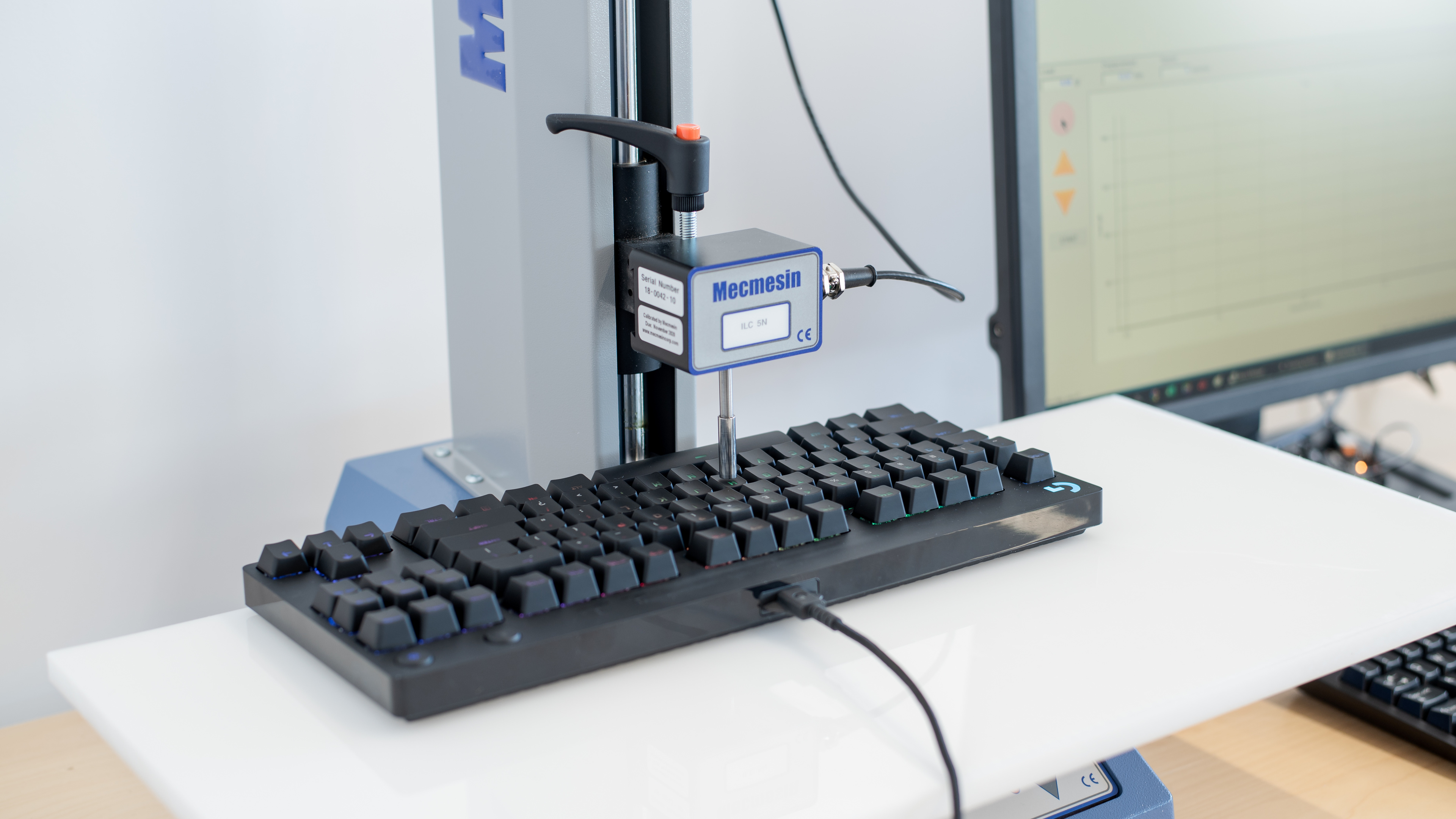
    The Logitech PRO keyboard features proprietary GX Blue Clicky switches. The switches are made by Kaihua, and are labeled Kailh, but were made specifically with Logitech. These switches are tactile, with a noticeable bump that requires a bit more force to get over than most mechanical keyboards. That said, it's still light and shouldn't cause fatigue over time. They're also quite loud, so they're not the most ideal for quiet office environments. The keys have a rather average pre-travel distance for gaming keyboards, but they still feel responsive. Note that there's a newer version, the Logitech G PRO X Keyboard, which has hot-swappable switches and you can get either linear, clicky, or tactile switches.

    If you prefer linear switches with no tactile bump, check out the HyperX Alloy FPS Pro, which uses standard Cherry MX Red switches.

    Performance
    8.7
    Single-Key Latency
    See details on graph tool
    Best Connection
    5.3 ms
    Best Connection Std Dev±1.2 ms
    Wired
    5.3 ms
    Receiver
    N/A
    Bluetooth
    N/A
    PCB (Estimated)
    3.4 ms

    The latency on the Logitech G PRO keyboard is outstanding. Most people shouldn't feel any delay. The updated version of this keyboard, the Logitech G PRO X Keyboard has even lower latency.

    8.6
    Multi-Key Latency
    See details on graph tool
    Connection EvaluatedWired
    Key Press
    5.4 ms
    Key Release
    8.2 ms
    8.7
    Data Transmission
    Connection EvaluatedWired
    USB Polling Rate
    1,000 Hz
    Effective Update Rate
    1,000 Hz
    N-Key Rollover (NKRO)
    Yes
    Multiple Keys Per USB Report
    Yes
    6.9
    Chord Split
    See details on graph tool
    4 Chord Split Delay
    8.2 ms
    8 Chord Split Delay
    16.7 ms
    Software and Operating System
    Configuration Software
    Software NameLogitech G HUB
    Software Windows Compatible
    Yes
    Software macOS Compatible
    Yes
    Onboard Memory
    No
    Profiles
    6+

    The Logitech G HUB offers a lot of customization options for this keyboard. You can easily change your keybindings or RGB lighting. You can store the RGB settings on the onboard memory, but that's about it. For the cloud sync, which requires an account, you need to upload profiles first before being able to download and apply them to the keyboard if you're using a new computer.

    There weren't any software issues during testing, but many users online have reported various problems trying to use the Logitech G HUB software, including but not limited to startup issues, freezing, and connection issues with some devices. If you'd like to share your experience using Logitech G HUB with this keyboard, feel free to leave a comment in the discussions section.

    10
    Computer Compatibility
    Windows
    Fully Compatible
    macOS
    Fully Compatible
    Linux (Ubuntu 22)
    Fully Compatible
    Media Key Compatibility
    Windows, MacOS & Linux

    The Logitech G PRO keyboard has decent compatibility. While it's fully compatible with Windows, the scroll lock and pause keys don't work on macOS. On the other hand, all keys work on Linux, but the software is unavailable, so you can't customize it to your preference.

    0.0
    Wireless Mobile Compatibility
    Android
    Not Compatible
    iOS
    Not Compatible
    iPadOS
    Not Compatible
    Media Key Compatibility
    Not Compatible