Logitech G915 X LIGHTSPEED  Keyboard Review

Reviewed Dec 09, 2024 at 01:06pm
Tested using Methodology v1.3.1 
Logitech G915 X LIGHTSPEED
8.6
Gaming 
7.4
Office 
5.9
Mobile/Tablet 
7.5
Programming 
6.8
Entertainment / HTPC 
8.6
Raw Performance 
 2
  1. Recommended in:
  2. Logitech

The Logitech G915 X LIGHTSPEED is a full-sized wireless model that continues the G915 lineup of low-profile mechanical gaming keyboards. Compared to the lineup's previous generation Logitech G915 LIGHTSPEED, this new model brings several build quality changes. These include a slightly thicker aluminum top plate and new doubleshot PBT keycaps, which typically provide better durability over ABS keycaps and aren't as prone to developing a shiny or slippery finish with extended use. Other minor changes include redesigned keycap legends and minor software tweaks, such as the ability to program macros to any key on the keyboard, not just the dedicated macro keys.

We've also reviewed the wired version of this keyboard, the Logitech G915 X. For more information, see the Differences Between Variants section.

Our Verdict

8.6
Gaming 

The Logitech G915 X LIGHTSPEED is an amazing gaming keyboard. It has excellent build quality overall with a rigid and premium-feeling brushed aluminum top plate. It also has PBT keycaps, which are generally more durable and aren't prone to developing a shiny, slippery texture with extended use. Performance-wise, it delivers remarkably low wireless latency and is very well-suited for playing games at any competitive level in any genre.

Pros
  • Excellent build quality.

  • Remarkably low latency.

  • Per-key addressable RGB lighting and shine-through keycaps that are easy to read in the dark.

Cons
  • Only decent typing quality; some noticeable key wobble and hollow-feeling stabilization.

7.4
Office 

The Logitech G915 X LIGHTSPEED is decent for office use. It has excellent build quality, and its low-profile design makes it comfortable to use without a wrist rest. It's also relatively quiet to type on and connects wirelessly via Bluetooth. Unfortunately, it doesn't support multi-device pairing, and the typing quality is only decent. as there's some minor key wobble and larger keys have a distinctly hollow feel. Also, given its low-profile design, the switches have a fairly short travel distance which, depending on your preference, may feel a bit abrupt for everyday typing.

Pros
  • Excellent build quality.

Cons
  • Only decent typing quality; some noticeable key wobble and hollow-feeling stabilization.

  • No multi-device pairing.

5.9
Mobile/Tablet 

The Logitech G915 X LIGHTSPEED is a sub-par keyboard for tablet or mobile devices, but it isn't designed specifically for this usage. That said, it has excellent build quality and Bluetooth connectivity. Unfortunately, it doesn't support multi-device pairing. We tested the full-size model, which is quite bulky and heavy. However, there's also a smaller variant of this keyboard, the Logitech G915 X LIGHTSPEED TKL, which offers slightly better portability.

Pros
  • Excellent build quality.

Cons
  • No multi-device pairing.

  • Fairly heavy and bulky layout that's not very portable.

7.5
Programming 

The Logitech G915 X LIGHTSPEED is good for programming. It has excellent build quality with PBT plastic keycaps and a rigid aluminum top plate. It also has RGB lighting and shine-through legends that make keys clearly readable in the dark. Unlike older models in this lineup, you can program macros not only to the sets of dedicated macro keys but also to any key using the configuration software. Unfortunately, there's no support for multi-device pairing, and the typing quality is only decent with some minor key wobble and a distinctly hollow feeling on larger keys with stabilizers.

Pros
  • Excellent build quality.

  • Nine dedicated macro inputs (five keys, four buttons).

  • Per-key addressable RGB lighting and shine-through keycaps that are easy to read in the dark.

Cons
  • Only decent typing quality; some noticeable key wobble and hollow-feeling stabilization.

  • No multi-device pairing.

6.8
Entertainment / HTPC 

The Logitech G915 X LIGHTSPEED is a reasonably good keyboard for an entertainment or home theater PC setup. It has excellent build quality and a set of dedicated media keys. It also has full RGB backlighting with clear shine-through legends that are easy to read in the dark. It connects wirelessly with its 2.4GHz receiver or via Bluetooth. Unfortunately, it doesn't support multi-device pairing. Note that we tested the full-size model which is quite heavy and unwieldy to use from a couch. However, there's also a smaller TKL version available.

Pros
  • Excellent build quality.

  • Per-key addressable RGB lighting and shine-through keycaps that are easy to read in the dark.

Cons
  • No multi-device pairing.

  • Fairly heavy and bulky layout that's awkward to use from a couch.

8.6
Raw Performance 

The Logitech G915 X LIGHTSPEED has excellent raw performance with remarkably low wireless latency and a 1000Hz polling rate that isn't bottlenecked by other latency components. It's well-suited for playing games in any genre, at any competitive level.

Pros
  • Remarkably low latency.

  • 1000Hz polling rate isn't bottlenecked by other latency elements.

Cons
None
  • 8.6
    Gaming
  • 7.4
    Office
  • 5.9
    Mobile/Tablet
  • 7.5
    Programming
  • 6.8
    Entertainment / HTPC
  • 8.6
    Raw Performance
  • Changelog

    1.  Updated Dec 09, 2024: Review published.
    2.  Updated Dec 02, 2024: Early access published.
    3.  Updated Nov 27, 2024: Our testers have started testing this product.
    4.  Updated Nov 11, 2024: The product has arrived in our lab, and our testers will start evaluating it soon.

    Check Price

    BlackG915 X LIGHTSPEED
    SEE PRICE
    Amazon.com
    BlackG915 X LIGHTSPEED TKL
    SEE PRICE
    Amazon.com
    WhiteG915 X LIGHTSPEED
    SEE PRICE
    Amazon.com
    WhiteG915 X LIGHTSPEED TKL
    SEE PRICE
    Amazon.com

    Differences Between Sizes And Variants

    The Logitech G915 X LIGHTSPEED is available in a 'Black' or 'White' colorway and with Linear, Tactile, or Clicky switch options. We bought and tested a White color model with Tactile switches. For reference, you can see an image of our unit's label here.

    There's a separate wired-only version of this keyboard called the Logitech G915 X that we've already reviewed. We've included details of the broader lineup below.

    Name Size Color Options Switch Options Connectivity
    Logitech G915 X Full-size Black Linear, Tactile Wired-only
    Logitech G915 X LIGHTSPEED Full-size Black, White Linear, Tactile, Clicky Wireless
    Logitech G915 X LIGHTSPEED TKL Tenkeyless (80%) Black, White Linear, Tactile, Clicky Wireless

    Popular Keyboard Comparisons

    The Logitech G915 X LIGHTSPEED is a capable option if you're looking for a full-size wireless, mechanical gaming keyboard with a low-profile design. It offers excellent latency performance, making it a strong choice for gaming at any competitive level, and compared to the original wireless Logitech G915 LIGHTSPEED, it introduces minor but welcome build-quality improvements, including a thicker aluminum top plate and more durable PBT keycaps. Its switches also now have standard MX-style stems, which is great if you want to customize the appearance of your keyboard with aftermarket keycaps.

    However, in the broader market context, the G915 X LIGHTSPEED is relatively expensive and offers the same level of raw performance as more affordable low-profile wireless options like the Keychron K5 Max or the NuPhy Air96 V2. Additionally, it lacks some cutting-edge features found on similarly priced gaming keyboards, such as Hall-effect switches or Rapid Trigger functionality.

    For more recommendations, see our picks for the best keyboards, the best wireless keyboards, and the best low-profile keyboards. For more Logitech options, see our best Logitech keyboards article.

    Logitech G915 LIGHTSPEED

    Both the Logitech G915 X LIGHTSPEED and the Logitech G915 LIGHTSPEED are wireless, low-profile mechanical gaming keyboards in the same product lineup. They offer similar raw gaming performance, but the G915 X LIGHTSPEED is a newer model with a slightly better build quality, a thicker aluminum top plate, and higher-quality PBT keycaps. Comparatively, the G915 LIGHTSPEED is an older model with cheaper ABS keycaps, which are more prone to developing a shiny, slippery finish with extended use.

    Logitech G515 LIGHTSPEED TKL

    The Logitech G515 LIGHTSPEED TKL and the Logitech G915 X LIGHTSPEED are low-profile wireless mechanical gaming keyboards that offer very similar raw gaming performance. The G515 LIGHTSPEED TKL has a smaller tenkeyless layout, while the G915 X LIGHTSPEED is a bigger full-size model. The G915 X LIGHTSPEED also has nine dedicated macro keys and a full set of dedicated media controls, which the G515 lacks.

    Logitech G PRO X TKL

    The Logitech G PRO X TKL and the Logitech G915 X LIGHTSPEED are mechanical gaming keyboards with comparable raw performance with a few standout differences. The G915 X is a wireless, low-profile model with a full-size layout, while the G PRO X TKL is a wired-only model with a taller, standard profile and a more compact tenkeyless form factor.

    Logitech G915 X

    The Logitech G915 X and the Logitech G915 X LIGHTSPEED. are low-profile gaming keyboards from the same lineup. Both offer the same build quality and raw gaming performance. The only major difference is that the G915 X LIGHTSPEED has added wireless connectivity with a 2.4GHz receiver or Bluetooth. Additionally, the G915 X LIGHTSPEED is available in Linear, Tactile, or Clicky switch options at purchase, while the wired-only G915 X only has Linear and Tactile switch options.

    Test Results

    perceptual testing image
    Sort:
    RATINGS
    Category:
    All
    Design
    Dimensions
    Size
    Full-size (100%)
    Height
    0.7" (1.8 cm)
    Width18.6" (47.3 cm)
    Depth
    5.8" (14.8 cm)
    Depth With Wrist Rest
    N/A
    Weight
    3.84 lbs (1.740 kg)

    This keyboard has a very thin profile, but its full-size layout takes up considerable desk space.

    There's a smaller variant of this keyboard called the Logitech G915 X LIGHTSPEED TKL, which has a tenkeyless layout without a numpad.

    8.5
    Build Quality
    Keycap MaterialPBT

    The Logitech G915 X LIGHTSPEED has excellent build quality. Its bottom chassis is made of stiff plastic, while the top plate is made of aluminum with a brushed finish. Compared to the previous generation Logitech G915 LIGHTSPEED, this top plate is slightly thicker. Altogether, the entire keyboard feels quite rigid with very minimal deck flex.

    The underside of the keyboard has a full set of rubber feet and a compartment for storing the receiver. Also, a pair of flip-out feet provide two additional typing angles and do a fairly good job of keeping the keyboard in place while typing.

    The keycaps are made of PBT keycaps, which are generally more durable than ABS plastic and aren't prone to developing a shiny, slippery finish with extended use, which is a commonly reported issue with the previous generation G915 models.

    7.0
    Ergonomics
    Curved/Angled
    No
    Split Keyboard
    No
    Key Alignment
    Staggered
    Minimum Incline
    Medium Incline
    3.5°
    Maximum Incline
    7.2°
    Home Row Height
    21.5 mm (0.8")

    This keyboard has a very thin, low-profile design. It's comfortable to type on without a wrist rest, and you don't need to angle your wrists steeply to reach all the keys.

    A pair of flip-out feet on the underside provide two additional typing angles.

    6.4
    Hardware Customizability
    Replaceable Cherry Stabilizers
    Yes
    Stabilizer Fixation
    Plate-Mounted
    Spacebar Stabilizer Size
    6.25u
    Size Of Right Mod Keys
    1.25u
    Hot-Swappable Switches
    No
    Switch Stem Shape
    Low Profile Cherry MX Style
    Switch PCB Socket
    Soldered
    North-Facing Cherry MX Interference
    No

    Unlike the previous generation G915 models, which feature switches with Kailh Low Profile Choc stems, the Logitech G915 X LIGHTSPEED switches use Cherry MX-style stems. This change provides significantly better compatibility with a broader range of aftermarket low-profile keycap sets.

    10
    Backlight Features
    BacklightingYes
    RGB
    Yes
    Per-Key Backlighting
    Yes
    Effects
    Yes
    Software Controllable
    Yes

    This keyboard has full RGB backlighting and individually addressable keys. The configuration software allows you to customize the brightness and effects.

    8.0
    Backlight Clarity

    This keyboard has impressive backlight clarity. Its shine-through legends are clear and only present minimal obstructions. The white-only backlighting setting is mostly pure with only a minor bluish tint. The white-colored top plate on the model we tested reflects a significant amount of light and makes the backlighting appear noticeably brighter. For comparison, see our review of the wired Logitech G915 X, where we purchased a black colorway model.

    Unlike the previous generation G915 models, several alphanumeric keys on the G915 X LIGHTSPEED also have shine-through legends that illuminate secondary functions (for example, exclamation point, dollar sign, percent sign, etc.).

    Cable & Connector
    ConnectivityWireless
    Detachable
    Yes (Wired Mode and Charge)
    Length5.9 ft (1.8 m)
    Connector (Keyboard side)
    USB type-C

    This keyboard comes with a basic rubber cable. It's reasonably flexible, but it retains some minor kinks from its packaging.

    7.5
    Wireless Versatility
    Bluetooth
    Yes
    Bluetooth Multi-Device Pairing
    No
    Proprietary Receiver
    Yes
    Battery Type
    Rechargeable

    Logitech advertises that the Logitech G915 X LIGHTSPEED can deliver up to 36 hours of continuous use with backlighting at full brightness, up to 90 hours at half brightness, or up to 800 hours with the backlighting turned off.

    Note that Logitech doesn't explicitly state what connection type was used to produce these estimates, but we expect the maximum estimate without backlighting is only attainable using a Bluetooth connection, which consumes less battery life at the cost of gaming performance.

    7.6
    Macro Keys And Programming
    Dedicated Macro Keys Count9
    Onboard Macro Programming
    No
    Macro Programming With Software
    Yes

    There are two sets of dedicated macro controls that you can customize in software, including a column of five keys on the left side and four buttons above the function row.

    The previous generation Logitech G915 LIGHTSPEED featured a dedicated button for macro recording directly on the keyboard. However, the Logitech G915 X LIGHTSPEED does not support on-keyboard macro recording; instead, all macro recording must be handled through the configuration software.

    Extra Features
    Media Keys
    Dedicated
    Trackpad / TrackballNo
    Scroll Wheel
    Yes
    Control Knob
    No
    USB Passthrough
    No
    NumpadYes
    Windows Key Lock
    Yes
    Lock IndicatorCaps Lock

    This keyboard has a full set of dedicated media controls and a non-programmable scroll bar that controls media volume. There's a dedicated Caps Lock key and a battery life indicator located above the F10 and F11 keys.

    There's also a game mode button (which disables the Windows key so you don't accidentally alt-tab onto the desktop while gaming) as well as a backlighting button that cycles through backlight brightness settings.

    For a list of supported hotkey combinations and other details, you can reference the user manual on Logitech's website.

    In The Box

    • USB-A LIGHTSPEED receiver
    • Receiver extender
    • USB-A to USB-C cable
    • User documentation
    Typing Experience
    7.0
    Typing Quality
    Key Spacing
    19.0 mm (0.748")

    The Logitech G915 X LIGHTSPEED offers a satisfactory typing experience. Some keys wobble a bit in their housing, but the overall stability of the keys is slightly improved compared to the previous generation Logitech G915 LIGHTSPEED. Unfortunately, while the stabilizers do a good job of making larger keys feel consistent, they feel noticeably hollow.

    The feel of this keyboard's PBT plastic keycaps is an improvement over the cheaper ABS keycaps used on the previous generation G915 models, but they don't quite feel as high-quality as some of the PBT keycaps we've tested on other keyboards.

    The switches have relatively short pre-travel and total travel distance, which is well-suited for fast-paced gaming. It's a matter of personal preference, but if you prefer switches with longer travel distances or you're a more forceful typist, the feeling of bottoming out may feel a bit abrupt at first.

    7.6
    Typing Noise
    Average Loudness
    51.9 dBA
    High Pitch Clicks
    No

    This keyboard is reasonably quiet but may be disruptive to people around you in particularly noise-sensitive spaces.

    We bought and tested this keyboard with GL Tactile switches, but you can also buy this keyboard with GL Linear or GL Clicky switches. We expect the GL Linear switches to produce approximately the same typing volume, while we expect the GL Clicky to be noticeably louder.

    Switches
    Switch Name
    GL Tactile
    Switch Type
    Mechanical
    Feel
    Tactile
    Analog
    No
    Keystrokes
    See details on graph tool
    Operating Force
    51 gf
    Actuation Force
    45 gf
    Pre-Travel
    1.4 mm
    Total Travel
    3.1 mm

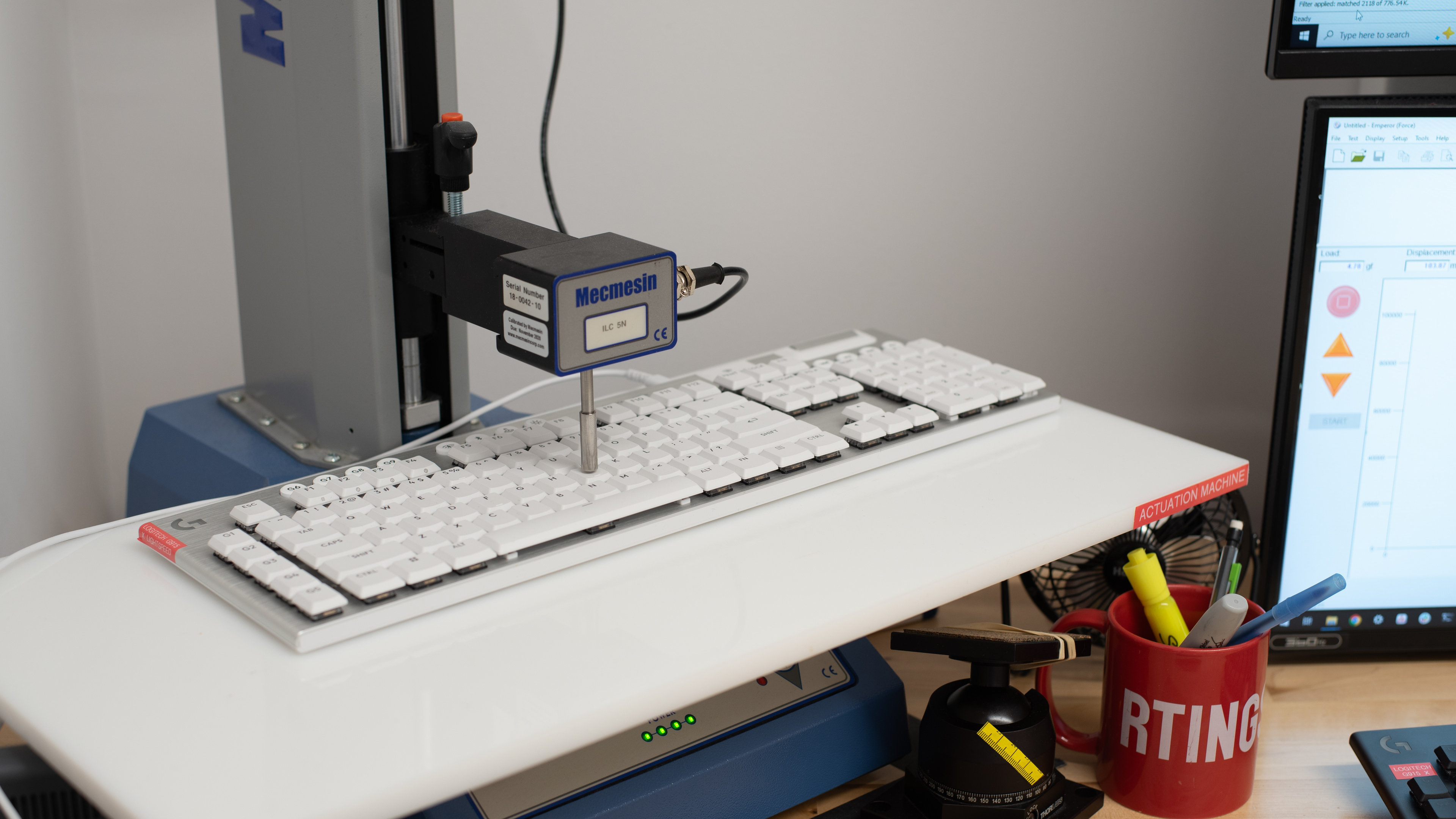
    We bought the Logitech G915 X LIGHTSPEED with GL Tactile switches. These are medium-weight tactile switches with short pre-travel and total travel distance, providing a quick and responsive feel with tactile feedback to let you know when you've actuated a key.

    You can also buy this keyboard with GL Clicky or GL Linear switch options.

    The GL Clicky switches are slightly heavier-feeling with a louder, more pronounced click sound produced when you overcome the tactile bump.

    The GL Linear switches are slightly lighter and have smooth travel without any tactile event.

    Performance
    9.0
    Single-Key Latency
    See details on graph tool
    Best Connection
    3.5 ms
    Best Connection Std Dev±0.9 ms
    Wired
    3.5 ms
    Receiver
    4.5 ms
    Bluetooth
    19.3 ms
    PCB (Estimated)
    2.3 ms

    The Logitech G915 X LIGHTSPEED has remarkably low latency and is well suited for playing games in any genre at any competitive level.

    8.8
    Multi-Key Latency
    See details on graph tool
    Connection EvaluatedReceiver
    Key Press
    3.7 ms
    Key Release
    7.4 ms

    The Logitech G915 X LIGHTSPEED offers excellent multi-key latency performance, registering additional keypresses very quickly, even when other keys are already pressed and held.

    8.7
    Data Transmission
    Connection EvaluatedWired
    USB Polling Rate
    1,000 Hz
    Effective Update Rate
    1,000 Hz
    N-Key Rollover (NKRO)
    Yes
    Multiple Keys Per USB Report
    Yes

    This keyboard can send multiple keys per USB report and supports full N-key Rollover by default out of the box. Its maximum polling rate is 1000Hz, and data transmission isn't bottlenecked by other latency components.

    7.6
    Chord Split
    See details on graph tool
    4 Chord Split Delay
    6.5 ms
    8 Chord Split Delay
    10.9 ms

    This keyboard delivers good chord split performance for playing competitive rhythm games or other titles that demand many simultaneous inputs.

    Software and Operating System
    Configuration Software
    Software NameLogitech G HUB
    Software Windows Compatible
    Yes
    Software macOS Compatible
    Yes
    Onboard Memory
    Yes
    Profiles
    6+

    The software is fairly well laid out and allows you to adjust a variety of settings, including RGB lighting effects, colors, brightness, key assignments, and custom profiles. Additionally, you can record macros to any key, customize Fn hotkey commands, and assign a G-Shift key that toggles a secondary layer of programmable commands.

    Additionally, you can create custom profiles and app- or game-specific profiles. You can also save settings to the keyboard's onboard memory, so you don't need to keep the software running in the background.

    Like the software from other major manufacturers, Logitech's G HUB software receives criticism for requiring frequent updates and consuming disproportionate system resources. There have also been reports of startup issues, freezing, and failure to recognize certain devices. We didn't encounter any problems during testing, but this software may be frustrating for those who prefer lightweight or software-free options.

    10
    Computer Compatibility
    Windows
    Fully Compatible
    macOS
    Fully Compatible
    Linux (Ubuntu 22)
    Fully Compatible
    Media Key Compatibility
    Windows, MacOS & Linux

    This keyboard is fully compatible with Windows, macOS, and Linux. Note that if you're using an Apple display on macOS, the 'Lock' and P/B (pause/break) keys adjust your screen brightness, which is expected. The other F-keys don't do anything, apart from F10 which shows your desktop.

    10
    Wireless Mobile Compatibility
    Android
    Fully Compatible
    iOS
    Fully Compatible
    iPadOS
    Fully Compatible
    Media Key Compatibility
    Android, iPhone & iPad

    All default functions work on Android devices and on iOS and iPadOS, with the exception of Print Screen, Scroll Lock, Pause, and Insert keys, which is expected.