
The Sony INZONE KBD-H75 is Sony's foray into the high-end gaming keyboard market. This keyboard is part of Sony's INZONE lineup of gaming-focused accessories developed in collaboration with the Fnatic esports team. It's a compact 75% Hall effect keyboard that supports a polling rate of up to 8000Hz. You can customize key actuation and backlighting using Sony's INZONE HUB software, which can be used through a downloadable client or on a web-browser-based UI. The keyboard supports software features like Rapid Trigger, but unfortunately, it doesn't include some other functions like SOCD and dynamic keystrokes, which are now ubiquitous in this space.
Our Verdict
The Sony INZONE KBD-H75 is a superb gaming keyboard. It delivers outstanding latency performance paired with an 8000Hz polling rate. Its metal and plastic build is excellent, with tight tolerances all around, and its switches are very smooth. However, you should note that the accompanying software is somewhat barebones. While it supports per-switch actuation customization and Rapid Trigger settings, it doesn't include more advanced features like SOCD or DKS.
Excellent build quality.
Outstanding latency performance.
Up to 8000Hz polling rate.
Excellent backlighting with fully addressable per-key RGB lighting and clear shine-through legends.
Software is well laid-out, but lacks advanced functions.
The Sony INZONE KBD-H75 performs reasonably well in an office setting, despite not being specifically designed for this purpose. Its sturdy construction and pre-lubed switches and stabilizers create a smooth, satisfying typing experience. The keystrokes also feel cushioned thanks to the gasket-mount design. However, the limited incline adjustment can lead to wrist fatigue during long sessions. The absence of wireless connectivity and a numpad also makes it less versatile for certain productivity tasks.
Excellent build quality.
Quiet.
Great typing quality.
The Sony INZONE KBD-H75 is a wired-only keyboard that isn't suitable for use with mobile devices or tablets.
The Sony INZONE KBD-H75 performs well for programming, offering strong build quality and a satisfying typing experience. Its gasket mount design gives it a soft feel, although it can become tiring to use over long sessions due to the keyboard's relatively high profile. The backlighting is also great, with per-key customization and very clear legends. While it doesn't include dedicated macro keys, you can assign macros to any key through the companion software.
Excellent build quality.
Quiet.
Great typing quality.
Excellent backlighting with fully addressable per-key RGB lighting and clear shine-through legends.
Wired-only.
The Sony INZONE KBD-H75 isn’t well-suited for home theater or entertainment setups since it's wired only. Its weight and lack of dedicated media keys also make it less convenient in that setting. On the positive side, its shine-through legends are clear, which makes it easy to use in darker rooms or low-light conditions.
Excellent build quality.
Excellent backlighting with fully addressable per-key RGB lighting and clear shine-through legends.
Wired-only.
No dedicated media keys.
The Sony INZONE KBD-H75 delivers outstanding raw performance, making it a great choice for gaming across all genres. Its single-key and multi-key latency are both impressively low, ensuring fast and responsive input. With an effective update rate of 8000Hz, the keyboard maintains smooth performance without any latency bottlenecks.
Outstanding latency performance.
Up to 8000Hz polling rate.
Changelog
-
Updated Jan 21, 2026:
Added a reference to the Qwertykeys Hex80 in the Typing Quality test box as an alternative with similar performance and improved typing quality.
- Updated Jan 06, 2026: Our Test Bench 1.4.3 update adds clearer terminology and new measurements to our Keystrokes test group. For more details, see the full changelog.
- Updated Oct 20, 2025: Review published.
- Updated Oct 14, 2025: Early access published.
Check Price
Differences Between Sizes And Variants
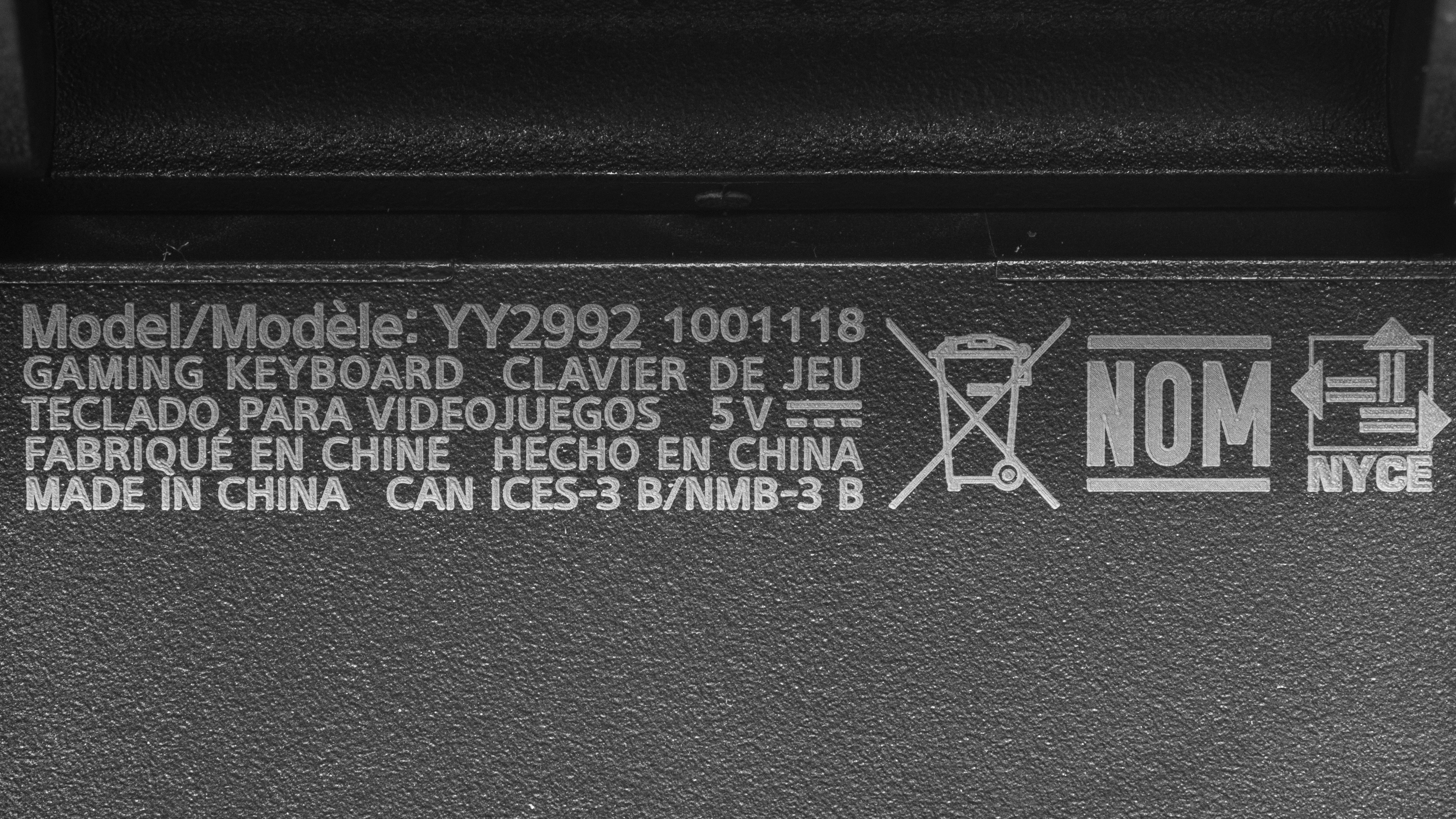
The Sony INZONE KBD-H75 doesn't have any variants. You may see it referred to as the Sony KBD-G900 in some listings, or on some of Sony's support pages, but this appears to be an internal model reference. This is the label of the keyboard we tested.
Popular Keyboard Comparisons
The Sony INZONE KBD-H75 is the company's first foray into the high-end gaming keyboard market segment. It supports high-end specs that help it compete with the likes of the Wooting 80HE, the NuPhy Field75 HE, or the IQUNIX EZ80/EZ75. However, while this keyboard delivers outstanding latency performance in a very well-built package, its software is still relatively barebones, lacking many advanced features like SOCD and DKS that we have come to expect in this segment, and it's only officially compatible with switches included with the keyboard.
Compared to the competition, it's also on the more expensive side. The NuPhy Field75 HE is much cheaper, and even the Wooting 80HE in its plastic variant is less expensive. Both these keyboards offer the same outstanding performance, with much more robust software. While its performance is slightly less, the Lemokey P1 HE is as well-built and offers wireless connectivity for about half the cost. While the Sony keyboard doesn't have any major flaws, its pricing remains difficult to justify.
For more recommendations, see our picks for the best keyboards, the best gaming keyboards, and the best mechanical keyboards
The Razer Huntsman V3 Pro and the Sony INZONE KBD-H75 are two very high-performance gaming keyboards with customizable actuation. However, while the Sony includes a hot-swappable design, the Razer doesn't. Both keyboards have outstanding latency performance, but the Sony keyboard has the edge with its 8000Hz polling rate and is slightly more responsive overall, even if the difference will likely be unnoticeable while gaming. The Sony keyboard is also quieter and delivers a slightly better typing experience. That said, only the Razer supports true analog input.
The Sony INZONE KBD-H75 and the Wooting 80HE both have outstanding performance and are very well-built. The Sony entry is a slightly smaller 75% compact layout, compared to the 80HE's unconventional compact TKL. The INZONE KBD-H75 is able to roughly match Wooting's outstanding latency performance, but its software isn't as polished or feature-rich. It lacks many advanced functions, such as Mod Tap and SOCD, that have become staples within the high-end gaming keyboard segment. The Wooting also comes with a four-year warranty and supports full analog input.
The NuPhy Field75 HE and the Sony INZONE KBD-H75 are two Hall effect keyboards with amazing latency performance that are suitable for even the most competitive gaming scenarios. They're both very well-built and have a similar compact 75% layouts. The NuPhy does distinguish itself with the inclusion of dedicated macro keys and a more polished and feature-rich configuration software. The Sony keyboard, on the other hand, has keycaps with shine-through legends that are easy to read in any lighting conditions, and it provides a much quieter typing experience.
The Lemokey P1 HE and the Sony INZONE KBD-H75 are two Hall effect keyboards with similar 75% layouts. The Lemokey has a solid aluminum case, while the Sony has an aluminum frame with a plastic bottom case. While the Lemokey distinguishes itself with an outstanding typing experience and the flexibility of wireless compatibility, Sony's wired-only keyboard delivers better latency performance and a higher 8000Hz polling rate.
Test Results



for pictures & test results

for pictures & test results





for pictures & test results



for pictures & test results

for pictures & test results


for pictures & test results


for pictures & test results


for videos & test results
