ASUS Zenbook DUO UX8406 14 (2025)  Laptop Review

Reviewed Aug 25, 2025 at 01:20pm
Tested using Methodology v0.8.3 
ASUS Zenbook DUO UX8406 14 (2025)
7.9
School 
7.6
Gaming 
8.2
Multimedia 
8.3
Workstation 
7.9
Business 
 0

The ASUS Zenbook DUO UX8406 14 (2025) is a premium dual-screen Windows laptop. It's configurable with Intel Meteor Lake or Arrow Lake H-series processors, up to a Core Ultra 9 285H, paired with up to 32GB of RAM and up to 1TB of storage. Display options include two OLED panels: a 60Hz FHD+ (1920 x 1200) and a 120Hz 2.8k (2800 x 1880) OLED, both supporting touch and pen input. For ports, you get a 5Gbps USB-A, two USB-C/Thunderbolt 4s, an HDMI 2.0, and a headphone jack. This laptop comes with a detachable, rechargeable, Bluetooth keyboard and a laptop sleeve you can use as an incline stand. Depending on the region and retailer, you may also get an ASUS Pen, an MPP (Microsoft Pen Protocol) 2.0 stylus.

See our unit's specifications and the available configuration options in the Differences Between Variants section.

Note: We performed the productivity benchmarks, gaming benchmarks, thermals and noise, and performance over time tests using the Best Performance mode instead of the default Balanced mode. This change makes the results more representative of the laptop's maximum potential and brings them closer to user expectations. However, this also means that the results are only comparable with reviews containing this disclaimer, as we previously tested laptops in their default mode, which usually throttles performance to prolong battery life.

Our Verdict

7.9
School 

The ASUS Zenbook DUO is good for school use. Though a little thick, it's still compact enough that you can carry it easily. Its dual-screen form factor gives you tons of space for multitasking; plus, there's pen input support for those who prefer taking handwritten notes. Performance-wise, its Intel Meteor Lake and Arrow Lake CPUs can handle fairly demanding workloads, but their integrated graphics perform poorly, which isn't ideal for students in technical fields like 3D modeling. This laptop's battery life is pretty mediocre, lasting only around six hours of light use when using both screens.

Pros
  • Easy to carry.

  • Dual displays give tons of room for multitasking.

  • Touch and pen input.

  • Comfortable keyboard, responsive touchpad.

  • CPU can handle fairly demanding workloads.

Cons
  • Only around six hours of batter life when using both displays.

  • Integrated GPU can't handle demanding workloads.

  • Loud fans.

7.6
Gaming 

The ASUS Zenbook DUO isn't designed for gaming. While its Intel CPU is fairly capable, its integrated graphics aren't powerful enough to deliver smooth gameplay in graphically intensive games. Additionally, not many games support such dual-screen functionality, and using the second screen can sometimes impact performance. As for the display, you can choose between a 60Hz or a 120Hz OLED panel; unfortunately, even the latter has a rather slow response time, causing visible ghosting. There's also no VRR support to reduce screen tearing.

Pros
  • CPU can handle fairly demanding workloads.

  • 120Hz display option.

Cons
  • Integrated GPU can't handle demanding games.

  • OLED display's slow response time causes ghosting.

  • No VRR support.

  • Loud fans.

  • CPU throttles under load.

8.2
Multimedia 

The ASUS Zenbook DUO is great for media consumption. It's pretty easy to carry around even though it's somewhat thick, and its battery lasts around six hours of video playback, enough time to get through a few full-length movies. The OLED panels look sharp and colorful, and they can produce deep blacks for a better dark room or HDR viewing experience. Plus, you can use the second screen to get some work done. The speakers are passable; they don't get very loud and get muddy at high volume levels.

Pros
  • Easy to carry.

  • Sharp, colorful OLED displays.

  • Deep blacks for better dark room and HDR viewing.

  • Six-hour of video playback battery life.

Cons
  • Quiet speakers.

  • Speakers get muddy at high volume.

8.3
Workstation 

The ASUS Zenbook DUO's Intel chips can handle fairly demanding tasks, but its integrated graphics are pretty weak, so anything GPU-intensive is out of the question. Keep in mind that you can only get up to 32GB of soldered RAM, which might not be enough for workloads with large datasets. You can perform color-critical work, though, as its OLED displays have full DCI P3 coverage. Unfortunately, the CPU throttles under heavy, sustained loads, and the fans are quite loud.

Pros
  • CPU can handle fairly demanding workloads.

  • Wide port selection includes two Thunderbolt 4s and an HDMI.

  • Displays are suitable for color-critical work.

Cons
  • Can only get up to 32GB of soldered RAM.

  • Integrated GPU can't handle demanding workloads.

  • Loud fans.

  • CPU throttles under load.

7.9
Business 

The ASUS Zenbook DUO is good for business use. It feels very well built, and it's easy to carry even though it's on the thick side. You get two sharp OLED displays, allowing you to work comfortably with multiple windows open at once. Plus, there's pen input support if you need to mark up drafts or draw. Its detachable, rechargeable keyboard feels a tad mushy but is still comfortable to type on for long periods, and the touchpad is large and responsive. Performance isn't a problem; the available Intel processors can easily handle productivity tasks like text processing, spreadsheets, and presentations.

Pros
  • Easy to carry.

  • Dual displays give tons of room for multitasking.

  • Touch and pen input.

  • Comfortable keyboard, responsive touchpad.

  • CPU can handle fairly demanding workloads.

Cons
  • Only around six hours of batter life when using both displays.

  • 7.9
    School
  • 7.6
    Gaming
  • 8.2
    Multimedia
  • 8.3
    Workstation
  • 7.9
    Business
  • Changelog

    1.  Updated Aug 25, 2025: Review published.
    2.  Updated Aug 05, 2025: Early access published.
    3.  Updated Jul 08, 2025: Our testers have started testing this product.
    4.  Updated Jun 11, 2025: The product has arrived in our lab, and our testers will start evaluating it soon.

    Differences Between Sizes And Variants

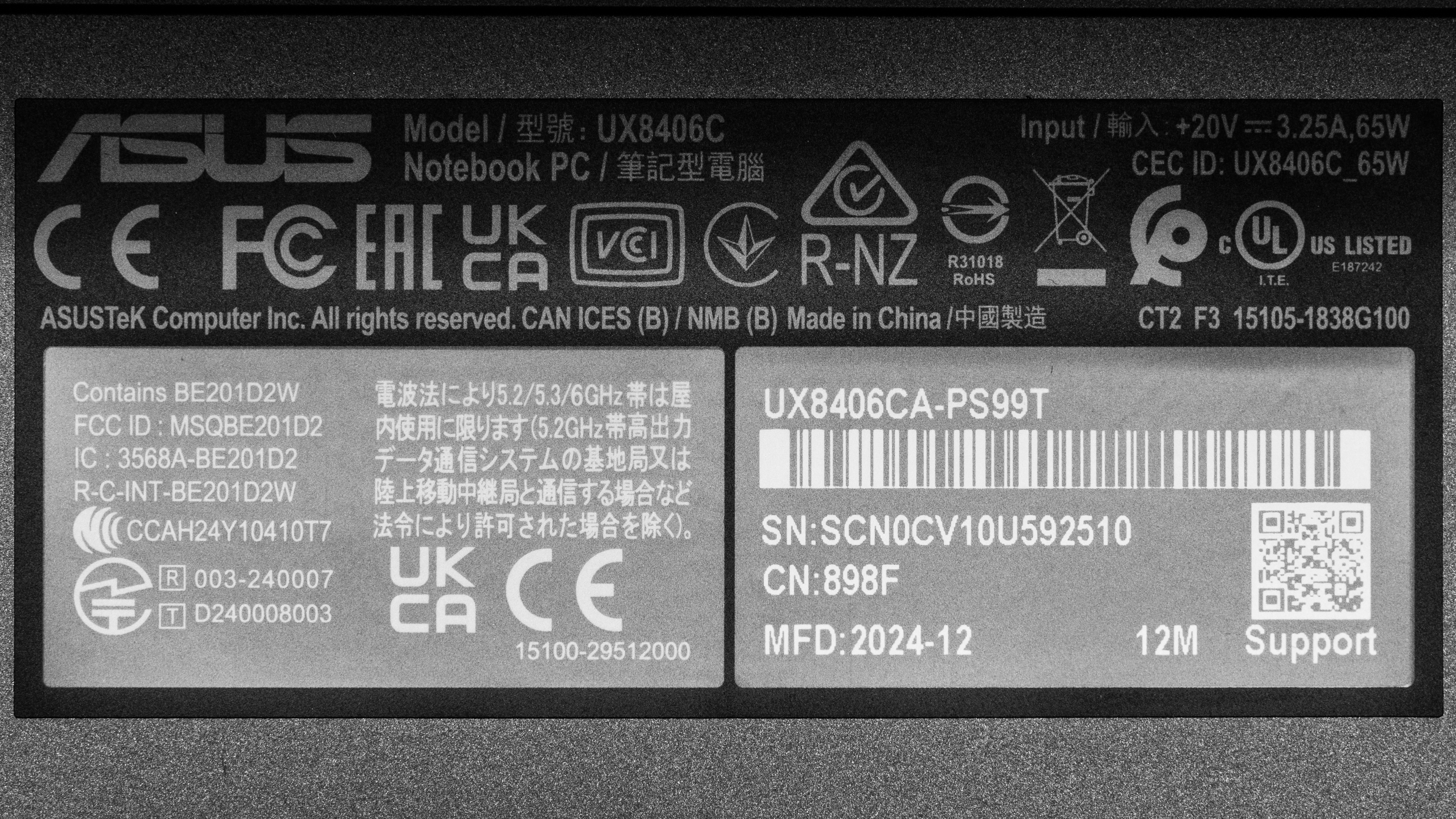
    We tested the ASUS Zenbook DUO (model UX8406C) with a 120Hz 2.8k display, an Intel Core Ultra 9 285H CPU, 32GB of RAM, and 1TB of storage. The display, CPU, and memory are configurable; see below for the available options. This review applies to the UX8406M and UX8406C models.

    SCREEN

    • 14" OLED 1920 x 1200 60Hz (touchscreen with stylus support, 500 cd/m² HDR, 100% DCI P3, Core Ultra Series 1 only)
    • 14" OLED 2880 x 1800 120Hz (touchscreen with stylus support, 500 cd/m² HDR, 100% DCI P3)

    CPU

    • Intel Core Ultra 7 155H (16 cores/22 threads, up to 4.8GHz, 24MB cache)
    • Intel Core Ultra 7 255H (16 cores/16 threads, up to 5.1GHz, 24MB cache)
    • Intel Core Ultra 9 185H (16 cores/22 threads, up to 5.1GHz, 24MB cache)
    • Intel Core Ultra 9 285H (16 cores/16 threads, up to 5.4GHz, 24MB cache)

    GPU

    • Intel Arc Graphics (integrated)

    MEMORY

    • 16GB 7467MHz LP-DDR5x
    • 32GB 7467MHz LP-DDR5x

    STORAGE

    • 1TB M.2 2280 PCIe Gen 4 NVMe SSD

    COLOR

    • Inkwell Gray

    See our unit's label.

    Popular Laptop Comparisons

    The ASUS Zenbook DUO is a good laptop overall. Its unique dual-screen feature is relatively new to the market, so there aren't many competitors in this market. Its form factor can be a solution for those who frequently need a lot of screen space to do their work; the main downside is a rather short battery life, as powering two screens is costly. The overall user experience is pretty good otherwise, though the loud fans can be a little off-putting. The build quality is outstanding, comparable to premium models like the Lenovo Yoga 9i 2-in-1 Aura Edition 14 (2025) and other Zenbooks in ASUS' lineup, like the ASUS Zenbook 14 OLED (2024).

    For more options, check out our recommendations for the best business laptops, the best laptops for photo editing, and the best laptops for working from home.

    Lenovo Yoga 9i 2-in-1 Aura Edition 14 (2025)

    The Lenovo Yoga 9i 2-in-1 Aura Edition 14 (2025) and the ASUS Zenbook DUO UX8406 14 (2025) are both premium convertible laptops; however, the Yoga only has one screen, while the Zenbook has two. The Zenbook DUO is obviously the better choice if you need the second screen, but remember that running both displays will significantly impact battery life. You get better CPU performance on the Zenbook DUO; however, the Yoga delivers a better overall user experience, as it has a higher quality webcam, better-sounding speakers, and lower fan noise.

    ASUS Zenbook 14 OLED (2024)

    While these two laptops have very different form factors, both the ASUS Zenbook 14 OLED (2024) and the ASUS Zenbook DUO UX8406 14 (2025) deliver a great user experience overall, so the choice depends on whether you need the DUO's second screen. The Zenbook DUO is also the better choice if performance is important to you, but keep in mind that it has louder fans and a shorter battery life.

    Apple MacBook Air 15 (M4, 2025)

    The Apple MacBook Air 15 (M4, 2025) and the ASUS Zenbook DUO UX8406 14 (2025) are very different. The former is a traditional clamshell model, while the latter is a dual-screen laptop with a kickstand, a detachable keyboard, and touch/pen input support. Both laptops deliver a great user experience overall, though the MacBook Air comes out slightly ahead, sporting an easier-to-use haptic touchpad, better-sounding speakers, and a much longer battery life. That said, the choice ultimately depends on whether you need a second.

    Lenovo ThinkPad X9 15 Aura Edition (2025)

    The Lenovo ThinkPad X9 15 Aura Edition (2025) and the ASUS Zenbook DUO UX8406 14 (2025) are both Windows ultraportables. However, they have very different form factors; the former is a traditional clamshell model, while the latter is a dual-screen model with a kickstand and detachable keyboard. The ThinkPad feels more premium, delivering a better user experience overall, but the Zenbook DUO is more versatile because it has two screens and pen input support. You can get better CPU performance on the ASUS; just keep in mind that it has a much shorter battery life and loud fans.

    Test Results

    perceptual testing image
    Sort:
    RATINGS
    Category:
    All
    Design
    Style
    Form Factor
    Traditional (Clamshell)

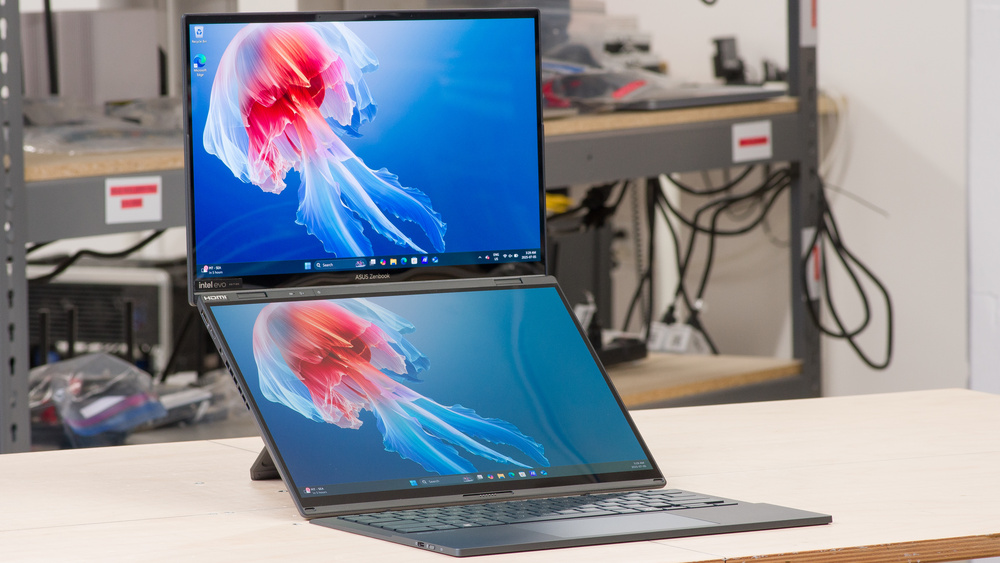
    The ASUS Zenbook DUO is only available in the Inkwell Gray colorway. See the bottom of the laptop. Since this is a dual-screen laptop with a detachable keyboard, you can use it in various ways other than the traditional single-screen setup, like the landscape mode shown above with one screen stacked above the other. Here's how it looks when using it in portrait mode with the two screens side by side. With the latter setup, you can lean the screen back and use the built-in kickstand to hold the device. The device feels pretty secure in this setup despite how it looks, though there's still a chance you might knock it over if you accidentally bump into it.

    9.0
    Build Quality

    The ASUS Zenbook DUO's build quality is outstanding. Its mostly aluminum chassis feels very sturdy, exhibiting little to no flex on the lid or keyboard deck. The removable keyboard flexes a little but still feels pretty solid overall considering how thin it is. The finish is fairly resistant to minor scratches and picks up only a small amount of fingerprints and smudges from regular use.

    9.4
    Hinge
    Range
    180°
    Stability
    Good
    One Finger Lift
    Yes

    The hinges feel smooth and solid when opening and closing the laptop. The screen wobbles a bit when adjusting it but not during heavy typing. As for the kickstand, it feels very sturdy, too, propping up the laptop firmly. You can use the included sleeve as a stand, which feels just as sturdy; the downside is that there's only one position available, so you can't adjust the height or incline of the laptop.

    8.0
    Portability
    Size
    14"
    Thickness
    1.0" (2.5 cm)
    Width
    12.4" (31.5 cm)
    Depth
    8.7" (22.0 cm)
    Volume
    103.6 in³ (1,697.9 cm³)
    Weight
    3.8 lbs (1.7 kg)
    Charger Size
    7.2 in³ (118.8 cm³)
    Charger Weight
    0.5 lbs (0.2 kg)

    With the keyboard sandwiched between the two screens for transport, the device is quite thick, even thicker than an Apple MacBook Pro 16 (2024), so you may have trouble putting into a bag with a tight laptop compartment. Removing the keyboard makes the device thinner on one side but might put more pressure on the screens due to the gap, potentially damaging them.

    3.8
    Serviceability
    Ease Of Access
    6.5
    RAM Slots
    0
    Storage Slots
    0
    Replaceable Battery
    Yes
    Replaceable Wireless Adapter
    No

    Accessing the ASUS Zenbook DUO's internals is relatively easy; you must unscrew and remove the panel below the kickstand, disconnect the eDP and battery power cables within, then remove the remaining screws on the bottom. Once you've removed the screws, you can easily pull up the display (not the bottom panel) to reveal the components. Proceed with care, as there's always a chance of breaking the display. Besides, only the battery is user-replaceable, so there's no reason to access the internals unless you're experiencing battery issues.

    Download the service manual from ASUS's support page.

    In The Box

    • 65W power adapter
    • USB-C to USB-C charging cable
    • ASUS Pen SA203H
    • Sleeve
    • Documentation
    Display
    Screen Specs
    Resolution
    2880 x 1800
    Aspect Ratio
    16:10
    Pixel Density
    242 PPI
    Panel Type
    OLED
    Touch Screen
    Yes
    Screen-To-Body Ratio
    87%

    The ASUS Zenbook DUO is available with the following displays:

    • 14" OLED 1920 x 1200 60Hz (touchscreen with stylus support, Core Ultra Series 1 only)
    • 14" OLED 2880 x 1800 120Hz (touchscreen with stylus support)

    At a pixel density of 162 PPI, the FHD+ (1920 x 1200) display looks reasonably sharp. You can see individual pixels up close, but that isn't a huge issue at typical viewing distances. That said, the 2.8k panel is noticeably sharper and will provide the best viewing experience. Here's a picture of the laptop with both screens on.

    8.7
    Refresh Rate
    Refresh Rate
    120 Hz
    Variable Refresh Rate
    Dynamic Refresh Rate

    While the 2.8k display has a 120Hz refresh rate that'll result in a smoother and snappier desktop experience than the 60Hz FHD+ panel, its response time is on the slow side, causing visible ghosting behind fast-moving objects. The 60Hz FHD+ likely has a slow response time, too. 

    Dynamic Refresh Rate helps prolong battery life by lowering the refresh rate when you aren't actively navigating around the desktop, but know that it isn't the same as G-SYNC or FreeSync, so you'll still see screen tearing when gaming.

    10
    Contrast
    Native Contrast
    49,660 : 1

    The display's contrast ratio is effectively infinite since OLEDs can turn off individual pixels to produce perfect blacks. The FHD+ display is also an OLED and will perform identically.

    7.3
    Brightness
    Maximum Brightness
    328 cd/m²
    Minimum Brightness
    4 cd/m²

    The main display gets bright enough for use in most indoor settings. However, visibility may still be an issue in well-lit environments because the screen's glossy finish doesn't handle bright reflections all that well. The second (bottom) display's max brightness is in the same ballpark. ASUS advertises a max brightness of 500 cd/m² in HDR; we could only get 350 cd/m² on the main screen and 340 cd/m² on the second screen. The FHD+ model has the same advertised brightness.

    6.7
    Reflections
    Screen Finish
    Glossy
    Total Reflections
    5.79%
    Indirect Reflections
    2.37%
    Calculated Direct Reflections
    3.41%

    The display's glossy finish primarily struggles with bright light sources, like a lamp or open window during the day. These reflections are visible even with the screen at full brightness. The FHD+ display has the same glossy finish.

    10
    Black Uniformity
    Uniformity (Std. Dev.)
    0.256%
    7.7
    Out-Of-The-Box Color Accuracy
    Avg. White Balance dE
    1.9
    Avg. Gamma
    2.19
    Avg. Color dE
    3.9895
    Avg. Color Temperature
    6,618.2 K

    The 120Hz 2.8k display's accuracy is good out of the box. Most white balance inaccuracies are minor and hard to spot. The color dE is high mainly because the panel uses the P3 color space by default, resulting in oversaturation. The gamma follows the curve relatively well; dark scenes are a little too dark, while bright scenes look slightly over-brightened.

    The second (bottom) display's accuracy is very similar to the primary display; here are the measurements:

    • Avg. White Balance dE: 2.55
    • Avg. Gamma: 2.18
    • Avg. Color dE: 4.28
    • Avg. Color Temp: 6819K
    9.6
    Color Gamut
    sRGB xy
    149.19%
    sRGB uv
    142.4%
    Adobe RGB xy
    93.77%
    Adobe RGB uv
    97.67%
    DCI P3 xy
    99.99%
    DCI P3 uv
    99.99%
    Rec. 2020 xy
    78.81%
    Rec. 2020 uv
    82.1889%

    The 120Hz 2.8k OLED display's color gamut is outstanding. It has full sRGB and DCI P3 coverage, as well as near-full coverage of the Adobe RGB color space, making it suitable for general media consumption and color-critical work like photo and video editing. The 60Hz FHD+ display has the same advertised color gamut.

    7.2
    Flicker
    Flicker-Free
    No
    Flicker Frequency
    480 Hz
    Flicker Active Below
    100%

    The FHD+ display likely has the same 480Hz flicker frequency. The flicker is unlikely to be an issue for most people, though people sensitive to display flicker may still find it bothersome.

    Interface
    8.2
    Keyboard
    Typing Quality
    8.0
    Numpad
    No
    Backlighting
    Adjustable
    See details on graph tool
    Operating Force
    62 gf
    Actuation Force
    35 gf
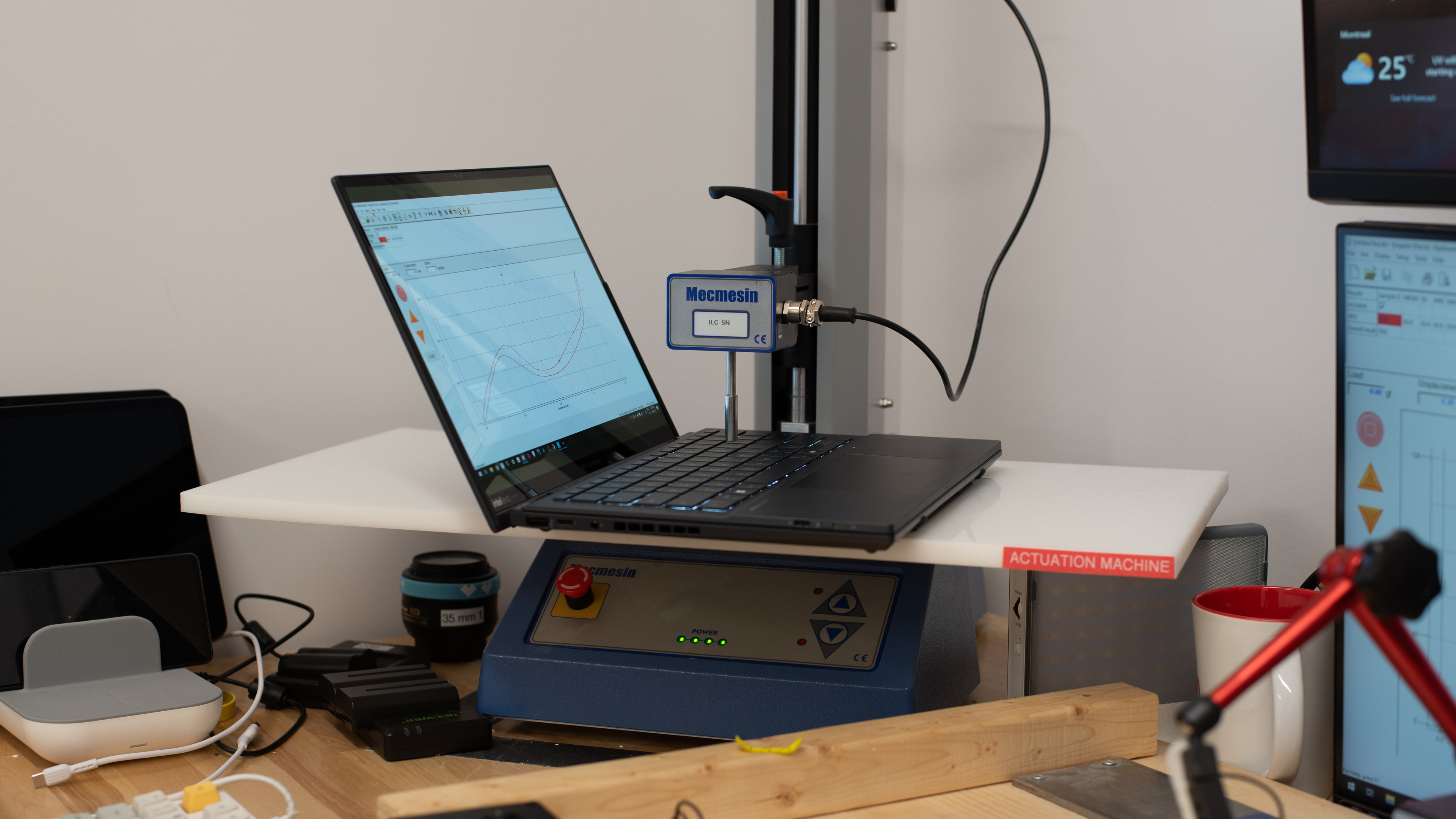
    Pre-Travel
    1.00 mm
    Total Travel
    1.51 mm

    The ASUS Zenbook DUO has a great keyboard. You can use this detachable keyboard wirelessly via Bluetooth or with a wired connection using the USB-C port on the side. Its layout feels spacious and is easy to get used to. The keys have decent travel and are easy to actuate, though they're slightly mushy, proving only a moderate amount of tactile feedback. The backlight is white; you can toggle between three brightness levels or turn it off completely using the F4 shortcut.

    8.1
    Touchpad
    Tracking Quality
    8.0
    Size
    15.1 in² (97.5 cm²)
    Material
    Glass
    Dedicated Buttons
    No

    The ASUS Zenbook DUO has a great touchpad. Its size is decent; it could be larger considering the amount of space available on the deck, but it's big enough to work comfortably. It tracks all movements and gestures well, and there are no issues with palm rejection or actions like dragging and dropping. Swiping along the left, right, and top edges lets you change settings like screen brightness and speaker volume; you can disable this feature in the MyASUS app if you don't like it. You can only click in the bottom half of the touchpad; the actuation feels a bit mushy.

    6.8
    Speakers
    See details on graph tool
    Max Volume
    71 dB SPL
    Standard Error @ Normal Vol. (65 dB)
    4.3 dB
    Slope @ Normal Vol. (65 dB)
    2.3
    Bass Extension (Low-Frequency Ext.)
    202 Hz
    Treble Extension (High-Frequency Ext.)
    8 kHz
    Dynamic Range Compression @ Max Vol.
    5.4 dB

    The ASUS Zenbook DUO's bottom-firing speakers don't get very loud, and they get muddy at higher volume levels. They have a moderate amount of bass and produce clear vocals, but things in the treble range, like cymbal hits, sound tinny and unnatural.

    7.4
    Webcam & Microphone
    Video Quality
    7.5
    Resolution
    1080p
    Position
    Top Center
    Privacy Cover
    No
    Face Unlock
    Yes

    The webcam is decent. The image has a fair amount of fine detail; however, there's a lot of noise throughout, and the exposure changes randomly at times. Additionally, the colors look a little faded. Voices sound relatively clear with only a small amount of static noise in the background.

    Connectivity
    8.0
    Ports
    USB-A Ports
    1
    USB-C Ports
    2
    Thunderbolt
    Thunderbolt 4
    USB-C Charging
    Yes
    USB-C Display Out
    Yes
    HDMI
    2.0
    DisplayPort
    No
    3.5mm Jack
    Combo mic/headphone
    Card Reader
    No
    Ethernet
    No
    Proprietary Port
    No
    Security Lock
    No

    The ASUS Zenbook DUO has a great port selection. The USB-A port supports USB 3.2 Gen 1 data transfer speeds of up to 5Gbps. Both USB-Cs support Thunderbolt 4 data transfer speeds of up to 40Gbps, DisplayPort, and Power Delivery. ASUS advertises the HDMI as an HDMI 2.1 port, but we consider it as HDMI 2.0 because it uses the TMDS (Transition-minimized differential signaling) signaling method and can only output at a maximum resolution of 4k @ 60Hz. The removable keyboard has its own USB-C port; you can use this port to connect the keyboard if you don't want to use Bluetooth.

    Wireless Communication
    Wi-Fi
    Wi-Fi 7 (802.11be)
    Bluetooth
    5.4

    The ASUS Zenbook DUO 14's wireless adapter is an Intel Wi-Fi 7 BE201D2W. The Intel Core Ultra 7 155H models come with a Wi-Fi 6E wireless adapter.

    Configuration
    CPU
    Brand
    Intel
    Model
    Core Ultra 9 285H
    Core Count
    16
    Thread Count
    16

    The ASUS Zenbook DUO UX8406 is available with the following CPUs:

    • Intel Core Ultra 7 155H (16 cores/22 threads, up to 4.8GHz, 24MB cache)
    • Intel Core Ultra 7 255H (16 cores/16 threads, up to 5.1GHz, 24MB cache)
    • Intel Core Ultra 9 185H (16 cores/22 threads, up to 5.1GHz, 24MB cache)
    • Intel Core Ultra 9 285H (16 cores/16 threads, up to 5.4GHz, 24MB cache)

    The four processors above belong to two different generations in Intel's lineup: the Core Ultra 1 Series (Ultra 7 155H and Ultra 9 185H), also known as Meteor Lake, and its successor, the Core Ultra 2 Series (Ultra 7 255H and Ultra 9 285H), also known as Arrow Lake. Both series adopt a similar core composition comprising six performance, eight efficiency, and two low-power efficiency cores. The main difference is that the newer Arrow Lake chips lack Hyper-Threading support. Generally speaking, the Arrow Lake chips have better single-thread performance and power efficiency than their predecessors, but they take a small step backward in multi-thread performance due to the lack of Hyper-Threading support. All four processors can handle light, general productivity tasks, as well as more demanding workloads like programming and video editing.

    See more information about the Core Ultra Series chips on Intel's product brief.

    GPU
    Brand
    Intel
    Model
    Arc 140T GPU
    Dedicated/Integrated
    Integrated
    VRAM Size
    N/A
    GPU Total Graphics Power (TGP)
    N/A

    The ASUS Zenbook DUO UX8406 is only available with Intel Arc graphics, an integrated GPU designed for light productivity tasks like web browsing and video playback, so don't expect to perform anything remotely intensive like 3D graphics. As for gaming, you can play some lighter or older titles at 1080p, but you'll have to play with low graphical settings to get playable frame rates.

    RAM
    Capacity
    32 GB
    Modules
    8 (Soldered)
    Type
    LP-DDR5x
    Speed
    7,467 MHz

    You can get this laptop with 16GB or 32GB of RAM. The memory isn't user-replaceable.

    Storage
    Advertised Capacity
    1,000 GB
    Usable Capacity
    917 GB
    Drive 1
    Western Digital PC SN5000S SDEQNSJ-1T00-1002
    Drive 1 TypeSSD
    Drive 2
    No 2nd Drive
    Drive 2 TypeNo 2nd Drive

    You can only get this laptop with 1TB of storage. The SSD is user-replaceable; the slot supports M.2 2280 PCIe Gen NVMe SSDs.

    Performance
    9.5
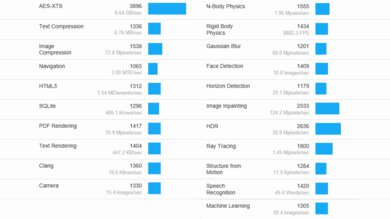
    Geekbench 5 (Synthetics)
    CPU Single-Thread
    2,132 points
    CPU Multi-Thread
    14,870 points
    GPU Compute
    42,785 points

    The ASUS Zenbook DUO's Intel Core Ultra 9 285H scores well in the Geekbench 5 benchmarks. While its single-thread performance lags behind Apple's M4 SoC, it's among the best for current-gen x86 chips. Multi-thread performance is great and certainly more than adequate for everyday, general productivity tasks. That said, there are much faster chips on the market, like the Intel Core i9-14900HX and Apple's M4 Max SoC. Using the second screen has little to no impact on performance.

    Unfortunately, the integrated GPU is pretty weak, so don't expect to run anything intensive.

    Here are the benchmark numbers from Geekbench 6 in case you're more familiar with them:

    • CPU Single-Thread: 2,925
    • CPU Multi-Thread: 15,986
    • GPU Compute: 42,496
    10
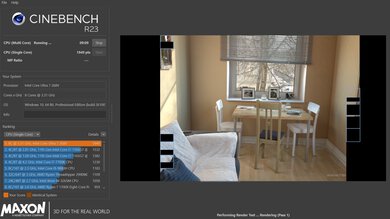
    Cinebench R23 (CPU Rendering)
    Single-Thread
    2,117 points
    Multi-Thread
    16,691 points

    The ASUS Zenbook DUO's Intel Core Ultra 9 285H scores remarkably well in Cinebench R23, making it suitable for intensive applications and heavy multitasking. Again, there are faster chips on the market if you need even more performance, like the Razer Blade 18 (2024)'s Intel Core i9-14900HX and the Apple MacBook Pro 16 (2024)'s M4 Max SoC.

    Here are the benchmark numbers from Geekbench 6 in case you're more familiar with them:

    • Single-Thread: 128
    • Multi-Thread: 951
    8.9
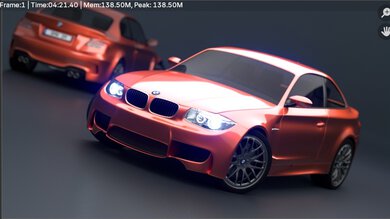
    Blender (3D Rendering)
    CPU Render Time
    2.2 min
    GPU Render Time
    N/A
    GPU Render Time (Optix)
    N/A

    While you can render 3D images using the CPU, getting a laptop with a dedicated GPU is best, as even an entry-level discrete GPU like the NVIDIA GeForce RTX 3050 can complete renders in considerably less time.

    5.9
    Basemark GPU (Game Scene)
    Overall Score
    23,282

    The ASUS Zenbook DUO's Basemark GPU score is mediocre. Its integrated Arc GPU is far too slow for graphically intensive games. You can play some simple, puzzle-like games or older titles at 1080p, but you'll have to play at a lower resolution or with low graphics settings to get playable frame rates. Using both displays simultaneously with the second screen showing only the desktop lowers the score slightly to 22,842.

    9.5
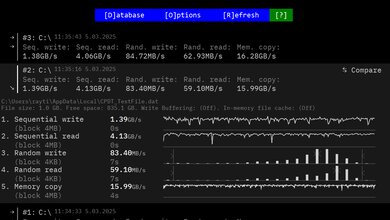
    Storage Drive Performance
    Sequential Write Speed
    1,578.4 MB/s
    Sequential Read Speed
    4,051.6 MB/s
    Random Write Speed
    104.6 MB/s
    Random Read Speed
    68.0 MB/s
    7.5
    Battery
    Capacity
    75 Wh
    Battery Life (Web Browsing)
    8.9 hrs
    Battery Life (Video Playback)
    7.8 hrs
    Battery Life (Gaming)
    2.2 hrs
    Charge Time
    2.1 hrs

    The posted results show the laptop's battery life when using a single display. Here are the results when using both displays, with the second screen only showing the desktop:

    • Battery Life (Web Browsing): 6.4 hrs
    • Battery Life (Video Playback): 6.3 hrs
    • Battery Life (Gaming): 1.9 hrs

    Models with 60Hz FHD+ displays will get longer battery life.

    5.6
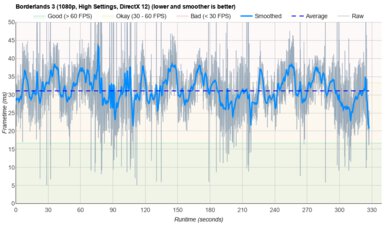
    Borderlands 3
    See details on graph tool
    Avg. FPS
    37 fps
    1% Low
    26 fps
    0.1% Low
    14 fps
    1% Low Delta
    12 ms
    0.1% Low Delta
    46 ms
    Avg. FPS On Very Low
    77 fps

    Borderlands 3 runs poorly on the ASUS Zenbook DUO. While you can get over 60 fps with low settings, the game stutters fairly frequently. Using the second screen, even if you only display the desktop, tanks the performance, lowering the average frame rate to 20 fps with High settings and 39 fps with Low settings.

    7.4
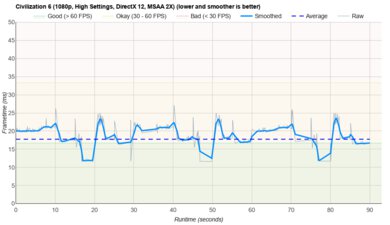
    Civilization VI
    See details on graph tool
    Avg. FPS
    58 fps
    1% Low
    40 fps
    0.1% Low
    39 fps
    1% Low Delta
    7 ms
    0.1% Low Delta
    8 ms
    Avg. FPS On Minimum
    199 fps
    Avg. Turn Time
    6.22 s

    The ASUS Zenbook DUO UX8406 can run Civilization VI and other similarly demanding strategy games smoothly at 1080p, as these types of games typically don't require a lot of GPU processing power. The average turn time is good and within the same ballpark as other current-gen CPUs.

    The posted results show the performance using only one screen. Using the second screen (showing the desktop) has a minimal impact on performance.

    7.3
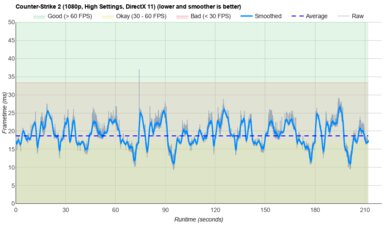
    Counter-Strike 2
    See details on graph tool
    Avg. FPS
    71fps
    1% Low
    43fps
    0.1% Low
    39fps
    1% Low Delta
    9 ms
    0.1% Low Delta
    12 ms
    Avg. FPS On Low
    188fps

    Counter-Strike 2 is playable at 1080p with some tweaks in the graphical settings, but you might experience some choppiness here and there, which isn't ideal for an FPS game. The average frame rate drops slightly if you use the second screen (showing the desktop only), lowering the average frame rate to 69 fps with High settings and 170 fps with Low settings.

    7.0
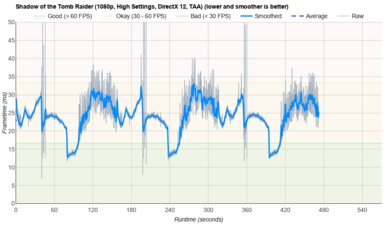
    Shadow Of The Tomb Raider
    See details on graph tool
    Avg. FPS
    45 fps
    1% Low
    34 fps
    0.1% Low
    33 fps
    1% Low Delta
    7 ms
    0.1% Low Delta
    8 ms
    Avg. FPS On Lowest
    69 fps

    Shadow of the Tomb Raider is playable on the ASUS Zenbook DUO UX8406 if you lower a couple of graphical settings. That said, you might still encounter some stutters in very busy scenes.

    7.8
    Thermals And Noise
    Keyboard Temp While Idle
    29 °C (83 °F)
    Keyboard Temp Under Load
    35 °C (96 °F)
    Fan Noise While Idle
    25.0 dBA
    Fan Noise Under Load
    51.2 dBA
    Power & Fan Control App
    Yes

    Heat isn't really an issue on this laptop if you use both screens since the keyboard will be completely detached from the device. Even when using the keyboard on top of the bottom display, the keyboard only gets mildly warm. The second (bottom) screen reaches 42.1 °C (107.78 °F) under load, which is warm but not hot enough to cause discomfort, so you shouldn't have any problems using pen input. Unfortunately, the bottom of the laptop gets quite hot, reaching 50.6 °C (123.08 °F), and the fans are very loud. You can adjust the performance and fan settings in the MyASUS app; just know you'll lose some performance.

    7.9
    Performance Over Time
    See details on graph tool
    CPU Temp (Cinebench)
    81 °C
    CPU Perf. Loss (Cinebench)
    14% loss
    GPU Temp (Heaven)
    66 °C
    GPU Perf. Loss (Heaven)
    0% loss
    Additional Features And Software
    Software
    Operating System
    Windows 11
    Additional Software
    Yes

    The ASUS Zenbook DUO has many pre-installed applications; see this video for the full list.

    Extra Features
    Biometrics
    Face Recognition
    RGB Illumination
    No
    Touch Pen Support
    MPP 2.0
    Secondary Display
    Yes

    The ASUS Zenbook DUO supports pen input, but you may have to buy the stylus separately, as it doesn't always come with the device. The included stylus is an ASUS Pen SA203H, an MPP (Microsoft Pen Protocol) 2.0 pen with 4096 levels of pressure sensitivity and tilt support. You also get three additional pen tips with different hardness (H, HB, and B), so you can customize the inking experience to your liking.

    The overall inking experience is pretty good and as expected from most devices with basic stylus support. Latency is very low thanks to the 2.8k display's 120Hz refresh rate, but expect to feel slightly more lag on models with the 60Hz FHD+ displays.