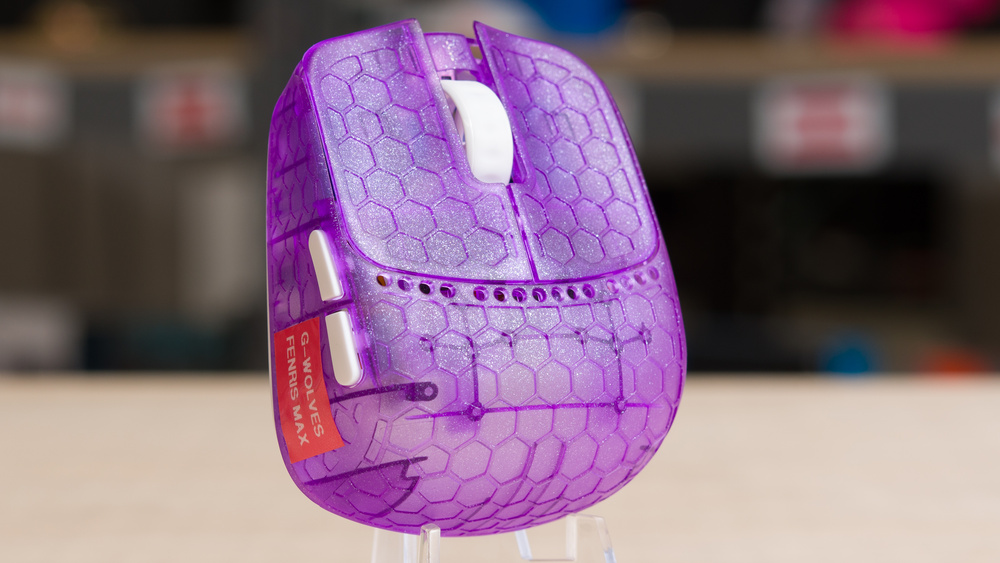
The G-Wolves Fenrir Max is a lightweight wireless gaming mouse, part of G-Wolves' Fenrir lineup, designed for a fingertip grip. It's significantly smaller and lighter than most FPS gaming mice but still includes a pair of side buttons, which not all fingertip mice offer. Its shell has a minimalist design with an open baseplate. While this exposes the interior and makes it more prone to collecting dust and debris, it also helps further reduce weight. It utilizes a PixArt PAW 3950 sensor, supports a maximum wireless polling rate of 8,000Hz, and features Huano Transparent Blue Shell Pink Dot mechanical switches.
Our Verdict
The G-Wolves Fenrir Max isn't designed with work use in mind, especially given its exclusively fingertip-grip shape, but it's perfectly adequate for this usage if that doesn't bother you. It also boasts impressive build quality for such a lightweight mouse, and it connects wirelessly using the included receiver, although it lacks Bluetooth support. That said, its open baseplate design means the interior can collect dust and debris, so it's less than ideal as a travel mouse you'd toss into a laptop bag. The scroll wheel also sits quite low in its housing, which may take some getting used to, and it lacks productivity features like tilt scrolling inputs or a free-scroll mode.
Impressive build quality.
No Bluetooth support.
Open baseplate design leaves the interior open to collecting dust and debris.
The G-Wolves Fenrir Max is an extremely small, lightweight mouse designed exclusively for fingertip grip. It delivers exceptional sensor and click latency performance for FPS gaming, making it an amazing option for competitive players who prefer this grip type. Despite its ultralight design, it also feels very well-built. Its only notable drawback is the open baseplate design, which leaves the interior more exposed to potential damage and allows dust and debris to collect inside. However, this isn't a problem during normal use, and G-Wolves includes a set of stickers to cover the bottom to mitigate it.
Impressive build quality.
Exceptionally low click latency
Exceptional sensor latency.
Maximum wireless polling rate of 8,000Hz.
Astonishingly lightweight.
Open baseplate design leaves the interior open to collecting dust and debris.
The G-Wolves Fenrir Max is good for MMO gaming, especially if you prefer fingertip-style shapes. It offers solid build quality and has two side buttons, which many fingertip mice lack. However, it doesn't come close to the button count of a dedicated MMO mouse. That said, its excellent sensor and click performance make it more than capable for competitive, PvP-oriented play.
Impressive build quality.
Exceptionally low click latency
Exceptional sensor latency.
Open baseplate design leaves the interior open to collecting dust and debris.
Far fewer side buttons than typical MMO mice.
The G-Wolves Fenrir Max provides outstanding raw performance, with exceptionally low and consistent sensor and click latency. It also supports a maximum polling rate of 8000 Hz, which helps provide more consistent and slightly smoother motion, particularly at higher frame rates.
Exceptionally low click latency
Exceptional sensor latency.
Maximum wireless polling rate of 8,000Hz.
Changelog
- Updated Mar 10, 2026: We've converted this review to Test Bench 1.5.2. This update removes the Delay To Start Of Movement and Delay To End Of Movement measurements from the Sensor Latency test. See our full 1.5.2 changelog for details.
-
Updated Nov 11, 2025:
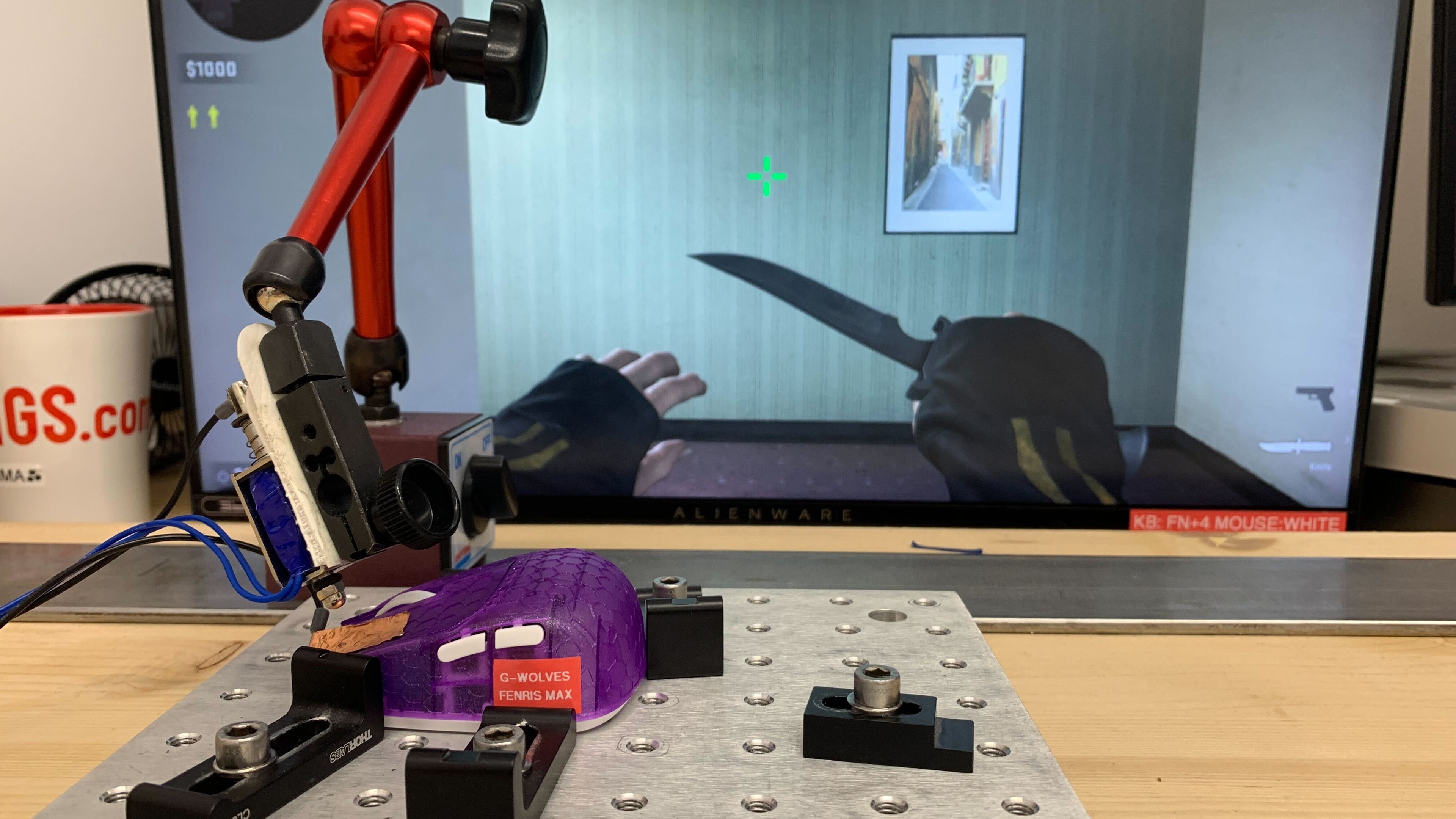
We've retested on G-Wolves' latest software (version 1.0.0.20), which adds properly implemented debounce settings that were missing from the version we originally tested. The unexpectedly poor click latency results we initially measured are now dramatically improved and in line with this model's expected performance. We've updated our review text in several places to reflect this change. See the Click Latency section for more details.
- Updated Nov 10, 2025: Review published.
- Updated Sep 10, 2025: Early access published.
Check Price
Differences Between Sizes And Variants
The G-Wolves Fenrir Max is available in three colorways: Black, White, and Violet. We tested a Violet unit. We typically include a photo of the unit label, but this mouse doesn't have a visible label to photograph. Some other review sources and retailers refer to this mouse as the G-Wolves Fenris, but they're actually referring to the same mouse.
Within the wider Fenrir lineup, G-Wolves offers another model called the G-Wolves Fenrir Asym, which shares the same internal components but has an asymmetrical shape and additional weight-saving cutouts in the shell. We expect our performance results in this review to also apply to that model.
There's an additional model within the Fenrir lineup called the G-Wolves Fenrir Pro. It shares the same shape as the Fenrir Max but is significantly lighter, featuring a more minimalist plastic shell with extensive weight-saving cutouts. While it uses the same sensor model, it has different main switches. We consider it different enough to be treated as a separate product, and we don't expect our performance results from this review to apply to it.
Popular Mouse Comparisons
The G-Wolves Fenrir Max is part of G-Wolves' latest lineup of wireless mice designed for fingertip grip users. Note that the name of this mouse is somewhat inconsistent. Some G-Wolves' documentation and some retailer listings refer to this mouse as the Fenrir Max, but it's the same mouse.
The company has carved out a niche in this space and is widely regarded as one of the top options for competitive players who favor this grip style. This model sits among G-Wolves' premium-priced offerings alongside the Fenrir Asym, a model in the same lineup with an asymmetrical shape for those who prefer more of an 'ergo' design approach with added pinky support.
Weighing in at under 30g, the Fenrir Max is one of the lightest gaming mice on the market, featuring cutting-edge internals, including a flagship PixArt PAW 3950 sensor and support for 8,000Hz polling. Its specifications are comparable to current high-end models from Logitech, Razer, and other industry leaders. Compared directly to other fingertip options, it outperforms budget models like the Keychron M4 and earlier G-Wolves models such as the HSK Pro 4K, and even slightly edges out premium wired alternatives like the Zaunkoenig M2K. Altogether, it's an outstanding wireless choice for competitive fingertip users. Its only major downside is the price, which places it in the same category as flagship models from Logitech and Razer at the top end of the market.
For more recommendations, see our picks for the lightest mouse, the best FPS mouse, and the best wireless gaming mouse.
The Zaunkoenig M2K and G-Wolves Fenrir Max are both extremely lightweight gaming mice designed for fingertip grip use. While they share a similarly wedge-shaped design, the Zaunkoenig is a wired-only model that's noticeably taller and wider than the G-Wolves. It also offers better build quality. By comparison, the G-Wolves is a wireless model with marginally better overall performance, though both are excellent options for competitive play with no perceptible performance differences in practice.
The G-Wolves HSK Pro 4K and G-Wolves Fenrir Max are wireless mice designed exclusively for a fingertip grip. While they share a similar wedge-shaped design, the HSK Pro 4K is slightly narrower and lower profile, with honeycomb perforations on its top shell. Despite being a bit larger and using a solid plastic shell, the Fenrir Max is actually slightly lighter. It also supports a higher maximum polling rate of 8000Hz and provides significantly better sensor latency.
The Keychron M4 and G-Wolves Fenrir Max are lightweight wireless gaming mice designed exclusively for fingertip grip. The Keychron is much longer and slightly taller, with a more centered hump and a fully enclosed plastic shell. In contrast, the G-Wolves is noticeably smaller and lighter, featuring a closed plastic top shell and an open bottom plate design that leaves it more exposed to dust and debris. The G-Wolves mouse also offers better build quality, higher-quality mouse feet, and better sensor performance.
The Razer Viper V3 Pro and G-Wolves Fenrir Max are both lightweight wireless gaming mice, but they have very different shapes. The Razer has a much larger, more traditional design that suits a wide range of hand sizes and grip types, while the G-Wolves is much smaller with a wedge-shaped body intended exclusively for fingertip grip. The G-Wolves is also significantly lighter, though its open baseplate design makes it more prone to collecting dust and debris. Both mice offer outstanding raw performance and support a maximum polling rate of 8000Hz, making them well-suited for competitive play.
Test Results

for pictures & test results


for pictures & test results








for pictures & test results







for videos & test results
