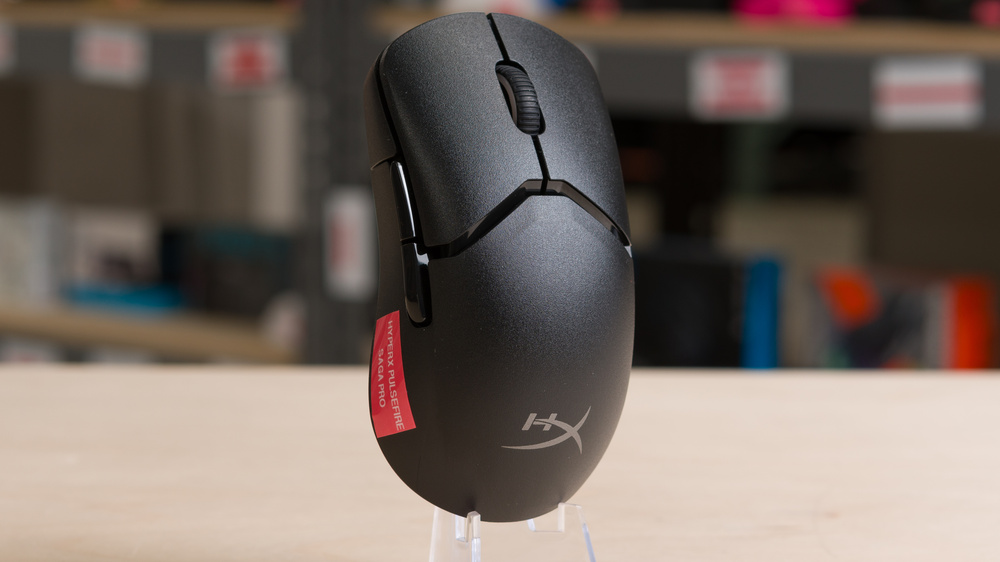
The HyperX Pulsefire Saga Pro is a wireless gaming mouse with a modular design that allows you to swap out the click button, palm rest, and side buttons. There is a pair of each modular piece included in the box, each of which slightly changes the shape and overall experience of the mouse, though it remains a right-handed ergo mouse in all included configurations. HyperX also advertises that you can print your own pieces if you have access to a 3D printer, and they host a small a repository of 3D-printable designs.
Our Verdict
The HyperX Pulsefire Saga Pro isn't designed specifically for work use. While it's perfectly adequate for typical desktop or laptop tasks and offers a comfortable modular shape and Bluetooth connectivity, it lacks productivity features like scroll wheel tilt inputs or a free-scrolling mode.
Excellent build quality.
Modular design with the option to 3D-print your own panels.
Scroll wheel lacks left-right tilt inputs and free scrolling.
Performance-wise, the HyperX Pulsefire Saga Pro is an outstanding FPS gaming mouse. It also has a comfortable right-handed shape best suited for small or medium-sized hands, and its standout feature is its modular customization potential. Its major weakness is that it's much heavier than most dedicated FPS mice on the market, which can affect the speed and accuracy of your cursor movement in-game.
Excellent build quality.
Modular design with the option to 3D-print your own panels.
Remarkably low sensor and click latency.
4000Hz maximum polling rate.
Heavy compared to dedicated FPS mice.
The HyperX Pulsefire Saga Pro has far fewer side buttons than a typical dedicated MMO mouse. That said, its comfortable modular shape and remarkably good raw performance make it perfectly suitable for playing MMOs if this doesn't bother you.
Excellent build quality.
Modular design with the option to 3D-print your own panels.
Remarkably low sensor and click latency.
The HyperX Pulsefire Saga Pro delivers remarkably good raw performance. Both click latency and sensor latency are more than suitable for competitive or casual play, and the mouse supports a maximum polling rate of 4000Hz.
Remarkably low sensor and click latency.
4000Hz maximum polling rate.
Changelog
- Updated Mar 10, 2026: We've converted this review to Test Bench 1.5.2. This update removes the Delay To Start Of Movement and Delay To End Of Movement measurements from the Sensor Latency test. See our full 1.5.2 changelog for details.
-
Updated Dec 12, 2025:
We've added a link to the Orbital Pathfinder in the Shape section.
- Updated Nov 28, 2025: Review published.
- Updated Aug 21, 2025: Early access published.
Check Price
Differences Between Sizes And Variants
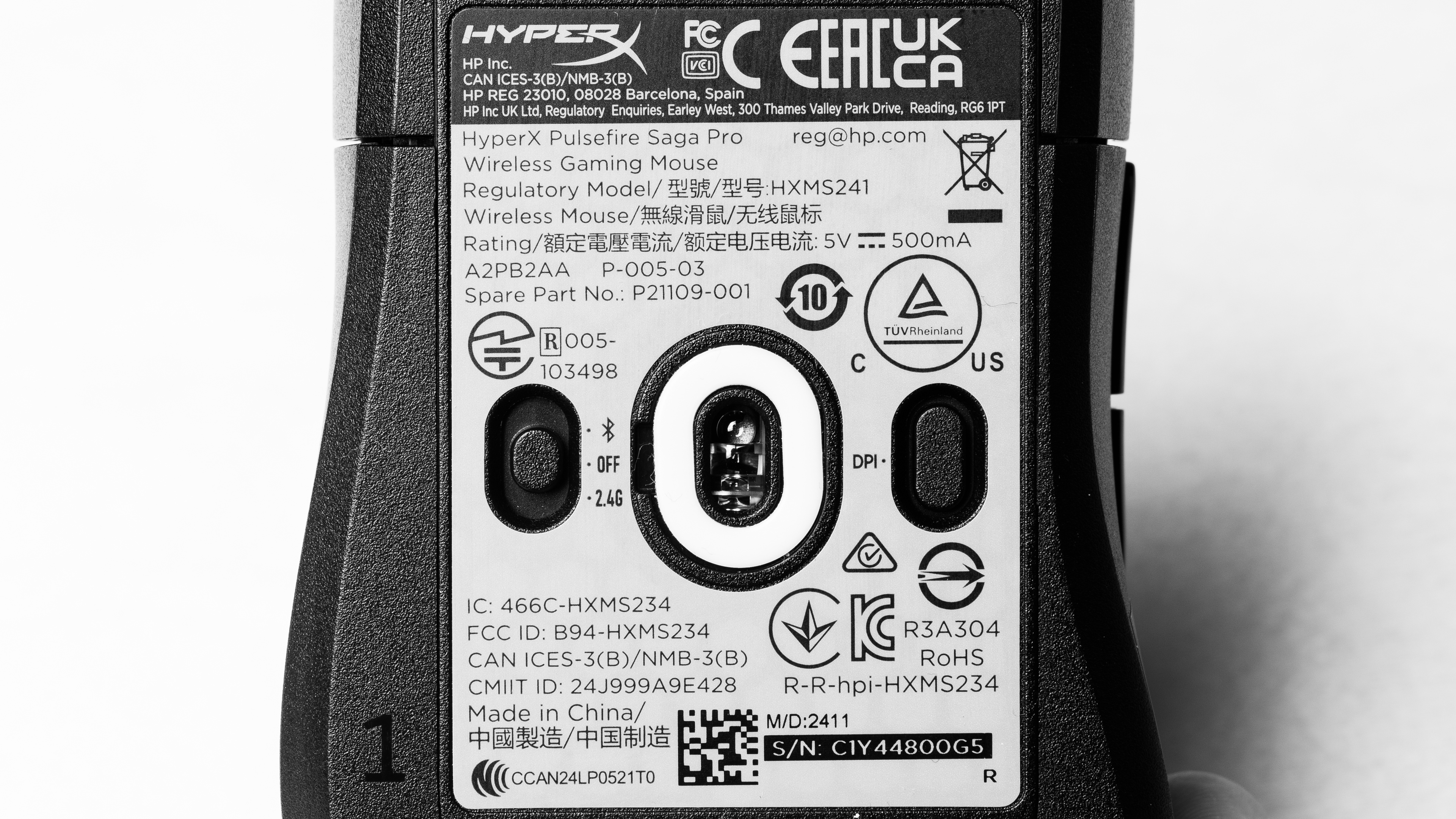
The HyperX Pulsefire Saga Pro is only available in Black. You can see our unit's label here.
There's a separate wired version of this mouse called the HyperX Saga Pro. We consider it a different product rather than a variant, and the results in this review aren't representative of it.
Popular Mouse Comparisons
The HyperX Pulsefire Saga Pro is a wireless gaming mouse with a modular design that lets you swap the palm rest, main buttons, and side button pieces to adapt the shape to your liking. It uses optical switches rather than the mechanical switches found on previous HyperX models, and these typically last longer since mechanical switches can develop double-click issues over time. Its overall performance is remarkably good and approaches most current-generation flagships, so it's more than suitable for competitive play.
The main drawback is the weight. It will feel excessive for most competitive FPS players unless you naturally prefer heavier mice. Within the market, it sits in the middle ground. It's much heavier than leading FPS options like the Razer Viper V3 Pro or the Logitech G PRO X SUPERLIGHT 2, although it's still noticeably lighter than bulkier multi-role designs like the Razer Basilisk V3 Pro or the Logitech G502 X PLUS.
Altogether, the Pulsefire Saga Pro is a compelling choice if you want modular flexibility, particularly if you plan on 3D printing your own parts. However, the included customization options are modest compared to more extensive modular systems, like the Orbital Pathfinder, so the appeal depends heavily on whether you plan to extend the system yourself.
For more recommendations, see our picks for the best mouse, the best wireless mouse, and the best wireless gaming mouse.
The Logitech G502 X PLUS and the HyperX Pulsefire Saga Pro are wireless gaming mice. The Logitech is much heavier but has a more generous ergonomic design with a thumb rest. It also has more programmable buttons and a scroll wheel with tilt inputs and free-scrolling, making it a much more versatile all-around pick. Comparatively, the HyperX is a much smaller mouse that's noticeably lighter. It has a right-handed ergo shape, and its noteworthy feature is that it has modular pieces, including a front button, a palm rest, and side buttons, which you can swap out to change how the mouse feels.
The HyperX Pulsefire Haste 2 is a wired gaming mouse with a symmetrical shape, while the HyperX Pulsefire Saga Pro is a wireless model with a right-handed ergonomic shape and modular main button, palm rest, and side button panels you can swap to change how it feels in-hand. The Saga Pro is heavier, but it performs better overall and uses optical switches, which typically have much better lifespans compared to mechanical switches like those used by the Haste 2.
The HyperX Pulsefire Haste 2 Wireless is a lightweight wireless gaming mouse with a symmetrical shape, while the HyperX Pulsefire Saga Pro is a heavier, right-handed, ergonomic model with a modular main button, palm rest, and side buttons that you can exchange to tweak how the mouse feels in your hand. The Saga Pro also has significantly better click latency and sensor latency performance, making it comparatively more suitable for playing fast-paced, competitive games. Lastly, the Saga Pro uses optical switches, which are typically longer-lived than the mechanical switches found in the Haste 2 Wireless.
The Logitech G PRO X SUPERLIGHT 2 and the HyperX Pulsefire Saga Pro are both wireless gaming mice, but the Logitech has a symmetrical shape that's very accommodating to a wide range of hand sizes and grip types. It's also significantly lighter and performs better, generally making it a more preferred option for competitive FPS play. On the other hand, the HyperX is much heavier and doesn't perform quite as well, but is noteworthy for its modular design, which allows you to swap out the front button, palm rest, and side button pieces to adjust how the mouse feels in your hand.
Test Results


for pictures & test results


for pictures & test results








for pictures & test results







for videos & test results
