Razer Naga V3 Pro  Mouse Review

Reviewed Sep 23, 2026 at 03:31pm
Tested using Methodology v1.5.2 
Razer Naga V3 Pro

Track

0.0
Work 
0.0
Video Games (FPS) 
0.0
Video Games (MMO) 
0.0
Raw Performance 

Track

 10

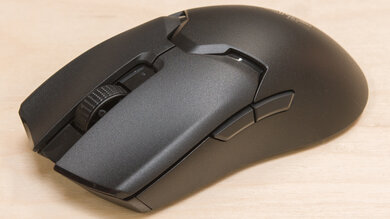
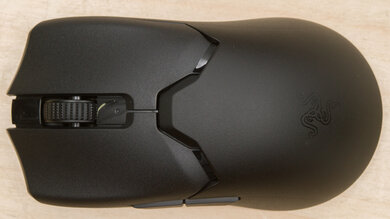
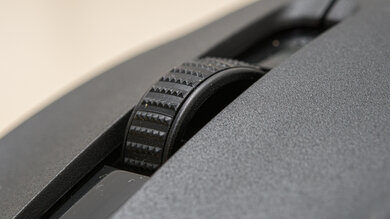
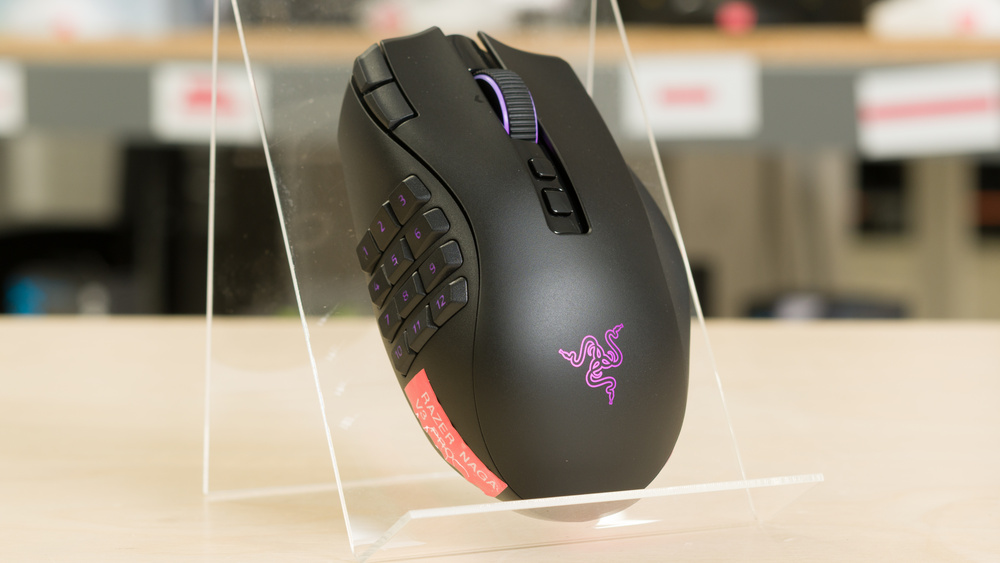
The Razer Naga V3 Pro is a wireless MMO gaming mouse that continues Razer's long-running Naga lineup. It has interchangeable side panels that let you change its button layout for different games. It retains the comfortable right-handed shape of the Razer Naga V2 Pro, including a finger rest along its right side. This version introduces a newer sensor and optical switches, along with two additional buttons beside the left-click button and a lockable ring-finger button. It also features a redesigned scroll wheel with notched and free-scrolling modes. You can connect it using its USB receiver, Bluetooth, or a wired USB connection.

Our Verdict

0.0
Work 

The Razer Naga V3 Pro is great for work use. It has excellent build quality and a comfortable right-handed shape, with a supportive ring-finger rest. Its interchangeable side panels and extensive button customization give you plenty of options for assigning shortcuts. It also supports Bluetooth, has quiet clicks, and offers free-scrolling and tilt-wheel inputs for navigating long documents and spreadsheets. However, its wide shape can feel unwieldy for smaller hands.

Pros
  • Excellent build quality.

  • Comfortable right-handed shape.

  • Has a set of three hot-swappable side panels with either 2, 6, or 12-button layouts.

  • Supports Bluetooth and multi-device pairing.

  • Multiple scroll wheel modes for notched and free-scroll settings.

Cons
  • Rather large, could be unweildy for small hands.

0.0
Video Games (FPS) 

The Razer Naga V3 Pro is excellent for FPS gaming if you're okay with a heavy mouse that requires some effort to aim quickly and accurately. It has excellent build quality and a comfortable right-handed shape, although its wide body is less accommodating for smaller hands. Its outstanding raw performance delivers highly responsive aiming and clicks, and you can swap the side panel for a simpler button layout.

Pros
  • Excellent build quality.

  • Comfortable right-handed shape.

  • Outstanding raw performance.

Cons
  • Heavy.

  • Rather large, could be unweildy for small hands.

0.0
Video Games (MMO) 

The Razer Naga V3 Pro is an outstanding MMO gaming mouse. Its interchangeable side panels include a 12-button layout that gives you plenty of inputs for abilities and macros, and you can easily customize button assignments using the companion software. It also has excellent build quality, a comfortable right-handed shape with a ring-finger rest, and outstanding raw performance for responsive gameplay. That said, the mouse is on the large side, and could feel unweildy if you have small hands.

Pros
  • Excellent build quality.

  • Comfortable right-handed shape.

  • Has a set of three hot-swappable side panels with either 2, 6, or 12-button layouts.

  • Outstanding raw performance.

Cons
  • Rather large, could be unweildy for small hands.

0.0
Raw Performance 

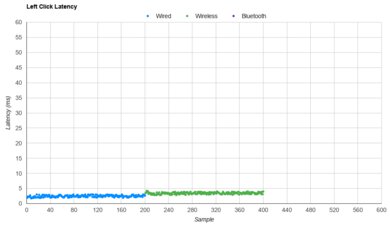
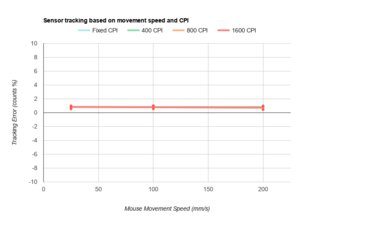
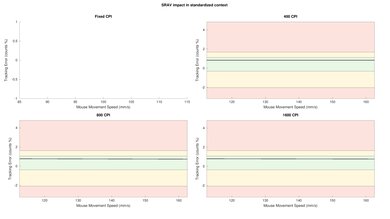
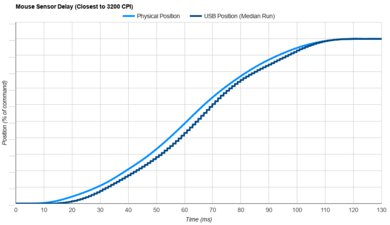
The Razer Naga V3 Pro delivers exceptional raw performance. Its click latency is remarkably low, and its sensor combines outstanding responsiveness with highly accurate tracking. Its maximum polling rate is limited to 1000Hz; however, its performance is still very well-suited to demanding gaming across different genres, and higher polling rates don't result in very much tangible benefit.

Pros
  • Remarkable click latency.

  • Superb sensor latency and accuracy.

Cons
  • Limited to 1000Hz polling rate.

  • 0.0
    Work
  • 0.0
    Video Games (FPS)
  • 0.0
    Video Games (MMO)
  • 0.0
    Raw Performance
  • Changelog

    1.  Updated Sep 23, 2026: Review published.
    2.  Updated Sep 18, 2026: Early access published.
    3.  Updated Sep 10, 2026: Our testers have started testing this product.
    4.  Updated Aug 19, 2026: The product has arrived in our lab, and our testers will start evaluating it soon.

    Check Price

    BlackNaga V3 Pro
    SEE PRICE
    Amazon
    BlackNaga V3 Pro
    SEE PRICE
    BestBuy.com
    BlackNaga V3 Pro
    SEE PRICE
    Razer
    BlackNaga V3 Pro
    B&H
    BlackNaga V3 Pro
    Walmart.com

    Differences Between Sizes And Variants

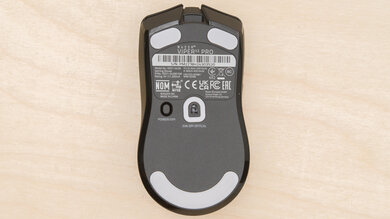
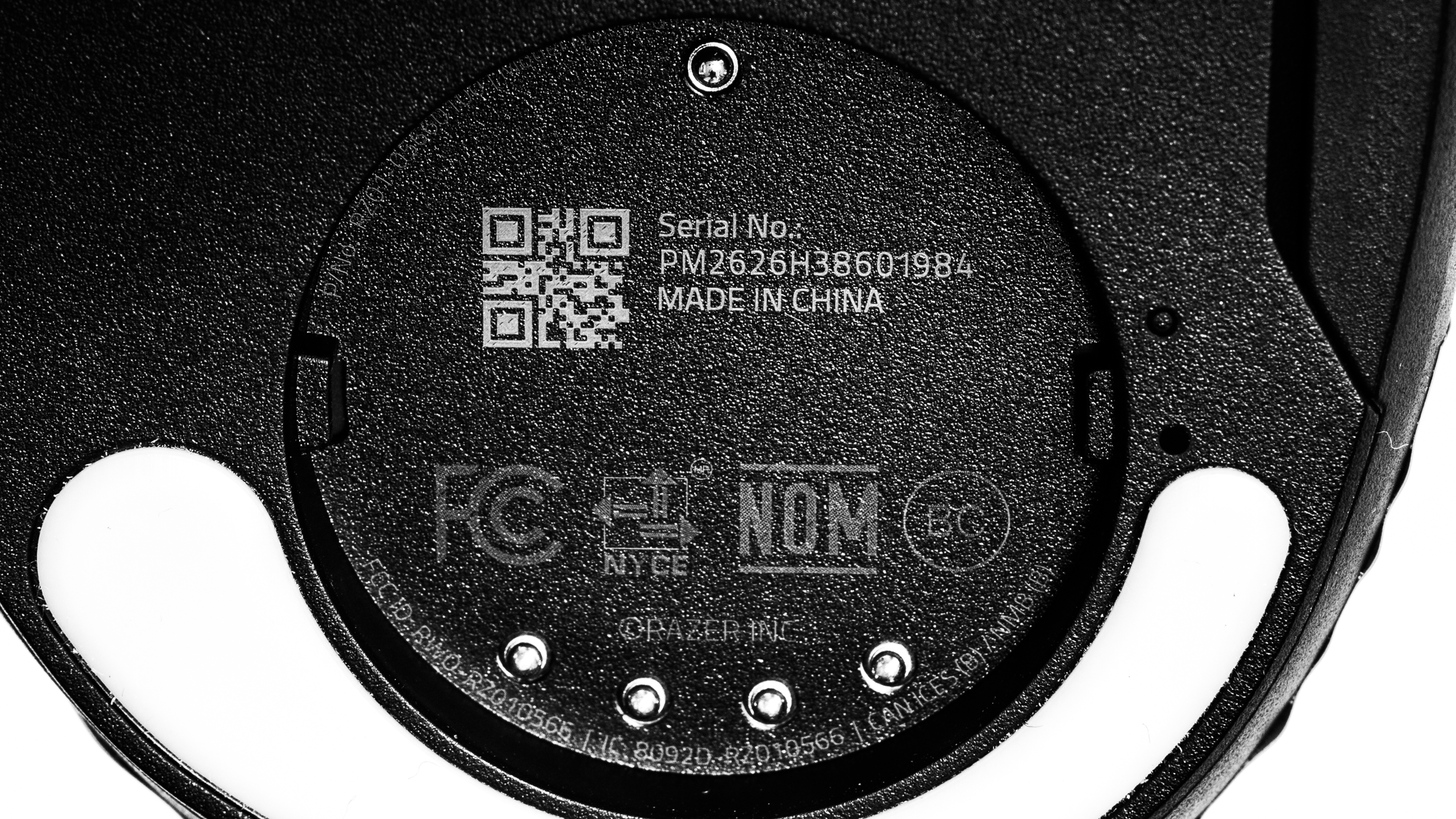
    The Razer Naga V3 Pro doesn't have any variants. Here's a photo of our unit's label.

    Popular Mouse Comparisons

    The Razer Naga V3 Pro is a small, iterative improvement to its predecessor, the Razer Naga V2 Pro. It's slightly lighter and has a new sensor and new L/R click switches while retaining the same overall shape. It also adds two buttons beside the left-click button and a ring-finger button, so you have more controls beyond the side panel. Lastly, it has a new scroll wheel with four distinct modes that replace the V2 Pro's adjustable resistance and step-count.

    Overall, this mouse sits at the top of the (admittedly small) market of dedicated MMO gaming mice. It has a very premium pricetag, but for that price, you get outstanding raw performance, excellent build quality, and incredible flexibility. Weight and its large size remain its biggest weaknesses. The SteelSeries Aerox 9 Wireless offers a lighter alternative with a full MMO button layout, while the wired Corsair SCIMITAR RGB ELITE has a sliding side-button panel that lets you adjust its position to suit your thumb. Those options don't offer the same performance and build quality as the Razer, however.

    For more options, see our recommendations for the best MMO mice, the best gaming mice, and the best wireless gaming mice.

    Razer Naga V2 Pro

    Track

    The Razer Naga V3 Pro and the Razer Naga V2 Pro are wireless MMO gaming mice from the same lineup. They share the same right-handed shape and interchangeable side-panel design. The V3 Pro is lighter and adds more buttons, an updated sensor, and a reworked scroll wheel with four distinct modes. The V2 Pro's scroll wheel lets you customize resistance and the number of steps per rotation. The V3 Pro is a minor, iterative upgrade over the V2 Pro.

    SteelSeries Aerox 9 Wireless

    Track

    The Razer Naga V3 Pro and the SteelSeries Aerox 9 Wireless are wireless MMO gaming mice. The Razer offers more flexibility through interchangeable side panels, and its free-scrolling wheel is useful for navigating long documents outside games. The SteelSeries is considerably lighter, making it easier to move quickly, but its side-button layout is fixed and its wheel lacks free scrolling. Both are fairly bulky, so neither is an ideal choice for smaller hands.

    Razer Naga V2 HyperSpeed

    Track

    The Razer Naga V3 Pro and the Razer Naga V2 HyperSpeed are wireless MMO gaming mice in the same lineup. The V3 Pro has interchangeable side panels and an internal rechargeable battery, and you can keep using it while it charges. The V2 HyperSpeed has a fixed 12-button side panel and uses an AA battery. The V3 Pro is the more upmarket option, but the V2 HyperSpeed delivers the main benefits of an MMO mouse at a much more reasonable price point.

    Test Results
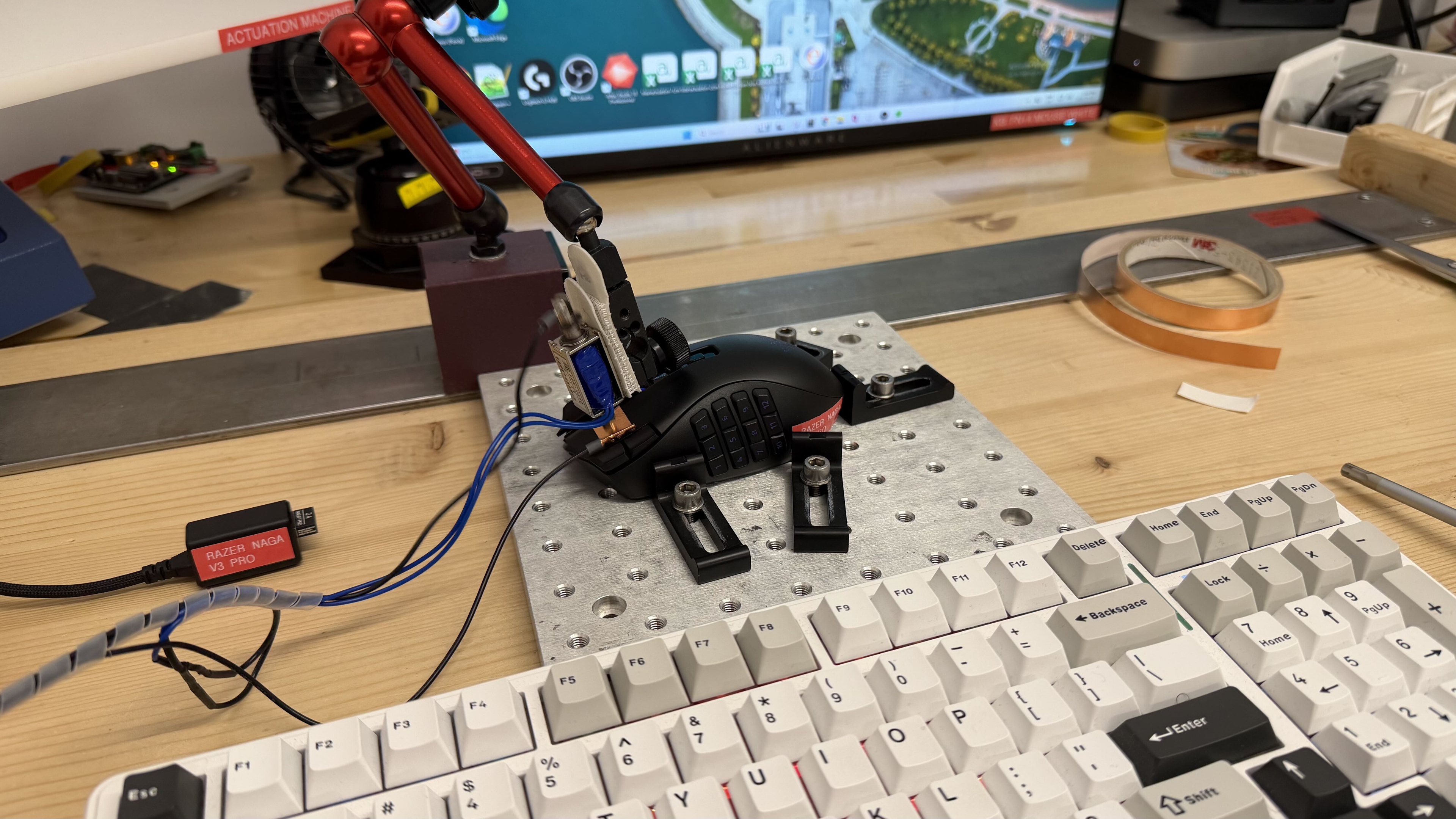
    perceptual testing image
    Sort:
    RATINGS
    Category:
    All
    Design
    Style
    Type
    LockedStandard
    Coating
    LockedLocked
    Lighting ColorLockedLocked
    Shape
    LengthLockedLock" (Lock mm)
    WidthLockedLock" (Lock mm)
    HeightLockedLock" (Lock mm)
    Grip Width
    LockedLock mm
    Ambidextrous
    LockedNo
    Left-Handed Friendly
    LockedLocked
    Finger Rest
    LockedLocked

    Become a member to view the full test results and text of the reviews, as well as extra website features and tools with no ads.

    0.0
    Build Quality

    Become a member to view the full test results and text of the reviews, as well as extra website features and tools with no ads.

    0.0
    Weight
    Lowest Weight
    LockedLock g
    Default Weight
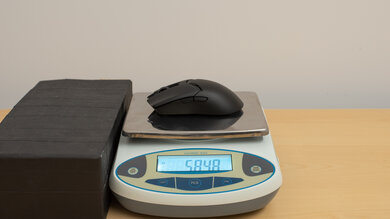
    Locked117.0 g
    Weight Distribution
    LockedLocked
    Extra Weights
    LockedLocked

    Become a member to view the full test results and text of the reviews, as well as extra website features and tools with no ads.

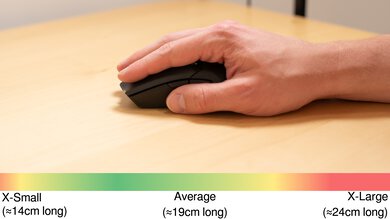
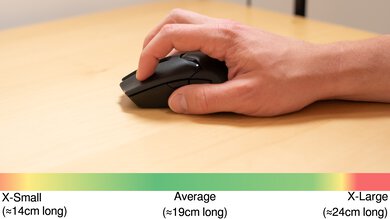
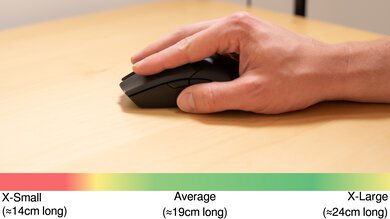
    Hand Size Recommendation
    Palm Grip Hand Recommendation
    Claw Grip Hand Recommendation
    Fingertip Grip Hand Recommendation

    Become a member to view the full test results and text of the reviews, as well as extra website features and tools with no ads.

    0.0
    Wireless Versatility
    Maximum Of Paired Devices
    LockedLocked
    Bluetooth
    LockedLocked
    Receiver
    LockedLocked
    Battery Type
    LockedLocked
    Use When Charging
    LockedLocked
    On/Off Activation
    LockedLocked
    Receiver Extender
    LockedLocked
    Receiver Storing
    LockedLocked
    Battery IndicatorLockedLocked

    Become a member to view the full test results and text of the reviews, as well as extra website features and tools with no ads.

    Cable
    ConnectivityLockedWireless
    Cable Length
    LockedLock ft (Lock m)
    Cable Type
    LockedLocked
    Permanent Kink
    LockedLocked
    Port Type: Mouse End
    LockedLocked
    Port Type: PC End
    LockedLocked

    Become a member to view the full test results and text of the reviews, as well as extra website features and tools with no ads.

    0.0
    Mouse Feet
    Gliding Experience
    LockedLocked
    Material
    LockedLocked
    Extra Included
    LockedLocked

    Become a member to view the full test results and text of the reviews, as well as extra website features and tools with no ads.

    In The Box

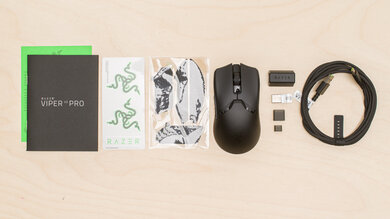
    Become a member to view the full test results and text of the reviews, as well as extra website features and tools with no ads.

    Control
    Main Button
    Switch Type
    LockedLocked
    Switch Model
    LockedLocked
    0.0
    Additional Buttons
    Total Number Of Buttons
    LockedLock
    Number Of Side Buttons
    LockedLock
    Number Of Programmable Inputs
    LockedLock
    Profile Switching Button
    LockedLocked
    Gesture Support
    LockedLocked

    Become a member to view the full test results and text of the reviews, as well as extra website features and tools with no ads.

    0.0
    Click Latency
    Expected Connection
    LockedLock ms
    Wired
    LockedLock ms
    Receiver
    LockedLock ms
    Bluetooth
    LockedLock ms

    Become a member to view the full test results and text of the reviews, as well as extra website features and tools with no ads.

    0.0
    CPI
    SRAV @ 1600 CPI
    LockedLock%
    SRAV @ 800 CPI
    LockedLock%
    SRAV @ 400 CPI
    LockedLock%
    SRAV @ Fixed CPI
    LockedN/A
    Precision Error Between Speeds
    LockedLock%
    Precision Error Between CPI
    LockedLock%
    Worst Tracking Error
    LockedLock%
    Minimum CPI
    LockedLock CPI
    Maximum CPI
    LockedLock CPI
    CPI Adjustment Steps
    LockedLock CPI

    Become a member to view the full test results and text of the reviews, as well as extra website features and tools with no ads.

    0.0
    Sensor Latency
    Delay At Half Movement
    LockedLock ms

    Become a member to view the full test results and text of the reviews, as well as extra website features and tools with no ads.

    Sensor Specifications
    Sensor Technology
    LockedLocked
    Sensor Model
    LockedLocked
    Works On Glass
    LockedLocked
    Minimum Lift Off Distance
    LockedLock mm
    Maximum Polling Rate
    LockedLocked

    Become a member to view the full test results and text of the reviews, as well as extra website features and tools with no ads.

    Mouse Wheel
    Scroll Wheel Type
    LockedLocked
    Scroll Wheel Tilt
    LockedLocked
    Thumb Wheel Type
    LockedLocked

    Become a member to view the full test results and text of the reviews, as well as extra website features and tools with no ads.

    Noise
    SAMPLE
    Join Now

    for videos & test results
    Razer Naga V3 Pro Noise Video Sample
    Click Noise
    LockedLocked

    Become a member to view the full test results and text of the reviews, as well as extra website features and tools with no ads.

    Operating System And Software
    Configuration Software
    SAMPLE
    Join Now

    for videos & test results

    Razer Naga V3 Pro Software Tour Sample
    Software NameLockedLocked
    Software Windows Compatibility
    LockedLocked
    Software macOS Compatibility
    LockedLocked
    On-Board Memory
    LockedLocked
    CPI (DPI) Adjustment
    LockedLocked
    Polling Rate Adjustment
    LockedLocked
    Profile Configuration
    LockedLocked
    Profile Auto-Switching
    LockedLocked
    RGB On/Off
    LockedLocked

    Become a member to view the full test results and text of the reviews, as well as extra website features and tools with no ads.

    0.0
    Mouse Compatibility
    Windows CompatibilityLockedLocked
    macOS CompatibilityLockedLocked

    Become a member to view the full test results and text of the reviews, as well as extra website features and tools with no ads.