Vegcoo C18   Mouse Review

Reviewed Jan 07, 2020 at 10:10am
Tested using Methodology v1.2 
Vegcoo C18
5.6
Office/Multimedia 
6.0
Video Games (FPS) 
5.0
Video Games (MMO) 
6.1
Ultra-Light Gaming 
7.2
Travel 
 2
The Vegcoo C18 is an overall bad wireless gaming mouse. Its performance is mediocre, with a CPI setting stuck at 1400, a very high lift off distance, and a low 250Hz, non-customizable polling rate. Its wireless range is also very short, which greatly affects performance. The mouse wheel is wobbly and scratches on the right-click button. This RGB mouse also doesn't have any dedicated software and feels very cheap. The only good part of this mouse is its low click latency. Even at such an affordable price point, this mouse is a poor choice.

Our Verdict

5.6
Office/Multimedia 

Sub-par for office. The Vegcoo C18 is a very bad mouse with mediocre performance and a very short wireless range. It's cheaply made and you can't modify its CPI or program any of its buttons.

Pros
  • Wireless design with built-in receiver storage.
  • Low click latency.
Cons
  • Extremely cheap plastic build.
  • Mediocre performance.
  • Scratches the surface it's gliding on.
  • Loose scroll wheel.
6.0
Video Games (FPS) 

Sub-par for video games. Although the Vegcoo's click latency is fairly low, this mouse is on the heavier side and its performance is mediocre. It's also very cheap and its performance is highly dependent on being in the very short range of its receiver.

Pros
  • Wireless design with built-in receiver storage.
  • Low click latency.
Cons
  • Extremely cheap plastic build.
  • Mediocre performance.
  • Scratches the surface it's gliding on.
  • Loose scroll wheel.
5.0
Video Games (MMO) 

Bad for MMO games. You can't program any of the Vegcoo C18's buttons, which are limited to begin with. This mouse also feels very cheap and its performance is mediocre. There are better dedicated MMO mice available.

Pros
  • Wireless design with built-in receiver storage.
  • Low click latency.
Cons
  • Extremely cheap plastic build.
  • Mediocre performance.
  • Scratches the surface it's gliding on.
  • Loose scroll wheel.
6.1
Ultra-Light Gaming 

Sub-par for ultra-light gaming. The Vegcoo is slightly heavy, and there's no way of reducing its weight. It isn't designed as an ultra-light gaming mouse and its performance is mediocre.

Pros
  • Wireless design with built-in receiver storage.
  • Low click latency.
Cons
  • Extremely cheap plastic build.
  • Mediocre performance.
  • Scratches the surface it's gliding on.
  • Loose scroll wheel.
7.2
Travel 

Decent for traveling. The Vegcoo is fairly portable since you can put its receiver inside the mouse's body to use wirelessly. However, it has mediocre performance and there are better options than this cheap mouse.

Pros
  • Wireless design with built-in receiver storage.
  • Low click latency.
Cons
  • Extremely cheap plastic build.
  • Mediocre performance.
  • Scratches the surface it's gliding on.
  • Loose scroll wheel.
  • 5.6
    Office/Multimedia
  • 6.0
    Video Games (FPS)
  • 5.0
    Video Games (MMO)
  • 6.1
    Ultra-Light Gaming
  • 7.2
    Travel
  • Changelog

    1.  Updated Aug 01, 2022: We've converted this review to Test Bench 1.2. This update simplifies our Weight test and expands on our CPI test from Test Bench 1.1, resulting in changes to test results in both sections. For more details, you can see our complete changelog here.
    2.  Updated Jul 20, 2022: We've converted this review to Test Bench 1.1. This update revamps our Click Latency test and results in changes to test results. For more details, you can see our full changelog here.
    3.  Updated Oct 23, 2020: Converted to Test Bench 1.0.
    4.  Updated Jan 07, 2020: Review published.

    Popular Mouse Comparisons

    The Vegcoo C18 is a very cheap wireless mouse that offers poor overall performance. It's also very hard to find it online. This mouse model seems to be made by various manufacturers. Our box says C18, while the mouse model is called the Q18 on the bottom side of the mouse. This is a very bad wireless gaming mouse and there are way better options available. See our recommendations for the best mice, the best gaming mice, and the best wireless gaming mice.

    Anker Gaming Mouse

    The Anker Gaming Mouse is better than the Vegcoo C18. Its performance is better, more consistent, and it's also lighter. It has access to dedicated software to customize its performance and reprogram its buttons. The Vegcoo is overall bad, and the Anker is a better budget option.

    Havit HV-MS760

    The Havit HV-MS760 is better than the Vegcoo C18. Although both are cheap mice, the Havit has better overall performance and a noticeably better build quality. The Havit also has swappable button panels and has access to dedicated software for customization options. There's no reason to get the Vegcoo over the Havit.

    Redragon M908

    The Redragon M908 is a better gaming mouse than the Vegcoo C18. The Redragon has better and customizable performance and is noticeably better-built. The Vegcoo is wireless but is one of the worst mice we've tested and is not worth getting.

    Anker High Precision Gaming Mouse

    The Anker High Precision Gaming Mouse is noticeably better than the Vegcoo C18. The Anker mouse has better performance, is well-built, and feels better in hand. Although the Vegcoo is wireless, it has poor performance and unreliable connection. The Anker mouse is a better option.

    VicTsing Wireless Gaming Mouse

    The Vegcoo C18 and the VicTsing Wireless Gaming Mouse are both disappointing wireless gaming mice. The Vegcoo is more comfortable for larger hands in both claw and fingertip grip and is rechargeable via Micro USB. On the other hand, the VicTsing feels much better built. The click latency of the Vegcoo is much lower than the VicTsing, and likely should be fine even for competitive gaming, but the VicTsing has an adjustable CPI. Unfortunately, neither of these mice have programmable buttons.

    Corsair GLAIVE PRO

    The Corsair GLAIVE PRO is a much better gaming mouse than the Vegcoo C18. The Corsair feels much better built, has a much better and more consistent sensor performance with a much wider adjustable CPI range, and is much more comfortable. On the other hand, the Vegcoo is wireless and has a surprisingly low click latency.

    Test Results

    perceptual testing image
    Sort:
    RATINGS
    Category:
    All
    Design
    Style
    Type
    Standard
    Lighting ColorRGB

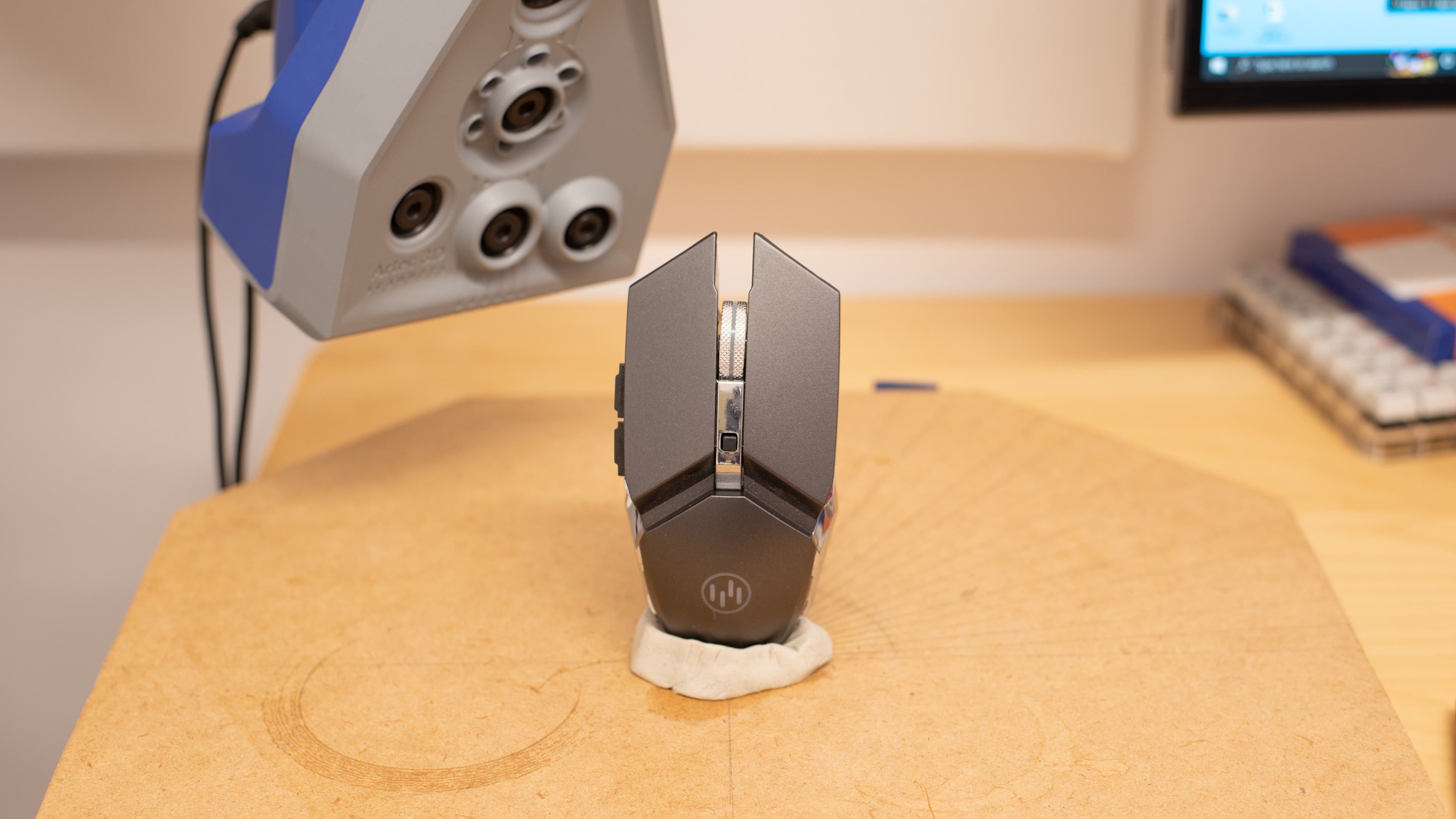
    The Vegcoo C18 has a fairly futuristic look with space gray and chrome colors. It also has RGB lighting, which gives it an even more gaming-oriented style. However, you can't control the RGB lighting, and the mouse looks fairly cheap because of the materials used.

    Shape
    Length5.0" (128 mm)
    Height1.5" (39 mm)
    Width2.5" (64 mm)
    Grip Width
    60 mm
    7.6
    Portability
    Volume
    19.47 in³ (319 cm³)
    Cable/Receiver Storing
    Yes

    The mouse is fairly portable thanks to its wireless design. There's also a storage compartment for the receiver on the bottom side of the mouse.

    5.5
    Build Quality

    The Vegcoo has terrible build quality. The plastic is very cheap, and the scroll wheel wobbles around a lot and scrapes on the right-click button when scrolling. The chrome side panels feel very cheap and scratch on the mousepad during use. The side buttons are also very loose. On the upside, the two main click buttons are silent and feel nice, but that's about it. It is so cheaply built that even the oldschool IBM PS/2 trackball mouse feels a lot more solid than the Vegcoo.

    5.6
    Weight
    Lowest Weight
    113.1 g
    Default Weight
    113.1 g
    Weight Distribution
    Front-heavy
    Extra Weights
    No

    The Vegcoo is a fairly heavy mouse and there's no way of reducing the weight.

    7.0
    Comfort Of Use
    Right-handed
    No
    Left-handed
    No
    Ambidextrous
    Yes
    Coating
    Glossy
    Finger Rest
    No

    The ergonomics aren't great. The mouse doesn't have grips and the plastic chrome side panels are slippery. It has an ambidextrous design that's suitable for both right-handed and left-handed people, although the side buttons are only on the left side.

    Palm Grip: Hand Size Recommendation
    Small Hand
    No
    Medium Hand
    Yes
    Large Hand
    Yes
    X.Large Hand
    No

    Extra-large hands might find this mouse to be a bit short for them in palm grip, while the side buttons are too far forward for people with small hands.

    Claw Grip: Hand Size Recommendation
    Small Hand
    No
    Medium Hand
    Yes
    Large Hand
    Yes
    X.Large Hand
    Yes

    The Vegcoo is too long for small hands and they'll have trouble reaching the side buttons. On the upside, using a claw grip with curled up fingers fixes the problem extra large hands could have with a palm grip.

    Fingertip Grip: Hand Size Recommendation
    Small Hand
    No
    Medium Hand
    Yes
    Large Hand
    Yes
    X.Large Hand
    Yes

    This mouse is a bit too large for small hands to use in a fingertip grip.

    6.8
    Wireless Versatility
    Bluetooth
    No
    Receiver
    Yes
    Battery Type
    Rechargeable
    Use When Charging
    Yes
    On/Off Activation
    Auto Off And On/Off Switch
    Receiver Extender
    No
    Battery IndicatorNo

    The Vegcoo is a wireless-only mouse that connects to a dedicated receiver. However, the wireless range of this mouse is very short and its performance is noticeably impacted when slightly out of range.

    5.5
    Cable
    ConnectivityWireless
    Cable Length2.1 ft (0.6 m)
    Cable Type
    Rubber
    Permanent Kink
    Yes
    Port Type: Mouse End
    Micro USB
    Port Type: PC End
    USB

    The Vegcoo C18's cable is very bad. It's a charging-only cable and it's abnormally short. You basically can't use the mouse when charging, unless you have the perfect setup. Thankfully, this is a standard USB to micro-USB cable, so it should be easy to find a longer replacement.

    6.0
    Mouse Feet
    Gliding Experience
    Very Bad
    Material
    PTFE
    Extra Included
    No
    In The Box

    • Vegcoo C18
    • Wireless receiver
    • Charging cable
    Control
    3.6
    Buttons
    Buttons Activation
    Mechanical
    Total Number Of Buttons
    6
    Number Of Side Buttons
    2
    Number Of Programmable Inputs
    0
    Profile Switching Button
    No
    CPI (DPI) Switching Button
    No
    Gesture Support
    No

    The Vegcoo C18 has a few buttons, but none of them are programmable and their quality is sub-par. Although we think the top button is a CPI switch, ours doesn't do anything. The two main clicks are silent, on purpose, and they feel nice. However, the side buttons are very loose. You can also turn off the RGB with the power on/off switch on the underside of the mouse. If you're interested in a gaming mouse with two buttons behind the scroll wheel for adjusting the CPI, check out the DELUX Game Titan M626.

    7.2
    Click Latency
    See details on graph tool
    Expected Connection
    11.7 ms
    Wired
    N/A
    Receiver
    11.7 ms
    Bluetooth
    N/A

    Surprisingly, the Vegcoo C18's click latency is very low. The mouse feels responsive when in the short range of the receiver.

    3.7
    CPI
    See details on graph tool
    SRAV @ 1600 CPI
    N/A
    SRAV @ 800 CPI
    N/A
    SRAV @ 400 CPI
    N/A
    SRAV @ Fixed CPI
    -21.74%
    Precision Error Between Speeds
    21.74%
    Precision Error Between CPI
    N/A
    Worst Tracking Error
    -67.57%
    Minimum CPI
    1,400 CPI
    Maximum CPI
    1,400 CPI
    CPI Adjustment Steps
    N/A
    Sensor Specifications
    Sensor Technology
    Optical (LED)
    Sensor Model
    Not Specified
    Works On Glass
    No
    Minimum Lift Off Distance
    4.8 mm
    Maximum Polling Rate
    250 Hz
    Mouse Wheel
    Scroll Wheel
    Notched Wheel
    Scroll Wheel Steps
    24 Steps
    Scroll Wheel Tilt
    No
    Thumb Wheel
    No
    Thumb Wheel Steps
    No Thumb Wheel

    Although the mouse has a scroll wheel, it's one of the worst we've tested so far. The increments are very soft and the wheel scrapes on the right-click button when using it. The scroll wheel is very loose and feels very cheaply made.

    Noise
    Click Noise
    Very Quiet
    Operating System And Software
    0.0
    Compatible Software Option
    Software NameNo software
    Software Windows Compatibility
    No
    Software macOS Compatibility
    No
    Account Needed
    No Software
    On-Board Memory
    No
    CPI (DPI) Adjustment
    No
    Polling Rate Adjustment
    No
    Profile Configuration
    No
    RGB On/Off
    No

    This mouse doesn't have any dedicated software for customization options.

    10
    Mouse Compatibility
    Windows CompatibilityFully
    macOS CompatibilityFully

    Amazing compatibility for this mouse, as it works perfectly on both Windows and macOS.