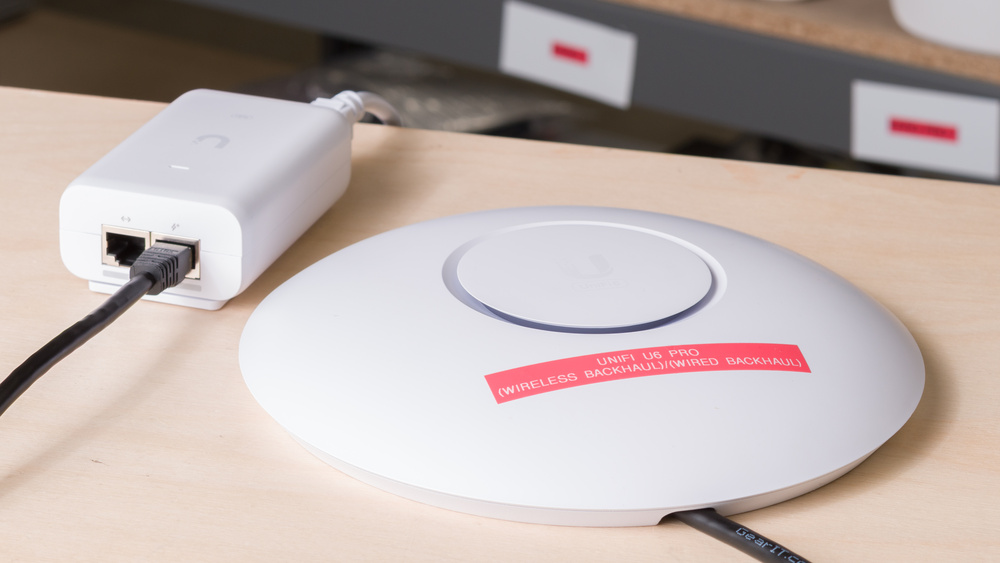
The UniFi U6 Pro is a dual-band Wi-Fi 6 access point designed for large offices that must be connected to a router or controller to function. In this review, we connected it to the UniFi Dream Router 7 and tested it with a wireless backhaul configuration. It has a single 1Gbps PoE RJ45 port that's used for both power and networking. It's designed to be wall or ceiling-mounted, with the necessary hardware included in the box. It's also IP54 rated.
We also tested this router using a wired backhaul configuration in a separate UniFi U6 Pro (Wired Backhaul) review.
Note: Since the UniFi U6 Pro is an access point and not a router, we tested it as a satellite unit connected to a UniFi Dream Router 7 (UDR7), which served as our base unit. This means that our verdict scores and the scores in our range tests are largely determined by the UDR7's performance, and should not be used to compare this access point to other routers that we've tested.
Our Verdict
The UniFi U6 Pro is a good access point for apartments when used in a wireless backhaul configuration, but it's not specifically designed for this use. It must be connected to a router or controller and requires power over Ethernet (PoE) to function. It's designed to be wall or ceiling-mounted, which can necessitate drilling holes that may not be renter-friendly. Its performance depends on factors like the layout of your home, its construction materials, the router you connect it to, as well as your wireless network's topography, which is likely very different from the testing conditions in our lab. With that in mind, the access point doesn't deliver significantly better range or speeds than the UniFi Dream Router 7 (which acted as the 'Base Unit' in our testing) in a standalone configuration. That said, the access point could still provide benefits in environments where your base unit doesn't give good coverage.
Good range.
Drop in speeds due to mesh penalty.
Newer Wi-Fi 6E and 7 devices can't reach their full speeds on this Wi-Fi 6 access point.
The UniFi U6 Pro is a good access point for larger homes when used in a wireless backhaul configuration. It needs to be connected to a router or a controller to function, and it's designed to be wall or ceiling-mounted, which can mean drilling holes in your walls or ceiling. Its performance is also largely determined by your home's layout and construction materials, which are likely different from the testing conditions in our lab. It doesn't deliver significantly better speeds or range than the UniFi Dream Router 7 that we used as the 'Base Unit' in our testing, but it can help with coverage in parts of your home that may not be well served by your primary access point.
Good range.
Drop in speeds due to mesh penalty.
Newer Wi-Fi 6E and 7 devices can't reach their full speeds on this Wi-Fi 6 access point.
Newer Wi-Fi 6E and 7 devices can't reach their full speeds on this Wi-Fi 6 access point.
Note that most of the score for this performance usage is determined by the results of the Interior Short Range test, and for much of it, our testing device was connected to the UniFi Dream Router 7. There's a measurable but expected drop in speeds while connected to this access point due to the nature of using wireless backhaul.
Drop in speeds due to mesh penalty.
Newer Wi-Fi 6E and 7 devices can't reach their full speeds on this Wi-Fi 6 access point.
The UniFi U6 Pro has good range in a wireless backhaul configuration. It maintains steady speeds over longer distances and can effectively extend the range of your network.
Good range.
Newer Wi-Fi 6E and 7 devices can't reach their full speeds on this Wi-Fi 6 access point.
Newer Wi-Fi 6E and 7 devices can't reach their full speeds on this Wi-Fi 6 access point.
Changelog
- Updated Jun 22, 2026: We've updated this review to Test Bench 0.9.1! This is a minor change that makes the router type easier to see at the top of each review. Read the changelog for more info.
-
Updated May 22, 2026:
We've added a link to the newly reviewed UniFi U7 Pro XGS (Wireless Backhaul) in the Wi-Fi Specifications section of this review.
- Updated May 08, 2026: We've updated this review to Test Bench 0.9! This update adds wireless latency testing to evaluate router gaming performance. Read the changelog for more info.
- Updated Dec 16, 2025: We've added an MLO Implementation test for Test Bench 0.8.2! Read the changelog for more details.
Check Price
Differences Between Sizes And Variants
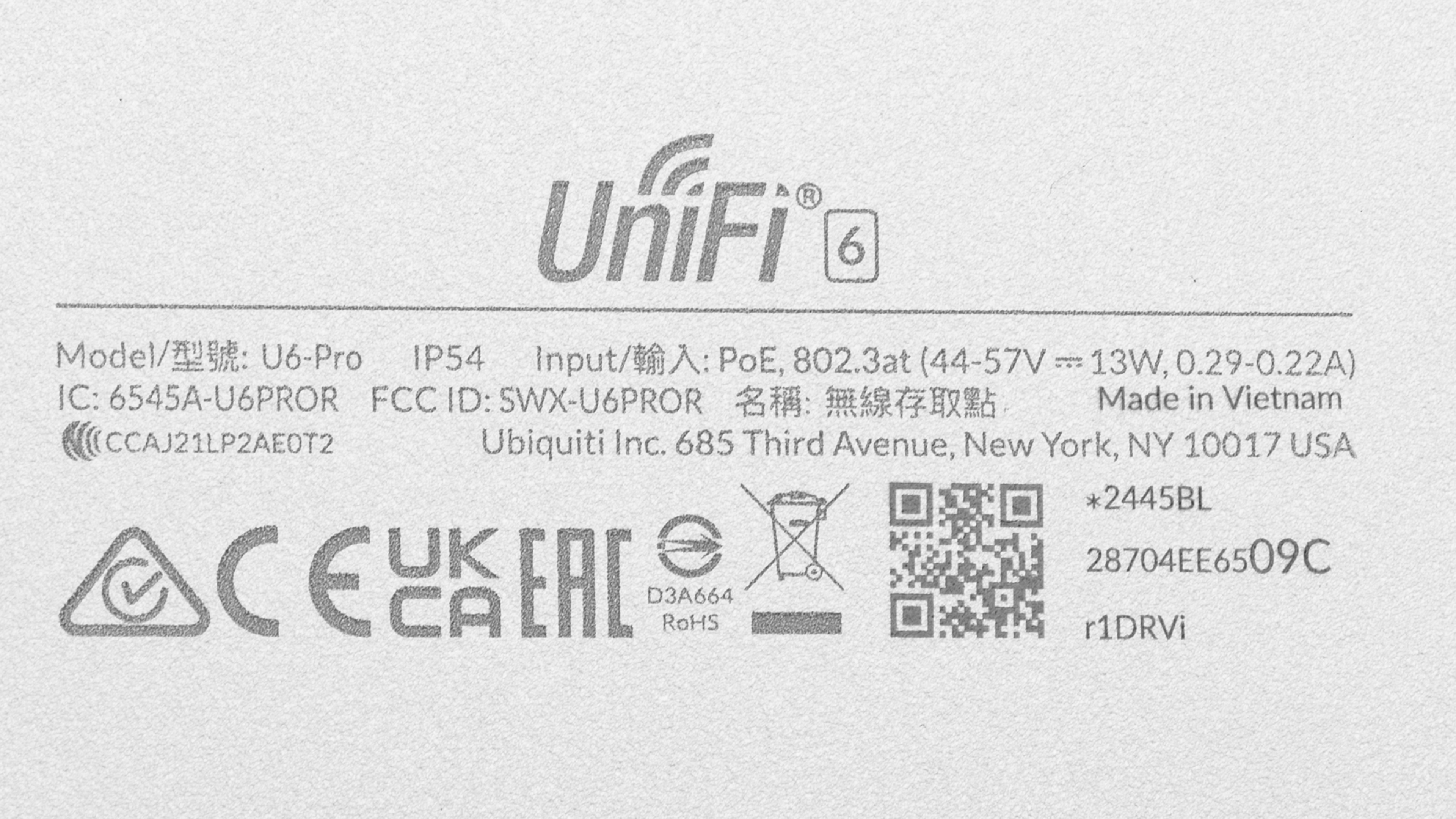
The UniFi U6 Pro doesn't have any variants. Accessories like a paintable polycarbonate cover and a wall-mount arm are available from Ubiquiti. You can see a photo of our unit's label here.
Popular Router Comparisons
The UniFi U6 Pro is a dual band Wi-Fi 6 access point that must be connected to a router or controller to function. You can use it in either a wired or wireless backhaul configuration. For this review, we tested it using wireless backhaul to the UniFi Dream Router 7. It has a single 1Gbps power over Ethernet (PoE) port that's used to power the device and for networking (if using a wired backhaul).
In this configuration, it performs similarly to budget mesh routers like the eero 6 and the eero 6+, with good range and speeds, but nothing particularly impressive. Using it with a wireless backhaul significantly kneecaps its performance compared to using it with a wired backhaul. It's not as performant as the pricier UniFi U7 Pro, a tri-band Wi-Fi 7 access point, especially if you have Wi-Fi 6E or 7 devices that can take advantage of its faster 6GHz band.
If you're looking for more options, check out our recommendations for the best Wi-Fi routers, the best mesh Wi-Fi systems, and the best Wi-Fi 6 routers.
The UniFi U7 Pro (Wireless Backhaul) and the UniFi U6 Pro (Wireless Backhaul) are wireless access points (APs). The U6 Pro is a dual-band Wi-Fi 6 AP with a single 1Gbps power over Ethernet (PoE) port for power and networking. The U7 Pro is a tri-band Wi-Fi 7 AP with a 6GHz band and a 2.5Gbps PoE+ port. The U7 Pro delivers faster speeds than the U6 Pro.
The UniFi U7 Pro XGS (Wireless Backhaul) is a direct upgrade over the older UniFi U6 Pro (Wireless Backhaul). The newer XGS model features Wi-Fi 7 capabilities, adds a 6GHz band, and upgrades its RJ45 uplink port to 10Gbps, compared to the U6 Pro's dual-band Wi-Fi 6 hardware and 1Gbps port.
Test Results
for pictures & test results

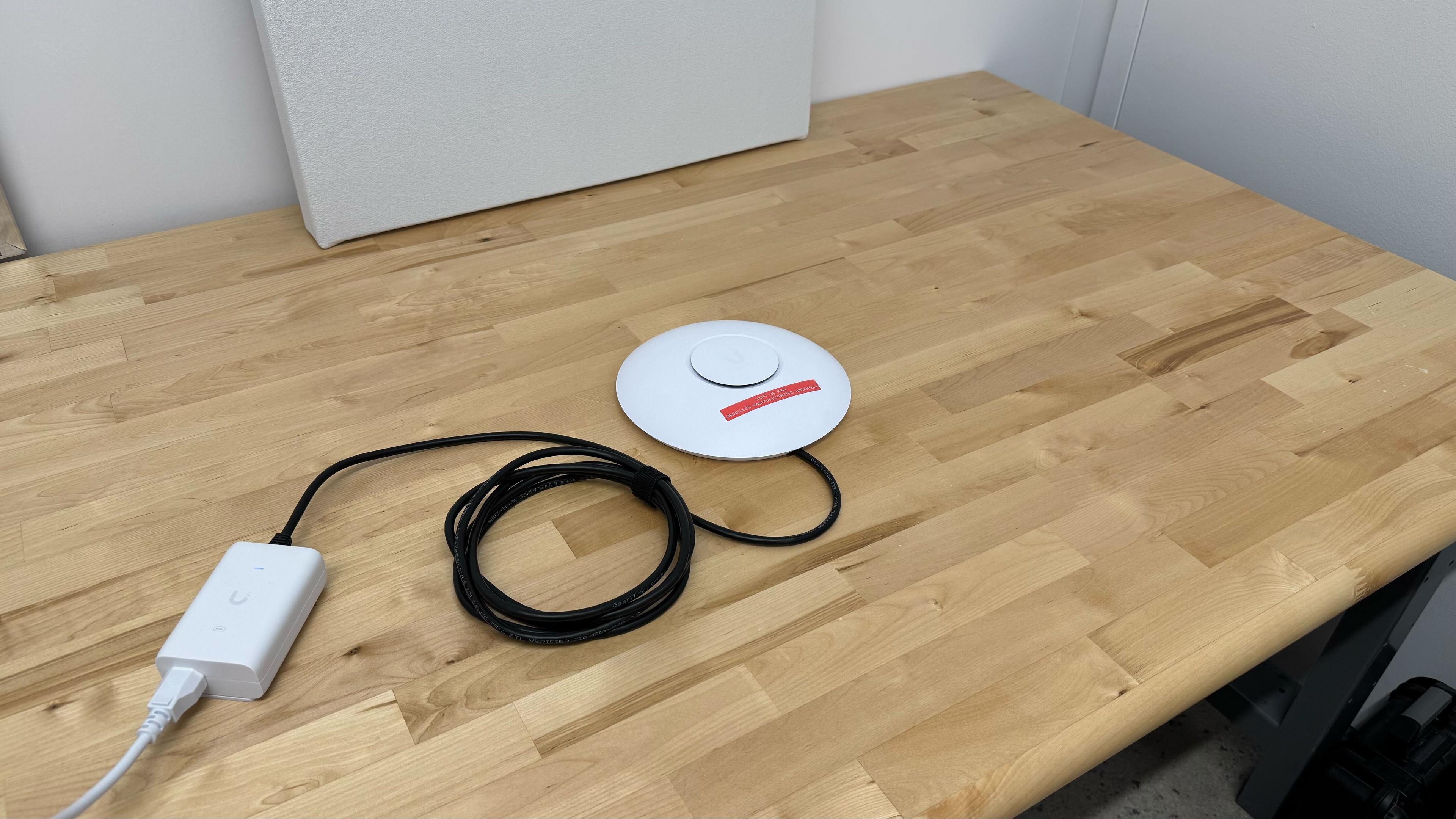
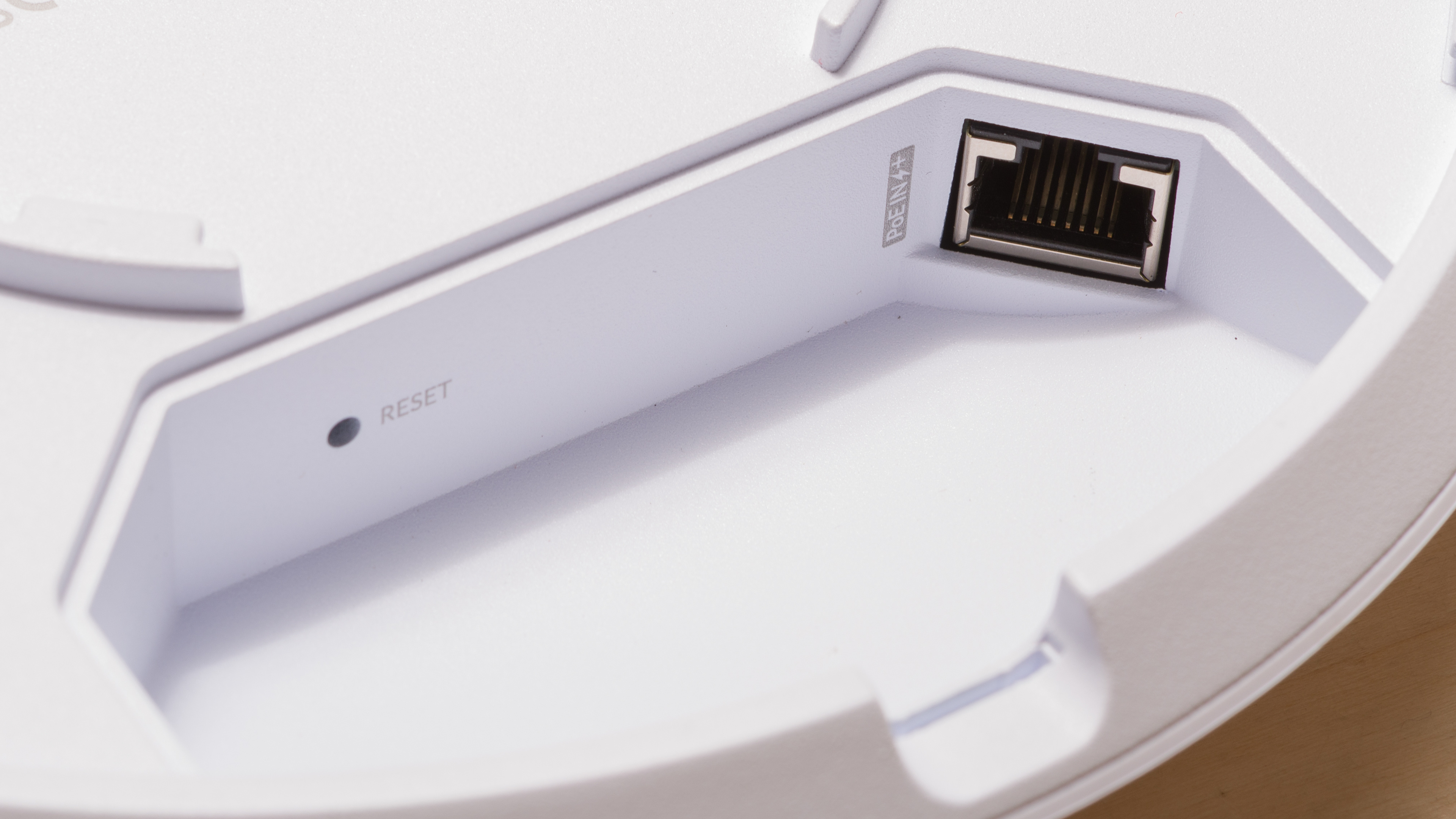
Note that the Depth With Cables measurement is the same as the Depth measurement because this access point is designed to be ceiling or wall-mounted, and the Ethernet port on the underside of the device is recessed, keeping the cable hidden.
for pictures & test results

This access point has a single 1Gbps PoE port that's used for networking and to power the device.
In this review, we powered it using a PoE+ adapter from Ubiquiti and connected it to the UniFi Dream Router 7 with wireless backhaul.
for pictures & test results

- Wall/ceiling mount backing plate
- Wall/ceiling mount plate (AP side)
- Wall/ceiling mount template with level
- T-bar mounts x 2
- Cable cover gasket
- Cable routing cover
- M3 Philips mounting bolts x4
- M4 Philips screws x4
- M3 short Philips screws x2
- Lock nuts x4
- Drywall mounting screws x4
- Allen key
- Pry tool
- User documentation
for pictures & test results

This access point includes a wall/ceiling mount and hardware. Ubiquiti also sells an arm-style mount.
for pictures & test results

We tested this access point by connecting it to the UniFi Dream Router 7 (UDR7) using a wireless backhaul. The 'Base Unit (5GHz)' results were achieved with our test laptop connected to the UDR7, and the 'Satellite Unit (5GHz)' results were achieved while connected to the UniFi U6 Pro access point.
The 'Highest Speed' result was achieved while connected to the UDR7, so it's not reflective of the maximum speeds that this access point may be capable of.
A measurable speed penalty is present when connected to the access point, but this is expected when using access points with a wireless backhaul. To learn more about this, check out our article about mesh Wi-Fi range.
for pictures & test results

We tested this access point by connecting it to the UniFi Dream Router 7 (UDR7) using a wireless backhaul. The 'Base Unit (5GHz)' results were achieved with our test laptop connected to the UDR7, and the 'Satellite Unit (5GHz)' results were achieved while connected to the UniFi U6 Pro access point.
Note that the 'Base Unit (5GHz)' results are different from the results in the UDR7, UniFi U6 Pro (Wired Backhaul), UniFi U7 Pro (Wireless Backhaul), and UniFi U7 Pro (Wired Backhaul) reviews despite using the same testing configuration. This is because the tests were conducted on different days, and the ambient wireless environment explains the discrepancies.
Also note that while the UDR7 has a 6GHz band, the U6 Pro doesn't, so we didn't include them in this review for clarity. If you'd like to see how the UDR7's 6GHz band performs, check out the review.
If you'd like to learn more about the differences between wired and wireless backhaul, as well as a more detailed analysis of our results, check out our Wired vs Wireless Backhaul article.
for pictures & test results
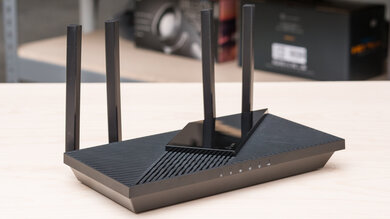
If you're looking for a tri-band Wi-Fi 7 access point, check out the newer UniFi U7 Pro XGS (Wireless Backhaul).