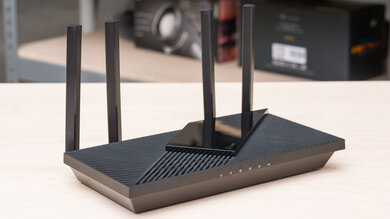
The eero 6+ is a dual-band Wi-Fi 6 router with a 2.4GHz and a 5GHz band. This model is designed to work in a mesh system with other access points and is available in a one-, two-, or three-pack. It has a low-profile design with a small footprint and a sleek white finish. It features a built-in Zigbee smart home hub and support for Amazon Alexa. You manage it through eero's mobile app, where you can configure basic settings. The app has a paid subscription tier that allows you to access additional features like ad blocking, content filters, and a VPN. We bought a two-pack and tested it in both mesh mode and standalone mode.
Our Verdict
The eero 6 Plus is decent for an apartment, condo, or small, single-story home. Its sleek design and small footprint make it easy to fit into your living space, and its good network coverage provides fast enough speeds for bandwidth-heavy uses, like 4k video streaming.
- Small and sleek design.
- Built-in smart home integration.
- Very good top speeds.
- Only two networking ports that are both limited to single gigabit speeds.
- Have to pay an additional subscription fee for advanced features.
- Newer Wi-Fi 6E and 7 devices can't reach their full speeds on this Wi-Fi 6 router.
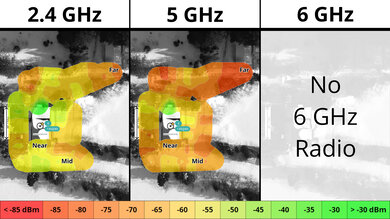
The eero 6 Plus is a good router if you live in a multi-level house with a backyard. Its speeds are good overall and suitable for high-bandwidth activities, but it won't be as stable if you're far away from it on another floor or deep into your backyard. That said, it's available as a multi-pack, and you can easily add access points to improve its network coverage if you have a bigger house. It only has two networking ports, and they're only rated for single gigabit speeds, so your multi-gigabit devices will be limited.
- Small and sleek design.
- Decent range performance.
- Built-in smart home integration.
- Can add additional mesh access points to improve range.
- Very good top speeds.
- Only two networking ports that are both limited to single gigabit speeds.
- Have to pay an additional subscription fee for advanced features.
- Newer Wi-Fi 6E and 7 devices can't reach their full speeds on this Wi-Fi 6 router.
The eero 6 Plus delivers good speeds suitable for an internet connection of up to 700 Mbps. It also supports Dynamic Frequency Selection (DFS), so it can use less congested DFS-only channels to give you better speeds in noisy wireless environments.
- Very good top speeds.
- Newer Wi-Fi 6E and 7 devices can't reach their full speeds on this Wi-Fi 6 router.
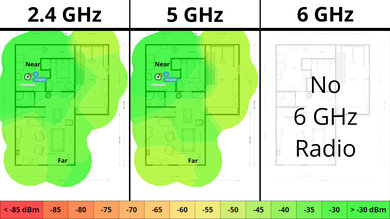
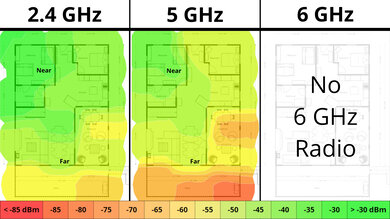
The eero 6 Plus has decent range performance. It's a mesh router that uses satellite units to maintain consistent speeds over long distances.
- Decent range performance.
- Can add additional mesh access points to improve range.
Changelog
- Updated Jun 22, 2026: We've updated this review to Test Bench 0.9.1! This is a minor change that makes the router type easier to see at the top of each review. Read the changelog for more info.
- Updated May 08, 2026: We've updated this review to Test Bench 0.9! This update adds wireless latency testing to evaluate router gaming performance. Read the changelog for more info.
- Updated Dec 16, 2025: We've added an MLO Implementation test for Test Bench 0.8.2! Read the changelog for more details.
-
Updated Jul 17, 2025:
We've added a link to the recently reviewed eero 7 in the Wi-Fi Specifications section.
Check Price
Differences Between Sizes And Variants
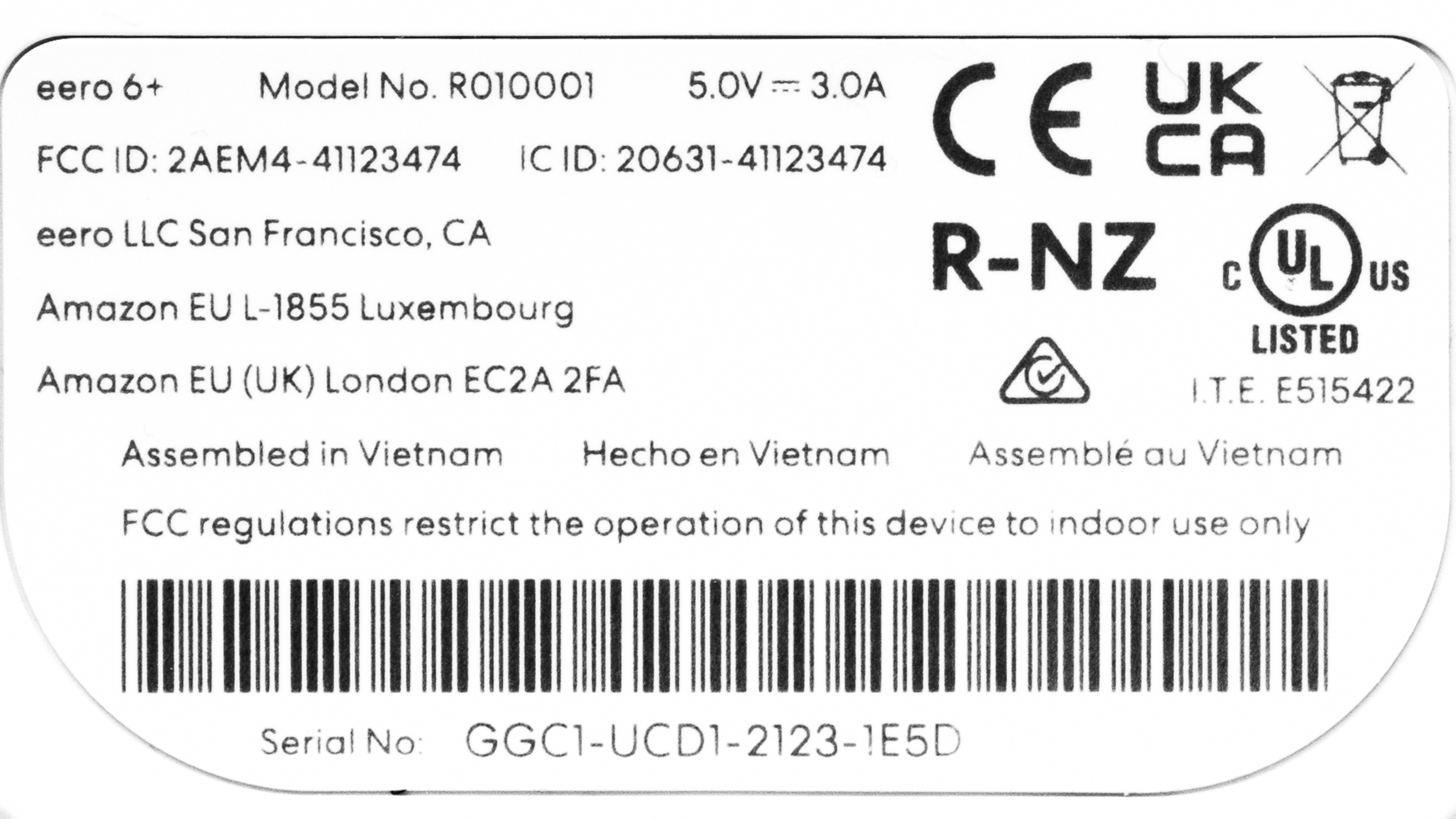
The eero 6 Plus is available on its own or in a two, three, or four-pack. We bought and tested a two-pack. Here's a photo of our unit's label.
Popular Router Comparisons
The eero 6 Plus is a dual-band Wi-Fi 6 router designed to expand into a mesh network with other access points easily. It has good smart home functionality compared to other routers in its class, as it works as a hub compatible with Amazon Alexa and supports Thread and Zigbee devices. eero offers an "eero Plus" membership that allows you to access advanced settings and additional features like ad blocking, content filters, and VPN access.
This router is a decent Wi-Fi 6 option that competes with other models designed for a mesh network, like Google's Nest routers and TP-Link's Deco lineup. It stands out for its ease of use and setup, integration with smart home features, and sleek design. You have to use the eero app to set up and manage the network, and there's no web interface at the time of writing. It's convenient and easy to use, but it's not very flexible, as there are very few configurable options you can change compared to standalone routers and even some other mesh systems. Performance-wise, it's faster than the Google Nest Wifi but less fast than the eero Pro 6 or the TP-Link Deco X5000.
If you're looking for more options, check out our recommendations for the best Wi-Fi routers, the best mesh Wi-Fi systems, and the best Wi-Fi 6 routers.
The eero 6 and the eero 6+ are Wi-Fi 6 routers designed for mesh networking. They look identical, and the only difference is that the 6+ supports 160MHz channels.
The eero 6+ and the eero 7 are dual-band mesh Wi-Fi systems. The 6+ is Wi-Fi 6, while the 7 supports Wi-Fi 7. The latter delivers faster top speeds and has faster 2.5Gbps networking ports compared to the former's 1Gbps ports.
The eero Pro 6E is a better router than the eero 6+. The 6E is a tri-band Wi-Fi 6E router with 2.4GHz, 5GHz, and 6GHz bands, while the 6+ is a dual-band Wi-Fi 6 router without a 6GHz band. Each router has two Ethernet ports, but the 6E has a 2.5Gbps port and a 1Gbps port, while the 6+'s ports are each rated for 1Gbps. The 6E performs better with a longer range and faster top speeds.
The eero Pro 6 and the eero 6+ are Wi-Fi 6 routers designed for mesh networking. The main difference between the two is that the Pro 6 has three bands (a 2.4GHz band and two 5GHz bands), while the 6+ only has two bands. Overall, the Pro 6 has better speeds but is a bit bigger.
Test Results
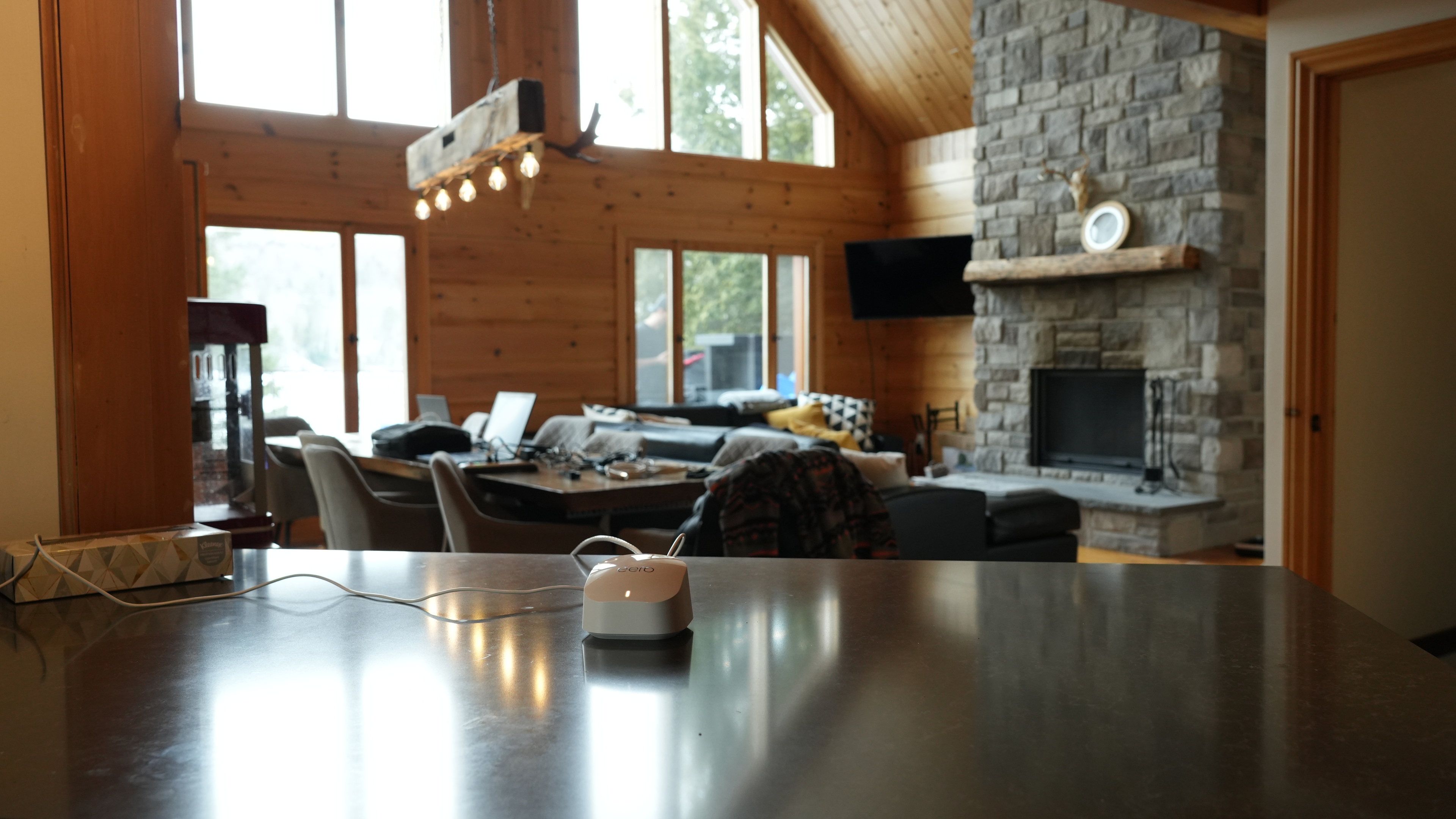

for pictures & test results

This router has two networking ports that automatically detect if you're using a WAN or LAN connection. You'll have to buy an external network switch if you have many wired devices.
If you're looking for a router with better wired connectivity, check out the ASUS ROG Rapture GT6 or the NETGEAR Nighthawk RS300.
This router has a USB-C port, but it's only for power and doesn't support data transfer.
for pictures & test results

- Ethernet cable x2
- USB-C power adapter
- User documentation

for pictures & test results

We tested this router in dual mesh mode. There's a slight speed penalty when connected to the satellite, but this is expected. A satellite unit is likely unnecessary if you have a smaller home without dead zones or obstacles like concrete walls.
for pictures & test results

We tested this router in dual mesh mode. While there's a slight speed penalty when connected to the satellite, this is expected, and the additional access point helps deliver more consistent speeds over very long distances.
for pictures & test results

for pictures & test results
If you're looking for a dual-band Wi-Fi 7 router, check out the eero 7.