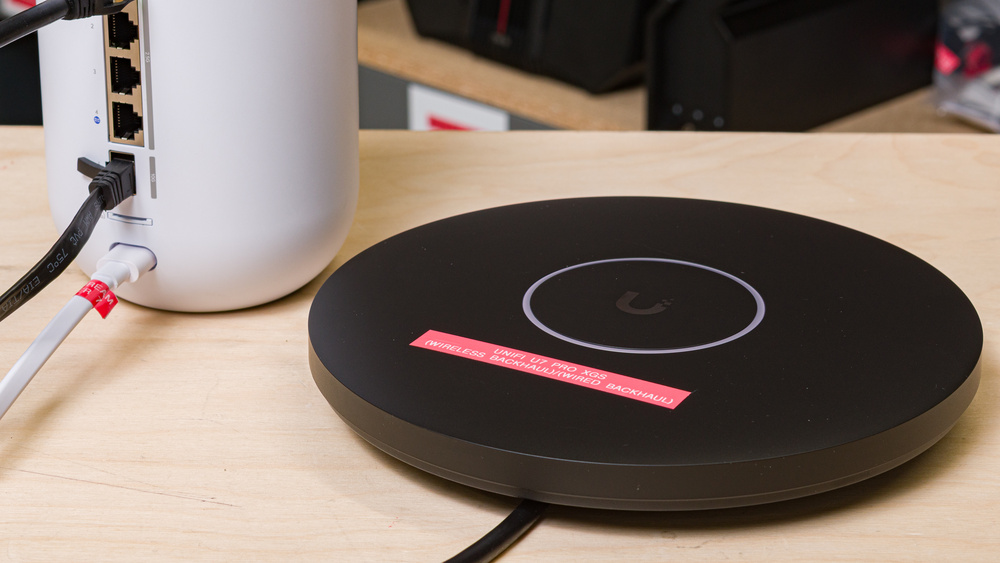
The Ubiquiti UniFi U7 Pro XGS (Wired Backhaul) is a tri-band Wi-Fi 7 access point designed for enterprise environments and large office spaces. Unlike standalone home routers, the access point isn't designed to manage internet traffic and requires a separate gateway or controller to function. It features a single 10Gbps PoE++ (Power over Ethernet++) port for both power and networking, and it touts a sleek, disc-shaped chassis designed to be mounted to a ceiling or wall with included hardware. It also features a dedicated spectral-scanning radio that monitors the wireless environment in real time, allowing the access point to dynamically switch to less-congested channels in response to noise. For this review, we paired the U7 Pro XGS with the UniFi Dream Router 7 and a PoE++ adapter to test its performance in a wired backhaul configuration.
We also tested this device using a wireless backhaul configuration in a separate review.
Note: Since the UniFi U7 Pro XGS is an access point and not a router, we tested it as a satellite unit connected to a UniFi Dream Router 7 (UDR7), which served as our base unit. This means that our verdict scores and the scores in our range tests are largely determined by the UDR7's performance and should not be used to compare this access point with other routers we've tested.
Our Verdict
The UniFi U7 Pro XGS yields excellent performance in smaller living spaces when set up in a wired backhaul configuration, though there are a few drawbacks to consider. It uses a ceiling-mountable design and relies on Power over Ethernet (PoE++), so you'll need to consider the logistics of cable routing when you set up the access point. This can involve drilling holes to run cabling cleanly through your apartment, which may not be feasible if you're renting. If you can accommodate the setup, a wired backhaul provides a significant performance boost by extending your coverage to areas a standalone router may struggle to reach.
Impressive range with wired backhaul.
Excellent speeds.
Supports theoretical speeds up to 10Gbps.
Wired backhaul requires you to run cables throughout your home.
The UniFi U7 Pro XGS is a great access point for multi-story homes. When configured with a wired backhaul, it delivers excellent top speeds and very good overall range. As a dedicated access point, it requires a Power over Ethernet (PoE++) connection, meaning you need to route a cable to wherever you decide to mount it. It features a slim profile and a recessed port to ensure it sits flush against your wall or ceiling, making the XGS an unobtrusive option for expanding coverage into areas hindered by physical obstructions, high interference, or a large floor plan.
Impressive range with wired backhaul.
Excellent speeds.
Supports theoretical speeds up to 10Gbps.
Wired backhaul requires you to run cables throughout your home.
While the UniFi U7 Pro XGS's gaming performance is largely dependent on the router it's connected to, it delivers decent performance when connected to the UDR7 in a wired backhaul configuration. You won't run into issues while taking video calls or browsing the internet, but its connection latency is still high enough that plugging your device directly into your router will provide a much better experience for competitive online gaming.
Excellent speeds.
Tri-band Wi-Fi 7 support.
Unsuitable for competitive gaming over Wi-Fi.
Access points like the UniFi U7 Pro XGS aren't suitable for traveling since they can't be used as standalone routers.
It's worth noting that the majority of UniFi U7 Pro XGS speed score is derived from our Interior Short Range test results, for which our testing device was predominantly connected to the UniFi Dream Router 7 rather than the access point itself. Since the UDR7's Ethernet port only supports speeds up to 2.5Gbps, the access point couldn't utilize its full 10Gbps capacity during testing.
Excellent speeds.
Tri-band Wi-Fi 7 support.
Supports theoretical speeds up to 10Gbps.
The UniFi U7 Pro XGS delivers very good range when set up with a wired backhaul to your router. Connecting to the access point provides a noticeable speed boost while effectively broadening the overall reach of your network.
Impressive range with wired backhaul.
Supports theoretical speeds up to 10Gbps.
While largely dependent on your router's performance, the UniFi U7 Pro XGS delivers impressive range and reasonable latency in a wired backhaul configuration. It's suitable for everyday browsing, but if you're gaming competitively, it's recommended to connect directly to your router via Ethernet for the lowest possible latency.
Fair latency for everyday usage.
Unsuitable for competitive gaming over Wi-Fi.
Access points themselves, like the UniFi U7 Pro XGS, don't have configurability options since they need to be connected to a router or switch to function.
Performance Usages
Changelog
- Updated Sep 11, 2026: We've updated this review to Test Bench 0.10! This update adds Portability and Configurability testing to evaluate how suitable routers are for travel and to show how configurable their settings are. Read the changelog for more info.
- Updated Jun 22, 2026: We've updated this review to Test Bench 0.9.1! This is a minor change that makes the router type easier to see at the top of each review. Read the changelog for more info.
-
Updated May 22, 2026:
We've added a link to the newly reviewed UniFi U7 Pro XGS (Wireless Backhaul) in the Network Ports section of this review.
- Updated May 20, 2026: Review published.
Check Price
Differences Between Sizes And Variants
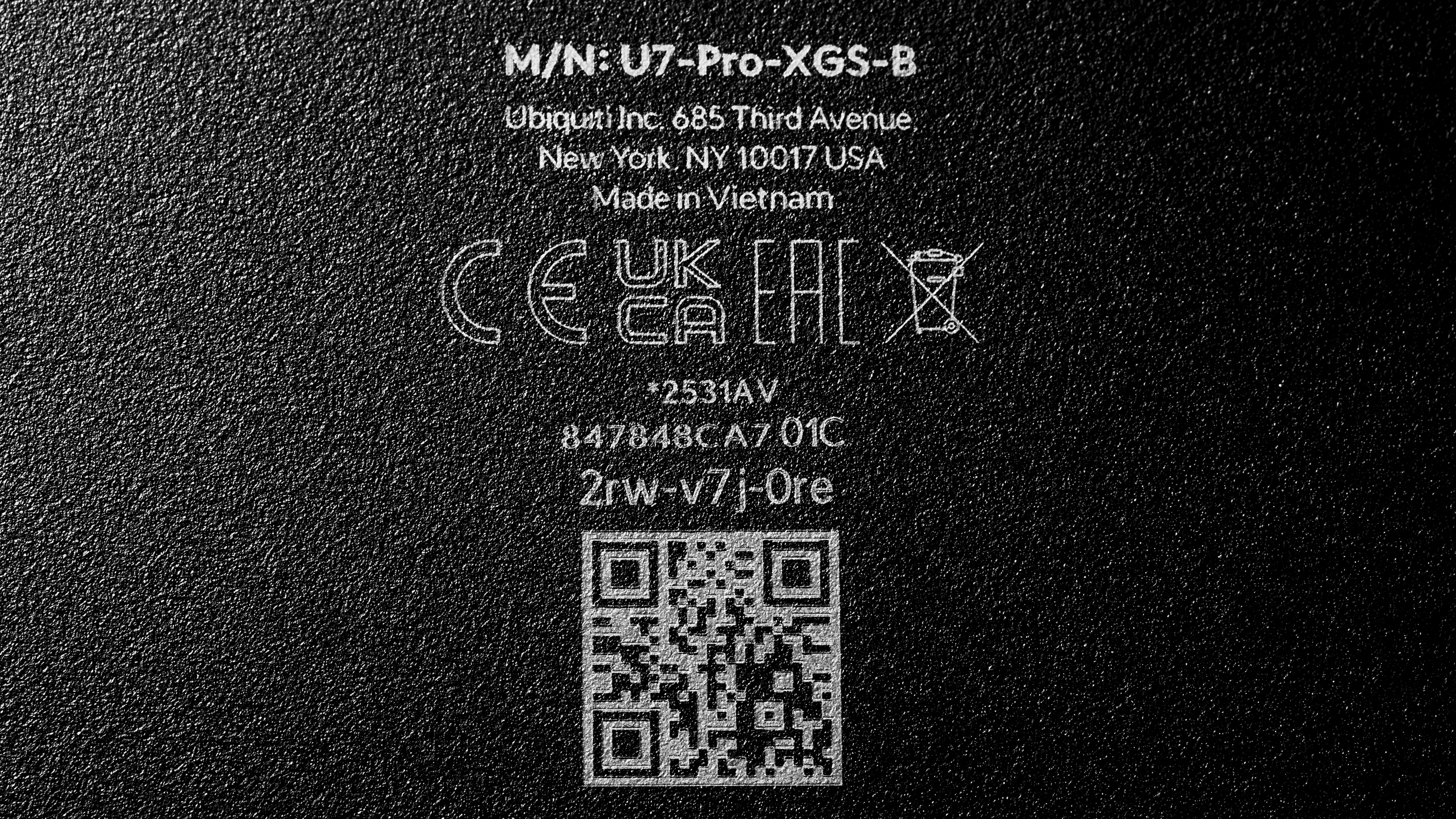
The UniFi U7 Pro XGS doesn't have any variants. Accessories such as a paintable polycarbonate cover, a wall-mount arm, and external antennas are available on Ubiquiti's website. See a photo of our unit's label.
Popular Router Comparisons
The UniFi U7 Pro XGS is a tri-band Wi-Fi 7 access point that supports both wired and wireless backhaul configurations, relying on a router or controller to operate. In this review, we evaluated its performance using a wired backhaul connected to the UniFi Dream Router 7 and a PoE++ adapter, since the UDR7 only supports PoE+. The XGS features an upgraded 10Gbps port for a much higher bandwidth ceiling compared to its predecessors, the UniFi U7 Pro and UniFi U6 Pro.
Deploying the U7 Pro XGS in a wired backhaul configuration markedly enhances your network's reach and speeds, particularly if you're located some distance from your router or other access points. While UniFi does give you the option to configure their access points with a wireless backhaul, you'll typically see better wireless performance by utilizing a dedicated mesh system, like the TP-Link Deco 7 Pro BE63.
If you're looking for more options, check out our recommendations for the best Wi-Fi routers, the best mesh Wi-Fi systems, and the best Wi-Fi routers for large homes.
The UniFi U7 Pro XGS (Wired Backhaul) and UniFi U7 Pro (Wired Backhaul) share a near-identical tri-band Wi-Fi 7 design, but the XGS supports higher theoretical speeds over its 10Gbps RJ45 connection. The U7 Pro model caps out at 2.5Gbps PoE+, whereas the XGS model steps up to a 10Gbps PoE++ uplink. While both access points are suitable for extending the reach of a multi-gigabit network, the XGS offers additional headroom to prevent bottlenecks in a large-scale enterprise environment.
We've tested the UniFi U7 Pro XGS (Wired Backhaul) and UniFi U7 Pro XGS (Wireless Backhaul) configurations and found that a wired backhaul to your router delivers consistently better speeds, range, and latency performance thanks to its direct link to your network device. While the U7 Pro XGS's wireless backhaul option eliminates the need to run cabling back to your router, it comes at the cost of higher latency overall and still needs a PoE++ injector to function. You can read more about the differences between a wired and wireless access point backhaul in our in-depth investigation.
The TP-Link Deco 7 Pro BE63 and the UniFi U7 Pro XGS (Wired Backhaul) offer different ways to boost the reach of your Wi-Fi network. The TP-Link is a whole-home mesh router system that connects to your modem to establish a blanket of uniform coverage using satellite nodes. The UniFi is an enterprise-grade access point that has no routing capabilities, and it requires a compatible controller or router to function. You can set up the U7 Pro XGS with a wireless backhaul configuration to create a similar "mesh" effect, but it isn't a plug-and-play process. The UniFi lacks the built-in LAN ports found on TP-Link's mesh nodes, and it uses PoE++ to power its high-speed 10Gbps port.
The UniFi U7 Pro XGS (Wired Backhaul) is a direct upgrade over the older UniFi U6 Pro (Wired Backhaul). The newer XGS model features Wi-Fi 7 capabilities, adds a 6GHz band, and upgrades its RJ45 uplink port to 10Gbps, compared to the U6 Pro's dual-band Wi-Fi 6 hardware and 1Gbps port.
Test Results
for pictures & test results

The access point is designed to be mounted to a wall or ceiling. As such, it includes the necessary mounting hardware and a recessed space to keep its cable neatly routed and out of sight.
for pictures & test results

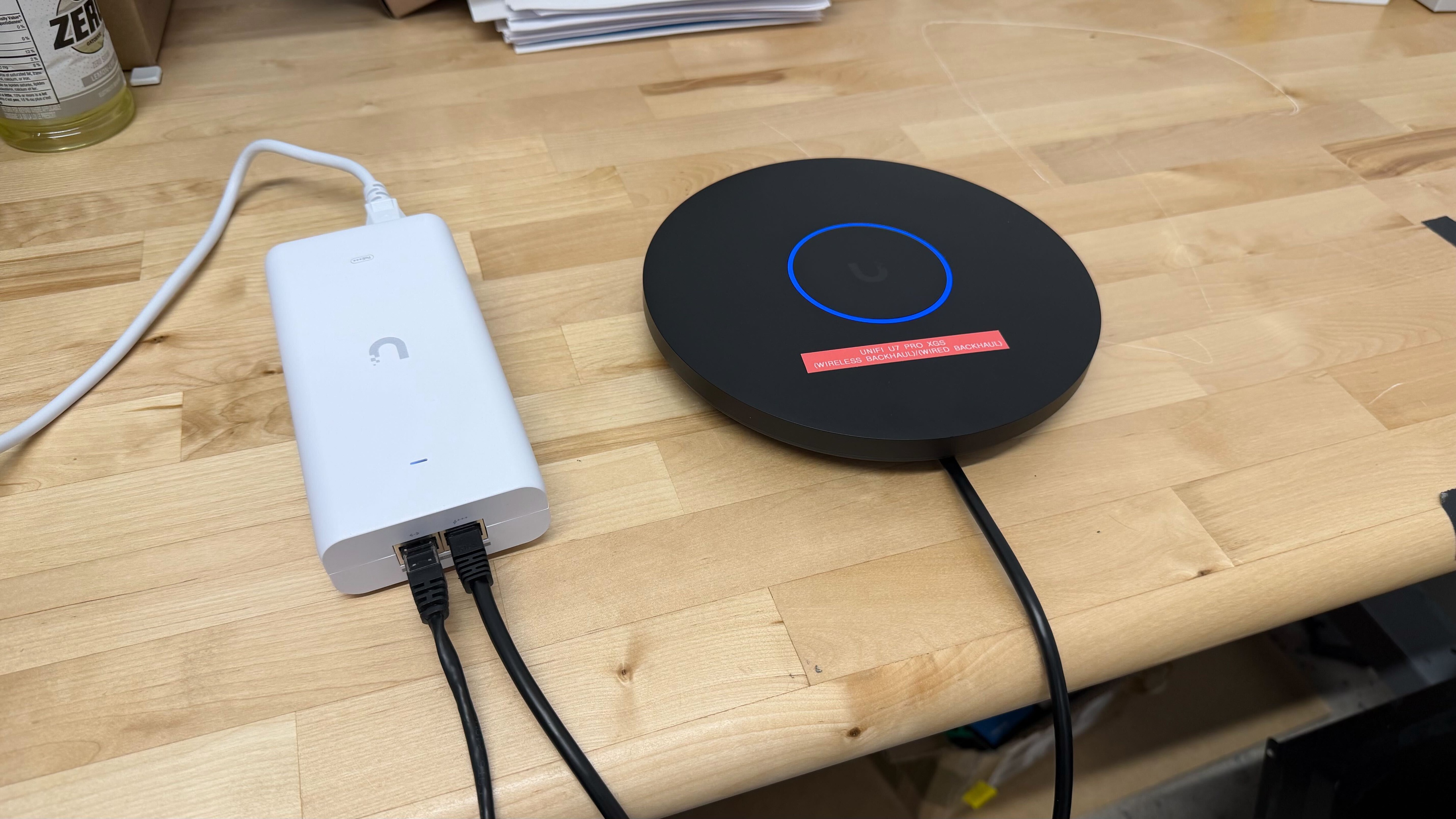
This access point has a single 10Gbps PoE++ port that serves both networking and power.
In this review, we connected it to the UniFi Dream Router 7 with a Cat7 Ethernet cable and used a UniFi 10G PoE++ adapter to supply power.
If you're wondering how this device performs with a wireless backhaul, check out our separate review.
for pictures & test results

- Wall/ceiling mount guide w/ level
- User documentation
- Wall/ceiling mount metal plate (AP side)
- Wall/ceiling mount metal plate (wall side)
- Mounting bolts with lock nuts (Philips head) x4
- Mounting brackets x2
- Drywall mounting screws and anchors x4
- Allen key and pry tool
- Shorter mounting bolts (Philips/flat head) x4
for pictures & test results

This access point includes a wall/ceiling mount and necessary hardware. Ubiquiti also sells a separate arm-style wall mount.
Access points themselves don't have configuration options since they need to be connected to a router or switch to function.
Access points themselves don't have configuration options since they need to be connected to a router or switch to function.
Access points themselves don't have configuration options since they need to be connected to a router or switch to function.
for pictures & test results

We collected test results for this access point by connecting it to the UniFi Dream Router 7 (UDR7) in a wired backhaul configuration. The 'Base Unit (5GHz)' results were collected with our test laptop connected to the UDR7, and the 'Satellite Unit (5GHz)' results were collected while connected to the UniFi U7 Pro XGS access point.
Note that the 'Highest Speed' result was obtained while connected to the UDR7's 2.5Gbps port. When paired with a compatible router or controller, the U7 Pro XGS's 10Gbps port makes the access point capable of higher theoretical speeds than the UniFi U7 Pro (Wired Backhaul). However, variable conditions in our testing environment can introduce minor variances in the data, causing scores to differ marginally between the access points.
for pictures & test results

We evaluated this access point in a wired backhaul configuration paired with the UniFi Dream Router 7 (UDR7). We recorded the 'Base Unit (5GHz)' results with our test laptop connected directly to the UDR7, while the 'Satellite Unit (5GHz)' data reflects the performance when connected to the UniFi U7 Pro XGS.
The 'Base Unit (5GHz)' figures vary from those in our UDR7, UniFi U6 Pro (both Wired and Wireless), and UniFi U7 Pro XGS (Wireless Backhaul) reviews, even though our test setup is identical. Since we test devices on different days, natural shifts in the lab's ambient wireless environment can cause these discrepancies.
If you'd like a deeper dive into our findings and the performance gaps between backhaul methods, check out our article on wired vs. wireless backhaul configurations.
for pictures & test results
The UniFi U7 Pro XGS features a dedicated spectral scanning radio. This is a separate receiver that analyzes the access point's wireless environment in real time, enabling it to detect interference and adjust its RF settings accordingly for optimal performance.
for pictures & test results
This access point uses alternating MLO (Multi-Link Operation), which is a limited implementation of the technology that establishes a connection with clients on one band at a time. For more information, check out our article on the topic.