
120Hz refresh rates have become the norm in the last few years on all mid- to high-end TVs. This faster refresh rate allows you to game at 120 fps, which gives you excellent motion clarity. Most TVs on our list pair well with modern consoles, as they support HDMI 2.1 bandwidth for 4k @ 120Hz gaming. Some TVs on this list also support 144Hz and 165Hz, giving you even higher refresh rates if you need that for your PC gaming rig. However, there's more to a good 120Hz model than just its refresh rate, as you still want a TV that delivers solid overall picture quality. We perform over 350 tests during our testing process to see just how good a TV is overall. Through this process, we can determine which TVs perform best in terms of image quality and features, and we use this data to inform our recommendations.
Below are our recommendations for the best TVs you can buy that have at least a 120Hz refresh rate. See our recommendations for the best gaming TVs, the best Nintendo Switch 2 TVs, and the best TV brands. You can also vote on which TVs you want us to buy and test. To learn more about new models released in 2026, check out our 2026 TV lineup page.

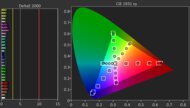
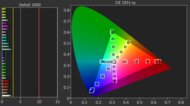
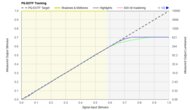
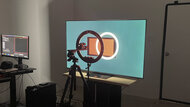
We buy and test dozens of TVs yearly, taking an objective, data-driven approach to deliver results you can trust. Our testing process is complex, with hundreds of individual tests that take over a week to complete. Most of our tests use specially designed test patterns that mimic real content, but we also use the same sources you have at home to ensure our results match the real-world experience. We use two main tools for our testing: a Colorimetry Research CR-100 colorimeter and a CR-250 spectroradiometer.
-
Best 120Hz TV
 GamingMixed UsageBright RoomHome TheaterSportsGame Mode ResponsivenessBrightnessBlack LevelColorMotion HandlingNative Refresh Rate:165Hz4k @ 120Hz:msSee all our test resultsSizes:55" 65" 77" 83"
If you're looking for top-tier performance with minimal drawbacks, the best 120Hz TV we've tested is the Samsung S95H OLED. Thanks to its QD-OLED panel, it delivers exceptionally bright and vivid colors that are sure to impress. Combine that with the TV's perfect, inky blacks and excellent brightness, and you get an incredibly immersive HDR experience whether you're gaming, watching high-quality streams, or watching 4k Blu-rays. Many OLEDs struggle with reflections in bright environments, but the S95H's matte coating and high brightness mean reflections aren't an issue in even the brightest rooms. Its incredibly wide viewing angle makes it a perfect choice for large living rooms with seating off to the sides, since its image quality doesn't degrade.
The TV offers a full suite of gaming features, like four HDMI 2.1 ports, VRR to reduce screen tearing, and very low input lag for a snappy feel. It supports up to 4k @ 165Hz, so not only can you game in 120Hz, but you can push your frames even higher if you have a powerful gaming PC. You also get the crystal-clear motion that OLEDs are known for, which is great for playing fast-paced games and watching sports.
-
Best Upper Mid-Range 120Hz TV
GamingMixed UsageBright RoomHome TheaterSportsGame Mode ResponsivenessBrightnessBlack LevelColorMotion HandlingNative Refresh Rate:165Hz4k @ 120Hz:msSee all our test resultsSizes:42" 48" 55" 65"If you want an OLED but a flagship model like the Samsung S95H OLED is out of your price range, you can go with the LG C6 OLED 2026 and still get an amazing gaming TV. Colors aren't quite as vivid as they are on the Samsung, but they still look impressively vibrant. Some bright areas in HDR content don't pop out as much as they do on the Samsung, but they certainly don't look dim, so HDR movies and games look punchy. You also still get the same inky blacks as our top pick, so the image has incredible depth. Even better, blacks stay deeper in a bright room than they do on the Samsung, so the image retains its depth. Reflections are more of an issue on this model, especially if you have light sources facing the screen, but it's still good enough for moderately lit spaces.
The TV has a similarly wide viewing angle as the Samsung, so it's great for large spaces. It offers the same gaming features as the more expensive Samsung, so you still get four HDMI 2.1 ports capable of up to 4k @ 165Hz, low input lag, crystal-clear motion, and it supports VRR to reduce screen tearing. The C6 is available in sizes ranging from 42 to 65 inches. If you get the 77 or 83-inch model, you're actually getting the LG C6H OLED, which offers the same features but has more vivid colors and is noticeably brighter.
-
Best Mid-Range 120Hz TV
GamingMixed UsageBright RoomHome TheaterSportsGame Mode ResponsivenessBrightnessBlack LevelColorMotion HandlingNative Refresh Rate:120Hz4k @ 120Hz:msSee all our test resultsSizes:48" 55" 65" 77" 83"The best mid-range 120Hz TV we've tested is the LG B5 OLED, which has only a few drawbacks compared to the more expensive LG C6 OLED 2026. The big difference between this TV and the C6 is brightness. The B5 is noticeably dimmer, and its reflection handling isn't as good, so it struggles more with glare in a bright room, making it more well-suited for dark and dimly lit spaces. It's more limited brightness also means that bright areas don't stand out as much in HDR movies, shows, and games, but this type of content certainly doesn't look dull, especially when you factor in the TV's inky blacks and lively colors. Its viewing angle is a bit narrower than the C6, but it's still good enough for wide seating arrangements.
The TV doesn't support a 165Hz refresh rate as the C6 does, but it still supports 4k @ 120Hz on its four HDMI 2.1 ports, so it's fully compatible with modern consoles. You also still get VRR to reduce screen tearing, motion is crystal clear, and gaming feels very snappy due to its low input lag. Overall, this TV is a great entry point into the OLED market.
-
Best Lower Mid-Range 120Hz TV
GamingMixed UsageBright RoomHome TheaterSportsGame Mode ResponsivenessBrightnessBlack LevelColorMotion HandlingNative Refresh Rate:144Hz4k @ 120Hz:msSee all our test resultsSizes:55" 65" 75" 85" 98"If you're a bit tight on money or just don't want an OLED, you can safely step down to the best lower mid-range 120Hz TV we've tested, the TCL QM7K. You don't get the same inky blacks as you do on the LG B5 OLED, but the TV's very effective local dimming does a fantastic job of making them look deep and bold. Unfortunately, the TV's viewing angle is much narrower than the LG's, so you need to be sitting directly in front of the screen to enjoy the best possible image quality. Still, bright areas stand out well in HDR, and colors are vibrant, leading to impressive image quality in movies and games that support HDR. Since this is a very bright TV, overhead lights don't cause distracting reflections on the screen. However, light sources directly facing the screen do cause mirror-like reflections that can be distracting.
This model supports refresh rates well above 120Hz, which is great for PC gamers. Not only does it offer 4k @ 144Hz, but it also supports 1080p @ 288Hz for those who want to push their frame rate as high as they can. The TV doesn't have the same crystal-clear motion as the OLED TVs in this article, but fast motion only has some minor blur behind it, which is great for a Mini LED model. It also supports VRR to reduce screen tearing and has low input lag for a snappy feel.
-
Best Budget 120Hz TV
GamingMixed UsageBright RoomHome TheaterSportsGame Mode ResponsivenessBrightnessBlack LevelColorMotion HandlingNative Refresh Rate:144Hz4k @ 120Hz:msSee all our test resultsSizes:55" 65" 75" 85" 98"If the price of the TCL QM7K is out of reach, you can safely step down to the TCL QM6K without sacrificing very much. Blacks aren't as deep as they are on the QM7K, but the TV still has good local dimming, so blacks look bold enough that the image has depth. Colors are still vibrant enough to enjoy, but they aren't as punchy and bright as they are on the QM7K. Fortunately, the TV has enough brightness to handle glare in well-lit rooms. However, this model barely lessens the intensity of direct reflections, so avoid placing it opposite a window or lamp. Bright areas in HDR movies, shows, and games are noticeably dimmer than they are on the QM7K, but the image doesn't look flat, so HDR movies, shows, and games still look pretty good.
Its viewing angle is about as wide as the QM7K, so it's best to sit as centered in front of the screen as possible. Even though its image quality isn't quite as good as the QM7K, it still offers most of the same gaming features. You can game in either 4k @ 144Hz or 1080p @ 288Hz. Furthermore, the TV's input lag is low, it supports VRR to help avoid screen tearing, and motion blur is kept to a minimum.





Notable Mentions
-
LG G6 OLED:
The LG G6 OLED shares many of the same features as the Samsung S95H OLED, like 165Hz.
It has very impressive colors, but it still doesn't match the level of vividness you get from the Samsung. The LG also doesn't do as good a job at reducing the intensity of reflections, making the Samsung the more versatile option.
See our review -
Samsung S90F OLED:
The Samsung S90F OLED is a 2025 model that competes with the LG C6 OLED 2026. The Samsung displays more vivid colors if you get a 55, 65, or 77-inch model. However, the LG offers a higher refresh rate, performs better in bright rooms, and provides a brighter HDR gaming experience, making it the better TV all-around.
See our review -
Hisense U7SG:
The Hisense U7SG is a great alternative to the LG B5 OLED if you mostly use your TV in a bright room. The Hisense is significantly brighter than the LG and has a very effective matte coating, so it easily overcomes glare in a well-lit room. However, you don't get the inky blacks and crystal clear motion that OLEDs are known for.
See our review -
Hisense U75QG:
The Hisense U75QG is a good option if you want something brighter than the TCL QM7K. However, the Hisense has a lot more motion blur, and it really overbrightens HDR content. Since the TCL has much clearer motion, better accuracy, and superior contrast, it's the better TV all around.
See our review -
Hisense U65QF:
The Hisense U65QF is comparable to the TCL QM6K, but it's noticeably brighter. However, the TCL has deeper blacks, superior accuracy, supports 1080p @ 288Hz, and has lower input lag, so it's the better option for most people.
See our review
Recent Updates
Jun 23, 2026:
We replaced the Samsung S95F OLED with the Samsung S95H OLED, since the former is no longer widely available, and the LG C5 OLED with the LG C6 OLED 2026, since the newer model is the better option. We also updated the Notable Mentions section to offer better alternatives to our current picks.
Mar 25, 2026:
We confirmed the accuracy and availability of our current picks.
Feb 04, 2026:
We replaced the Samsung S85F OLED with the TCL QM8K in the Notable Mentions.
Nov 11, 2025:
Replaced the LG B4 OLED with the LG B5 OLED in the 'Best Mid-Range' category.
Jul 16, 2025:
We replaced the Samsung S90D OLED with the Samsung S95F OLED as our new top pick. We also replaced the LG C4 OLED with the Samsung S90F OLED in the 'Upper Mid-Range' category, the Hisense U7N with the TCL QM7K in the 'Lower Mid-Range' category, and the TCL Q651G with the TCL QM6K in the 'Budget' category. We also dropped the 'Best Bright Room' category, since the S95F outperforms our old pick, the Sony BRAVIA 9.
All Reviews
Our recommendations are based on what we think are the best 120Hz TVs currently available. They are adapted to be valid for most people in each price range. The rating is based on our review, factoring in price and feedback from our visitors.
If you would prefer to make your own decision, here is a list of all our recent reviews of TVs that support at least 120Hz. Be careful not to get too caught up in the details. Most TVs are good enough to please most people, and the things we fault TVs on are often not noticeable unless you really look for them.