The TCL Q6/Q650G QLED is TCL's budget Q-series TV in 2023, sitting below the TCL Q7/Q750G QLED and TCL QM8/QM850G QLED but above the cheaper TCL Q5/Q550G QLED. It's a simpler TV than its more expensive siblings, so it's better suited for those who don't need any advanced features or capabilities. The TV has three HDMI 2.0 bandwidth ports with variable refresh rate (VRR) support and supports TCL's Game Accelerator 120 feature for up to 1440p @ 120Hz gaming, which it achieves through resolution halving. It supports Dolby Vision HDR and HDR10+ advanced video formats and can pass through some Dolby and DTS advanced audio formats. It uses the popular and easy-to-use Google operating system. While it doesn't have hands-free voice control, its remote has an integrated microphone through which you can interact with Google Assistant and Amazon Alexa. It also has Chromecast built-in, so you can seamlessly stream your shows using your phone. It's available in four sizes: 55, 65, 75, and 85 inches.
Our Verdict
The TCL Q650G is decent overall. It's better when you can put its extremely fast input lag to good use, like when gaming or using it as a PC monitor. Its contrast is decent but is nothing special, and it lacks local dimming to improve it further, so it's okay for a dark room, but it won't blow your socks off. Its HDR brightness is good but not enough to make highlights pop, even when combined with the TV's wide color gamut. However, its SDR brightness is very good, and it has decent reflection handling, so it's best suited as a basic TV to put in a bright room, like a living room with windows, a bright game room, or an office.
- Great SDR peak brightness.
- Decent reflection handling.
- Decent contrast ratio.
- Poor pre-calibration color accuracy.
- Sub-par viewing angle.
- Doesn't have local dimming.
The TCL Q6 is just okay for watching TV shows. It gets pretty bright in SDR and has decent reflection handling, so it can handle bright rooms with glare, although it's best to avoid placing lights or windows directly in front of the TV. Sadly, its processing capabilities are mediocre; its low-quality content smoothing and upscaling are inadequate, leading to macro-blocking and a soft image when watching some streaming content. The TV's viewing angle is also sub-par, so it's not great if you like to watch shows with big groups in a wide seating arrangement, as the image is inconsistent as you move off-center.
- Great SDR peak brightness.
- Decent reflection handling.
- Sub-par viewing angle.
- Inadequate low-quality content smoothing and upscaling.
The TCL Q6 is just alright for watching sports. It gets bright in SDR and has decent reflection handling, so it looks good in bright rooms, but it's still best to avoid placing lights or windows directly in front of the TV. Its response time is decent; it's good enough for a pleasant viewing experience when watching fast-moving sports, as the resulting blur isn't annoying and won't impact your enjoyment. The TV's gray uniformity is adequate, but with certain sports with large areas of uniform color, like hockey, there is noticeable vignetting and dirty screen effect. Sadly, its viewing angle is sub-par; this is not a good TV to watch the game with friends in a wide seating arrangement, as they won't see a consistent image.
- Great SDR peak brightness.
- Decent reflection handling.
- Sub-par viewing angle.
The TCL Q650G is very good for gaming. Its contrast is decent, and its SDR brightness is great, certainly bright enough for a well-lit gaming room. For particularly bright light sources, the TV's decent reflection handling can handle some glare. Regarding performance, its input lag is incredibly low and fast enough for even very competitive gamers. It also supports 120Hz refresh rates in 1080p and 1440p through resolution halving, further lowering the input lag, which is great for gamers who are more worried about performance than image quality. Sadly, the TV's response time is decent, certainly satisfactory by most standards, but it introduces some blur in fast action scenes, which isn't optimal for competition.
- Great SDR peak brightness.
- Wide VRR range at 1080p @ 120Hz and 1440p @ 120Hz.
- Extremely low input lag.
- Poor pre-calibration color accuracy.
The TCL Q650G is decent for watching your favorite movies. It's better when watching content from high-quality sources, like Blu-rays, as its low-quality content smoothing is inadequate, so movies from streaming platforms have noticeable compression artifacts. Thankfully, its contrast is decent, but it lacks a local dimming feature to make its blacks even darker. Similarly, while it looks bright enough for a pleasant viewing experience, it would benefit from local dimming to make highlights pop next to other scene elements. Thankfully, it displays HDR content at its intended brightness, as mastered by the content creators. Unfortunately, this TV's color accuracy is downright poor without being calibrated, so if you care about accuracy, you need to calibrate it.
- Splendid PQ EOTF tracking.
- Wide color gamut.
- Supports Dolby Vision HDR and HDR10+.
- Decent contrast ratio.
- Poor pre-calibration color accuracy.
- Inadequate low-quality content smoothing and upscaling.
- Doesn't have local dimming.
The TCL Q6 is very good for HDR gaming. It has good HDR brightness in Game Mode and decent contrast, so it's a good TV for some dark room gaming. Its input lag is superb and even lower if you use the TV's 1080p @ 120Hz or 1440p @ 120Hz modes, although the TV achieves those numbers through resolution halving. The TV's response time is decent; it introduces some blur in fast action scenes but is satisfactory for slower and immersive HDR titles.
- Wide color gamut.
- Wide VRR range at 1080p @ 120Hz and 1440p @ 120Hz.
- Extremely low input lag.
- Decent contrast ratio.
- Poor pre-calibration color accuracy.
- Doesn't have local dimming.
The TCL Q650G is a good TV to use as a PC monitor. Its input lag is extremely low, even when the TV is in the 'PC' Picture Mode. It has very good SDR peak brightness and decent reflection handling, so the TV can handle a bright office well. Its response time is decent overall; nothing amazing, and there's some blur when moving windows around, but it looks fine overall. However, the response time is worse in dark scenes, so avoid dark mode on your operating system and in apps for an optimal experience. Unfortunately, it has a sub-par viewing angle, so the sides of the screen aren't consistent with the middle when you're sitting close to the TV.
- Great SDR peak brightness.
- Wide color gamut.
- Decent reflection handling.
- Superbly low input lag even in the PC picture mode with chroma 4:4:4.
- Poor pre-calibration color accuracy.
- Sub-par viewing angle.
Changelog
-
Updated Nov 07, 2024:
We've reviewed the text, with minor updates for clarity, to ensure the review is up to date.
- Updated Aug 30, 2024: We changed the score and updated the text in the Upscaling: Sharpness Processing section of this review for consistency with our other reviews.
- Updated Aug 30, 2024: Mentioned the newly reviewed TCL Q6/Q651G QLED in the Audio Passthrough section of this review.
- Updated Dec 19, 2023: Modified the introduction, as with the release of the TCL Q5/Q550G QLED, the TCL Q6/Q650G QLED isn't the lowest-tier Q-Series TV in TCL's 2023 lineup anymore.
Check Price
Differences Between Sizes And Variants
We bought and tested the 65-inch TCL Q6/Q650G QLED, and these results are also valid for the 55-inch, 75-inch, and 85-inch models, as the larger sizes perform roughly the same. The 75-inch and 85-inch models have different feet and back designs compared to the 55-inch and 65-inch models.
| Size | Model |
|---|---|
| 55" | TCL 55Q650G |
| 65" | TCL 65Q650G |
| 75" | TCL 75Q650G |
| 85" | TCL 85Q650G |
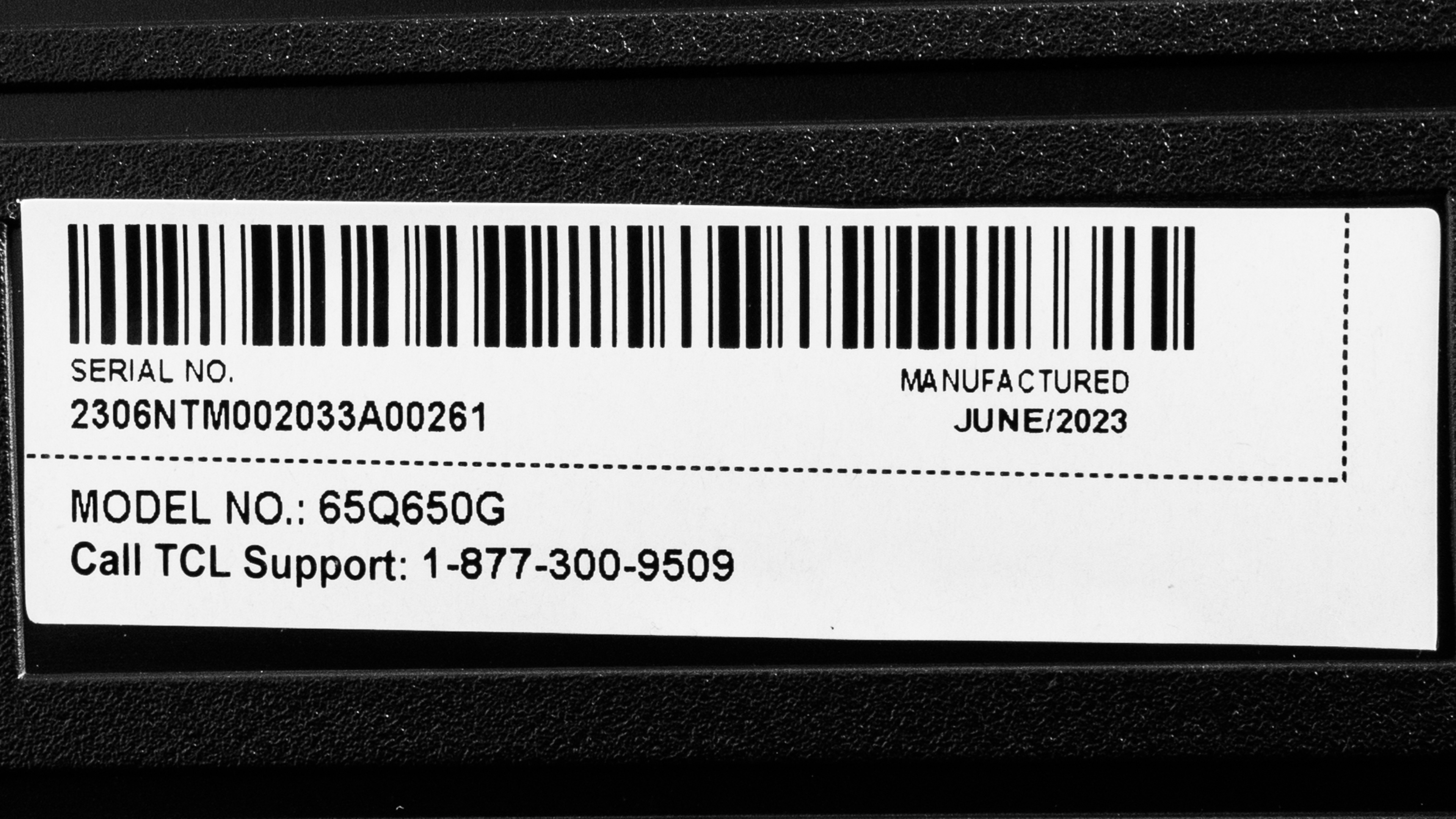
Our unit was manufactured in June 2023, as shown on the label.
Popular TV Comparisons
The TCL Q6 is a decent TV and a solid performer for the price. It's particularly well-suited for gamers on a budget due to its extremely low input lag and its ability to play games at 1080p @ 120Hz or 1440p @ 120Hz with resolution halving. There are better buys, like the TCL 5 Series/S555 2022 QLED, which is better and cheaper than the Q6. If you'd prefer a Hisense TV, the Hisense U6/U6H is just as good in most areas (except for gamers) for a slightly lower price, and the Hisense A6/A65K, while being just a bit worse than the TCL Q6, is also much cheaper.
For more options, check out our recommendations for the best TVs, the best QLED TVs, and the best 4k gaming TVs.
The 2023 TCL Q650G is better than the 2024 TCL Q651G in several ways. The Q650G is the brighter TV overall, so it overcomes more glare in a bright room and displays brighter highlights in HDR content. You also get deeper blacks on the Q650G since it has a better contrast ratio. The Q650G is also more accurate in HDR. On the other hand, the Q651G has much better pre-calibration SDR accuracy and supports DTS audio formats.
The TCL Q650G and TCL S546 are similar TVs with different strengths and weaknesses. The S546 has much better contrast than the Q650G, helped by its local dimming feature, which the Q650G doesn't have. However, the Q650G has better overall peak brightness in HDR. Both TVs have bad color accuracy and are tough to calibrate, although the S546 is even worse than the Q650G.
The Hisense U6H is better than the TCL Q650G, but they're very close. The Hisense has much better contrast, helped by its local dimming feature, so it looks better in dark rooms. It gets a bit brighter than the TCL in HDR and can emphasize bright highlights better, although the TCL, in turn, is brighter in SDR. The TCL offers more to gamers, with the option of playing in 1080p @ 120Hz or 1440p @ 120Hz with resolution halving and a matching VRR range. But of the two, the Hisense is the easiest TV to buy, install, and watch due to its vastly better pre-calibration color accuracy than the TCL.
The TCL S555 is better than the TCL Q650G. The S555 has vastly better contrast, helped by its local dimming feature, which the Q650G doesn't have. It can reach higher peak brightness in HDR and SDR than the Q650G, so it emphasizes bright highlights better than the newer model can, although it comes at the cost of more brightness variation on a scene-by-scene basis. The Q650G does offer more to gamers, however, with a wider choice of available resolutions. That said, the S555 is vastly more color-accurate pre-calibration; you can buy that TV and start watching it without worrying about calibration, unlike the Q650G.

We buy and test dozens of TVs yearly, taking an objective, data-driven approach to deliver results you can trust. Our testing process is complex, with hundreds of individual tests that take over a week to complete. Most of our tests use specially designed test patterns that mimic real content, but we also use the same sources you have at home to ensure our results match the real-world experience. We use two main tools for our testing: a Colorimetry Research CR-100 colorimeter and a CR-250 spectroradiometer.
Test Results
Older Test Bench: We tested this product using an older TV test methodology before a major update. Some of the test results below aren't directly comparable with other TVs. Learn more
for pictures & test results

The TV has a simple look: it's not overly slim, and it's good-looking without drawing too much attention to itself.
for pictures & test results

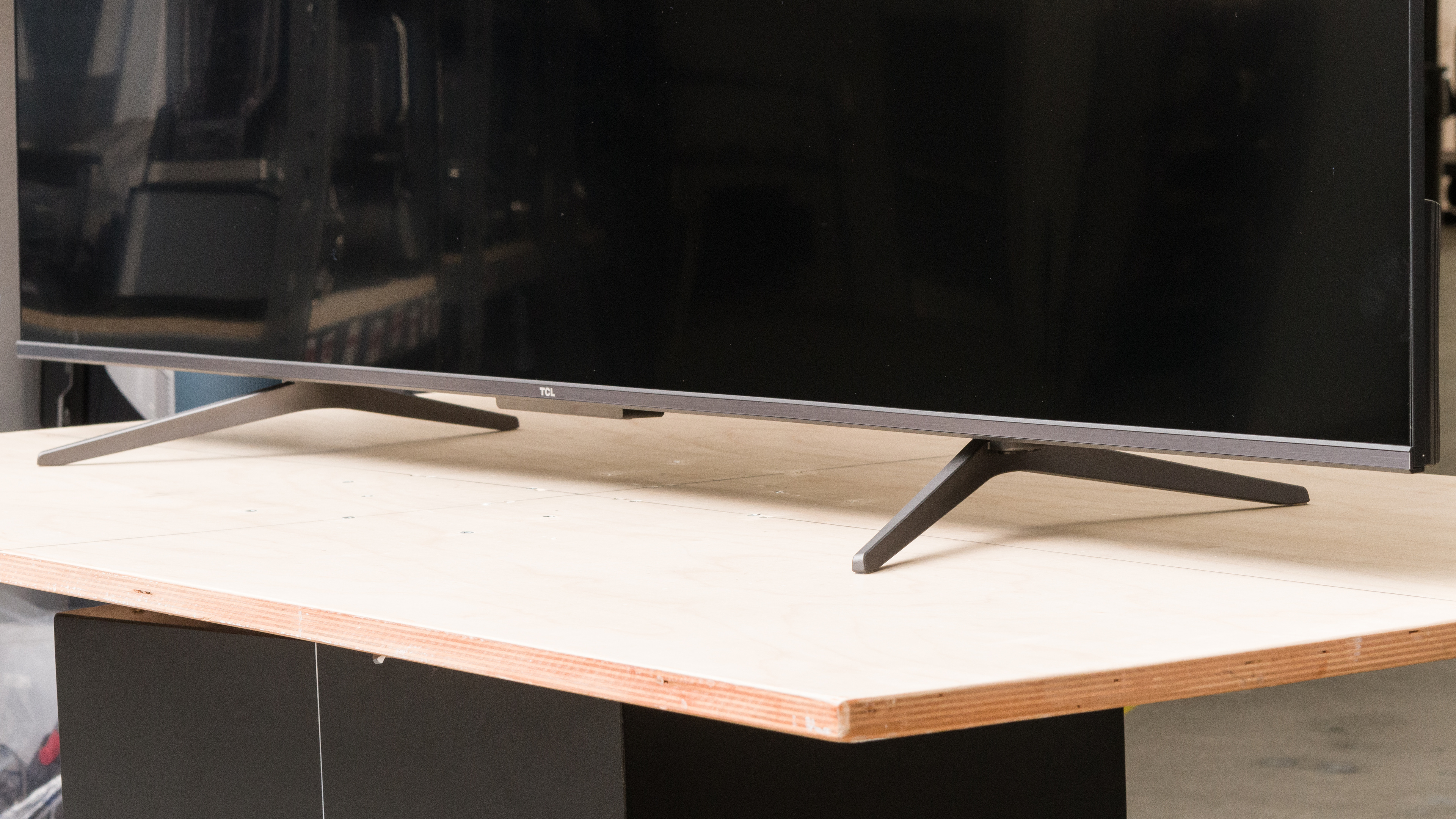
The TCL 65Q650G has a set of plastic feet, which you can place at two distinct positions. The first position, pictured above, sets the feet in a wider position and has a footprint of 53.8" x 14.1". The narrow position puts the feet closer to the TV's center and lets you put the TV on smaller tables. In this position, the feet have a footprint of 36.9" x 14.1". The screen sits about 2.7 inches from the table, so some slimmer soundbars fit under it, but it's a tight fit. In the narrow position, the protruding feet get in the way of putting a soundbar directly in front. Note that the 75 and 85-inch models have different feet than the 65-inch model.
for pictures & test results

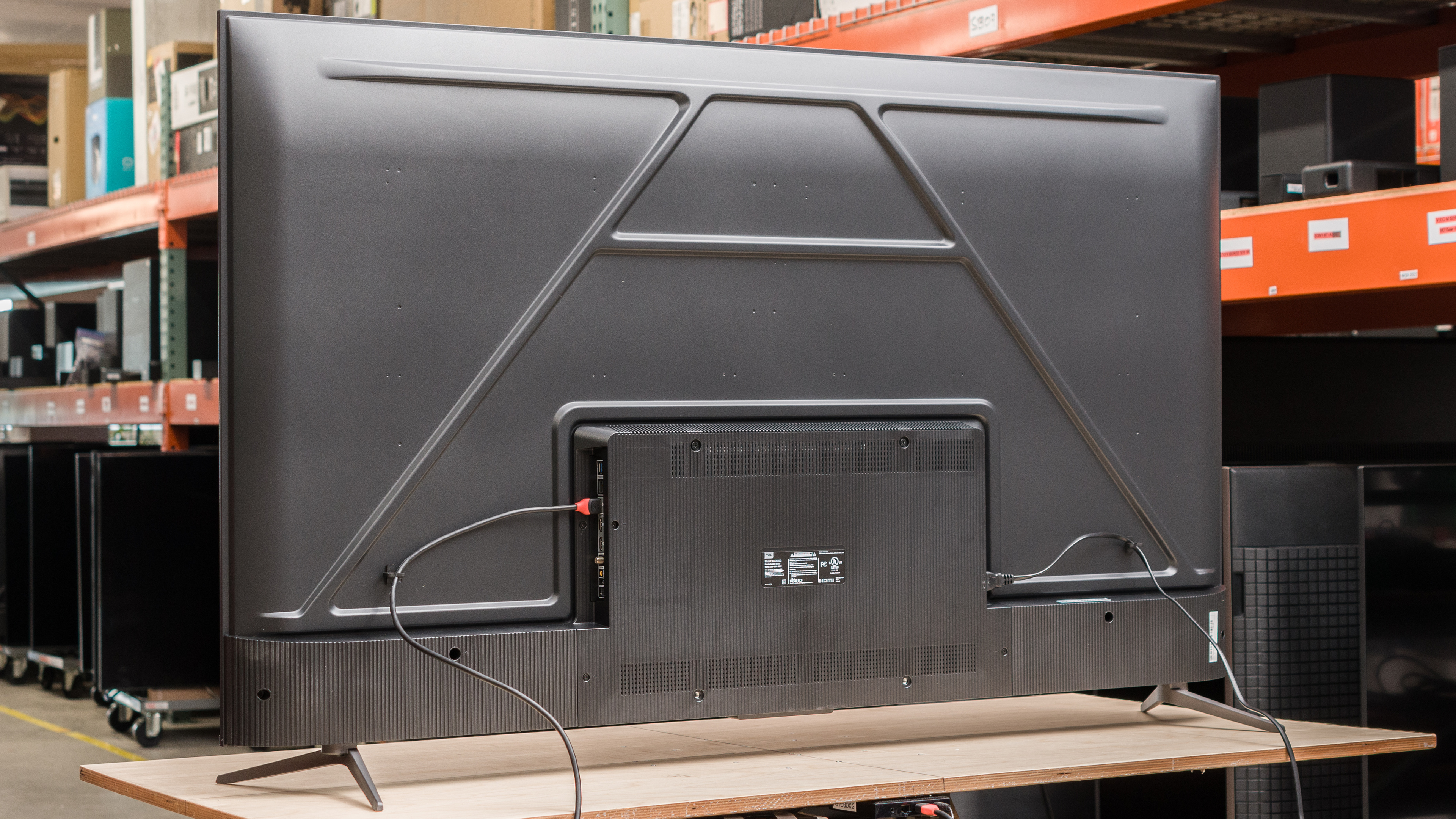
The back of the TV is a mix of metal and plastic. The TV's back has two distinct parts: the plastic bottom part, which protrudes from the back and hosts the inputs and power connection, and the thinner metallic upper portion. The metal is rigid and untextured, while the thick textured plastic on the bottom part has a lot of flex to it when you press on it. That said, it isn't worrying and feels normal for a budget TV.
The power cable comes out of the right side of the TV, while the inputs are on the left side. There are clips on both sides to help with cable management. The side-facing inputs are hard to reach without pulling it slightly forward when it's wall-mounted. Only the 55 and 65-inch models have this back; the 75-inch model has a more unified back panel with a slightly sloping upward section, while the 85-inch model has a different two-part back.


for pictures & test results

The TV has okay build quality. There's minimal flex in the metallic upper section of the back, but there's a fair amount of it in the bottom, thicker plastic section, although that's typical. It wobbles a bit on its feet, but again, nothing worrying.
Our unit has a pinch in the front lower right of the screen, which is noticeable in dark scenes. This could have happened during shipping, so it doesn't affect the build quality of this particular TV.
for pictures & test results

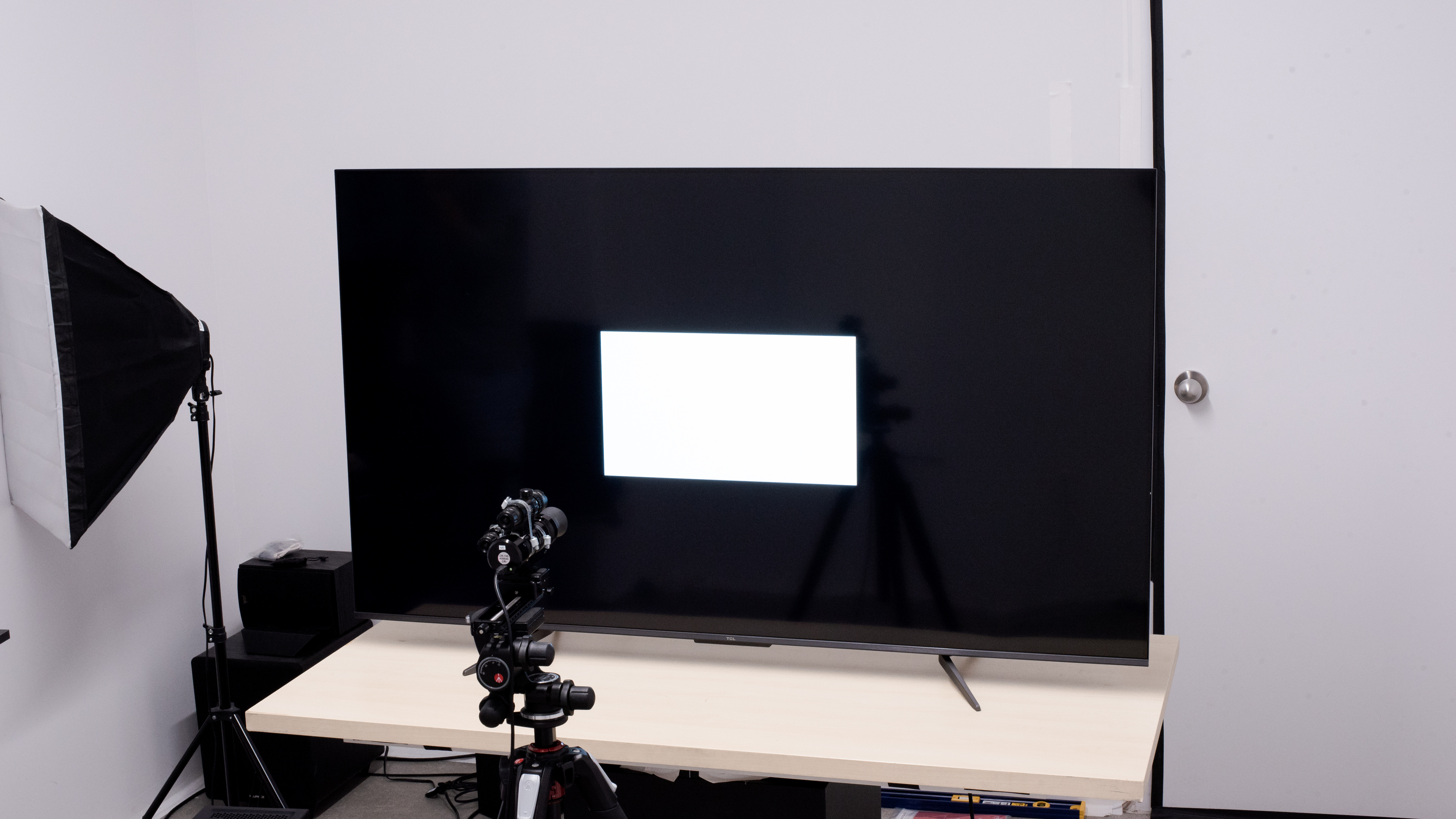
The TV has decent contrast. Its native contrast is excellent, so blacks are deep and true in dim and dark scenes. However, since it lacks a local dimming feature, blacks are raised and appear washed out when very bright highlights appear on the screen. If you'd prefer something with better contrast, look up the Hisense U6/U6K or Roku Plus Series QLED.
for pictures & test results

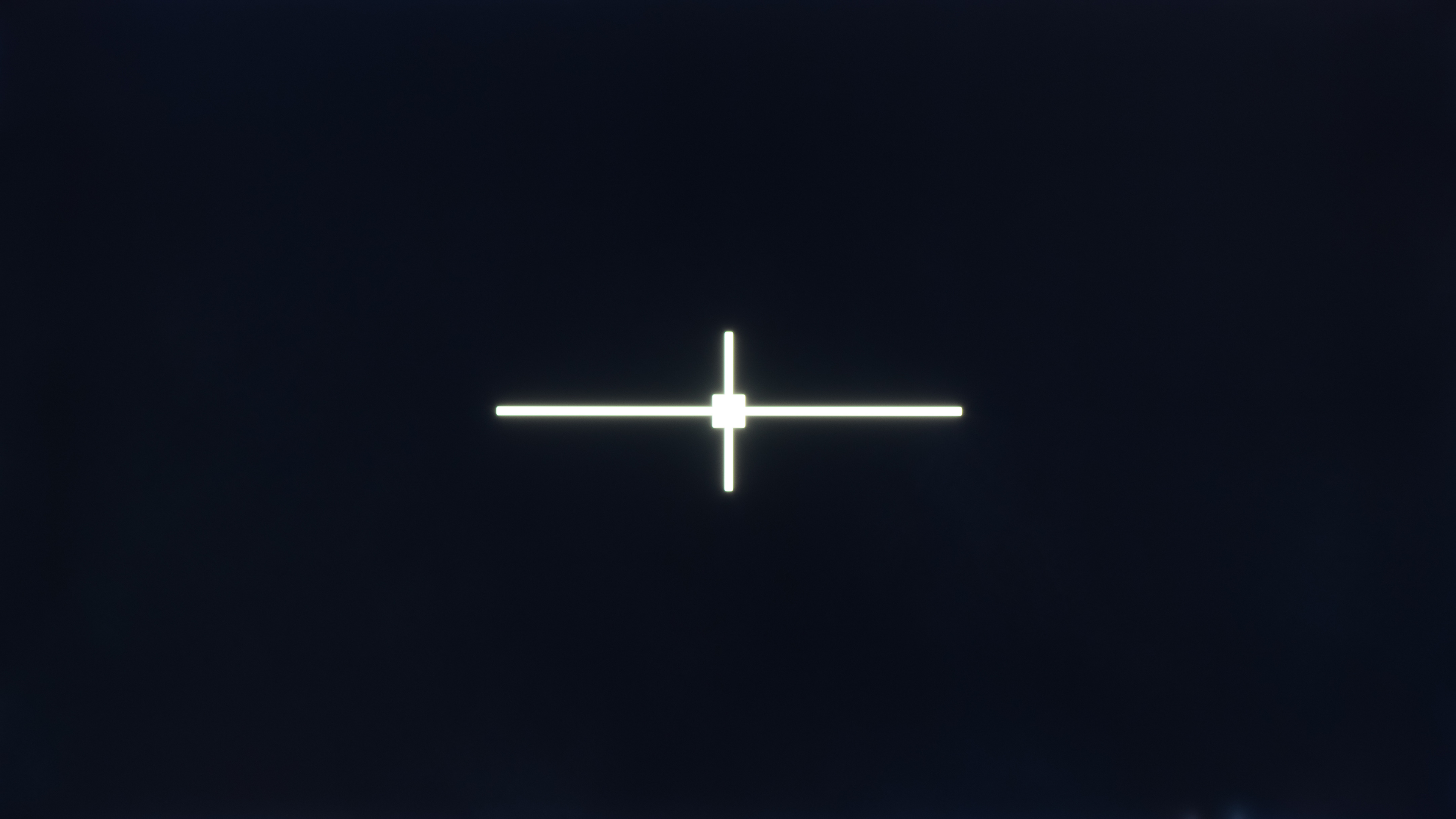
This TV doesn't have a local dimming feature, so there's no blooming around bright objects or subtitles in dark scenes. As the TV can't brighten highlights without impacting the rest of the image, dark scenes look washed out.
for videos & test results

It doesn't have a local dimming feature, so it can't adjust the backlight of individual areas to brighten up highlights without impacting the rest of the image. This means that there are no distracting flickers or brightness changes as bright highlights move between dimming zones.



for pictures & test results

for pictures & test results

for pictures & test results

The TV has good HDR peak brightness. There's no variation in brightness between different scenes regardless of highlights, which is great, but it also means that bright highlights are not emphasized next to other elements of the scene. Still, the TV is bright enough to overcome glare in a bright room.
These measurements are after calibrating the HDR white point with the following settings:
- HDR Picture Mode: Movie
- Contrast: 100
- Brightness: 100
- Color Temperature: Warm -5
for pictures & test results

for pictures & test results

for pictures & test results

The TV's HDR brightness in Game Mode is good. There's no noticeable difference in peak brightness from 'Movie' mode.
These measurements are after calibrating the HDR white point with the following settings:
- HDR Picture Mode: Game
- Brightness: 100
- Contrast: 100
- Color Temperature: Warm -5
for pictures & test results

The TV has fantastic PQ EOTF tracking. Aside from significantly raised blacks and near-blacks, the TV's brightness closely follows the target curve, so it tracks the content creator's intent well. There's a sharp cutoff with content mastered at 600 and 1,000 nits, leading to a loss of bright detail. Its tone maps better with content mastered at 4,000 nits, preserving more fine details in really bright content.
The TV's SDR peak brightness is great. It gets bright enough to fight glare in bright rooms, and there's no variation in brightness between content.
These measurements are after calibration with the following settings:
- Picture Mode: Movie
- Brightness: 100
- Contrast: 96
- Micro Contrast: Off
- Gamma: 2.2
- Black Level: 50
- Dynamic Contrast: Off
- Black Stretch: Off
- Dynamic Brightness: Off
for pictures & test results

for pictures & test results

The TCL Q6 has a great color gamut. It has fantastic coverage of the commonly used DCI-P3 color space, although its greens and yellows are undersaturated. The TV adequately covers the wider, but not as common, Rec. 2020 color space.
for pictures & test results

for pictures & test results

The TCL Q6 has decent color volume in HDR. However, it struggles to represent dark colors and bright, saturated greens and yellows.
for pictures & test results

for pictures & test results

for pictures & test results

The TCL Q6 has poor pre-calibration accuracy. Its white balance is terrible, with significant accuracy errors throughout every range of gray except blacks. The TV's gamma is overbrightened compared to the reference target of 2.2 for a moderately lit room. The TV's color accuracy is okay; saturated colors are accurate, but undersaturated colors show a fair amount of accuracy errors. Thankfully, the TV's color temperature is spot on the 6500K target, so it has neither a red nor blue tint.
for pictures & test results

for pictures & test results

for pictures & test results

The TV's accuracy after calibration is fantastic. Colors and white balance errors are significantly improved, and the gamma is better overall, though bright scenes are overly darkened.
The TV is hard to calibrate, though. When adjusting settings, they sometimes don't affect anything, and then suddenly, you have moments where an adjustment impacts settings it shouldn't, so you need to constantly re-adjust your calibration to compensate.
See our full calibration settings.
for pictures & test results

for pictures & test results

The TCL Q6 has decent gray uniformity, especially on a very dark or near-black screen, where its uniformity is great. On brighter uniform colors, there's significant vignetting, banding, and dirty screen effect near the center of the screen. This is noticeable in certain content, like hockey with its all-white rink, as the sides and corners of the scene are noticeably darker than the rest.
for pictures & test results

The TCL Q6's black uniformity is incredible, although there's some noticeable backlight bleed near the TV's bottom edge. There's no local dimming feature, so the entire screen is blueish and cloudy when bright highlights are on the screen.
for videos & test results

for pictures & test results

for pictures & test results

for pictures & test results

The TV's viewing angle is sub-par and isn't a good choice for wide seating arrangements. There's significant color shifting and brightness loss as you move off-center, and the image looks increasingly washed out as you move further away to the sides.
for pictures & test results

for pictures & test results

for pictures & test results

The TV's reflection handling is decent. It does an excellent job with indirect reflections, like glare from a light source that isn't directly facing the screen. With direct reflections from sources placed directly in front of the screen, the reflections are noticeable when watching content.
for pictures & test results

The TCL Q6 has decent HDR gradient handling. There's very noticeable banding in dark grays and noticeable banding in dark reds, greens, and blues, but other color gradients have minimal banding.
for pictures & test results

The TV has inadequate low-quality content smoothing. While its detail preservation is decent, there's significant macro-blocking in dark scenes.
for pictures & test results

The TV does an inadequate job of upscaling low-resolution content like DVDs or lower-resolution streams. Details are very soft, and finer details are incredibly hard to make out.
Sharpness processing was calibrated with no over-sharpening for low-resolution content with the following setting:
- Sharpness: 12
for pictures & test results

The TV uses a BGR (Blue-Green-Red) subpixel layout instead of the traditional RGB layout. It doesn't cause any issues for video content, but if you plan to use this TV as a PC monitor, non-RGB subpixel layouts impact text clarity, and text looks slightly blurry.
for pictures & test results

for pictures & test results

The TCL Q6 has a decent response time. It does struggle a bit more when coming out of dark states, so there's some black smearing in dark transitions. Thankfully, the TV doesn't have the response time quirks of the TCL Q7/Q750G QLED or TCL QM8/QM850G QLED when VRR is enabled.
for pictures & test results

The TCL Q6 uses pulse width modulation (PWM) to dim its backlight, and it flickers at 150Hz, which is low enough to be noticeable by users who are sensitive to it, especially as it doesn't flicker in time with the TV's refresh rate. Fortunately, the TV is flicker-free at these brightness levels and picture modes:
- Movie, with brightness levels 26-100
- Low Power, with brightness levels 60-100
- Sports, Game Mode, and PC, with brightness levels 28-100
- Smart HDR, always flicker-free
This TV doesn't have an optional backlight strobing feature, commonly known as black frame insertion (BFI).
for pictures & test results

The TCL Q6 has a motion interpolation feature to interpolate 30 fps content up to 60 fps. As typical of this feature, it looks fine with slow scenes, but there are noticeable artifacts with fast-moving objects.
Due to this TV's only decent response time, it does a good job with stutter in movies. It's particularly fantastic with 60 fps content. It's only okay with 24 fps content, like movies, but you can compensate for this by enabling some of the TV's motion interpolation features, although that introduces other issues.
The TCL Q6 QLED removes 24p judder from 24p signals, like a blu-ray player, and from native sources, but it can't properly remove judder from 60Hz sources.
This TV supports every variable refresh rate (VRR) technology for a nearly tear-free gaming experience. Its VRR range is narrow at 4k, but when running at 1080p @ 120Hz or 1440p @ 120Hz, with resolution halving, the VRR range is much wider; great for competitive gamers who prefer a higher refresh rate and lower input lag over better visuals.
The TV has superbly low input lag in Game Mode. It's equally as good in the TV's 'PC' Picture Mode, which you need to set it at to get chroma 4:4:4 support for clear text when using the TV as a PC monitor.
The TV supports all common resolutions up to 4k @ 60Hz. Even though the TV has a 60Hz panel, it can do 1080p @ 120Hz and 1440p @ 120Hz with resolution halving through TCL's Game Accelerator 120 feature. This impacts image quality as the TV halves the display's 4k vertical resolution to run at 120Hz. Still, it's a great option for competitive gamers who prefer having a higher refresh rate and lower input lag over better visuals.
for pictures & test results

The TV can't take full advantage of the PS5, as it can't do 4k @ 120Hz. However, it can do 1080p @ 120Hz and 1440p @ 120Hz with resolution halving. Unlike on the Xbox consoles, the TV has no issues playing HDR games in 120Hz on the PS5.
It also supports VRR and Auto Low Latency Mode (ALLM), so the TV automatically switches to Game Mode when it detects the console.
for pictures & test results

The TV can't take full advantage of the Xbox Series X or S, as it can't do 4k @ 120Hz. However, it can do 1080p @ 120Hz and 1440p @ 120Hz with resolution halving. Note that when launching a Dolby Vision or HDR game at these resolutions, the console automatically sets itself to 4k @ 60Hz, as the Xbox only supports HDR with 4k content.
It also supports VRR and Auto Low Latency Mode (ALLM), so the TV automatically switches to Game Mode when it detects the console.
This TV is limited to HDMI 2.0 bandwidth on its three HDMI ports and supports HDR10+ and Dolby Vision. The tuner is limited to ATSC 1.0, so you can't stream 4k content over the air.


The TCL Q650G supports eARC, allowing you to pass high-quality, uncompressed audio to a compatible receiver. While the TV can pass DTS 5.1 through ARC and Optical connections, it can't pass the full 7.1 DTS:X or DTS-HD formats through eARC, which is disappointing as many UHD Blu-ray discs use these as their main audio track. However, it can pass Dolby advanced audio formats through eARC.
If you want a similar TV with DTS audio support, take a look at the 2024 TCL Q6/Q651G QLED.
for pictures & test results

The TV has a middling frequency response. TVs tend to have awful bass, and this TV is no different; there's no thump and rumble at all. That said, the TV gets pretty loud and has surprisingly little pumping or compression artifacts at max volume. Otherwise, it doesn't sound great, with inaccurate sound reproduction across the board.
for pictures & test results

This TV's handling of sound distortion is decent. Sound is distorted at max volume, which sounds unpleasant, especially if you're sensitive to it. At lower volumes, however, it sounds good, and it's hard to notice any harsh or unexpected frequencies when listening at moderate volume levels.
for pictures & test results

The TV uses version 11 of Google's popular Google TV OS. It's relatively easy to use and runs well, with a large selection of apps.
for pictures & test results

Like most TVs on the market, this TV has ads throughout the interface, and you can't disable them.
for pictures & test results

It has a great selection of streaming apps, with every popular streaming app being present. The interface is very smooth and pleasant to use.
for pictures & test results

The TV's remote is medium-sized and has a simple layout. It has a series of dedicated buttons for the most popular streaming apps. The remote has an integrated microphone for voice commands, and these work pretty well; you can change inputs, search within apps, and ask for the weather.
for pictures & test results

The power button is on the bottom bezel of the TV below the TCL branding. Outside of turning the TV on or off, you can also use it to change channels, the volume, or the inputs.
for pictures & test results

- Remote (with 2x batteries)
- Power cable
- Manuals