The Roku Plus Series QLED is the top model in Roku's first-ever proprietary series of TVs. It sits above the Roku Select Series 2023, and unlike that model, it uses quantum dot technology to display a wider range of colors than traditional TVs. As it's a budget TV, it lacks some gaming features that more expensive models tend to have, like HDMI 2.1 bandwidth, a 120Hz panel, and variable refresh rate (VRR), although it does have local dimming. It also supports both Dolby Vision and HDR10+. It comes with version 12.5 of Roku's fast and intuitive Roku TV smart OS, and its remote comes with an integrated microphone for voice commands. You can also use voice through the Roku app on your phone if you prefer. It's a Best Buy exclusive and is available in three sizes: 55, 65, and 75 inches.
Our Verdict
The Roku Plus Series TV is decent overall. It has excellent contrast and adequate HDR brightness, so it looks pretty good when watching HDR content in dark rooms. It also gets bright in SDR and has good reflection handling, so it handles bright rooms very well. Unfortunately, the TV's viewing angle is inadequate, so it's a poor choice for a wide seating arrangement, like when watching sports or shows with friends. The TV is at its best when watching high-quality 4k content from physical sources, as its image processing capabilities are disappointing when dealing with low-quality or low-bitrate content. It's also a very good gaming TV with fantastic input lag and great response time.
- Excellent contrast for deep blacks.
- Bright enough to fight glare in SDR.
- Disappointing image processing.
- Narrow viewing angle.
The Roku Plus Series TV is decent for TV shows. It has great SDR brightness and good reflection handling, so it's bright enough to handle glare in bright rooms, and you don't even have to worry about closing the blinds. Unfortunately, its viewing angle is inadequate, so this is a poor choice for watching shows in a wide seating arrangement. Plus, the TV's image processing is disappointing, so lower-resolution shows from DVDs or shows from streaming services don't look as good as they could.
- Bright enough to fight glare in SDR.
- Good reflection handling.
- Disappointing image processing.
- Narrow viewing angle.
The Roku Plus Series TV is satisfactory for sports. It has good reflection handling and easily gets bright enough in SDR to handle glare from bright rooms. It has a great response time, so there's minimal blur when watching fast-moving sports. Unfortunately, the TV has an inadequate viewing angle, so it's a poor choice for a wide viewing arrangement. The TV also has a visible pink hue on the left side of the screen with large areas of bright, uniform color, which is noticeable in certain sports, like hockey.
- Bright enough to fight glare in SDR.
- Great response time with most content.
- Good reflection handling.
- Disappointing image processing.
- Some noticeable uniformity issues with bright colors.
- Narrow viewing angle.
The Roku Plus Series TV is a very good choice for gaming. It looks great in Game Mode, with excellent contrast, great SDR peak brightness, and a wide color gamut for a vibrant gaming experience. The TV also has good reflection handling and handles bright gaming rooms well. Gaming on this TV is extremely responsive due to its fantastic input lag and great response time, although its response time is much slower in dark scenes, leading to black smearing. Unfortunately, the TV is a bit light on gaming features, as it doesn't support VRR or 1440p and is limited to a 60Hz refresh rate.
- Excellent contrast for deep blacks.
- Bright enough to fight glare in SDR.
- Very low input lag.
- Great response time with most content.
- Good reflection handling.
- Disappointing image processing.
- Limited gaming features.
- Slow response time in dark scenes, leading to some black smearing.
The Roku Plus Series TV is decent for watching movies. The TV's contrast is excellent, so dark scenes look great in a dark room. Its HDR brightness is adequate; not enough to make highlights pop, but enough to provide a pleasant HDR viewing experience. The TV's color accuracy is decent with minimal calibration, so you only need to hire a calibrator if you care about accurate colors. Unfortunately, the TV's image processing capabilities are limited; movies from streaming platforms have noticeable compression artifacts in dark scenes, and it barely sharpens low-resolution movies from DVDs when upscaling them.
- Excellent contrast for deep blacks.
- Great PQ EOTF tracking.
- Very colorful due to its wide color gamut.
- Disappointing image processing.
- Doesn't remove judder from most sources.
- Small highlights don't stand out versus the rest of the scene.
The Roku Plus Series TV is very good for playing HDR-enabled games. Its HDR brightness in Game Mode is acceptable but not great, but as the TV has an excellent contrast ratio, it still looks very good in a dark room. The TV's input lag is fantastic, so your inputs are quick and responsive, and its response time is great overall, so there's minimal blur in fast-moving games. However, its response time is noticeably worse in dark content, so this isn't the best TV for horror games. The TV is also rather limited regarding gaming features, as it doesn't support VRR or 1440p and is limited to a 60Hz refresh rate.
- Excellent contrast for deep blacks.
- Very low input lag.
- Great response time with most content.
- Very colorful due to its wide color gamut.
- Small highlights don't stand out versus the rest of the scene.
- Limited gaming features.
- Slow response time in dark scenes, leading to some black smearing.
The Roku Plus Series TV is a good TV to use as a PC monitor. It has great SDR peak brightness and good reflection handling, so it handles bright offices well. Unfortunately, its viewing angle is inadequate, so the sides of the screen look washed out when you're sitting close to the TV. Still, the TV does proper chroma 4:4:4 with low input lag to give you the sharpest text alongside a very responsive experience, helped by the TV's great response time. Just make sure to avoid setting your apps and operating system to dark mode, as the TV's response time is noticeably slower when coming out of dark states.
- Bright enough to fight glare in SDR.
- Displays proper chroma 4:4:4 with the lowest input lag.
- Great response time with most content.
- Good reflection handling.
- Some noticeable uniformity issues with bright colors.
- Slow response time in dark scenes, leading to some black smearing.
- Narrow viewing angle.
Changelog
-
Updated Dec 05, 2025:
Mentioned the newly reviewed Roku Pro Series 2025 in the Blooming section.
- Updated Jul 02, 2024: Mentioned the newly-reviewed Roku Pro Series QLED in the Contrast section of this review.
- Updated Feb 29, 2024: Mentioned the newly reviewed Sharp AQUOS FS1 OLED in the Contrast section of this review.
- Updated Nov 23, 2023: Review published.
Check Price
Differences Between Sizes And Variants
We tested the 65-inch Roku Plus Series TV (65R6A5R), but it's also available in 55 and 75-inch sizes. The TV is exclusive to Best Buy in the United States, so it doesn't have any variants.
| Size | US Model |
|---|---|
| 55" | Roku 55R6A5R |
| 65" | Roku 65R6A5R |
| 75" | Roku 75R6A5R |
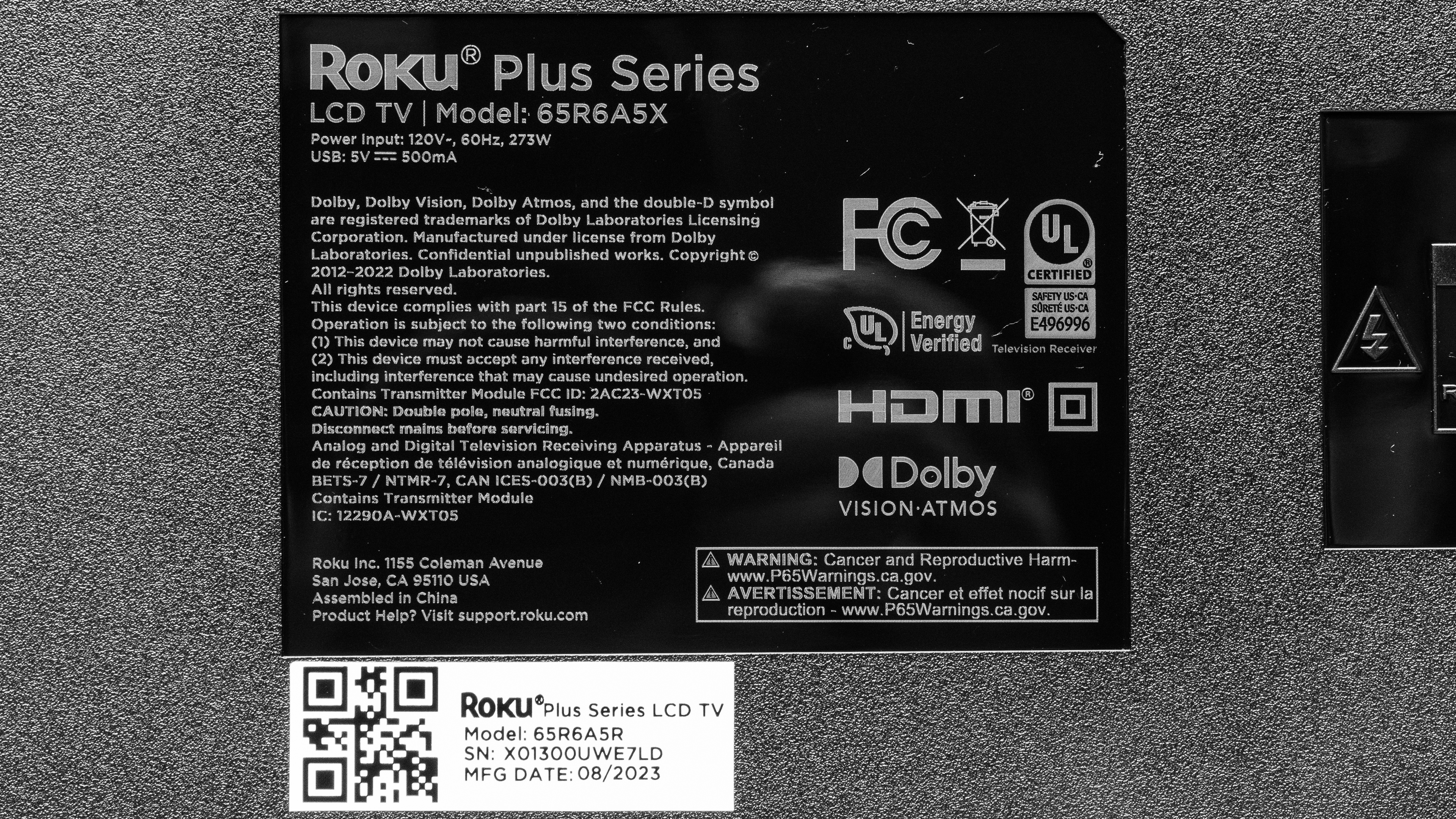
Our unit was manufactured in August 2023, and you can see the label here.
Popular TV Comparisons
The Roku Plus Series QLED is a great TV at its price and competes with the Hisense U6/U6K and the TCL Q6/Q650G QLED. Overall, the Roku Plus is a bit light on features and has disappointing image processing, but it has the best image quality in its price range. It's especially interesting for users who only watch high-quality 4k content, which requires minimal processing, and for gamers who don't care about 120Hz gaming and VRR, as it has extremely low input lag and a great response time.
See our recommendations for the best budget TVs, the best smart TVs, and the best 4k TVs.
The Hisense U6K and Roku Plus Series QLED are very similar TVs, with little to differentiate them. Still, the Hisense has a slight edge due to being much more accurate after changing only a few settings, and it has a few more features than the Roku, like VRR support and removing 24p Judder from more sources. The Hisense TV also sharpens upscaled content much better than the Roku TV. Still, the Roku does look a bit better than the Hisense, as it gets just a tad brighter, has slightly better contrast with much better black uniformity, and has a faster response time for less blur with fast-moving sports and games.
The Roku Plus Series QLED is better than the Roku Select Series. The Plus has local dimming, so it has a much better contrast for deeper blacks. It also gets much brighter than the Select in HDR, with a noticeably wider color gamut, enough for a satisfying HDR experience. The Select has a wider viewing angle, making it better suited for large parties or if you like to move around the TV, and it's much more accurate before being calibrated. It's also available in significantly more sizes than the Plus.
The TCL Q650G and Roku Plus Series QLED are comparable TVs with different strengths and weaknesses. The TCL is generally the better gaming TV, as it can do 1080p and 1440p @ 120Hz with resolution halving and has a matching wide VRR range. However, the Roku is the better-looking TV of the two, with much better contrast due to its local dimming feature, a wider color gamut, superior color accuracy, and a faster response time for less blur in fast-moving content.
The Roku Plus Series QLED is better than the Samsung CU7000/CU7000D. The Samsung has three advantages over the Roku: it sharpens lower-resolution content better than the Roku, supports 1440p resolutions, and removes 24p judder from more sources. The Roku is better at everything else: it has much better contrast due to its local dimming feature, is vastly brighter, has a much wider color gamut and color volume, is the more color-accurate TV of the two, and has a faster response time for less blur in fast-moving content.

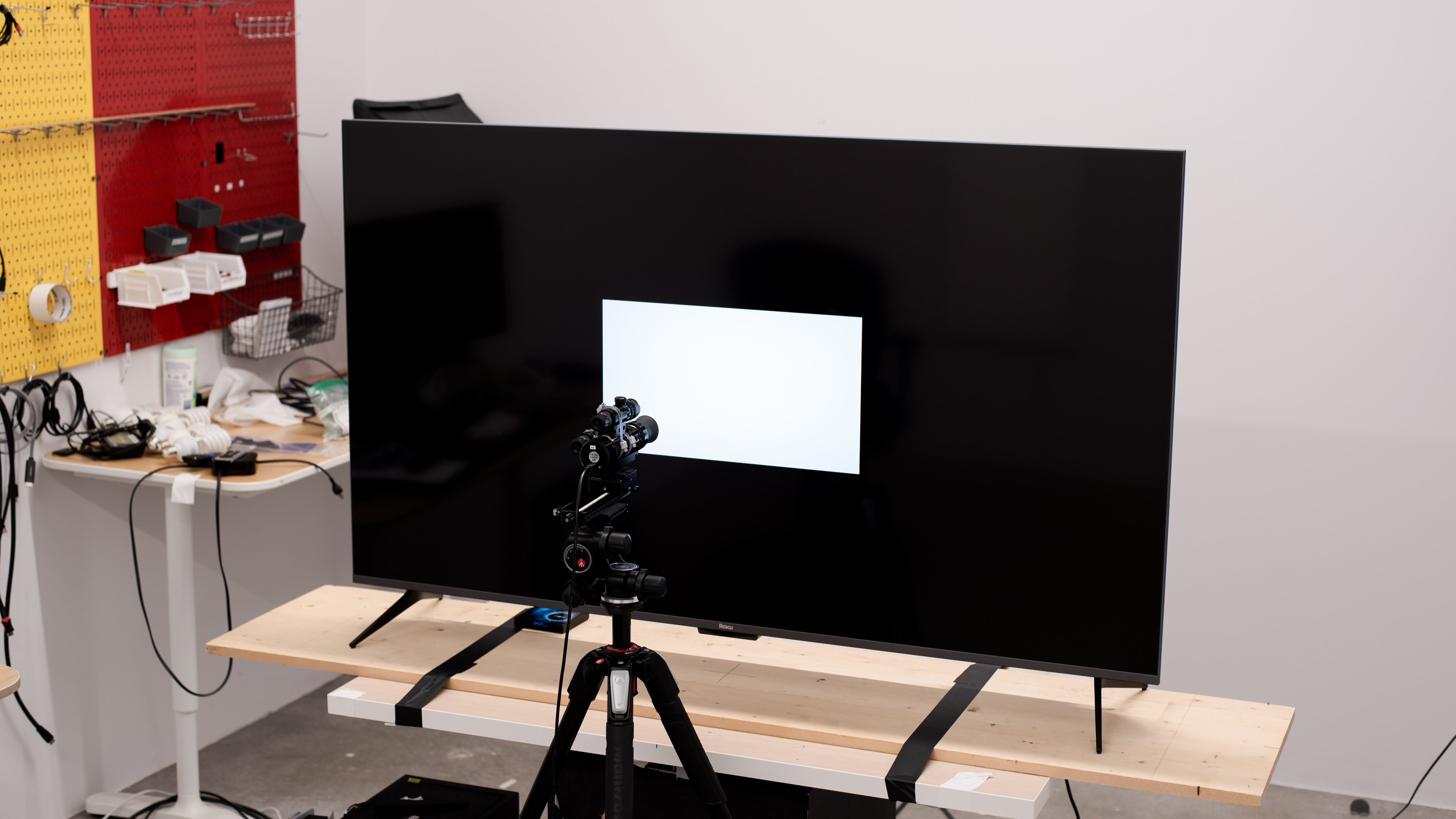
We buy and test dozens of TVs yearly, taking an objective, data-driven approach to deliver results you can trust. Our testing process is complex, with hundreds of individual tests that take over a week to complete. Most of our tests use specially designed test patterns that mimic real content, but we also use the same sources you have at home to ensure our results match the real-world experience. We use two main tools for our testing: a Colorimetry Research CR-100 colorimeter and a CR-250 spectroradiometer.
Test Results
Older Test Bench: We tested this product using an older TV test methodology before a major update. Some of the test results below aren't directly comparable with other TVs. Learn more
for pictures & test results

The Roku Plus TV has a basic design and doesn't look very premium. It has thin bezels on three sides, with a much thicker bottom bezel.
for pictures & test results

The feet are basic, but they support the TV well. They're wide-set, so you'll need a wide TV table if you're not planning on wall-mounting it.
Footprint of the 65" stand: 52.2" x 12.8". The feet raise the screen about 3.9" above the table, so pretty much any soundbar fits in front of it without blocking the screen.
for pictures & test results

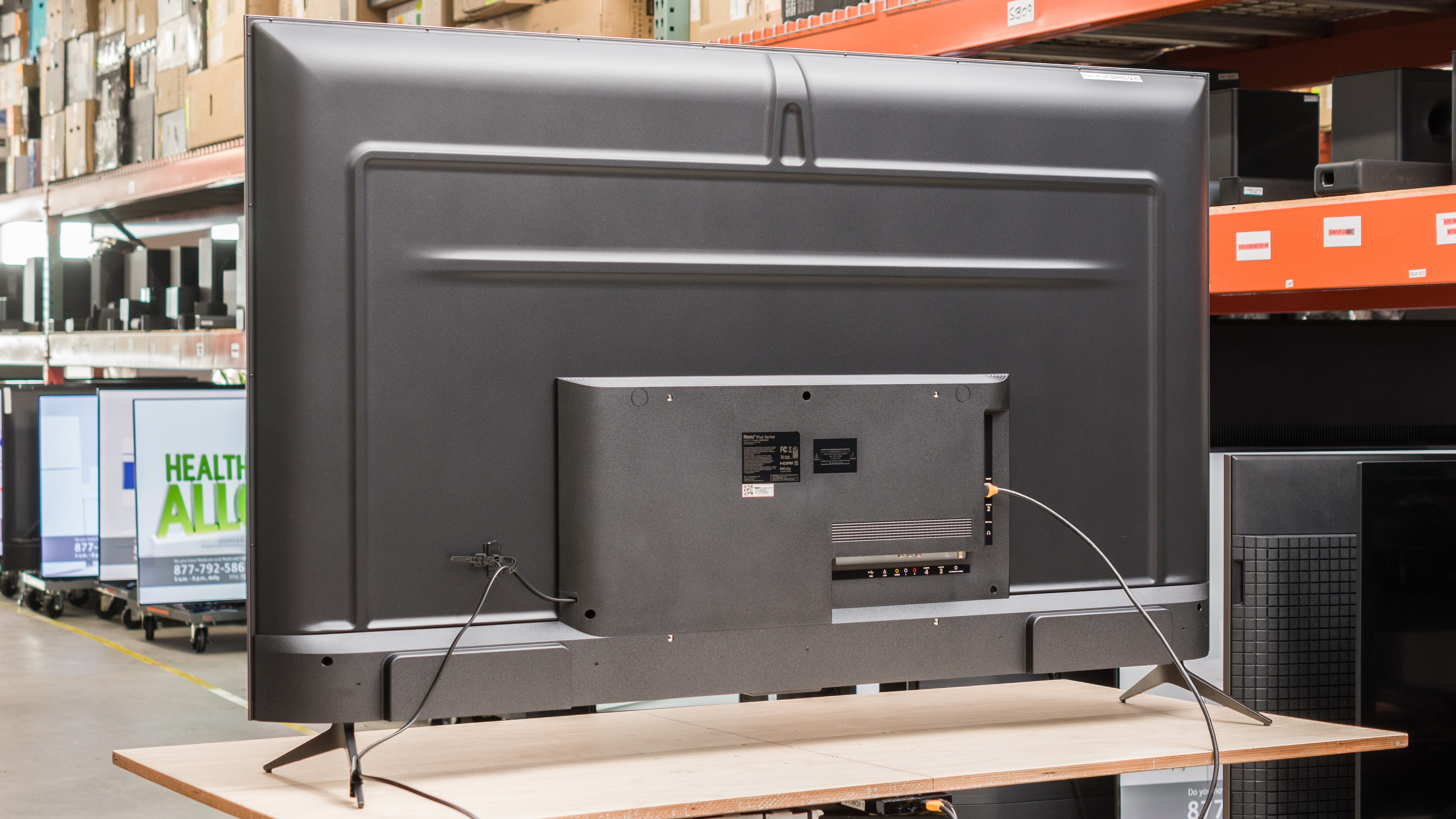
The back is plain, most of it being flat with raised lines, with a raised middle section on the bottom where the inputs are. As all inputs are near the center of the TV, they're hard to reach when the TV is wall-mounted, although the side-facing ports are slightly easier to access than the bottom-facing ones. The TV has a tie wrap clip on the TV for the power cable, and comes with an additional clip that you can set on either foot for further cable management.


for pictures & test results

The Roku 65R6A5R has adequate build quality. It's not made of premium materials but feels well-built overall, with no noticeable issues. There's a bit of flex on the back panel around the inputs, but this is common and won't cause any issues.
for pictures & test results

The Roku Plus Series TV has excellent contrast, so dark scenes are displayed well, even with bright highlights on the screen. The TV's native contrast is very good, but it's fantastic with the local dimming feature enabled. If you want a TV with even better contrast that also runs the Roku OS, check out the Sharp AQUOS FS1 OLED or the Roku Pro Series 2024.
for pictures & test results

The TV has mediocre blooming performance. There's some visible blooming around bright highlights or in dark areas when they're next to brighter ones. The Roku Pro Series 2025 does a much better job of keeping blooming to a minimum.
for videos & test results

The TV has barely acceptable lighting zone transitions. The leading edge of bright moving objects is visibly dimmer, and fast-moving small objects are almost completely obscured due to how dim they get in the transition.



for pictures & test results

for pictures & test results

for pictures & test results

The TV has okay HDR brightness. It gets bright enough to make some highlights stand out, but smaller highlights don't pop against a dark background. Still, it's enough for a fairly satisfying HDR experience.
These measurements are after calibrating the HDR white point with the following settings:
- HDR Picture Mode: Dark HDR
- TV Brightness: Brighter
- Backlight: 100
- Contrast: 100
- Local Dimming: High
- Game Mode: Off
- Dynamic Tone Mapping: On
- Color Temperature: Warm
for pictures & test results

for pictures & test results

for pictures & test results

The TV's HDR brightness with Game Mode set to 'On' is okay. There's no noticeable difference in peak brightness from having the setting set to 'Off'.
These measurements are after calibrating the HDR white point, with the following settings:
- HDR Picture Mode: Dark HDR
- TV Brightness: Brighter
- Backlight: 100
- Contrast: 100
- Local Dimming: High
- Game Mode: On
- Dynamic Tone Mapping: On
- Color Temperature: Warm
for pictures & test results

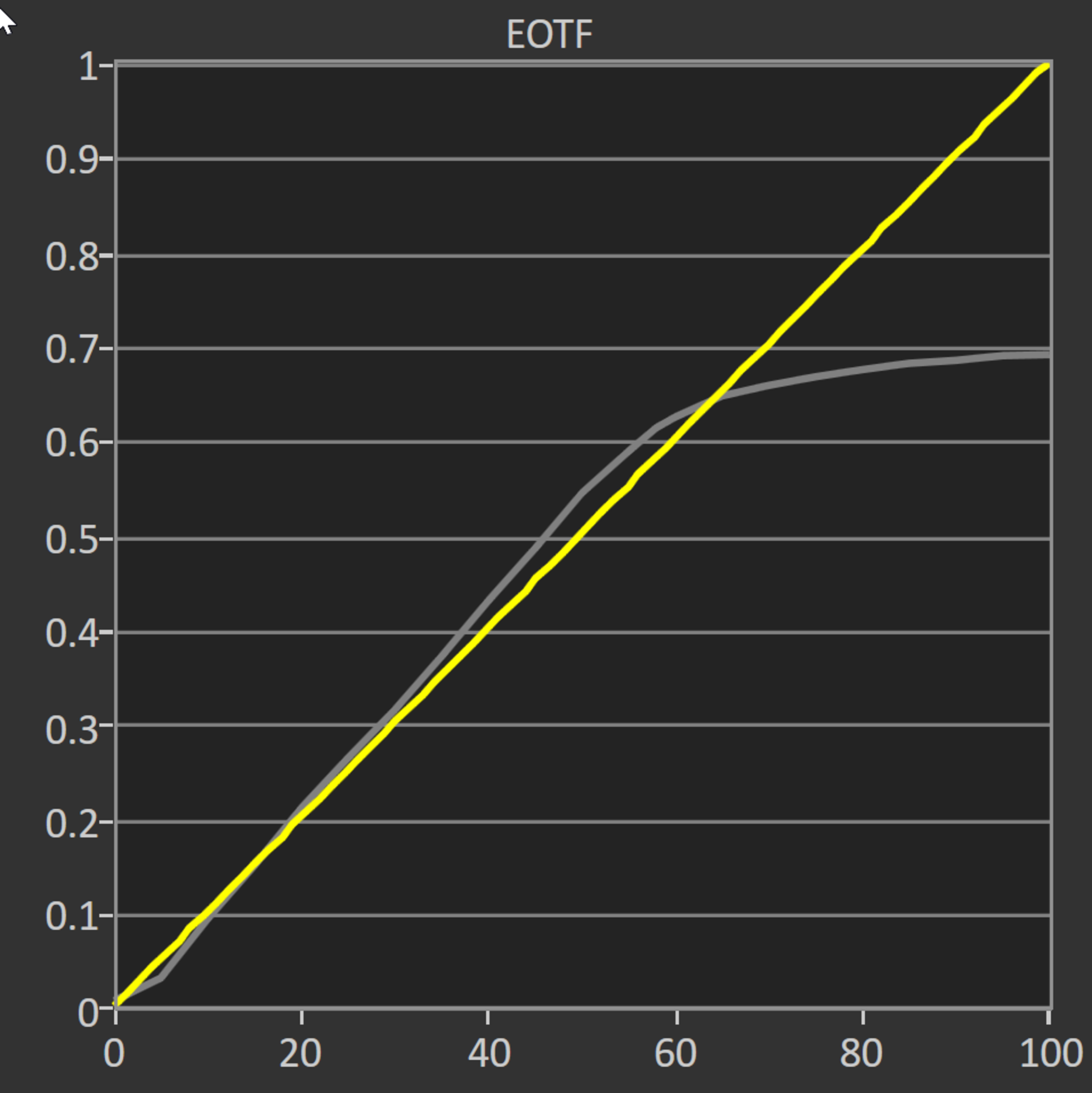
The TV has fantastic PQ EOTF tracking with Dynamic Tone Mapping set to 'On'. It tracks the curve very well, although not perfectly, as most scenes are slightly overbrightened. With Dynamic Tone Mapping set to 'Off', the TV is more noticeably overbrightened in brighter scenes, as you can see here.
The TV has great SDR peak brightness. It gets bright enough to fight glare in a bright room and maintains its brightness well across different scenes, although smaller highlights are considerably dimmer than bigger ones.
These measurements are after calibration with the following settings:
- Picture Mode: Movie
- TV Brightness: Brighter
- Backlight: 100
- Contrast: 100
- Local Dimming: High
- Color Temperature: Warm
- Gamma correction: 2.2 (recommended)
for pictures & test results

for pictures & test results

The TV has an excellent color gamut, displaying a wide range of colors with HDR content. It has fantastic coverage of the commonly used DCI-P3 color space, although most of its colors are undersaturated, and unfortunately, the TV's color accuracy is off with undersaturated colors. The TV adequately covers the wider, but not as common, Rec. 2020 color space, with the same issues as in the DCI-P3 color space.
for pictures & test results

for pictures & test results

The color volume of this TV is decent. It displays a wide range of colors at all luminance levels, and dark saturated colors are displayed well thanks to the TV's excellent contrast. Colors are bright and vibrant; however, they're limited by the TV's peak brightness in HDR.
for pictures & test results

for pictures & test results

for pictures & test results

The Roku Plus TV has decent accuracy after changing just a few settings. Its color accuracy is great overall, with minor accuracy errors in yellows, blues, and whites. Its color temperature is a bit warm but still good overall. Unfortunately, its white balance is mediocre; red is overrepresented in brighter whites, giving them a slightly reddish hue. As for gamma, it's almost exactly on the 2.2 target for moderately lit rooms, which is great.
for pictures & test results

for pictures & test results

for pictures & test results

The Roku Plus Series TV is easy to calibrate. Bringing down the intensity of the greens is enough to fix many of the TV's color accuracy issues, and the white balance is also easy to configure. The one particularity of the TV's calibration settings is that they're on very large scales, so changes to them are very incremental.
You can see the full calibration settings we used here.
for pictures & test results

for pictures & test results

The TV's gray uniformity is decent. There are noticeable uniformity issues across the screen on large areas of bright, uniform color, with the left side of the screen having a noticeable pink hue when compared to the right side. This is distracting when watching sports or browsing the web. Uniformity is much better in dark scenes, with minor backlight bleeding across the TV's bottom edge.
for pictures & test results

for pictures & test results

The Roku Plus Series TV's black uniformity is great. Even with local dimming fully disabled, there's very little blooming in dark scenes. Enabling local dimming makes the black uniformity slightly worse, as there's more blooming around bright elements.
for videos & test results

for pictures & test results

for pictures & test results

for pictures & test results

The TV has an inadequate viewing angle. The image fades and looks washed out as you move even slightly off-center. This makes it a poor choice for a wide seating arrangement, as anyone sitting off-center sees a degraded image.
for pictures & test results

for pictures & test results

for pictures & test results

This TV has good reflection handling. It handles moderate amounts of light very well and, combined with its okay peak brightness in HDR and great peak brightness in SDR, you won't have problems using it in most living rooms. However, avoid placing it immediately opposite bright lights or windows, as it struggles with handling that glare.
for pictures & test results

The TV has good HDR gradient handling. There's some banding in dark grays and greens, but other color gradients have minimal banding, if any.
for pictures & test results

Unfortunately, this TV's processing with low-quality content is poor. It just doesn't smooth out macro-blocking and pixelization well.
for pictures & test results

The TV has disappointing upscaling capabilities. The Sharpness slider doesn't seem to affect the TV's sharpening much, making it hard to improve the TV's overall image quality in upscaled content.
Sharpness processing was calibrated for low-resolution or low-bitrate content, with no over-sharpening, with the following setting:
- Sharpness: 60
for pictures & test results

The TV uses a BGR (blue-green-red) subpixel layout. For multimedia usage, this doesn't cause any issues, but it causes text clarity issues when you use this TV as a PC monitor. There are easy workarounds for these issues, however, and you can read about them here.
for pictures & test results

for pictures & test results

The Roku Plus Series has a great response time, so motion is fluid and smooth, with just a bit of blur behind fast-moving objects. The TV is slower when coming out of a dark state, so there's some black smear in shadow details and noticeable overshoot.
for pictures & test results

The TV uses pulse width modulation (PWM) to dim its backlight. It flickers at 480Hz in every picture mode, with regular cyclical pulses at 1920Hz. Either way, the TV's flicker frequency is high enough that it won't be distracting unless you're sensitive to flicker.
This TV doesn't have an optional backlight strobing feature, which is commonly known as black frame insertion (BFI), but there's flicker at all backlight levels, and it can't be disabled.
This TV doesn't have a motion interpolation feature.
The TV's good response time results in an overall adequate stutter performance. There's some noticeable stutter in slow-panning shots in 24p content, like movies. The TV's stutter performance is exceptional with 60 fps content.
The TV removes 24p judder from external sources, like DVD or Blu-ray players, but not from internal apps. It can't properly remove judder from any 60Hz source.
This TV doesn't support VRR.
This TV has incredibly low input lag, ensuring a responsive gaming and desktop experience.
The Roku Plus TV supports most common resolutions up to 4k @ 60Hz, although, unfortunately, it doesn't support 1440p. It displays chroma 4:4:4 signals properly at all of its supported resolutions, essential for clear text from a desktop PC.
for pictures & test results

This TV can't take full advantage of the PS5. It supports HDR but doesn't support VRR or 1440p resolutions and is limited to a 60Hz refresh rate.
for pictures & test results

This TV can't take full advantage of the Xbox Series S|X. It supports HDR but doesn't support VRR or 1440p resolutions and is limited to a 60Hz refresh rate.
This TV is limited to HDMI 2.0 bandwidth on all four HDMI ports.


Unfortunately, this TV can't passthrough advanced DTS audio formats over eARC, which is disappointing as many UHD Blu-ray discs use these as their main audio track. It also can't pass any 5.1 audio formats through optical, like DTS 5.1 and Dolby Digital 5.1, but they work fine through ARC.
for pictures & test results

The Roku Plus has a decent frequency response. Like most TVs, there's very little bass response, with no thump or rumble. Dialogue sounds clear, even at maximum volume, with some but not excessive compression. The TV doesn't get very loud, so you'll need external speakers or a soundbar if you're in a loud environment.
for pictures & test results

This TV has good distortion performance. There's very little audible distortion at moderate listening levels, and while it does increase at maximum volume, it's still decent overall.
for pictures & test results

This TV runs version 12.5 of the Roku TV smart interface, which is very simple, with fewer animations and a simpler user interface than you'll get with more premium TVs. It's very fast, though, and quite intuitive.
for pictures & test results

Unfortunately, like all Roku TVs we've tested, there are large ads on the home screen, and you can't get rid of them.
for pictures & test results

There's a great selection of streaming apps to choose from, and most of the more popular streaming services are available.
for pictures & test results

This TV comes with the voice remote found with most premium Roku devices. You can access voice controls through the remote or the Roku companion app. There are a few quick access buttons for popular streaming services, and the remote also comes with two extra shortcut buttons to which you can assign apps, which is a nice touch. The remote has an integrated rechargeable battery, and you can recharge it with the included charging cable. You can also plug in headphones into the remote for private listening.
for pictures & test results

The power button is on the bottom bezel of the TV below the Roku branding, and you can change inputs with it, too.
for pictures & test results

- Remote (with charging cable)
- Cable management clip
- Manual