The Hisense U6/U6H is a budget-friendly 4k TV. It's the entry-level model in Hisense's 2022 flagship ULED lineup, which uses quantum dot technology to display a wider range of colors compared to traditional TVs. It sits below the higher-end Hisense U7H and the Hisense U8/U8H. It replaces the Hisense U6G, and while it's very similar, it has a few new features like variable refresh rate (VRR) support for gaming and eARC support to pass high-quality audio to a compatible soundbar or receiver. It also comes with the user-friendly Google TV 11 interface, which is an upgraded version of the Android TV interface that Hisense TVs previously had. As it's a budget TV, it lacks some gaming features that Hisense's higher-end models have, like HDMI 2.1 bandwidth and a 120Hz panel.
Our Verdict
The Hisense U6H is very good for most uses. It's great for watching movies in dark rooms, thanks to its high native contrast ratio for deep blacks, and it has a decent local dimming feature to further improve the contrast. It's good for watching shows and decent for sports in a well-lit room as it has good reflection handling and gets bright, but its slow response time makes motion look blurry. Unfortunately, it has a narrow viewing angle, so it's not optimal for a wide seating arrangement. Lastly, it's great for gaming as it comes with variable refresh rate (VRR) support and has low input lag, but it doesn't support HDMI 2.1 bandwidth for high-frame-rate gaming.
- High native contrast ratio.
- No issues upscaling lower-resolution content.
- Bright enough to fight glare.
- Good reflection handling.
- Some uniformity issues with bright colors.
- Narrow viewing angle.
- Noticeable motion blur.
The Hisense U6 is good for watching TV shows in well-lit rooms. It has good peak brightness and good reflection handling if you want to use it in a well-lit room, but it struggles in really bright rooms with direct sunlight. It upscales lower-resolution content without issue, which is important if you watch your shows from a cable box, and it has a ton of apps if you want to stream content. Unfortunately, it has a narrow viewing angle that makes the image look washed out from the sides.
- No issues upscaling lower-resolution content.
- Bright enough to fight glare.
- Good reflection handling.
- Narrow viewing angle.
The Hisense U6H is decent for watching sports. It upscales content from cable boxes well, and the Google TV interface is user-friendly if you stream your sports. It also gets bright and has good reflection handling if you want to use it in a well-lit room. Unfortunately, the TV's slow response time causes motion blur with fast-moving content like sports. Also, it has a narrow viewing angle that makes the image look washed out if someone is viewing it from the side.
- No issues upscaling lower-resolution content.
- Bright enough to fight glare.
- Good reflection handling.
- Some uniformity issues with bright colors.
- Narrow viewing angle.
- Noticeable motion blur.
The Hisense U6H is great for gaming. It has variable refresh rate support to reduce screen tearing, but it lacks HDMI 2.1 bandwidth if you want to take full advantage of the current-gen gaming consoles, and it's limited to a 60Hz refresh rate. It also has low input lag for a responsive feel, but motion looks blurry due to its slow response time. Luckily, it's great for dark room gaming thanks to its high native contrast ratio, and the decent local dimming feature helps improve the picture quality in dark games.
- High native contrast ratio.
- Local dimming improves picture quality in dark scenes.
- VRR support.
- Low input lag.
- Noticeable motion blur.
- Limited to HDMI 2.0 bandwidth.
The Hisense U6H is very good for HDR movies. It displays a wide range of colors in HDR and gets bright enough to make highlights stand out, but not all highlights and colors pop. Blacks look great in a dark room as it has an excellent contrast ratio and a decent full-array local dimming feature. It also displays native 4k content without any issues and removes judder from 24p sources, which helps with the appearance of motion in movies.
- High native contrast ratio.
- Local dimming improves picture quality in dark scenes.
- Removes judder from 24p sources.
- Good color gamut and color volume.
- Raised black levels in some scenes.
- Small highlights don't stand out versus the rest of the scene.
The Hisense U6 is great for HDR gaming. HDR content looks very good thanks to its high contrast, decent local dimming feature, and okay HDR brightness, but it isn't bright enough to make all highlights stand out. It's also great for gaming as it has low input lag and VRR support to reduce screen tearing, but motion looks blurry due to its slow response time. Unfortunately, it doesn't support HDMI 2.1 bandwidth and has a 60Hz refresh rate, so it can't take full advantage of the PS5 or Xbox Series X.
- High native contrast ratio.
- Local dimming improves picture quality in dark scenes.
- VRR support.
- Low input lag.
- Good color gamut and color volume.
- Raised black levels in some scenes.
- Noticeable motion blur.
- Small highlights don't stand out versus the rest of the scene.
The Hisense U6H is good to use as a PC monitor. It displays proper chroma 4:4:4 to help with text clarity, but not all programs support its BGR subpixel layout. It has low input lag for a responsive desktop feel, but you'll notice motion blur when scrolling through long documents and webpages. It also looks good in well-lit rooms as it gets bright and has good reflection handling, but its narrow viewing angle means that the image looks washed out at the edges if you sit too close.
- Bright enough to fight glare.
- Good reflection handling.
- Low input lag.
- Displays proper chroma 4:4:4.
- Narrow viewing angle.
- Noticeable motion blur.
- Limited to HDMI 2.0 bandwidth.
Changelog
- Updated Sep 26, 2025: We uploaded the latest brightness measurements and uniformity photos for the Accelerated Longevity Test.
- Updated Jul 08, 2025: We uploaded the latest brightness measurements and uniformity photos for the Accelerated Longevity Test.
- Updated Apr 17, 2025: We uploaded the latest brightness measurements and uniformity photos for the Accelerated Longevity Test.
- Updated Feb 11, 2025: We uploaded the latest brightness measurements and uniformity photos for the Accelerated Longevity Test.
Check Price
Differences Between Sizes And Variants
We tested the 65-inch Hisense U6H, and the results are also valid for the 50-inch and 55-inch models. The 75-inch model has a different panel type, so it performs differently. In Canada, it's known as the Hisense U68H, and it performs the same. As Hisense releases different models and their lineup varies for international regions, the results are only valid for the models available in Canada and the United States. There's also a U6HF model sold in the United States that uses Fire TV as its smart platform, but it's a different TV.
| Size | US Model | Local Dimming Zones | Panel Type |
|---|---|---|---|
| 50" | Hisense 50U6H | Unknown | VA |
| 55" | Hisense 55U6H | Unknown | VA |
| 65" | Hisense 65U6H | 32 | VA |
| 75" | Hisense 75U6H | 48 | IPS |
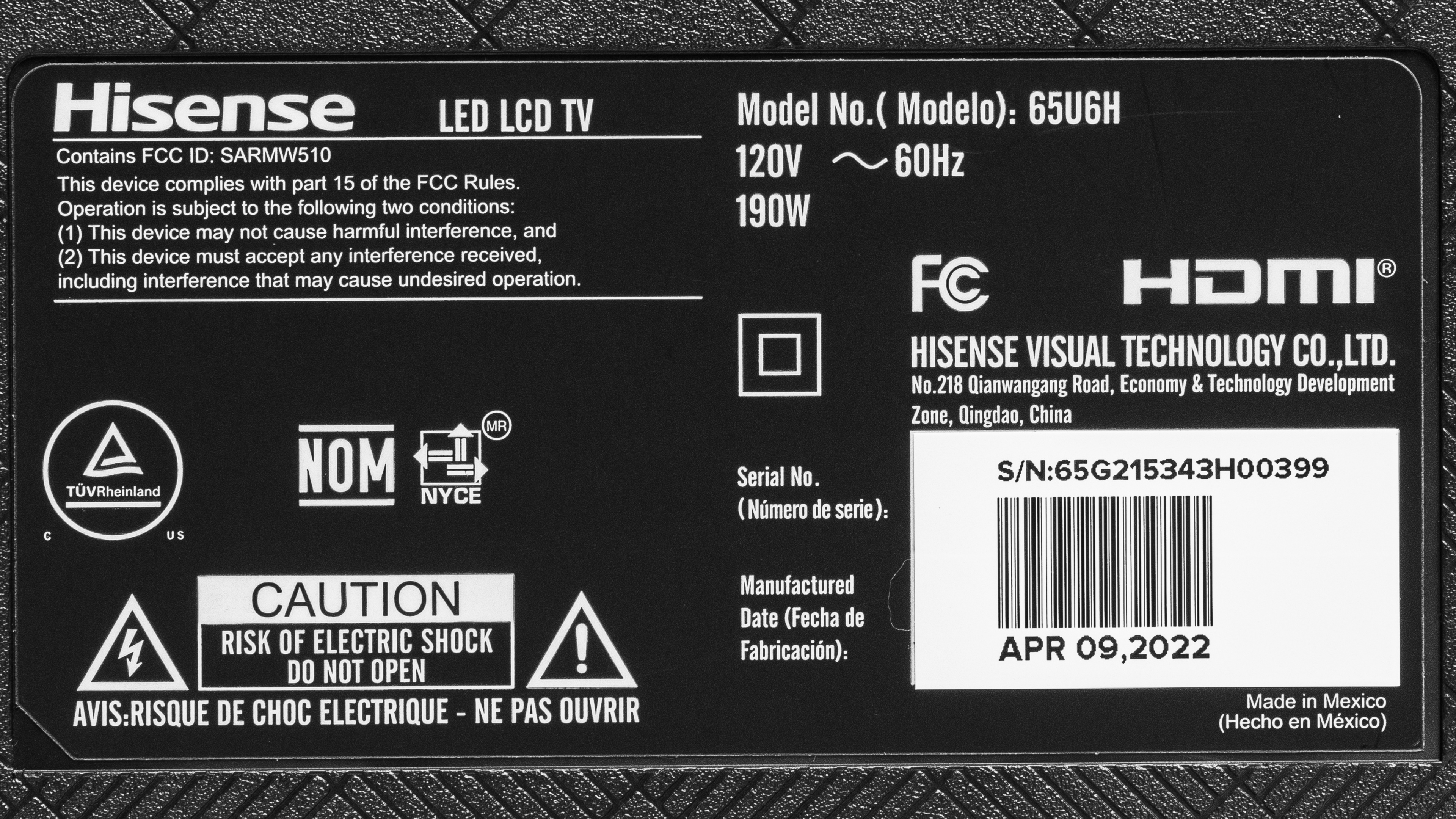
The unit we reviewed was manufactured in April 2022, and you can see the label here.
Popular TV Comparisons
The Hisense U6H is a good budget-friendly TV. It offers a few more features than other TVs in the same price range, like the Samsung Q60C QLED. Even though it has a few more features compared to its predecessor, the Hisense U6G, its picture quality and performance are a downgrade, but it's still a good low-cost TV if you don't want to spend a ton on high-end models.
See our recommendations for the best budget TVs, the best smart TVs, and the best 4k TVs.
The Hisense U6H is a newer version of the Hisense U6G, and it's mainly the same TV with a few differences. The U6H performs worse in a few areas, like its peak brightness, black uniformity, response time, and gradient handling, which is disappointing. However, the U6H has a few more features like VRR support and eARC support, as well as an updated version of Google TV. If you care about picture quality, go for the U6G, but if you need those features, the U6H is the better option.
The Hisense U6H and Hisense U6K are extremely similar TVs. The Hisense U6K is more colorful and has better contrast, so it's just a bit punchier overall. It also has a faster response time, so it's the better TV for fast-moving action in sports and games. The U6H, for its part, has a wider viewing angle, so it's better for a wide seating arrangement, and it has much better black uniformity with less blooming around bright highlights, which makes up for its lower contrast.
The Hisense U7H is slightly better than the Hisense U6H. The U7H delivers slightly better picture quality, with a better local dimming feature and slightly better contrast. The U7H also gets brighter, so it can handle a bit more glare if you're in a bright room. Finally, the U7H supports more advanced gaming features and delivers a better gaming experience, as it has a 120Hz panel and HDMI 2.1 bandwidth, meaning it can take full advantage of the Xbox Series S|X or PS5.
Although their naming is similar, the Hisense A6H and the Hisense U6H are different TVs. The U6H is part of Hisense's ULED lineup, while the A6H is part of the more entry-level UHD lineup, which means that the U6H has more features like FreeSync VRR support and a wide color gamut. They also have different panel types, and the U6H has much better contrast, while the A6H has a wider viewing angle. If you want better picture quality, go for the U6H.

We buy and test dozens of TVs yearly, taking an objective, data-driven approach to deliver results you can trust. Our testing process is complex, with hundreds of individual tests that take over a week to complete. Most of our tests use specially designed test patterns that mimic real content, but we also use the same sources you have at home to ensure our results match the real-world experience. We use two main tools for our testing: a Colorimetry Research CR-100 colorimeter and a CR-250 spectroradiometer.
Test Results
Older Test Bench: We tested this product using an older TV test methodology before a major update. Some of the test results below aren't directly comparable with other TVs. Learn more
for pictures & test results

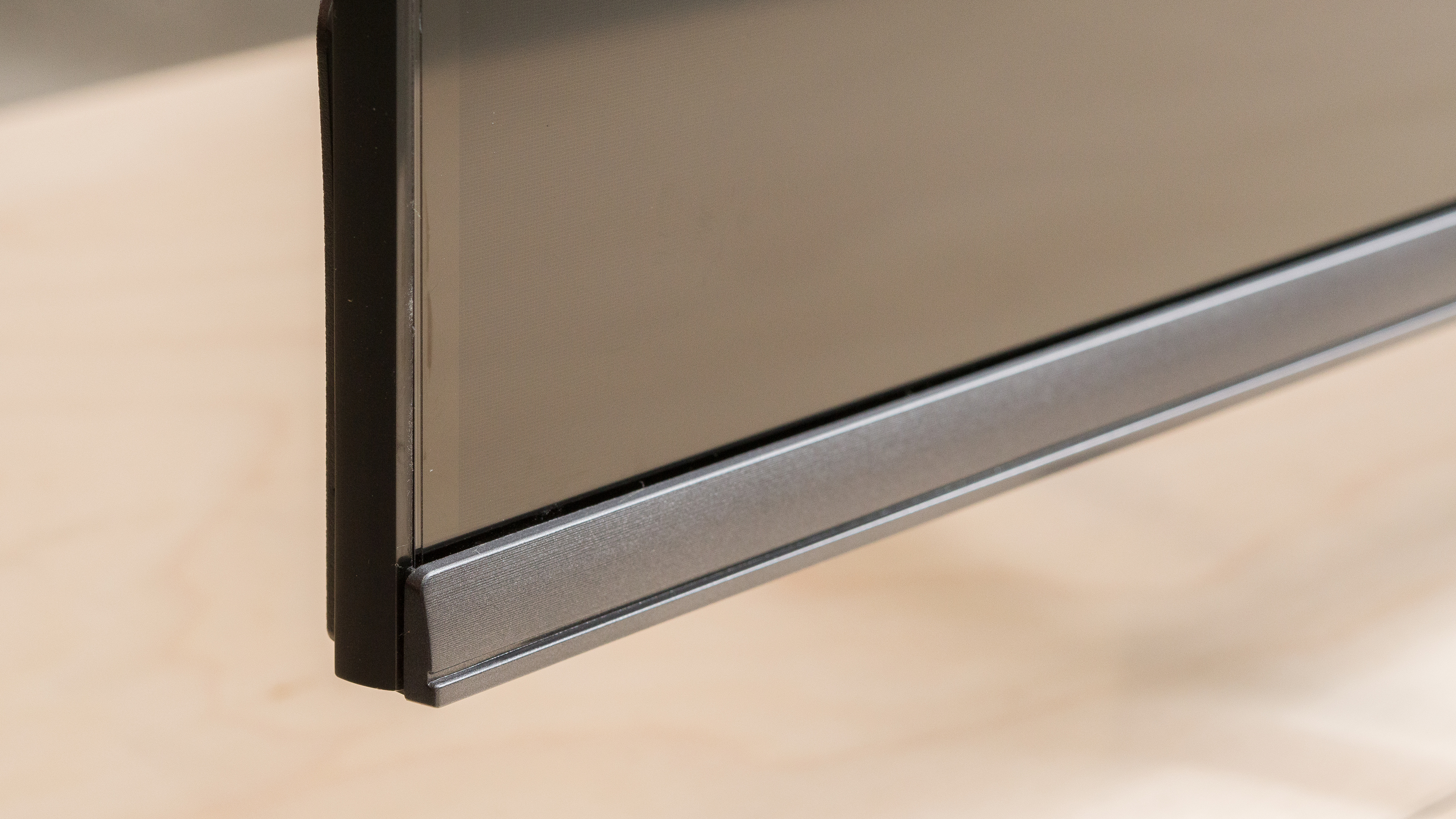
The Hisense U6H is a simple-looking TV that has a redesigned back and bottom bezel compared to its predecessor, the Hisense U6G.
for pictures & test results

The TV has wide-set feet, so you'll need a large stand to place it on if you get the larger sizes. The metal feet raise the display enough off the table that placing a soundbar in front won't block the screen. Sadly, there's noticeable wobble if you shake the table, but it's fine if you have a stable media stand.
Footprint of the 65-inch TV: 39.5" W x 13.6" D x 3.5" H to the bottom of the screen.
for pictures & test results

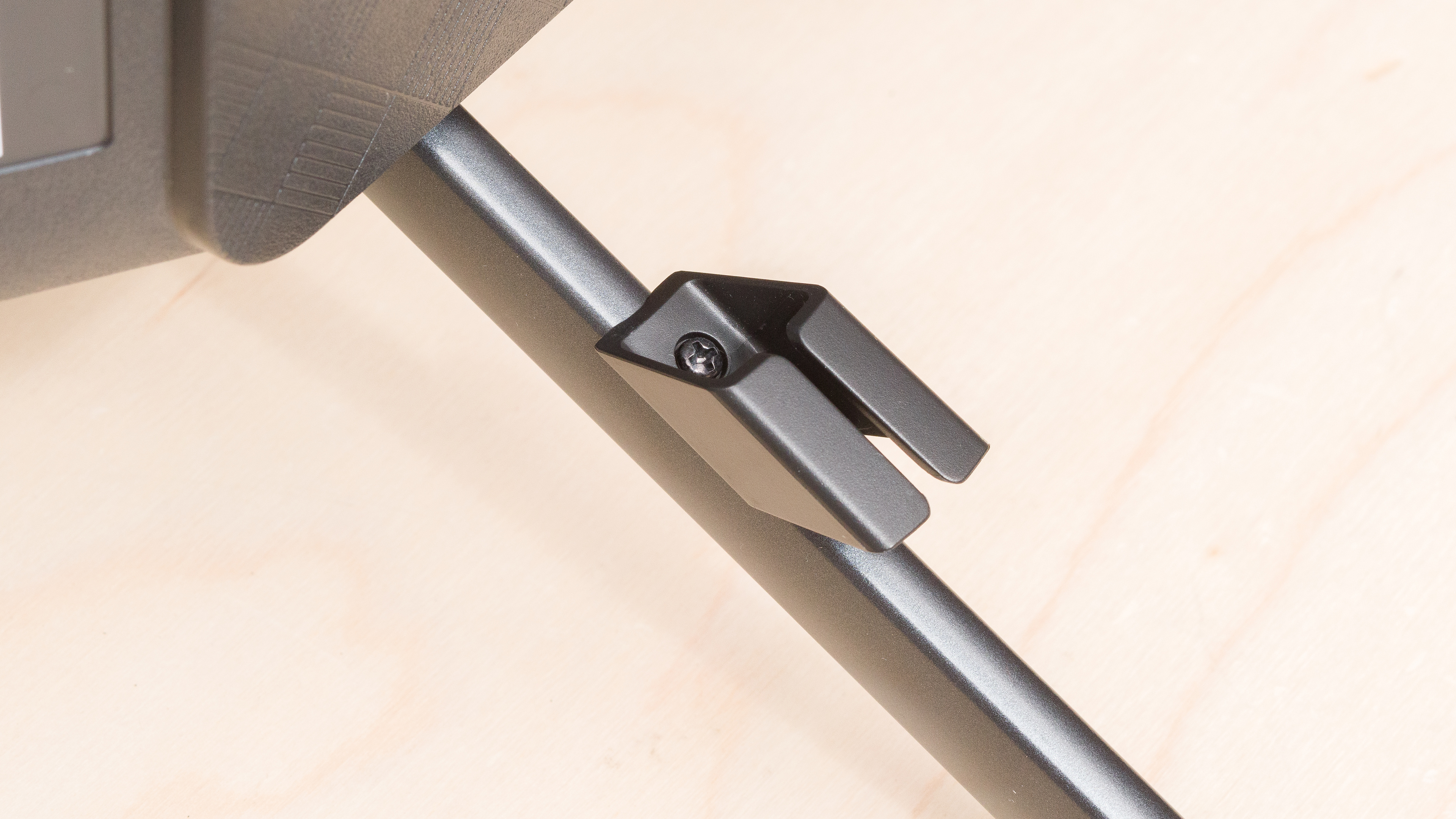
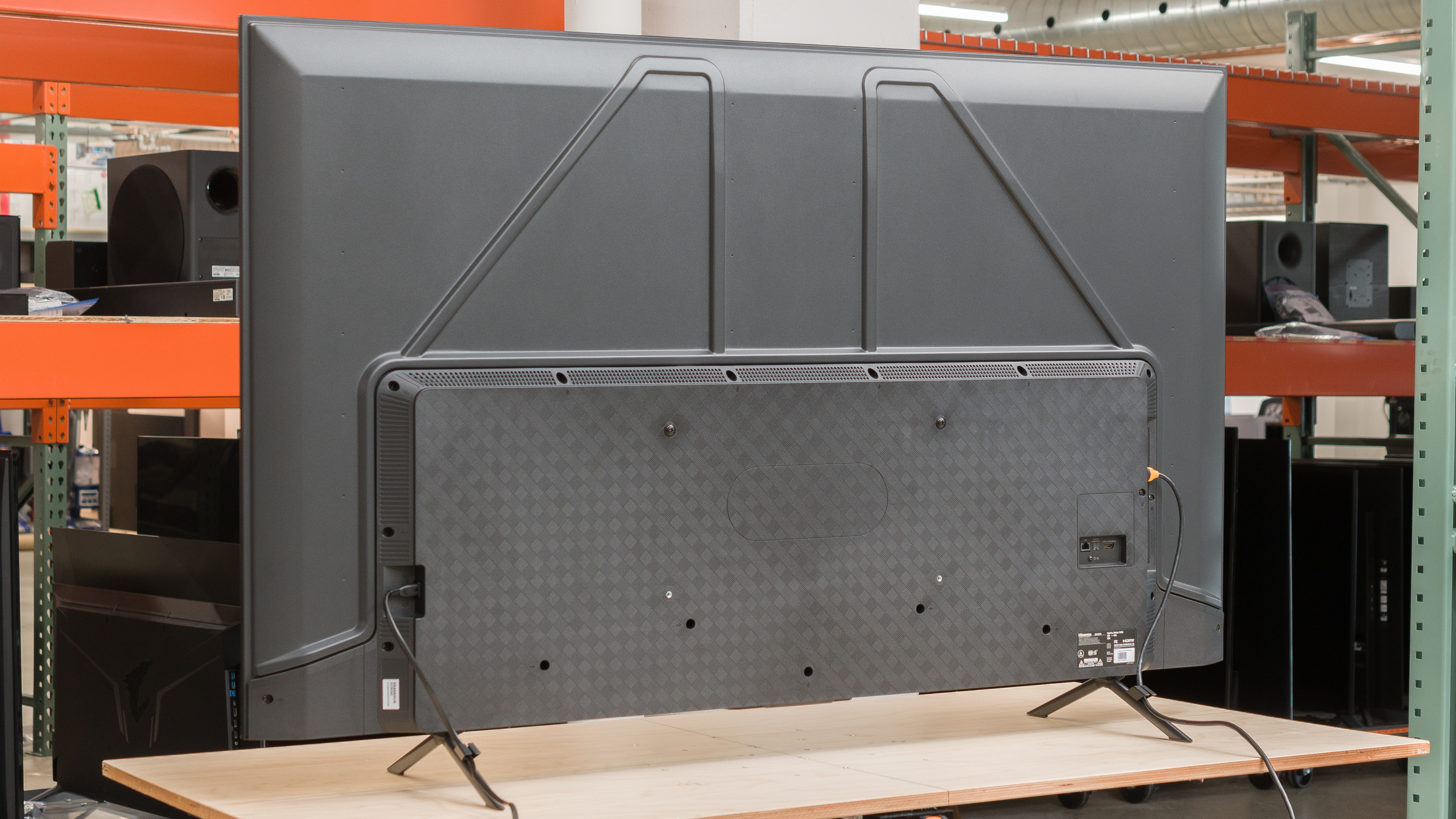
The back consists of metal on the top portion and plastic where the inputs are. Most of the inputs are side-facing, and unlike the Hisense U6G, they aren't set into the TV, so they're easy to access unless you have the TV mounted flush against the wall. The feet also have clips for cable management.


for pictures & test results

The Hisense U6 has decent build quality. The materials used feel nice, and the TV is constructed well without any issues around the bezels. The metal feet are sturdy, but it doesn't prevent all wobble if you shake the table, but it's stable if it's just sitting there. There's flex around the plastic housing of the inputs, but the metal portion of the back feels solid.
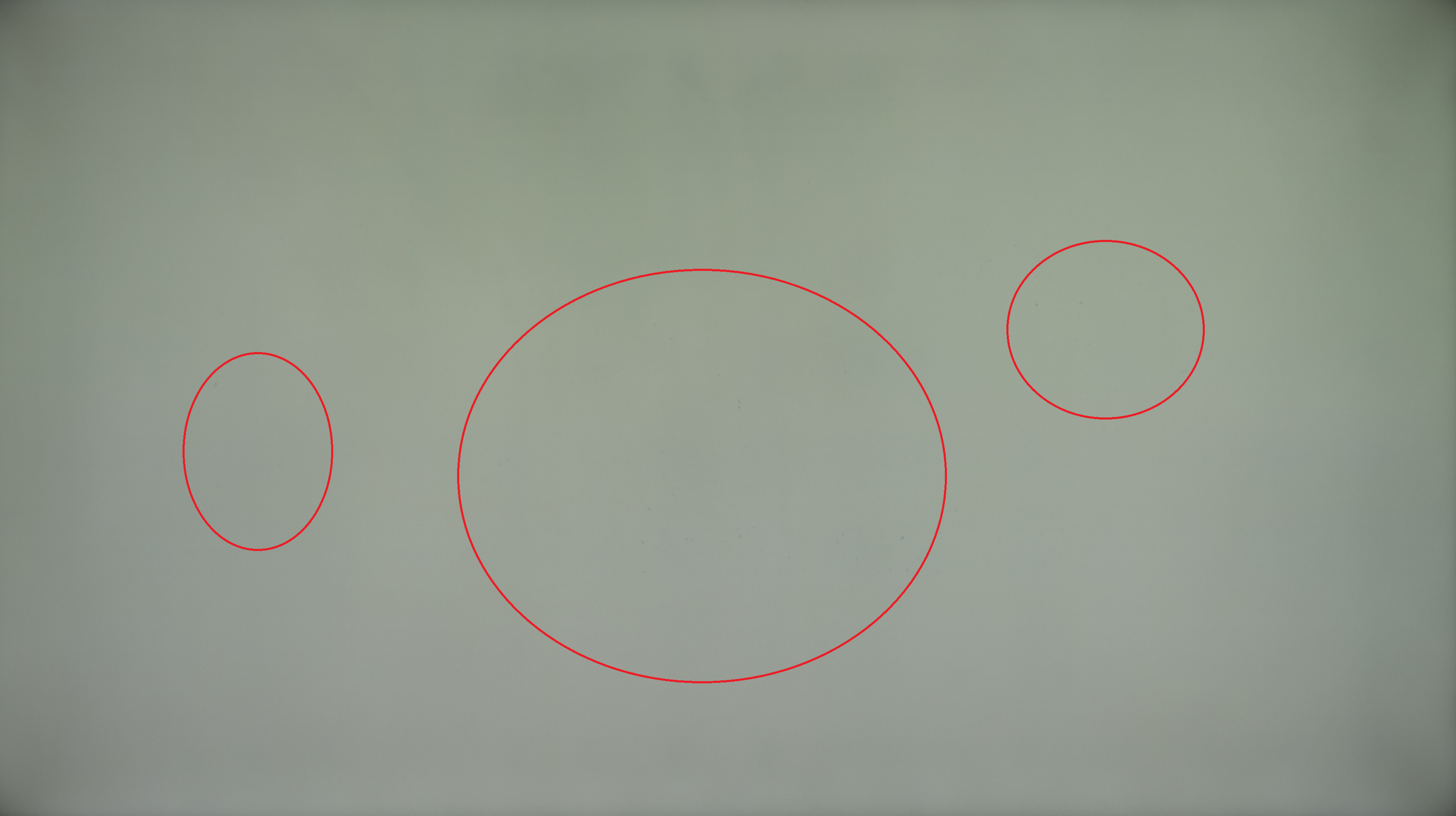
Our unit has one issue with quality control where it looks like there's dust caught between the layers of the TV, resulting in gray spots as you can see here. There are reports online of units with dead pixels, but this appears to be a different issue, and we don't expect many other units to have the same problem as ours.
for pictures & test results

The Hisense U6H has a great contrast ratio, but it's not quite as good as the Amazon Fire TV Omni QLED Series 2022. Its full-array local dimming feature helps it improve the contrast with Local Dimming on 'High'. Note that the 75-inch model has a different panel type with a worse contrast ratio.
for pictures & test results

The TV has okay blooming performance. There's some visible blooming around bright highlights or in dark areas when they're next to brighter ones.
for videos & test results

The TV has decent lighting zone transitions. The leading edge of bright moving objects is visibly dimmer, and there's visible haloing behind fast-moving objects.



for pictures & test results

for pictures & test results

for pictures & test results

The Hisense U6H has okay HDR brightness. Small highlights aren't as bright as they are on the Amazon Fire TV Omni QLED Series 2022, but real scenes are a bit brighter overall. It gets bright enough to make some highlights stand out, but because of the raised black levels with local dimming, smaller highlights don't pop against a dark background. Still, it's enough for a satisfying enough HDR experience, especially for a budget-friendly TV.
These measurements are after calibrating the HDR white point with the following settings:
- HDR Picture Mode: HDR Theater
- Backlight: Max
- Local Dimming: High
- Color Temperature: Low
for pictures & test results

for pictures & test results

for pictures & test results

The TV's HDR brightness in Game Mode is okay, and there's no noticeable difference in peak brightness from 'HDR Theater' mode.
These measurements are after calibrating the HDR white point, with the following settings:
- HDR Picture Mode: HDR Game
- Brightness: Max
- Local Dimming: High
- Color Temperature: Low
for pictures & test results

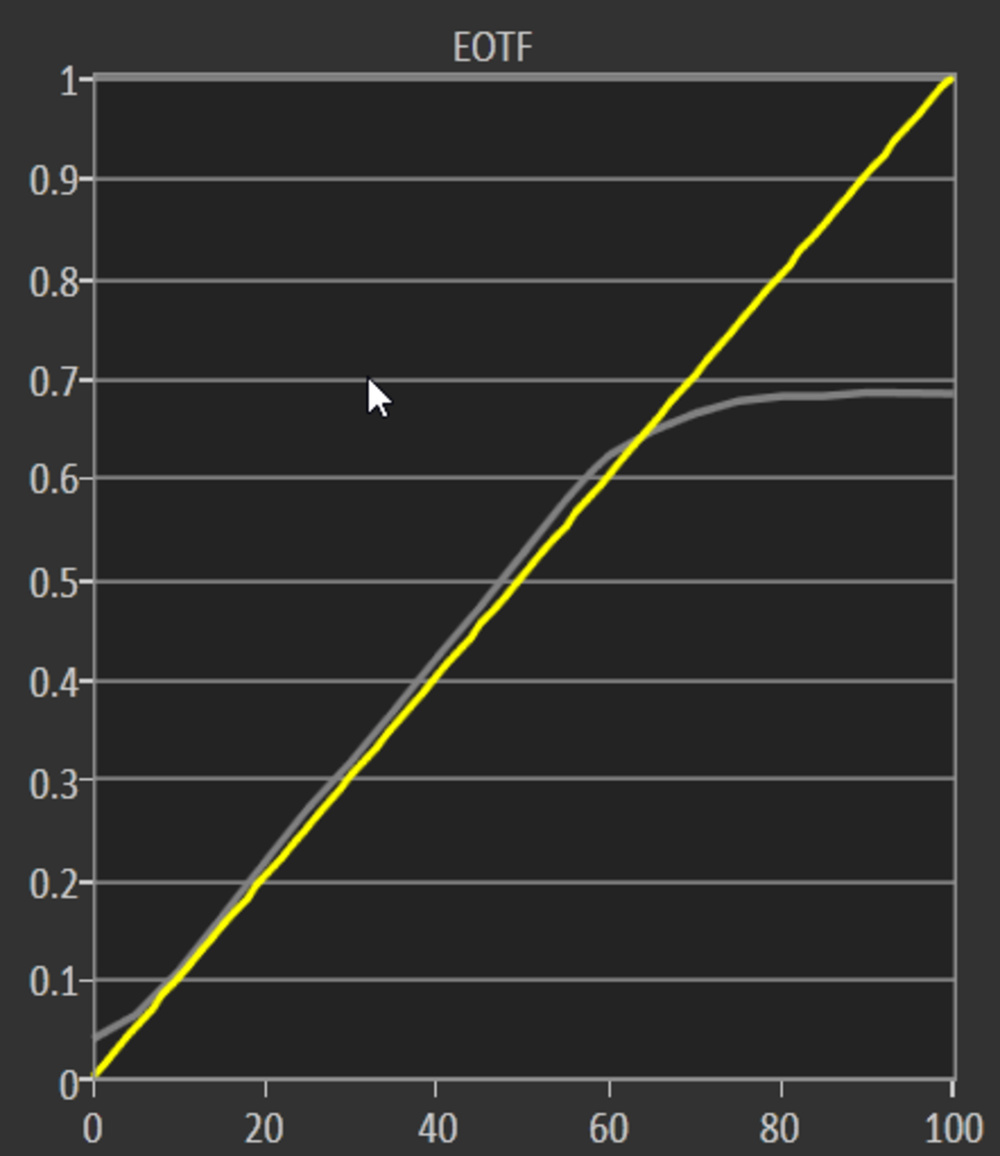
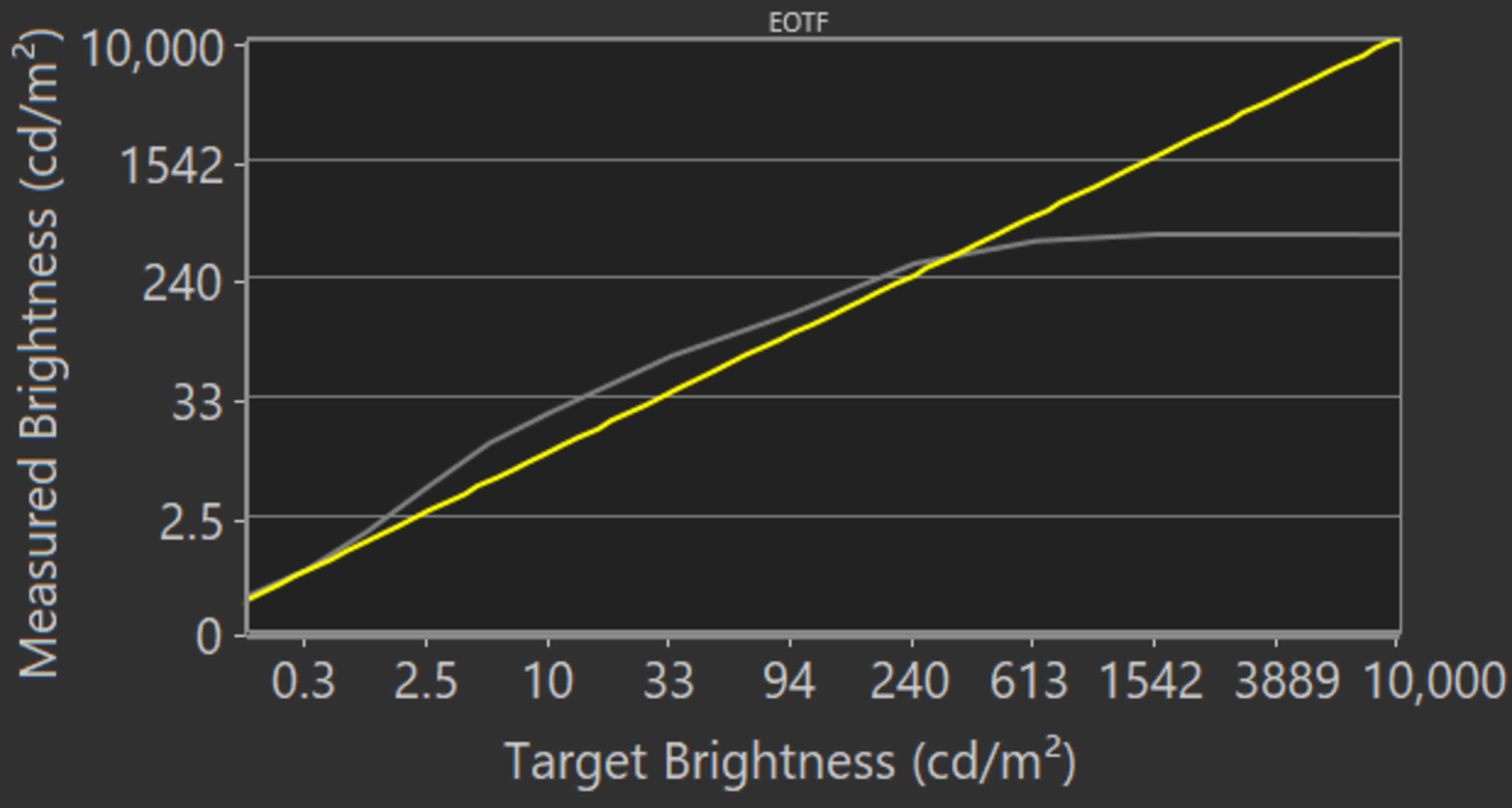
The Hisense U6H tracks the target PQ EOTF very well. Although all scenes are slightly brighter than intended, it's still great, especially with shadows and midtones. There's a slow roll-off towards the peak brightness, meaning it preserves bright details well. The EOTF looks nearly the same in 'FILMMAKER MODE', but that mode locks you out of most settings. If you find the image too dim, use the 'HDR Theater' Picture Mode with the Backlight Level at its max, and Local Dimming, Color Temperature, and Active Contrast each on 'High'. This makes midtones appear brighter, as you can see in this EOTF, but it doesn't change bright highlights.
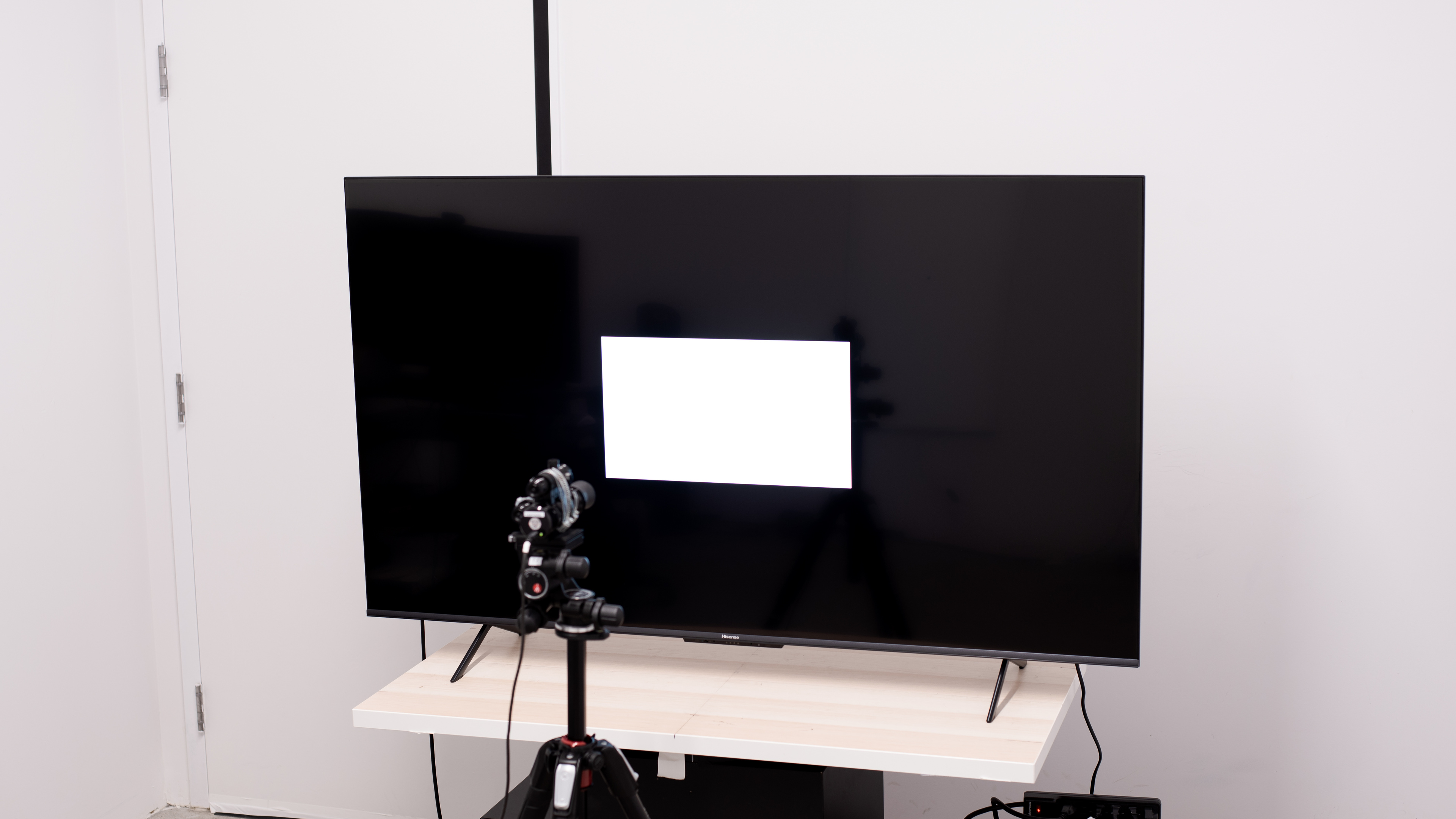
The TV has good SDR peak brightness. It gets bright enough to fight glare in a well-lit room and maintains its brightness well across different scenes. These measurements are after calibration with the following settings:
- Picture Mode: Theater Night
- Backlight: Max
- Local Dimming: High
If you don't care about image accuracy and want the brightest image possible, it reaches 560 cd/m² in the 25% window in the 'Theater Day' Picture Mode with the Backlight Level at its max, Local Dimming on 'High', Color Temperature set to 'Low', and Active Contrast disabled.
for pictures & test results

for pictures & test results

The Hisense U6 has an impressive HDR color gamut as it displays a wide range of colors. It has incredible coverage of the commonly-used DCI-P3 color space, as well as decent coverage of the wider Rec. 2020 color space. Tone mapping is decent in each, but some brighter details are lost, and the TV struggles with accurately portraying saturated colors in the Rec. 2020 space.
for pictures & test results

for pictures & test results

The HDR color volume is good. It displays dark colors well, but it struggles with some brighter colors, and it's limited by its incomplete color gamut.
for pictures & test results

for pictures & test results

for pictures & test results

The TV has fantastic pre-calibration accuracy in SDR. Most colors and the white balance are accurate, and the color temperature is also close to the 6500K target. Gamma is good, but some bright scenes are over-brightened.
for pictures & test results

for pictures & test results

for pictures & test results

The TV has incredible accuracy after calibration to the 6500K white point. It's a bit hard to calibrate as adjusting the white balance values too aggressively makes the image look worse, but because it already has fantastic accuracy nearly out-of-the-box, you don't need to calibrate it too much for an accurate image.
You can see the full calibration settings we used here.
for pictures & test results

for pictures & test results

The gray uniformity is decent. There's some vignetting towards the corners and a bit of dirty screen effect in the center that could get distracting during sports, but neither is a major problem. You can also see gray spots with large areas of bright, uniform colors (see the Build Quality section for more).
for pictures & test results

for pictures & test results

The Hisense U6 has good black uniformity, but it looks worse than the Hisense U6G because there's more blooming around bright highlights with local dimming enabled. Without local dimming, the screen looks closer to blue as there's some backlight bleed, but it isn't too bad, and the local dimming helps further deepen any blacks.
for videos & test results

for pictures & test results

for pictures & test results

for pictures & test results

The TV has a narrow viewing angle that makes the image look washed out from the sides. It means it isn't ideal for wide seating areas, but note that the 75-inch model has a different panel type with a better viewing angle.
for pictures & test results

for pictures & test results

for pictures & test results

This TV has good reflection handling. It handles moderate amounts of light well and, combined with its good peak brightness, you won't have problems using it in most living rooms. However, don't place it opposite a window with direct sunlight because it struggles a bit more with handling that type of glare.
for pictures & test results

The TV has great HDR gradient handling. There's some noticeable banding in dark reds and greens, but other color gradients have minimal banding.
for pictures & test results

Unfortunately, this TV's processing with low-quality content is poor. It just doesn't smooth out macro-blocking and pixelization well.
for pictures & test results

The TV has decent upscaling capabilities. Fine details in upscaling content are preserved decently well, with some, but not excessive, blurring.
Sharpness processing was calibrated for low-resolution or low-bitrate content, with no over-sharpening, with the following setting:
- Sharpness: 10
for pictures & test results

The Hisense U6H uses a BGR (Blue-Green-Red) subpixel layout instead of the traditional RGB layout. For video content, it doesn't cause any issues, but it impacts text clarity if you're planning on using this TV as a PC monitor, as some text looks blurry. You can read more about this here.
for pictures & test results

for pictures & test results

The TV has an okay response time, but there's noticeable smearing and motion blur with fast-moving objects. The backlight flicker also causes image duplication, as you can see with the trail R behind the logo. The motion handling looks the same in Game Mode as outside of it, as the motion blur is still there. If you like this TV but would prefer something with a faster response time, look up its successor, the Hisense U6/U6K.
for pictures & test results

The Hisense U6 uses pulse width modulation (PWM) to dim its backlight at all brightness levels in all picture modes. It's high enough that it shouldn't be too distracting, but it can also cause headaches if you're sensitive to flicker. If you like this TV but need something with a higher flicker frequency, take a look at the newer Hisense U6/U6N.
for pictures & test results

for pictures & test results

The Hisense U6H has an optional backlight strobing feature, commonly known as black frame insertion, to reduce persistence blur. It isn't that effective as it causes image duplication and even some smearing.
for pictures & test results

The Hisense U6H has a motion interpolation feature to bring 30 fps content up to 60 fps. It doesn't seem to do much in the test pattern, but it interpolates some slow-moving content well. Unfortunately, there are artifacts with fast-moving content. You can enable motion interpolation in Game Mode, but it still looks the same as it can introduce artifacts.
Due to the slow response time, there isn't too much stutter with fast-moving content, as each frame isn't held on for too long.
The Hisense U6H automatically removes 24p judder from native apps and sources with a Match Frame Rate feature, which helps with the appearance of motion in movies. However, it doesn't remove 24p judder from 60Hz sources like a cable box.
Unlike the Hisense U6G, the Hisense U6H has variable refresh rate support to reduce screen tearing. It works without issue from most devices, and on PCs with AMD graphics cards, you need to enable PC Sync on the TV for FreeSync to work.
The Hisense U6H has low input lag for a responsive gaming experience in Game Mode. The input lag is very high outside of Game Mode, so if you feel like the delay bothers you while scrolling through menus, switch to Game Mode to reduce the lag.
The TV works with all common signals up to 60Hz. It also displays proper chroma 4:4:4 with any of its supported resolutions, which helps with text clarity when using it as a PC monitor. If you'd like more options regarding resolutions, check out the similar TCL Q6/Q650G QLED.
for pictures & test results

As the TV is limited to a 60Hz refresh rate and HDMI 2.0 bandwidth, it can't take full advantage of the PS5. Still, 60Hz signals and VRR work without issue.
for pictures & test results

As the TV is limited to a 60Hz refresh rate and HDMI 2.0 bandwidth, it can't take full advantage of the Xbox Series X|S. Still, 60Hz signals and VRR work without issue.
Although Hisense advertises the inputs as HDMI 2.1, the TV doesn't support HDMI 2.1 bandwidth. Instead, it's limited to HDMI 2.0 bandwidth.
for pictures & test results

for pictures & test results

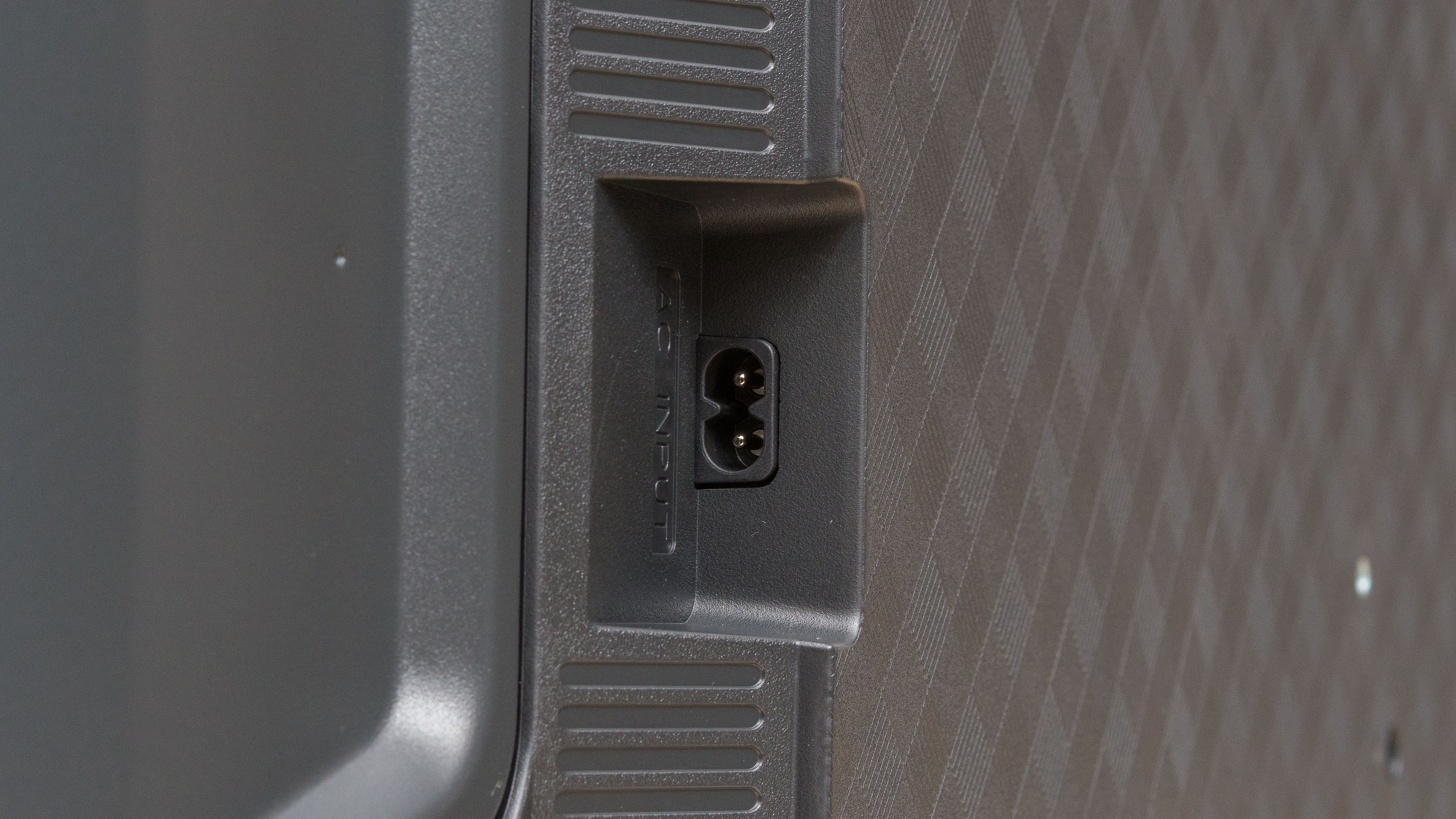
While all the video and audio inputs are on the right side of the back, the power input is on the left side.
Unlike the Hisense U6G, the Hisense U6H now supports eARC, allowing you to pass high-quality, uncompressed audio to a compatible receiver with a single HDMI cable. It supports both common high-end audio formats, which is great as you can take full advantage of a variety of content.
for pictures & test results

The TV has a mediocre frequency response. While it has a well-balanced sound profile at moderate listening levels, which is good for dialogue, it doesn't produce much bass, so you need a soundbar or a proper sound setup for the best sound possible.
for pictures & test results

The Hisense U6H TV has mediocre distortion handling. There isn't too much at moderate listening levels, but it gets much worse at its max volume, particularly with mid-range sounds.
for pictures & test results

The TV comes with Google TV 11, which is an updated version of the Android TV platform Hisense TVs previously used. It's redesigned with a few extra accessibility features, but other than that, it's the same user-friendly platform.
for pictures & test results

Like most modern TVs, there are ads and suggested content throughout the interface. You can opt out of suggested content, but it just switches the ads to non-personalized ads instead.
for pictures & test results

The Google Play Store has a ton of apps you can download, and the interface is very smooth and pleasant to use.
for pictures & test results

The TV comes with a redesigned remote compared to the remote that came with 2021 Hisense TVs. Like most modern remotes, it lacks a Numpad, and there are quick-access buttons to popular streaming services. The mic built into the remote and on the TV gives you access to Google Assistant and Alexa, so you can ask it to search for content, open apps, and switch inputs.
for pictures & test results

There's a button underneath the center to turn the TV on/off and switch inputs. There's another button to turn off the mic built into the TV if you're concerned about privacy, and you can also use it for the Find My Remote feature.
for pictures & test results

- Remote
- 2x AAA batteries
- Power cable
- User guides