The LG UR8000 is a basic entry-level 4k TV released in 2023. It replaces the LG UQ8000 and sits between the LG UR7500 and the LG UR9000. As an entry-level model, it offers very few additional features, with almost nothing for gamers and very limited picture processing options. It's available in a wide array of sizes ranging from 43-inch up to a massive 86-inch model, so there's something for any room size. It's mainly sold at warehouse outlets like Costco and Sam's Club, as most major retailers in the U.S. don't carry it. It's been replaced in 2024 by the LG UT8000.
Our Verdict
The LG UR8000 is a decent TV overall. It looks good in a dark room thanks to its high native contrast ratio and great black uniformity, making it a good choice for watching movies. It's okay for watching sports or shows in a bright room, but it's a bit limited by its low peak brightness, so it can't handle a lot of glare in a bright room. It also has poor off-angle viewing, so it's not a good choice for a wide seating arrangement. Finally, it's a decent gaming TV with low input lag and a quick response time, but most sizes lack any advanced gaming features, so it's not ideal for competitive gamers.
- High native contrast for deep blacks.
- Decent reflection handling.
- Poor off-angle viewing.
- Not bright enough to overcome glare in a bright room.
The LG UR8000 is just okay for watching shows in a bright room. It has decent reflection handling but limited peak brightness, so while it can handle a bit of light, it's not bright enough to overcome glare in a bright room. It also has poor off-angle viewing, meaning the image degrades rapidly when viewed from the side, so it's not ideal for a wide seating arrangement. On the flip side, it has a great selection of streaming apps, although the smart interface is a bit sluggish.
- Decent reflection handling.
- Wide selection of streaming apps.
- Poor off-angle viewing.
- Not bright enough to overcome glare in a bright room.
The LG UR8000 is okay for watching sports in a bright room. It has a quick response time, so motion is generally fluid and easy to make out. It has decent reflection handling overall, but sadly, it can't get very bright, so while it's fine for a moderately-lit room, it's not bright enough for a room with lots of windows. There's also some distracting dirty screen effect in the center, and the image degrades rapidly when viewed off-angle, so it's not ideal for a wide seating arrangement.
- Decent reflection handling.
- Wide selection of streaming apps.
- Poor off-angle viewing.
- Noticeable dirty screen effect in the center.
- Not bright enough to overcome glare in a bright room.
The LG UR8000 delivers a decent gaming experience. It has low input lag and a quick response time, so motion looks good overall, as there's relatively little blur behind fast-moving objects. Sadly, it has few gaming features, as most sizes are limited to a 60Hz refresh rate and don't support a variable refresh rate (VRR). Note that the 86-inch version is much better for gaming, as it supports HDMI 2.1 bandwidth, 4k @ 120Hz gaming, and VRR.
- High native contrast for deep blacks.
- Low input lag.
- Decent reflection handling.
- 60Hz refresh rate and limited gaming features on most sizes.
The LG UR8000 is good overall for watching movies in a dark room. It has a high native contrast ratio and great black uniformity, resulting in deep blacks in dim scenes. It also has fantastic PQ EOTF tracking, which means most scenes display at the brightness levels intended by the content creator. Sadly, it can't get very bright, though, so specular highlights don't stand out well, and it lacks a local dimming feature, so HDR content, in general, isn't very punchy.
- High native contrast for deep blacks.
- Great black uniformity.
- No local dimming feature to improve contrast.
- Low peak brightness in HDR.
The LG UR8000 is good for gaming in HDR. It has low input lag, ensuring a responsive gaming experience, and motion looks good for the most part, thanks to its quick response time. HDR adds very little, though, as it can't get very bright in HDR and lacks a local dimming feature, so even though dark scenes still look good, bright highlights don't stand out. It can't display a wide color gamut, so vivid scenes look dull overall.
- High native contrast for deep blacks.
- Low input lag.
- No local dimming feature to improve contrast.
- Low peak brightness in HDR.
- 60Hz refresh rate and limited gaming features on most sizes.
Unfortunately, this TV is just okay for use as a PC monitor. It displays chroma 4:4:4 signals properly, resulting in clear text from a PC, and it has low input lag for a responsive desktop experience. It also has a good response time, so motion is clear, with just a bit of blur behind fast-moving objects. On the other hand, it has a poor viewing angle, so if you get one of the larger sizes and sit close to it, the sides of the screen appear non-uniform. It also has a lot of dirty screen effect near the center of the screen, which is distracting when displaying any large areas of uniform color. Although HDR works fine on this TV with consoles, it doesn't currently work with Windows PCs.
- High native contrast for deep blacks.
- Low input lag.
- Chroma 4:4:4 is displayed properly for clear text from a PC.
- Decent reflection handling.
- Noticeable dirty screen effect in the center.
- 60Hz refresh rate and limited gaming features on most sizes.
- HDR doesn't work with Windows PCs.
Changelog
-
Updated Oct 23, 2024:
We bought and tested the model that replaces this TV, the LG UT8000. Added a mention in the introduction and in the Low-Quality Content Smoothing section.
- Updated Jul 25, 2024: We changed 'Judder-Free 24p via 60p' and 'Judder-Free 24P via 60i' from 'Yes' to 'No' in the 24p Judder section since using motion interpolation doesn't count as judder-free.
- Updated Mar 26, 2024: Clarified in the Differences Between Sizes And Variants section and the Variable Refresh Rate results that although the 86-inch version supports a 120Hz refresh rate, it doesn't support VRR.
- Updated Aug 24, 2023: We bought and tested the Hisense A65K, and added a few relevant comparisons below.
Check Price
Differences Between Sizes And Variants
We bought and tested the 65" LG UR8000 (65UR8000AUA), also known as the LG UR80, but it's also available in 43, 50, 55, 70, 75, and 86-inch sizes. The last three letters in the model number (AUA in this case) vary between retailers and individual regions, but there's no difference in performance.
Internationally, this model is available in a few different variants. Most major European markets carry the LG UR81 (UR81006LJ) instead, which performs the same but has a center-mounted stand.
| Size | US Model | UK/EU Model | Refresh Rate | VRR | Processor |
|---|---|---|---|---|---|
| 43" | 43UR8000AUA | 43UR80006LJ | 60Hz | No | α5 AI Processor 4k Gen6 |
| 50" | 50UR8000AUA | 50UR80006LJ | 60Hz | No | α5 AI Processor 4k Gen6 |
| 55" | 55UR8000AUA | 55UR80006LJ | 60Hz | No | α5 AI Processor 4k Gen6 |
| 65" | 65UR8000AUA | 65UR80006LJ | 60Hz | No | α5 AI Processor 4k Gen6 |
| 70" | 70UR8000AUA | 70UR80006LJ | 60Hz | No | α5 AI Processor 4k Gen6 |
| 75" | 75UR8000AUA | 75UR80006LJ | 60Hz | No | α5 AI Processor 4k Gen6 |
| 86" | 86UR8000AUA | - | 120Hz | No | α7 AI Processor 4k Gen6 |
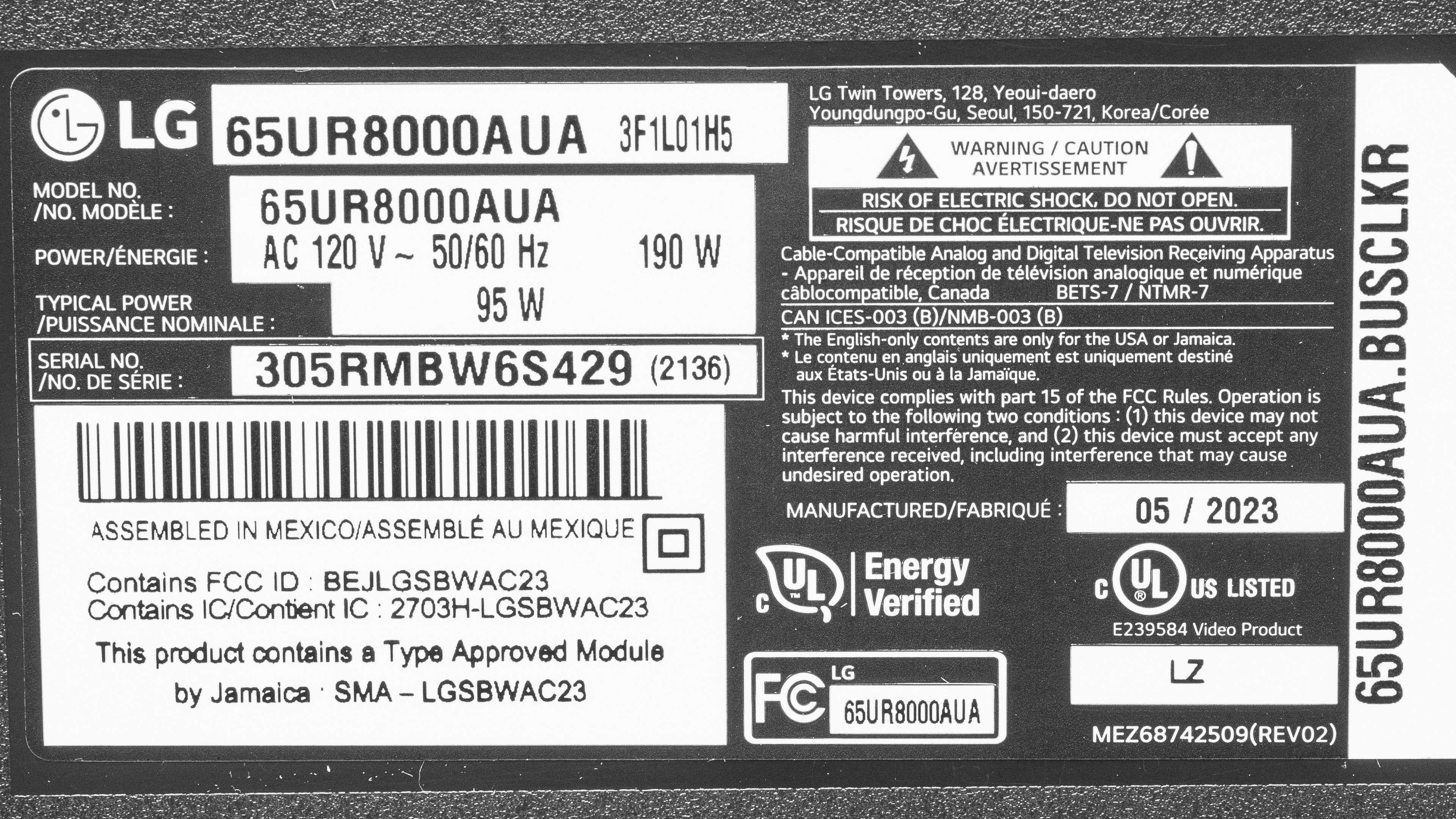
Our unit was manufactured in May 2023; you can see the label here.
Popular TV Comparisons
The LG UR8000 is an entry-level 4k TV in LG's 2023 lineup. It's a basic TV with few additional features and just okay picture quality overall. It delivers slightly better picture quality than most comparable budget models from other brands, like the Samsung CU7000, but offers fewer additional features than similarly-priced models from budget brands like the Hisense A6/A65K.
For more options, check out our recommendations for the best budget TVs, the best smart TVs, and the best 4k TVs.
The LG UR8000 is better overall than the LG UR9000. The UR8000 has much higher native contrast, so blacks are deeper and more uniform, and the TV looks much better overall if you're in a dark or moderately-lit room. Unfortunately, this comes at the expense of the viewing angle, so if you have a wide seating arrangement and don't watch TV in the dark, the wider viewing angle of the LG UQ9000 makes it a better choice.
The LG UR8000 is a bit better than the Samsung DU8000, but it's very close. The LG is the brighter of the two TVs, with better contrast, and is also a bit more accurate to boot. Still, the Samsung is the more colorful of the two TVs, and is the only one of the two with support for an advanced HDR format, as it supports HDR10+; the LG is limited to plain HDR10. Ultimately, the two products are so close that you should get the cheapest one you can find.
The Samsung Q60C and the LG UR8000 are better in different ways. The LG gets brighter in HDR, so highlights in HDR content stand out a bit more on it. However, the Samsung gets quite a bit brighter in SDR, so it handles more glare in a bright room. The Samsung also has a wider color gamut for more vibrant and lifelike colors in HDR content. Finally, the LG has a faster response time, so there is less blur behind fast motion on it.
The Samsung AU8000 and the LG UR8000 are very similar TVs, but there are some minor differences. The LG is better for gaming due to its quicker response time and 1440P support. The LG also gets a bit brighter in SDR and has better reflection handling, so it’s the better option for a bright room. However, the Samsung is a bit better for watching content in HDR because it supports a wide color gamut, so it can display more colors in HDR content.

We buy and test dozens of TVs yearly, taking an objective, data-driven approach to deliver results you can trust. Our testing process is complex, with hundreds of individual tests that take over a week to complete. Most of our tests use specially designed test patterns that mimic real content, but we also use the same sources you have at home to ensure our results match the real-world experience. We use two main tools for our testing: a Colorimetry Research CR-100 colorimeter and a CR-250 spectroradiometer.
Test Results
Older Test Bench: We tested this product using an older TV test methodology before a major update. Some of the test results below aren't directly comparable with other TVs. Learn more
for pictures & test results

The LG UR8000 has a very simple design, with thin bezels on three sides and a thicker bottom bezel. It doesn't look as modern or as premium as some of LG's higher-end models, but it's not bad for a budget model.
for pictures & test results

This TV uses a pair of V-shaped feet, which support the TV well. The stand lifts the display about 3.4" above the table, so there's plenty of room to place a soundbar in front without blocking the screen. Unlike the LG UR9000, there's no alternate position for the feet, so you can't place them closer together if you have a narrow table.
Footprint of the 65-inch model: 47.3" x 10.6".
for pictures & test results

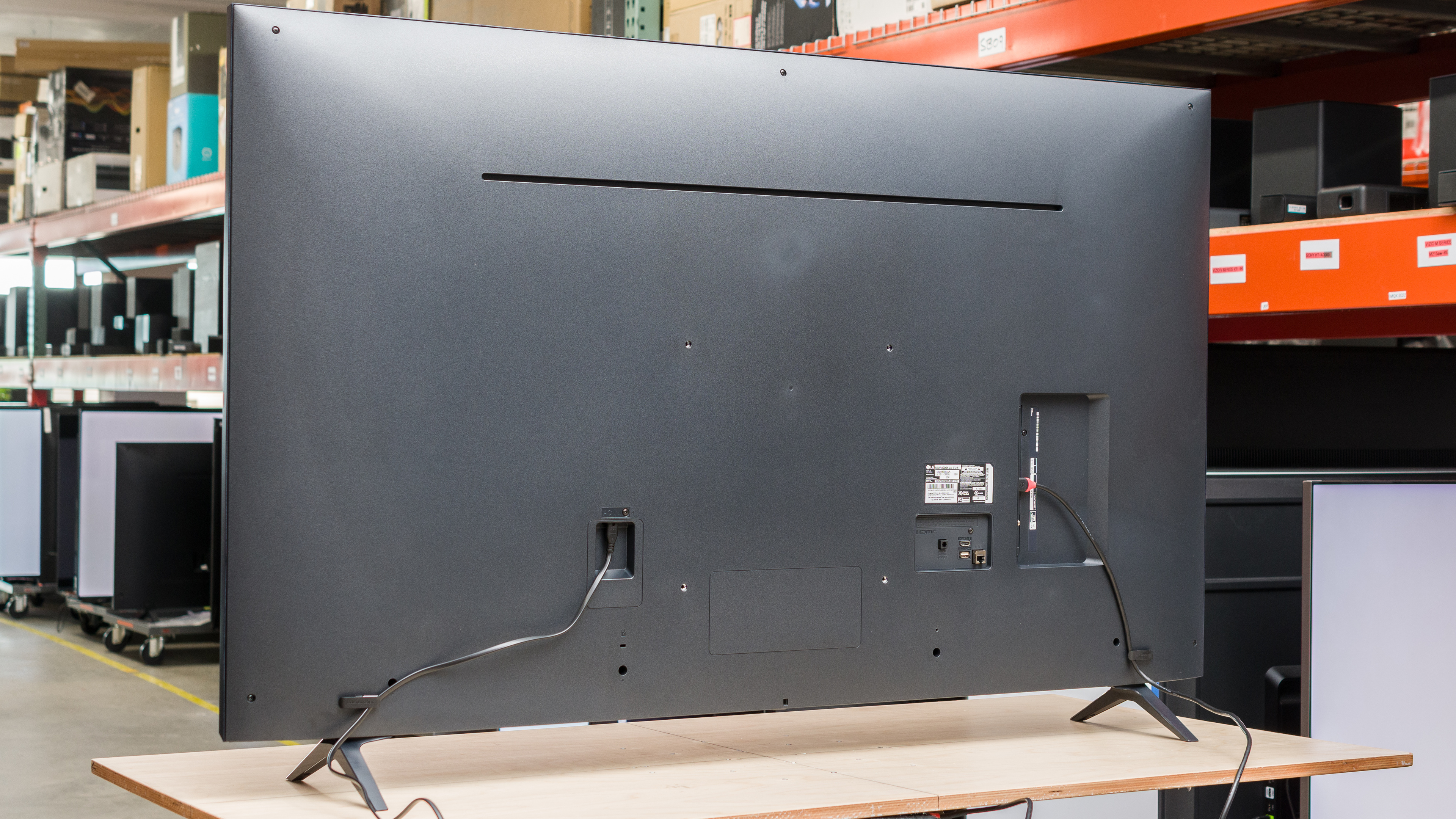
The back of the TV is very plain. The inputs are recessed into the back panel, making them difficult to reach when the TV is wall-mounted. There are clips just above each foot for very basic cable management.


for pictures & test results

The LG UR8000 is decently-built overall. The feet support the TV well overall, and it wobbles just a bit when nudged. There's some flex along the back panel, but this is common and isn't an issue. It's mostly made of plastic, and although the materials used aren't premium, the overall build has no obvious areas of concern.
for pictures & test results

The LG 65UR8000 has okay contrast overall. Its native contrast ratio is great, so blacks look very good in a dark room. Since there's no local dimming feature, dark scenes look washed out when bright highlights are on the screen.
for pictures & test results

This TV doesn't have a local dimming feature, so there's no blooming around bright objects or subtitles in dark scenes. But as the TV can't brighten highlights without impacting the rest of the image, dark scenes look washed out.
for videos & test results

This TV doesn't have a local dimming feature, so it can't adjust the backlight of individual zones to brighten up highlights without impacting the rest of the image. But this means that there's no distracting flicker or brightness changes as bright highlights move between zones.



for pictures & test results

for pictures & test results

for pictures & test results

Unfortunately, this TV has mediocre peak brightness in HDR. With no local dimming and low peak brightness, highlights don't pop at all and HDR looks flat overall.
Unfortunately, this TV doesn't support HDR from Windows PCs. When attempting to enable HDR in the Windows display settings, it fails, and the HDR setting remains disabled.
These measurements are after calibrating the HDR white point, with the following settings:
- Picture Mode: Cinema
- Brightness 100
- Contrast: 100
- Color Temperature: Warm 50
- HDR Tone Mapping: Off
for pictures & test results

for pictures & test results

for pictures & test results

Switching to Game Mode causes no noticeable change to the TV's peak brightness. Overall peak brightness is still too low for an impactful HDR gaming experience.
Unfortunately, this TV doesn't currently support HDR from Windows PCs. When attempting to enable HDR in the Windows display settings, it fails, and the HDR setting remains disabled.
These measurements are after calibrating the HDR white point, with the following settings:
- Game Optimizer: On
- Brightness 100
- Contrast: 100
- Color Temperature: Warm 50
- HDR Tone Mapping: HGiG
for pictures & test results

The PQ EOTF tracking on this TV is superb, so even though it can't get very bright in HDR, it properly tracks the content creator's intended brightness level. Near-blacks are raised and look a bit washed out, though, due to the TV's lack of a local dimming feature.
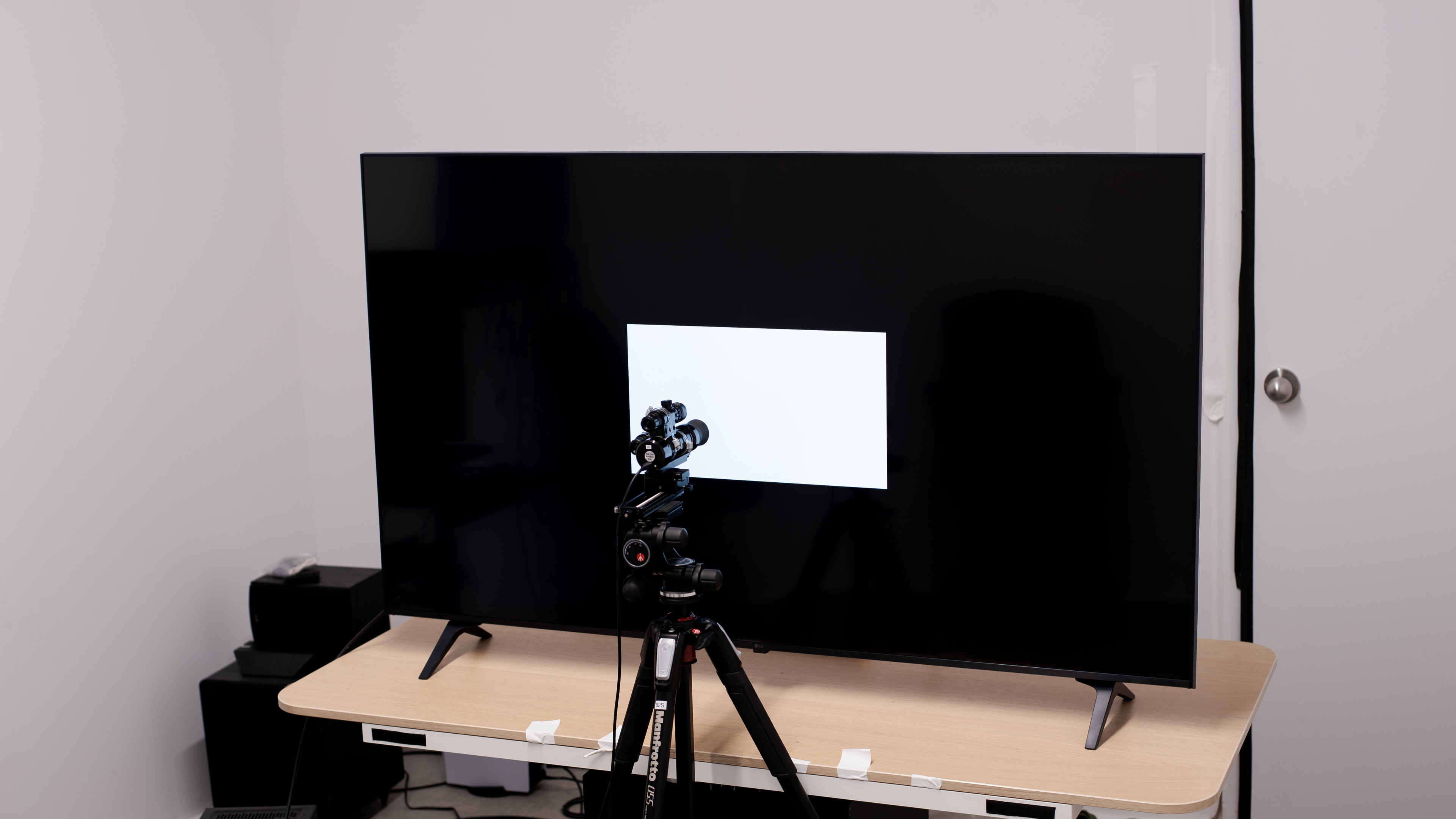
The LG UR8000 Series has mediocre peak brightness in SDR. It's bright enough to overcome moderate amounts of glare, and there's no variation in brightness with different scenes. It's not bright enough for a very bright room, though.
These measurements are after calibration with the following settings:
- Picture Mode: Expert (Dark Space, night)
- Brightness: 100
- Color Tone: Warm 50
for pictures & test results

for pictures & test results

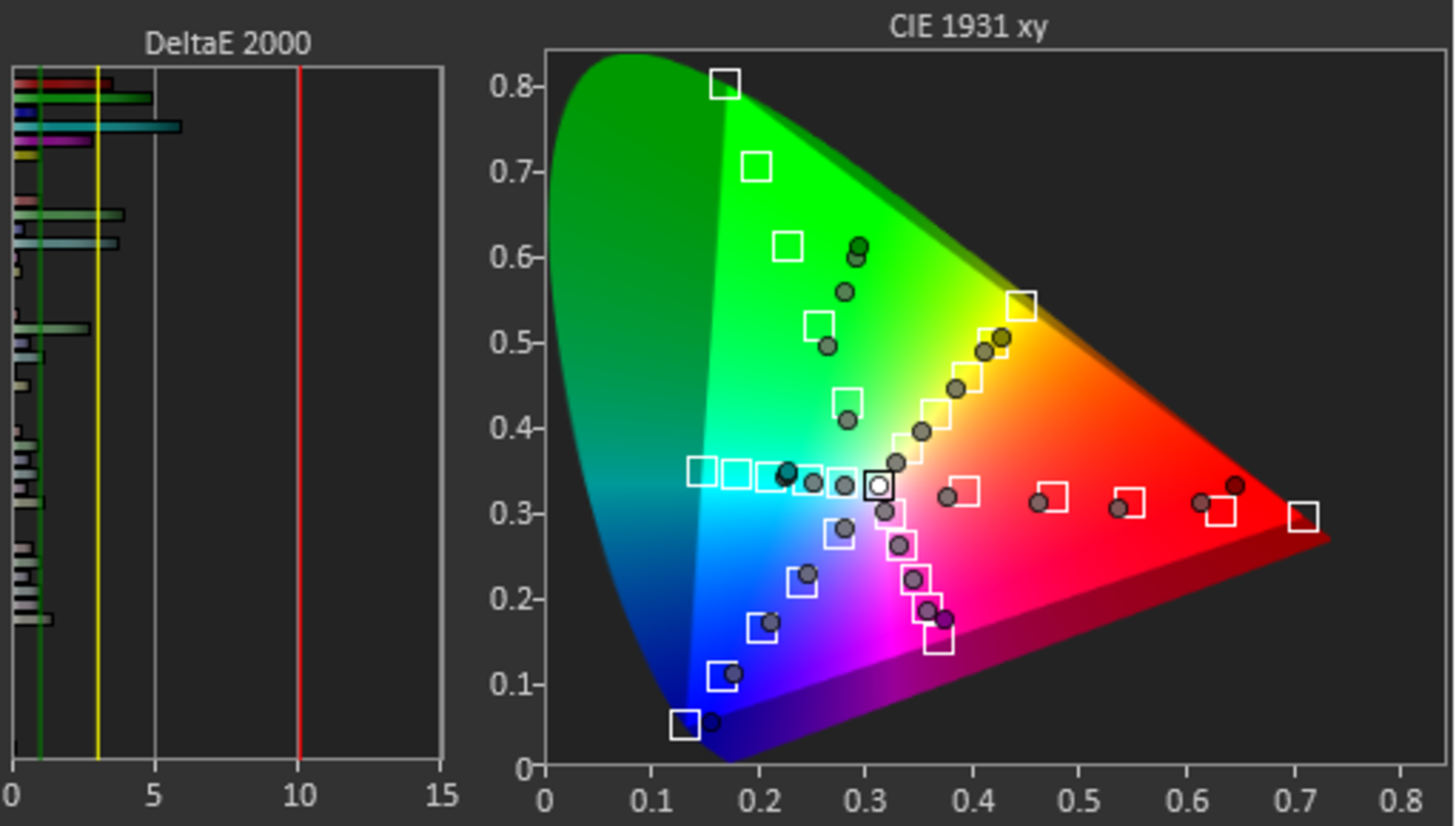
The LG UR8000 has a decent color gamut in HDR. It can't display a wide color gamut, so HDR content looks washed out. The tone mapping is also bad throughout when sent a 75% stimulus, which corresponds to content mastered at 1,000 nits, so most HDR content is inaccurate. In dimmer scenes, the TV performs much better:
for pictures & test results

for pictures & test results

Sadly, this TV has sub-par color volume. Due to its limited color gamut, it can't display a wide range of colors at any luminance level, and saturated colors are dim.
for pictures & test results

for pictures & test results

for pictures & test results

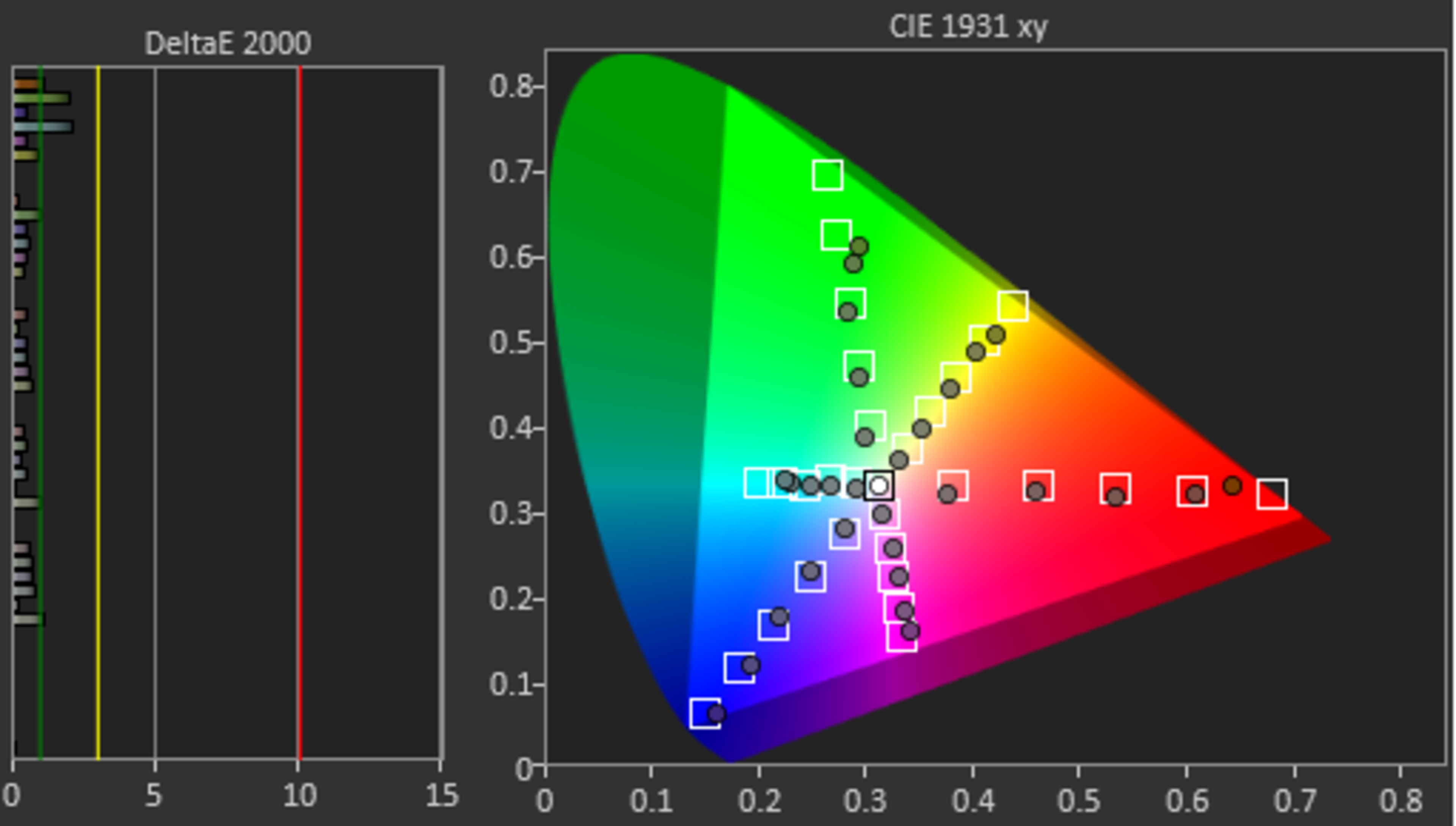
The LG UR8000 has excellent accuracy in SDR even before calibrating it. The white balance and overall color accuracy are fantastic, with no noticeable issues. The gamma is nearly perfect, but near blacks are too bright.
for pictures & test results

for pictures & test results

for pictures & test results

This TV is very easy to calibrate, and the results after calibration are nearly perfect, with no noticeable issues at all.
You can see the full calibration settings we used here.
for pictures & test results

for pictures & test results

Sadly, the gray uniformity is just okay. There are noticeable dark vertical bars across the entire screen, and a dark patch near the center of the screen is very distracting when watching sports or using the TV as a PC monitor. The uniformity is much better in near-dark scenes, and the previously-mentioned issues aren't noticeable.
for pictures & test results

The black uniformity of this TV is great overall. The screen is a bit cloudy throughout, but there are no bright spots or backlight bleed.
for videos & test results

for pictures & test results

for pictures & test results

for pictures & test results

Unfortunately, this TV has poor off-angle viewing. The image degrades rapidly as you move off-center, as colors wash out and fade, and black levels rise rapidly. This makes it a poor choice for a wide seating arrangement or if you like to move around with the TV on.
for pictures & test results

for pictures & test results

for pictures & test results

The TV has decent reflection handling, but its anti-reflective coating has a few noticeable issues. Any bright source of light reflected on the screen has a noticeable rainbow smear. The coating absorbs some light, reducing its intensity, but since this TV can't get very bright overall, it's not suited for a bright room. It has a slightly glossier coating than the Hisense A6/A65K, so bright reflections are more noticeable and less diffused.
for pictures & test results

The TV has fair HDR gradient handling. There's a lot of banding in dark grays and blues.
for pictures & test results

The TV has good low-quality content smoothing. There's very little noticeable macro-blocking in dark scenes, which is very good, but unfortunately, it struggles with preserving details. The LG UT8000, which replaces this TV, is strangely worse in this regard, as it can't smooth out low-quality content properly.
for pictures & test results

The LG UR8000 has sub-par sharpness processing capabilities. Upscaled content looks blurry, text isn't sharp, and small details are lost. These results are with the following settings:
- Adjust Sharpness: 18
- Super Resolution: High
for pictures & test results

This TV uses a BGR subpixel layout, which doesn't impact the image quality, but it makes text look blurry in some applications that don't support the BGR layout, which is important if you want to use it as a PC monitor. You can read more about it here.
for pictures & test results

for pictures & test results

The LG UR8000 has a good response time overall, but there are still a few issues, and motion isn't clear overall. Transitions to or from a dark state are significantly slower than bright transitions, resulting in significant smearing behind dark areas of the screen. There's also noticeable image duplication at anything below peak brightness due to PWM flicker.
for pictures & test results

Unfortunately, this TV uses pulse width modulation (PWM) to dim the backlight, and it flickers at a low frequency, causing noticeable image duplication, as you can see in the response time photo. At max brightness, the flicker isn't nearly as noticeable, as instead of a full square wave with equal on/off cycles, the brightness only dips down briefly at 120Hz. This will still bother you if you're sensitive to flicker, but it reduces image duplication.
This TV doesn't have an optional backlight strobing feature, also known as BFI. Instead, the backlight always flickers at 120Hz, which helps reduce persistence blur but introduces severe image duplication below max brightness.
for pictures & test results

The TV has an optional motion interpolation feature, but it's pretty bad in any fast-motion scenes. There are significant artifacts around any fast-moving object.
This TV's slow response time helps with stutter, as there's very little of it when watching low frame rate content.
Strangely, unlike the LG UR9000, this TV can remove judder from any source. 24p sources work perfectly, which includes Blu-ray players and a streaming box with a 'Match Frame Rate' feature. 60p sources, on the other hand, are only judder-free if you enable motion interpolation and set De-Judder to '10'.
Most sizes of this TV are limited to a 60Hz refresh rate and don't support a variable refresh rate (VRR). The 86-inch LG 86UR8000, on the other hand, has a 120Hz panel, but it still doesn't support VRR.
This TV has superbly low input lag, ensuring a very responsive desktop experience if using this TV as a monitor or very responsive inputs when gaming.
The TV supports most common resolutions but only at a 60Hz refresh rate. It displays chroma 4:4:4 signals properly at all supported resolutions, essential for clear text from a desktop PC.
for pictures & test results

Except for the 86-inch variant, this TV can't take full advantage of the PS5's capabilities. Most sizes are limited to a 60Hz refresh rate and don't support variable refresh rates. Although HDR doesn't work with Windows PCs, it works fine on the PS5.
for pictures & test results

Except for the 86-inch variant, this TV can't take full advantage of the Xbox Series S|X. Most sizes are limited to a 60Hz refresh rate. Although HDR doesn't work with Windows PC, it works fine on the Xbox.
This TV is limited to HDMI 2.0 bandwidth on all three of its HDMI ports, and it doesn't support HDR10+ or Dolby Vision, so you're limited to HDR10. LG advertises the 86-inch version to support HDMI 2.1 bandwidth on two HDMI ports.


This TV supports Dolby's lossless audio formats through its eARC port, which is great. Sadly, unlike LG's higher-end models like the LG C3, they haven't added support for any DTS audio formats. Many Blu-rays and DVDs use DTS for their audio tracks, so if you plan to watch these, connect your media player directly to your home theater system for the best possible sound.
for pictures & test results

The frequency response of this TV is just okay. Like most TVs, it can't produce deep bass, so there's no thump or rumble in action movies. It has a well-balanced sound profile above the low-frequency extension (LFE), ensuring that dialogue sounds good at moderate listening levels. It gets decently loud, but there's noticeable compression at max volume.
for pictures & test results

The overall distortion is alright. It's much better at moderate listening levels and noticeably worse at max volume.
for pictures & test results

The LG UR8000 runs the 2023 version of LG's proprietary webOS smart interface. Unfortunately, navigating menus and apps is slow overall and feels sluggish.
for pictures & test results

Unfortunately, like almost all TVs on the market, there are ads throughout the smart interface, and you can't fully disable them. You can limit ad tracking and remove ads from the home screen using the 'Home Promotion' and 'Content Recommendation' settings in the 'Home Settings' menu, but there's no way to remove ads from the apps page.
for pictures & test results

The content store has a huge selection of streaming apps, and most mainstream streaming services are available.
for pictures & test results

The LG UR8000 comes with LG's Magic Remote. You can use it as a pointer, making it easier to navigate the menus if you prefer that approach instead of using the remote's buttons. The remote also has an integrated microphone, which works well. You can use voice commands to ask the TV to open specific apps, search within apps, ask for the time, or ask for the weather.
for pictures & test results

There's a single button centrally located at the bottom of the TV, and that's also where the infrared sensor is. You can turn the TV on or off with the button, change inputs or channels, and control the volume.
for pictures & test results

- Power cable
- Remote (with 2x AA batteries)
- Cable management clips and cable tie
- User manuals