
Rather than a full pre-built keyboard, the Geonworks Venom 60 HE is a custom keyboard PCB that uses Hall effect switches. You need to buy several other components and build the keyboard yourself to use it. In addition to the PCB, Geonworks sells compatible plates and switches on their website, including the GEON Raw HE switches we tested. For more information on configuration options, see the Differences Between Variants section. This keyboard also uses web-based firmware that allows you to program custom profiles, adjust actuation distance, and configure more advanced features like Rapid Trigger, SOCD, and 'focus' priority scanning.
Note: Because this is a custom keyboard that only includes base components such as the PCB, some of our tests, notably Build Quality and Typing Quality, will be most applicable if you use the same or similar components for your build. That said, we expect our performance tests, including Single-Key Latency, Multi-Key Latency, Adjustable Input Granularity, and Data Transmission, to be representative of all builds with some variation for your chosen switch type. See the In the Box section for a list of the components we used for our build.
Our Verdict
The Geonworks Venom 60 HE is a good gaming keyboard, and depending on your expectations for what a gaming keyboard should include when you buy it, it may be an outstanding gaming keyboard. It's a custom PCB that requires you to buy the rest of the components and build the keyboard yourself, which may be a barrier for some people. That said, once constructed, it has outstanding raw gaming performance and has robust web-based software that provides all expected settings, including actuation distance and profile management. Additionally, it supports more advanced features like SOCD and Rapid Trigger, which can provide measurable advantages in certain games, like FPS or rhythm titles. That being said, it doesn't have RGB backlighting. We score this as a weakness, but you may see it as an advantage, depending on your preferences for a gaming keyboard.
Outstanding raw performance.
Supports a maximum polling rate of 8000Hz.
Web-based software that supports advanced features like Rapid Trigger and SOCD.
Not a pre-built keyboard; you have to buy all the components separately and build it yourself, which may be a barrier for some.
No RGB backlighting.
The Geonworks Venom 60 HE isn't designed as an office keyboard, but it still performs okay in this role. Because it's a custom keyboard that you need to build yourself, the build quality, typing quality, and typing noise are all dependent on the components you use in your build. That said, if you build it to suit your needs, it can be a great pick for both office and gaming if you don't mind its wired-only connectivity and compact layout that lacks a function row, arrow keys, and a Numpad.
Not a pre-built keyboard; you have to buy all the components separately and build it yourself, which may be a barrier for some.
Wired-only.
The Geonworks Venom 60 HE is a wired-only keyboard that isn't suitable for use with tablets or mobile devices.
The Geonworks Venom 60 HE is decent for programming, but it isn't specifically designed with it in mind. Its compact 60% layout may be a limitation if you rely heavily on a function row or other missing keys. Thankfully, the web-based software is robust, and you can customize your layout or use secondary layers if you prefer. Unfortunately, it also lacks backlighting and wireless connectivity.
Not a pre-built keyboard; you have to buy all the components separately and build it yourself, which may be a barrier for some.
No RGB backlighting.
Wired-only.
The Geonworks Venom 60 HE isn't suitable for an entertainment or home theater PC setup.
No RGB backlighting.
Wired-only.
No dedicated media keys.
The Geonworks Venom 60 HE has outstanding raw performance. It offers remarkably low and consistent single-key and multi-key latency performance. It also has superb adjustable input with very small deadzones, allowing for extremely quick and accurate initial and follow-up inputs, making it extremely well-suited for competitive gaming in all genres. Geonworks also advertises a 14000Hz scan rate, which isn't something we can verify. However, we've confirmed it's able to take full advantage of its 8000Hz polling rate without suffering from any bottlenecking due to other latency elements.
Supports a maximum polling rate of 8000Hz.
Remarkably low single-key and multi-key latency performance.
Superb input granularity.
Changelog
- Updated Jan 06, 2026: Our Test Bench 1.4.3 update adds clearer terminology and new measurements to our Keystrokes test group. For more details, see the full changelog.
- Updated Oct 02, 2025: Our 1.4.2 Test Bench Update makes changes to the Hardware Customizability test group. We've created a new Magnetic Switch Compatibility test and renamed our previous PCB Socket test to Mechanical Switch Compatibility. See our full changelog.
- Updated Aug 26, 2025: We've converted this review to Test Bench 1.4.1. This update removes the Key Release test and a video element from the Multi-Key Latency section, resulting in minor score changes. See our full 1.4.1 changelog for details.
-
Updated Jun 09, 2025:
We've added a link to the MCHOSE Ace 60 Pro to the Build Quality section.
Check Price
Differences Between Sizes And Variants
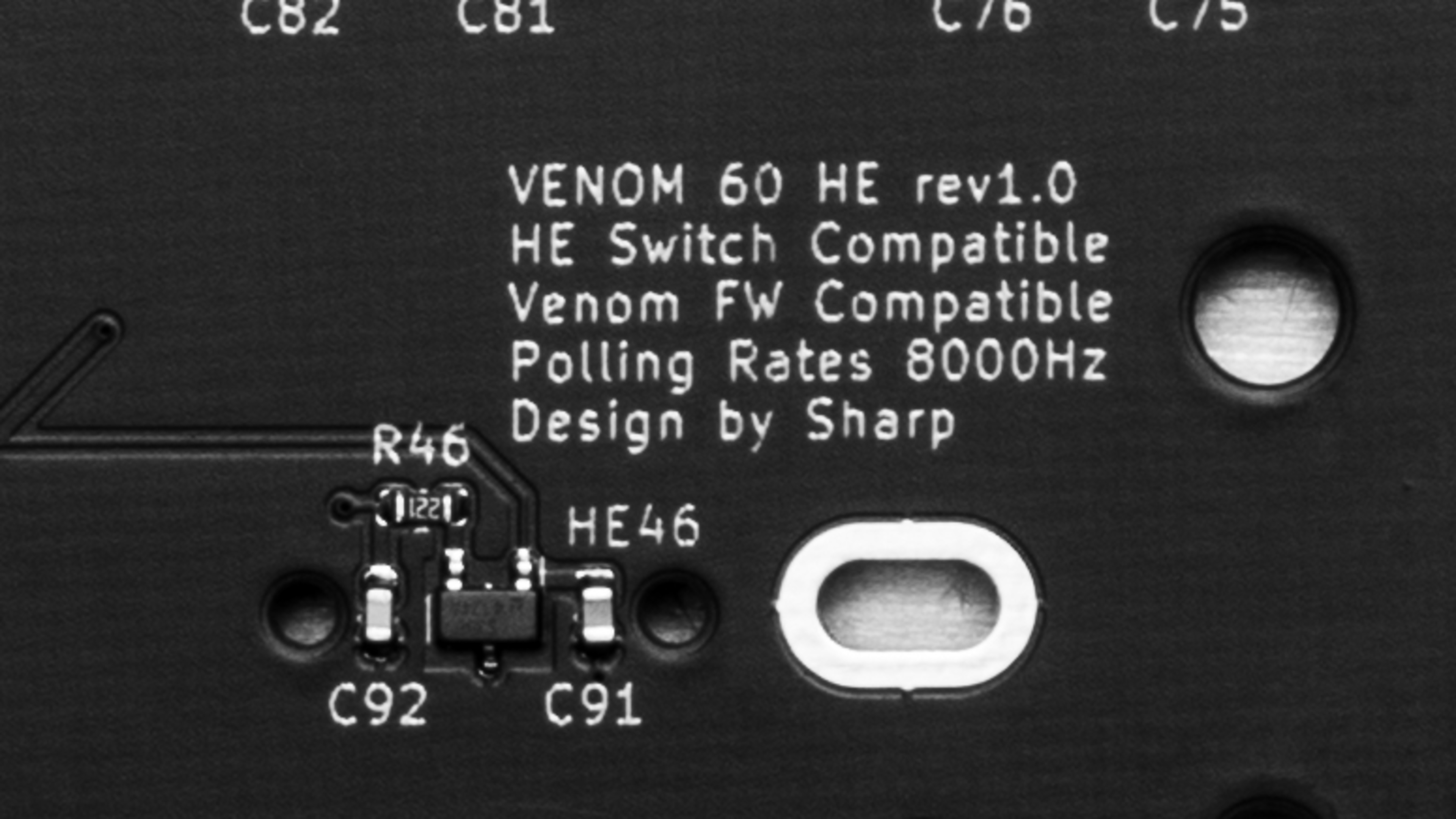
The Geonworks Venom 60 HE is a custom PCB that's available in two different layouts. While not required for building your keyboard, we've also included a list of compatible plates and switches that Geonworks sells. See an image of the label on the PCB we bought.
We bought and tested the 6.25U PCB with an aluminum plate, and GEON RAW HE switches all purchased directly from Geonworks. For a list of other components used in our build, see the In the Box section.
PCB
| Name | Layouts |
|---|---|
| Geonworks Venom 60 HE PCB | 6.25U, 7U |
Plates
| Compatibility | Layouts (Spacebar Size) | Materials |
|---|---|---|
| GH60 (standard 60% cases) tray or o-ring mount | 6.25U, 7U | Aluminum, FR-4, CFRP, Copper |
| Frog Mini (specialized Geonworks case) | 6.25U, 7U | Aluminum, FR-4 |
Switches
| Switch Name | Bottom-Out Weight Options |
|---|---|
| GEON Raw HE | 40gf, 50gf, 60gf |
| Luficer HE | 45gf |
| Raptor HE | 52gf |
For a more in-depth comparison of the three compatible HE switches Geonworks sells, see the Switches section.
Geonworks also sells a separate Venom 80 HE PCB, which we haven't tested. It has significantly different component compatibility differences, so our review doesn't focus on it. However, we expect our performance testing should be roughly similar for the 80 HE PCB.
Popular Keyboard Comparisons
The Geonworks Venom 60 HE is a high-performance custom PCB that uses Hall effect switches. It's aimed at competitive gamers and requires you to buy all the other components separately to build your keyboard yourself. With that in mind, elements like build quality and typing quality will depend on the components you choose and how you build it. While the building process isn't particularly difficult since the PCB is hot-swappable and doesn't require any soldering, it still may be fairly challenging for new builders, as Geonworks only has fairly basic instructions on their product page.
That said, this keyboard provides outstanding raw performance that matches the current generation of best Hall effect keyboards we've tested to date, such as the Wooting 60HE and Wooting 80HE, the NuPhy Field75 HE, and the Razer Huntsman V3 Pro. It uses robust and fairly intuitive web-based software that supports the most important advanced features for competitive gaming, such as Rapid Trigger and SOCD. However, it doesn't support DKS (dynamic keystrokes) or true analog output for gamepad emulation. Altogether, the Venom 60 HE can be a more affordable and extremely customizable option compared to other leading competitive gaming keyboards we've tested, provided you're comfortable with buying each component and building the keyboard yourself, and don't mind the lack of RGB backlighting and major warranty support from a larger gaming brand.
For more recommendations, see our picks for the best keyboards, the best gaming keyboards, and the best mechanical keyboards.
Both the Wooting 80HE and Geonworks Venom 60 HE are high-performance keyboards that use Hall effect switches that are intended for competitive gaming. The Geonworks is noteworthy for only being a custom PCB, so you need to separately buy the rest of the components to build the keyboard yourself, adding complexity but also greater hardware flexibility. On the other hand, the Wooting is a fully pre-built keyboard. Unlike the Geonworks, it also has full RGB backlighting. Both keyboards have good web-based software, but the Wooting additionally has an offline client and supports several more niche, advanced features that the Geonworks doesn't, including DKS (dynamic keystrokes) and true analog output.
The Wooting 60HE and Geonworks Venom 60 HE are both high-performance gaming keyboards that use Hall effect switches. The major difference between them is that the Geonworks is only available as a custom PCB, and you need to buy the rest of the components and build the keyboard yourself. This adds a degrfee of complexity but also allows for a great deal of hardware customizabiltiy. Comparatively, the Wooting is a fully pre-built keyboard. The Wooting also has RGB backlighting, which the Geonworks lacks, and while both have fairly robust software with support for advanced features like Rapid Trigger and SOCD, the Wooting software has more options overall, including several advanced features like DKS (dynamic keystrokes) and true analog output.
The DrunkDeer A75 and Geonworks Venom 60 HE are both hall-effect gaming keyboards. The DrunkDeer is a fully pre-built keyboard while the Geonworks is only a custom PCB that requires you to buy all its separate components and build the rest of the keyboard yourself. The Geonworks also has better latency and input granularity performance, making it better-suited for high-level competitive play.
The NuPhy Air60 HE and Geonworks Venome 60 HE are high performance gaming keyboards with hall effect switches. The NuPhy is a pre-built keyboard with a low-profile design while the Geonworks has a standard profile but is only avvailable as a custom PCB. This means you need to separately purchase the rest of the components and build the keyboard yourself. Both these keyboards use web-based software and support expected settings like Rapid Trigger and SOCD, but the NuPhy supports several other advanced features the Geonworks doesn't, including DKS (dynamic keystrokes), and mod tap.
Test Results
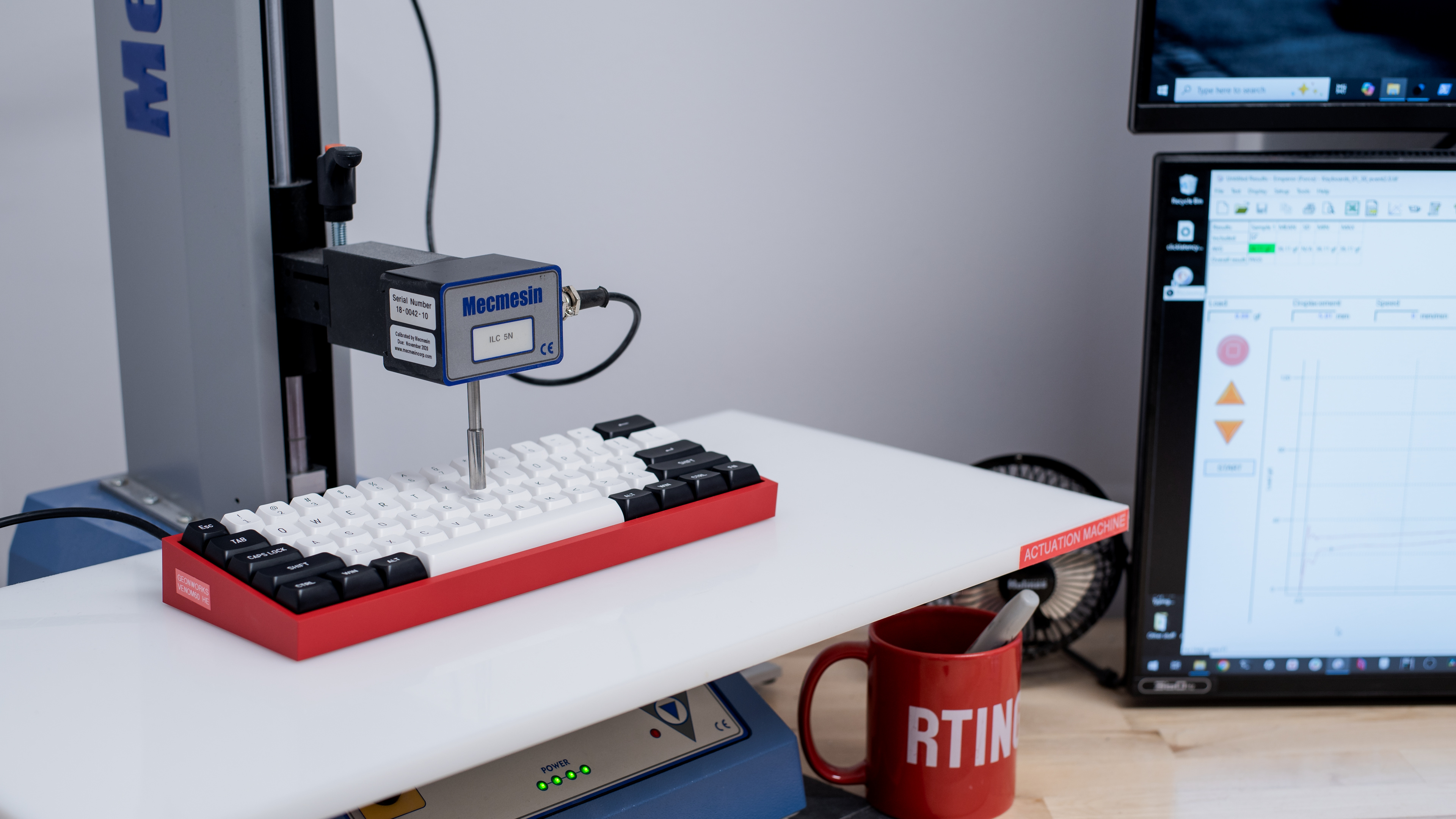



for pictures & test results

for pictures & test results

for pictures & test results

for pictures & test results



for pictures & test results

for pictures & test results


for pictures & test results


for pictures & test results


for videos & test results
