NuPhy Air60 HE  Keyboard Review

Reviewed Feb 13, 2025 at 12:58pm
Tested using Methodology v1.4.2 
NuPhy Air60 HE
8.9
Gaming 
7.3
Office 
3.3
Mobile/Tablet 
7.5
Programming 
2.4
Entertainment / HTPC 
9.3
Raw Performance 
 12

The NuPhy Air60 HE is a compact (60%) gaming keyboard with Hall effect switches in Nuphy's Air HE series, along with the larger NuPhy Air75 HE. These keyboards have the same low-profile design as NuPhy's Air V2 series boards, but their Hall effect switches allow you to customize actuation and reset distances; they also have more advanced settings like Rapid Trigger, SOCD, or multiple actions mapped to single keys. They support a maximum polling rate of 8000Hz and use a web-based configurator, which allows you to configure all actuation settings and other elements like backlighting and custom profiles.

We tested the smaller NuPhy Air60 HE, but our review also applies to the NuPhy Air75 HE. For more details, see the Differences Between Variants section.

Our Verdict

8.9
Gaming 

The NuPhy Air60 HE is an amazing gaming keyboard. It has outstanding latency performance with support for a maximum polling rate of 8000Hz, producing a highly consistent in-game experience. It also has excellent build quality with pre-lubed switches and stabilizers. Its web-based software also offers customizable actuation and reset points alongside more advanced settings like multiple actions mapped to single keys or Rapid Trigger, which can help enable faster and more consistent follow-up inputs, especially useful for counter-strafing in FPS games. Unfortunately, our unit suffered from minor actuation accuracy issues at its lowest settings. See the Keystrokes section for more details.

Pros
  • Exceptionally low latency.

  • Supports a maximum polling rate of 8000Hz.

  • Excellent build quality.

  • Web-based software offers in-depth adjustable actuation settings.

Cons
  • The keycaps lack proper shine-through legends, so you can't read legends in a darker room.

7.3
Office 

The NuPhy Air60 HE is alright for office work, but it isn't designed specifically with this use in mind. That said, it has excellent build quality with pre-lubed switches and stabilizers, providing a smooth and quiet typing experience. Its low-profile design is also comfortable for long stretches, even without a wrist rest. The switches are highly stable and have the same total travel distance as standard profile switches, preventing an abrupt bottom-out feel. However, its compact 60% layout may not suit all workflows, as it lacks commonly used keys like the navigation cluster and arrow keys. These functions are accessible via programmable layers, but you'll need to rely more on shortcuts. If that sounds like a hassle, you might prefer the larger NuPhy Air75 HE instead.

Pros
  • Excellent build quality.

  • Great overall typing quality.

  • Low-profile design is comfortable to type on without a wrist rest.

Cons
  • Wired-only.

3.3
Mobile/Tablet 

The NuPhy Air60 HE is a wired-only keyboard and isn't suitable for mobile or tablet use.

7.5
Programming 

The NuPhy Air60 HE is good for programming. It offers excellent build and typing quality. Its low-profile design makes it comfortable to use without a wrist rest, and the switches have the same total travel distance as regular profile switches, so you don't have to worry about abruptly bottoming out your keystrokes. That said, the compact 60% layout may not be efficient for all programming workflows, as you're missing many keys found on full-size layouts. You can still access these commands on programmable layers, but if that feels like a hassle, you might prefer the larger NuPhy Air75 HE instead.

Pros
  • Excellent build quality.

  • Great overall typing quality.

  • Low-profile design is comfortable to type on without a wrist rest.

Cons
  • The keycaps lack proper shine-through legends, so you can't read legends in a darker room.

  • Wired-only.

2.4
Entertainment / HTPC 

The NuPhy Air60 HE isn't designed specifically for entertainment or home theater PC setups, as it's a wired-only model, requiring you to sit relatively close to your device. However, its compact form factor makes it manageable for couch use. Unfortunately, it lacks dedicated media keys and doesn't have proper shine-through legends, making the keys difficult to read in the dark.

Pros
  • Excellent build quality.

Cons
  • The keycaps lack proper shine-through legends, so you can't read legends in a darker room.

  • Wired-only.

  • Lacks dedicated media keys.

9.3
Raw Performance 

The NuPhy Air60 HE delivers outstanding raw performance, making it an excellent choice for competitive gaming. It boasts exceptionally low and consistent single-key and multi-key latency, supports N-key rollover by default, and can register multiple inputs per USB report. With an effective update rate of 8000Hz, it avoids performance bottlenecks and can fully leverage its maximum 8000Hz polling rate.

Pros
  • Exceptionally low latency.

  • Supports a maximum polling rate of 8000Hz.

  • Web-based software offers in-depth adjustable actuation settings.

Cons
None
  • 8.9
    Gaming
  • 7.3
    Office
  • 3.3
    Mobile/Tablet
  • 7.5
    Programming
  • 2.4
    Entertainment / HTPC
  • 9.3
    Raw Performance
  • Changelog

    1.  Updated Oct 02, 2025: Our 1.4.2 Test Bench Update makes changes to the Hardware Customizability test group. We've created a new Magnetic Switch Compatibility test and renamed our previous PCB Socket test to Mechanical Switch Compatibility. See our full changelog.
    2.  Updated Aug 26, 2025: We've converted this review to Test Bench 1.4.1. This update removes the Key Release test and a video element from the Multi-Key Latency section, resulting in minor score changes. See our full 1.4.1 changelog for details.
    3.  Updated Jun 23, 2025: 

      We’ve corrected a typo in the Keystrokes, Single-Key Latency, and Multi-Key Latency sections. The Rapid Trigger test setting was incorrectly listed as 0.1 mm, but the test was actually conducted at 0.01 mm. We've updated the text to reflect the correct value. This correction doesn't affect any scores.

    4.  Updated Jun 04, 2025: 

      We've added a link to the MonsGeek FUN60 Ultra in the Dimensions section.

    Check Price

    GreyAir60 HE
    SEE PRICE
    Amazon.com
    GreyAir75 HE
    Amazon.com

    Differences Between Sizes And Variants

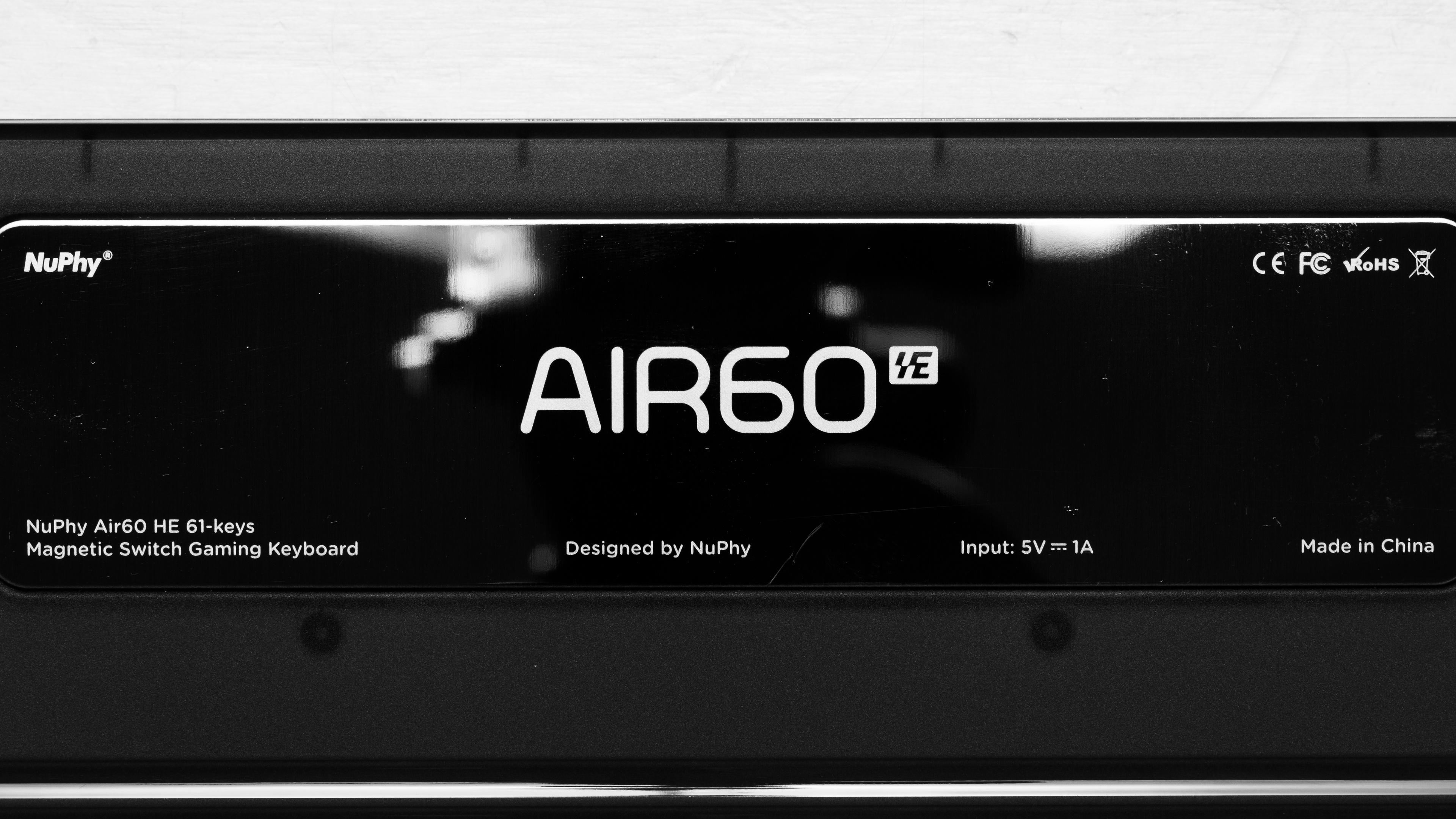
    NuPhy's Air HE keyboards are available in two sizes and come with a choice between Gateron Low-Profile Magnetic Jade and Gateron Low-Profile Magnetic Jade Pro switches. We bought and tested the smaller Nuphy Air60 HE with Low-Profile Magnetic Jade Pro switches. See our unit's label.

    The NuPhy Air60 HE and the NuPhy Air75 HE are essentially the same keyboard; the only difference between them is their size; our test results apply to both models.

    Name Size Switch Options
    NuPhy Air60 HE Compact (60%) Gateron Low-Profile Magnetic Jade / Gateron Low-Profile Magnetic Jade Pro
    NuPhy Air75 HE Compact (75%) Gateron Low-Profile Magnetic Jade / Gateron Low-Profile Magnetic Jade Pro

    Popular Keyboard Comparisons

    The NuPhy Air60 HE and its larger counterpart, the NuPhy Air75 HE, are among the first low-profile gaming keyboards that support adjustable actuation settings. The typing feel on these keyboards with their low-profile Gateron magnetic switches feel very similar to the standard profile Gateron magnetic switches, as they have the same total travel distance, so there isn't an increased risk of abruptly bottoming out your keys. Furthermore, their compact design makes them a lot easier to move around compared to the much bulkier NuPhy Field 75HE or other popular Hall effect options like the Wooting 60HE, the Wooting 80HE, the Razer Huntsman V3 Pro Mini, or the SteelSeries Apex Pro TKL Gen 3.

    Overall, this is an extremely high-performance gaming keyboard that nearly matches the performance of more expensive enthusiast models like the Wooting 80HE. It's a great option to consider if you appreciate the low-profile form factor, either for how it looks or for the ergonomic benefit of having a flatter keyboard that doesn't require you to angle your wrists sharply upwards to reach the keys.

    For more recommendations, see our picks for the best keyboards, the best gaming keyboards, and the best mechanical keyboards.

    Wooting 60HE

    Both the Wooting 60HE and the NuPhy Air60 HE are compact analog gaming keyboards. The biggest difference is that the NuPhy has a low-profile design and slightly better raw performance with a higher polling rate of 8000Hz. The Wooting, on the other hand, has a taller standard profile. Both keyboards have robust web-based software with extensive analog customization, but the Wooting supports more features, including analog joystick control and an offline client.

    Wooting 80HE

    The Wooting 80HE and the NuPhy Air60 HE are both extremely high-performance analog gaming keyboards. The Wooting has a standard profile with a larger layout, including dedicated arrow keys, a navigation cluster, and a function row. It also feels slightly more premium and has broader compatibility with aftermarket HE switches. In contrast, the NuPhy has a low-profile design and a compact 60% layout, freeing up more desk space for mouse movements. Both keyboards have web-based software that offers extensive analog customization, but the Wooting stands out with additional features like analog joystick control as well as an offline version of the software.

    NuPhy Air75 HE

    The NuPhy Air60 HE and the NuPhy Air75 HE are gaming keyboards with Hall effect switches in the same lineup. They offer nearly identical raw performance, but the Air60 HE has a smaller 60% form factor and omits the dedicated arrow keys, function row, and navigation cluster found on the larger Air75 HE.

    NuPhy Field75 HE

    The biggest difference between the NuPhy Field75 HE and NuPhy Air60 HE is that the Field75 HE has a taller standard profile while the Air 60HE has a much thinner low profile. Also, note that the Field75 HE has a smaller 60% counterpart while the Air60 HE has a larger 75% counterpart in their respective lineups. Otherwise, they perform virtually the same, but the Field series keyboards feature additional hardware such as a decorative handle, a physical scroll wheel, and dedicated macro buttons.

    Show more 

    Test Results

    perceptual testing image
    Sort:
    RATINGS
    Category:
    All
    Design
    Dimensions
    Size
    Compact (60%)
    Height
    0.9" (2.3 cm)
    Width11.7" (29.7 cm)
    Depth
    4.2" (10.6 cm)
    Depth With Wrist Rest
    N/A
    Weight
    1.18 lbs (0.537 kg)

    The NuPhy Air60 HE has a compact (60%) form factor, so it doesn't take up much room on your desk. However, compared to a full-size keyboard it's missing a numpad, navigation keys, dedicated arrow keys, and a function row.

    There's also a larger compact (75%) version of this keyboard called the NuPhy Air75 HE. It also lacks a numpad but has several navigation cluster keys, dedicated arrow keys, and a function row.

    If you're looking for another gaming keyboard with magnetic switches and the same compact (60%) layout but prefer a thicker, standard profile design, check out the MonsGeek FUN60 Ultra.

    8.5
    Build Quality
    Keycap MaterialPBT

    This keyboard has excellent build quality. The chassis is made of plastic and has an aluminum outer frame which makes the entire keyboard very sturdy feeling without any deck flexing.

    The stabilizers and switches are pre-lubed from the factory. The stabilizers operate smoothly without any noticeable rattling, and the switches are very stable.

    This keyboard also incorporates what NuPhy calls a 'GhostBar,' which is a spacebar keycap with silicone dampeners to help minimize the hollow sound and feel some other spacebars suffer from.

    While most of the keycaps are made of PBT, the keyboard also comes with 10 transparent polycarbonate keycaps pre-installed. These keycaps allow the backlighting to shine, but they feel a bit cheaper and tend to be a bit slippery. That said, there are replacement PBT keycaps for each of them included in the box if you prefer. For reference, see a photo with all PBT keycaps installed.

    The underside of the keyboard has rounded rubber strips in each corner that keep it in place on your desk, and a set of rubber-capped flip-out feet provides additional incline options.

    Note that the cable port is on the left side of the keyboard, right next to the Escape key, which is somewhat unusual. The included cable has an L-shaped connector so that the cable routes straight back from the port. However, this orientation may not suit everyone's tastes or desktop setups.

    7.0
    Ergonomics
    Curved/Angled
    No
    Split Keyboard
    No
    Key Alignment
    Staggered
    Minimum Incline
    2.4°
    Medium Incline
    Maximum Incline
    Home Row Height
    21.2 mm (0.8")

    The NuPhy Air60 HE has a low-profile design with sets of flip-out feet on the underside that offer two additional incline angles.

    This keyboard is comfortable to type on without a wrist rest. That said, NuPhy sells wrist rests for this keyboard on their website which you may want to consider if you prefer using the steepest incline option.

    8.3
    Hardware Customizability
    Replaceable Cherry Stabilizers
    Yes
    Stabilizer Fixation
    Plate-Mounted
    Spacebar Stabilizer Size
    6.25u
    Size Of Right Mod Keys
    1.25u
    Hot-Swappable Switches
    Yes
    Switch Stem Shape
    Low Profile Cherry MX Style
    Mechanical Switch Compatibility
    No Mechanical Switch Pinout
    Magnetic Switch Compatibility
    N-Pole Down
    North-Facing Cherry MX Interference
    No

    This keyboard offers fairly good hardware customizability. The switches aren't soldered and are easy to replace. However, to our knowledge, there aren't any other compatible low-profile magnetic switches available apart from the two options offered at purchase.

    10
    Backlight Features
    BacklightingYes
    RGB
    Yes
    Per-Key Backlighting
    Yes
    Effects
    Yes
    Software Controllable
    Yes

    This keyboard has fully addressable RGB backlighting. You can adjust the backlighting directly on the keyboard with hotkeys or with the configuration software.

    5.0
    Backlight Clarity

    This keyboard has disappointing backlight quality. Although the keycaps seem to be somewhat shine-through, the light mostly bleeds through the keycaps at higher brightness levels.

    Since the PCB has south-facing LEDs, it's difficult to read most legends which are in the top left corner of the keys. The backlighting also has a slightly blue tint when set to white only.

    The keyboard comes with 10 transparent polycarbonate keycaps installed which let a considerable amount of light shine through. But if you don't like this effect, there are solid PBT keycap replacements for each of these keys also included in the box.

    NuPhy does sell sets of 'Canopus' shine-through keycaps for this keyboard which are specifically designed for better legend visibility with the south-facing LEDs.

    Cable & Connector
    ConnectivityWired
    Detachable
    Yes (Wired Only Keyboard)
    Length4.9 ft (1.5 m)
    Connector (Keyboard side)
    USB type-C

    The included cable is made of rubber and has gray and purple accent colors that match the keyboard's colorway. Unfortunately, this cable retains kinks from its packaging.

    0.0
    Wireless Versatility
    Bluetooth
    No
    Bluetooth Multi-Device Pairing
    No
    Proprietary Receiver
    No
    Battery Type
    No Batteries

    This is a wired-only keyboard.

    4.0
    Macro Keys And Programming
    Dedicated Macro Keys Count0
    Onboard Macro Programming
    No
    Macro Programming With Software
    Yes
    Extra Features
    Media Keys
    Non-Dedicated
    Trackpad / TrackballNo
    Scroll Wheel
    No
    Control Knob
    No
    USB Passthrough
    No
    NumpadNo
    Windows Key Lock
    Yes
    Lock IndicatorCaps Lock

    The keyboard's back edge has a switch to toggle between compatibility modes: M1: Gaming Mode, M2: Windows Mode, and M3: Mac Mode. These compatibility modes change between keyboard layouts for each OS. Gaming Mode is the same as Windows Mode but lets you disable the Windows key.

    This keyboard also has what NuPhy calls 'sidelights' which are RGB indicators that use colors to display your active profile and whether Caps lock is on. One of these lights is located to the left of the Escape key, and the other is to the right of the Backspace key.

    For details on what the color codes signify as well as a list of supported shortcuts for media controls, backlighting, and other commands, you can reference an online version of the user manual.

    In The Box

    • USB-A to USB-C cable
    • Keycap/switch puller
    • 15x extra PBT keycaps (including alternate Mac-specific modifiers)
    • User documentation

    Note: NuPhy's product page lists that this keyboard comes extra with 10 transparent polycarbonate keycaps and five PBT keycaps in the box. However, our unit came with the 10 transparent keycaps already installed on the keyboard, so the total 15 extra keycaps included in the box are PBT.

    Typing Experience
    8.0
    Typing Quality
    Key Spacing
    19.0 mm (0.748")

    This keyboard offers great overall typing quality. The switches and stabilizers are pre-lubed from the factory and very smooth without any noticeable scratchiness or rattle. The 'GhostBar' works well with its added silicon dampeners and helps ensure the Spacebar doesn't sound or feel hollow. Additionally, the low-profile design of the switches and the flat nSA profile keycaps also make the keys feel quite stable while typing, especially compared to some Hall effect switches which are more prone to stem wobble.

    However, typing feels a little stiff as this keyboard doesn't use a gasket mounting system and instead has a tray mount design with a layer of PCB and plate foam and a silicon layer on the bottom of the case. These material layers do a good job of rounding out the sound profile but don't do quite as much to soften the typing feel. That said, both Gateron Low-Profile Magnetic switch options available at purchase have a standard 3.4 mm travel, which matches that of most normal profile mechanical switches. Therefore, the typing feel doesn't feel as abrupt as it can on some low-profile gaming keyboards with shorter total travel.

    9.3
    Typing Noise
    Average Loudness
    42.9 dBA
    High Pitch Clicks
    No

    This keyboard's typing noise is very quiet, and it's unlikely to bother those around you, even in noise-sensitive environments.

    We expect the noise level to be roughly the same for both switch options available.

    Keystrokes
    See details on graph tool
    Operating Force
    43 gf
    Actuation Force
    43 gf
    Pre-Travel
    0.4 mm
    Total Travel
    3.4 mm

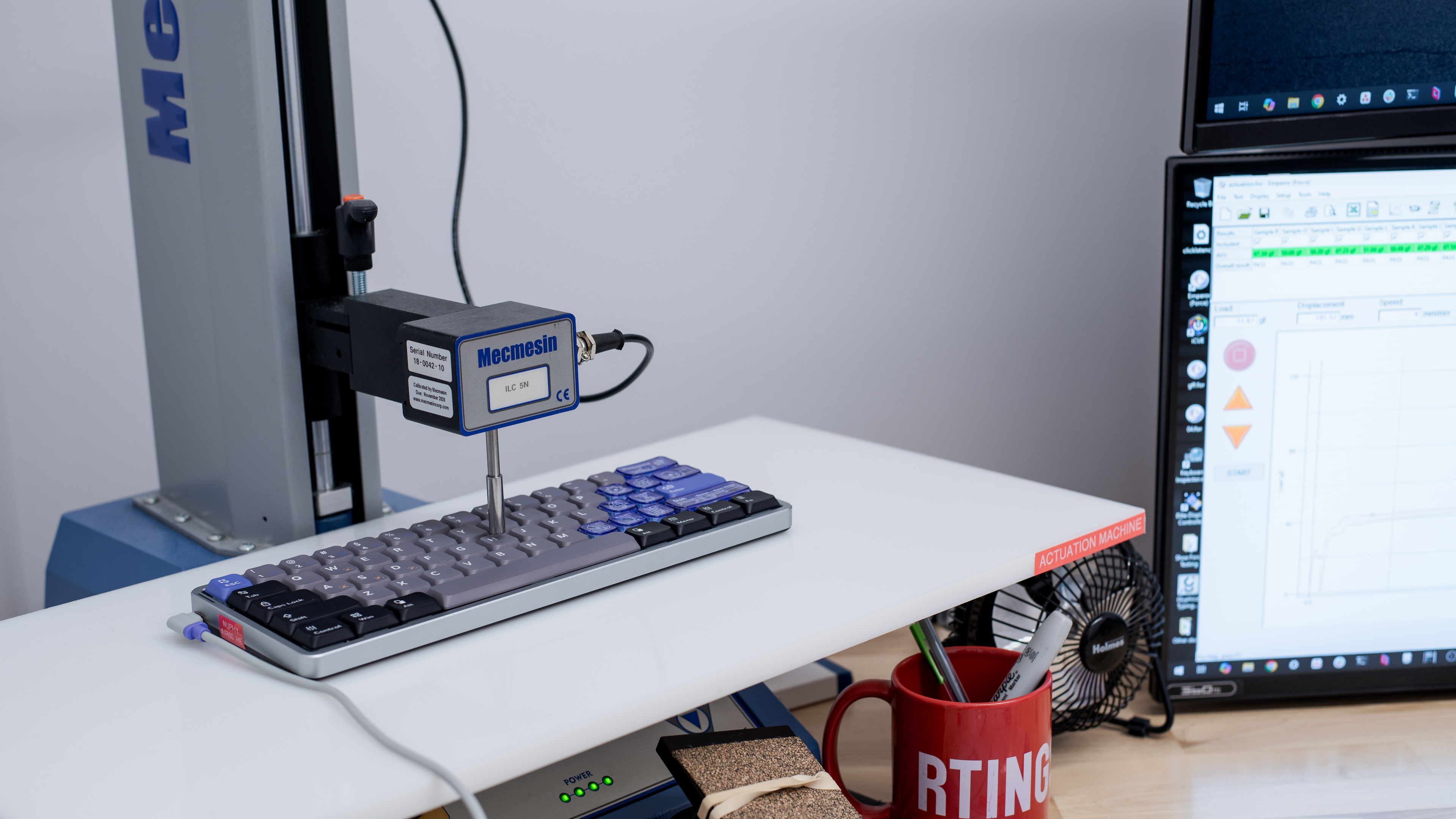
    We bought this keyboard with Gateron Low-Profile Magnetic Jade Pro switches.

    You can also buy this keyboard with standard Gateron Low-Profile Magnetic Jade switches. NuPhy has an image on its product page that compares these two switch options.

    Ultimately, the difference is minor. Both have a customizable actuation range between 0.1 mm and 3.3 mm. The Pro switches are slightly heavier and have a POM upper and lower housing which typically produces a slightly smoother keystroke feel.

    For this test, we produced measurements using an actuation point setting of 0.1 mm with a Rapid Trigger setting of 0.01 mm.

    8.7
    Adjustable Input Granularity
    See details on graph tool
    Top Deadzone
    0.22 mm
    Bottom Deadzone
    0.25 mm
    Detection Ratio
    86%
    Minimum Step Depth
    0.02 mm

    The NuPhy Air60 HE delivers excellent input granularity performance. It offers very high linearity, an exceptionally low minimum step depth, and minimal deadzone distances. This combination enables extremely fast and consistent initial and follow-up inputs, which is especially useful for movement techniques like tap-strafing in certain FPS titles. It also has an excellent detection ratio, allowing you to register inputs reliably across nearly the full range of key travel.

    However, it doesn't support true analog output. While this isn't a limitation for most gaming scenarios, it does mean the keyboard can't mimic gamepad or joystick inputs—something some players prefer in games like platformers, racing sims, or flight sims, where gradual control can improve both precision and immersion.

    Switches
    Switch Name
    Gateron Low Profile Magnetic Jade Pro
    Switch Type
    Magnetic
    Feel
    Linear
    Output Type
    Adjustable Actuation

    We bought this keyboard with Gateron Low-Profile Magnetic Jade Pro switches.

    Performance
    9.7
    Single-Key Latency
    See details on graph tool
    Best Connection
    1.0 ms
    Best Connection Std Dev±0.1 ms
    Wired
    1.0 ms
    Receiver
    N/A
    Bluetooth
    N/A
    PCB (Estimated)
    N/A

    The NuPhy Air60 HE maintains exceptionally low single-key latency and delivers an extremely responsive and consistent in-game experience.

    We conducted this test using the following settings:

    • Polling rate: 8000Hz
    • Actuation point: 0.1 mm
    • Rapid Trigger: 0.01 mm (activation) and 0.01 mm (release)
    9.6
    Multi-Key Latency
    See details on graph tool
    Connection EvaluatedWired
    Key Press
    1.0 ms

    The NuPhy Air60 HE provides superb and exceptionally consistent multi-key latency performance. It's well-suited for playing any game that requires additional keystrokes while multiple keys are pressed and maintained.

    We conducted this test using the following settings:

    • Polling rate: 8000Hz
    • Actuation point: 0.1 mm
    • Rapid Trigger: 0.01 mm (activation) and 0.01 mm (release)
    9.6
    Data Transmission
    Connection EvaluatedWired
    USB Polling Rate
    8,000 Hz
    Effective Update Rate
    8,000 Hz
    N-Key Rollover (NKRO)
    Yes
    Multiple Keys Per USB Report
    Yes

    This keyboard exhibits excellent data transmission performance. It can send multiple keys per USB report and supports full N-key rollover by default, out of the box.

    It also has an effective update rate of 8000Hz, so it doesn't suffer from a performance bottleneck and can take advantage of the maximum 8000Hz polling rate.

    8.0
    Chord Split
    See details on graph tool
    4 Chord Split Delay
    5.5 ms
    8 Chord Split Delay
    12.4 ms

    This keyboard has great chord split performance with very low 4-chord and 8-chord split delay, making it an outstanding option for playing rhythm titles or other games requiring many simultaneous inputs.

    Software and Operating System
    Configuration Software
    Software NameNuPhy.io
    Software Windows Compatible
    Yes
    Software macOS Compatible
    Yes
    Onboard Memory
    Yes
    Profiles
    3

    This keyboard uses a web-based configuration utility that you can access on Nuphy's website.

    This software is fairly complex but relatively easy to navigate. It allows you to adjust RGB lighting and effects, rebind keys, set custom profiles, create macros, and customize switch actuation and rapid trigger settings.

    It also supports more advanced key adjustment settings. Unfortunately, many of the descriptions of how these advanced settings work are unclear. They may be particularly confusing if you aren't already familiar with gaming keyboards that support adjustable actuation. NuPhy has a more in-depth explanation for these settings as well as some examples in an online IO manual on their website.

    Below is our description of these settings. However, you may need to experiment with them yourself to decide if they'll be useful for the games you play.

    • Dynamic Keystroke: Allows you to map up to four different actions to a single key based on actuation distance.
    • Mod Tap: Allows you to map two actions to a single key based on actuation distance: a held key for the first action and a tap for the second.
    • Toggle Key: Toggle a command between on/off states by tapping a key. Holding the key activates the normal key behavior.
    • Rapid Shift: Actively monitors two keys, prioritizing input for whichever is pressed further downwards at any time.
    • SOCD: Specifies a pair of two keys with custom trigger behavior along three possible parameters: 1) Last input priority, where the last pressed key overrides the first if both exceed the actuation point. 2) No priority, where neither key triggers if both exceed the actuation point. 3) Absolute priority, where one key always overrides the other if both exceed the actuation point. Disclaimer: Using this setting may be disallowed in some competitive online games, such as CS:2.
    • Hyper Tap: This setting binds two keys together and automatically triggers one as soon as the other stops registering. This setting has two priority options. 1) Bidirectional binding: when either of the keys stops triggering, the other switch is automatically triggered. 2) Unidirectional binding: when one of the two keys stops triggering, the other switch automatically triggers.
    10
    Computer Compatibility
    Windows
    Fully Compatible
    macOS
    Fully Compatible
    Linux
    Fully Compatible
    Media Key Compatibility
    Windows, MacOS & Linux

    There's a compatibility switch to toggle between Windows (M2) and Mac (M3) keyboard layouts on the back edge of the keyboard.

    0.0
    Wireless Mobile Compatibility
    Android
    Not Compatible
    iOS
    Not Compatible
    iPadOS
    Not Compatible
    Media Key Compatibility
    Not Compatible