Logitech G515 RAPID TKL  Keyboard Review

Reviewed Nov 12, 2025 at 02:06pm
Tested using Methodology v1.4.2 
Logitech G515 RAPID TKL
8.7
Gaming 
7.2
Office 
2.2
Mobile/Tablet 
7.6
Programming 
2.9
Entertainment / HTPC 
8.9
Raw Performance 
 14

The Logitech G515 RAPID TKL is a low-profile magnetic gaming keyboard with a TenKeyLess (80%) layout. It uses Hall effect switches that enable customizable actuation and Rapid Trigger capabilities. This is the first model in Logitech's G515 lineup that has magnetic rather than mechanical switches. The G515 RAPID TKL offers customizable backlighting and actuation settings through Logitech's software.

Our Verdict

8.7
Gaming 

The Logitech G515 RAPID TKL is an excellent gaming keyboard that offers impressive performance for both casual and competitive players. It's well-built, and its magnetic switches, which support both customizable actuations and Rapid Trigger, are a great addition to this lineup. Rapid Trigger can make follow-up actions much faster and more consistent, particularly useful for some movement tech, like tap-strafing in FPS games. Its compact, low-profile design saves desk space and remains comfortable to use even without a wrist rest. The keyboard features full RGB lighting and a variety of customizable settings through its configuration software.

Pros
  • Very good build quality.

  • Excellent all-around latency performance.

  • Bright and clear RGB backlighting with shine-through keycaps.

  • Customizable actuation and Rapid Trigger function in a low-profile format.

Cons
  • Bloated, resource-intensive software.

  • Very short keystroke travel distance may not be for everyone, especially if you type heavily.

7.2
Office 

Although the Logitech G515 RAPID TKL isn't specifically made for office work, it performs decently in that setting. Its sturdy build quality, quiet operation, and low-profile design make it comfortable to type on even without a wrist rest. It provides a very good typing experience thanks to its stable switches that are easy to actuate. However, it's wired-only, which does limit its versatility.

Pros
  • Very good build quality.

  • Low-profile design is comfortable to type on without a wrist rest.

Cons
  • Very short keystroke travel distance may not be for everyone, especially if you type heavily.

2.2
Mobile/Tablet 

The Logitech G515 RAPID TKL is a wired-only keyboard that isn't suitable for use with mobile devices or tablets.

7.6
Programming 

The Logitech G515 RAPID TKL is very good for programming. It's well-built and provides a satisfying typing experience if you prefer low-profile switches. The switches are quite shallow, so you do risk bottoming out if you're a heavy typist. Its low-profile design allows for comfortable use without a wrist rest. The compact 80% layout omits a numpad to provide more desk space, but retains the full navigation cluster, making it a potential drawback only if your workflow involves heavy numeric input. The configuration software allows you to customize keybinds and create secondary layers to adapt the layout to your specific needs.

Pros
  • Very good build quality.

  • Bright and clear RGB backlighting with shine-through keycaps.

  • Low-profile design is comfortable to type on without a wrist rest.

Cons
  • Very short keystroke travel distance may not be for everyone, especially if you type heavily.

2.9
Entertainment / HTPC 

The Logitech G515 RAPID TKL isn't well-suited for home theater or entertainment setups because it can only be used in wired mode. However, it does have some redeeming qualities. It's relatively light and quiet, which is good for this purpose. It also includes some very bright RGB lighting, with clear shine-through legends. However, there are no dedicated media keys available.

Pros
  • Very good build quality.

  • Bright and clear RGB backlighting with shine-through keycaps.

Cons
  • No dedicated media keys.

8.9
Raw Performance 

The Logitech G515 RAPID TKL delivers amazing raw performance that's suitable even for competitive scenarios. It maintains very low and consistent single-key and multi-key latency, and chord-split performance is also excellent.

Pros
  • Excellent all-around latency performance.

Cons
None
  • 8.7
    Gaming
  • 7.2
    Office
  • 2.2
    Mobile/Tablet
  • 7.6
    Programming
  • 2.9
    Entertainment / HTPC
  • 8.9
    Raw Performance
  • Changelog

    1.  Updated Nov 12, 2025: Review published.
    2.  Updated Nov 05, 2025: Early access published.
    3.  Updated Oct 29, 2025: Our testers have started testing this product.
    4.  Updated Oct 09, 2025: The product has arrived in our lab, and our testers will start evaluating it soon.

    Differences Between Sizes And Variants

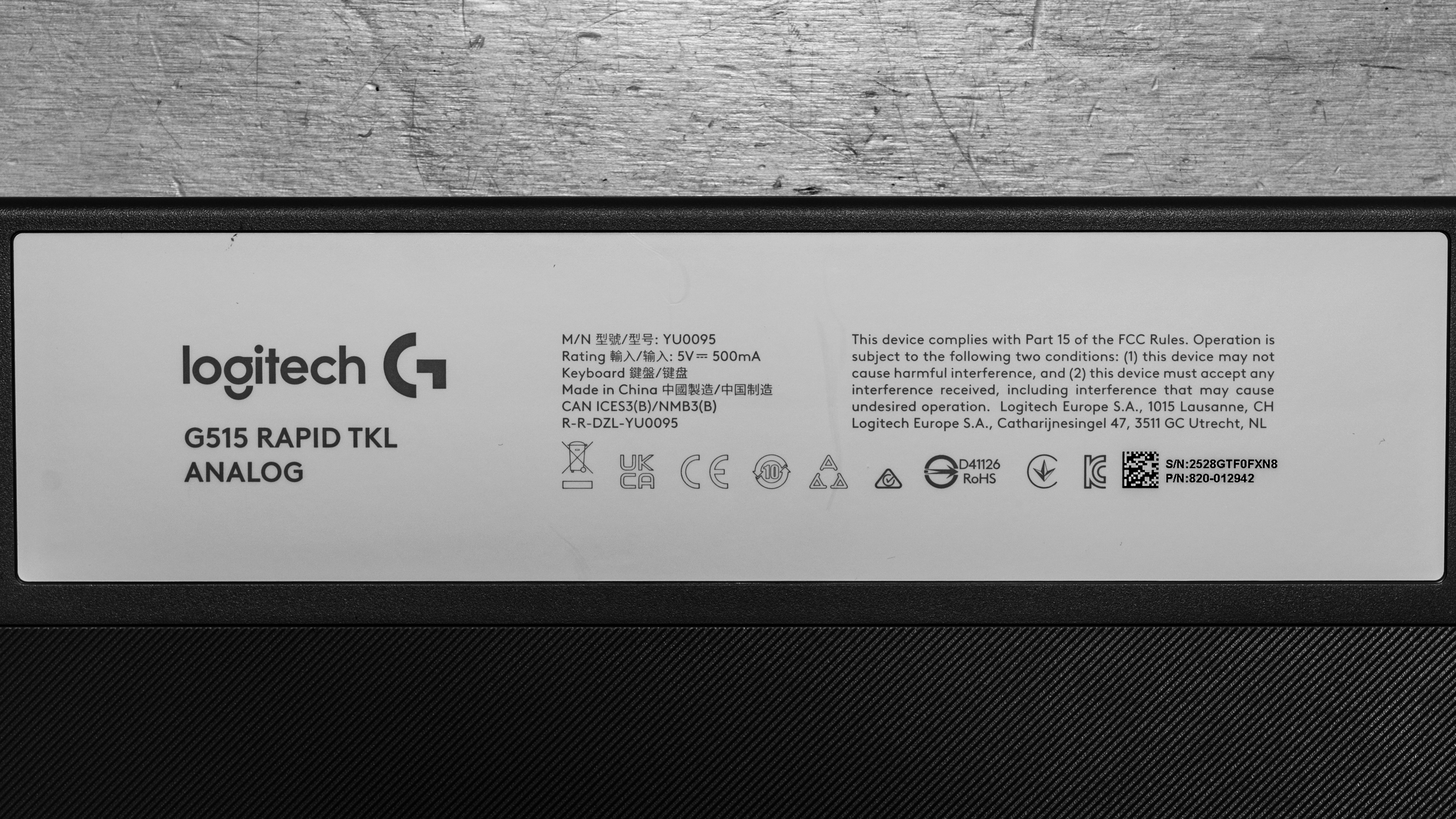
    The Logitech G515 RAPID TKL is available in Black or White colorways. We purchased the White version for our testing. Here is its label.

    If you come across another variant, let us know in the comments.

    Popular Keyboard Comparisons

    The Logitech G515 RAPID TKL is another addition to the G515 lineup, which also includes the wireless Logitech G515 LIGHTSPEED TKL and the wired Logitech G515 TKL. Its design is extremely similar to its predecessors, with very comparable latency performance as well. The main difference is that Logitech opted for magnetic switches instead of regular mechanical switches for the G515 RAPID. While it's not unique in the market, low-profile Hall effect keyboards are a rare occurrence. Magnetic switches enable advanced functions such as Rapid Trigger and SOCD, which Logitech calls Key Priority, that can result in noticeable improvements for competitive gaming scenarios that require fast, repetitive, and precise key presses. This can be the case of FPS games, where counter-strafing is a crucial part of movement.

    As mentioned above, magnetic low-profile keyboards are still pretty rare. Among other low-profile magnetic keyboards, the NuPhy Air75 HE stands out as a stronger all-around option. It offers slightly better latency, more feature-rich software, and superior build quality. Alternatively, if you prefer mechanical switches instead, the Keychron K1 Max delivers comparable gaming performance at a lower price.

    For more recommendations, see our picks for the best keyboards, the best gaming keyboards, and the best mechanical keyboards.

    Logitech G515 LIGHTSPEED TKL

    The Logitech G515 LIGHTSPEED TKL and the Logitech G515 RAPID TKL perform very similarly in many ways, but they have a few differences that may make you prefer one over the other. Both offer comparable build quality and latency performance. However, the G515 LIGHTSPEED is a wireless keyboard that uses low-profile mechanical switches, while the G515 RAPID features low-profile Hall effect switches with adjustable actuation and Rapid Trigger functionality. These additions are especially useful for games that rely on precise movement mechanics, such as tap-strafing in FPS titles. That said, the G515 RAPID is a wired-only keyboard, and its switches are slightly shallower than those on the G515 LIGHTSPEED.

    Logitech G PRO Keyboard

    The Logitech G515 RAPID TKL and the Logitech G PRO Keyboard differ in several key ways. While their gaming performance is comparable, the G515 includes a number of features that set it apart. It's a low-profile keyboard that uses magnetic switches, offering customizable actuation and Rapid Trigger functions that can be useful in games requiring precise movement. The G PRO, on the other hand, features standard-profile mechanical switches, which are much heavier. This may feel more natural if you prefer a longer key travel distance. The clicky switches used are also significantly louder and feature a pronounced tactile bump, which differs substantially from the G515 RAPID TKL.

    NuPhy Air75 HE

    The NuPhy Air75 HE and the Logitech G515 RAPID TKL are both low-profile keyboards that utilize magnetic switches. The NuPhy has a slightly more compact 75% layout, features a hot-swappable PCB, and offers switches with a noticeably longer travel distance. It also provides slightly better latency performance and superior build quality. Both models include features such as adjustable actuation and Rapid Trigger, but NuPhy's software is more comprehensive and accessible directly through a web interface.

    Keychron K5 Max [K1 Max, K3 Max, etc.]

    The Keychron K5 Max and the Logitech G515 RAPID TKL are both low-profile mechanical keyboards. The Keychron is designed for general use, but delivers great latency performance. Unlike the Logitech, it offers wireless connectivity with multi-device pairing and uses lightweight software available as either a downloadable or web-based client. The Logitech, on the other hand, is focused primarily on gaming and provides slightly better overall performance. It features magnetic switches that enable adjustable actuation and Rapid Trigger functionality, which are useful in games where precise movement control is important. The Logitech also includes shine-through keycaps, a feature not found on the Keychron.

    Test Results

    perceptual testing image
    Sort:
    RATINGS
    Category:
    All
    Design
    Dimensions
    Size
    TenKeyLess (80%)
    Height
    0.8" (2.1 cm)
    Width14.0" (35.5 cm)
    Depth
    5.7" (14.6 cm)
    Depth With Wrist Rest
    N/A
    Weight
    1.78 lbs (0.809 kg)

    This keyboard features a TenKeyLess (80%) layout, meaning it doesn't include a numeric keypad. This gives you more room on your desk for mouse movement compared to a full-size keyboard.

    8.0
    Build Quality
    Keycap MaterialPBT

    Although it's made of plastic, this keyboard boasts impressive build quality. The addition of a stainless steel top plate helps give it some much-needed rigidity. The keyboard feels sturdy with very minimal deck flex. It's also stable thanks to five rubber pads spread around the bottom of the keyboard.

    The shine-through keycaps are made of double-shot PBT with a slightly textured finish. The switches feel smooth, and the larger keys are stable with no rattling whatsoever. That said, they have a somewhat different sound signature, which may be distracting to some. The switches are also very light, which makes them slightly wobbly, but not enough to be an issue.

    7.0
    Ergonomics
    Curved/Angled
    No
    Split Keyboard
    No
    Key Alignment
    Staggered
    Minimum Incline
    2.5°
    Medium Incline
    Maximum Incline
    Home Row Height
    22.6 mm (0.9")

    This keyboard features a low-profile design that allows for comfortable typing without the need for a wrist rest. A pair of flip-out feet on the underside offers two additional typing angle options.

    6.0
    Hardware Customizability
    Replaceable Cherry Stabilizers
    Yes
    Stabilizer Fixation
    Plate-Mounted
    Spacebar Stabilizer Size
    6.25u
    Size Of Right Mod Keys
    1.25u
    Hot-Swappable Switches
    No
    Switch Stem Shape
    Low Profile Cherry MX Style
    Mechanical Switch Compatibility
    No Mechanical Switch Pinout
    Magnetic Switch Compatibility
    Non-Standard Magnetic Switch
    North-Facing Cherry MX Interference
    No

    This keyboard doesn't allow for much customization. While you can physically remove the switches, Logitech doesn't sell replacements or confirm compatibility with any other third-party magnetic switches, so we consider the switches non-replaceable and the PCB not hot-swappable. The switches are also quite difficult to remove from the PCB, and our attempts to do so required almost completely disassembling the keyboard.

    10
    Backlight Features
    BacklightingYes
    RGB
    Yes
    Per-Key Backlighting
    Yes
    Effects
    Yes
    Software Controllable
    Yes

    The backlighting is very bright, more so than most keyboards we have tested. This brightness is amplified by the white colorway, which reflects a substantial amount of light. The unusual brightness caused some significant bloom and blur in our photos, making the legends appear harder to read than they are in person. That said, there are some minor obstructions on certain keys, such as the Caps Lock and Tab keys, but it's nothing major.

    8.0
    Backlight Clarity

    The shine-through keycaps are very clear. When set to white, the backlighting has a blue-ish tint, but it's not too noticeable.

    Cable & Connector
    ConnectivityWired
    Detachable
    Yes (Wired Only Keyboard)
    Length5.9 ft (1.8 m)
    Connector (Keyboard side)
    USB type-C

    This keyboard uses a regular USB-C to USB-A rubber cable. It doesn't retain any kinks from the packaging.

    0.0
    Wireless Versatility
    Bluetooth
    No
    Bluetooth Multi-Device Pairing
    No
    Proprietary Receiver
    No
    Battery Type
    No Batteries

    This is a wired-only keyboard.

    4.0
    Macro Keys And Programming
    Dedicated Macro Keys Count0
    Onboard Macro Programming
    No
    Macro Programming With Software
    Yes
    Extra Features
    Media Keys
    Non-Dedicated
    Trackpad / TrackballNo
    Scroll Wheel
    No
    Control Knob
    No
    USB Passthrough
    No
    NumpadNo
    Windows Key Lock
    Yes
    Lock IndicatorCaps Lock

    You can activate Game Mode with the button located at the top left edge. This can be assigned to disable certain keys when activated. By default, it disables the Windows key, but it can be customized.

    The keyboard ships with three on-board profiles pre-loaded with different actuation and Rapid Trigger settings. You can select the desired mode by holding the Fn key and pressing F2 (Profile 1), F3 (Profile 2), or F4 (Profile 3). A fourth profile can be selected with the F5 key. On this profile, you can adjust actuation on the fly using keyboard shortcuts.

    For a complete list, refer to the digital version of the user manual available here.

    In The Box

    • USB-C to USB-A charging cable
    • User documentation
    Typing Experience
    8.0
    Typing Quality
    Key Spacing
    19.0 mm (0.748")

    The Logitech G515 RAPID TKL offers impressive typing quality that's actually very similar to the Logitech G515 LIGHTSPEED. The key travel is very shallow, even compared to other low-profile keyboards. This may require some getting used to if you're accustomed to keyboards with a standard profile, but it will feel natural if you're used to typing on a laptop or even a membrane keyboard. Other than that, while the keys are very smooth, they do wobble very slightly, especially if you're a heavier typist. The PBT keycaps are nothing special. They have a slight texture, but the plastic used feels somewhat thin.

    8.4
    Typing Noise
    Average Loudness
    48.6 dBA
    High Pitch Clicks
    No

    This is a very quiet keyboard. However, the short travel, floating keycap design, and total lack of any acoustic material inside mean that this board could be quite annoying for those around you, especially if the person typing on it tends to bottom out the keys heavily.

    Keystrokes
    See details on graph tool
    Operating Force
    35 gf
    Actuation Force
    35 gf
    Pre-Travel
    1.3 mm
    Total Travel
    2.5 mm

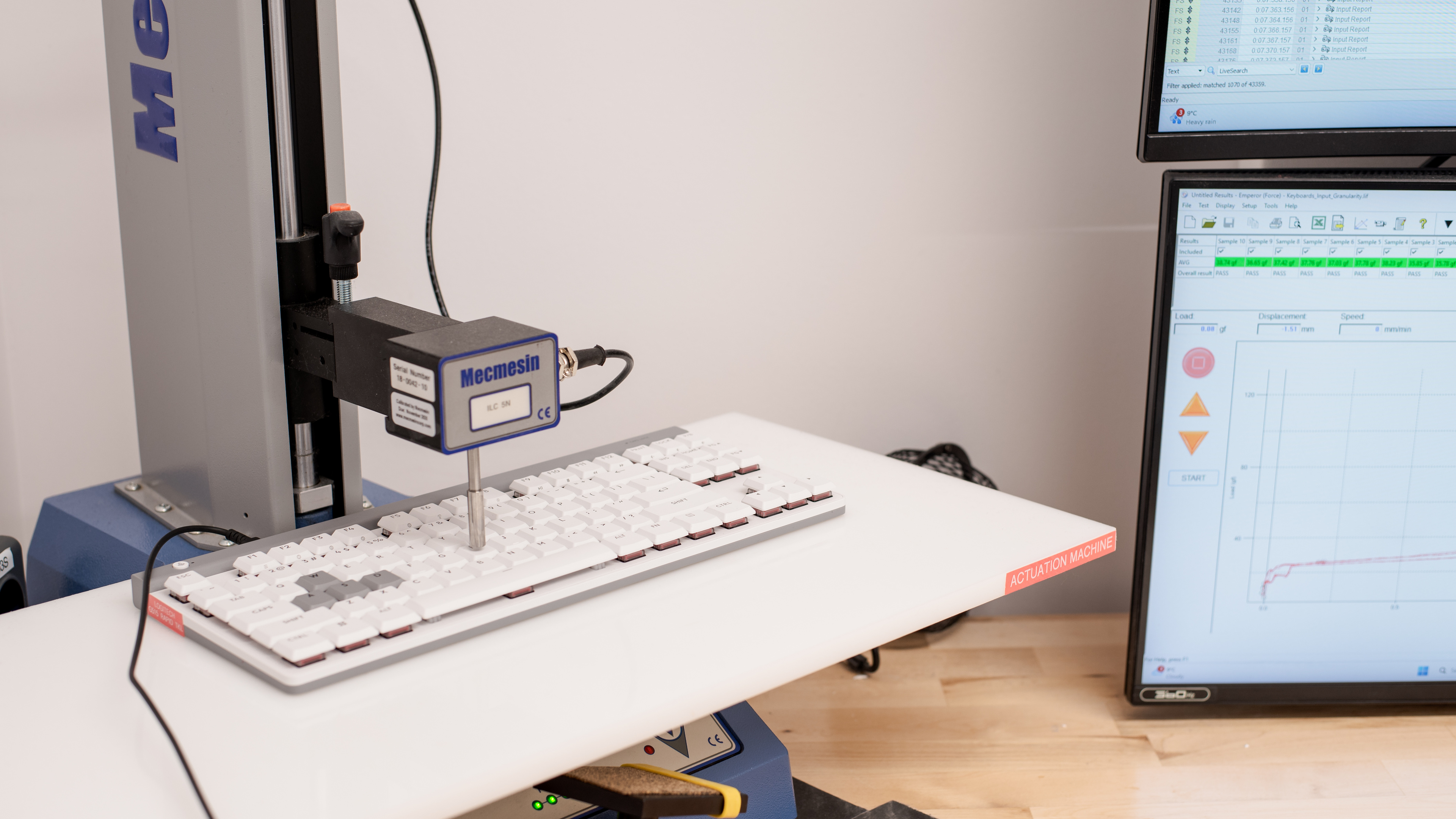
    The keyboard is only available with Logitech's proprietary low-profile magnetic switches. They are very lightweight and offer a customizable actuation range between 0.1 mm and 2.5 mm. For this test, we used the default 1.5 mm actuation.

    7.6
    Adjustable Input Granularity
    See details on graph tool
    Top Deadzone
    0.12 mm
    Bottom Deadzone
    0.39 mm
    Detection Ratio
    80%
    Minimum Step Depth
    0.09 mm

    The input granularity is good. The top dead zone is very low, allowing the keyboard to detect key presses with a very light touch. The bottom dead zone is on the higher side, however. This keyboard also doesn't support true analog input. While this limitation may not be significant in most games, it restricts the ability to emulate gradual control inputs, such as those used in racing titles or flight simulators.

    Switches
    Switch Name
    No Marketed Name
    Switch Type
    Magnetic
    Feel
    Linear
    Output Type
    Adjustable Actuation

    The switches are Raesha-branded Hall effect switches. The stem design includes a wide, offset support structure that adds stability.

    Performance
    9.2
    Single-Key Latency
    See details on graph tool
    Best Connection
    3.1 ms
    Best Connection Std Dev±0.3 ms
    Wired
    3.1 ms
    Receiver
    N/A
    Bluetooth
    N/A
    PCB (Estimated)
    N/A

    The Logitech G515 RAPID TKL offers outstanding single-key latency performance. It delivers a highly responsive gaming experience in any genre, suitable for all competitive levels. While its on-paper results aren't as high as models such as the NuPhy Air75 HE, the difference won't be noticeable in use.

    This test was conducted with the following settings: the actuation point was set to 0.1 mm, and Rapid Trigger was set to ON at 0.1 mm.

    9.0
    Multi-Key Latency
    See details on graph tool
    Connection EvaluatedWired
    Key Press
    3.0 ms

    Multi-key latency is superb on this keyboard. It's low enough to allow you to play any game that requires additional inputs while you're already pressing other keys, even in a competitive context.

    8.2
    Data Transmission
    Connection EvaluatedWired
    USB Polling Rate
    1,000 Hz
    Effective Update Rate
    1,000 Hz
    N-Key Rollover (NKRO)
    Yes
    Multiple Keys Per USB Report
    No

    This keyboard supports full NKRO enabled by default, right out of the box.

    8.8
    Chord Split
    See details on graph tool
    4 Chord Split Delay
    3.0 ms
    8 Chord Split Delay
    10.9 ms

    This keyboard offers excellent overall chord-split performance, making it a suitable choice for rhythm games or other genres that require multiple simultaneous key inputs.

    Software and Operating System
    Configuration Software
    Software NameLogitech G HUB
    Software Windows Compatible
    Yes
    Software macOS Compatible
    Yes
    Onboard Memory
    Yes
    Profiles
    6+

    You can configure this keyboard with Logitech's G HUB software. It provides a broad range of standard customization options, including key remapping, macro creation, and RGB lighting adjustments. You can also set up multiple user profiles, with the option to store one directly in the onboard memory. Note that to create or edit a custom profile, you must disable the On-Board Memory Mode. After saving your preferred settings, you can enable this mode to use the stored profile without keeping the software open.

    You can customize the Game Mode settings to lock and customize certain keys. In addition, LIGHTSYNC RGB offers dynamic and adaptive lighting effects that respond to various content types.

    You'll also be able to adjust actuation settings and find features like Rapid Trigger or SOCD, which Logitech refers to as Key Priority.

    This feature defines a pair of keys with customizable trigger behavior, controlled by four optional parameters:

    1. Last Input Priority: The most recently pressed key takes precedence if both keys pass the actuation point.
    2. Neutral: Neither key activates if both keys exceed the actuation point.
    3. Absolute Priority: One designated key always takes priority when both exceed the actuation point.
    4. Key Travel Priority: The key pressed deeper takes precedence.

    Logitech also offers its own version of Dynamic Keystroke, which it calls Multipoint Action. This feature allows you to assign two distinct actions to a single key, each triggered at a different actuation distance. This is found in the Assignments tab.

    Unfortunately, Logitech doesn't offer a browser-based interface, a common drawback among major manufacturers' utilities. Users often note its frequent updates and relatively high resource usage. No issues were encountered during testing; however, those who prefer simpler or lighter software may find it less appealing.

    10
    Computer Compatibility
    Windows
    Fully Compatible
    macOS
    Fully Compatible
    Linux
    Fully Compatible
    Media Key Compatibility
    Windows, MacOS & Linux

    The Logitech G515 RAPID TKL offers full compatibility across all major operating systems.

    On Windows, all features and functions operate as intended.

    On macOS, the Lock and P/B keys control screen brightness, and only the Fn+F9 through Fn+F12 media hotkeys function. The Windows Key+PRNT, Lock, and P/B keys correspond to F13, F14, and F15, respectively.

    On Linux, all standard functions and media keys work as expected. However, there's no official software support on this platform, so many of the advanced settings that define magnetic keyboards are unavailable. Third-party tools, like Solaar, can be used, but results may vary.

    0.0
    Wireless Mobile Compatibility
    Android
    Not Compatible
    iOS
    Not Compatible
    iPadOS
    Not Compatible
    Media Key Compatibility
    Not Compatible