Logitech K840  Keyboard Review

Review updated Aug 03, 2021 at 12:31pm
Writing modified Dec 15, 2022 at 04:26pm
Tested using Methodology v1.0 
Logitech K840
6.9
Gaming 
3.1
Mobile/Tablet 
7.4
Office 
5.9
Programming 
3.2
Entertainment / HTPC 
 0

The Logitech K840 is decent for office use. It's a basic keyboard that's aimed for office use for those who prefer mechanical switches, so it doesn't have the extra gaming features that you normally find on higher-end mechanical options. It lacks any backlighting, and you can only reprogram a few function keys to a preset list of commands. Still, the proprietary Romer-G tactile switches are light to press and offer a good typing experience. Even though it doesn't have a wrist rest, typing feels comfortable, and you shouldn't feel tired after long sessions.

Our Verdict

6.9
Gaming 

The Logitech K840 is okay for gaming. While the Romer-G tactile switches are fine for gaming and it has low latency, you can't set macros to any key. There's also no backlighting, and Logitech's software can only save one profile of settings. The rattling of the Spacebar and Shift keys may be annoying for some while gaming.

Pros
  • Romer-G tactile switches are light to press.
  • Very low latency.
Cons
  • Can't set macros to any key.
  • No backlighting.
3.1
Mobile/Tablet 

The Logitech K840 isn't compatible with mobile devices.

7.4
Office 

The Logitech K840 is decent for office use. The Romer-G switches provide good tactile feedback and a comfortable typing experience, but if you need extra support for your wrists, it doesn't come with a wrist rest. The keyboard is generally well-built; however, the cheap quality keycaps can gather oil easily and develop shine over time. Also, the printed key legends can fade or chip off with regular use.

Pros
  • Romer-G tactile switches are light to press.
  • One incline setting and keyboard profile isn't very high.
Cons
  • Doesn't have a wrist rest.
  • Cheap-feeling keycaps.
5.9
Programming 

The Logitech K840 is disappointing for programming. Although the typing experience should satisfy most people, the lack of programmable keys and the basic functionality of Logitech's software is inadequate. Its ergonomics are also just okay as it lacks a wrist rest, and there's no backlighting.

Pros
  • Romer-G tactile switches are light to press.
  • One incline setting and keyboard profile isn't very high.
Cons
  • Can't set macros to any key.
  • No backlighting.
  • Doesn't have a wrist rest.
3.2
Entertainment / HTPC 

The Logitech K840 is bad for home theatre PC use, and it's not intended for this. It can only be connected to devices via wired connection, so you have to place the keyboard close to the TV. Also, it lacks a trackpad and doesn't have backlighting if you want to use it in a dark room.

Pros
None
Cons
  • No backlighting.
  • Wired-only.
  • 6.9
    Gaming
  • 3.1
    Mobile/Tablet
  • 7.4
    Office
  • 5.9
    Programming
  • 3.2
    Entertainment / HTPC
  • Changelog

    1.  Updated Dec 15, 2022: Updated the review to change the product name to Logitech K840.
    2.  Updated Aug 03, 2021: Updated review for accuracy and clarity.
    3.  Updated Mar 31, 2021: Converted to Test Bench 1.0.
    4.  Updated Jan 20, 2020: Review published.

    Check Price

    Black/GrayK840
    SEE PRICE
    Amazon.com
    Black/GrayK840
    SEE PRICE
    BestBuy.com
    Black/GrayK840
    SEE PRICE
    Walmart.com
    Black/GrayK840
    B&H

    Differences Between Sizes And Variants

    We tested the Logitech K840 with Romer-G tactile switches, and there's no other variant available. If you have this keyboard and it's different from ours, let us know and we'll update the review.

    Popular Keyboard Comparisons

    The Logitech K840 is an entry-level mechanical keyboard that doesn't have the same features found on other higher-end, more expensive gaming keyboards. It doesn't have backlighting like the Logitech K845, and you can't set macros to any key. It's cheap and it's fairly well-built, so if you need a basic mechanical keyboard, this is a good choice.

    Also, see our recommendations for the best mechanical keyboards, the best cheap mechanical keyboards, and the best Logitech keyboards.

    Logitech G413

    The Logitech G413 is a better keyboard than the Logitech K840. The G413 has backlighting and has some macro programmable keys, even though it's only limited to the function keys. Overall, the Logitech G413 is pretty much the best option.

    SteelSeries Apex Pro

    The SteelSeries Apex Pro is significantly better than the Logitech K840. The SteelSeries has doubleshot keycaps, which means that the key legends are unlikely to fade or chip with daily use, and it has full RGB backlighting. There's also a fully customizable OLED screen that lets you access various settings. SteelSeries' software is feature-rich, and the omnipoint switches allow you to choose your preferred pre-travel distance.

    HyperX Alloy Core RGB

    The Logitech K840 is significantly better than the HyperX Alloy Core RGB. The Logitech has a better build quality thanks to its aluminum plate, and it has mechanical switches that feel light and responsive. The Logitech has software support for customization, but it doesn't have dedicated media keys like the HyperX, and typing noise can be louder if you bottom out the keys.

    HyperX Alloy FPS Pro

    The HyperX Alloy FPS Pro is much better than the Logitech K840. The HyperX has a significantly better build quality and backlighting, while the Logitech doesn't have backlighting and has cheap pad printed keycaps. The HyperX's Cherry MX Red switches provide a much better typing experience compared to Logitech's Romer-G switches, but the Logitech has software support and programmable keys.

    Logitech K845

    The Logitech K840 and the Logitech K845 are both decent office keyboards. The K845 feels better built, its Cherry MX Blue switches require a bit more force to actuate, and it has backlighting. However, our K840 unit is fully compatible with macOS, and while it has customization software, there aren't many options.

    Test Results

    perceptual testing image
    Sort:
    RATINGS
    Category:
    All
    Design
    Dimensions
    Size
    Full-size (100%)
    Height
    1.3" (3.4 cm)
    Width17.5" (44.5 cm)
    Depth
    5.2" (13.2 cm)
    Depth With Wrist Rest
    N/A
    Weight
    2.01 lbs (0.910 kg)

    The Logitech K840 is a full-size keyboard that's fairly large; unfortunately, it's not available in a TenKeyLess variant.

    7.0
    Build Quality
    Keycap MaterialABS

    The build quality is decent. The plastic chassis and aluminum base plate flex a bit, and it's prone to scratching. The ABS keycaps feel cheap, and the pad-printed symbols may fade out over time. The alphanumeric keys are fairly stable, but there's a bit of wobble to them. However, the larger keys rattle easily and produce a spring-like noise when pressed. You can even hear the keys rattle if you shake the keyboard. Lastly, there are rubber grips underneath the keyboard, but it still slides around easily during use. However, it's more stable if you extend the incline feet.

    6.5
    Ergonomics
    Board Design
    Straight
    Minimum Incline
    Medium Incline
    N/A
    Maximum Incline
    Wrist RestNo

    The Logitech K840 has okay ergonomics. It's a basic, straight keyboard that sits nearly flat against the table if you don't use the incline feet. The keyboard still feels comfortable to use if you have the incline feet extended, and even though it doesn't come with a wrist rest, you shouldn't feel any fatigue.

    0.0
    Backlighting
    BacklightingNo
    Color
    No Backlighting
    Individually Backlit Keys
    No
    Color Mixing
    No Backlighting
    Effects
    No
    Programmable
    No

    The Logitech K840 doesn't have backlighting, which makes this keyboard unsuitable for dark rooms. If you need backlighting, you can check out the red backlit Logitech G413 or the Logitech G512 Special Edition, which has full RGB backlighting.

    Cable & Connector
    ConnectivityWired
    Detachable
    No
    Length5.9 ft (1.8 m)
    Connector (Keyboard side)
    Not Detachable

    The standard rubber cable feels strong but isn't detachable.

    0.0
    Wireless Versatility
    Bluetooth
    No
    Bluetooth Multi-Device Pairing
    No
    Proprietary Receiver
    No
    Battery Type
    No Batteries

    The Logitech K840 can't be used wirelessly.

    Extra Features
    Media Keys
    Hot Keys
    Macro Programmable Keys
    No
    Trackpad / TrackballNo
    WheelNo
    USB Passthrough
    No
    NumpadYes
    Windows Key Lock
    Yes
    Lock IndicatorCaps Lock

    There are very few extra features on this keyboard. It has media control hotkeys, as well as some shortcuts for apps, like mail and calculator. Out of the box, F1 through F12 are function keys by default, but this can be changed within Logitech's Options software to have the media controls as the default. Unfortunately, you can't set macros to any key, but you can reprogram a few of the function keys to a preset list of functions. One element that's oddly missing is a Num Lock LED indicator. That said, if you have Logitech's Options software installed, an on-screen pop up will let you know when it has been activated.

    If you need more features like dedicated media controls or macro programmable keys, check out the SteelSeries Apex 5.

    In The Box

    • Logitech K840 keyboard
    • Setup guide
    Typing Experience
    Keystrokes
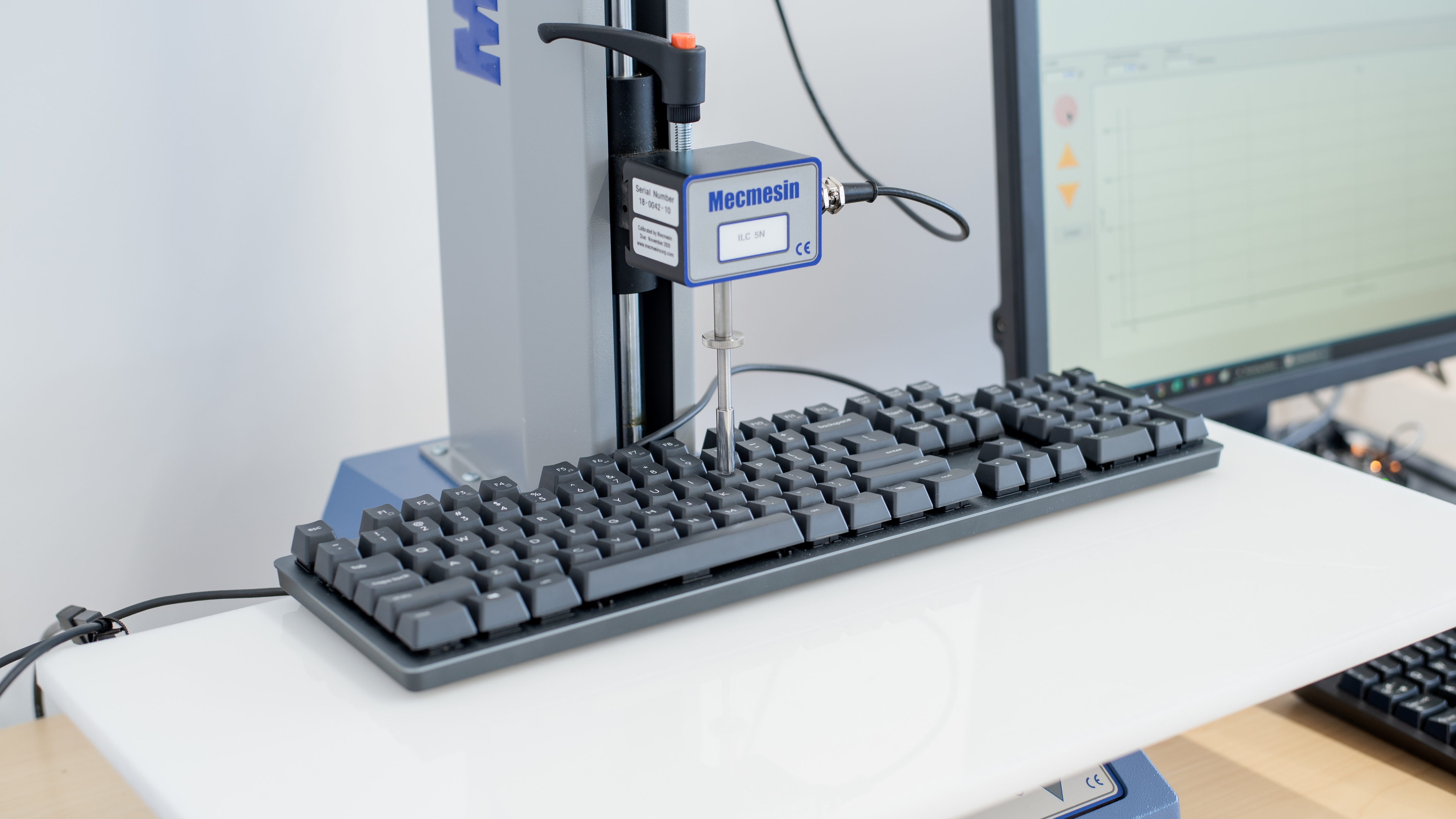
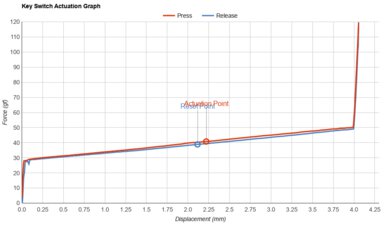
    See details on graph tool
    Mechanical
    Yes
    Key Switches
    Romer-G Tactile
    Feel
    Tactile
    Operating Force
    49 gf
    Actuation Force
    44 gf
    Pre-Travel
    1.6 mm
    Total Travel
    3.4 mm

    The Logitech K840 uses Romer-G tactile switches, which are similar to Cherry MX Brown switches, but have shorter pre-travel, and the tactile bump isn't as pronounced. Still, it delivers a light and responsive typing experience.

    7.5
    Typing Quality

    The typing quality is good. Logitech's Romer-G switches are responsive and provide a light tactile bump that lets you know when a key has been actuated, but some may find them a bit mushy. It requires very little force to type, and the actuation point is lower than standard Cherry MX switches, which can sometimes cause unintended keystrokes. Unfortunately, the stabilizers used on certain keys feel rather cheap, as these keys wobble and rattle a lot; this is especially noticeable on the Spacebar, Backspace, Enter, and Shift keys.

    If you want a keyboard that provides a better typing experience, check out the Ducky Shine 7.

    Typing Noise
    Noise
    Quiet

    Overall, the typing noise is fairly quiet, but the Spacebar, Backspace, Enter, and Shift keys wobble a lot, adding a clicky metallic sound to those keys.

    10
    Latency
    Latency Wired
    2.1 ms
    Latency Receiver
    N/A
    Latency Bluetooth
    N/A

    The Logitech K840 has incredibly low latency, and you won't notice any delay.

    Software and Operating System
    3.8
    Software & Programming
    Software NameLogitech Options
    Account Required
    No
    Profiles
    No Profile
    Onboard Memory
    No
    Cloud Sync
    Yes
    Macro Programming
    No
    Ease Of Use
    Easy
    Software Windows Compatible
    Yes
    Software macOS Compatible
    Yes

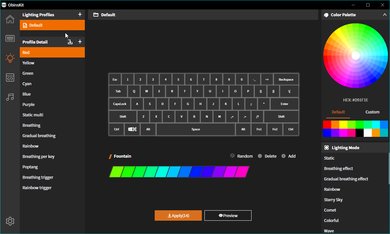
    The Logitech Options software is bad. It's available for Windows and macOS, but the software feels pretty barebones. It lets you remap F1 through F5, but only to a limited list of presets. It also allows you to choose between having F1 through F12 as standard function keys or as dedicated media keys. There isn't onboard memory, but you can save your settings to the cloud sync feature if you create an account.

    7.8
    Keyboard Compatibility
    WindowsFull
    macOSFull
    LinuxPartial
    AndroidNo
    iOSNo
    iPadOSNo

    The Logitech K840 has good compatibility. The Logitech Options software is available for Windows and macOS, but not for Linux. All the keys function properly on Linux, but you won't be able to customize it in any way.