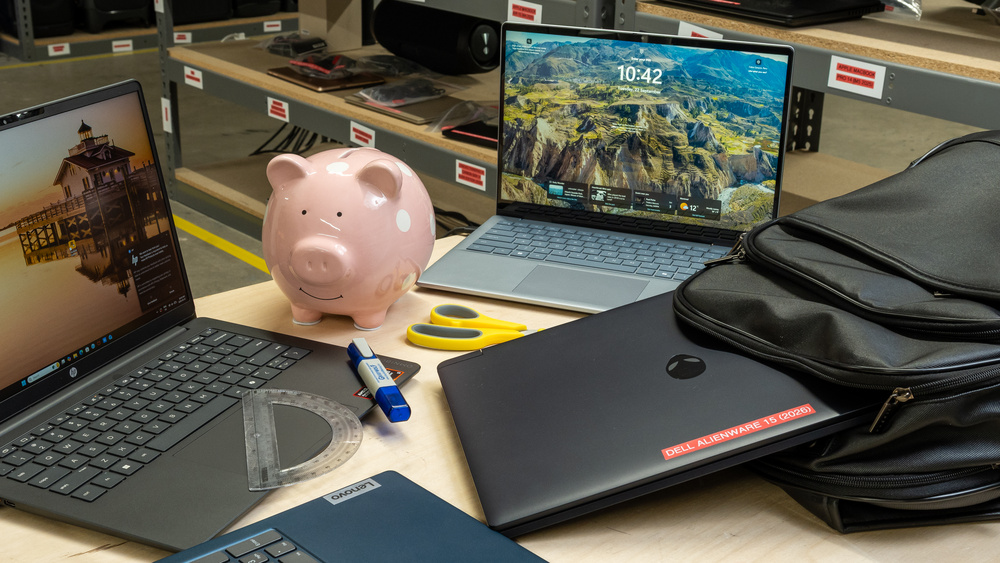
It can be tricky shopping for a student laptop, as you don't want to spend too much on a premium model, but you also want something that'll last at least a few years. Thankfully, there are pretty good budget options these days, and a few key considerations will help you find the right one. Generally speaking, if you're not in a technical field like engineering or 3D modeling, you likely don't need much processing power, so it's best to stick with an ultraportable. For those who need a lot of power under the hood, a budget gaming laptop would be your best bet since workstations are typically much more expensive. Regardless of what type of laptop you get, the overall user experience is the most important factor, so you'll want to think about portability, battery life, port selection, screen quality (brightness and sharpness), keyboard, and touchpad. If you can access all homework assignments through a web browser, it's also worth considering a Chromebook, as they're usually cheaper.
We've tested over 180 laptops, and below are our recommendations for the best budget and cheap laptops for students. For more options, check out the best laptops for college, the best lightweight laptops, and the best laptops for battery life.
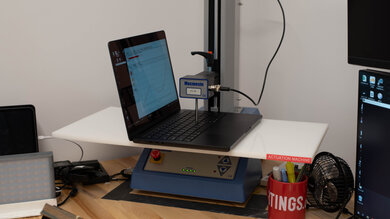
Since 2021, we've tested dozens of laptops every year. We buy our laptops to avoid bias and, following a rigorous methodology, test nearly every part of the laptop so we can deliver results you can rely on. We use a wide range of equipment to perform our tests, including a colorimeter, a Mecmesin MultiTest-i System Test Stand, and various performance benchmarking suites.
Want to know more? Check out our How We Test Laptops article, where we give you a broader overview of our review process, from the moment we purchase the product to the final review.
-
Best Budget Laptop For Students
 School & WorkMedia ConsumptionHeavy WorkloadGamingPortabilityChassis QualityScreen Size13"See all our test resultsOperating SystemmacOS
The best budget laptop for students we've tested is the Apple MacBook Neo (A18 Pro, 2026). It delivers a polished experience for its $599 education price, with a sturdy build, a compact and lightweight design, and enough battery life to comfortably get through a typical school day. It handles everyday tasks like writing papers, web browsing, spreadsheets, and presentations without much trouble. You also get a sharp, bright, and highly accurate display, a large responsive touchpad, great speakers, and an excellent 1080p webcam.
Its fanless design keeps it silent, but the keyboard lacks backlighting, and its limited selection of ports may leave you needing an adapter. You can't upgrade its 8GB of RAM or storage, so it's best for everyday schoolwork rather than heavy multitasking.
If you need Windows, consider the Dell XPS 13 (2026) instead. It has much longer battery life, a smoother 120Hz touchscreen, and a backlit keyboard, but the entry-level 8GB configuration is considerably more limiting in Windows 11 than the Neo's 8GB of memory is in macOS. Heavy browser use and multitasking can cause it to slow down noticeably sooner. We recommend the 16GB XPS configuration for more demanding multitasking, but its higher price pushes it beyond what many budget shoppers will want to spend. For students who are comfortable with macOS, the Neo is the better value.
-
Best Cheap Laptop For Students
MultimediaWorkstationGamingPortabilityBuild QualitySize15.6"See all our test resultsOperating SystemChrome OSIf you only need an inexpensive laptop for browser-based assignments, the ASUS Chromebook CX15 (2026) is the best cheap laptop for students we've tested. It costs much less than the Apple MacBook Neo (A18 Pro, 2026) above, but you give up a lot in build quality, performance, and battery life. Still, its large 15.6-inch screen gives you room to work with two windows side by side, and the comfortable keyboard includes a numpad. You also get a useful selection of ports, including USB-A, HDMI, and two USB-Cs that support charging and external displays.
Our Intel N50 configuration with 4GB of RAM is best for light work with a few browser tabs open. If you need more room for multitasking, look for an Intel N150 or N250 configuration with 8GB of RAM, depending on availability in your region. The memory and storage aren't upgradeable, so check the configuration before buying. Also, make sure your schoolwork can be done through web or Android apps, as ChromeOS doesn't run desktop Windows or macOS applications.
The biggest compromises are its washed-out display, which struggles in bright classrooms, a small touchpad that occasionally misses movements, and a blurry 720p webcam. The battery may also fall short of a full school day, so plan to bring the charger. We'd favor the IPS display we tested over the available TN panel, which has narrower viewing angles.
-
Best Budget 2-In-1 Tablet For Students
MultimediaWorkstationGamingPortabilityBuild QualitySize13.3"See all our test resultsOperating SystemChrome OSIf you're shopping for a younger student who only needs a device for simple homework assignments and media consumption, consider the Lenovo Chromebook Duet 5 (2021), a 2-in-1 ChromeOS tablet. Like Microsoft's popular Surface Pro tablets, this form factor lets you detach the keyboard when you're just consuming media, and you can pop it back on when you need to type something out. It fits easily into small bags, and you won't have to worry about bringing a charger, as the battery lasts around 10 hours of light use. If you need to charge it, you can do so over USB-C, so you don't have to deal with a proprietary charger. The 4GB model is suitable for basic browsing and short assignments, but an 8GB configuration gives you more room for multitasking if you can find one at a reasonable price.
This tablet's standout feature is its OLED display. It gets bright enough to combat glare in most indoor settings, and unlike the display on most budget devices, it doesn't look washed out, thanks to its full sRGB and DCI-P3 coverage. As with all OLEDs, there's a risk of permanent burn-in from repeatedly displaying the same static content. Unfortunately, the keyboard feels rather uncomfortable to type on due to its cramped layout and high operating force, and the touchpad is small and sometimes unresponsive. The upside is that the type cover keyboard comes with the device, so you don't have to spend extra for it.
-
Best Budget Gaming Laptop For Students
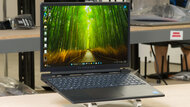
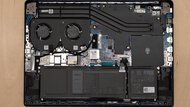
School & WorkMedia ConsumptionHeavy WorkloadGamingPortabilityChassis QualityScreen Size15.3"See all our test resultsOperating SystemWindows 11For students on a limited budget who still want a capable gaming laptop, check out the Dell Alienware 15 (2026). Unlike the Apple MacBook Neo (A18 Pro, 2026) above, it has dedicated NVIDIA graphics for gaming and more demanding schoolwork, with a much bigger screen: all configurations have a 15.3-inch display with a smooth 165Hz refresh rate. We'd get at least 16GB of RAM for the smoothest experience. However, both the memory and SSD are user-replaceable, so you can always add more later.
Naturally, there are a few compromises; in this case, it's portability and display quality. The screen looks washed out and struggles in bright classrooms, while the sturdy chassis weighs around 6.2 lbs. Our configuration's battery lasts a little over seven hours of light use, so you'll likely need the charger for a long school day. It also gets rather warm under heavy load. You do get an excellent backlit keyboard with a numpad, and for online gaming, there's an Ethernet port, alongside USB-A, USB-C, and HDMI for peripherals and external displays.
If you want longer battery life for schoolwork, consider the ASUS TUF Gaming A16 Advantage Edition (2023). Its all-AMD configurations still deliver strong performance in demanding games, and its battery lasts much longer during light use, though it's also a bulky laptop. Some configurations are also available with a sharper 240Hz display than the Alienware, though these tend to cost more.


Notable Mentions
-
Dell 14 Plus 2-in-1 (2025):
If you want a more powerful 2-in-1 than the Lenovo Chromebook Duet 5 (2021), look up the Dell 14 Plus 2-in-1 (2025). It's in a completely different price category, but it's also bigger and sturdier, and it performs far better in most tasks. Still, for students looking for a small 2-in-1, the Lenovo is the much better value.
See our review -
Lenovo Chromebook Duet Gen 9 11 (2024):
If you want something more compact, consider the Lenovo Chromebook Duet Gen 9 11 (2024) instead of the Lenovo Chromebook Duet 5 (2021). It's faster than the Duet 5, and it's easier to carry around. However, its screen isn't as good as the 5's OLED, and its roughly nine-hour battery life is shorter. It's also hard to find new.
See our review -
Acer Chromebook Plus 516 GE (2024):
The Acer Chromebook Plus 516 GE (2024) is a 16-inch laptop designed for cloud gaming and a cheaper alternative to the Dell Alienware 15 (2026). It doesn't have nearly as much processing power and runs ChromeOS, so it's only suitable for students with a lighter workload who can access it via the Chrome browser or Android apps.
See our review -
Acer Nitro V 16 (2024):
The Acer Nitro V 16 (2024) is an alternative to the Dell Alienware 15 (2026) if you find a configuration at a competitive price. However, you can only get this laptop with up to an NVIDIA GeForce RTX 4060 Laptop GPU, and it's harder to find due to low availability.
See our review
Recent Updates
Oct 23, 2026:
The ASUS Chromebook CX15 (2026) is the new 'Best Cheap Laptop For Students' due to a recent price increase on the HP OmniBook 3 14 (2025). We've also replaced the older MSI Katana A15 AI (2024) with the cheaper, more widely available Dell Alienware 15 (2026) as the 'Best Budget Gaming Laptop For Students'.
Aug 25, 2026:
Due to availability issues, many of our picks were updated, with the Apple MacBook Neo (A18 Pro, 2026) now the 'Best Budget Laptop For Students' and the HP OmniBook 3 14 (2025) the 'Best Cheap Laptop For Students.' We also refreshed the 2-in-1 and gaming recommendations with newer alternatives and updated the Notable Mentions.
May 09, 2025:
We've removed the Apple MacBook Air 13 (2022) and the 'Best Budget MacBook' category because all older MacBook Airs have been discontinued and are no longer available.
Apr 11, 2025:
No change in recommendations. Small text changes to provide information about the M3 Apple MacBook Air 13 (2024).
Mar 18, 2025:
Small text changes to provide information about the new M4 MacBook Airs. No change in recommendations.
All Reviews
Our recommendations above are what we think are currently the best budget and cheap laptops for students to buy. In addition to the test results, we factor in the price (a more affordable model wins over a pricier one if the difference isn't worth it), feedback from our visitors, and availability (no laptops that are difficult to find or almost out of stock everywhere).
If you prefer to make your own decision, here's the list of all of our laptop reviews, sorted by price from low to high. Most laptops are available in various configurations, and the table only shows the results of the model we tested, so it's best to see the full review for information about other variants.