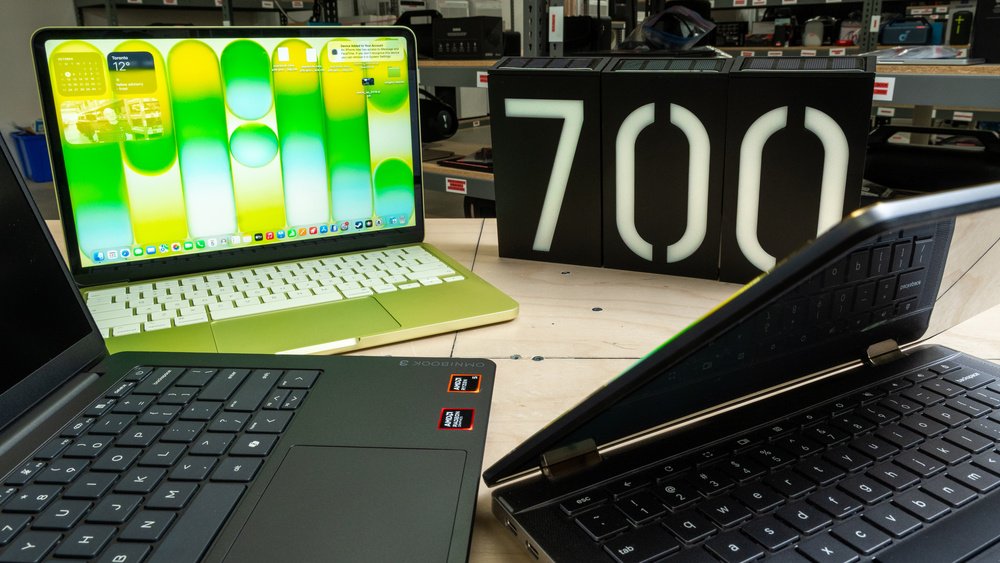
While $700 is still budget territory in the laptop world, there are some surprisingly capable options at this price. You can find thin and light models with sturdy construction, good displays, and enough performance for everyday productivity, and this is also roughly where entry-level gaming laptops begin to appear. Apple's MacBook Neo has significantly raised the bar for the category, bringing a well-built and highly portable MacBook under $700. Windows laptops still offer advantages like broader software compatibility, larger displays, and more varied hardware options, while Chromebooks remain a good choice for simple web-based workloads. You won't find a true mobile workstation at this price, but there are plenty of good options for school, work, and general use.
We've tested over 180 laptops, and below you'll find our recommendations for the best laptops under $700 you can buy. You can also see our recommendations for the best laptops under $600, the best budget and cheap laptops, and the best laptops for college.
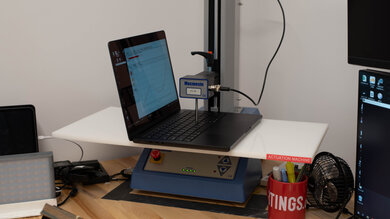
Since 2021, we've tested dozens of laptops every year. We buy our laptops to avoid bias and, following a rigorous methodology, test nearly every part of the laptop so we can deliver results you can rely on. We use a wide range of equipment to perform our tests, including a colorimeter, a Mecmesin MultiTest-i System Test Stand, and various performance benchmarking suites.
Want to know more? Check out our How We Test Laptops article, where we give you a broader overview of our review process, from the moment we purchase the product to the final review.
-
Best Laptop Under $700
 School & WorkMedia ConsumptionGamingHeavy WorkloadForm Factor:Traditional (Clamshell)Screen Size:13"Operating System:macOSTouch Screen:NoRefresh Rate:60 HzSee all our test resultsTested RAM Capacity:8 GB
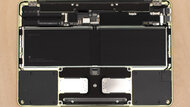
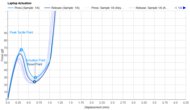
The best laptop under $700 we've tested is the Apple MacBook Neo (A18 Pro, 2026). At its regular $699 starting price, it offers a level of build quality and overall polish that's difficult to find at this price, while eligible students can get the base model for $599 through Apple's education store. Students can even get the upgraded 512GB model with Touch ID for $699. The Neo has an exceptionally sturdy aluminum chassis that's compact and easy to carry, impressive battery life, and a sharp, bright, and highly accurate display. You also get a large, responsive touchpad, great speakers, and an excellent 1080p webcam. The keyboard is comfortable too, although it lacks backlighting, and its fanless design keeps it silent.
Its A18 Pro SoC delivers remarkably strong performance for such an inexpensive laptop, making everyday tasks like web browsing, productivity work, and light photo editing feel smooth and responsive. The biggest concern is its 8GB of non-upgradeable memory, but this limitation isn't as severe in practice as you'd think due to how efficient macOS is. The Neo remains responsive with typical multitasking involving browser tabs, office apps, media playback, and communication apps. You'll start running into limitations with very heavy multitasking or memory-intensive applications, so power users should look elsewhere, but 8GB is sufficient for the kind of everyday productivity this laptop is designed for.
-
Best Windows Laptop Under $700
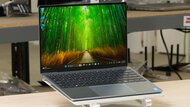
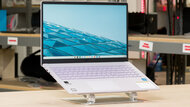
School & WorkMedia ConsumptionGamingHeavy WorkloadForm Factor:Traditional (Clamshell)Screen Size:13"Operating System:Windows 11Touch Screen:YesRefresh Rate:120 HzSee all our test resultsTested RAM Capacity:8 GBThe best Windows laptop under $700 we've tested is the Dell XPS 13 (2026). It offers a similarly premium experience to the Apple MacBook Neo (A18 Pro, 2026), though its 8GB of RAM is more restrictive in Windows than it is in macOS. Its regular price exceeds $700 USD, but it often drops to around $600 on sale, and eligible students can get it for $100 off through Dell.
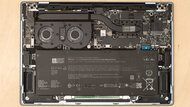
Its sturdy aluminum chassis is exceptionally light, making it easy to carry. You get a comfortable backlit keyboard and a sharp, bright 13.4-inch touchscreen whose 120Hz refresh rate makes scrolling smoother. The battery lasts around 15 hours of web browsing. However, reflections can be distracting, and wired connectivity is limited to two USB-C ports; there's no headphone jack. The Intel Core 5 processor handles everyday tasks well, but the 8GB configurations that fit this budget leave limited room for multitasking. Running several apps and many browser tabs can cause slowdowns, and you can't upgrade the memory. It's a good fit for lighter use; frequent multitaskers should prioritize more RAM.
For a larger screen and upgradeable memory, consider the ASUS Vivobook 16 M1605 (2023). Its 16-inch display and numpad are useful for spreadsheets, though it's bulkier and feels less premium. Shop around ASUS's store and other retailers, as prices and configurations vary, with some models costing less than $600. If you get an 8GB model, we'd recommend upgrading it to 16GB.
-
Best Chromebook Under $700
MultimediaGamingWorkstationForm Factor:Size:15.6"Operating System:Chrome OSTouch Screen:Refresh Rate:HzSee all our test resultsCapacity:GBIf you're looking for a cheaper alternative to the Dell XPS 13 (2026) and mainly use web apps, consider the ASUS Chromebook CX15 (2026). It offers a larger screen and a comfortable keyboard for basic productivity, though its performance, build quality, and battery life are a clear step down. ChromeOS supports web and Android apps, so check that it can run the software you need.
While the basic Intel N50 configuration with 4GB of RAM can feel fine for basic work, we'd still recommend looking for an 8GB model if you like to have a ton of tabs open at any one time, especially as the memory and storage aren't upgradeable. It does give you a large 15.6-inch 1080p display with enough room for two windows side by side, and the keyboard has a numpad for spreadsheets. We'd choose an IPS panel over the TN option for its wider viewing angles. Colors still look washed out on the IPS, though, and the screen isn't bright enough for well-lit environments.
You get USB-A, two USB-C ports, HDMI, and a headphone jack; both USB-C ports support charging and video output. However, the small touchpad sometimes misses inputs, and the 720p webcam produces a blurry image. Our unit lasted nearly six hours of video playback and about two hours more when using it for web browsing, so you may need to recharge before the workday ends.
-
Best Gaming Laptop Under $700
MultimediaGamingWorkstationForm Factor:Size:15.6"Operating System:Windows 11Touch Screen:Refresh Rate:HzSee all our test resultsCapacity:GBThe HP Victus 15 (2022) is our best gaming pick. While it's usually found for a bit above $700 USD when not on sale, you can get a model with an Intel Core i5-12500H CPU, an NVIDIA GeForce RTX 3050 GPU, 8GB of RAM, 512GB of storage, and a 60Hz FHD display. This CPU/GPU combo provides a relatively solid 60 fps gaming experience at 1080p, though you'll have to tweak the graphical settings a bit to get there. Its 8GB of RAM isn't ideal for gaming, as it'll significantly impact performance, but thankfully, you can upgrade the memory yourself. Doing so might end up being cheaper, anyway. The biggest downside is the 60Hz display, so you're better off plugging it into an external monitor.
As for the overall build, this laptop feels sturdy despite its all-plastic construction. The keyboard feels spacious and reasonably tactile, and the port selection is varied, including a true HDMI and Ethernet port. There are no biometrics like a fingerprint sensor or facial recognition camera, though we don't really expect it at this price range. Unfortunately, this laptop isn't very portable, as it's rather bulky and heavy, and like most laptops with a discrete GPU, the battery lasts only an hour or so when gaming.
-
Best 2-In-1 Tablet Under $700
MultimediaGamingWorkstationForm Factor:Size:13.3"Operating System:Chrome OSTouch Screen:Refresh Rate:HzSee all our test resultsCapacity:GBThe best 2-in-1 tablet under $700 we've tested is the Lenovo Chromebook Duet 5 (2021), a ChromeOS 2-in-1 tablet. Like the ASUS Chromebook CX15 (2026) mentioned above, this is a ChromeOS device, so you must ensure you can do everything through the Chrome browser or Android apps from the Google Play Store. Windows 2-in-1 tablets exist, like Microsoft's Surface Pros, but they're typically more expensive. As for the Duet 5, this is mainly a media consumption device. It sports a bright and colorful OLED display, and like all OLEDs, it produces deep, inky blacks for an amazing dark room viewing experience.
Unfortunately, the speakers are only adequate, as they sound unnatural with no bass whatsoever. Also, there's no 3.5 mm headphone jack, so you'll want to use wireless headphones for the best audio experience. As for productivity, you can attach the included keyboard type cover when you need to get some work done, but it's worth noting that the keyboard is best suited for short emails, as it doesn't feel particularly comfortable to type on and can cause fatigue. Besides, the processor can only handle simple tasks. The battery lasts around eight hours of video playback or 10 hours of light use (web browsing), and you can charge the tablet via USB-C.








Notable Mentions
-
HP OmniBook 3 14 (2025):
The HP OmniBook 3 14 (2025) is an alternative to the Dell XPS 13 (2026) if you want a wider port selection. It's also typically sold for less than the Dell, often making it a better value. Still, the Dell feels considerably more premium and is lighter and more compact.
See our review -
Acer Chromebook Plus Spin 714 (2024):
The Acer Chromebook Plus Spin 714 (2024) is an alternative to the ASUS Chromebook CX15 (2026) if you want a brighter, more colorful touchscreen and longer battery life. Its screen also folds back for tablet use. Unfortunately, it's now hard to find.
See our review -
ASUS Chromebook Plus CX34 (2023):
The ASUS Chromebook Plus CX34 (2023) is an alternative to the ASUS Chromebook CX15 (2026) if you want faster performance, a more responsive touchpad, and a clearer webcam. However, its video playback battery life is shorter, and it's hardto find, making the CX15 a more practical, and available, choice for most people.
See our review -
Lenovo Chromebook Duet Gen 9 11 (2024):
Take a look at the Lenovo Chromebook Duet Gen 9 11 (2024) if you'd prefer a smaller, easier-to-carry alternative to the Lenovo Chromebook Duet 5 (2021). Both are 2-in-1 tablets with detachable keyboards, but the Duet 5's larger 13.3-inch OLED display makes it more comfortable for productivity and media use. Both have the same general app-compatibility limitations of ChromeOS.
See our review -
Lenovo Chromebook Duet 3 (2022):
Consider the Lenovo Chromebook Duet 3 (2022) if portability matters more than the Lenovo Chromebook Duet 5 (2021)'s larger display. It's even more compact and has a better battery when web browsing, but its smaller non-OLED screen isn't as good for media consumption, and the keyboard feels more cramped.
See our review
Recent Updates
Oct 26, 2026:
We replaced the HP OmniBook 3 14 (2025) with the Dell XPS 13 (2026) as our 'Best Windows Laptop Under $700' due to recent price fluctuations. We replaced the Acer Chromebook Plus Spin 714 (2024) with the ASUS Chromebook CX15 (2026) as our 'Best Chromebook Under $700' due to availability, and refreshed the text and Notable Mentions.
Aug 28, 2026:
The Apple MacBook Neo (A18 Pro, 2026) is now the 'Best Laptop Under $700', as it's better and more readily available than the Acer Swift Go 14 (2024). The HP OmniBook 3 14 (2025) is now also the 'Best Windows Laptop Under $700', specifically its 16GB variants. Due to availability issues, we made some changes to the Notable Mentions. We also updated the intro to match the current state of the under-$700 laptop landscape.
Apr 30, 2025:
Verified that all picks are valid and available. No change in recommendations.
Mar 03, 2025:
Removed the Acer Siwft 14 (2020) from the Notable Mentions because it's a 2020 model and no longer worth getting. Added the ASUS Vivobook 16 M1605 (2023) and the Acer Chromebook Plus 516 GE (2024) as Notable Mentions.
Jan 09, 2025:
Replaced the Microsoft Surface Pro 8 (2021) with the Lenovo Chromebook Duet 5 (2021) because the Surface costs well over $700 USD. Added the Lenovo Yoga 7 2-in-1 14 (2024) as a Notable Mention.
All Reviews
Our recommendations above are what we think are currently the best laptops for less than $700 and the best gaming laptops under $700 to buy for most people. In addition to the test results, we factor in the price, feedback from our visitors, and availability.
If you prefer to make your own decision, here's the list of all of our laptop reviews. Most laptops are available in various configurations, and the table only shows the results of the model we tested, so it's best to see the full review for information about other variants.