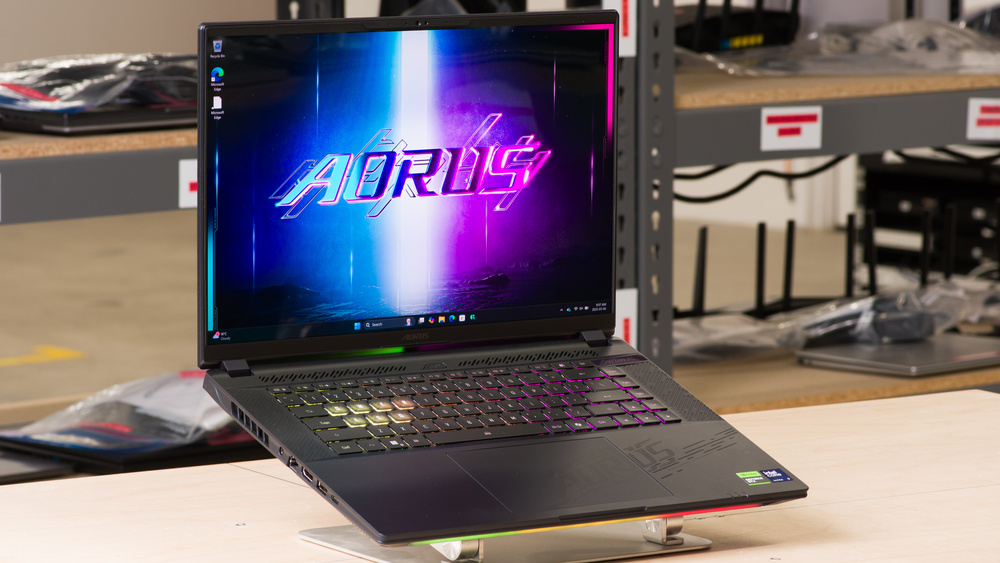
The Gigabyte AORUS MASTER 16 (2025) is a Windows gaming laptop. Equipped with an Intel Core Ultra 9 275HX and a 240Hz QHD+ OLED panel, this high-end 16-inch model is configurable with an NVIDIA GeForce RTX 5070 Ti, 5080, or 5090 Laptop GPU. Memory and storage configurations max out at 32GB and 2TB, respectively. Ports include two USB-A, two USB-C (1x Thunderbolt 4, 1x Thunderbolt 5), an HDMI 2.1, a Gigabit Ethernet, a MicroSD card reader, and a 3.5 mm headphone jack.
See our unit's specifications and the available configuration options in the Differences Between Variants section.
Our Verdict
The Gigabyte AORUS MASTER 16 is mediocre for general productivity. It has more than enough processing power to handle productivity tasks or even photo and video editing. However, the battery life is bad, and the laptop's bulky design means it isn't well-suited for on-the-go use. On the plus side, you get a large 16-inch display that's good for multitasking, a comfortable keyboard, a responsive touchpad, and tons of ports for peripherals and external displays.
Large, sharp display for multitasking.
Comfortable keyboard, responsive touchpad.
Intel CPU and NVIDIA discrete GPU can handle demanding workloads.
Wide port selection.
Bulky and heavy.
Short battery life.
Webcam image looks soft and noisy.
The Gigabyte AORUS MASTER 16 is good for media consumption. Its 16-inch OLED display looks sharp and colorful, producing deep, inky blacks, which makes it amazing for dark room and HDR viewing. The speakers get very loud, but they sound hollow with almost no bass, and they also get muddy at higher volume levels. Unfortunately, this laptop isn't very portable due to its bulky and heavy design. Its battery life is decent, though, lasting around six hours of local video playback.
Sharp, colorful OLED display with fast response time.
OLED display produces deep blacks for better dark room and HDR viewing.
Speakers get very loud.
Battery lasts nearly six hours of local video playback.
Bulky and heavy.
Speakers sound hollow, with almost no bass.
The Gigabyte AORUS MASTER 16 is a great gaming laptop. Equipped with an Intel Core Ultra 9 275HX and NVIDIA 50-series GPUs, up to an RTX 5090, this laptop delivers smooth gameplay in demanding AAA titles at 1080p, 1440p, or even 4k. You also get an amazing visual experience, as the laptop sports a fast 240Hz OLED display that produces clear images with minimal ghosting. There's Wi-Fi 7 wireless connectivity onboard and a Gigabit Ethernet port, ensuring a stable internet connection with low latency when gaming online. RAM and storage are user-upgradeable, so you can upgrade or add more later. The laptop doesn't get overly hot under load, but the fans are extremely loud.
Pushes high, consistent frame rates in demanding games.
240Hz OLED display with fast response time.
G-SYNC support to reduce screen tearing.
Wide port selection.
User-replaceable RAM and storage.
Loud fans.
While the Gigabyte AORUS MASTER 16 is great for workstation use, despite not being specifically designed for it. You get plenty of ports for peripherals and external displays, including two Thunderbolt 4s, an HDMI 2.1, and a Gigabit Ethernet. Thermal throttling is minimal under load, but unfortunately, the fans get extremely loud.
Intel CPU and NVIDIA discrete GPU can handle demanding workloads.
Wide port selection.
User-replaceable RAM and storage.
Loud fans.
Changelog
- Updated Apr 09, 2026: We've updated this review to Test Bench 0.9.1! This update changes the way we score the 'Out-Of-The-Box Color Accuracy' box. Read the changelog for more info.
-
Updated Nov 18, 2025:
Added mention of the Dell Alienware 18 Area-51 (2025) as an alternative with a larger display in the Screen Specs section.
-
Updated Oct 30, 2025:
We've updated text throughout the review after converting to Test Bench 0.9.
- Updated Oct 30, 2025: We've updated the review to Test Bench 0.9, which adds several test boxes in the performance section, including CPU/RAM Performance, Low Tier Graphics, High Tier Graphics, Professional 3D (GPU accelerated), CPU-Intensive Game Performance, GPU-Intensive Game Performance, and Ray Tracing Performance. See the 0.9 changelog here.
Differences Between Sizes And Variants
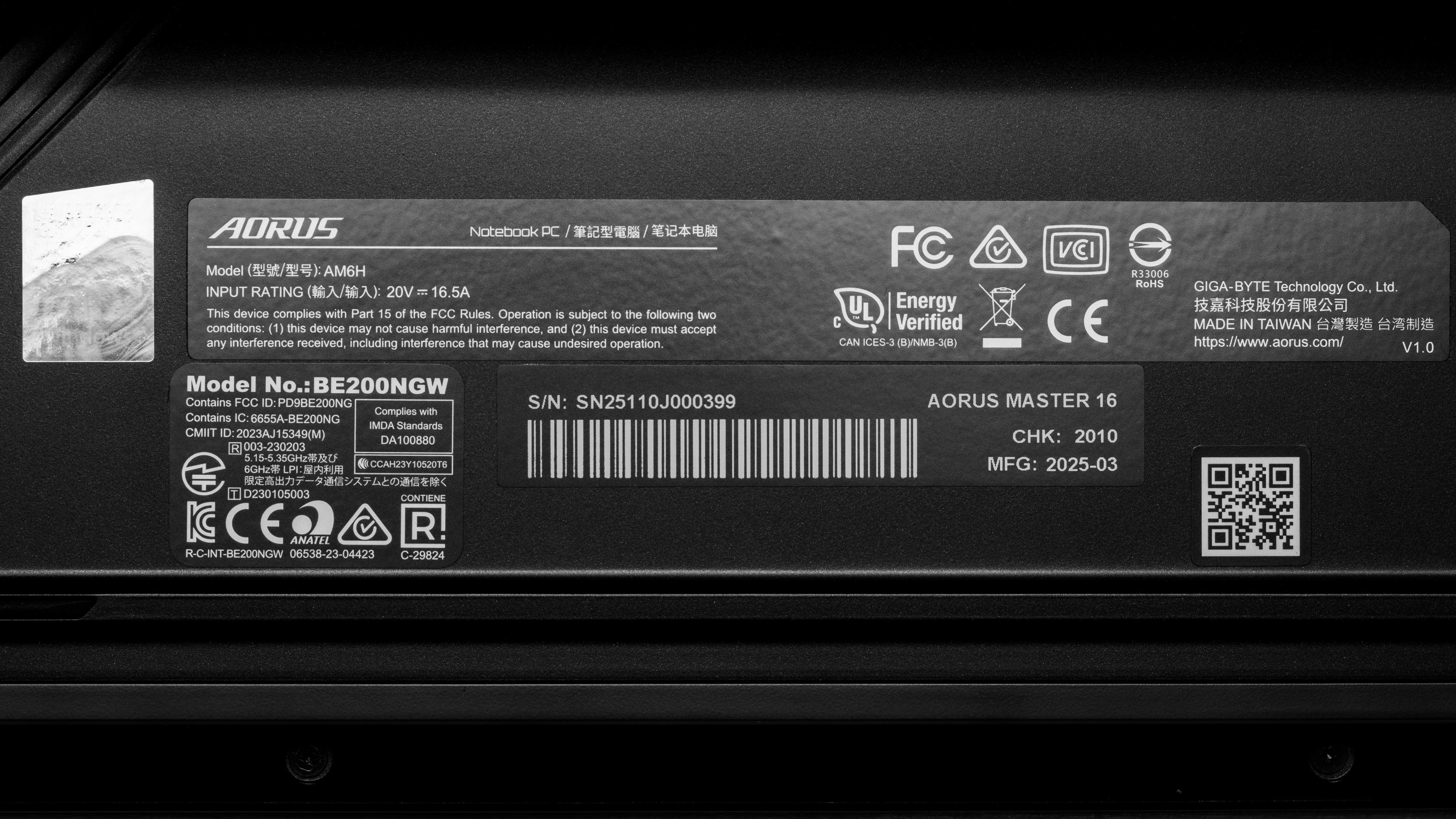
We tested the Gigabyte AORUS MASTER 16 (model AM6H) with an Intel Core Ultra 9 275HX CPU, an NVIDIA GeForce RTX 5080 Laptop GPU, 32GB of RAM, and 1TB of storage. The GPU, memory, and storage are configurable; the available options are below.
SCREEN
- 16 inch OLED 2560 x 1600 240Hz (500 cd/m², 100% DCI P3, VESA DisplayHDR True Black 500, G-SYNC)
CPU
- Intel Core Ultra 9 275HX (24 cores/24 threads, up to 5.4 GHz, 36MB cache)
GPU
- NVIDIA GeForce RTX 5070 Ti Laptop GPU 12GB GDDR7 (140W TGP /w Dynamic Boost)
- NVIDIA GeForce RTX 5080 Laptop GPU 16GB GDDR7 (175W TGP /w Dynamic Boost)
- NVIDIA GeForce RTX 5090 Laptop GPU 24GB GDDR7 (175W TGP /w Dynamic Boost)
MEMORY
- 16GB DDR5 5600MHz
- 32GB DDR5 5600MHz
STORAGE
- 1TB M.2 2280 PCIe Gen 4 NVMe SSD
- 2TB M.2 2280 PCIe Gen 4 NVMe SSD
COLOR
- Dark Tide
Popular Laptop Comparisons
The Gigabyte AORUS MASTER 16 is an excellent gaming laptop, delivering a similar gaming experience as other laptops in its class, like the HP OMEN MAX 16 (2025). However, it falls a bit short in two areas: build quality and battery life. Its plastic chassis, while sturdy, feels somewhat cheap compared to the likes of the OMEN MAX 16, and its short battery life in light uses makes it less ideal for productivity use, and consequently, less versatile.
For more options, check out our recommendations for the best gaming laptops, the best budget and cheap gaming laptops, and the best laptops for college.
The Gigabyte AORUS MASTER 16 (2025) and the ASUS ROG Strix G16 (2024) are both excellent gaming laptops. However, the Gigabyte uses NVIDIA 50-series GPUs, while the ASUS uses the older 40-series GPUs. The performance difference between the two GPU generations is relatively small; the main difference is that the 50-series GPUs support Multi-Frame Generation. In terms of the overall user experience, know that the Gigabyte has an OLED display, while the ASUS is only available with IPS displays, so if you want deep blacks for a better dark room or HDR viewing experience, the Gigabyte would be a better choice.
Although there's a lot of overlap, the Gigabyte AORUS MASTER 16 (2025) and the ASUS ROG Zephyrus G16 (2024) GU605 are quite different. The former is a rather bulky gaming laptop designed to give you the best possible gaming experience, while the latter is more of a hybrid device intended for gaming and content creation, sporting a sleeker, thinner design. The Gigabyte is the one to get if you only care about performance, but if you plan on doing other things with the laptop besides gaming, then the ASUS might be a better choice, as it'll provide a better user experience overall.
The Gigabyte AORUS MASTER 16 (2025) and the HP OMEN MAX 16 (2025) are both excellent gaming laptops that deliver a similar gaming experience. The HP is a little better overall; it has a sturdier, more premium build, as well as a longer battery life. It also has multiple display options, including two IPS panels, which might be better options if you're worried about OLED flicker causing eye strain. The HP's keyboard is harder to get used to, though, as its zero-lattice design can cause more typos and accidental triggers.
The Razer Blade 18 (2024) is a better device overall when you consider the build quality and the overall user experience. Performance will depend on which configuration you get; the main thing to know is that the Razer uses NVIDIA 40-series GPUs, while the Gigabyte uses newer 50-series GPUs. Other than a minor performance boost over the 40-series, the only new feature exclusive to the 50-series GPUs is Multi-Frame Generation, so the decision comes down to whether or not you care about this new feature.
Test Results



for pictures & test results

for pictures & test results


for pictures & test results















for pictures & test results

for videos & test results

for pictures & test results

for pictures & test results

for pictures & test results
