The ASUS ROG Strix G16 (2024) is a 16-inch gaming laptop. It replaces the ASUS ROG Strix G16 from 2023 (model G614JU). This 2024 (G614JZR) model is available with an Intel Core i9 14900HX paired with an NVIDIA GeForce RTX 4060, RTX 4070 or RTX 4080 Laptop GPU. Memory and storage max out at 32GB and 2TB, respectively. It has 240Hz QHD+ and 165Hz FHD+ IPS display options with G-SYNC support, Wi-Fi 6E wireless connectivity, a 720p webcam, and a 90Wh battery. Ports comprise two USB-As, two USB-Cs (one with Thunderbolt 4 support), an HDMI 2.1, an Ethernet port, and a 3.5 mm headphone jack.
See our unit's specifications and the available configuration options in the Differences Between Variants section.
Our Verdict
The ASUS ROG Strix G16 is okay for general productivity. It feels very well-built and provides a great user experience with its large display and spacious keyboard. Its Intel CPU and discrete GPU can easily handle productivity tasks like web browsing, text formatting, and spreadsheets. You can even edit photos and videos, which is great if you need to do a little bit of everything. It has a wide port selection for peripherals and external displays. Unfortunately, it's hard to carry because it's bulky and heavy, and its battery is poor.
- Large and bright display.
- Wide port selection includes Thunderbolt 4 and HDMI 2.1 support.
- Great keyboard and touchpad.
- Poor battery life.
- Bulky and heavy.
- Poor webcam.
The ASUS ROG Strix G16 is decent for multimedia consumption. Its large 16-inch display looks sharp and has a fast response time to deliver a clear image in fast-moving content. It also gets bright enough for most environments, unless you're outdoors in broad daylight or in direct sunlight. The screen is an IPS panel with a relatively low contrast ratio, so blacks will look gray in dim settings. The speakers get reasonably loud with minimal compression artifacts, but they have almost no bass and sound hollow. This laptop is bulky and heavy, and the battery life is poor, so it's not great for on-the-go use, like when traveling.
- Large and bright display.
- Fast-moving content looks clear thanks to high refresh rate display.
- Poor battery life.
- Speakers sound hollow and lack all bass.
- Poor webcam.
The ASUS ROG Strix G16 offers great gaming performance. Its 14th Gen HX CPU and NVIDIA GeForce discrete GPUs deliver high frame rates, and its 240Hz QHD+ display has a fast response time, resulting in minimal ghosting in fast-moving scenes. There's also G-SYNC support to help minimize screen tearing. You also get Wi-Fi 6E wireless connectivity and an Ethernet port to ensure a fast, reliable internet connection when gaming online. RAM and storage are user-upgradeable, so you can upgrade or add more later. Thermal throttling is very minimal, so you won't notice it; however, the laptop gets hot and loud.
- 240Hz display with fast response time.
- Supports G-SYNC to minimize screen tearing.
- User-replaceable RAM and storage.
- Wide port selection includes Thunderbolt 4 and HDMI 2.1 support.
- Hot and loud under load.
The ASUS ROG Strix G16 is great as a workstation. It's available with high-performance CPUs and discrete GPUs that can handle even the most demanding workloads, like 3D modeling and simulations. The QHD+ display is suitable for color-critical work, as it offers full coverage of the DCI-P3 and near-full coverage of the Adobe RGB color spaces. While you can only get the laptop with up to 32GB of RAM and 2TB of storage, these are both user-replaceable, so you can add more later on. There's almost no throttling under load, but the laptop does get hot and loud.
- User-replaceable RAM and storage.
- Wide port selection includes Thunderbolt 4 and HDMI 2.1 support.
- CPU and GPU can handle demanding workloads.
- Hot and loud under load.
- Poor webcam.
Changelog
-
Updated Oct 30, 2025:
We've updated text throughout the review after converting to Test Bench 0.9.
- Updated Oct 30, 2025: We've updated the review to Test Bench 0.9, which adds several test boxes in the performance section, including CPU/RAM Performance, Low Tier Graphics, High Tier Graphics, Professional 3D (GPU accelerated), CPU-Intensive Game Performance, GPU-Intensive Game Performance, and Ray Tracing Performance. See the 0.9 changelog here.
-
Updated Jun 04, 2025:
Added mention of the HP OMEN MAX 16 (2025) as an alternative with NVIDIA 50-series GPUs in the GPU section.
- Updated May 07, 2025: We've updated this review to Test Bench 0.8.3, which removes the viewing angle tests and adds a GPU Total Graphics Power comparison in the GPU section. The Pen Input test in the Extra Features section has also changed, as it now shows whether the laptop supports pen input rather than the inclusion of a stylus in the box. See the changelog for more details.
Differences Between Sizes And Variants
We tested the ASUS ROG Strix G16 (model G614JZR-DS91-CA) with a QHD+ IPS display, an Intel Core i9 14900HX CPU, an NVIDIA GeForce RTX 4080 GPU, 32GB of RAM, and 1TB of storage. Our review applies to all models beginning with G614JZR, G614JVR, and G614JIR. The display, GPU, RAM, and storage are configurable; the available options are in the table below:
| Display |
|
|---|---|
| CPU |
|
| GPU |
|
| RAM |
|
| Storage |
|
| Color |
|
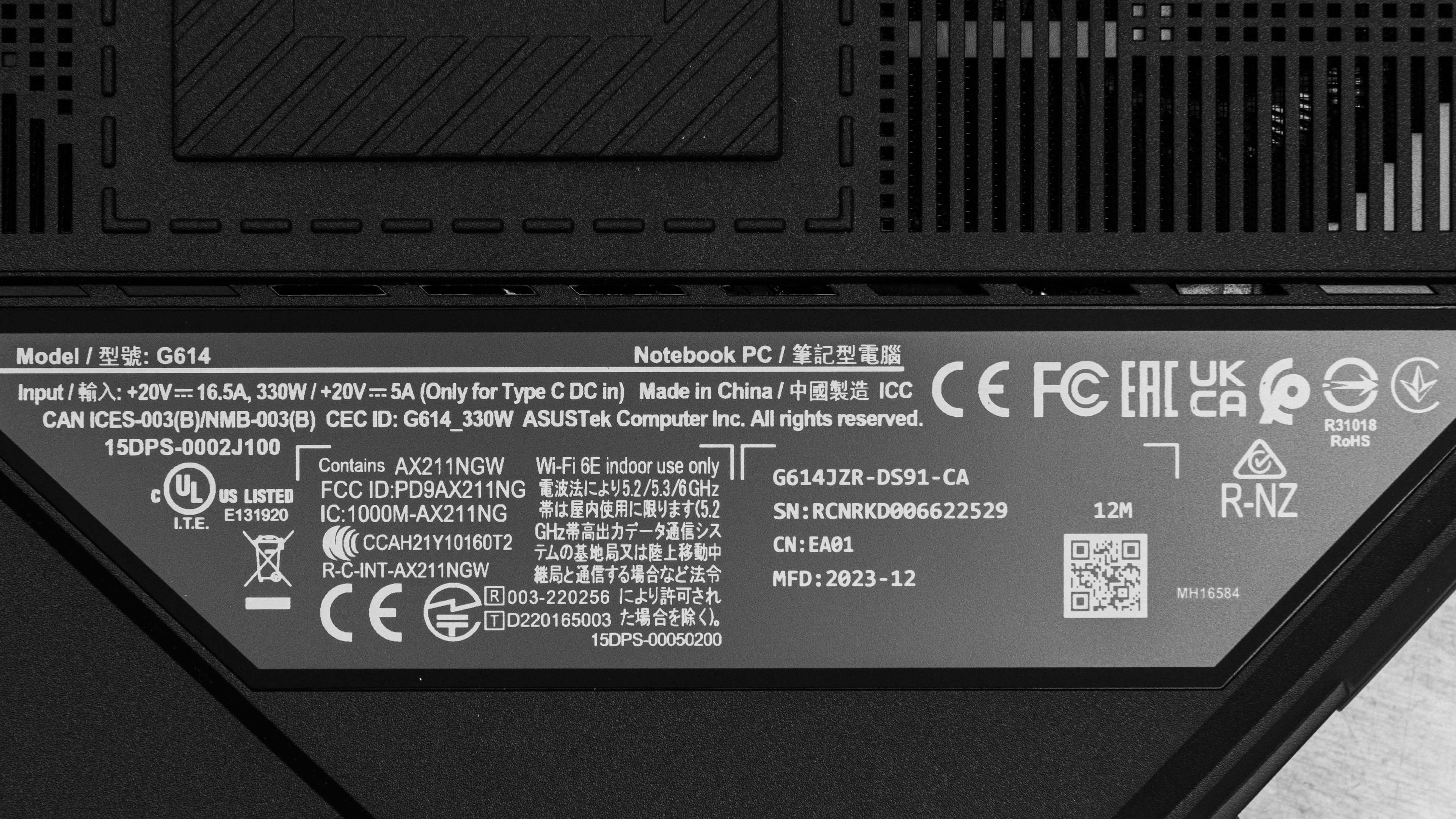
Here's our unit's label.
Popular Laptop Comparisons
The ASUS ROG Strix G16 is a high-end gaming laptop. It offers exceptional performance, sporting an Intel Core i9 14900HX and NVIDIA RTX GPUs, up to a 4080. Its user experience is no less impressive. Its bright QHD+ display is responsive, and the keyboard and touchpad are great overall. Finally, its bulky design and weight make it more suitable as a desktop replacement rather than a portable on-the-go gaming solution, and it gets very hot and loud under load.
See our recommendations for the best gaming laptops, the best budget and cheap gaming laptops, and the best workstation laptops.
The ASUS ROG Strix G16 (2024) and the ASUS ROG Zephyrus G16 (2024) GU605 are both high-end gaming laptops. Both offer excellent performance and have complementary features. The Strix has a faster CPU, which means it's better for workstation applications, while the Zephyrus has a better user experience overall with a superior OLED display, keyboard, and touchpad. Unfortunately, the Zephyrus suffers from a hardware bug; it isn't able to fully utilize its GPU even though it's never CPU-limited.
The HP OMEN MAX 16 (2025) is better than the ASUS ROG Strix G16 (2024) for gaming. While the OMEN's NVIDIA 50-series GPUs are only a minor upgrade over the Strix G16's 40-series GPUs, you can get the OMEN with an RTX 5090, whereas the Strix G16 tops out at an RTX 4080. The OMEN MAX 16's Intel Arrow Lake CPU also performs much better in multi-threaded workloads than the Strix G16's Intel 14th Gen processors. The OMEN MAX has an additional OLED display option, which will deliver a better visual experience, especially when gaming in the dark.
The ASUS ROG Strix G16 (2024) and the Dell Alienware m16 R2 (2024) are both high-end 16-inch gaming laptops. In terms of raw performance, the ASUS takes the crown as its 14th Gen Core i9 14900HX CPU and NVIDIA GeForce RTX 4080 laptop GPU option are much faster than the Dell's Meteor Lake CPUs and RTX 4070 option. That said, while the ASUS is faster overall, its performance isn't quite as consistent as the Dell. The Dell also provides a slightly better user experience with a superior mechanical keyboard and much better-sounding speakers.
The ASUS ROG Strix G16 (2024) and the Apple MacBook Pro 16 (M3, 2023) are both high-end 16-inch laptops, although they're intended for different use cases. The ASUS is a gaming laptop, while the Apple is a mobile workstation. However, the ASUS can also handle professional workloads, as it has a good amount of processing power, and its GPU and CPU performance exceeds the MacBook Pro's M3 Max SoC. Apple's M3 SoC is far more efficient, though; the MacBook Pro's battery will last around 13 hours in light uses compared to the ASUS laptop's six hours. Finally, the Apple laptop provides a much better user experience overall with a superior touchpad, keyboard, speakers, and webcam.
Test Results
The ASUS ROG Strix G16 is only available in Eclipse Gray. There's a light bar along the perimeter of the laptop's lower deck. You can customize the lighting via the ASUS Armoury Crate app. See the bottom of the laptop.
The ASUS ROG Strix G16 2024's build quality is outstanding. Its chassis is mostly plastic, while the lid and back use some aluminum. Despite the mostly plastic construction, the laptop feels sturdy and premium, exhibiting little to no flex on the lid or keyboard deck. There's also very little twist when manipulating the display. The finish is fairly scratch-resistant, but it does pick up fingerprints and smudges. The feet feel solid and stick firmly to the bottom.
Accessing the internals is relatively straightforward but will require some organization. You need to remove 10 Philips head screws; the front screws are shorter than the middle and back screws. The bottom panel needs a prying tool to release and requires some effort. Both storage slots support M.2 2280 PCIe Gen 4 NVMe SSDs.
You can get the user manual from ASUS' website.
The ASUS ROG Strix G16 2024 is available with the following displays:
- 16" IPS 1920 x 1200 165Hz (matte, 100% sRGB)
- 16" IPS 2560 x 1600 240Hz (matte, 500 cd/m², 100% DCI-P3)
The QHD+ display looks very sharp and is more than adequate for gaming, general productivity, and content creation. The 16:10 aspect ratio is great for productivity, as it gives you slightly more vertical space than a standard 16:9 screen, allowing you to see more information at once when reading a document or website. The FHD+ resolution will still be reasonably sharp on a 16-inch display. Thanks to the display's matte coating, you can't see individual pixels up close. Nevertheless, for this class of laptop, an FHD+ display is a bit lackluster.
The ASUS ROG Strix G16 2024's QHD+ display has a high refresh rate and a fast response time, resulting in minimal ghosting in fast-moving scenes. The FHD+ panel will still perform well, but it won't be as responsive or clear, as it has a lower refresh rate and more than double the advertised response time at 7 ms. Both panels use G-SYNC for VRR.
The QHD+ display has decent contrast that's in line with most IPS panels. However, it's still relatively low compared to other panel technologies like VA and OLED. This contrast level makes blacks look gray in dim settings. The FHD+ will have a similar contrast ratio and characteristics.
The QHD+ display gets bright enough for use in most indoor settings. It works in some outdoor settings as well, but you may have trouble seeing some content in direct sunlight. It's very dim at the lowest brightness setting, which is great for dark room viewing as it causes less eye strain. ASUS doesn't advertise peak brightness measurements for the FHD+ screen, so we can't be sure how it performs.
The display's reflection handling is satisfactory. The matte coating diffuses light across the screen. For the most part, reflections aren't an issue when viewing bright-color content with the screen at maximum brightness; however, they make dark-color scenes much harder to see. The FHD+ display is advertised with the same coating and will perform similarly.
The display's accuracy is decent out of the box. The white balance inaccuracies are fairly minor. By contrast, some colors are visibly off due to oversaturation. Some people may like this punchy, oversaturated look; just know it isn't accurate. The gamma follows the curve well at mid-brightness; however, dark and very bright scenes scenes are a slightly too dark overall.
The display's color gamut is superb. It has full coverage of the sRGB and DCI-P3 color spaces and near-full coverage of the Adobe RGB color space, making it suitable for a wide range of uses, including media consumption, professional photo editing, and HDR video production. The FHD+ panel only offers full coverage of the sRGB color space, so its use cases are limited to media consumption of SDR content.
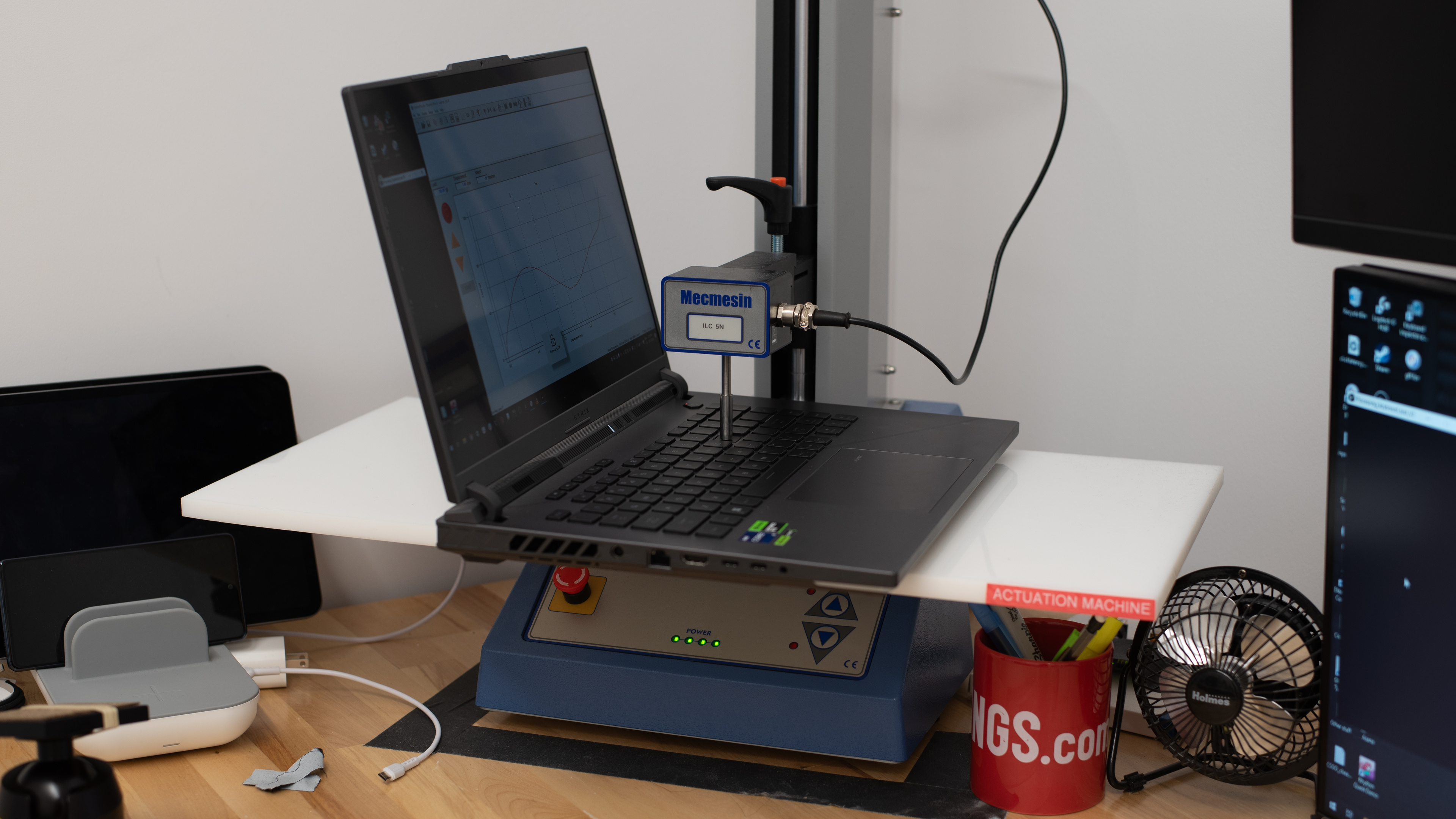
The ASUS ROG Strix G16 2024 has an excellent keyboard. The keys have a good amount of travel, require little force to actuate, and provide clear tactile feedback. Most keys are very stable, except the power button, which wobbles more than the others. While the keyboard feels spacious, the layout is the one pain point. The right shift key is much smaller than expected and leads to many wrong inputs while you are getting used to it. Also, because the keyboard is so large, it can be fatiguing to use for long periods. While the keyboard doesn't have a numpad, you can turn off the touchpad and use it as a numpad. It works well, but turning off the touchpad is not ideal.
The ASUS Armoury Crate software allows you to customize the keyboard's RGB but doesn't allow for per-key customization. Instead, you can apply a single color to all the keys using the Static option or select an effect like Rainbow, which adjusts the RGB on a per-key basis without letting the user customize it. At most, users can choose two different colors with the Breathing option. On the bright side (literally), the backlighting gets bright, and the keycaps allow the LEDs to shine through clearly.
The ASUS ROG Strix G16 2024 has an excellent touchpad. It's a great size for a 16-inch laptop, and it tracks all gestures and movements well. Palm rejection works as intended, and there are no issues performing actions like dragging and dropping or zooming in and out of images. Since this is a diving board touchpad, you can only click on the bottom half of the keyboard. The buttons provide decent feedback, but they feel a bit mushy and are rather quiet; depending on your preferences, this more muted feedback may be a positive.
The ASUS ROG Strix G16 2024's speakers get fairly loud but don't sound great. There's little to no audible bass, and the treble tends towards sounding very tinny. Overall, the speakers sound hollow and lack impact.
The webcam is poor on this laptop. There's a noticeably blue tint that makes the image appear very cool and colors look inaccurate. The webcam also does a poor job resolving fine details like strands of hair. This makes it difficult to perceive small differences between objects in frame, resulting in a grainy and at times blurry image. By contrast, the microphone is great. Voices sound loud, crisp, and clear, and there's no audible static or white noise.
The ASUS ROG Strix G16 2024 has an outstanding port selection. Both USB-As support USB 3.2 Gen 2 data transfer speed of up to 10 Gbps. The two USB-Cs are different in specifications; the one closest to the 3.5 mm jack supports USB 3.2 Gen 2 transfer speeds, while the other supports Thunderbolt 4 (up to 40 Gbps data transfer speed). Both USB-Cs support DisplayPort 1.4 and Power Delivery, though the USB-C Gen 3.2 Gen 2 port also has support for G-SYNC.
The wireless adapter is an Intel AX211. Wi-Fi 6E gives you access to the 6GHz band, providing faster speeds, lower latency, and less signal interference than previous wireless standards; however, you need a router that supports Wi-Fi 6E to benefit from these features.
The ASUS ROG Strix G16 is only available with the Intel Core i9 14900HX (24 cores/32 threads, up to 5.8GHz, 36MB Cache). This is one of Intel's highest-end mobile CPUs found in gaming and workstation laptops. It belongs to the 14th Gen Raptor Lake refresh, which uses a hybrid architecture comprising performance and efficiency cores. Unlike the new Meteor Lake CPUs found in ASUS' other recent gaming laptops like the ASUS ROG Zephyrus G16 (2024), they don't have any low-power E-cores to further improve battery life or a Neural Processing Unit (NPU) to speed up AI tasks.
You can see more information about Intel's 14th Gen HX CPUs from their product brief.
The ASUS ROG Strix G16 2024 is available with the following GPUs:
- NVIDIA GeForce RTX 4060 Laptop GPU 8GB GDDR6 (140W TGP /w Dynamic Boost)
- NVIDIA GeForce RTX 4070 Laptop GPU 8GB GDDR6 (140W TGP /w Dynamic Boost)
- NVIDIA GeForce RTX 4080 Laptop GPU 12GB GDDR6 (175W TGP /w Dynamic Boost)
The available GPUs range from lower-end (RTX 4060) to the high-end RTX 4080. All three offer support for the latest gaming features, including DLSS 3 (upscaling and frame generation), ray tracing, and NVIDIA Reflex, so you aren't losing any features if you get a lower-end model. If you plan on gaming at the display's native QHD+ resolution, getting an RTX 4080 is best, as the RTX 4060 and 4070's 8GB VRAM is limiting at the QHD resolution. You can even experience performance issues like stutters and graphical pop-ins with 8GB of VRAM at 1080p, depending on the game. The RTX 4060 and 4070 are still fine choices; just know that the latest graphically demanding games may cause issues using the highest settings. Check out the HP OMEN MAX 16 (2025) if you want a gaming laptop available with NVIDIA 50-series GPUs.
For more information about NVIDIA's 40-series laptop GPUs, check the comparison table on NVIDIA's website.
You can get the ASUS ROG Strix G16 2024 with 16GB or 32GB of RAM. The memory is user-replaceable.
You can get the ASUS ROG Strix G16 2024 with 1TB or 2TB of storage. The storage is user-replaceable.
The keyboard deck gets pretty hot under load; however, the hot spot is closer to the top, away from where most people rest their hands, so it's still comfortable to use. The fans are relatively quiet at full speed and aren't overly bothersome. You can adjust the power and fan profiles in the ASUS Armoury Crate application. Switching to the Turbo profile increases the fan noise to 47.5 dBA, though the temperature remains similar at 47 °C (116.6 °F)
The ASUS ROG Strix G16 2024 has a few pre-installed applications, including:
- ASUS Armory Crate: Lets you monitor the system status, change performance settings, create macros/hotkeys, customize the lighting (lid and keyboard), as well as access gaming news and the ASUS online shop.
- GlideX: Lets you mirror your screen's content to a smartphone, tablet, or computer.
- McAfee: Antivirus software. Requires subscription.
- MyASUS: Lets you connect your smartphone for file transfers, contact customer support, and adjust power settings.
- Solitaire & Casual Games: Solitaire, FreeCell, Spider, Mahjong, Sudoku, and other casual games.