Lenovo Yoga Pro 9i 16 (2024)  Laptop Review

Reviewed Feb 17, 2025 at 10:08am
Writing modified Oct 09, 2025 at 08:25am
Tested using Methodology v0.9 
Lenovo Yoga Pro 9i 16 (2024)
6.8
General Productivity 
8.1
Multimedia 
6.9
Gaming 
7.5
Workstation 
 2

The Lenovo Yoga Pro 9i 16 (2024) is a Windows productivity and content creation laptop. It replaces the Lenovo Yoga Pro 9 16 (Slim Pro 9 in some regions) from 2023. This 2024 model is available with an Intel Meteor Lake CPUs and NVIDIA discrete GPUs, up to a Core Ultra 9 185H and a GeForce RTX 4070 (mobile). Memory and storage max out at 64GB and 1TB, respectively. There are multiple display options, including a 120Hz QHD+ IPS panel and four 165Hz 3.2k IPS or Mini LED panels, with or without touch input support. Ports comprise two USB-As, two USB-Cs (one with Thunderbolt 4 support), an HDMI 2.0, an SD card reader, and a headphone jack. You also get Wi-Fi 6E wireless connectivity and a 1440p webcam with Windows Hello facial recognition.

See our unit's specifications and the available configuration options in the Differences Between Variants section.

Our Verdict

6.8
General Productivity 

The Lenovo Yoga Pro 9i 16 is alright for general productivity. It has a 16-inch screen that's well-suited for multitasking, a spacious keyboard, and a large, responsive touchpad, allowing you to use it comfortably. However, it's on the heavy side, even though it's relatively compact for a 16-inch device, and unfortunately, the battery lasts only around six hours of light use, so you'll have to carry a charger, too. That said, you get plenty of ports for peripherals and external displays, as well as a great 1440p webcam with Windows Hello facial recognition for quick logins. Performance is excellent; its Intel CPU can handle fairly demanding workloads, and you can get the laptop with a dedicated NVIDIA GPU if you need to edit videos for your own business.

Pros
  • Large, sharp screen.

  • Comfortable keyboard, responsive touchpad.

  • CPU and discrete GPU can handle demanding tasks.

  • Wide port selection with Thunderbolt 4 support.

  • Great 1440p webcam.

Cons
  • Heavy laptop.

  • Short battery life in light uses.

8.1
Multimedia 

The Lenovo Yoga Pro 9i is great for media consumption. It has multiple display options, including a QHD+ IPS and four 3.2k IPS or Mini LED panels. Some are glossy screens with touch input, while the others are matte, so you can choose based on your preference. Naturally, the Mini LED screens are better suited for dark room viewing and HDR content, as they produce much deeper blacks, thanks to local dimming. The speakers get very loud, and they sound clear and well-balanced, with a good amount of bass. As for portability, this laptop is fairly compact for a 16-inch device, but it's on the heavier side. The battery lasts a little over six hours of video playback, enough to get you through a couple of movies and TV show episodes.

Pros
  • Large, sharp screen.

  • Available with Mini LED display.

  • Loud, well-balanced speakers.

  • Battery lasts around six hours of video playback.

Cons
  • Heavy laptop.

  • IPS panels not ideal for dark room viewing due to low contrast.

6.9
Gaming 

The Lenovo Yoga Pro 9i can deliver an adequate gaming experience, even though it's primarily a productivity/content creation laptop. It's available with Intel CPUs and NVIDIA discrete GPUs, which are powerful enough to deliver smooth gameplay with high, consistent frame rates. Multiple display options are available, including a 120Hz and four 165Hz panels with fast response times. Unfortunately, none of the displays support VRR to minimize screen tearing, and the fans get pretty loud under load.

Pros
  • Can deliver smooth gameplay in demanding games.

  • High-refresh display with fast response time.

  • Wide port selection with Thunderbolt 4 support.

  • User-replaceable SSD.

Cons
  • No VRR support.

  • Soldered RAM.

  • Loud fans.

7.5
Workstation 

While the Lenovo Yoga Pro 9i 16 isn't specifically designed to be a workstation, it can be a good option if your work doesn't require a ton of memory or a professional GPU. This is because you can only get this laptop with up to 64GB of soldered RAM and the more mainstream NVIDIA GeForce discrete GPUs. This is a creator laptop, so it'll have no problem handling tasks like video editing. You can choose among five display options based on your needs; the QHD+ panel only has full sRGB coverage, while the others have full DCI-P3. The SSD is user-upgradeable, and there's a second storage slot if you want to expand the capacity further. Thermal throttling is minimal, but the fans get pretty loud.

Pros
  • CPU and discrete GPU can handle demanding tasks.

  • Wide port selection with Thunderbolt 4 support.

  • Displays suitable for color-critical work.

  • User-replaceable SSD.

Cons
  • Soldered RAM.

  • Loud fans.

  • 6.8
    General Productivity
  • 8.1
    Multimedia
  • 6.9
    Gaming
  • 7.5
    Workstation
  • Changelog

    1.  Updated Oct 30, 2025: 

      We've updated text throughout the review after converting to Test Bench 0.9.

    2.  Updated Oct 30, 2025: We've updated the review to Test Bench 0.9, which adds several test boxes in the performance section, including CPU/RAM Performance, Low Tier Graphics, High Tier Graphics, Professional 3D (GPU accelerated), CPU-Intensive Game Performance, GPU-Intensive Game Performance, and Ray Tracing Performance. See the 0.9 changelog here.
    3.  Updated May 07, 2025: We've updated this review to Test Bench 0.8.3, which removes the viewing angle tests and adds a GPU Total Graphics Power comparison in the GPU section. The Pen Input test in the Extra Features section has also changed, as it now shows whether the laptop supports pen input rather than the inclusion of a stylus in the box. See the changelog for more details.
    4.  Updated Apr 25, 2025: 

      Added mention of the ASUS ProArt P16 H7606 (2024) as an alternative with better performance in the Geekbench 5 section.

    Differences Between Sizes And Variants

    We tested the Lenovo Yoga Pro 9i 16 (model 16IMH9/83DN0006US) with a 3.2k IPS display, an Intel Core Ultra 9 185H CPU, an NVIDIA GeForce RTX 4050 Laptop GPU, 32GB of memory, and 1TB of storage. The screen, CPU, GPU, memory, and storage are configurable; see the available options below.

    SCREEN

    • 16" IPS 2560 x 1600 120Hz (matte, 350 cd/m², 100% sRGB)
    • 16" IPS 3200 x 2000 165Hz (matte, 400 cd/m², 100% DCI-P3)
    • 16" IPS 3200 x 2000 165Hz (touchscreen, glossy, 400 cd/m², 100% DCI-P3)
    • 16" Mini LED 3200 x 2000 165Hz (matte, 600 cd/m² SDR, 100% DCI-P3/Adobe RGB)
    • 16" Mini LED 3200 x 2000 165Hz (touchscreen, glossy, 600 cd/m² SDR, 100% DCI-P3/Adobe RGB)

    CPU

    • Intel Core Ultra 7 155H (16 cores/22 threads, up to 4.8GHz, 24MB cache)
    • Intel Core Ultra 9 185H (16 cores/22 threads, up to 5.1GHz, 24MB cache)

    GPU

    • Intel Arc Graphics (integrated)
    • NVIDIA GeForce RTX 4050 Laptop GPU 6GB GDDR6 (discrete, 100W TGP /w Dynamic Boost)
    • NVIDIA GeForce RTX 4060 Laptop GPU 8GB GDDR6 (discrete, 100W TGP /w Dynamic Boost)
    • NVIDIA GeForce RTX 4070 Laptop GPU 8GB GDDR6 (discrete, 100W TGP /w Dynamic Boost)

    MEMORY

    • 16GB LPDDR5x-7467
    • 32GB LPDDR5x-7467
    • 64GB LPDDR5x-7467

    STORAGE

    • 512GB M.2 2280 PCIe Gen 4 NVMe SSD
    • 1TB M.2 2280 PCIe Gen 4 NVMe SSD

    COLOR

    • Luna Gray
    • Tidal Teal

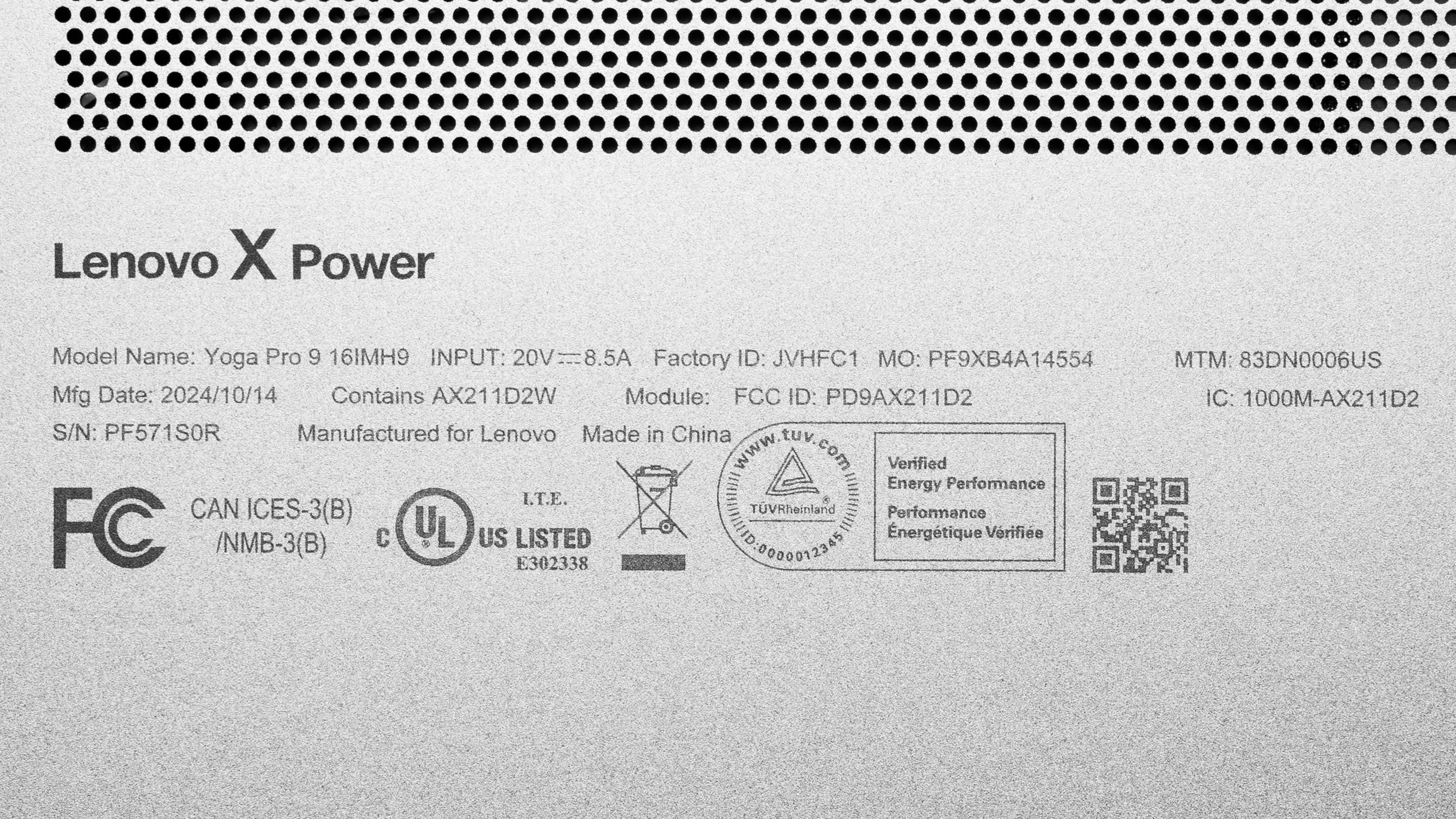
    See our unit's label.

    Popular Laptop Comparisons

    The Lenovo Yoga Pro 9i 16 is a great laptop overall and one of the best-value 16-inch productivity/creator laptops compared to other similar models on the market. It has a good amount of processing power considering its relatively compact design, and it provides an excellent user experience thanks to its sharp display, comfortable keyboard, and large touchpad. The main downside is that its battery life is quite short.

    For more options, check out our recommendations for the best laptops for programming, the best laptops for video editing, and the best laptops for photo editing.

    ASUS ProArt P16 H7606 (2024)

    The ASUS ProArt P16 H7606 (2024) and the Lenovo Yoga Pro 9i 16 (2024) are both premium creator laptops that provide a similar user experience overall. The ASUS has better CPU performance, and it has a programmable capacitive dial that can streamline your workflow, allowing you to quickly access various tools and functions when editing photos and videos. However, the Lenovo has more display options—its displays aren't as sharp as the ASUS' OLED panel, but they have a higher refresh rate, which is a bonus if you plan on playing games. Also, unlike the ASUS, the Lenovo's displays are IPS or Mini LED panels, which are flicker-free and immune to permanent burn-in.

    Dell XPS 16 (2024)

    The Lenovo Yoga Pro 9i 16 (2024) and the Dell XPS 16 (2024) are both high-end creator laptops available with Intel Meteor Lake CPUs and NVIDIA 40-series GPUs. The Lenovo provides a slightly better user experience overall, mainly because the Dell's keyboard and touchpad design can take some time to get used to. You also get a wider port selection and a second storage slot on the Lenovo. Performance-wise, the Lenovo edges out the Dell, as its NVIDIA GPUs run at a much higher wattage of 100W.

    ASUS ROG Zephyrus G16 (2024) GU605

    The Lenovo Yoga Pro 9i 16 (2024) and the ASUS ROG Zephyrus G16 (2024) GU605 are both 16-inch Windows laptops with Intel Meteor Lake CPUs and NVIDIA 40-series GPUs. The Lenovo is a productivity/content creation laptop, while the ASUS is primarily a gaming model but can also serve as a creator laptop. These two models trade blows, so the choice comes down to what you care about most. Naturally, the ASUS is a better choice for gaming since it has an OLED display with a faster refresh rate and VRR support, and it's available with higher-end GPUs, up to an RTX 4090. Just remember that OLEDs are susceptible to permanent burn-in, which is more of a problem when using the laptop for productivity tasks, as there are typically more static elements present on the screen than when gaming.

    Apple MacBook Pro 16 (M4, 2024)

    The Apple MacBook Pro 16 (M4, 2024) is better than the Lenovo Yoga Pro 9i 16 (2024) for most uses. The MacBook Pro has a haptic touchpad that makes it easier to use since you can click anywhere, Thunderbolt 5 support, and a significantly longer battery life. You can get much more CPU processing power on the MacBook Pro, and you can also get more RAM, up to 128GB, whereas the Yoga Pro 9i is only available with up to 64GB. On the other hand, the Yoga Pro 9i has user-upgradeable storage, and it's a more versatile device because you can get a much better gaming experience than on the MacBook Pro.

    Show more 

    Test Results

    perceptual testing image
    Sort:
    RATINGS
    Category:
    All
    Design
    Style
    Form Factor
    Traditional (Clamshell)

    Although Lenovo brands this laptop as a 'Yoga' model, the Lenovo Yoga Pro 9i 16 isn't a 2-in-1 convertible, as it lacks the 360° hinges that let you flip the display around into tablet mode. Additionally, some display options don't even support touch input. You can get this laptop in a Luna Gray or Tidal Teal colorway. See the bottom of the laptop

    8.5
    Build Quality

    The Lenovo Yoga Pro 9i's build quality is excellent. The chassis—a mix of aluminum and plastic—feels very sturdy, exhibiting only a small amount of flex on the lid and keyboard deck. One minor complaint is that the bottom panel doesn't align perfectly with the frame, meaning one corner protrudes a little more than the rest, but this likely won't affect everyday use or the laptop's long-term durability. The finish doesn't scratch easily, and while it picks up some fingerprints and smudges, it isn't bad enough to call it a fingerprint magnet. The feet feel solid and stick firmly to the bottom.

    9.4
    Hinge
    Range
    180°
    Stability
    Good
    One Finger Lift
    Yes

    The Lenovo Yoga Pro 9i has an outstanding hinge. It lets you open the laptop to 180°, which can be handy when you need to show the content to someone sitting opposite you. The hinge is pretty stable; there's some wobble, but not enough to affect everyday use.

    6.7
    Portability
    Size
    16"
    Thickness
    1.0" (2.5 cm)
    Width
    14.3" (36.4 cm)
    Depth
    9.8" (24.9 cm)
    Volume
    138.3 in³ (2,265.9 cm³)
    Weight
    4.7 lbs (2.1 kg)
    Charger Size
    15.5 in³ (254.1 cm³)
    Charger Weight
    1.2 lbs (0.5 kg)
    6.3
    Serviceability
    Ease Of Access
    7.5
    RAM Slots
    0
    Storage Slots
    2
    Replaceable Battery
    Yes
    Replaceable Wireless Adapter
    No

    The Lenovo Yoga Pro 9i's serviceability is okay. Accessing the internals is straightforward; you only need to remove eight torque screws and release the bottom panel's clips with a prying tool. The screws are of different sizes, so it's best to keep them organized to make the reassembly easier. Both storage slots support M.2 2280 PCIe Gen4 NVMe SSDs.

    See Lenovo's official hardware maintenance manual.

    In The Box

    • 170W power adapter and cord
    • Documentation

    Note: Models with integrated graphics only come with a 100W USB-C power adapter.

    Display
    Screen Specs
    Resolution
    3200 x 2000
    Aspect Ratio
    16:10
    Pixel Density
    236 PPI
    Panel Type
    IPS
    Touch Screen
    Yes
    Screen-To-Body Ratio
    88%

    The Lenovo Yoga Pro 9i is available with the following displays:

    • 16" IPS 2560 x 1600 120Hz (matte)
    • 16" IPS 3200 x 2000 165Hz (matte)
    • 16" IPS 3200 x 2000 165Hz (touchscreen, glossy)
    • 16" Mini LED 3200 x 2000 165Hz (matte)
    • 16" Mini LED 3200 x 2000 165Hz (touchscreen, glossy)

    The choice of the display depends on your preference and needs. Naturally, the lowest-end QHD+ (2560 x 1600) isn't as sharp as the other 3.2k panels on the list, but at a pixel density of 188 PPI, it's still very sharp, enough that likely won't be able to see individual pixels unless you're a few inches away from the screen. All five panels have a 16:10 aspect ratio, which is great for productivity, as the increased vertical space in landscape mode (compared to a 16:9 display) lets you see more information at once when reading a document.

    8.1
    Refresh Rate
    Refresh Rate
    165 Hz
    Variable Refresh Rate
    No

    As indicated in the Screen Specs section, there's a 120Hz panel and four 165Hz panels to choose from. The 165Hz displays will give you slightly better input responsiveness and smoother motion, though the difference isn't night and day. You can set the display to a fixed 60 refresh rate, and there's a setting that allows the display to vary the refresh rate between 60Hz and 120Hz/165Hz depending on what you're doing—both will help prolong battery life. The 165Hz IPS display has a fast response time, resulting in a clear image with minimal ghosting in fast-moving scenes. The 120Hz panel's response time is likely a tad slower. Unfortunately, none of the displays support FreeSync or G-SYNC, so you may see screen tearing when gaming.

    7.2
    Contrast
    Native Contrast
    1,233 : 1

    The 165Hz IPS panel's contrast ratio is decent and within the typical range of most IPS panels. However, it's still relatively low compared to other display technologies like OLEDs. This contrast level makes blacks look gray in dim settings. The Mini LED displays can produce much deeper blacks thanks to local dimming, making them ideal for dark room viewing.

    7.8
    Brightness
    Maximum Brightness
    381 cd/m²
    Minimum Brightness
    3 cd/m²

    The 165Hz IPS panel gets bright enough for use in most indoor settings, but visibility might still be an issue if there are lights shining directly on the screen, as the glossy finish struggles with bright light sources. As for the other panels, the 120Hz IPS display has a slightly lower advertised brightness of 350 cd/m², while the Mini LEDs have an advertised brightness of 600 cd/m².

    7.4
    Reflections
    Screen Finish
    Glossy
    Total Reflections
    4.07%
    Indirect Reflections
    0.65%
    Calculated Direct Reflections
    3.42%

    The 165Hz glossy IPS display mainly struggles with bright reflections, so it's best to avoid having lights shining directly on the screen. The matte displays will fare better in those situations, but like most matte finishes, it might have more haloing around bright reflections, which can be an issue as well, especially when viewing dark-color content. The other glossy panels will likely have the same reflection handling.

    7.0
    Black Uniformity
    Uniformity (Std. Dev.)
    1.328%

    The Mini LED panels have local dimming, which will result in significantly better black uniformity than the edge-lit IPS panels. However, because Mini LED displays don't have the pixel-level control that OLEDs do, you may see some blooming around bright objects in dark scenes.

    10
    Out-Of-The-Box Color Accuracy
    Avg. White Balance dE
    0.86
    Avg. Gamma
    2.15
    Avg. Color dE
    1.11
    Avg. Color Temperature
    6,472.8 K

    The 165Hz IPS display's out-of-the-box accuracy is superb. The only notable thing here is that the gamma is an almost flat 2.2 instead of following the curve, making dark scenes slightly too dark and bright scenes too bright.

    The posted results are measurements taken in the sRGB profile. Here are the measurements in the DCI-P3 profile:

    • Avg. White Balance dE: 1.08
    • Avg. Gamma: 2.15
    • Avg. Color dE: 2.40
    • Avg. Color Temperature: 6444K
    8.3
    Color Gamut
    sRGB xy
    99.18%
    sRGB uv
    99.25%
    Adobe RGB xy
    73.62%
    Adobe RGB uv
    85.3%
    DCI-P3 xy
    73.61%
    DCI-P3 uv
    79.86%
    Rec. 2020 xy
    52.8%
    Rec. 2020 uv
    58.19%

    The 3.2k IPS panel has an outstanding color gamut. It has full sRGB coverage, which is the color space used in most web content. It has full coverage of the wider DCI-P3 color space, too, but you need to manually change the display's color profile to P3 to access it, as the display is in sRGB by default. Here are the Adobe RGB, DCI-P3, and Rec. 2020 measurements when using the P3 profile:

    • Adobe RGB xy: 88.05
    • Adobe RB uv: 93.85
    • DCI-P3 xy: 97.99
    • DCI-P3 uv: 98.79
    • Rec. 2020 xy: 70.53
    • Rec. 2020 uv: 72.39

    Regarding the other displays, the 120Hz IPS panel only has full sRGB coverage, while the Mini LED panels have full coverage of the DCI-P3 and Adobe RGB color spaces.

    10
    Flicker
    Flicker-Free
    Yes
    Flicker Frequency
    No Flicker
    Flicker Active Below
    0%

    The other displays are likely flicker-free as well.

    Interface
    8.2
    Keyboard
    Typing Quality
    8.0
    Numpad
    Yes
    Backlighting
    Adjustable
    See details on graph tool
    Operating Force
    68 gf
    Actuation Force
    30 gf
    Pre-Travel
    1.08 mm
    Total Travel
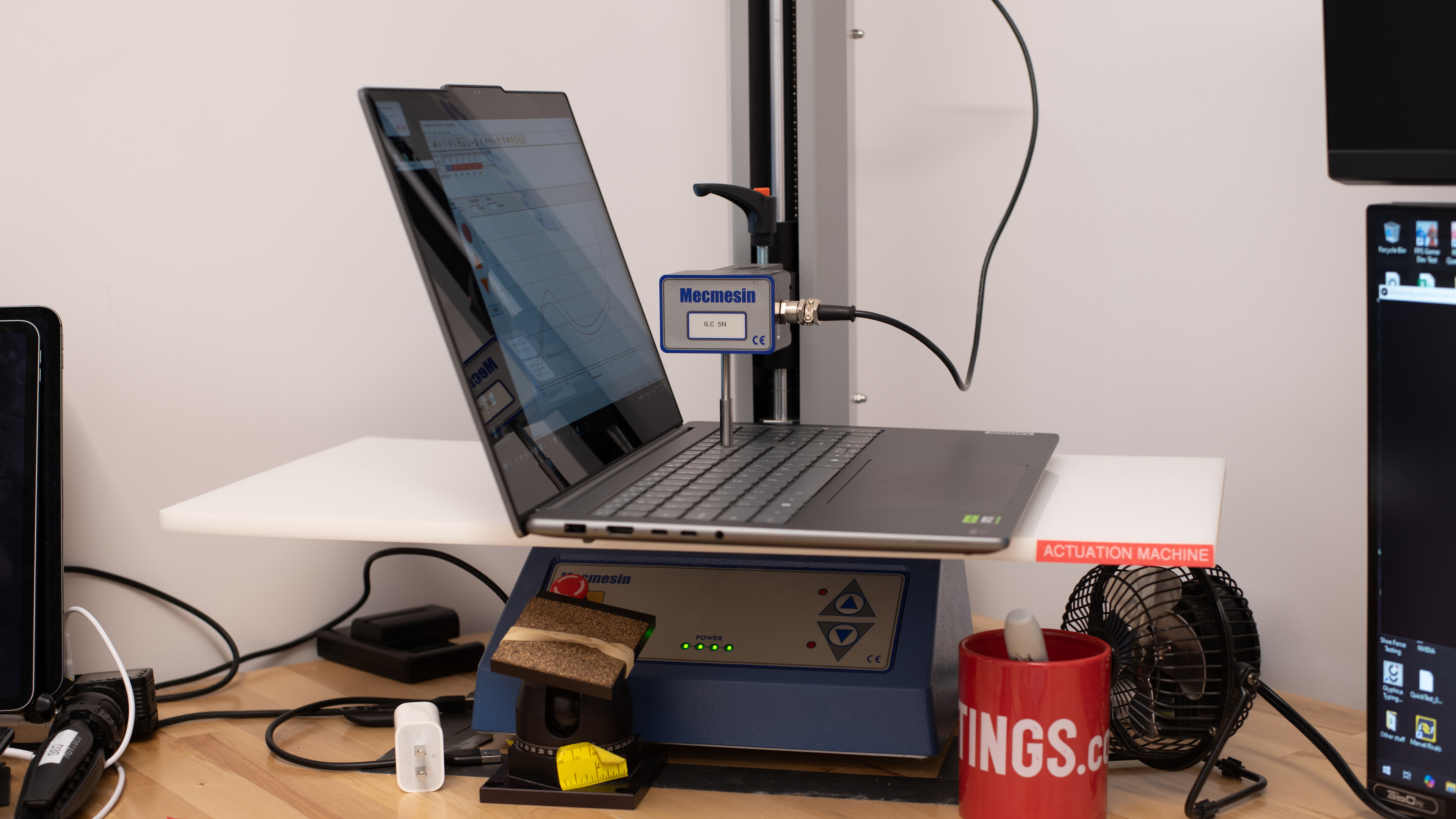
    1.64 mm

    The Lenovo Yoga Pro 9i has a great keyboard that feels very similar to the keyboards on Lenovo's ThinkPad laptops. Its layout is fairly standard and easy to get used to. Key spacing is good for the most part, though the Numpad feels a tad cramped. The keys have a good amount of travel, require little force to actuate, and provide clear, satisfying tactile feedback. The keyboard's white backlight shines well through the legends—you can adjust the brightness using FN + Space.

    8.9
    Touchpad
    Tracking Quality
    8.5
    Size
    22.1 in² (142.5 cm²)
    Material
    Glass
    Dedicated Buttons
    No

    The touchpad is excellent. It's large and responsive to all movements and gestures. Palm rejection works as intended, and there are no issues with actions like dragging and dropping or zooming in and out of images. This isn't a haptic touchpad, so you can only click in the bottom half of the touchpad. On the upside, clicking feels satisfyingly tactile.

    9.3
    Speakers
    See details on graph tool
    Max Volume
    80 dB SPL
    Standard Error @ Normal Vol. (65 dB)
    4.6 dB
    Slope @ Normal Vol. (65 dB)
    0.7
    Bass Extension (Low-Frequency Ext.)
    138 Hz
    Treble Extension (High-Frequency Ext.)
    18 kHz
    Dynamic Range Compression @ Max Vol.
    1.9 dB

    The Lenovo Yoga Pro 9i's speakers get very loud with minimal compression artifacts at higher volume levels. They sound clear, relatively natural, and well-balanced, with a good amount of bass. A minor letdown is that the speakers are actually on the bottom of the laptop, near the front feet (the grills flanking the keyboard are air vents). This means the sound can change depending on the surface the laptop is on.

    8.2
    Webcam & Microphone
    Video Quality
    8.5
    Resolution
    1440p
    Position
    Top Center
    Privacy Cover
    No
    Face Unlock
    Yes

    The Lenovo Yoga Pro 9i has a great webcam. It produces a relatively clear and detailed image, with only a small amount of noise in darker areas. The exposure and color temperature are good, though colors look a smidge washed out. The audio is great; voices sound loud and clear over the microphone, with little to no background noise.

    Connectivity
    8.5
    Ports
    USB-A Ports
    2
    USB-C Ports
    2
    Thunderbolt
    Thunderbolt 4
    USB-C Charging
    Yes
    USB-C Display Out
    Yes
    HDMI
    2.0
    DisplayPort
    No
    3.5mm Jack
    Combo mic/headphone
    Card Reader
    SD UHS 1
    Ethernet
    No
    Proprietary Port
    Lenovo Power Connector
    Security Lock
    No

    The Lenovo Yoga Pro 9i has an outstanding port selection. Both USB-As support USB 3.2 Gen 1 data transfer speed of up to 5Gbps. The only difference is that the one closest to the power button is always on, meaning you can use it to charge a mobile device even when the laptop is in sleep mode. Except for Power Delivery 3.0 support, the two USB-Cs have different specifications: the one closest to the HDMI port supports USB 3.2 Gen 2 data transfer speed (up to 10Gbps) and DisplayPort 1.4, while the other supports Thunderbolt 4 (up to 40Gbps) and DisplayPort 2.1. Lenovo advertises the HDMI port as an HDMI 2.1; however, it can only output a max resolution of 4k @ 60Hz. As such, we consider it an HDMI 2.0.

    Wireless Communication
    Wi-Fi
    Wi-Fi 6E (802.11ax)
    Bluetooth
    5.3

    The Lenovo Yoga Pro 9i's wireless adapter is an Intel Wi-Fi 6E AX211. Wi-Fi 6E gives access to the 6GHz band, providing faster speeds, lower latency, and less signal interference than previous Wi-Fi standards. However, you need a router that supports Wi-Fi 6E to benefit from these features. Check out our best router recommendations if you want to upgrade your home Wi-Fi but don't know which router to get.

    Configuration
    CPU
    Brand
    Intel
    Model
    Core Ultra 9 185H
    Core Count
    16
    Thread Count
    22

    The Lenovo Yoga Pro 9i is available with the following CPUs:

    • Intel Core Ultra 7 155H (16 cores/22 threads, up to 4.8GHz, 24MB cache)
    • Intel Core Ultra 9 185H (16 cores/22 threads, up to 5.1GHz, 24MB cache)

    Both CPUs are high-performance processors from Intel's Meteor Lake family with the same core count and composition: six performance cores, eight efficiency cores, and two low-power efficiency cores (6P+8E+2LP-E). These CPUs can handle general productivity tasks and more intensive workloads, like programming and video editing. The only difference between these two CPUs is that the Core Ultra 9 has faster clock speeds, boosting its CPU and integrated GPU performance slightly. Both CPUs have the same NPU (Neural Processing Units) with a rated performance of up to 11 TOPS (Trillions of Operations Per Second) to handle AI-based tasks, like background-blurring on video calls and image generation in photo editing apps.

    See more information about the Meteor Lake CPUs here.

    GPU
    Brand
    NVIDIA
    Model
    GeForce RTX 4050 Laptop GPU
    Dedicated/Integrated
    Dedicated
    VRAM Size
    6 GB
    GPU Total Graphics Power (TGP)
    100W

    The Lenovo Yoga Pro 9i is available with the following GPUs:

    • Intel Arc Graphics (integrated)
    • NVIDIA GeForce RTX 4050 Laptop GPU 6GB GDDR6 (discrete, 100W TGP /w Dynamic Boost)
    • NVIDIA GeForce RTX 4060 Laptop GPU 8GB GDDR6 (discrete, 100W TGP /w Dynamic Boost)
    • NVIDIA GeForce RTX 4070 Laptop GPU 8GB GDDR6 (discrete, 100W TGP /w Dynamic Boost)

    The Intel Arc integrated GPU is present in all models, including ones with an NVIDIA discrete GPU. This integrated GPU is primarily for general productivity and other tasks that don't require much graphical processing power, like web browsing or programming. If you create content, want to play games, or perform any other GPU-intensive tasks, getting a model with an NVIDIA discrete GPU is best, as you'll get a much smoother experience and complete tasks faster. The available discrete GPUs range from the entry-level RTX 4050 to the mid-range RTX 4070. They all support the same features—the only difference is their raw processing power. All three run at a TGP (Total Graphics Power) of 100W with Dynamic Boost, which is at the higher end of the recommended 35-115W power spectrum. As for gaming, all three can handle demanding games at 1080p just fine, but if you want to play at 1440p or at the display's native resolution, the RTX 4070 would be the best option.

    See more information about the NVIDIA 40-series Laptop GPUs on NVIDIA's specifications page. For a full list of gaming features, see NVIDIA's 40-series GPU product page.

    RAM
    Capacity
    32 GB
    Modules
    8 (Soldered)
    Type
    LP-DDR5x
    Speed
    7,467 MHz

    You can configure this laptop with 16GB, 32GB, or 64GB of RAM. The memory isn't user-replaceable.

    Storage
    Advertised Capacity
    1,000 GB
    Usable Capacity
    919 GB
    Drive 1
    Samsung MZVL21T0HCLR-00BL2
    Drive 1 TypeSSD
    Drive 2
    No 2nd Drive
    Drive 2 TypeNo 2nd Drive

    You can configure this laptop with 512GB or 1TB of storage. The storage is user-upgradeable. There are two SSD slots; both support M.2 2280 PCIe Gen 4 NVMe SSDs.

    Performance
    7.6
    CPU/RAM Performance
    Cinebench 2024 - Single Core
    110 points
    Cinebench 2024 - Multi Core
    998 points
    Geekbench 6 - Single Core
    2,551
    Geekbench 6 - Multi Core
    11,958
    Blender - CPU (Avg)
    83 samples/min
    PassMark PT - CPU Mark
    33,442
    PassMark PT - Memory Mark
    2,698
    PassMark PT - Memory Mark (Android)
    N/A
    Mozilla Kraken
    371 ms
    8.0
    Low Tier Graphics
    Geekbench 6 - GPU Compute
    76,869
    Basemark Web 3.0
    1,597
    PassMark PT - 2D Mark
    680
    PassMark PT - 2D Mark (Android)
    N/A
    PassMark PT - 3D Mark
    16,559
    PassMark PT - 3D Mark (Android)
    N/A
    Novabench 5 - GPU
    673.0
    mprep - Stress My GPU
    58,657

    We used OpenCL for the Geekbench 6 test because Vulkan gave an unusually low result (27,269 average), and the OpenCL results are a better representation of real-world usage. We suspect this has something to do with the laptop's built-in software.

    6.5
    High Tier Graphics
    3DMark - Steel Nomad (DX12)
    1,688
    3DMark - Steel Nomad (Vulkan/Metal)
    1,785
    Basemark GPU (DX12)
    87,308
    Basemark GPU (Vulkan/Metal)
    84,355
    GFXBench - High Level Test (Vulkan/Metal)
    5,594 Frames
    3.5
    Professional 3D (GPU Accelerated)
    Blender - GPU (Avg)
    882 samples/min
    Cinebench 2024 - GPU
    7,633 points
    7.4
    CPU-Intensive Game Performance
    Civilization VII - AI
    17.2 s/turn
    Civilization VII - Graphics (Avg)
    155.6 fps
    Civilization VII - Graphics (1% Low)
    85.6 fps
    Total War: Warhammer III (Avg)
    44.7 fps
    Baldur's Gate 3 (Avg)
    46.9 fps
    Baldur's Gate 3 (1% Low)
    33.0 fps
    Previous Methodology Score
    8.5
    Previous Methodology Score Converted
    8.0
    5.9
    GPU-Intensive Game Performance
    Cyberpunk 2077 (Avg)
    37.6 fps
    Cyberpunk 2077 (Min)
    31.6 fps
    Assassin's Creed Shadows (Avg)
    25 fps
    Assassin's Creed Shadows (1% Low)
    22 fps
    GTA V (Avg)
    91.7 fps
    GTA V (1% Low)
    76.0 fps
    Black Myth: Wukong (Avg)
    29 fps
    Black Myth: Wukong (5% Low)
    25 fps
    Resident Evil 4 (Avg)
    48.6 fps
    Resident Evil 4 (1% Low)
    29.7 fps
    Previous Methodology Score
    8.4
    Previous Methodology Score Converted
    6.9
    2.8
    Ray Tracing Performance
    Cyberpunk 2077 (Avg)
    16.6 fps
    Cyberpunk 2077 (Min)
    10.1 fps
    Assassin's Creed Shadows (Avg)
    17 fps
    Assassin's Creed Shadows (1% Low)
    13 fps
    Black Myth: Wukong (Avg)
    15 fps
    Black Myth: Wukong (5% Low)
    12 fps
    9.4
    Storage Drive Performance
    Sequential Write Speed
    1,610.6 MB/s
    Sequential Read Speed
    4,244.9 MB/s
    Random Write Speed
    87.6 MB/s
    Random Read Speed
    59.6 MB/s
    6.3
    Battery
    Capacity
    84 Wh
    Battery Life (Web Browsing)
    6.5 hrs
    Battery Life (Video Playback)
    6.6 hrs
    Battery Life (Gaming)
    1.5 hrs
    Charge Time
    1.7 hrs

    Models with integrated graphics only will likely have a longer battery life.

    7.1
    Thermals And Noise
    Keyboard Temp While Idle
    30 °C (85 °F)
    Keyboard Temp Under Load
    42 °C (107 °F)
    Fan Noise While Idle
    25.0 dBA
    Fan Noise Under Load
    52.0 dBA
    Power & Fan Control App
    Yes

    The keyboard is only mildly warm under load, but the bottom of the laptop gets much hotter, reaching 50.9°C (123.6 °F) near the vents at the back of the device, so you'll have to be careful when using the device on your lap. Regarding fan noise, while the sound itself isn't annoying (it's mostly the sound of heavy airflow), it's quite loud and noticeable. The Lenovo Vantage app has a few performance modes, but these performance modes only control how quickly the fans reach full speed. There are no settings to directly control the fans.

    9.4
    Performance Over Time
    See details on graph tool
    CPU Temp (Cinebench)
    85 °C
    CPU Perf. Loss (Cinebench)
    4% loss
    GPU Temp (Heaven)
    69 °C
    GPU Perf. Loss (Heaven)
    0% loss
    Additional Features And Software
    Software
    Operating System
    Windows 11
    Additional Software
    Yes

    The Lenovo Yoga Pro 9i has many pre-installed applications; see this video for the full list.

    Extra Features
    Biometrics
    Face Recognition
    RGB Illumination
    No
    Touch Pen Support
    No Stylus Support
    Secondary Display
    No

    The Lenovo Yoga Pro 9i has a Windows Hello IR facial recognition camera. You can use it to log in quickly, authorize purchases in the Windows Store, and auto-fill saved passwords on supported websites.