Fnatic BOLT  Mouse Review

Reviewed May 24, 2022 at 10:08am
Tested using Methodology v1.3 
Fnatic BOLT
7.4
Office/Multimedia 
8.9
Video Games (FPS) 
7.1
Video Games (MMO) 
7.5
Travel 
 0

The Fnatic BOLT Is a lightweight, FPS-focused model, and it's Fnatic's first wireless offering. It's a small to medium-sized mouse with a symmetrical design and a lightweight, solid body without honeycomb cutouts. Its low-profile shape is very similar to the popular Razer Viper Mini, but it's slightly longer and has very straight sides. Fnatic advertises it has super low click latency and high-end performance thanks to its Pixart PAW3370 sensor. You can connect it wirelessly with a USB receiver or via Bluetooth, and its battery recharges with an included USB-C cable. The manufacturer advertises the battery life to last up to 110 hours over a 2.4Ghz connection with the RGB lighting off or 210 hours over Bluetooth.

Our Verdict

7.4
Office/Multimedia 

The Fnatic BOLT is okay for office and multimedia use. It feels well-built overall and has a comfortable, symmetrical shape suitable for most hand sizes. It connects wirelessly either with a USB receiver or via Bluetooth. Unfortunately, you can't rebind buttons or program macros using the customization software. Also, the scroll wheel lacks both L/R tilt buttons and a free-scrolling mode.

Pros
  • Comfortable, symmetrical shape that's well-suited for most hand sizes.
  • Connects wirelessly with a USB receiver or via Bluetooth.
  • Customization software is compatible with Windows and macOS.
Cons
  • Can't reprogram any of the buttons.
  • Scroll wheel lacks L/R tilt buttons and a free-scrolling mode.
  • A few minor build quality issues, though they don't affect overall performance.
8.9
Video Games (FPS) 

The Fnatic BOLT is an excellent FPS gaming mouse. It's lightweight and has excellent click latency. The shape is well-suited for most hand sizes and grip types. It also has a high-quality paracord-like cable and feet that glide smoothly on mousepads and desks. The minimum lift-off distance is very low, and the CPI range is very wide. Unfortunately, you can't set your CPI as precisely as you can on many similar mice.

Pros
  • Comfortable, symmetrical shape that's well-suited for most hand sizes.
  • Very lightweight.
  • Excellent click latency.
Cons
  • A few minor build quality issues, though they don't affect overall performance.
7.1
Video Games (MMO) 

The Fnatic BOLT is good for MMO gaming, but it isn't specifically for this use. It only has two side buttons, and you can't reprogram buttons or assign macros using the customization software. It has a comfortable symmetrical shape and feels well-built, apart from a few minor build quality issues that don't impact the overall performance. Performance-wise, it has excellent click latency and a very low minimum lift-off distance. You can also adjust the CPI within a very broad range.

Pros
  • Comfortable, symmetrical shape that's well-suited for most hand sizes.
  • Excellent click latency.
  • Customization software is compatible with Windows and macOS.
Cons
  • Not nearly as many side buttons as a dedicated MMO gaming mouse.
  • Can't reprogram any of the buttons.
7.5
Travel 

The Fnatic BOLT is a good mouse for travel use, though it isn't specifically for this use. It feels fairly well-built and connects wirelessly with a USB receiver or Bluetooth. The relatively small shape makes it a good candidate for use on the go, though it's likely too bulky to fit into most laptop cases or bags. Unfortunately, it also lacks a compartment for storing the USB receiver while it's not in use.

Pros
  • Comfortable, symmetrical shape that's well-suited for most hand sizes.
  • Connects wirelessly with a USB receiver or via Bluetooth.
Cons
  • No storage compartment for the USB receiver.
  • 7.4
    Office/Multimedia
  • 8.9
    Video Games (FPS)
  • 7.1
    Video Games (MMO)
  • 7.5
    Travel
  • Changelog

    1.  Updated Sep 16, 2022: We've converted this review to Test Bench 1.3. This update adds a new Sensor Latency test and makes minor changes to several of our existing tests, resulting in test result changes in several sections. For more information, you can check out our full changelog here.
    2.  Updated Aug 19, 2022: Following the update to Test Bench 1.2, some of our test results have changed within both the Weight and CPI sections. We've added or modified some of the text in this article to clarify these changes.
    3.  Updated Aug 17, 2022: We've converted this review to Test Bench 1.2. This update simplifies our Weight test and expands on our CPI test from Test Bench 1.1, resulting in changes to test results in both sections. For more details, you can see our complete changelog here.
    4.  Updated Aug 16, 2022: We've converted this review to Test Bench 1.1. This update revamps our Click Latency test and results in changes to test results. For more details, you can see our full changelog here.

    Check Price

    Differences Between Sizes And Variants

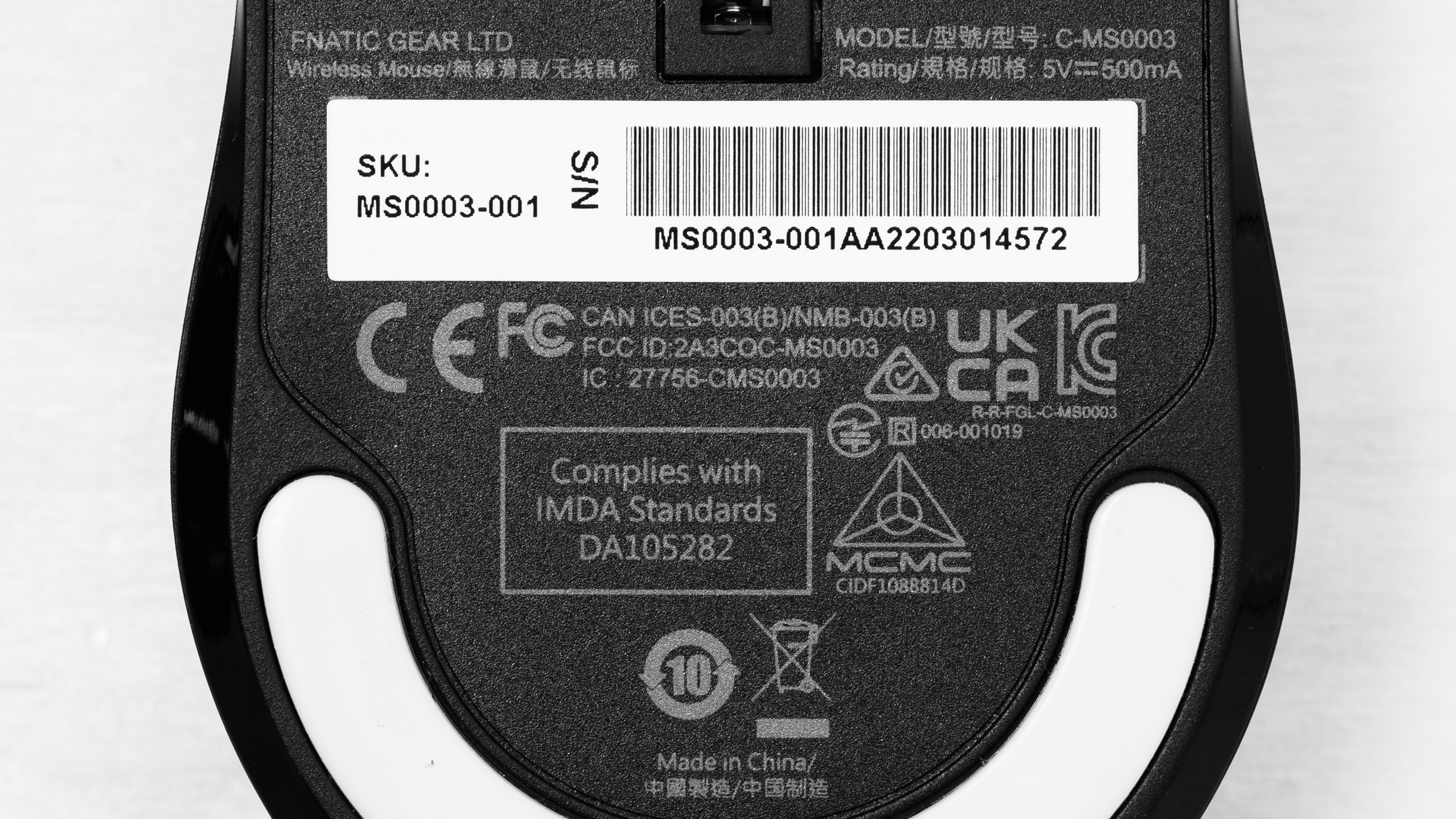
    The wireless Fnatic BOLT that we tested is the black color variant, but there's also a white color available. You can see the label for our unit here.

    Popular Mouse Comparisons

    The Fnatic BOLT is a lightweight, wireless gaming mouse. The manufacturer is a professional esports organization that began producing peripherals in 2016. They now create keyboards, headsets, mousepads, and mice, with the BOLT representing their first attempt at a wireless model. It suffers from a few minor build quality issues, but none affect the performance. This mouse is a great choice if you're looking for a lightweight, medium-sized wireless option with a shape similar to the enduringly popular Razer Viper Mini or BenQ ZOWIE S2.

    For more recommendations, see our picks for the best wireless gaming mouse, the best FPS mouse, or the best lightweight mouse.

    Fnatic FLICK 2

    The Fnatic BOLT and the Fnatic FLICK 2 are gaming mice with symmetrical shapes, though the shapes are fairly different and the BOLT performs much better overall. The BOLT is significantly lighter and connects wirelessly with a USB receiver or via Bluetooth. It also has feet that glide more smoothly on mousepads and desks and much better click latency. On the other hand, the FLICK 2 is a wired-only model. Its software allows you to reprogram buttons, which is a feature the BOLT lacks.

    Logitech G PRO X SUPERLIGHT

    The Logitech G PRO X SUPERLIGHT and the Fnatic BOLT are both lightweight, wireless gaming mice with symmetrical shapes. The Logitech is lighter and feels better built overall. It also has a significantly wider CPI  range and lower click latency. On the other hand, the Fnatic has Bluetooth support and a longer advertised battery life.

    GLORIOUS Model O Wireless

    The GLORIOUS Model O Wireless and the Fnatic BOLT are similar wireless gaming mice with symmetrical shapes. The GLORIOUS feels better built and has mouse feet that glide more smoothly on mousepads and desks. You can also set the CPI more precisely within a somewhat wider range. Its customization software allows you to program all the buttons, which is a feature the Fnatic lacks. On the other hand, the Fnatic has lower click latency and Bluetooth support. Its software is also compatible with Windows and macOS, while the GLORIOUS software is only compatible with Windows.

    Razer Viper Ultimate

    The Razer Viper Ultimate and the Fnatic BOLT are wireless gaming mice with symmetrical shapes. The razer feels sturdier and has a pair of side buttons on the left and right sides. It also has a wider CPI range and lower click latency. On the other hand, the Fnatic has Bluetooth support, and its customization software is compatible with Windows and macOS, while the Razer software is only compatible with Windows.

    Show more 

    Test Results

    perceptual testing image
    Sort:
    RATINGS
    Category:
    All
    Design
    Style
    Type
    Standard
    Lighting ColorRGB

    The Fnatic BOLT mouse has a simple, clean design with a matte black plastic body. It has matte black plastic buttons and a translucent white rubber scroll wheel with thunderbolt images visible inside. There's also a Fnatic logo on the palm rest area and a single RGB lighting zone inside the scroll wheel.

    Shape
    Length4.8" (121 mm)
    Height1.5" (39 mm)
    Width2.5" (63 mm)
    Grip Width
    56 mm
    5.7
    Portability
    Volume
    18.06 in³ (296 cm³)
    Cable/Receiver Storing
    No
    7.5
    Build Quality

    Overall, the build quality of the Fnatic BOLT feels good. There's no wobbling in the scroll wheel, but there's a minimal amount of wobble in the left- and right-click buttons. If you shake the mouse aggressively, you can hear the left- and right-click buttons rattle very faintly, and there's some side panel flexing if you apply quite a bit of pressure. There's also a significant amount of flexibility on the underside panel, and if you press into it with enough pressure, you can actuate certain buttons. None of these issues impact the performance, and they aren't noticeable during normal use.

    8.4
    Weight
    Lowest Weight
    68.3 g
    Default Weight
    68.3 g
    Weight Distribution
    Centered
    Extra Weights
    No
    8.0
    Comfort Of Use
    Left-Handed Friendly
    Yes
    Ambidextrous
    Shape Only
    Coating
    Matte
    Finger Rest
    No

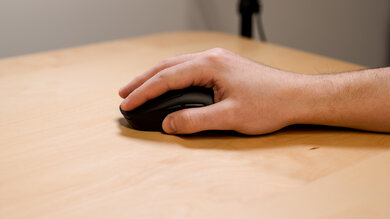
    The Fnatic BOLT has a comfortable, small to medium, low-profile shape with a hump towards the back of the mouse. The shape is similar to the BenQ ZOWIE S2 or the Razer Viper Mini, but it's slightly longer and has much straighter sides. Its buttons are well placed, and the overall design lends itself best to a claw grip, but both palm and fingertip grips will also work well for most hand sizes.

    Palm Grip: Hand Size Recommendation
    Small Hand
    Yes
    Medium Hand
    Yes
    Large Hand
    Yes
    X.Large Hand
    No

    If you have extra-large hands, you'll likely find the Fnatic BOLT is too small to use comfortably with a palm grip.

    Claw Grip: Hand Size Recommendation
    Small Hand
    Yes
    Medium Hand
    Yes
    Large Hand
    Yes
    X.Large Hand
    No

    The shape of the Fnatic BOLT is very well-suited for a claw grip. However, if you have extra-large hands, you will likely have to bend your fingers too aggressively to use this mouse comfortably with a claw grip.

    Fingertip Grip: Hand Size Recommendation
    Small Hand
    Yes
    Medium Hand
    Yes
    Large Hand
    Yes
    X.Large Hand
    Yes

    While it isn't specifically for this grip type, all hand sizes can use the Fnatic BOLT comfortably with a fingertip grip, though if you have extra-large hands, you may find that the mouse feels a bit too small.

    9.8
    Wireless Versatility
    Bluetooth
    Yes
    Maximum Of Paired Devices
    2
    Receiver
    Yes
    Battery Type
    Rechargeable
    Use When Charging
    Yes
    On/Off Activation
    Auto Off And On/Off Switch
    Receiver Extender
    Yes
    Battery IndicatorYes

    Fnatic advertises this mouse has a battery life of up to 110 hours connected with its USB receiver or up to 210 hours connected via Bluetooth. These figures are with the RGB lighting turned off. The RGB lighting also displays a blinking red flash every few seconds for five minutes when the battery is low.

    8.5
    Cable
    ConnectivityWireless
    Cable Length
    6.1 ft (1.9 m)
    Cable Type
    Paracord-like
    Permanent Kink
    Yes
    Port Type: Mouse End
    USB-C
    Port Type: PC End
    USB

    The Fnatic BOLT has an excellent paracord-like cable. It's flexible and glides nicely across desks. Unfortunately, it retains kinks from its packaging.

    8.5
    Mouse Feet
    Gliding Experience
    Ok
    Material
    Virgin Grade PTFE
    Extra Included
    Yes

    The Fnatic BOLT has excellent feet that glide well on both mousepads and directly on desks. However, there's a minor scratching sound produced on both surfaces and a very minimal amount of drag. There's an additional pair of feet included in the box, and these are slightly thicker than the feet on the mouse.

    In The Box

    • Fnatic BOLT mouse
    • Alternate set of mouse feet
    • USB receiver
    • USB receiver extender
    • USB-A to USB-C charging cable
    • User documentation
    Control
    4.7
    Additional Buttons
    Total Number Of Buttons
    6
    Number Of Side Buttons
    2
    Number Of Programmable Inputs
    0
    Profile Switching Button
    Yes
    Gesture Support
    No

    You can adjust settings including the CPI, lighting, and lift-off distance using button combinations listed in the user manual. While most other mice allow you to program multiple CPI settings to a single profile, this mouse only allows you to program one CPI setting per profile. You can create up to four profiles using the software for a total of four CPI settings that you cycle through using the button behind the scroll wheel. It's slightly unusual as other mice typically use this button for cycling between CPI settings rather than entire profiles.

    Unfortunately, you can't rebind buttons or create macros using the software at this point. It's possible this might change in an upcoming software update, at which point we'll update this review. The left- and right-click buttons use Kailh 8.0 switches and are rated for 80 million clicks.

    9.1
    Click Latency
    See details on graph tool
    Expected Connection
    3.5 ms
    Wired
    3.3 ms
    Receiver
    3.5 ms
    Bluetooth
    44.2 ms

    The Fnatic BOLT has excellent click latency and is well-suited for gaming in any genre. We conducted this test with the mouse set to a polling rate of 1000Hz and a debounce time of 1ms.

    9.8
    CPI
    See details on graph tool
    SRAV @ 1600 CPI
    -0.11%
    SRAV @ 800 CPI
    -0.08%
    SRAV @ 400 CPI
    -0.17%
    SRAV @ Fixed CPI
    N/A
    Precision Error Between Speeds
    0.20%
    Precision Error Between CPI
    0.19%
    Worst Tracking Error
    2.13%
    Minimum CPI
    100 CPI
    Maximum CPI
    12,000 CPI
    CPI Adjustment Steps
    100 CPI
    8.7
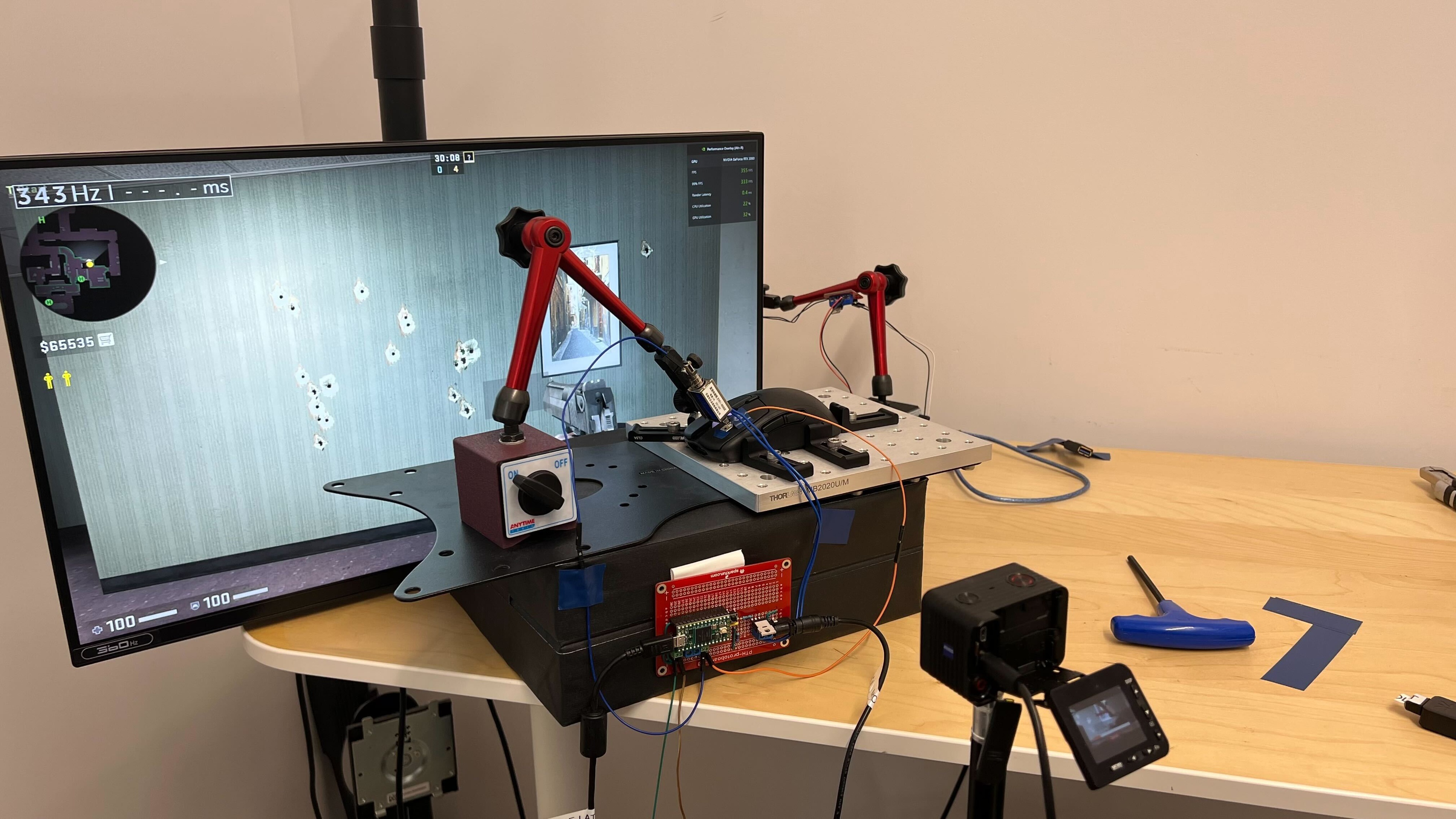
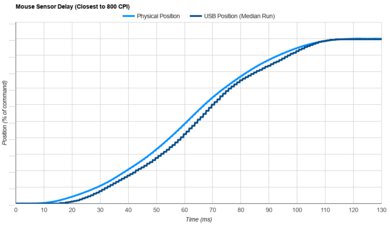
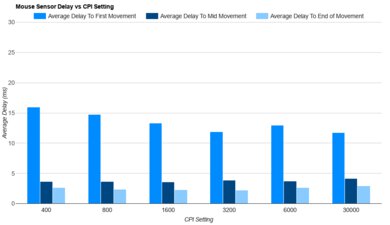
    Sensor Latency
    See details on graph tool
    See details on graph tool
    Delay To Start Of Movement
    16.6 ms
    Delay At Half Movement
    4.2 ms
    Delay To End Of Movement
    5.1 ms
    Sensor Specifications
    Sensor Technology
    Optical (LED)
    Sensor Model
    PixArt PAW3370
    Works On Glass
    No
    Minimum Lift Off Distance
    1.2 mm
    Maximum Polling Rate
    1000 Hz

    The available polling rate options are 125Hz, 250Hz, 500Hz, and 1000Hz. When connected via Bluetooth, the polling rate is locked to 125Hz.

    Mouse Wheel
    Scroll Wheel
    Notched Wheel
    Scroll Wheel Steps
    24 Steps
    Scroll Wheel Tilt
    No
    Thumb Wheel
    No
    Thumb Wheel Steps
    No Thumb Wheel

    The Fnatic BOLT's scroll wheel has precise, well-defined steps and operates very quietly. However, scrolling feels somewhat stiff, and the middle click isn't crisp and satisfying.

    Noise
    Click Noise
    Quiet
    Operating System And Software
    10
    Compatible Software Option
    Software NameFNATIC OP
    Software Windows Compatibility
    Yes
    Software macOS Compatibility
    Yes
    Account Needed
    No
    On-Board Memory
    Yes
    CPI (DPI) Adjustment
    Yes
    Polling Rate Adjustment
    Yes
    Profile Configuration
    Yes
    RGB On/Off
    Yes

    The FNATIC OP software is easy to navigate and straightforward to use. It has most options found on similar customization software from other major manufacturers and allows you to change the RGB lighting, save profiles and adjust the CPI. Unfortunately, you can't reprogram buttons or set macros at this time, though the manufacturer may add this functionality with an update in the future. You can also adjust several other aspects of the mouse, including the debounce rate and lift-off distance. Note that the mouse needs to be connected with its charging cable to make changes within the software.

    10
    Mouse Compatibility
    Windows CompatibilityFully
    macOS CompatibilityFully

    The FNATIC BOLT is fully compatible with Windows and macOS.