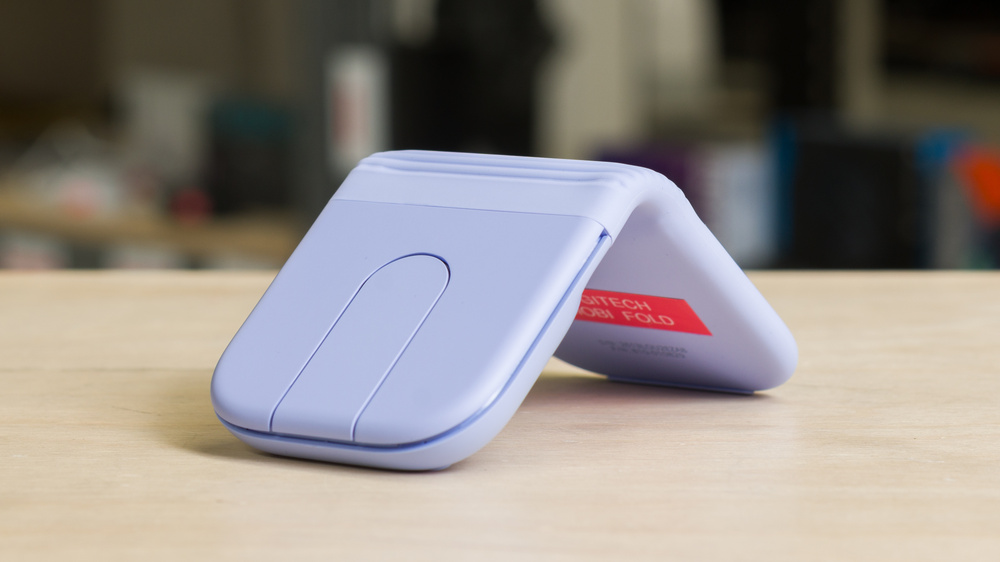
The Logitech Mobi Fold is a wireless mouse designed for portability. It folds completely in half, making it easy to carry in a bag or pocket, and unfolds into an inverted V shape for use. Instead of a traditional scroll wheel, it has a touch-sensitive scrolling surface. It connects over Bluetooth, supports pairing with up to three devices, and uses Logitech's Options+ software for button customization, gesture commands, and macros.
Our Verdict
The Logitech Mobi Fold mouse is acceptable for work use. Its primary advantage is its portability, as it's easy to slip into a bag or pocket when folded, though its shape isn't particularly comfortable for extended use. It connects wirelessly over Bluetooth and supports multi-device pairing with up to three devices. It's also compatible with a Logi Bolt USB receiver, though one isn't included. Logitech's software provides basic settings adjustments and lets you configure gesture commands or macros. Its build quality is good but unremarkable, and its touch-based scrolling is imprecise, though it works well enough for regular web browsing.
Good build quality.
Highly portable; folds completely in half.
Can pair with up to three devices via Bluetooth.
Imprecise touch scrolling.
No side buttons.
Shape isn't particularly comfortable to use for long stretches.
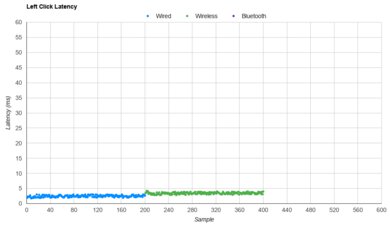
The Logitech Mobi Fold isn't designed for FPS gaming. It's fairly heavy compared to dedicated FPS models, which makes it difficult to move quickly and accurately. It also has underwhelming sensor performance and fairly high, inconsistent click latency. It's passable for very casual play but unsuitable for high-level competitive gaming. Its touch-based scrolling is also imprecise, and its POM feet don't glide as smoothly as the PTFE feet found on most purpose-built FPS gaming mice.
Good build quality.
Satisfactory sensor latency.
Imprecise touch scrolling.
Fairly high, inconsistent click latency.
Low 125Hz polling rate.
Shape isn't particularly comfortable to use for long stretches.
The Logitech Mobi Fold mouse isn't designed for MMO gaming. It doesn't have any side buttons, while dedicated MMO mice typically have many. Its click latency is also fairly high and inconsistent, and its shape prioritizes portability over comfort during long sessions.
Good build quality.
Imprecise touch scrolling.
Fairly high, inconsistent click latency.
No side buttons.
Low 125Hz polling rate.
Shape isn't particularly comfortable to use for long stretches.
The Logitech Mobi Fold mouse has adequate raw performance that's more than suitable for everyday browsing and desktop use. However, it isn't suitable for competitive gaming. Its sensor latency performance is only satisfactory, and it has fairly high and inconsistent click latency. It also has a low 125Hz polling rate, which contributes to its long battery life but can make cursor movements appear choppy, particularly on high-resolution, high-refresh-rate displays.
Satisfactory sensor latency.
Fairly high, inconsistent click latency.
Low 125Hz polling rate.
Check Price
Differences Between Sizes And Variants
The Logitech Mobi Fold mouse comes in three colors: Lilac, Graphite, Sand, and Off-White. We bought and tested the Lilac model.
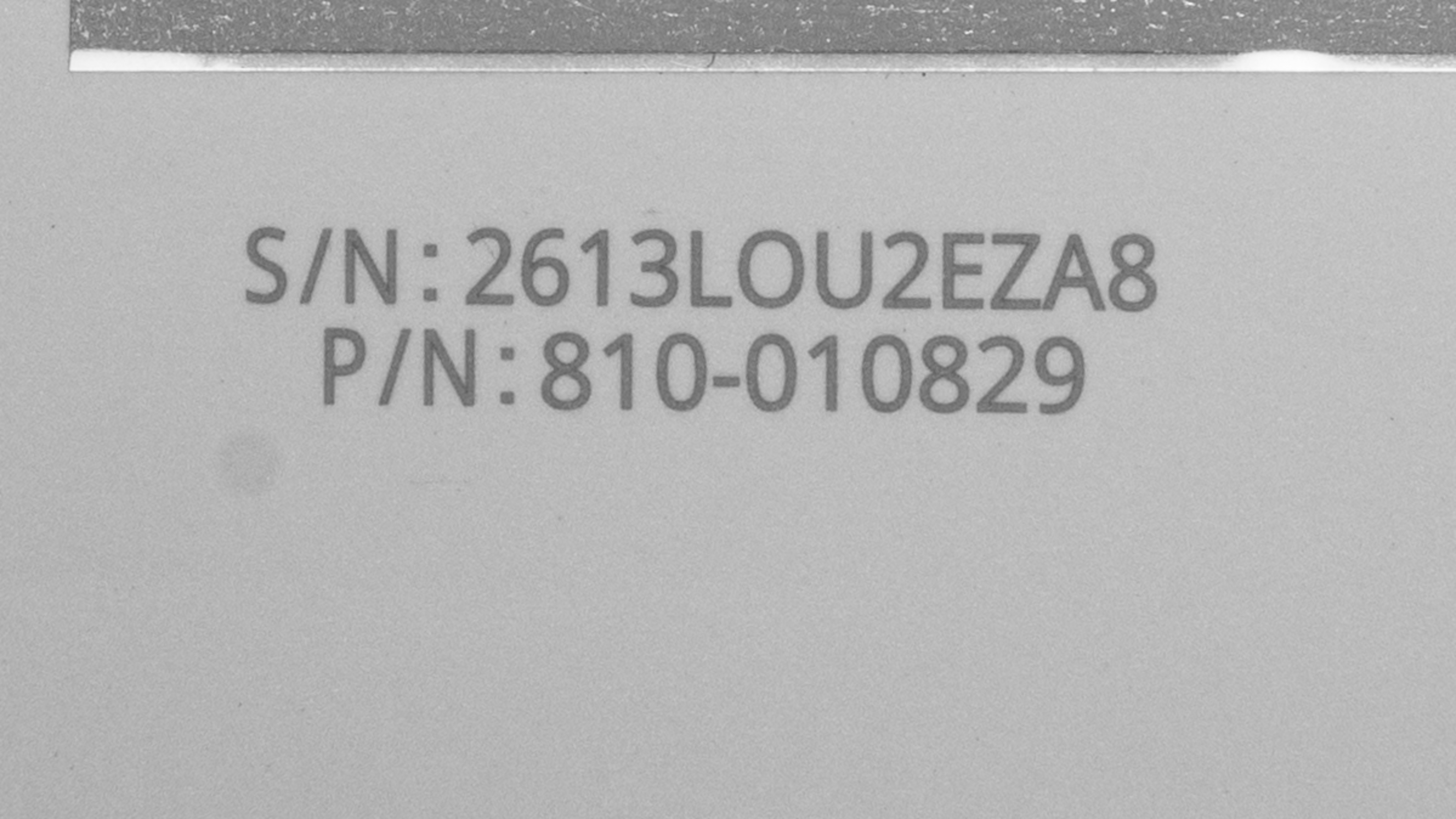
See a photo of our unit's label.
Popular Mouse Comparisons
The Logitech Mobi Fold is designed for portability and most directly compares to the discontinued Microsoft Arc Mouse and its successor, the Surface Arc Mouse. Unlike the Arc Mouse, which folds flat for easier transport, the Mobi Fold folds in half, giving it a more compact packed size than other popular travel options, such as the Logitech Pebble Mouse 2 M350s or the Logitech MX Anywhere 3S. It also supports configurable gesture commands, but the software must remain open for them to work. This may be an issue if your workplace restricts software installations. The lack of a physical scroll wheel may also be annoying for some. Its touch scrolling is serviceable but noticeably less precise than a standard scroll wheel, like the one on the M350s. Its shape isn't particularly comfortable either, though this is fairly typical of portability-focused mice.
Ultimately, this model has the features you'd expect from a modern travel mouse, including Bluetooth multi-device pairing and enough battery life to easily last through a full workday, and silent clicks. It's a particularly compelling option if you intend to use its gesture controls or want the smallest possible packed size. However, it's considerably more expensive than the M350s. It also costs more than full-featured work mice like the Logitech M720 Triathlon, which has more programmable buttons, a much better scroll wheel, and a dramatically more comfortable and ergonomic shape. However, the M720 Triathlon is larger and may be too bulky for some laptop bags.
See our recommendations for the best mouse, the best wireless mouse, and the best mouse for work.
The Apple Magic Mouse 2 and Logitech Mobi Fold are highly portable, ambidextrous mice with touch-sensitive surfaces. The Apple is flatter and has a larger Multi-Touch surface that supports a wider range of gestures. In comparison, the Logitech folds completely in half, making it more compact in transit. It has separate left- and right-click areas, while its touch-sensitive strip primarily controls scrolling and is somewhat imprecise. The Logitech mouse also supports a wider range of operating systems, including Windows, macOS, ChromeOS, Linux, Android, and iPadOS, while the Apple mouse only supports macOS and iPadOS.
The Microsoft Arc Mouse and Logitech Mobi Fold are ambidextrous wireless mice designed for portability. The Microsoft folds from an arched shape into a flat position for travel, while the Logitech folds completely in half, giving it a more compact packed size. The Microsoft mouse uses two AAA batteries, while the Logitech has a rechargeable battery and charges using a USB-C cable. Both mice have touch-sensitive scrolling surfaces, but the Logitech has much quieter left- and right-click buttons and more extensive software customization, including macros and gesture controls.
The Logitech MX Anywhere 3 and Logitech Mobi Fold are symmetrical wireless mice designed for portability. The MX Anywhere 3 has a more conventional, comfortable shape. It also has two side buttons on the left and a physical scroll wheel. In comparison, the Mobi Fold lacks side buttons and has a touch-sensitive scrolling surface instead of a physical scroll wheel. It also has an unconventional V-shape when unfolded, but folds completely in half for transit, giving it a much smaller packed size than the MX Anywhere 3. Both mice recharge using a USB-C cable.
The Logitech MX Anywhere 3S and Logitech Mobi Fold are symmetrical wireless mice designed for portability. The MX Anywhere 3S has a more conventional, comfortable shape. It also has two side buttons on the left and a physical scroll wheel. In comparison, the Mobi Fold lacks side buttons and has a touch-sensitive scrolling surface instead of a physical scroll wheel. It also has an unconventional V-shape when unfolded, but folds completely in half for transit, resulting in a much smaller packed size than the MX Anywhere 3S. Both mice recharge using a USB-C cable.
Test Results
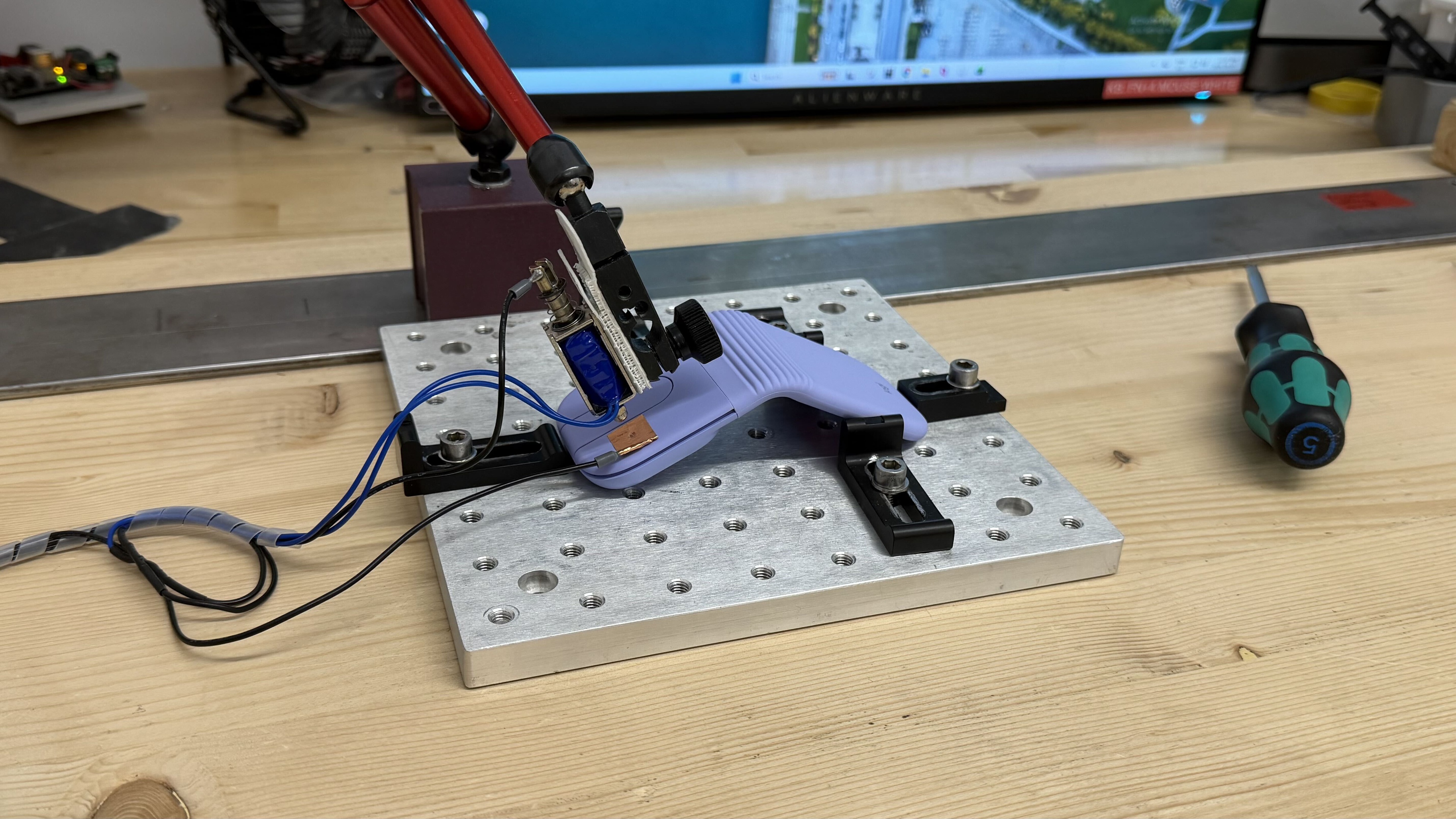
for pictures & test results
for pictures & test results
for pictures & test results


for videos & test results