
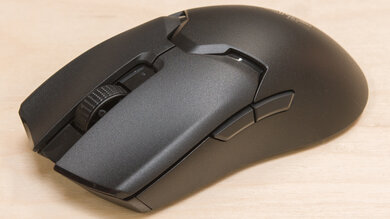
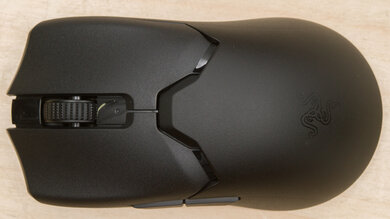
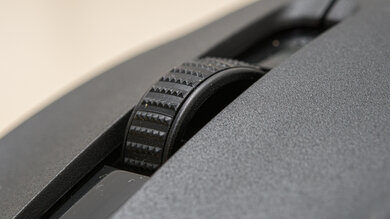
The Razer Viper V4 Pro is a lightweight wireless gaming mouse that continues Razer's Viper lineup. It has the same symmetrical shape as the previous Razer Viper V3 Pro, but it's slightly lighter and has a longer advertised battery life. It uses a new sensor that delivers iterative improvements to motion performance, and it ships with a new dome-shaped wireless receiver with a taller embedded antenna and updated LED indicator lights. The other major change is an optical scroll wheel encoder instead of a mechanical one, which should improve long-term scroll wheel durability. This mouse supports extensive software customization through Razer's downloadable desktop software or its web-based client.
Our Verdict
While it isn't specifically designed for productivity, the Razer Viper V4 Pro is a perfectly satisfactory choice for work use. It has excellent build quality and a comfortable symmetrical shape, and its buttons are easily reprogrammable using downloadable or web-based software. It also offers long-lasting battery life compared to many gaming mice, especially if you opt to use lower polling rate settings. Its only major downside is that it lacks more traditionally work-focused features such as a secondary scroll wheel, tilt-scroll inputs, and Bluetooth connectivity, to name a few.
Excellent build quality.
Comfortable symmetrical shape.
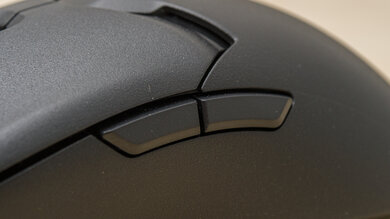
Loud clicks.
No Bluetooth connectivity and scroll wheel lacks free-scrolling or tilt inputs.
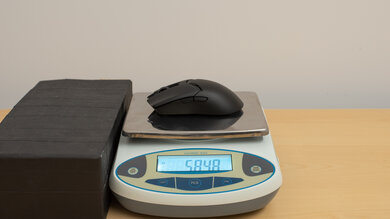
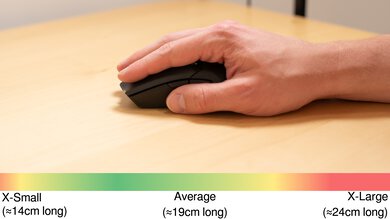
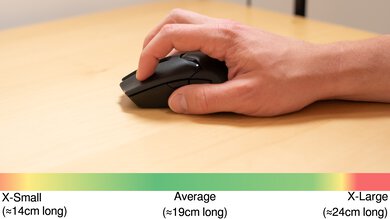
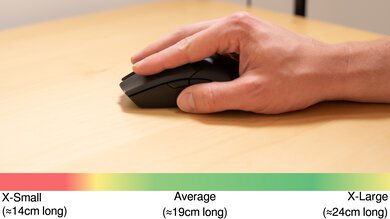
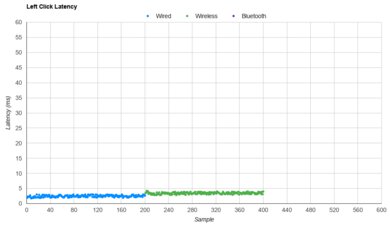
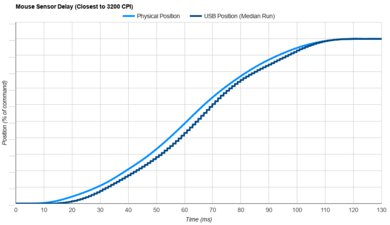
The Razer Viper V4 Pro is an outstanding FPS gaming mouse. It has excellent build quality and is extremely lightweight and well-balanced, making it easy to move quickly and accurately. Its low-profile, symmetrical shape is very accommodating and suitable for a variety of hand sizes and grip types. It has exceptional raw performance, delivering incredibly low click and sensor latency suitable for gamers at the highest competitive level.
Extremely lightweight.
Excellent build quality.
Exceptional click latency
.
Incredible sensor latency.
Comfortable symmetrical shape.
Loud clicks.
The Razer Viper V4 Pro is a great mouse for MMO and MOBA gaming, although it doesn't have as many side buttons as dedicated MMO mice. That said, you can reprogram its buttons using either the downloadable desktop client or the web-based client. It also has excellent build quality, a comfortable symmetrical shape, and outstanding raw performance, delivering an exceptionally responsive gaming experience for both PvE and PvP content.
Excellent build quality.
Exceptional click latency
.
Comfortable symmetrical shape.
Has fewer side buttons than dedicated MMO mice.
Loud clicks.
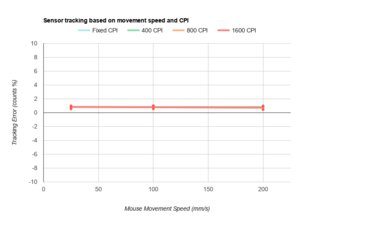
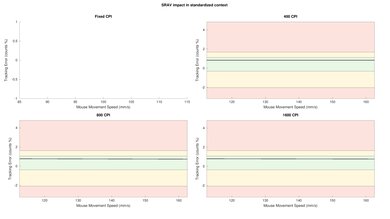
The Razer Viper V4 Pro provides exceptional raw performance. Its maximum polling rate is 8000Hz, in both wired and wireless modes, and it has remarkably low and consistent click latency and incredible all-around sensor performance. Altogether, this mouse is extremely well-suited for playing games in any genre and at any competitive level.
Exceptional click latency
.
Incredible sensor latency.
Maximum 8000Hz polling rate in both wired and wireless modes.
Changelog
-
Updated Jun 10, 2026:
We've added a link to the newly reviewed BenQ ZOWIE ZA13-DW in the Configuration Software section.
-
Updated Jun 02, 2026:
We've added a link to the newly reviewed SteelSeries Aerox 3 Wireless Gen 2 in the Style section of the review.
-
Updated May 07, 2026:
We've added a link to the AM INFINITY in the Wireless Versatility section of this review.
- Updated Apr 24, 2026: Review published.
Check Price
Differences Between Sizes And Variants
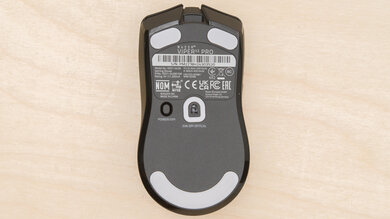
The Razer Viper V4 Pro is available in Black and White colorways. We bought a Black unit, and you can see a photo of our unit's label here.
There are very minor differences in weight and coating feel between the two colorway versions. See the Weight and Build Quality sections for more details.
Popular Mouse Comparisons
The Razer Viper V4 Pro continues Razer's lineup of Viper gaming mice aimed at a high-level competitive audience. It's slightly lighter than the previous Razer Viper V3 Pro and introduces a new sensor that provides a small boost to motion latency performance. It also adds a more robust optical scroll wheel encoder and significantly longer advertised battery life.
This mouse competes most directly with the Logitech G PRO X2 SUPERSTRIKE, which introduces adjustable click actuation and haptic feedback to the competitive gaming space. By comparison, the Viper V4 Pro focuses on small, iterative improvements rather than introducing radical new features. It also doesn't suffer from the Logitech's downsides, including its heavier weight, worse weight balance, and lower-quality skates. In our testing, click latency differences between the two are far too small to be consequential in-game, so the choice comes down to shape and other feature preferences.
That said, both the Razer and the Logitech are expensive flagship options, and several alternatives come close or outperform them in some areas. Similarly, high-end options like the WLmouse HUAN deliver very close performance, matching the Razer in weight and build quality while offering marginally better click latency than both the Viper V4 Pro and even the Logitech G PRO X2 SUPERSTRIKE. Other more affordable models, like the Scyrox V8 and the MCHOSE L7 Ultra, also come close overall but are available at much lower mid-range prices, with their main drawbacks being shorter warranties and less established customer service track records.
For more recommendations, see our picks for the best lightweight mice, the best FPS mice, and the best wireless gaming mice.
The Razer DeathAdder V4 Pro and the Razer Viper V4 Pro are lightweight wireless gaming mice designed for high-level competitive play. Their biggest difference comes down to shape. The DeathAdder V4 Pro has a larger, right-handed ergonomic shape that's best suited for a palm grip. In contrast, the Viper V4 Pro is slightly smaller and lighter and has a low-profile symmetrical shape that's better suited for claw or fingertip grips across a wider range of hand sizes. The Viper V4 Pro also has a newer sensor and updated switches. The sensor provides a small performance improvement, but the switches are noticeably louder, which may be a drawback for some users.
Both the Logitech G PRO X2 SUPERSTRIKE and the Razer Viper V4 Pro are high-end, lightweight gaming mice designed for competitive play. They both have accommodating symmetrical shapes suited to a wide range of hand sizes and grip types, but the Logitech is slightly more rounded with a more centered hump, while the Razer is lower-profile. The Logitech also uses inductive switches with haptic feedback, which are virtually silent and allow you to adjust both actuation and reset distance. In practice, this doesn't provide a meaningful latency advantage compared to the Razer. The Razer is slightly lighter and has better mouse feet, marginally better sensor performance, and longer battery life. Preference still plays a big role, but many users also find the Razer's side buttons more tactile and less mushy, though its left- and right-click switches are noticeably louder.
The Razer Viper V4 Pro is a newer model in the same lineup as the Razer Viper V3 Pro. They share the same shape, but the V4 Pro is a bit lighter and has updated versions of the sensor and switches, providing a small performance advantage. It also has significantly longer battery life and uses a new optical scroll wheel encoder instead of the mechanical encoder on the V3 Pro, which should offer improved long-term durability.
The Logitech G PRO X SUPERLIGHT 2c and the Razer Viper V4 Pro are lightweight wireless gaming mice aimed at a competitive audience. While both have very accommodating shapes, the Logitech is noticeably smaller and better suited for smaller hands overall. The Razer, in comparison, offers slightly better overall performance and uses an optical scroll wheel rather than a mechanical encoder, which can improve long-term durability. It also has higher-quality feet, although its left- and right-click buttons are much louder, which may be a drawback for some.
Test Results
for pictures & test results
for pictures & test results
for pictures & test results


for videos & test results
