Anker Nebula P1i  Projector Review

Reviewed May 15, 2026 at 10:48am
Writing modified Sep 23, 2026 at 08:40am
Tested using Methodology v1.0 
Anker Nebula P1i

Track

0.0
Home Theater 
0.0
Outdoors 
0.0
Bedroom 
0.0
Gaming 
0.0
Brightness 
0.0
Contrast 
0.0
Portability 
0.0
Color 

Track

 0
 Projector Settings
  1. Recommended in:
  2. Outdoor
  3. Gaming
  4. Under $500

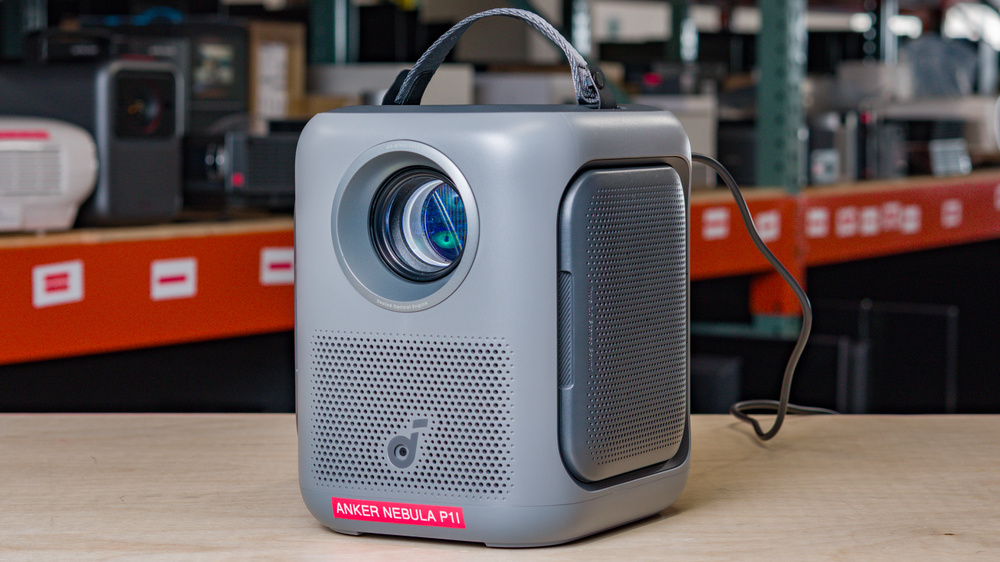
The Anker Nebula P1i is a compact 1080p LCD projector built around an LED light source and a portable-friendly design. It has a pair of flippable speakers, which fold out from the sides of the projector for a wider soundstage. It runs Google TV, supports Google Cast, and has automatic focus, automatic keystone correction, obstacle avoidance, auto screen fit, and post-movement image correction for quick setup. It doesn't have a built-in battery, so it needs external power to run. Connectivity is basic, with one HDMI input with ARC, USB-C, Bluetooth, and Wi-Fi, and it supports up to 1080p @ 60Hz signals.

Our Verdict

0.0
Home Theater 

The Anker Nebula P1i is bad for home theater setups. It has low contrast, and combined with its low brightness, it fails to give depth and detail to images. It also can't display vivid colors for an impactful viewing experience. Plus, it doesn't remove judder from any source, so motion looks jittery no matter the content. At least it doesn't have any rainbow effect (RBE), and its fan noise is quiet enough that it won't overpower your movie's sound.

Pros
  • No noticeable RBE.

  • Quiet fan.

Cons
  • Bad contrast as blacks look gray.

  • Very dim.

  • Very inaccurate out-of-the-box.

  • Limited color volume with any content.

  • Can't remove judder from any source.

0.0
Outdoors 

The Anker Nebula P1i is disappointing for outdoor setups. It has limited brightness, so you'll need to use it in a dark area at night so that it's easy to see the screen properly. While it's not the lightest projector, its carrying handle makes it easy to bring outdoors. It also has a built-in stand that helps you set it up, but it lacks lens shift or optical zoom to clean up the image when the projector is off-center relative to the screen. On the plus side, it includes auto screen fit, obstacle avoidance, keystone, and focus adjustments that make it easy to set up quickly. Keep in mind that you'll need an outlet nearby as it lacks a battery.

Pros
  • Handle makes it easier to carry.

  • Built-in stand and auto keystone, screen fit, and focus features.

Cons
  • Very dim.

  • No optical zoom or lens shift to clean up the image.

  • No battery; needs a power outlet.

0.0
Bedroom 

The Anker Nebula P1i is decent for bedroom setups. It's easy to bring to the bedroom thanks to its carrying handle, and its built-in stand makes setup easy. Plus, it has auto keystone, focus, and screen fit, along with screen avoidance, so you can quickly project an image onto the wall. However, it lacks optical zoom or lens shift, so the image is less sharp when the projector is off to the side. On the plus side, its fan is quiet enough that you don't have to crank the volume too high to properly hear what's being watched.

Pros
  • Handle makes it easier to carry.

  • Built-in stand and auto keystone, screen fit, and focus features.

  • Quiet fan.

Cons
  • No optical zoom or lens shift to clean up the image.

  • No battery; needs a power outlet.

0.0
Gaming 

The Anker Nebula P1i is inadequate for gaming. Its input lag is incredibly low at 60Hz in Game Mode, so games feel responsive, but its gaming performance is held back by its limited image quality as it's dim and has low contrast. It has basic resolution support, as it only supports native 1080p or downscaled 1440p signals at 60Hz. It also has motion blur due to its LCD imaging technology. Still, if you just want responsive 1080p @ 60Hz gaming on a portable projector, it works well.

Pros
  • Incredibly low input lag at 60Hz.

Cons
  • Bad contrast as blacks look gray.

  • Limited color volume with any content.

  • Noticeable motion blur.

  • Limited to 60Hz refresh rate.

0.0
Brightness 

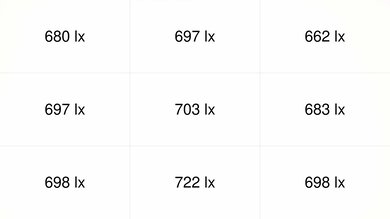
The Anker Nebula P1i has poor brightness. It doesn't have enough light output to handle much ambient light or produce a bright, punchy image at larger sizes. Its uniformity is good, but there is some dimming in the corners, so bright full-screen images look a bit uneven.

Pros
Cons
  • Very dim.

0.0
Contrast 

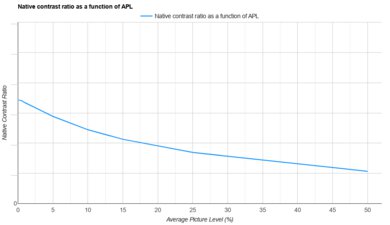
The Anker Nebula P1i has poor contrast. Its biggest weakness is its raised black levels, as blacks look washed out, and shadow detail lacks depth compared to many other projectors.

Pros
Cons
  • Bad contrast as blacks look gray.

0.0
Portability 

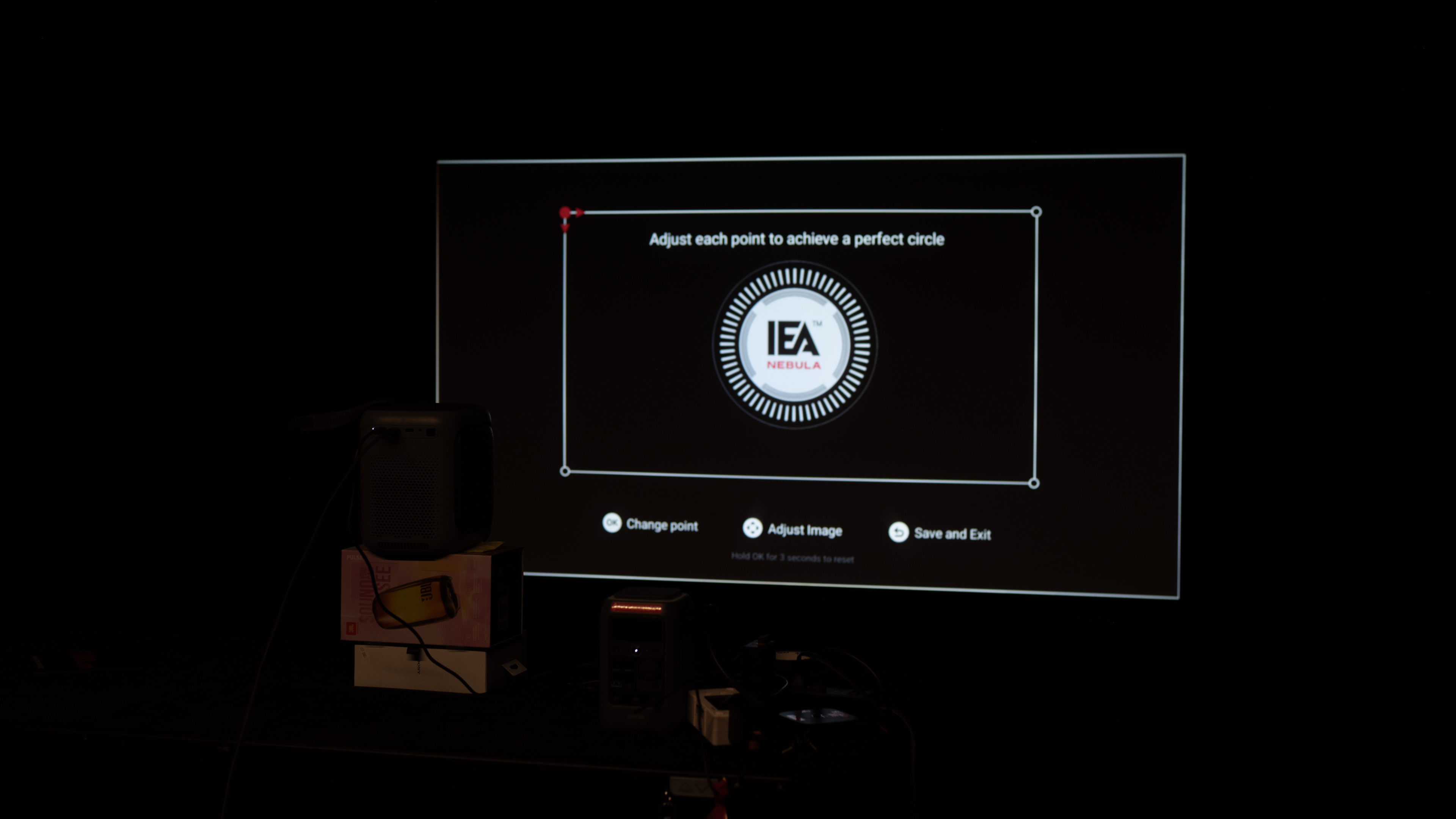
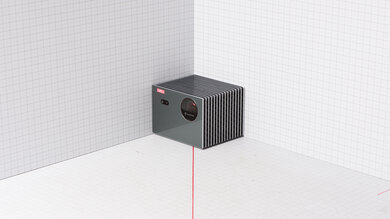
The Anker Nebula P1i has decent portability. It's not exactly lightweight, but its carrying handle makes it easier to carry to another room with one hand. It also has a built-in stand that lets you adjust the image vertically, and its auto keystone, focus, screen fit, and object avoidance settings make it easy to set up quickly. However, without optical zoom and lens shift, you won't get the cleanest image unless the projector is directly in front of the screen.

Pros
  • Handle makes it easier to carry.

  • Built-in stand and auto keystone, screen fit, and focus features.

Cons
  • No optical zoom or lens shift to clean up the image.

  • No battery; needs a power outlet.

0.0
Color 

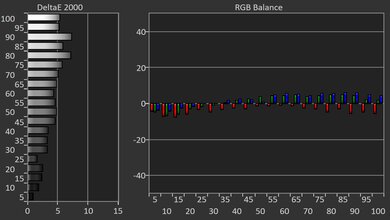
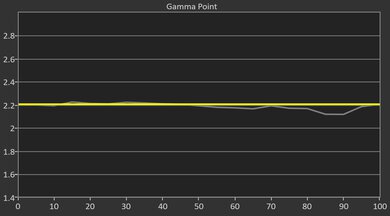
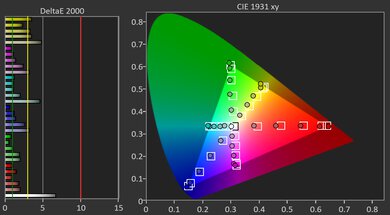
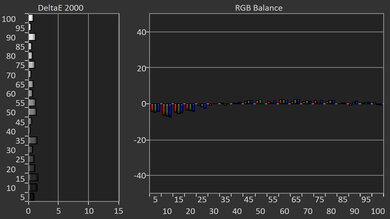
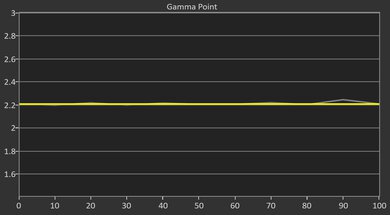
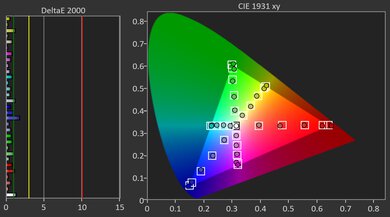
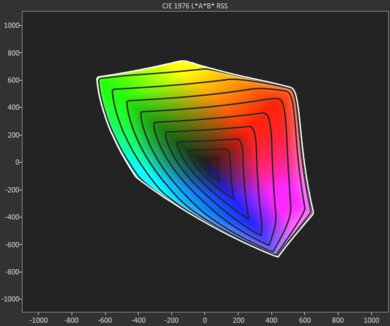
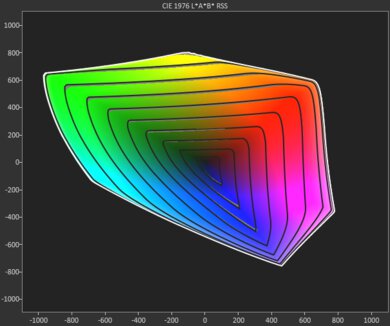
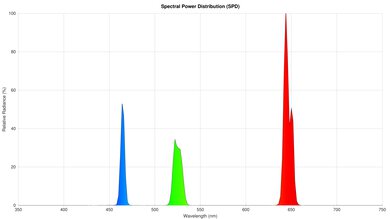
The Anker Nebula P1i has poor colors. It has a very limited color volume, so it can't properly display vivid colors for an impactful viewing experience. It's also inaccurate out of the box, with a noticeably cold color temperature that results in a blue tint. You can calibrate it to fix it, though.

Pros
Cons
  • Very inaccurate out-of-the-box.

  • Limited color volume with any content.

0.0
Gaming Responsiveness 

The Anker Nebula P1i has okay gaming responsiveness. Its biggest strength is its very low input lag in Game Mode, making gaming feel responsive. However, it's limited to a 60Hz refresh rate, so it doesn't offer the smoothest feel, and its LCD imaging technology results in motion blur.

Pros
  • Incredibly low input lag at 60Hz.

Cons
  • Noticeable motion blur.

  • Limited to 60Hz refresh rate.

  • 0.0
    Home Theater
  • 0.0
    Outdoors
  • 0.0
    Bedroom
  • 0.0
    Gaming

  • Performance Usages

  • 0.0
    Brightness
  • 0.0
    Contrast
  • 0.0
    Portability
  • 0.0
    Color
  • 0.0
    Gaming Responsiveness
  • Changelog

    1.  Updated Sep 23, 2026: 

      We added that the Aurzen EAZZE D1 MAX has better contrast.

    2.  Updated Aug 18, 2026: We've converted the review to Test Bench 1.0, which replaces our Color Gamut test with Color Volume and adds a new Rainbow Effect test box. We also updated Effective Contrast (formerly Native Contrast) to account for projector brightness and reworked Judder scoring. The new bench also adds Outdoors and Bedroom usages, plus Portability, Color, and Gaming Responsiveness Performance Usages; Movies is now Home Theater, and all existing usage scores have been updated. See the 1.0 changelog.
    3.  Updated Jul 03, 2026: 

      We mention the newly reviewed Anker Nebula Mars 3 Air in the Brightness section of this review.

    4.  Updated May 15, 2026: Review published.

    Check Price

    GrayNebula P1i
    SEE PRICE
    Amazon
    GrayNebula P1i
    SEE PRICE
    Anker
    GrayNebula P1i
    SEE PRICE
    Walmart.com
    GrayNebula P1i
    B&H
    GrayNebula P1i
    BestBuy.com

    Differences Between Sizes And Variants

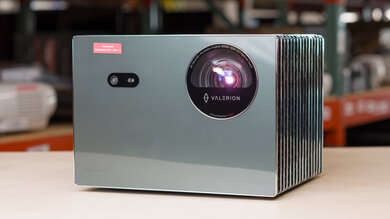
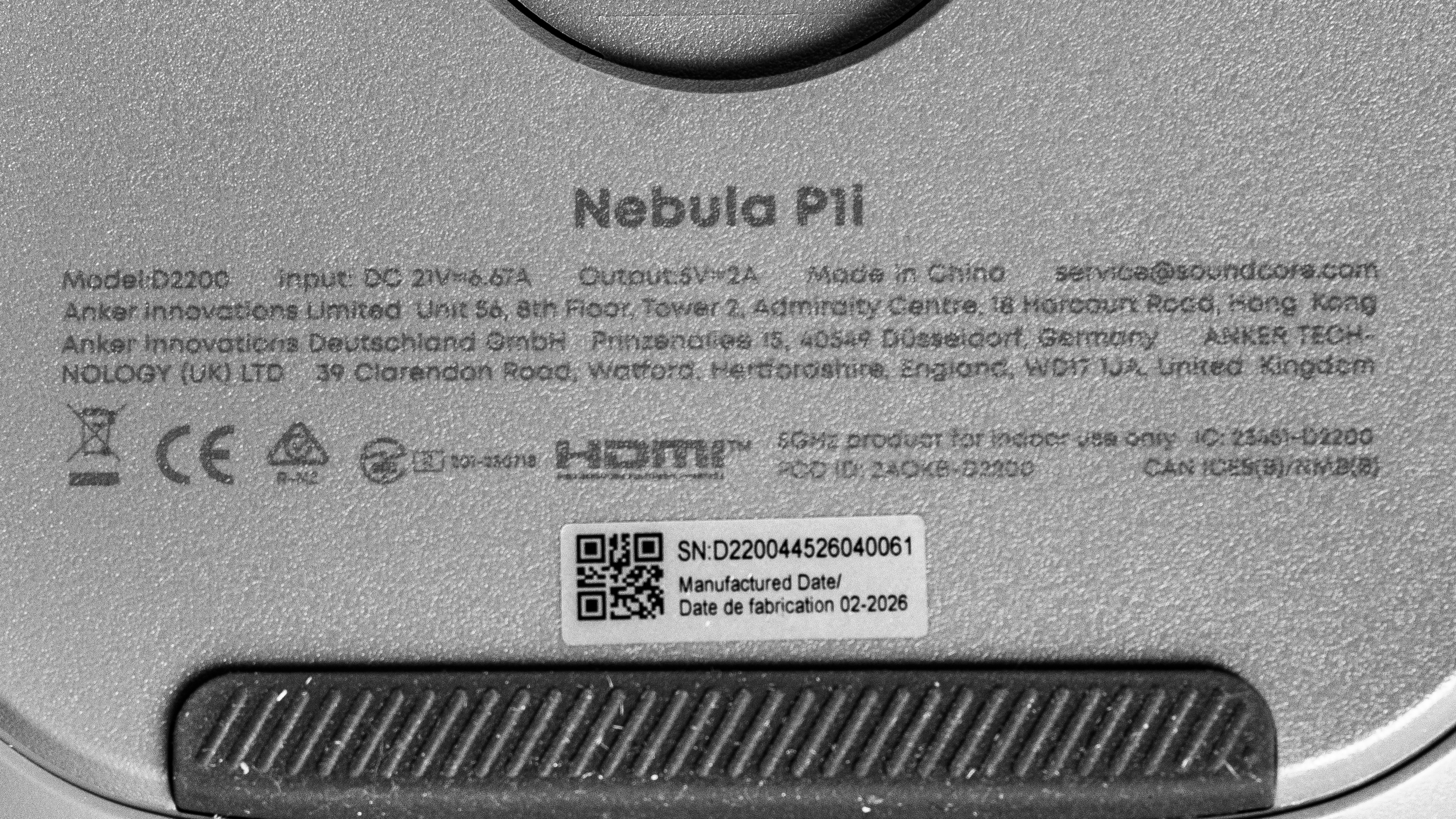
    The Anker Nebula P1i is available in one variant. Anker also sells the Anker Nebula P1, a related but different model with detachable wireless speakers rather than the P1i's flippable side speakers. The P1 also has different specs and features, so our results only apply to the P1i. See the label for the model we tested.

    Popular Projector Comparisons

    The Anker Nebula P1i is a nifty portable projector, with fully flippable side speakers that you can angle however you see fit. Unfortunately, it falters on image quality: it's dim, has bad contrast, and has limited colors. It has very low input lag at 1080p @ 60Hz, making it a solid, cheap option for gamers on the go. Still, overall, you'll get a similar but superior experience with the Anker Nebula P1, as it's almost just as responsive and even more portable, but with better image quality. If you don't care about gaming, the NexiGo PJ40 (Gen 3) or the NexiGo PJ40 Pro are better units with far superior contrast, even if they don't quite offer the same level of portability.

    Check out our recommendations for the best portable projectors, the best outdoor projectors, and the best projectors overall. If you'd prefer to shop for another product in the same price range, look up the best projectors under $500 instead.

    NexiGo PJ40 (Gen 3)

    Track

    The NexiGo PJ40 (Gen 3) is better than the Anker Nebula P1i for most usages, except one: gaming. That's because the Anker's input lag at 1080p @ 60Hz is incredibly low, making it far more responsive than the NexiGo. Otherwise, the NexiGo is a bit brighter and has vastly better contrast, delivering a punchier image in a dark room. The Anker does have nicer portability features, such as an integrated handle and flippable speakers, making it a bit easier to take with you than the NexiGo.

    Anker Nebula P1

    Track

    The Anker Nebula P1 is better than the Anker Nebula P1i. While they are about equally as dim, the P1 has better contrast and is a bit more accurate out-of-the-box. They both have a ton of features for easy portability, but the P1 is even smaller than the P1i. And while the P1i is slightly more responsive than the P1 for gaming, the latter accepts more input signals, and its far superior image quality makes for a more immersive gaming experience.
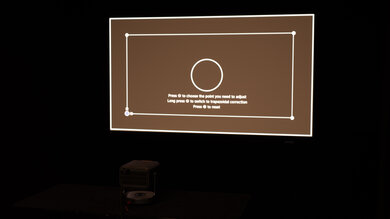
    How We Test Projectors
    How We Test Projectors

    We've independently bought and tested over 100 projectors and published detailed results for each, so you can decide which one to buy. These have all been tested under the same standardized methodology, allowing you to compare them side by side. We still have all these projectors in our lab, so we can continually go back and compare them to ensure our reviews are still accurate. All our test methodologies are also public on our website, so you can validate the results yourself.

    Throw Calculator

    Global Controls

    132
    1
    100
    Anker Nebula P1i
    100.0 in
    Aspect ratio: 16:9
    Throw distance: 95.9 in (range: 95.9 in – 139.5 in)
    Throw Ratio: 
     1.1 - 1.6
    Zoom (Wide → Tele): (1 - 1.45) 
    1
    Screen Size (D / W / H)
    100.0 in / 87.2 in / 49.0 in
    Lens Shift (Vertical / Horizonal) 
    N/A / N/A
    Screen Brightness (estimated) 
    N/A

    Test Results

    perceptual testing image
    Sort:
    RATINGS
    Category:
    All
    Picture Quality
    0.0
    Brightness
    White Light Output
    LockedLock lm
    Color Light Output
    LockedLock lm
    Screen Brightness
    LockedLock cd/m²

    Become a member to view the full test results and text of the reviews, as well as extra website features and tools with no ads.

    0.0
    Effective Contrast
    0.1% APL Native Contrast
    LockedLock : 1
    0.5% APL Native Contrast
    LockedLock : 1
    1% APL Native Contrast
    LockedLock : 1
    5% APL Native Contrast
    LockedLock : 1
    10% APL Native Contrast
    LockedLock : 1
    15% APL Native Contrast
    LockedLock : 1
    25% APL Native Contrast
    LockedLock : 1
    50% APL Native Contrast
    LockedLock : 1
    Native Full-On/Full-Off Contrast
    LockedLock : 1
    Full-On/Full-Off Contrast
    LockedLock : 1
    Average White Light Measurement
    LockedLock lm
    Average Black Floor Measurement
    LockedLock lm

    Become a member to view the full test results and text of the reviews, as well as extra website features and tools with no ads.

    0.0
    Pre-Calibration Color Accuracy
    White Balance dE 2000
    LockedLock
    Color dE 2000
    LockedLock
    Gamma
    LockedLock
    Color Temperature
    LockedLock K
    Picture Mode
    LockedLocked
    Color Temp Setting
    LockedLocked
    Gamma Setting
    LockedLocked

    Become a member to view the full test results and text of the reviews, as well as extra website features and tools with no ads.

    0.0
    Post-Calibration Color Accuracy
    White Balance dE 2000
    LockedLock
    Color dE 2000
    LockedLock
    Gamma
    LockedLock
    Color Temperature
    LockedLock K
    Picture Mode
    LockedLocked
    White Balance Calibration
    LockedLocked
    Color Calibration
    LockedLocked

    Become a member to view the full test results and text of the reviews, as well as extra website features and tools with no ads.

    0.0
    Color Volume
    CIELAB DCI-P3 Coverage
    LockedLock%
    CIELAB BT.2020 Coverage
    LockedLock%

    Become a member to view the full test results and text of the reviews, as well as extra website features and tools with no ads.

    Motion
    0.0
    Judder
    De-Judder Resolution Impact
    LockedLocked
    Judder-Free 24p
    LockedLocked
    Judder-Free 25p
    LockedLocked
    Judder-Free 24p via 60p
    LockedLocked
    Judder-Free 25p via 60p
    LockedLocked
    Judder-Free 24p via Native Apps
    LockedLocked
    Judder-Free 25p via Native Apps
    LockedLocked

    Become a member to view the full test results and text of the reviews, as well as extra website features and tools with no ads.

    0.0
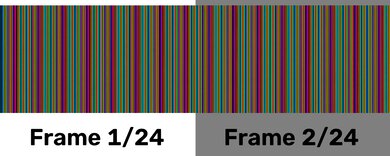
    Rainbow Effect
    SAMPLE
    Join Now

    for videos & test results

    Anker Nebula P1i RBE Video Sample
    Color Flash Sequence
    RBE Reduction Mode
    LockedLocked
    Color Flashes Per Second
    LockedLock

    Become a member to view the full test results and text of the reviews, as well as extra website features and tools with no ads.

    Design
    0.0
    Size
    HeightLockedLock" (Lock cm)
    WidthLockedLock" (Lock cm)
    DepthLockedLock" (Lock cm)
    Weight
    LockedLock lbs (Lock kg)
    Volume
    LockedLock in³ (Lock cm³)

    Become a member to view the full test results and text of the reviews, as well as extra website features and tools with no ads.

    0.0
    Additional Carrying Features
    Carrying Handle
    LockedLocked
    Lens Protection
    LockedLocked
    Carrying Case
    LockedLocked

    Become a member to view the full test results and text of the reviews, as well as extra website features and tools with no ads.

    0.0
    Physical Setup Flexibility
    Optical Zoom
    LockedLocked
    Projector Type
    LockedStandard Throw
    Minimum Throw Ratio
    LockedLock
    Maximum Throw Ratio
    LockedLock
    Horizontal Lens Shift
    LockedN/A
    Vertical Lens Shift
    LockedN/A
    Body Adjustment
    LockedLocked
    Mounting Holes
    LockedLocked

    Become a member to view the full test results and text of the reviews, as well as extra website features and tools with no ads.

    Imaging
    Imaging Technology
    LockedLocked
    Native Resolution
    Locked1080p
    Aspect Ratio
    LockedLocked
    Light Source
    LockedLED

    Become a member to view the full test results and text of the reviews, as well as extra website features and tools with no ads.

    0.0
    Battery
    Battery Life
    LockedN/A
    Charge Time
    LockedN/A
    Power Source
    LockedLocked
    0.0
    Fan Noise
    SAMPLE
    Join Now

    for videos & test results

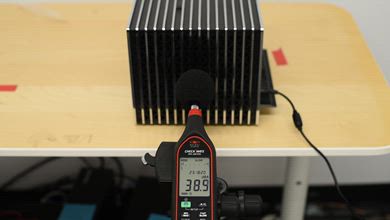
    Anker Nebula P1i Noise @ Maximum Brightness Video Sample
    Noise @ Maximum Brightness
    LockedLockdBA

    Become a member to view the full test results and text of the reviews, as well as extra website features and tools with no ads.

    Inputs
    Inputs & Connectivity
    HDMI
    LockedLocked
    HDMI 2.1 Rated Speed
    LockedLocked
    USB Data Ports
    LockedLock
    Audio Out 3.5mmLockedLocked
    Digital Optical Audio OutLockedLocked
    BluetoothLockedLocked
    Wi-FiLockedLocked
    Ethernet SpeedLockedLocked
    0.0
    Supported Resolutions
    4k @ 60Hz
    LockedLocked
    4k @ 120Hz
    LockedLocked
    1440p @ 60Hz
    LockedLocked
    1440p @ 120Hz
    LockedLocked
    1080p @ 60Hz
    LockedLocked
    1080p @ 60Hz @ 4:4:4
    LockedLocked
    1080p @ 120Hz
    LockedLocked
    1080p Maximum Refresh Rate
    LockedLock Hz

    Become a member to view the full test results and text of the reviews, as well as extra website features and tools with no ads.

    Variable Refresh Rate
    VRR
    LockedLocked
    0.0
    Input Lag
    4k @ 60Hz
    LockedN/A
    4k @ 60Hz Outside Game Mode
    LockedN/A
    4k @ 120Hz
    LockedN/A
    1080p @ 60Hz
    LockedLock ms
    1080p @ 60Hz Outside Game Mode
    LockedLock ms
    1080p @ 120Hz
    LockedN/A
    1080p @ Max Refresh Rate
    LockedLock ms

    Become a member to view the full test results and text of the reviews, as well as extra website features and tools with no ads.

    HDR Format Support
    HDR10
    LockedLocked
    HDR10+
    LockedLocked
    Dolby Vision
    LockedLocked
    HLG
    LockedLocked
    Audio Passthrough
    ARC/eARC
    LockedLocked
    eARC: Dolby Atmos Over Dolby Digital Plus
    LockedLocked
    eARC: Dolby Digital Plus 7.1
    LockedLocked
    eARC: LPCM 7.1 Over Dolby MAT
    LockedLocked
    eARC: Dolby TrueHD 7.1
    LockedLocked
    eARC: DTS:X Over DTS-HD MA
    LockedLocked
    eARC: DTS-HD Master Audio 7.1
    LockedLocked
    eARC: LPCM Channels (Bitstream)
    LockedLocked
    ARC: Dolby Digital 5.1
    LockedLocked
    ARC: DTS 5.1
    LockedLocked
    Optical: Dolby Digital 5.1
    LockedLocked
    Optical: DTS 5.1
    LockedLocked

    Become a member to view the full test results and text of the reviews, as well as extra website features and tools with no ads.

    3D
    3D Support
    LockedLocked
    Features
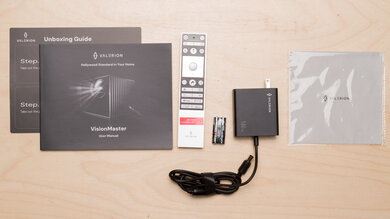
    In The Box

    Become a member to view the full test results and text of the reviews, as well as extra website features and tools with no ads.

    Smart Features & Sound
    Smart OS
    LockedLocked
    Cast Capable
    LockedLocked
    Speaker(s)LockedLocked
    Remote-Free Operation
    LockedLocked

    Become a member to view the full test results and text of the reviews, as well as extra website features and tools with no ads.

    0.0
    Screen Adaptation
    Focus
    LockedLocked
    Vertical Keystone
    LockedLocked
    Horizontal Keystone
    LockedLocked
    Post-Movement Auto-Correction
    LockedLocked
    Obstacle Avoidance
    LockedLocked
    Auto Screen Fit
    LockedLocked

    Become a member to view the full test results and text of the reviews, as well as extra website features and tools with no ads.