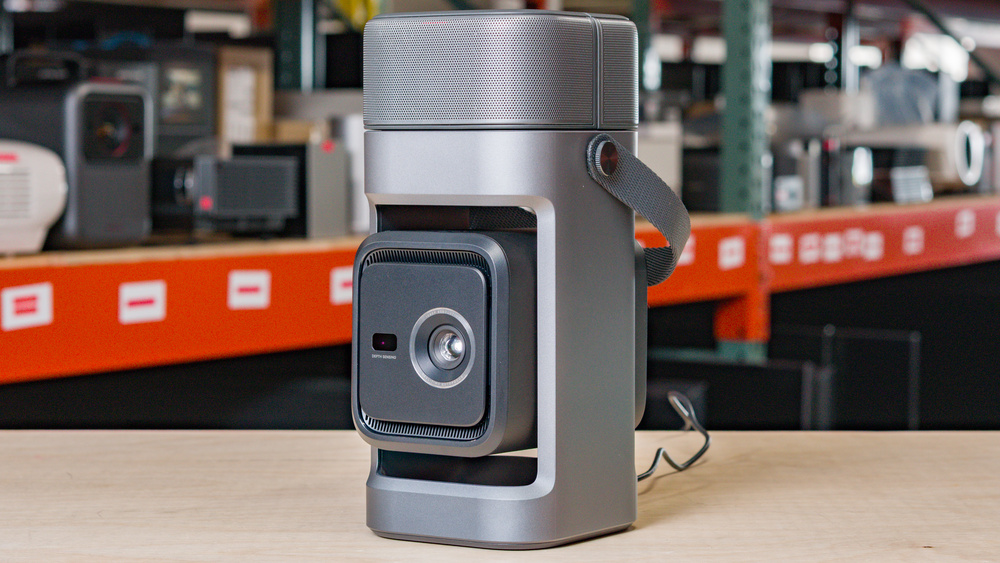
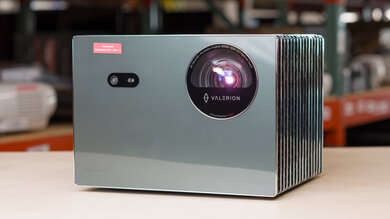
The Anker Nebula P1 is a compact 1080p DLP projector built around an LED light source. Its standout feature is a pair of detachable 10W wireless speakers that can be removed from the projector and placed around the room for more flexible sound. It has automatic focus, automatic keystone correction, and post-movement image correction, though some of its more advanced screen-fitting tools rely on the Nebula app. Unlike some portable projectors, it doesn't have a built-in battery, so it needs external power to run. Connectivity includes one HDMI input, USB-C, USB-A, Wi-Fi, Bluetooth, Google Cast, and a 3.5 mm audio output, and it can accept a 4k @ 60Hz signal and downscale it to 1080p.
Our Verdict
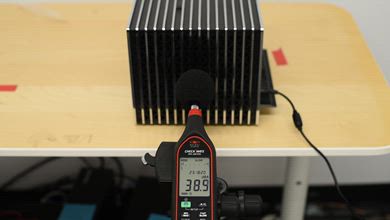
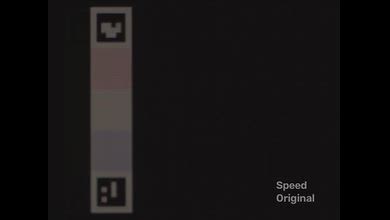
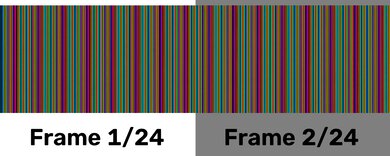
The Anker Nebula P1 is a poor choice for a home theater projector. Its poor brightness and contrast make movies and shows look washed out, while its color looks muted and unremarkable. Additionally, motion and camera pans look choppy because it can't remove judder from any source, and those sensitive to the rainbow effect will likely be bothered by it when using this projector. On the plus side, its fan is very quiet and easily masked when using a soundbar or its built-in, detachable speakers. Overall, it's better suited to casual movie nights on a smaller screen than for dedicated home theater use.
Very quiet fan.
Has two detachable speakers.
Images lack depth due to poor contrast and brightness.
Doesn't remove judder from any source.
Colors don't look especially rich or vibrant.
Noticeable rainbow effect.
The Anker Nebula P1 is a subpar outdoor projector. It isn't very bright and can't deal with much ambient light, so it's best to use it after dark with the patio lights off. It also requires external USB power to run, as it doesn't have a built-in battery. Where it excels, though, is how easy it is to bring outside and set up for impromptu movie nights. It's fairly small, has an integrated handle, can be set up on a tripod, includes two detachable speakers, and has a one-axis gimbal to tilt the image vertically. It also has automated screen adaptation features to help with casual setups. That said, it doesn't support lens shift or have an optical zoom, so centering the projector to the screen at the right distance is needed to get the cleanest image at the ideal image size.
Easy to move around.
Automated screen adaption tools helps with casual setups.
Includes a mounting hole for tripod setups.
Has two detachable speakers.
Not bright enough for anything but dark environments.
No built-in battery; runs only on USB-C power.
No lens shift or optical zoom.
The Anker Nebula P1 is a decent projector for the bedroom. It's easy to move around and doesn't take much space on a nightstand, though it also supports a tripod setup. It has automated features to help with a casual setup for an impromptu movie night, though some need the Nebula app to set it up. Its fan is also very quiet and doesn't distract when used at bedtime. One downside is that it lacks lens shift or optical zoom, so the projector needs to be centered to the screen or wall for the cleanest image, and you need to physically move it to get the desired image size.
Easy to move around.
Automated screen adaption tools helps with casual setups.
Very quiet fan.
Includes a mounting hole for tripod setups.
Has two detachable speakers.
No built-in battery; runs only on USB-C power.
No lens shift or optical zoom.
The Anker Nebula P1 is good for casual 60Hz gaming. Its input lag at 60Hz is incredibly low for a projector, so games feel responsive, and it can accept a 4k @ 60Hz signal from a console or PC and downscale it to 1080p. Its DLP imaging technology also prevents excessive motion blur in fast-paced games. On the other hand, it doesn't support 120Hz or VRR, and its limited brightness, contrast, and colors keep the image from looking punchy. However, for 60Hz gaming in a darker room, it performs very well.
Incredibly low input lag at 60Hz for a projector.
No excessive motion blur.
No 4k or 1440p support; downscales signals to 1080p.
Images lack depth due to poor contrast and brightness.
Colors don't look especially rich or vibrant.
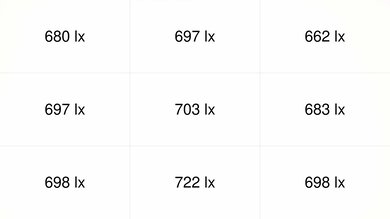
The Anker Nebula P1 has poor brightness. It's usable for casual viewing in a dark room on a small screen, but it doesn't have the light output needed to handle much ambient light or produce a bright, punchy image at larger sizes. Its brightness uniformity is fantastic, so the image stays very even across the screen, but overall, this is still a projector that needs a controlled viewing environment.
Very uniform brightness.
Not bright enough for anything but dark environments.
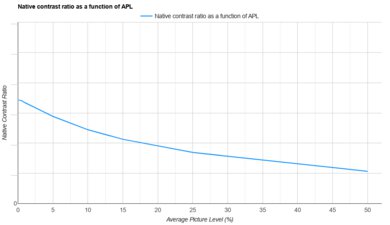
The Anker Nebula P1 has poor contrast overall. Images lack depth in both dark and bright scenes, partly because the projector is dim. Unfortunately, there are no dynamic contrast settings to help improve perceived depth.
Images lack depth due to poor contrast and brightness.
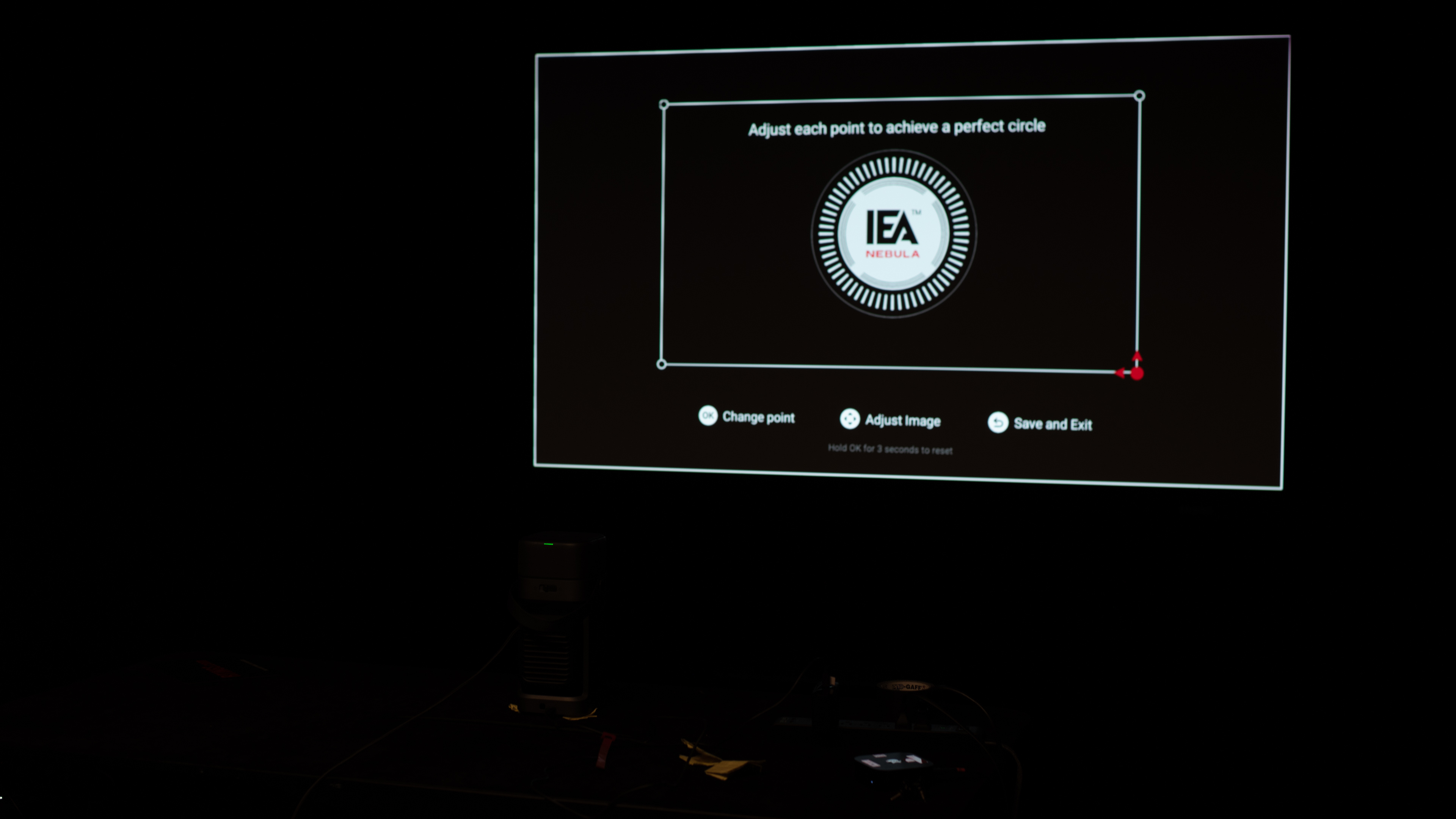
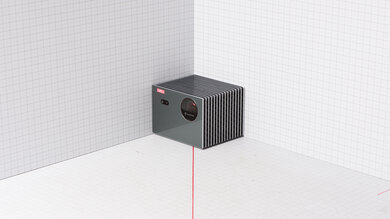
The Anker Nebula P1 has good portability. It's fairly small and lightweight, and its integrated handle makes it easy to move around. Plus, it has a one-axis gimbal that lets you adjust the image vertically, while its lens is protected when you're not using it. It also has a few automated features, like auto keystone and autofocus, to set up the image for casual setups, though more advanced features, like obstacle avoidance and auto screen fit, require the Nebula app. That said, it doesn't have optical zoom or lens shift, so the projector needs to be centered to the screen and be at a certain distance to get the cleanest image at its desired size.
Automated screen adaption tools helps with casual setups.
Includes a mounting hole for tripod setups.
Built-in lens protection when it's not in use.
Has two detachable speakers.
No built-in battery; runs only on USB-C power.
No lens shift or optical zoom.
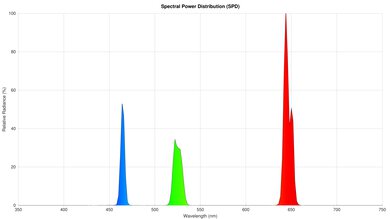
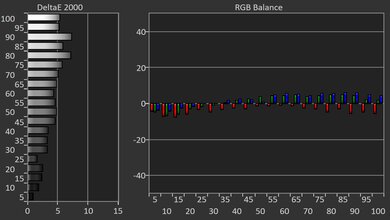
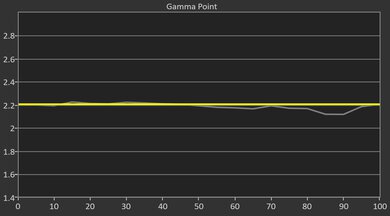
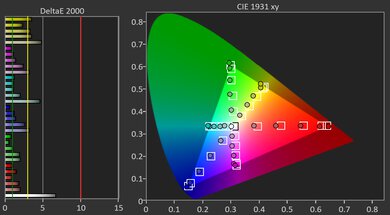
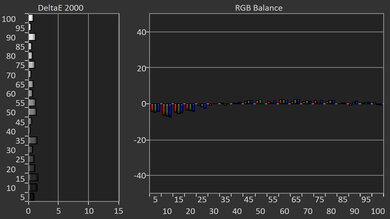
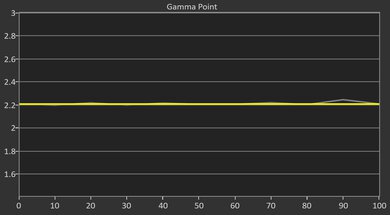
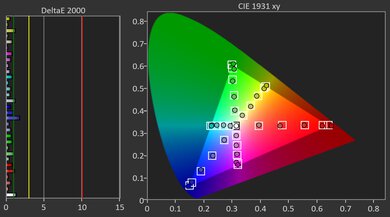
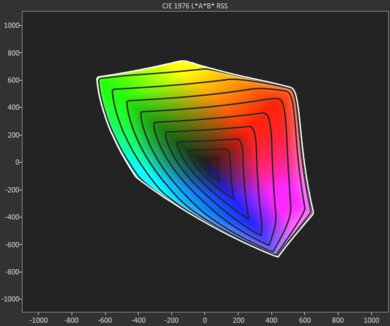
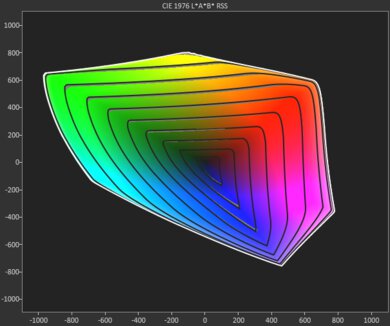
The Anker Nebula P1 has mediocre colors. It's not especially accurate out of the box, and images look too cool. Fortunately, calibration addresses this and significantly improves overall accuracy. However, its color volume is subpar, especially with greens, cyans, and reds, making colors look muted in most content.
Calibrating the projector significantly improves its color accuracy.
Image has a cool tint before it's calibrated.
Colors don't look especially rich or vibrant.
The Anker Nebula P1 has amazing gaming responsiveness in its Game (Extreme) mode. While it's a 1080p projector that tops out at 60Hz, it can accept a 4k @ 60Hz signal and downscale it to 1080p. Its input lag is also very low, so it's great for fast-paced games that require quick reaction times. Finally, its DLP imaging technology means the amount of motion blur isn't excessive.
Incredibly low input lag at 60Hz for a projector.
No excessive motion blur.
No 4k or 1440p support; downscales signals to 1080p.
Performance Usages
Changelog
- Updated Aug 31, 2026: We've converted the review to Test Bench 1.0, which replaces our Color Gamut test with Color Volume and adds a new Rainbow Effect test box. We also updated Effective Contrast (formerly Native Contrast) to account for projector brightness and reworked Judder scoring. The new bench also adds Outdoors and Bedroom usages, plus Portability, Color, and Gaming Responsiveness Performance Usages; Movies is now Home Theater, and all existing usage scores have been updated. See the 1.0 changelog.
-
Updated Jul 02, 2026:
We mention the newly reviewed BenQ GV50 in the Native Contrast box of this review.
-
Updated May 15, 2026:
We mention the newly reviewed Anker Nebula P1i in the Input Lag section of this review.
- Updated May 13, 2026: Review published.
Check Price
Differences Between Sizes And Variants
The Anker Nebula P1 is available as a standalone projector or in several accessory bundles, including bundles with an Anker SOLIX C300 DC Power Station, an Anker 737 Power Bank, and the Nebula Carry Case. Anker also sells the Anker Nebula P1i, which is a related but different model with flippable speakers instead of the P1's detachable wireless speakers, so our results don't apply to it.
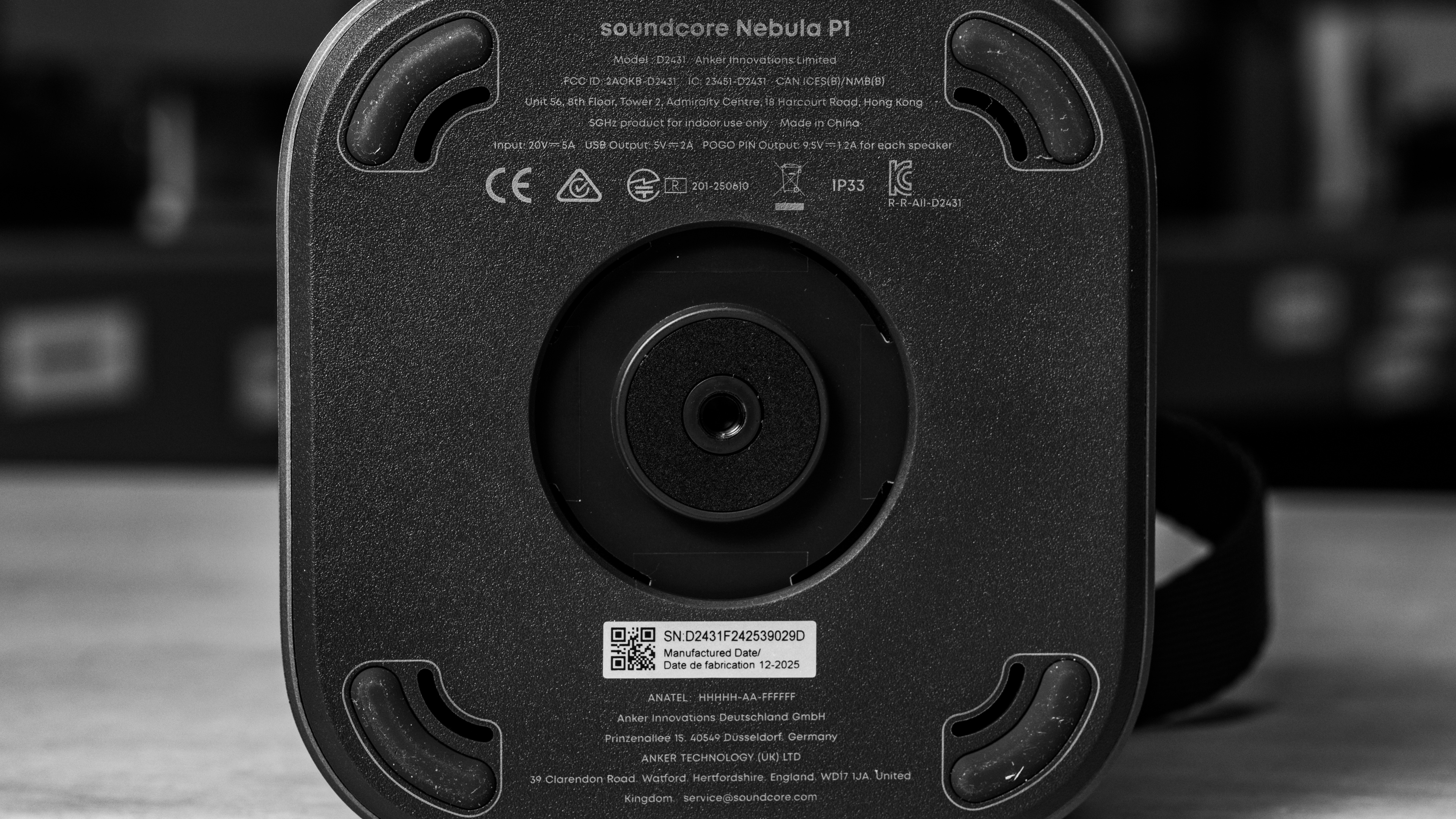
Our unit was manufactured in December 2025.
Popular Projector Comparisons
The Anker Nebula P1 is an easy-to-use projector with a great set of portability features. Its fully detachable speakers are a major advantage, since you can place them wherever they sound best, and its integrated strap makes it easy to carry. It's also one of the better portable projectors for gaming, thanks to its very low 60Hz input lag. While it doesn't have a built-in battery, Anker offers several bundles with external battery options. If you want a more rugged all-in-one portable projector, the Anker Nebula Mars 3 is a better choice since it has a built-in battery and adds water, dust, and drop resistance. If you don't care about gaming and mostly want a compact projector for movies on the go, the LG CineBeam Q has a clear edge thanks to its much better contrast. Still, the Anker Nebula P1 is one of the best portable options at its price point.
Check out our recommendations for the best portable projectors, the best outdoor projectors, and the best projectors overall. If you'd prefer to shop for another product in the same price range, look up the best projectors under $1,000 instead.
The Anker Nebula Mars 3 is better than the Anker Nebula P1 if your intended use is to take your projector out into the dirt and mud, as the Mars 3 has water, dust and drop resistance built-in. It also comes with a large integrated battery, which the P1 doesn't have. Finally, the Mars 3 is brighter, making it easier to use in various conditions. But if you're instead looking for the best image quality, the P1 has the slight edge due to its better contrast. It doesn't come with a battery, but you can buy one as a bundle directly from Anker. Also, the P1 is far better for gaming due to its far lower input lag.
The LG CineBeam Q is better than the Anker Nebula P1 for watching movies, mainly thanks to its much better contrast, wider color gamut, and higher-resolution pixel-shifted image, although the Anker is a bit more accurate out of the box. If you're gaming, the Anker is the far better choice due to its much lower input lag.
The Anker Nebula P1 is better than the Anker Nebula P1i. While they are about equally as dim, the P1 has better contrast and is a bit more accurate out-of-the-box. They both have a ton of features for easy portability, but the P1 is even smaller than the P1i. And while the P1i is slightly more responsive than the P1 for gaming, the latter accepts more input signals, and its far superior image quality makes for a more immersive gaming experience.
We've independently bought and tested over 80 projectors and published detailed results for each, so you can decide which one to buy. These have all been tested under the same standardized methodology, allowing you to compare them side by side. We still have all these projects in our lab, so we can continually go back and compare them to ensure our reviews are still accurate. All our test methodologies are also public on our website, so you can validate the results yourself.
Throw Calculator
Global Controls
Test Results
for pictures & test results
for pictures & test results



for pictures & test results