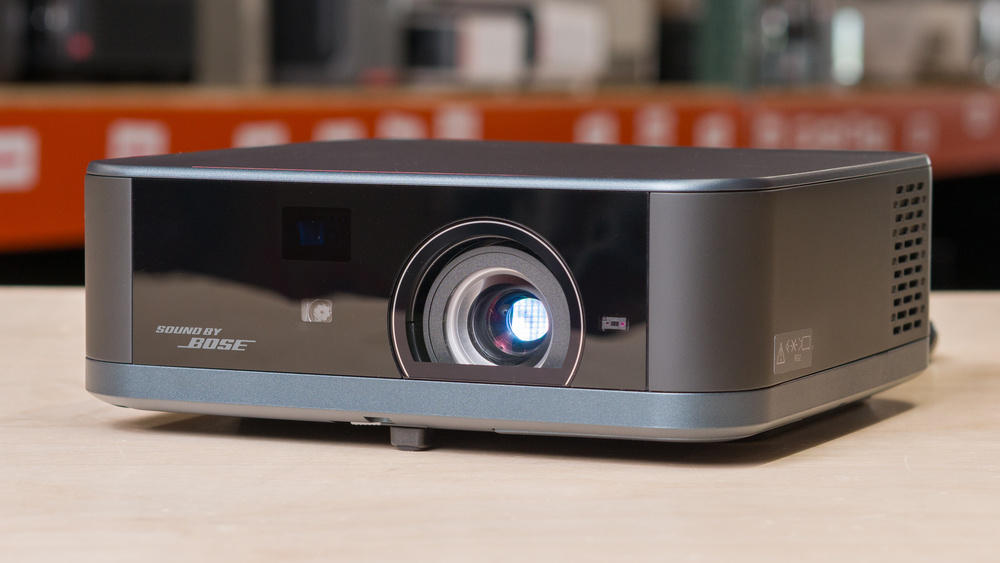
The Epson Lifestudio Pop Plus is a compact standard-throw lifestyle projector. It uses Epson's 3-chip 3LCD Triple Core Engine technology with an RGB LED light source and 4K PRO-UHD pixel-shifting. It supports HDR10 and HLG. It has Google TV built in, with access to major streaming apps, Google Assistant, and Google Cast. It also has a Sound by Bose 2.0 stereo audio system. For setup, it supports Epson's EpiqSense 2.0 features, including autofocus; auto vertical, horizontal, and roll keystone correction; auto obstacle avoidance; auto screen fit; smart eye protection; and auto wall color adjustment. It also works with the Epson Projection Studio app for iOS and Android.
Our Verdict
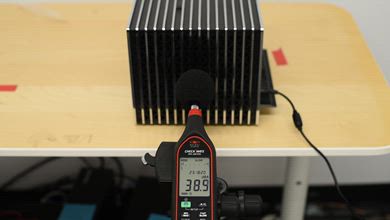
The Epson Lifestudio Pop Plus is poor for home theater setups. The biggest downside is its low contrast: blacks look gray, and on a dim screen, it lacks depth for an impactful viewing experience. It can't remove judder from any source, either, so motion looks jittery. There are some positives: it has good colors, impressive out-of-the-box accuracy, and passable color volume. However, it fails to display saturated colors well. It also doesn't have any rainbow effect, which helps if you're sensitive to RBE. Lastly, it has a fairly quiet fan, but you can still hear it with the projector at its max brightness in a quiet room.
Very accurate image out of the box.
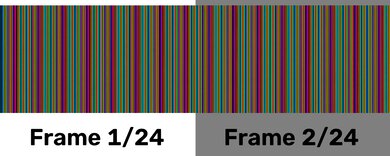
No rainbow effect.
Not very bright.
Blacks are raised in any content.
Can't display the most saturated colors.
Doesn't remove judder from any source.
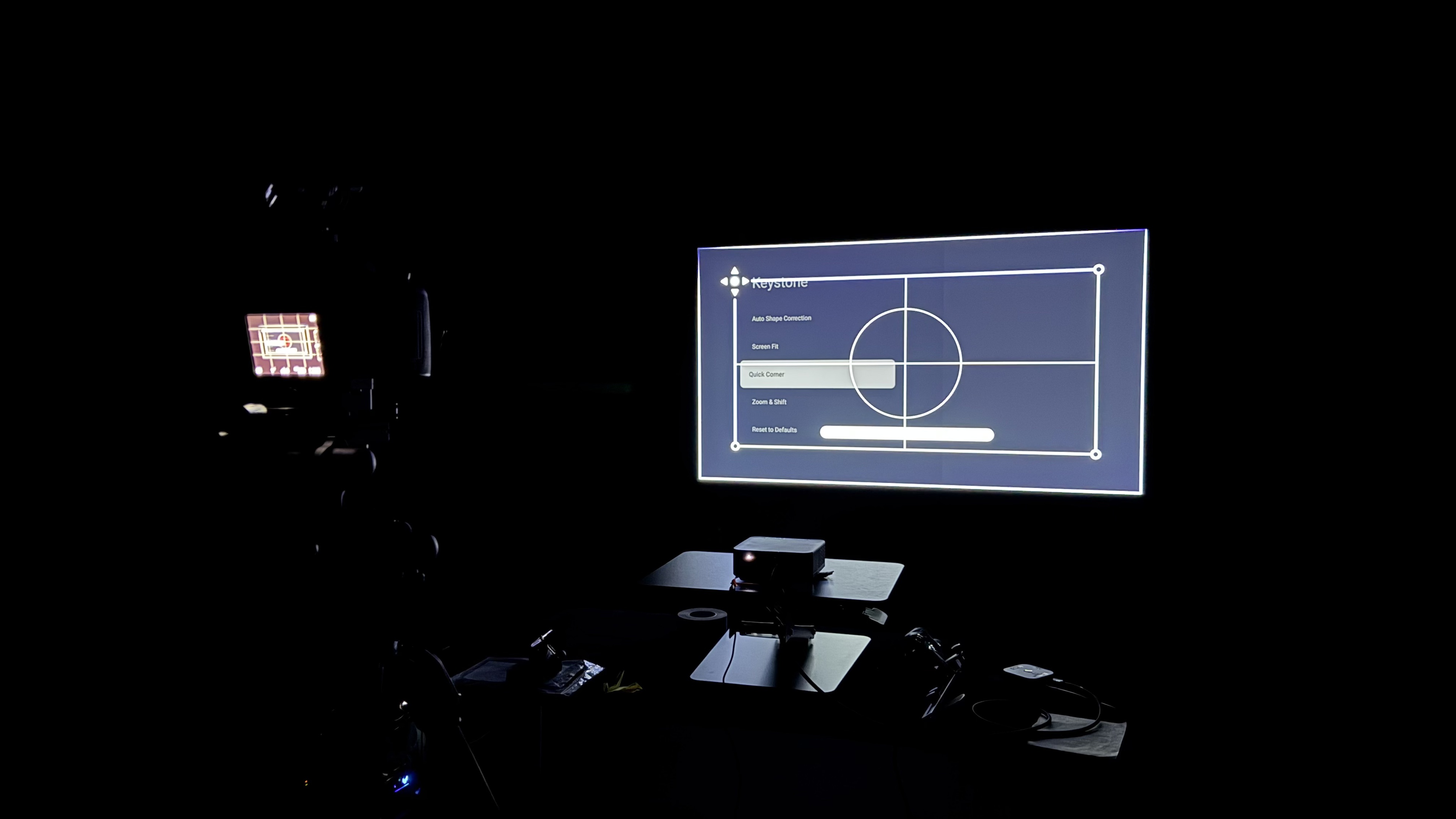
The Epson Lifestudio Pop Plus is disappointing for outdoor setups. It doesn't get very bright, so you need to use it at night in a dark area to easily see the screen. On the plus side, it's lightweight enough to carry outside, even though it lacks a carrying handle, case, or lens cap to protect it. You need to have an outlet nearby as it lacks a battery, but its smart OS system makes it easy to stream content. It also includes all kinds of screen adaptation features, like auto keystone, focus, and screen fit. However, it lacks optical zoom and lens shift to get a clean image if you have the projector off-center from the screen.
Includes auto keystone and screen adaption features.
Built-in Google TV.
Not very bright.
Lack of carrying case, handle, or lens cap.
No built-in battery.
The Epson Lifestudio Pop Plus is decent for bedroom setups. It's compact enough to easily bring it to the bedroom, but it lacks a case or a lens cap to protect it when it's not in use. It includes a smart OS system, so you can stream content without any additional sources. It includes a bunch of features to quickly set it up, like auto keystone, screen fit, and focus, but it doesn't have optical zoom or lens shift to get a clean image with the projector off-center from the wall or screen. Lastly, its fan is quiet enough not to bother your sleeping partner, but you'll still hear it with the projector at its max brightness.
Includes auto keystone and screen adaption features.
Built-in Google TV.
Fairly quiet fan.
Lack of carrying case, handle, or lens cap.
No built-in battery.
Fan may be too loud for quiet environment at projector's full brightness.
The Epson Lifestudio Pop Plus is mediocre for gaming. Its input lag is low enough for casual and slower-paced games in Game Mode, but it isn't responsive enough for competitive gaming, and it's limited to 60Hz at all resolutions. It also isn't very bright, and its disappointing contrast means games don't have much depth in scenes. On the plus side, you get an accurate image without any sort of calibration, but it fails to display the most saturated colors.
Very accurate image out of the box.
Low enough input lag for casual gaming.
Not very bright.
Limited to 60Hz refresh rate.
Not responsive enough for competitive gaming.
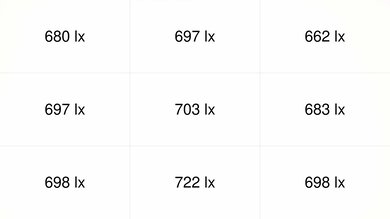
The Epson Lifestudio Pop Plus has poor brightness. It doesn't get bright enough to fight ambient light or deliver a punchy image. It does have fantastic brightness uniformity, so the image looks very even overall, though the corners are still a bit dimmer when viewing a full white screen.
Not very bright.
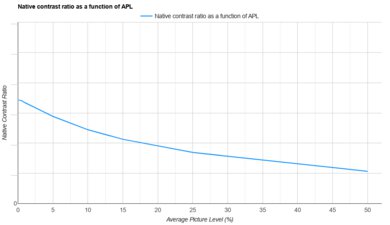
The Epson Lifestudio Pop Plus has disappointing contrast. Its main weakness is that blacks are raised, and shadow detail looks flat, so it doesn't deliver a very cinematic dark-room image.
Blacks are raised in any content.
The Epson Lifestudio Pop Plus has very good portability. It's compact and lightweight enough to carry around. However, it doesn't come with a handle or case, and it doesn't have a lens cap to protect it when it's not in use. It lacks a built-in battery, too. Besides that, it includes features to quickly set it up with any screen, like auto keystone, screen fit, and focus, but it doesn't have optical zoom or lens shift to clean up the image if the projector is off-center from the screen.
Includes auto keystone and screen adaption features.
Built-in Google TV.
Lack of carrying case, handle, or lens cap.
No built-in battery.
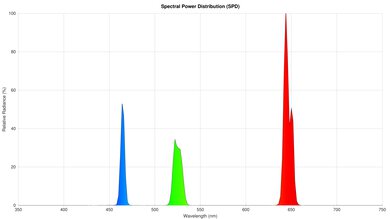
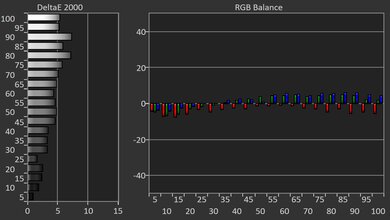
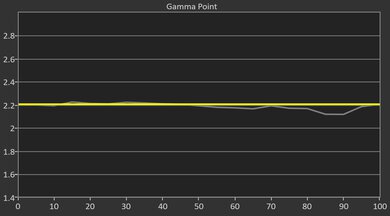
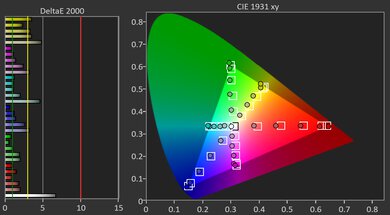
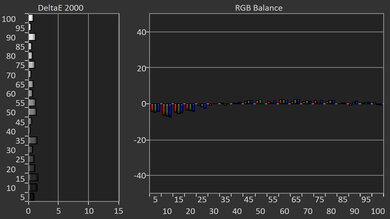
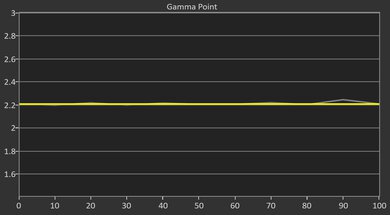
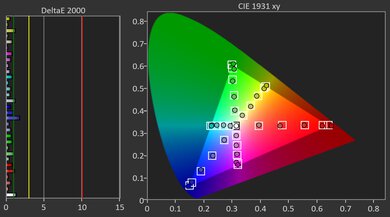
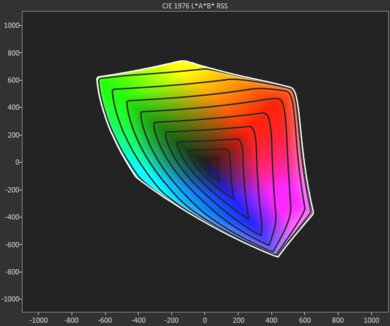
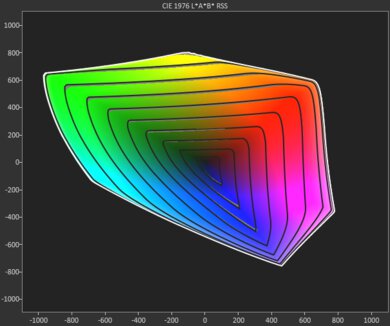
The Epson Lifestudio Pop Plus has good color. It's very accurate out of the box, and even though it offers full calibration settings, they offer little benefit to its accuracy. It has passable color volume as well, but it fails to display the most saturated colors.
Very accurate image out of the box.
Can't display the most saturated colors.
The Epson Lifestudio Pop Plus has disappointing gaming responsiveness. Its input lag is low enough for casual gaming, but it's too high for playing reaction-based games. It's also limited to a 60Hz refresh rate and has noticeable motion blur due to its LCD projection technology.
Low enough input lag for casual gaming.
Limited to 60Hz refresh rate.
Noticeable motion blur.
Performance Usages
Changelog
- Updated Aug 07, 2026: We've converted the review to Test Bench 1.0, which replaces our Color Gamut test with Color Volume and adds a new Rainbow Effect test box. We also updated Effective Contrast (formerly Native Contrast) to account for projector brightness and reworked Judder scoring. The new bench also adds Outdoors and Bedroom usages, plus Portability, Color, and Gaming Responsiveness Performance Usages; Movies is now Home Theater, and all existing usage scores have been updated. See the 1.0 changelog.
-
Updated Jun 17, 2026:
We mention the newly reviewed BenQ TH575 in the Contrast section of this review.
- Updated Jun 03, 2026: Review published.
- Updated Jun 01, 2026: Early access published.
Check Price
Differences Between Sizes And Variants
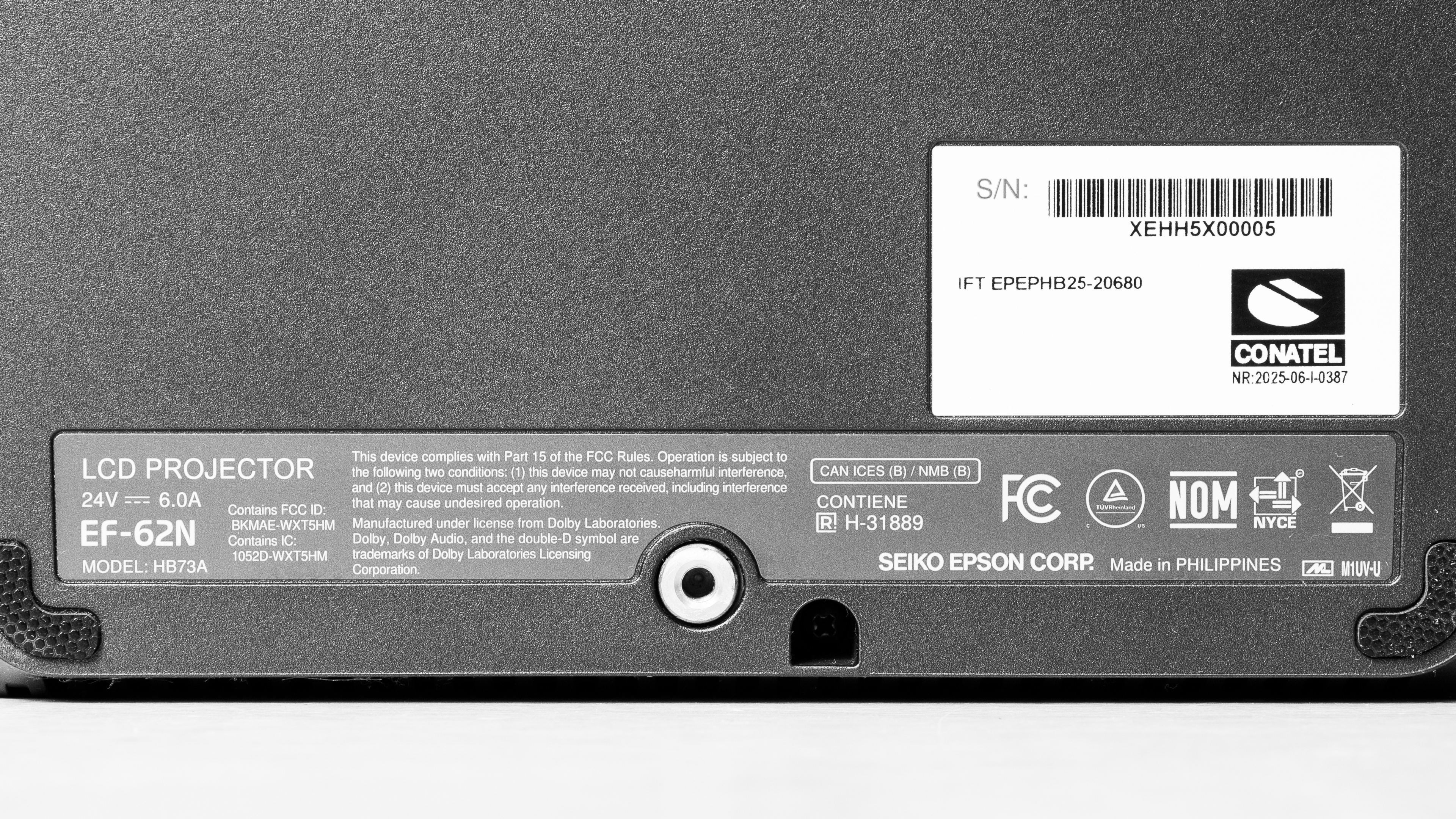
We tested the navy variant of the Epson Lifestudio Pop Plus, also known as the Epson EF 62. It's also available in black, and we expect both variants to perform the same. The regular Epson Lifestudio Pop (Epson EF 61) is a similar-looking model, but it's a lower-end Full HD projector, while this Pop Plus is a 4K PRO-UHD model. The Epson Lifestudio Flex Plus is also similar to the Pop Plus, but it uses a different design with a built-in swivel stand, higher rated brightness, and mood lighting.
Our unit was manufactured in June 2025.
Popular Projector Comparisons
The Epson Lifestudio Pop Plus is an okay compact lifestyle projector. It has Google TV built in, a Sound by Bose audio system, 4k support, great out-of-the-box accuracy, and a small, easy-to-move design. However, its low brightness, disappointing contrast, and uneven focus make it best suited for casual dark-room viewing rather than serious home theater use. Ultimately, the Epson isn't bad, but there are other better options. The Epson Lifestudio Flex Plus has higher brightness, slightly better contrast, and better colors, though it's larger and more expensive. The LG CineBeam Q is also worth considering, as it's even smaller and more portable while offering much better contrast. You could also go for the much cheaper Wanbo X5 Pro; it's a bit worse overall, but it offers much better contrast at a lower cost.
For more options, check out our recommendations for the best portable projectors, the best 4k projectors, and the best budget and cheap projectors. If you're really looking for something to use outside, consider the best outdoor projectors as well.
The Epson Lifestudio Flex Plus is slightly better than the Epson Lifestudio Pop Plus overall, but the difference isn't huge. The Flex Plus gets a bit brighter and has slightly better contrast for a slight advantage for picture quality. The Flex Plus also has a built-in two-axis swivel stand, which makes it easier to aim without extra hardware. That said, the Pop Plus is more accurate out of the box, much smaller and lighter, and it has a 1/4-inch tripod mount, so it's easier to mount on a common tripod or stand.
The LG CineBeam Q is better than the Epson Lifestudio Pop Plus. The LG is a bit dimmer, but it has far better contrast, making it look more impressive in a dark room. It's also smaller and more portable due to its carry handle, and you can charge it with a power bank; the Epson requires a full outlet. That's not to say the Epson has nothing going for it, as it's far more accurate than the LG. Ultimately, if you don't care about out-of-the-box accuracy, the LG is your pick. If you do care, then you'll need to weigh your priorities in terms of contrast, portability, and image accuracy, but for most people, the LG is the better option.
The Epson Lifestudio Pop Plus is better than the Epson EpiqVision Mini EF21. The Pop Plus has better contrast, so dark scenes have a bit more depth, and it's a much better gaming projector thanks to its lower input lag and 4k @ 60Hz support. The EF21's main advantage is brightness, as it gets a bit brighter than the Pop Plus, and it handles 25p judder better. However, both projectors have poor 24p judder handling, and neither is bright enough to handle much ambient light, but the Pop Plus is better otherwise.
The Epson Lifestudio Pop Plus is a bit better than the Wanbo X5 Pro overall. The Epson is much more accurate out of the box, has better colors, supports 4k @ 60Hz, has lower input lag, and is significantly smaller and lighter. However, the Wanbo has massively better contrast, so dark scenes have much deeper blacks and more depth than they do on the Epson. The Wanbo is also much cheaper, so it's still an interesting option if contrast and value matter more to you than accuracy, gaming responsiveness, and size.
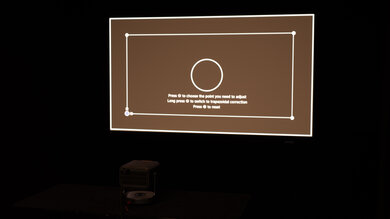
We've independently bought and tested over 80 projectors and published detailed results for each, so you can decide which one to buy. These have all been tested under the same standardized methodology, allowing you to compare them side by side. We still have all these projects in our lab, so we can continually go back and compare them to ensure our reviews are still accurate. All our test methodologies are also public on our website, so you can validate the results yourself.
Throw Calculator
Global Controls
Test Results
for pictures & test results
for pictures & test results



for pictures & test results