Apple Magic Keyboard with Touch ID and Numeric Keypad  Keyboard Review

Reviewed Oct 06, 2021 at 10:49am
Writing modified Jul 31, 2025 at 11:33am
Tested using Methodology v1.3.1 
Apple Magic Keyboard with Touch ID and Numeric Keypad
5.2
Gaming 
7.7
Office 
7.5
Mobile/Tablet 
6.8
Programming 
4.0
Entertainment / HTPC 
4.9
Raw Performance 
 5
  1. Recommended in:
  2. Mac

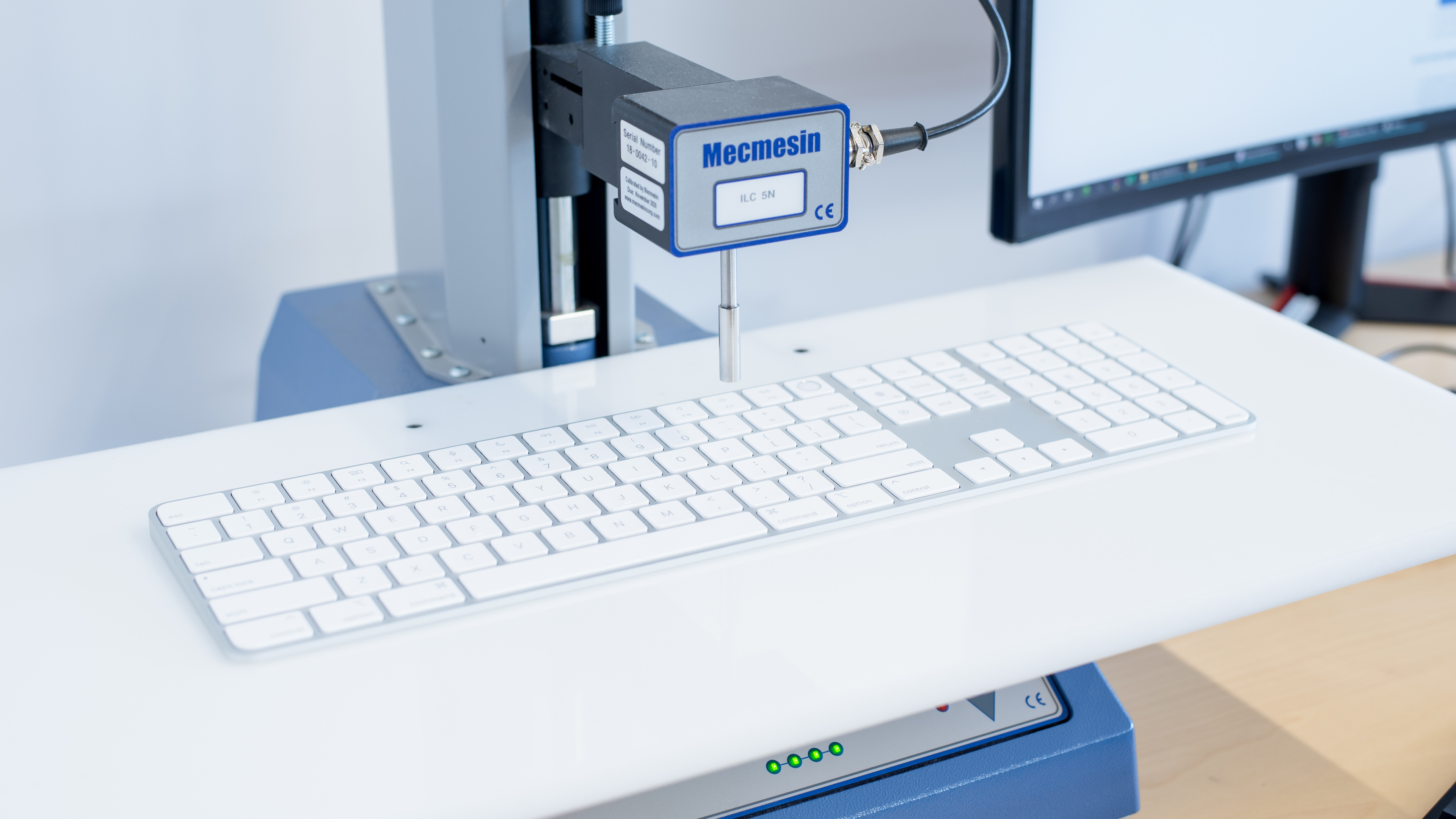
The Apple Magic Keyboard with Touch ID and Numeric Keypad is the second generation of the Apple Magic keyboards, replacing the Apple Magic Keyboard 2017. There are only a few design differences compared to the older model, with rounded edges and new hotkey buttons, but the main feature is the new Touch ID. It works with any M1 Mac computer, so you can quickly unlock it, but it's not compatible with the iPad or iPhone. It's available in a compact and a full-size option with a numpad, but it still lacks backlighting, which is disappointing for those who work in a dark environment. It's also only available in the silver color scheme if you buy it on its own, even though Apple sells other colors with the 24-inch iMac.

Our Verdict

5.2
Gaming 

The Apple Magic Keyboard with Touch ID performs poorly for gaming but isn't designed for this use. While the switches have a short pre-travel distance and are fairly light to press, the latency is too high for competitive gaming and only adequate for casual gaming. You also can't reprogram or set macros to any key.

Pros
  • Scissor switches have a short pre-travel distance.
Cons
  • Can't reprogram or set macros to any key.
  • No backlighting.
  • Latency is too high for competitive gaming.
7.7
Office 

The Apple Magic Keyboard with Touch ID is very good for office use. Typing feels great because the keys are light and offer good tactile feedback, and you shouldn't feel fatigued during long typing sessions, thanks to the low profile. It connects to any device via Bluetooth, but only one device at a time. Its Touch ID feature only works with certain macOS computers, which isn't convenient if you don't have those.

Pros
  • Connects to any device via Bluetooth.
  • Great typing quality.
  • Quiet typing noise.
Cons
  • No multi-device pairing.
7.5
Mobile/Tablet 

The Apple Magic Keyboard with Touch ID is decent for mobile use. The variant we tested is full-size, which is too big to carry around, but there's a compact version available. It connects with any device via Bluetooth, but there's no multi-device pairing feature. While most keys work with iPadOS and iOS, the Touch ID isn't compatible with either.

Pros
  • Connects to any device via Bluetooth.
  • Lightweight design and excellent build quality.
Cons
  • No multi-device pairing.
  • Touch ID feature isn't compatible with iPad or iPhone.
6.8
Programming 

The Apple Magic Keyboard with Touch ID is unremarkable for programming. It lacks a multi-device pairing feature, doesn't have backlighting, and you can't reprogram any of the keys. On the plus side, it offers great typing quality, and you shouldn't feel much fatigue during long programming sessions because it has a low profile.

Pros
  • Great typing quality.
  • Quiet typing noise.
Cons
  • Can't reprogram or set macros to any key.
  • No backlighting.
  • No multi-device pairing.
4.0
Entertainment / HTPC 

The Apple Magic Keyboard with Touch ID is poor for home theater PC use. It's not designed for it, so it doesn't have a trackpad, and it also lacks any sort of backlighting. Luckily, it connects to any device via Bluetooth.

Pros
  • Connects to any device via Bluetooth.
Cons
  • No backlighting.
  • Lacks a trackpad.
4.9
Raw Performance 

The Apple Magic Keyboard with Touch ID delivers poor raw performance overall. It has high single-key and multi-key latency using all connection types and an extremely low effective update rate via Bluetooth. While still a good option for everyday tasks and productivity, this keyboard isn't well suited for gaming overall.

  • 5.2
    Gaming
  • 7.7
    Office
  • 7.5
    Mobile/Tablet
  • 6.8
    Programming
  • 4.0
    Entertainment / HTPC
  • 4.9
    Raw Performance
  • Changelog

    1.  Updated Jul 31, 2025: 

      Added a reference to the Razer Joro as an alternative with better latency performance in the Single-Key Latency box.

    2.  Updated Feb 09, 2024: When updating this keyboard to our current test bench, we didn't list latency results over a wired connection in the Multi-Key Latency section for using a wired connection.
    3.  Updated Nov 29, 2023: We've converted this review to Test Bench 1.3.1, which adds a new estimated PCB latency test to the Single-Key Latency section and a new Analog test to the Switches section of this review. You can see the full changelog here.
    4.  Updated Aug 30, 2023: We've added text to this review for the new tests added in TBU 1.3.

    Check Price

    Silver W/ Black Keys
    SEE PRICE
    B&H

    Differences Between Sizes And Variants

    We tested the Apple Magic Keyboard with Touch ID and Numeric Keypad, which is part of the second generation of Magic Keyboards from Apple, replacing the Apple Magic Keyboard 2017. You can see the differences with the other second-gen keyboards below. When purchased separately, the keyboard is only available in one color, even though Apple offers it in different color schemes when bundled with the 24 inch iMac.

    Name Size Touch ID
    Apple Magic Keyboard Compact No
    Apple Magic Keyboard with Touch ID Compact Yes
    Apple Magic Keyboard with Touch ID and Numeric Keypad Full Yes

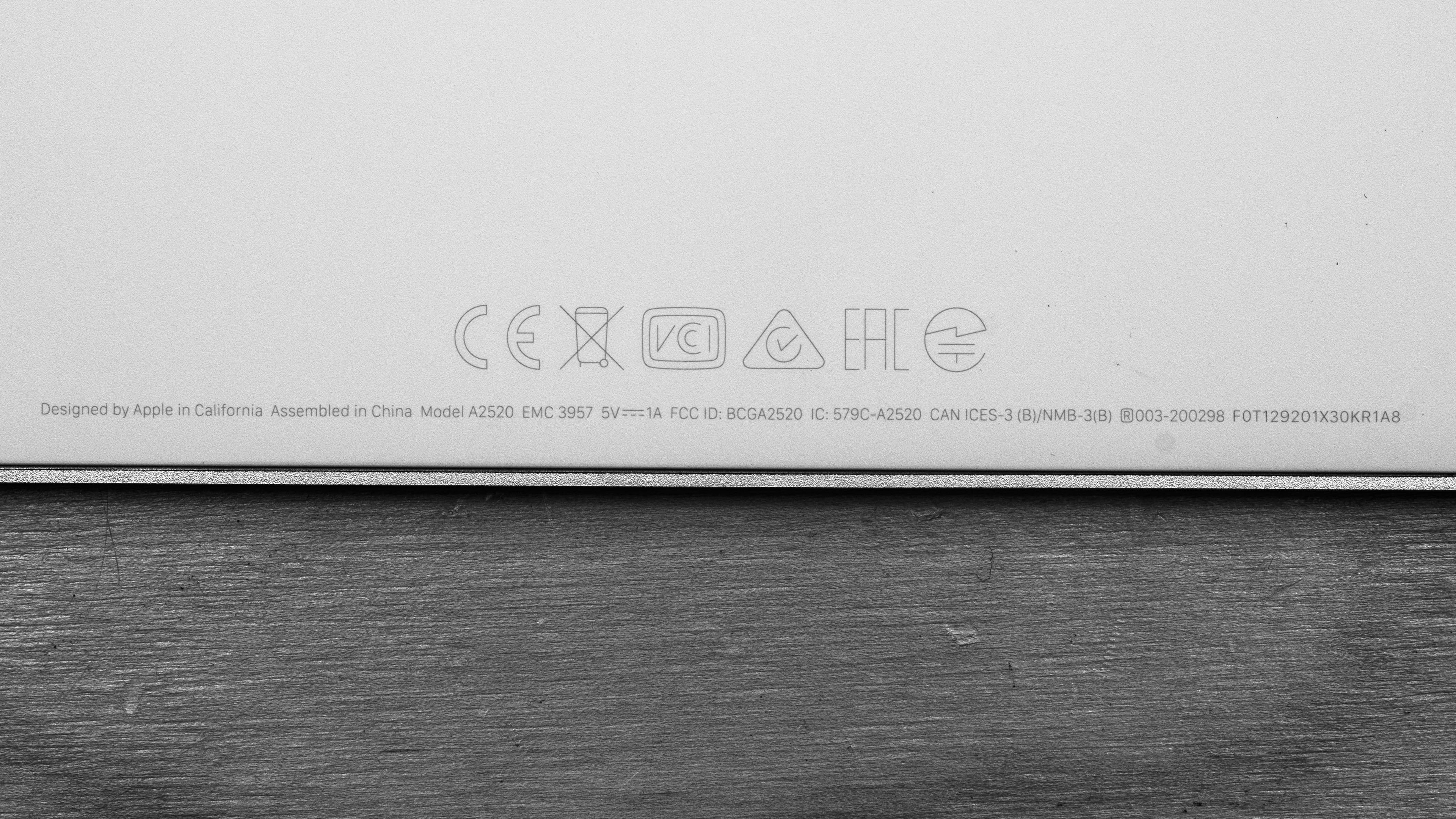
    If you have the keyboard and it's different from ours, let us know and we'll update the review. You can see the label for our unit here.

    Popular Keyboard Comparisons

    The Apple Magic Keyboard with Touch ID is a good office keyboard, but it's only really useful if you have a Mac with the M1 chip so that you can use the Touch ID feature. Otherwise, it's an expensive keyboard and there are cheaper options available, like the Logitech MX Keys.

    Also see our recommendations for the best keyboards for Mac, the best keyboards for programmers, and the best keyboards for iPad.

    Logitech MX Keys

    The Logitech MX Keys is a more versatile keyboard than the Apple Magic Keyboard with Touch ID and Numeric Keypad. The Logitech has multi-device pairing with up to three devices at once, and it has white backlighting, both of which the Apple doesn't have. The Logitech also has dedicated software to reprogram a few function keys, and it works fully on Windows and macOS. However, the Apple keyboard is meant for Mac computers and it has a Touch ID button, which the Logitech doesn't have.

    Logitech MX Keys Mini

    The Apple Magic Keyboard with Touch ID and Numeric Keypad and the Logitech MX Keys Mini are wireless, low-profile boards. The Apple is a full-size model, though it also comes in the same compact size as the Logitech. The Apple has a Numpad, a Touch ID key in the top right corner, and full compatibility with macOS. Also, you can use its cable for changing and in wired mode, while the Logitech is a wireless-only board that only lets you use the cable to charge the battery. That said, the Logitech has a few more features, like white backlighting, multi-device pairing via Bluetooth, and customization software to remap some keys.

    Apple Magic Keyboard 2017

    The Apple Magic Keyboard with Touch ID and Numeric Keypad is a newer version of the Apple Magic Keyboard 2017. As the name suggests, the newer model features Touch ID with compatible Mac computers. It also has a few aesthetic changes like rounded edges and new shortcut hotkeys. The model we tested is full-size, but it's also available in a compact version like the 2017 model we tested. Typing also feels better on the newer keyboard because the keys are more tactile. That said, the newer model we tested flexes more than the 2017 version, but it's also significantly wider, so this is to be expected.

    Razer Joro

    The Razer Joro and the Apple Magic Keyboard with Touch ID are quite similar in terms of typing feel. Both use responsive scissor switches with a very short travel distance. While the Apple keyboard is better built with a full metal chassis, the Razer can double as a competent gaming keyboard thanks to much better latency performance. It can also pair to multiple devices and has backlighting, which the Magic keyboard lacks. That said, while the Razer offers all the necessary shortcuts and legends for use on macOS, it doesn't have a Touch ID for easy and secure login. 

    Show more 

    Test Results

    perceptual testing image
    Sort:
    RATINGS
    Category:
    All
    Design
    Dimensions
    Size
    Full-size (100%)
    Height
    0.4" (1.1 cm)
    Width16.5" (41.8 cm)
    Depth
    4.5" (11.5 cm)
    Depth With Wrist Rest
    N/A
    Weight
    0.80 lbs (0.364 kg)
    8.5
    Build Quality
    Keycap MaterialABS

    The Apple Magic Keyboard with Touch ID has excellent build quality. It has a solid plastic base plate with an aluminum chassis that feels sharp on the edges. It's a stiff keyboard, but it flexes more than the Apple Magic Keyboard 2017 because it's bigger. However, you still need a lot of force to bend it, and it shouldn't be an issue for normal use. The ABS keycaps have a low profile and feel nice to touch. Surprisingly, there's a fair amount of rattle when you shake the keyboard, and the larger keys rattle the most. It shouldn't be a problem for regular use, but the keys aren't as stable as they should be. Lastly, the four rubber feet underneath the keyboard keep in place.

    7.0
    Ergonomics
    Curved/Angled
    No
    Split Keyboard
    No
    Key Alignment
    Staggered
    Minimum Incline
    2.8°
    Medium Incline
    N/A
    Maximum Incline
    N/A
    Home Row Height
    7.3 mm (0.3")

    The Apple Magic Keyboard with Touch ID is a low-profile keyboard with decent ergonomics. It doesn't have any incline settings or wrist rest, but you shouldn't need either because it sits nearly flat against the table, and you shouldn't experience fatigue.

    0.0
    Hardware Customizability
    Replaceable Cherry Stabilizers
    No
    Stabilizer Fixation
    Non-Customizable Design
    Spacebar Stabilizer Size
    Non-Customizable Design
    Size Of Right Mod Keys
    Non-Standard
    Hot-Swappable Switches
    No
    Switch Stem Shape
    Non-Customizable Design
    Switch PCB Socket
    Non-Customizable Design
    North-Facing Cherry MX Interference
    Non-Customizable Design
    0.0
    Backlight Features
    BacklightingNo
    RGB
    No
    Per-Key Backlighting
    No
    Effects
    No
    Software Controllable
    No

    The Apple Magic Keyboard with Touch ID doesn't have any backlighting, disappointing for those who want to work in a dark environment.

    0.0
    Backlight Clarity
    Cable & Connector
    ConnectivityWireless
    Detachable
    Yes (Wired Mode and Charge)
    Length3.4 ft (1.0 m)
    Connector (Keyboard side)
    Lightning

    It comes with a nice braided cable that feels better than the standard rubber cable that came with the Apple Magic Keyboard 2017. It has a USB-C connector on the end, meaning you can connect it with any USB-C-compatible device. You can use it as a wired keyboard if you don't want a Bluetooth connection.

    7.5
    Wireless Versatility
    Bluetooth
    Yes
    Bluetooth Multi-Device Pairing
    No
    Proprietary Receiver
    No
    Battery Type
    Rechargeable

    The Apple Magic Keyboard with Touch ID connects with one device at a time via Bluetooth. Apple advertises that the battery should last about a month, but it depends on your usage.

    0.0
    Macro Keys And Programming
    Dedicated Macro Keys Count0
    Onboard Macro Programming
    No
    Macro Programming With Software
    No
    Extra Features
    Media Keys
    Non-Dedicated
    Trackpad / TrackballNo
    Scroll Wheel
    No
    Control Knob
    No
    USB Passthrough
    No
    NumpadYes
    Windows Key Lock
    No
    Lock IndicatorCaps Lock

    The stand-out feature of the Apple Magic Keyboard with Touch ID is the Touch ID on the top right. It's advertised to only work with Mac computers with the M1 chip and not iPads or iPhones.

    In The Box

    • Apple Magic Keyboard with Touch ID and Numeric Keypad
    • Lightning to USB-C cable
    • User Guide
    Typing Experience
    8.0
    Typing Quality
    Key Spacing
    19.0 mm (0.748")

    The Apple Magic Keyboard with Touch ID's typing quality feels great. The key spacing is standard, and it's comfortable to type on. The switches offer good feedback, they aren't mushy, and typing is quick, thanks to the short pre-travel distance. Most of the keys are stable, but there's still some wobble to them, and the Spacebar makes a rattling noise when you actuate it. The Shift and Enter keys don't have this issue, though. Overall, it offers better typing quality than the Apple Magic Keyboard 2017 because there's more tactile feedback, but it's not a significant difference.

    9.8
    Typing Noise
    Average Loudness
    37.8 dBA
    High Pitch Clicks
    No

    The Apple Magic Keyboard with Touch ID is very quiet and shouldn't bother people in a noise-sensitive environment.

    Switches
    Switch Name
    No Marketed Name
    Switch Type
    Scissor
    Feel
    Tactile
    Analog
    No
    Keystrokes
    See details on graph tool
    Operating Force
    64 gf
    Actuation Force
    32 gf
    Pre-Travel
    0.9 mm
    Total Travel
    1.3 mm

    The Apple Magic Keyboard with Touch ID uses the same scissor switches as the previous model. They're low profile and have a short pre-travel distance, but they require some force to get over the tactile bump. It means that you likely won't accidentally actuate keys often.

    Performance
    7.4
    Single-Key Latency
    See details on graph tool
    Best Connection
    17.4 ms
    Best Connection Std Dev±2.3 ms
    Wired
    17.4 ms
    Receiver
    N/A
    Bluetooth
    38.4 ms
    PCB (Estimated)
    38.0 ms

    This keyboard has satisfactory single-key latency performance, specifically when used over a wired connection. It's suitable for casual gaming but unsuitable for playing games where input speed is important, such as competitive FPS or rhythm games.

    We expect most people to use this keyboard wirelessly over a Bluetooth connection. The Single-Key Latency performance over a Bluetooth connection is significantly higher and much more inconsistent. It's still perfectly well-suited for everyday browsing or work, but you may notice slight, occasional delays even when playing casual games.

    If you're looking for a similar keyboard with better latency performance, you should consider the Razer Joro.

    4.0
    Multi-Key Latency
    See details on graph tool
    Connection EvaluatedBluetooth
    Key Press
    46.3 ms
    Key Release
    41.0 ms

    This keyboard has very high and noticeably inconsistent multi-key latency for both the key press and key release when using this keyboard wirelessly over a Bluetooth connection, which is how we expect most people will use this keyboard.

    You can use this keyboard in wired mode, which does provide better performance with Key Press and Key Release results around 20 ms. However, this is still quite high.

    Overall, this keyboard isn't well-suited for playing games that require multi-key inputs where input speed is important, like competitive games. That said, it's still perfectly well-suited for lower-intensity casual games and everyday browsing or work.

    3.0
    Data Transmission
    Connection EvaluatedBluetooth
    USB Polling Rate
    N/A
    Effective Update Rate
    67 Hz
    N-Key Rollover (NKRO)
    No
    Multiple Keys Per USB Report
    Yes

    This keyboard connects via Bluetooth, and while it can send multiple keys per USB report, it lacks NKRO and has a very low effective update rate.

    3.3
    Chord Split
    See details on graph tool
    4 Chord Split Delay
    30.0 ms
    8 Chord Split Delay
    N/A

    This keyboard has poor chord split performance. It produces a very high 4-chord split delay and can't register eight simultaneous keys.

    Software and Operating System
    Configuration Software
    Software NameNo Software
    Software Windows Compatible
    No
    Software macOS Compatible
    No
    Onboard Memory
    No
    Profiles
    No Profile

    There's no dedicated software to reprogram keys or set macros. You can customize some shortcuts through the Settings menu on the Mac.

    8.6
    Computer Compatibility
    Windows
    Partially Compatible
    macOS
    Fully Compatible
    Linux (Ubuntu 22)
    Fully Compatible
    Media Key Compatibility
    MacOS & Linux

    The Apple Magic Keyboard with Touch ID only fully works with all features with macOS, and you need an M1 Mac computer or newer for the Touch ID to work. As expected, the Touch ID doesn't work with any other operating system or Apple products. The hotkeys don't work on Linux and Windows, and the Fn key doesn't work on Windows either.

    9.2
    Wireless Mobile Compatibility
    Android
    Partially Compatible
    iOS
    Fully Compatible
    iPadOS
    Fully Compatible
    Media Key Compatibility
    iPhone & iPad

    Everything works on iPadOS except for the Touch ID, and the F3 button doesn't work on iOS. We don't have the new iPad Pro with the M1 chip, but many reports online mention that it isn't compatible with the Touch ID. As for Android, the Fn button registers as Brightness Down, and the Option key brings up the voice assistant. The hotkeys don't work either, but there is a list of shortcuts, as you can see here.