Razer Joro  Keyboard Review

Reviewed Jul 31, 2025 at 11:26am
Tested using Methodology v1.4.2 
Razer Joro
7.9
Gaming 
7.7
Office 
9.2
Mobile/Tablet 
7.7
Programming 
6.3
Entertainment / HTPC 
8.0
Raw Performance 
 6

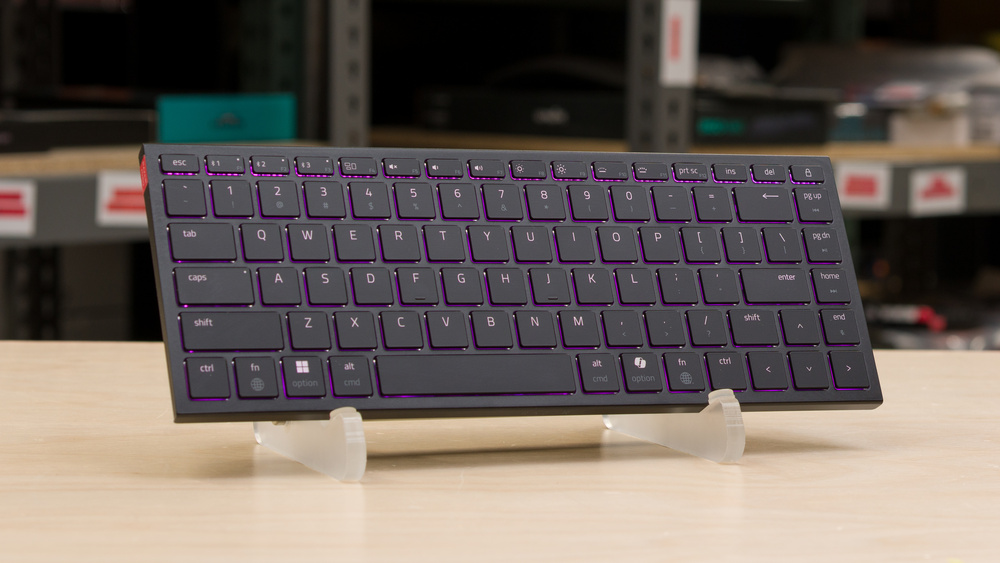
The Razer Joro is a low-profile wireless keyboard. It's Razer's first entry into the ultra-portable keyboard segment, and it aims to bring some gaming features and RGB lighting to stand out from the competition. The Razer offers multi-device Bluetooth pairing in a compact 75% format. Razer also added 2.4GHz wireless connection through a firmware update, but the required dongle is not included. As explained in the Wireless Versatility section, dongle compatibility is murky. This keyboard targets workers on the go who also want to game. It's compatible with portable devices as well as macOS and Windows, with the appropriate legends for both operating systems. This makes it suitable for competitive gaming, unlike many similar portability-focused boards, which typically have Bluetooth-only connections or throttled polling rates to save power. It's also compatible with the company's Synapse software for setting up macros or customizing the keyboard's lighting. That RGB lighting is, however, limited to a single zone as opposed to per-key lighting.

Our Verdict

7.9
Gaming 

Despite its very portable size, the Razer Joro keyboard is very good for gaming. It's decently well built with very crisp backlighting. It also offers a 1000Hz polling rate and great overall latency performance for a responsive gaming experience when used wired. The scissor switches feel snappy, but they are prone to catching debris. Razer's Synapse is a complete software suite that includes macro customization and backlighting, but it's resource-heavy.

Pros
  • Responsive switches.

  • Reasonably well built with barely any flex.

  • 1000Hz polling rate when used wired.

  • Very good wired latency.

  • Very clear RGB backlighting, with shine-through legends.

Cons
  • Scissor switches are prone to catching debris.

  • 2.4Ghz receiver is not included.

7.7
Office 

The Razer Joro is very good for office work. It offers a good and extremely silent typing experience reminiscent of a laptop keyboard. It has standard spacing, but the smaller keys on the function row and right-shift may take a bit of getting used to. Its scissor switches have a very short travel distance and feel responsive to type on, but they can capture lint and other debris. The keyboard also doesn't offer much cushioning and can feel hard after long hours of use. For people who want to use the same keyboard for multiple devices, it's also very flexible, as it can connect to up to three devices by Bluetooth and supports all major operating systems.

Pros
  • Responsive switches.

  • Reasonably well built with barely any flex.

  • Compatible with every major operating system.

Cons
  • Scissor switches are prone to catching debris.

  • 2.4Ghz receiver is not included.

9.2
Mobile/Tablet 

The Razer Joro is an outstanding option for mobile devices. It connects wirelessly via Bluetooth and can pair with up to three devices at once. It's compatible with all major operating systems and features key legends for both Windows and macOS. All keys function correctly regardless of the platform. Its slim profile makes it easy to slip into a laptop bag, and it feels sturdy enough that you won't need to worry about it getting damaged during travel. That said, its scissor key switches are prone to catching debris.

Pros
  • A compact layout in a very slim and portable design.

  • Reasonably well built with barely any flex.

  • Compatible with every major operating system.

Cons
  • Scissor switches are prone to catching debris.

7.7
Programming 

The Razer Joro is good for programming. It's well-built and offers a good typing experience thanks to responsive switches with a very short travel distance. It supports multi-device pairing over Bluetooth, and its slim profile makes it comfortable to use even without a wrist rest. Razer's software also offers macro-customization, and the keycaps have shine-through legends so you can read keys in any lighting condition.

Pros
  • Responsive switches.

  • Reasonably well built with barely any flex.

  • Very clear RGB backlighting, with shine-through legends.

Cons
  • Scissor switches are prone to catching debris.

6.3
Entertainment / HTPC 

The Razer Joro keyboard is okay for a home theater PC setup. Although it's very slim and offers a great backlighting, it doesn't have a built-in trackpad, meaning you also need a mouse to navigate the interface. It also doesn't have dedicated media keys. That said, it can be paired with up to three devices through Bluetooth, and it's very easy to switch between paired devices using a keyboard shortcut. It's also compatible with all major operating systems, and all the keyboard shortcuts work as intended.

Pros
  • A compact layout in a very slim and portable design.

  • Reasonably well built with barely any flex.

  • Very clear RGB backlighting, with shine-through legends.

  • Compatible with every major operating system.

Cons
  • No dedicated media keys.

8.0
Raw Performance 

The Razer Joro keyboard offers great all-around performance. When used wired, it delivers a 1000Hz polling rate, and its latency performance is good enough for casual or even competitive gaming. That said, it still doesn't hit the peak performance of dedicated gaming keyboards.

Pros
  • 1000Hz polling rate when used wired.

  • Very good wired latency.

Cons
None
  • 7.9
    Gaming
  • 7.7
    Office
  • 9.2
    Mobile/Tablet
  • 7.7
    Programming
  • 6.3
    Entertainment / HTPC
  • 8.0
    Raw Performance
  • Changelog

    1.  Updated Oct 02, 2025: Our 1.4.2 Test Bench Update makes changes to the Hardware Customizability test group. We've created a new Magnetic Switch Compatibility test and renamed our previous PCB Socket test to Mechanical Switch Compatibility. See our full changelog.
    2.  Updated Aug 26, 2025: 

      Added a reference to the NuPhy Air75 V3 as an alternative with mechanical switches in the Keystrokes test box.

    3.  Updated Aug 26, 2025: We've converted this review to Test Bench 1.4.1. This update removes the Key Release test and a video element from the Multi-Key Latency section, resulting in minor score changes. See our full 1.4.1 changelog for details.
    4.  Updated Jul 31, 2025: Review published.

    Check Price

    Differences Between Sizes And Variants

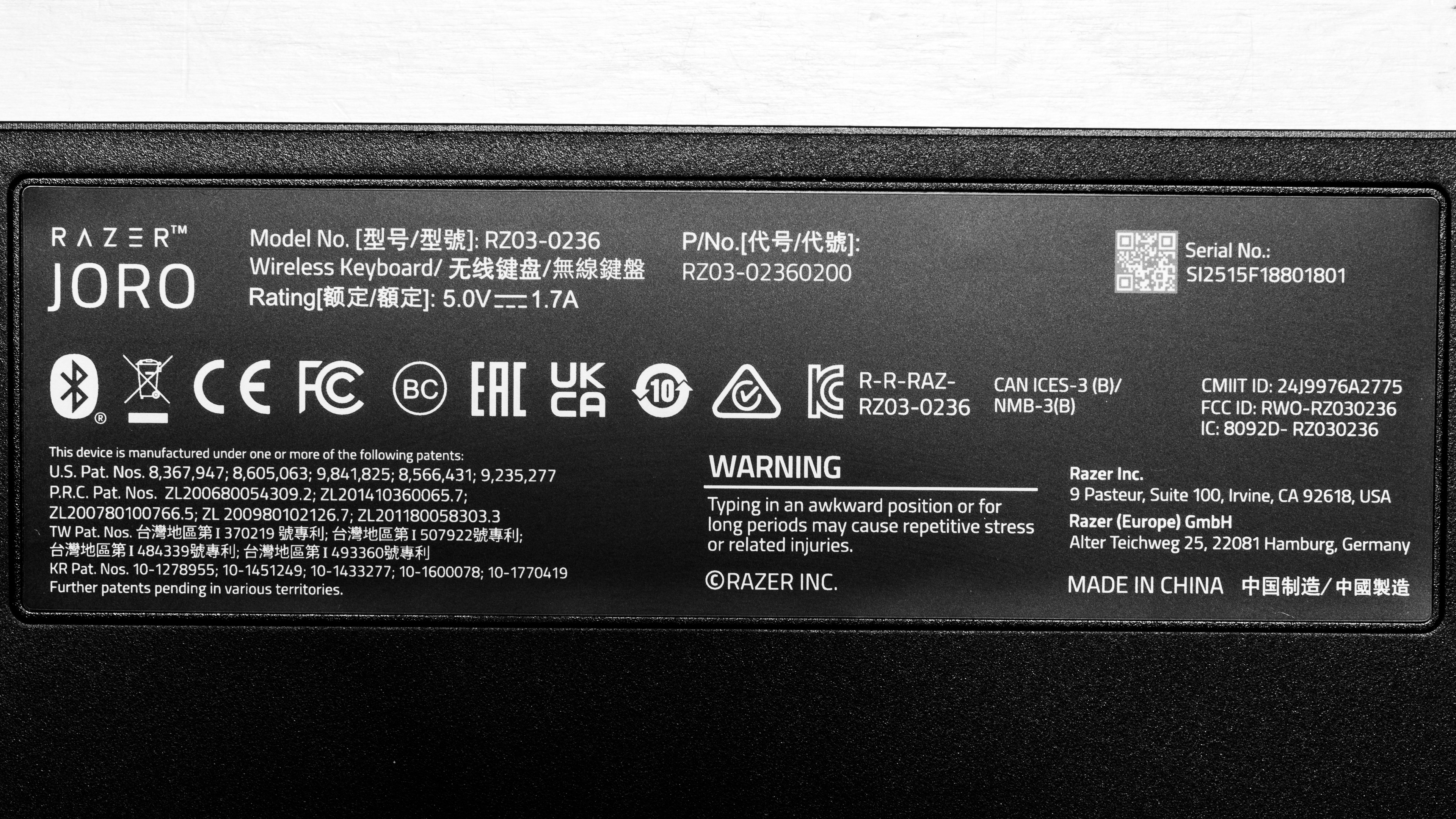
    The Razer Joro keyboard is only available in a black colorway and compact 75% layout. You can see a photo of our unit's label here.

    Popular Keyboard Comparisons

    The Razer Joro is a hybrid work and play keyboard with an ultra-slim profile. It's very easy to carry around and transport, while delivering very good gaming performance when used wired. Using this keyboard feels like using a very good laptop keyboard. The scissor switches are responsive, and the layout is very easy to get accustomed to.

    This offering enters a competitive field. This keyboard offers a similar form factor and design approach, but better latency than purely productivity-focused models like the MX Keys S, MX Keys Mini, and the Apple Magic Keyboard. These Logitech and Apple keyboards have been staples of the segment for years, and although they all are slightly better built and offer a somewhat better typing experience, they can't quite match the Razer keyboard's gaming performance and portability. Keychron also offers some competing models like the Keychron B1 Pro and the slightly bigger Keychron K3 Max. The latter offers the flexibility of a hot-swappable version and satisfying mechanical switches while delivering even better gaming performance.

    For more options, see our recommendations for the best keyboards, the best office keyboards, and the best low-profile keyboards.

    Logitech MX Keys Mini

    The Logitech MX Keys Mini and the Razer Joro are slim, low-profile keyboards. The Logitech offers a slightly more satisfying typing experience and a better overall build quality. The Razer, on the other hand, boasts much better gaming performance when wired, thanks in part to a 1000Hz polling rate. It also offers full RGB backlighting as opposed to the Logitech's white backlighting. 

    Logitech MX Keys S

    The Logitech MX Keys S and the Razer Joro are slim, low-profile keyboards, but they differ in size and target audience. The Logitech is a full-sized layout that targets productivity workers. It offers a slightly more satisfying typing experience and a better overall build quality. The Razer, on the other hand, boasts much better gaming performance when wired, thanks in part to a 1000Hz polling rate. It's also much easier to carry around, and offers full RGB backlighting compared to the white-only adaptive lighting on the Logitech.. 

    Apple Magic Keyboard with Touch ID and Numeric Keypad

    The Razer Joro and the Apple Magic Keyboard with Touch ID are quite similar in terms of typing feel. Both use responsive scissor switches with a very short travel distance. While the Apple keyboard is better built with a full metal chassis, the Razer can double as a competent gaming keyboard thanks to much better latency performance. It can also pair to multiple devices and has backlighting, which the Magic keyboard lacks. That said, while the Razer offers all the necessary shortcuts and legends for use on macOS, it doesn't have a Touch ID for easy and secure login. 

    NuPhy Air75 V2 [Air60 V2, Air96 V2]

    The NuPhy Air75 V2 and the Razer Joro are both low-profile keyboards, but they don't really target the same users. While the NuPhy can be carried around without too much difficulty, it isn't nearly as portable as the Razer. It does, however, provide a more satisfying and more customizable typing experience. It's also better built and delivers slightly better latency performance. 

    Test Results
    perceptual testing image
    Sort:
    RATINGS
    Category:
    All
    Design
    Dimensions
    Size
    Compact (75%)
    Height
    0.6" (1.6 cm)
    Width11.7" (29.8 cm)
    Depth
    4.4" (11.3 cm)
    Depth With Wrist Rest
    N/A
    Weight
    0.84 lbs (0.379 kg)

    The Razer Joro has a compact 75% layout and a very small footprint. It does have a function row, but it's much shorter than the normal keys, which may require some getting used to. The keyboard is also quite lightweight, which makes it ideal to carry around.

    7.0
    Build Quality
    Keycap MaterialABS

    The Razer Joro has decent build quality. It's mostly made of ABS plastic, but the aluminum plate on top helps give the board some much-needed rigidity. Overall, the keyboard feels well-constructed with tight tolerances and a well-balanced weight. It has four rubber feet, which keep it relatively stable. That said, since it's very light, it remains fairly easy to move unintentionally.

    That said, there are some shortcomings. The keys are stable, but the ABS Laser-Etched keycaps feel slightly cheap to the touch compared to PBT keycaps. They are also prone to develop a shiny, slippery finish with time. Also, the spacing in the scissor switches allows debris to easily fall into them. During testing, the "L" key began to feel stickier than the others after several days of use. We suspect some debris may have gotten into the scissor mechanism, though the issue resolved on its own without any cleaning. While likely minor, this may indicate that the low-profile design is somewhat vulnerable to debris affecting key feel. Also, if you shake the board, there are some faint rattling sounds localized in the top right corner.

    7.0
    Ergonomics
    Curved/Angled
    No
    Split Keyboard
    No
    Key Alignment
    Staggered
    Minimum Incline
    2.8°
    Medium Incline
    N/A
    Maximum Incline
    N/A
    Home Row Height
    13.0 mm (0.5")

    The Razer Joro has a very low profile and is comfortable to use without a wrist rest. That said, there are no incline settings.

    0.4
    Hardware Customizability
    Replaceable Cherry Stabilizers
    No
    Stabilizer Fixation
    Non-Customizable Design
    Spacebar Stabilizer Size
    Non-Customizable Design
    Size Of Right Mod Keys
    Non-Standard
    Hot-Swappable Switches
    No
    Switch Stem Shape
    Non-Customizable Design
    Mechanical Switch Compatibility
    Soldered
    Magnetic Switch Compatibility
    No Magnetic Switch Support
    North-Facing Cherry MX Interference
    Non-Customizable Design
    8.0
    Backlight Features
    BacklightingYes
    RGB
    Yes
    Per-Key Backlighting
    No
    Effects
    Yes
    Software Controllable
    Yes

    The Razer Joro has single-zone RGB lighting, which means that you can't customize the lighting of individual keys. While the keyboard can display some lighting effects, they're applied to the entire keyboard. It's possible to cycle through some onboard lighting effects as well as adjust the brightness levels directly through the keyboard.

    9.0
    Backlight Clarity

    The backlighting is crisp and clear. The keys are easy to discern in all lighting conditions, with little to no obstructions. Note that when set to white, the lighting does exhibit a blueish hue.

    Cable & Connector
    ConnectivityWireless
    Detachable
    Yes (Wired Mode and Charge)
    Length3.0 ft (0.9 m)
    Connector (Keyboard side)
    USB type-C

    The included cable retains some kinks from the packaging. At only 3.0 ft, it's also very short and has a C-to-C connector, which could be a problem if your host device doesn't have the necessary input.

    10
    Wireless Versatility
    Bluetooth
    Yes
    Bluetooth Multi-Device Pairing
    3
    Proprietary Receiver
    No
    Battery Type
    Rechargeable

    Razer claims up to 1849 hours with power saving mode, which can be activated using the FN + Esc keys. Power saving mode turns off backlighting, lowers the polling rate to 250Hz, and disables software features. Razer estimates up to 1195 hours of battery life with no backlighting in standard mode. Expected battery life drops to just five hours on standard mode with the backlight at 100% brightness. Razer provides additional battery life estimates for other backlight levels on its website.

    Razer released a firmware update that adds 2.4GHz connectivity support, but the required dongle is not included with the keyboard. We purchased a standalone HyperSpeed dongle to test 2.4GHz connectivity, but it failed to pair. After some tinkering, we tried again, but this time we paired a Razer Basilisk V3 35K first, before trying to pair the Razer Joro. This ended up working. Based on this, we believe the dongles included with the devices listed on this support page are likely to work. However, the Joro does not connect on its own. To use it over 2.4GHz, the mouse must remain paired at the same time, which is a very weird limitation.

    We've contacted Razer for clarification on whether this is intentional, and will update our review if they provide more information.

    4.0
    Macro Keys And Programming
    Dedicated Macro Keys Count0
    Onboard Macro Programming
    No
    Macro Programming With Software
    Yes
    Extra Features
    Media Keys
    Non-Dedicated
    Trackpad / TrackballNo
    Scroll Wheel
    No
    Control Knob
    No
    USB Passthrough
    No
    NumpadNo
    Windows Key Lock
    Yes
    Lock IndicatorCaps Lock

    This keyboard can be used wired, with Bluetooth, or with a compatible Razer Hyperspeed 2.4GHz dongle sold separately. You can switch between connection modes on the device. Using a Bluetooth connection, you can pair with up to three devices simultaneously and switch between them using shortcuts. The toggle along the back edge allows you to switch between wired and wireless modes.

    Most essential shortcuts are also present on the compressed function keys. Notably, there are pre-programmed shortcuts and keycap legends for both Windows and macOS.

    You can also toggle between compatibility modes for different operating systems by pressing and holding certain hotkey combinations.

    Backlighting can also be controlled directly through the keyboard. It's possible to change the brightness or cycle through different RGB effects using FN+CTRL+1, 2, 3, or 4.

    You can find all the various shortcuts and connection instructions in the instruction manual.

    In The Box

    • USB-C to USB-C cable
    • User documentation
    Typing Experience
    7.5
    Typing Quality
    Key Spacing
    19.0 mm (0.748")

    The Razer Joro offers a good typing experience overall. Like other low-profile keyboards with scissor switches, it delivers very short travel distance, stable switches, and a responsive feel that's quite reminiscent of what you would find on most laptops. The layout is easy to get accustomed to with standard spacing, except for a few differences like a compressed function row and a smaller right-shift key, which take some adjustment.

    That said, while the slim design makes it easier to find a comfortable typing angle, there's minimal cushioning, and the switches bottom out easily. As a result, typing for extended periods can feel a bit harsh or fatiguing.

    9.5
    Typing Noise
    Average Loudness
    41.0 dBA
    High Pitch Clicks
    No

    This keyboard is extremely quiet and is very unlikely to bother anyone around you while you're typing.

    Keystrokes
    See details on graph tool
    Operating Force
    64 gf
    Actuation Force
    31 gf
    Pre-Travel
    1.2 mm
    Total Travel
    1.6 mm

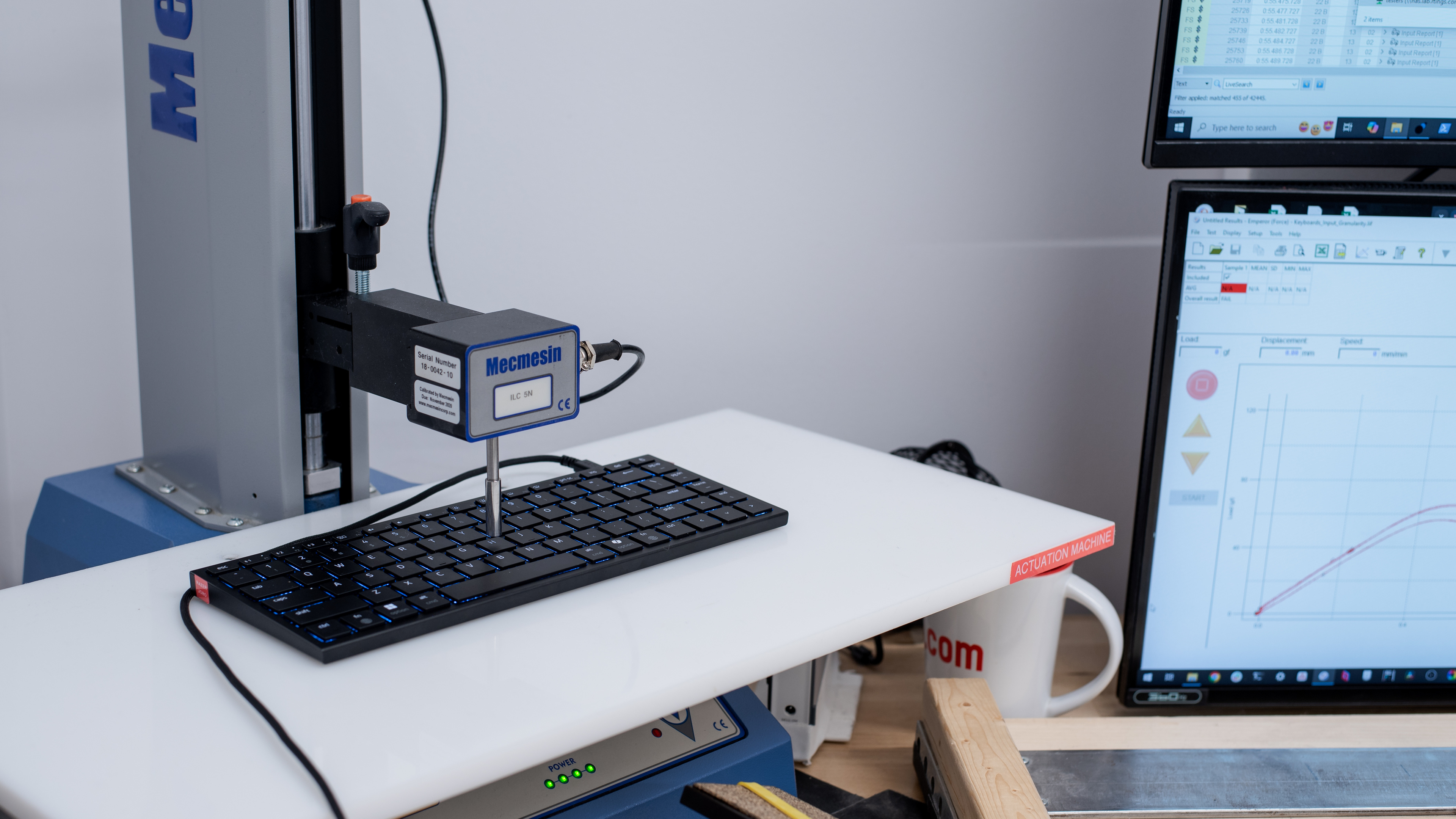
    The Razer Joro features stable and responsive scissor switches. These are low profile with a short pre-travel distance, very similar to what you would find on a laptop. However, they require a bit of force to press past the tactile bump, which helps prevent accidental key presses. If you're looking for an alternative with mechanical switches with longer key travel, consider the NuPhy Air75 V3.

    0.0
    Adjustable Input Granularity
    See details on graph tool
    Top Deadzone
    N/A
    Bottom Deadzone
    N/A
    Detection Ratio
    N/A
    Minimum Step Depth
    N/A

    This keyboard uses non-adjustable scissor switches.

    Switches
    Switch Name
    Razer Ultra Low-Profile Switches
    Switch Type
    Scissor
    Feel
    Tactile
    Output Type
    Non-Adjustable
    Performance
    8.1
    Single-Key Latency
    See details on graph tool
    Best Connection
    14.0 ms
    Best Connection Std Dev±0.4 ms
    Wired
    14.0 ms
    Receiver
    16.0 ms
    Bluetooth
    22.0 ms
    PCB (Estimated)
    13.3 ms

    This keyboard's single-key performance is very good when used wired. Although it doesn't quite reach the performance of gaming keyboards designed exclusively for gaming, it's good enough for casual gaming and even holds up in more competitive play. The connection is also consistent with very little variation in response times, so you shouldn't experience random lag spikes.

    Using the keyboard with a 2.4Ghz connection leads to very similar latency results to a wired connection, with consistent results that are on average 2 ms slower. We tested the keyboard using the Razer Basilisk V3 Pro 35K dongle with an extender to achieve these results. You can find more details on the wireless dongle compatibility in our Wireless Versatility section.
     

    7.6
    Multi-Key Latency
    See details on graph tool
    Connection EvaluatedWired
    Key Press
    14.0 ms

    When used wired, multi-key latency is good enough for casual gaming scenarios. Even though it's consistent and totally competent enough for most people, some may feel that its latency is a bit too high for high-level competitive play.

    This keyboard is also compatible with Razer's Hyperspeed wireless dongle, sold separately. Once we receive our unit, we will update our review with its results.

    8.2
    Data Transmission
    Connection EvaluatedWired
    USB Polling Rate
    1,000 Hz
    Effective Update Rate
    1,000 Hz
    N-Key Rollover (NKRO)
    Yes
    Multiple Keys Per USB Report
    No

    When used wired, this keyboard supports up to 1000Hz polling rate. This is better than most thin and light portable keyboards in the segment. It also supports full N-key rollover out of the box.

    8.5
    Chord Split
    See details on graph tool
    4 Chord Split Delay
    4.4 ms
    8 Chord Split Delay
    9.3 ms

    This keyboard has a very good chord split performance. It is well-suited for playing rhythm titles or other games requiring many simultaneous inputs.

    Software and Operating System
    Configuration Software
    Software NameRazer Synapse 4
    Software Windows Compatible
    Yes
    Software macOS Compatible
    Yes
    Onboard Memory
    No
    Profiles
    6+

    The keyboard's software is straightforward but feels a bit scattered: basic configuration options are built in, but for any deeper RGB customization, you need to install Razer Chroma. Even then, because this model only supports single‑zone lighting, your options remain very limited. Within the driver, you'll find a separate Macros tab where you can create and save macros to your Synapse profile. You can also link specific games and tailor the driver's behavior for each title. For example, it can activate Snap Tap or change the RGB color when a certain title is launched.

    If you're using Bluetooth and have a compatible Hyperspeed dongle, you can activate "Hyperspeed Wireless Mode" (2.4 GHz) by pressing Fn + F1 + F3 after updating the firmware via Razer's updater.

    The Gaming Mode settings let you lock out troublesome keys, Windows key, Alt + Tab, Alt + F4, and Copilot, which can bring you back to the desktop environment if you accidentally hit them during gameplay. It also includes Snap Tap, which implements full SOCD support. This gives you the ability to pair two keys (e.g., A and D), and as soon as the system detects the input of two keys, it will prioritize the last input and automatically release the previous one. This feature is helpful in gaming scenarios such as tap strafing in some competitive FPS games.

    That said, like the software options from other major manufacturers, Synapse receives criticism for requiring frequent updates and taking up disproportionate system resources.

    10
    Computer Compatibility
    Windows
    Fully Compatible
    macOS
    Fully Compatible
    Linux
    Fully Compatible
    Media Key Compatibility
    Windows, MacOS & Linux

    This keyboard is fully compatible with Windows, macOS, and Linux. On macOS, all default button functions work as intended, and keycaps have the appropriate legends.

    10
    Wireless Mobile Compatibility
    Android
    Fully Compatible
    iOS
    Fully Compatible
    iPadOS
    Fully Compatible
    Media Key Compatibility
    Android, iPhone & iPad

    This keyboard is fully compatible with both iOS and Android. Function row keys are all detected, media keys worked as intended, and other keys like Insert and Delete all functioned perfectly.